> ## Documentation Index
> Fetch the complete documentation index at: https://www.krea.ai/docs/llms.txt
> Use this file to discover all available pages before exploring further.
# ChatGPT 1.5
> OpenAI 最精准的图像模型,专为复杂提示词、准确的文字渲染和有针对性的编辑而构建,编辑时不会影响画面其余部分。
 ## 概述
OpenAI 最新的图像生成模型,基于 GPT Image 1.5 构建,这是一种原生多模态架构,通过统一网络处理文本和图像,而不是把它们当作两个独立系统。实际效果是:这个模型能以异常高的精度遵循复杂指令,**能够准确渲染密集文本**,并对图像进行有针对性的编辑,同时不会打乱画面中其他部分。
它比 Fast Models 慢,也更消耗额度,但对于需要精确遵循提示词、图像中包含可读文字,或者需要受控迭代编辑的任务而言,它是平台上最强大的选择之一。
## 开始使用
1. **进入图像生成** — 前往 [krea.ai/image](https://krea.ai/image) 并在下拉菜单中选择此模型。
2. **选择 ChatGPT 1.5** — 打开模型选择器,在 Intelligent Models 部分选择 ChatGPT 1.5。
3. **撰写提示词** — 尽可能具体和详细。ChatGPT 1.5 为精确遵循指令而构建,因此详细的提示词比模糊的效果明显更好。
4. **添加参考图像(可选)** — 上传图像以引导构图、风格或主题。
5. **选择宽高比** — 根据用例选择纵向、横向或方形。
6. **生成** — 点击 Generate。ChatGPT 1.5 比快速模型慢,但输出质量与增加的处理时间成正比。
7. **迭代** — 请求对结果做具体修改。ChatGPT 1.5 只会修改你要求的部分,同时保持图像其他部分一致。
## 一览
| 特性 | 详情 |
| ---------- | ---------------------- |
| **速度** | 慢 (1/3) |
| **额度** | 每次生成约 150 |
| **底层模型** | GPT Image 1.5 (OpenAI) |
| **擅长** | 复杂提示词、文字渲染、精确图像编辑 |
| **支持尺寸** | 1:1 方形、3:2 横向、2:3 纵向 |
| **风格参考支持** | 是 |
## 何时使用 ChatGPT 1.5
当精度比速度更重要时,ChatGPT 1.5 就是要用的模型。它原生的多模态架构意味着它对文本与图像之间关系的理解比大多数模型更深入,这转化为更强的提示词遵循能力以及在复杂或多层次请求上更可靠的结果。
它的文字渲染能力尤其强。许多模型很难在图像中生成可读、拼写正确的文字,而 ChatGPT 1.5 能准确处理密集且小尺寸的文字,因此对包含标志、排版、标签或图表的任何提示词都是可靠选择。
它在迭代编辑方面也表现出色。当你要求它修改图像中某一个具体的部分时,它只会调整你指定的部分,同时保持面部相似度、光照、构图和色调在画面其余部分保持一致。这解决了 AI 图像生成中最常见的痛点之一:请求小改动却导致整张图从头重新生成。
| 何时使用 | 何时避免 |
| ------------------- | ---------------- |
| 你的提示词复杂且需要精确解读 | 你需要快速结果或处于早期草稿阶段 |
| 图像需要包含可读文字 | 你预算紧张 |
| 你需要在不改变整张图的情况下做特定编辑 | 你想要极度风格化或艺术化的输出 |
| 你正在处理图表、角色或细节场景 | 你需要 LoRA 风格支持 |
| 面部相似度或跨编辑的视觉一致性很重要 | |
## 常见用例
* **图表与信息图**:带准确标签和文字的技术插图
* **角色设计**:跨多次迭代保持角色外观一致
* **营销素材**:包含可读文案、logo 或产品标注的排版
* **照片编辑**:对现有图像进行有针对性的修改,无需完全重生成
* **复杂场景**:需要精确空间关系的多元素构图
## 提示词技巧
### 撰写高效的提示词
* 像给出详细创意简报那样撰写提示词——明确描述主体、风格、光照、构图和情绪
* 对于图像中的文字,指定确切措辞、字体样式、字号和位置
* 清楚描述空间关系:"a red mug on the left side of a white table, window light from the right"
* ChatGPT 1.5 能很好地处理长而详细的提示词——能具体就不要缩略
### 迭代结果
* 编辑时只描述你想要的改动,其他一切不做说明——模型会保留你未提及的部分
* 做角色相关工作时,先在第一次生成中确立外观,然后在后续编辑中显式引用
* 如果结果不太对,修改你的提示词措辞,而不是用相同文本重新生成
### 充分发挥文字渲染的能力
* 将你需要出现在图像中的文字放在提示词的引号内
* 需要时指定字体样式:"sans-serif"、"handwritten"、"bold uppercase"
* 对于海报或图表这类文字密集的排版,将版面在提示词中拆分为清晰的部分
# 示例
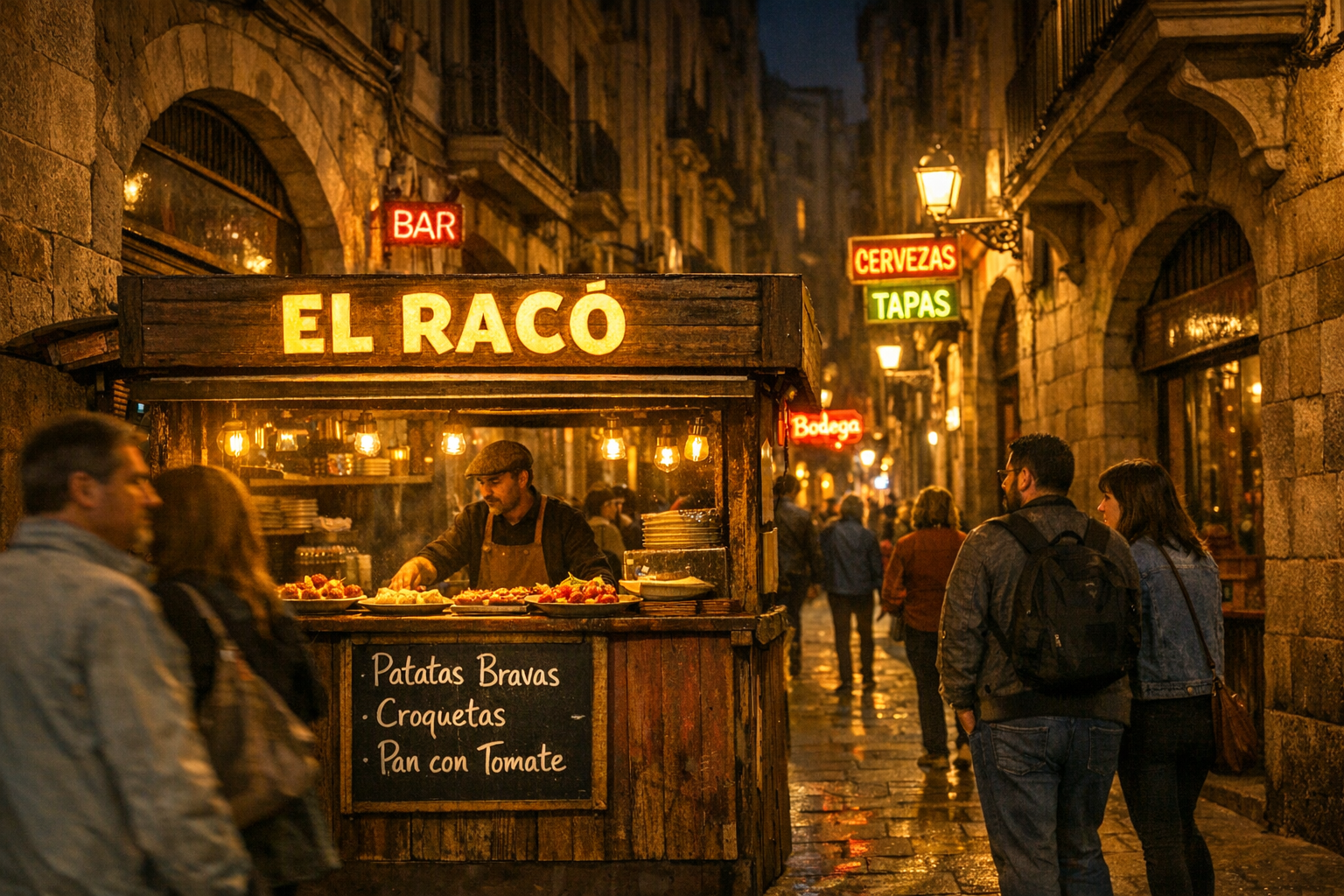
`A photorealistic night scene on a narrow Barcelona street, warm amber streetlights , Gothic Quarter architecture lining both sides. In the foreground, a small tapas stall with a glowing sign reading "EL RACÓ" in bold yellow letters, a handwritten menu board underneath listing "Patatas Bravas, Croquetas, Pan con Tomate." Locals and tourists passing by, neon signs in Spanish and Catalan in the background.`
## 概述
OpenAI 最新的图像生成模型,基于 GPT Image 1.5 构建,这是一种原生多模态架构,通过统一网络处理文本和图像,而不是把它们当作两个独立系统。实际效果是:这个模型能以异常高的精度遵循复杂指令,**能够准确渲染密集文本**,并对图像进行有针对性的编辑,同时不会打乱画面中其他部分。
它比 Fast Models 慢,也更消耗额度,但对于需要精确遵循提示词、图像中包含可读文字,或者需要受控迭代编辑的任务而言,它是平台上最强大的选择之一。
## 开始使用
1. **进入图像生成** — 前往 [krea.ai/image](https://krea.ai/image) 并在下拉菜单中选择此模型。
2. **选择 ChatGPT 1.5** — 打开模型选择器,在 Intelligent Models 部分选择 ChatGPT 1.5。
3. **撰写提示词** — 尽可能具体和详细。ChatGPT 1.5 为精确遵循指令而构建,因此详细的提示词比模糊的效果明显更好。
4. **添加参考图像(可选)** — 上传图像以引导构图、风格或主题。
5. **选择宽高比** — 根据用例选择纵向、横向或方形。
6. **生成** — 点击 Generate。ChatGPT 1.5 比快速模型慢,但输出质量与增加的处理时间成正比。
7. **迭代** — 请求对结果做具体修改。ChatGPT 1.5 只会修改你要求的部分,同时保持图像其他部分一致。
## 一览
| 特性 | 详情 |
| ---------- | ---------------------- |
| **速度** | 慢 (1/3) |
| **额度** | 每次生成约 150 |
| **底层模型** | GPT Image 1.5 (OpenAI) |
| **擅长** | 复杂提示词、文字渲染、精确图像编辑 |
| **支持尺寸** | 1:1 方形、3:2 横向、2:3 纵向 |
| **风格参考支持** | 是 |
## 何时使用 ChatGPT 1.5
当精度比速度更重要时,ChatGPT 1.5 就是要用的模型。它原生的多模态架构意味着它对文本与图像之间关系的理解比大多数模型更深入,这转化为更强的提示词遵循能力以及在复杂或多层次请求上更可靠的结果。
它的文字渲染能力尤其强。许多模型很难在图像中生成可读、拼写正确的文字,而 ChatGPT 1.5 能准确处理密集且小尺寸的文字,因此对包含标志、排版、标签或图表的任何提示词都是可靠选择。
它在迭代编辑方面也表现出色。当你要求它修改图像中某一个具体的部分时,它只会调整你指定的部分,同时保持面部相似度、光照、构图和色调在画面其余部分保持一致。这解决了 AI 图像生成中最常见的痛点之一:请求小改动却导致整张图从头重新生成。
| 何时使用 | 何时避免 |
| ------------------- | ---------------- |
| 你的提示词复杂且需要精确解读 | 你需要快速结果或处于早期草稿阶段 |
| 图像需要包含可读文字 | 你预算紧张 |
| 你需要在不改变整张图的情况下做特定编辑 | 你想要极度风格化或艺术化的输出 |
| 你正在处理图表、角色或细节场景 | 你需要 LoRA 风格支持 |
| 面部相似度或跨编辑的视觉一致性很重要 | |
## 常见用例
* **图表与信息图**:带准确标签和文字的技术插图
* **角色设计**:跨多次迭代保持角色外观一致
* **营销素材**:包含可读文案、logo 或产品标注的排版
* **照片编辑**:对现有图像进行有针对性的修改,无需完全重生成
* **复杂场景**:需要精确空间关系的多元素构图
## 提示词技巧
### 撰写高效的提示词
* 像给出详细创意简报那样撰写提示词——明确描述主体、风格、光照、构图和情绪
* 对于图像中的文字,指定确切措辞、字体样式、字号和位置
* 清楚描述空间关系:"a red mug on the left side of a white table, window light from the right"
* ChatGPT 1.5 能很好地处理长而详细的提示词——能具体就不要缩略
### 迭代结果
* 编辑时只描述你想要的改动,其他一切不做说明——模型会保留你未提及的部分
* 做角色相关工作时,先在第一次生成中确立外观,然后在后续编辑中显式引用
* 如果结果不太对,修改你的提示词措辞,而不是用相同文本重新生成
### 充分发挥文字渲染的能力
* 将你需要出现在图像中的文字放在提示词的引号内
* 需要时指定字体样式:"sans-serif"、"handwritten"、"bold uppercase"
* 对于海报或图表这类文字密集的排版,将版面在提示词中拆分为清晰的部分
# 示例
`A photorealistic night scene on a narrow Barcelona street, warm amber streetlights , Gothic Quarter architecture lining both sides. In the foreground, a small tapas stall with a glowing sign reading "EL RACÓ" in bold yellow letters, a handwritten menu board underneath listing "Patatas Bravas, Croquetas, Pan con Tomate." Locals and tourists passing by, neon signs in Spanish and Catalan in the background.`
 ## 信息图
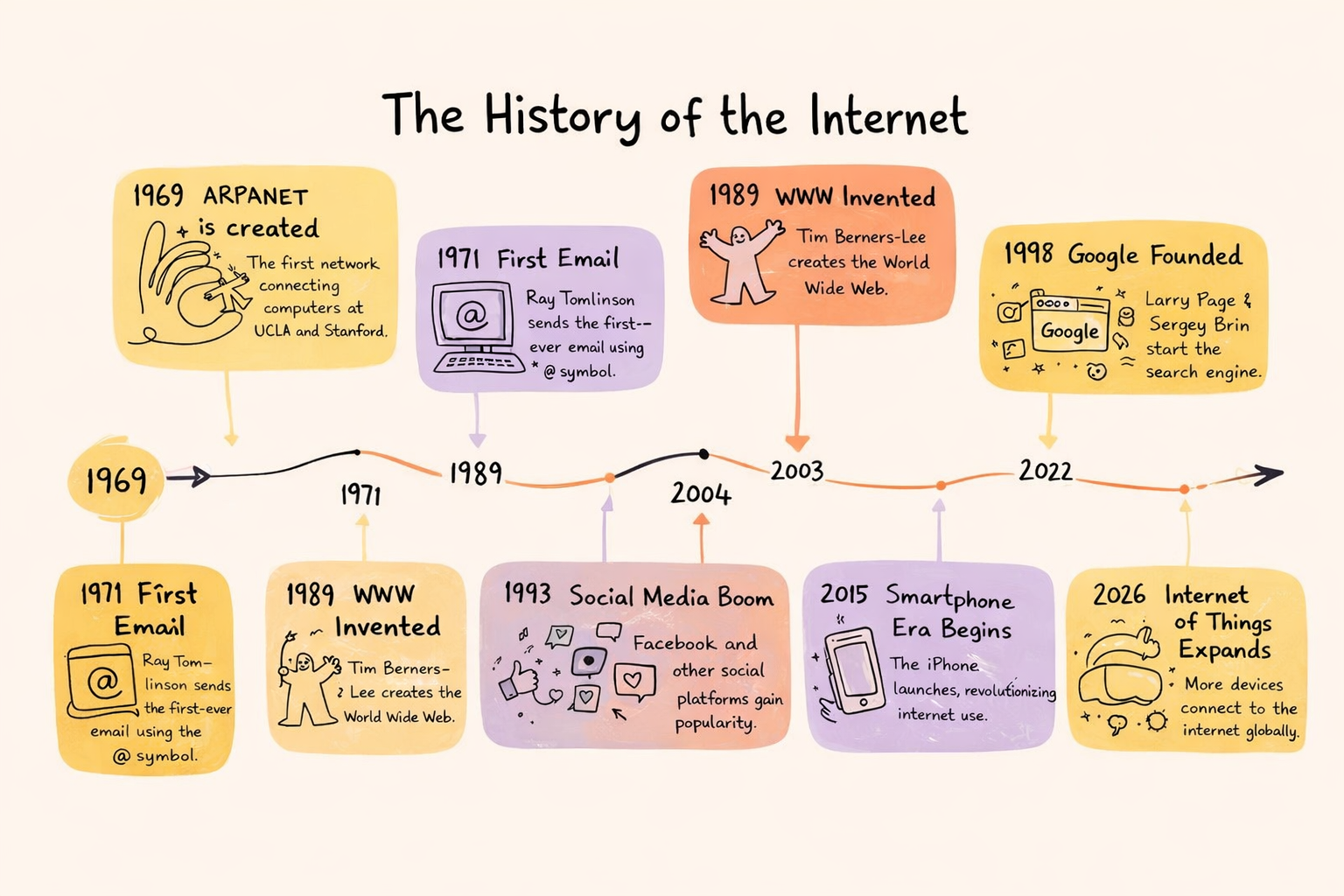
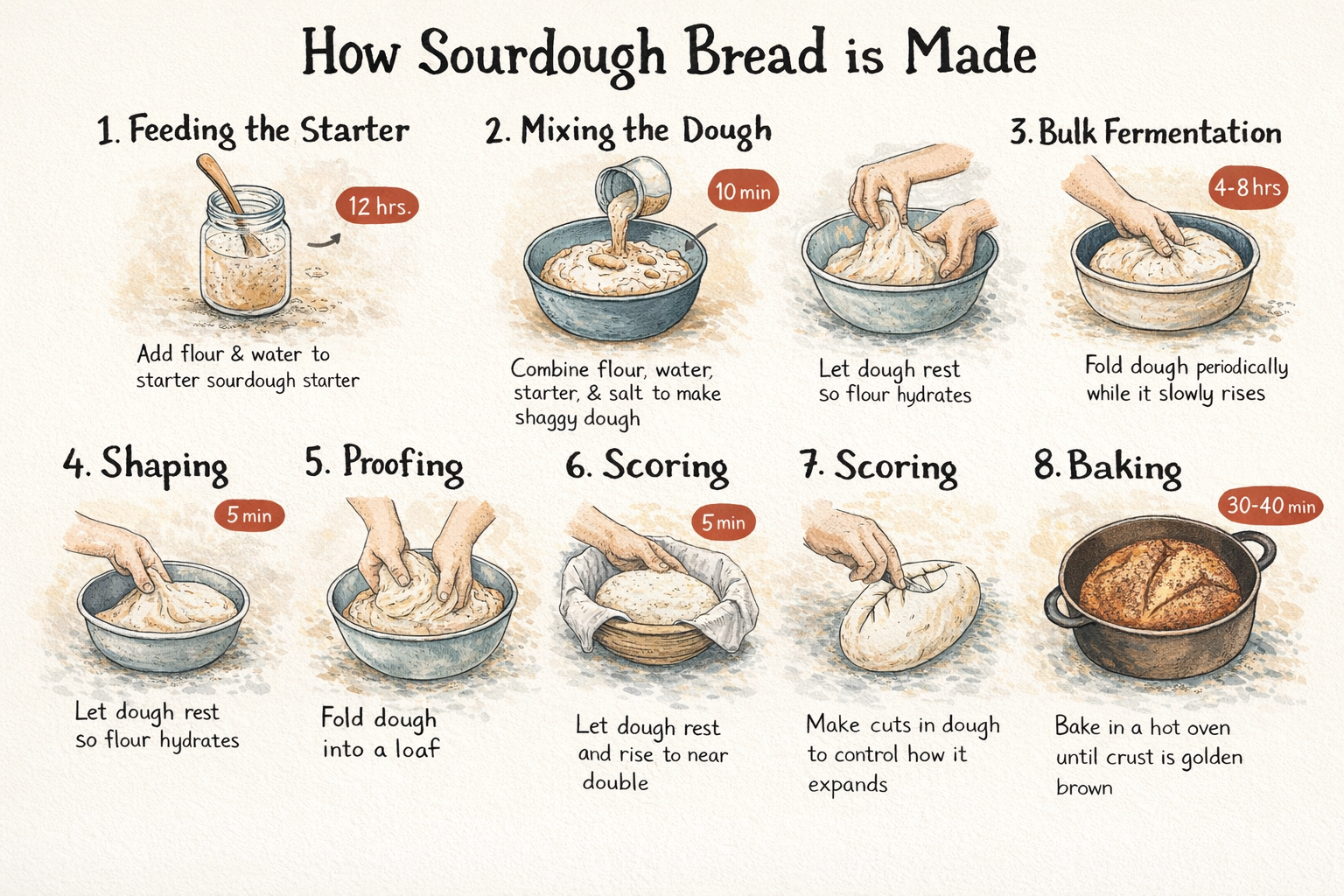
ChatGPT 1.5 是 Krea 上生成信息图最强的模型之一。与大多数只是把文字放到图像上的模型不同,它会思考层级、间距和视觉组织,从结构层面理解书面内容与版式之间的关系。加上准确的密集文字渲染,它可以将复杂的多段落提示词转化为看起来经过深思熟虑而非草率拼贴的作品。
`A step-by-step process infographic titled "How Sourdough Bread is Made," showing 8 stages from starter to finished loaf — feeding the starter, mixing the dough, autolyse, bulk fermentation, shaping, proofing, scoring, and baking — each with a small hand-drawn style illustration and a time indicator. Warm cream background, hand-lettered headings, rustic editorial feel.`
## 信息图
ChatGPT 1.5 是 Krea 上生成信息图最强的模型之一。与大多数只是把文字放到图像上的模型不同,它会思考层级、间距和视觉组织,从结构层面理解书面内容与版式之间的关系。加上准确的密集文字渲染,它可以将复杂的多段落提示词转化为看起来经过深思熟虑而非草率拼贴的作品。
`A step-by-step process infographic titled "How Sourdough Bread is Made," showing 8 stages from starter to finished loaf — feeding the starter, mixing the dough, autolyse, bulk fermentation, shaping, proofing, scoring, and baking — each with a small hand-drawn style illustration and a time indicator. Warm cream background, hand-lettered headings, rustic editorial feel.`
 ## **复杂场景**
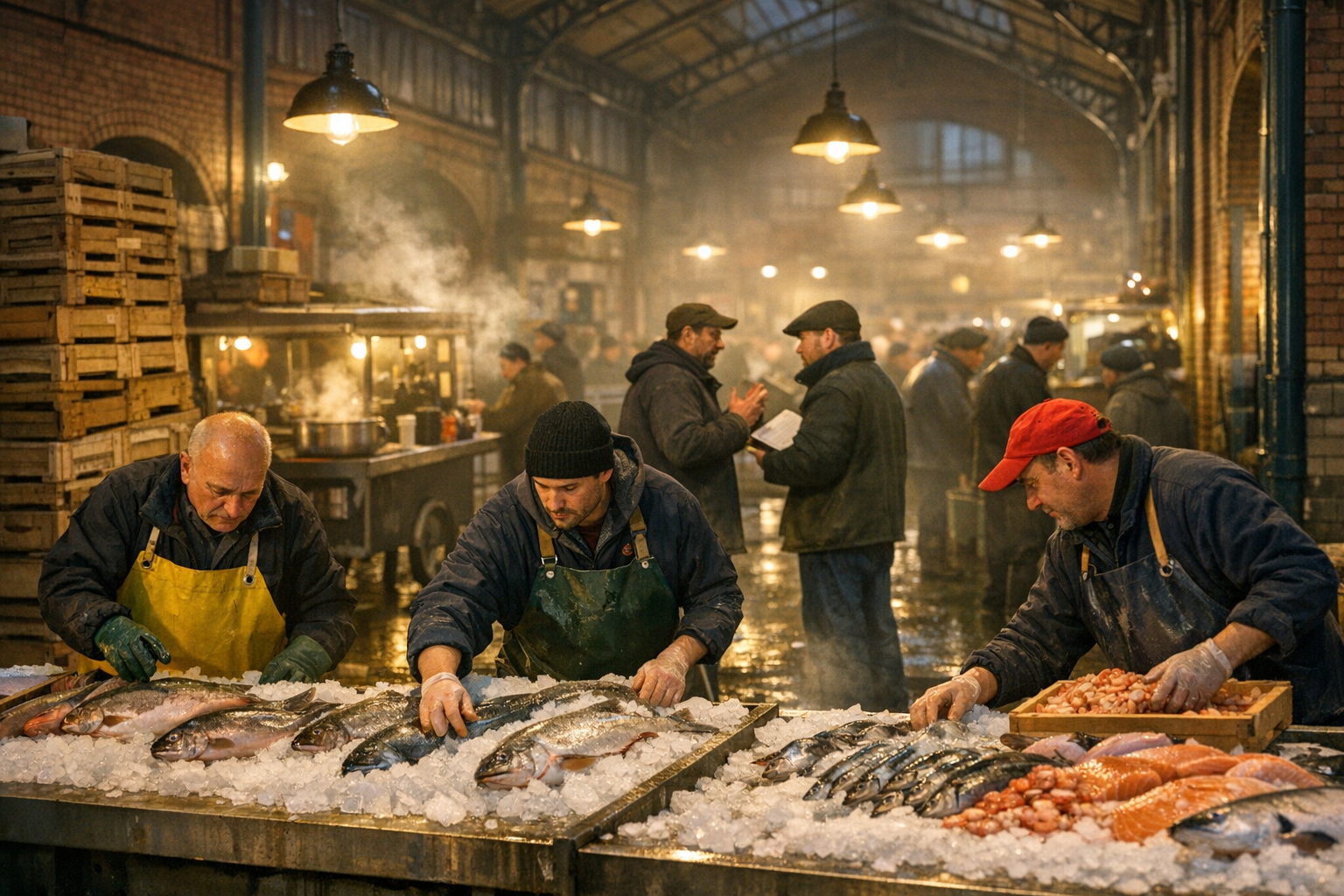
具备特定空间关系、主体间互动和层次化环境细节的多元素构图。
`A busy Berlin market hall at 5am, three vendors in rubber aprons arranging fresh fish on crushed ice in the foreground, a fourth vendor mid-negotiation with a restaurant buyer in the middle ground, wooden crates stacked to the left, hanging overhead lights casting warm pools of yellow light across wet concrete floors, steam rising from a small food cart in the background selling hot broth to early morning workers, exposed iron roof structure and brick walls characteristic of a 19th century German markthalle visible above, depth of field pulling focus from the foreground vendors to the hazy activity behind, photorealistic, shot on 35mm.`
## **复杂场景**
具备特定空间关系、主体间互动和层次化环境细节的多元素构图。
`A busy Berlin market hall at 5am, three vendors in rubber aprons arranging fresh fish on crushed ice in the foreground, a fourth vendor mid-negotiation with a restaurant buyer in the middle ground, wooden crates stacked to the left, hanging overhead lights casting warm pools of yellow light across wet concrete floors, steam rising from a small food cart in the background selling hot broth to early morning workers, exposed iron roof structure and brick walls characteristic of a 19th century German markthalle visible above, depth of field pulling focus from the foreground vendors to the hazy activity behind, photorealistic, shot on 35mm.`
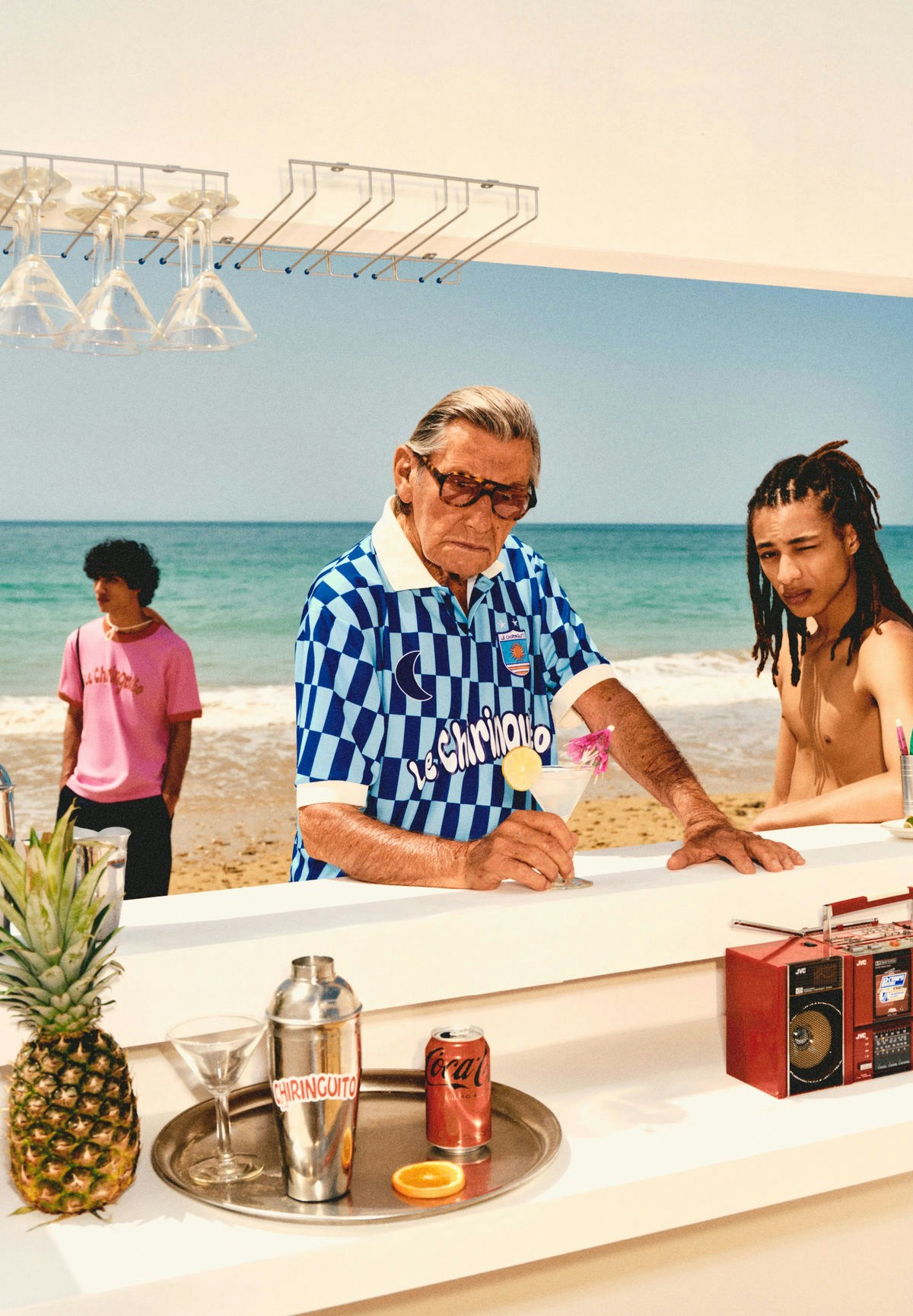
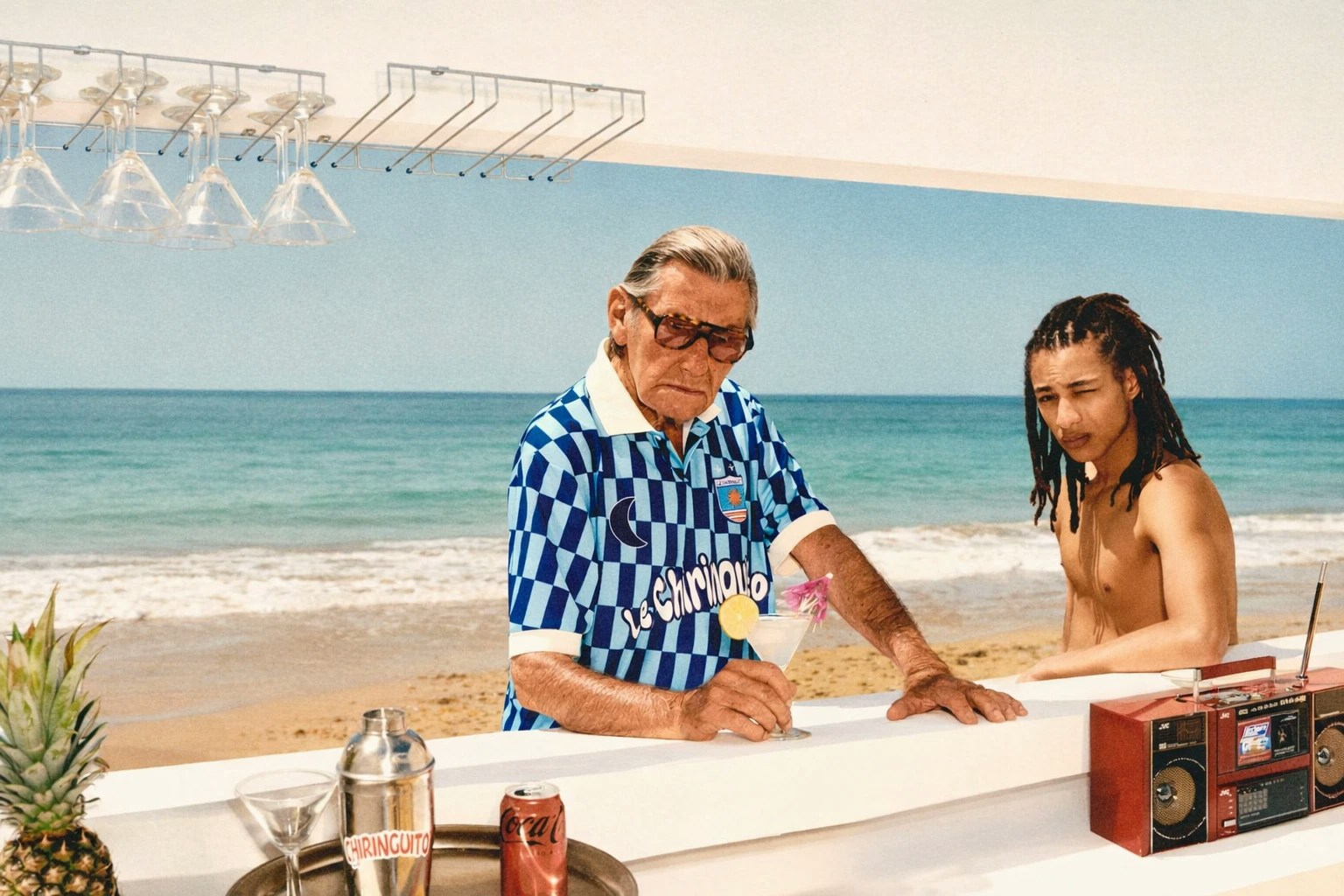
 ## 显式编辑指令
ChatGPT Image 1.5 在遵循直接图像编辑指令方面显著更强。你现在可以把提示词当作精确的改动请求,而不是重新描述整张图像。
`Edit the uploaded image. Remove the person in the background on the left in the pink shirt. Keep the lighting unchanged. Preserve facial identity and skin texture of the main subjects. Maintain original camera angle and depth of field.`
## 显式编辑指令
ChatGPT Image 1.5 在遵循直接图像编辑指令方面显著更强。你现在可以把提示词当作精确的改动请求,而不是重新描述整张图像。
`Edit the uploaded image. Remove the person in the background on the left in the pink shirt. Keep the lighting unchanged. Preserve facial identity and skin texture of the main subjects. Maintain original camera angle and depth of field.`