> ## Documentation Index
> Fetch the complete documentation index at: https://www.krea.ai/docs/llms.txt
> Use this file to discover all available pages before exploring further.
# Nano Banana 2
> Google 最强大的图像模型——Nano Banana 2 集快速生成、4K 分辨率、实时网页搜索和最多 14 张参考图像于一体。
 ## 概述
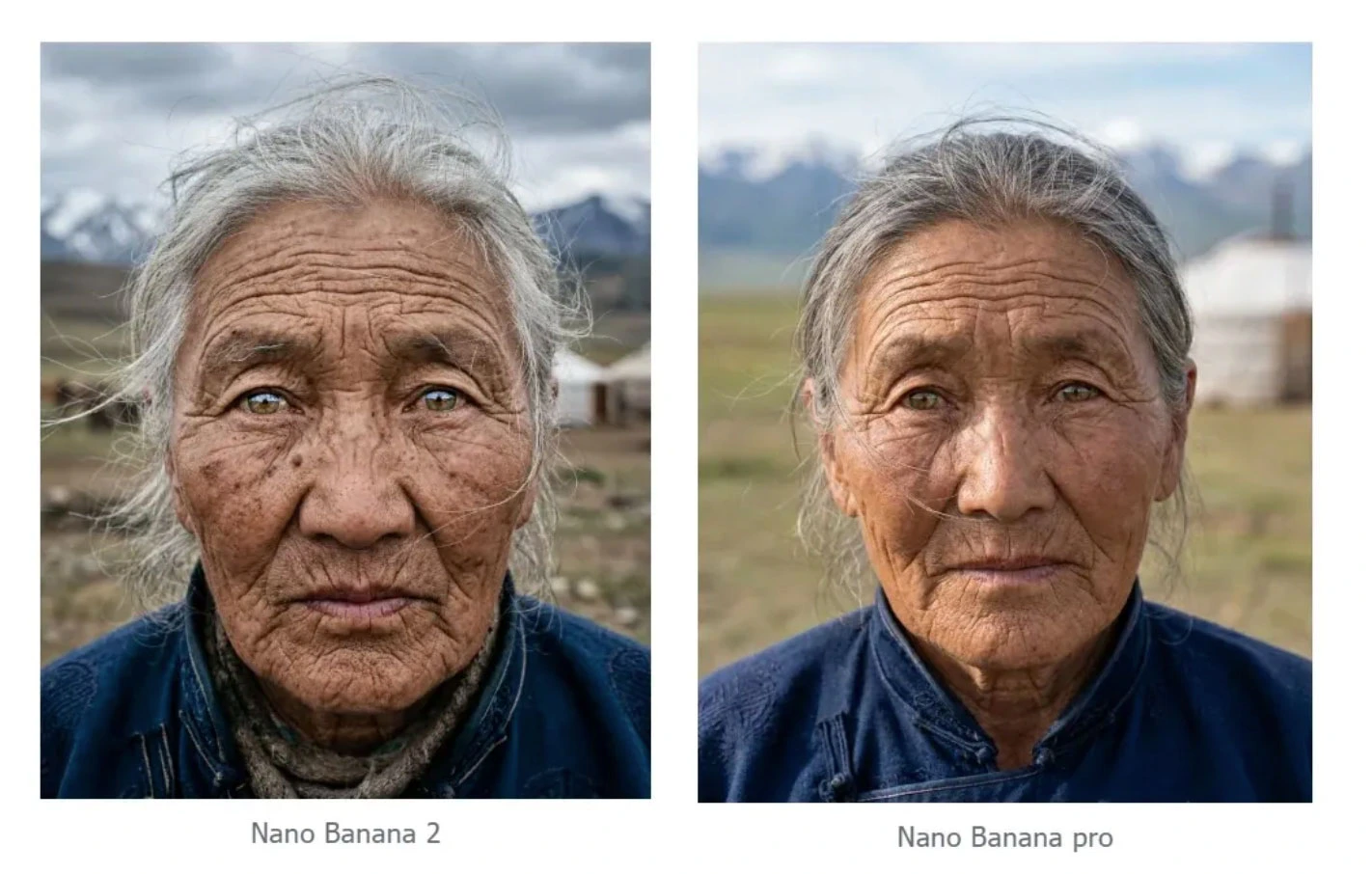
Nano Banana 2 是 Google DeepMind 最新、最强大的图像生成模型,于 2026 年 2 月 26 日发布。它基于 Gemini 3.1 Flash Image 构建,将原始 Nano Banana 的速度与超越 Nano Banana Pro 的能力结合起来:支持最多 14 张参考图像、从 0.5K 到 4K 的多分辨率输出、可获取当下上下文的实时网页搜索,以及改进的文本渲染和角色一致性。
发布当天,它就成为 Gemini 应用、Google 搜索和 Google 的 Flow 视频平台的默认图像生成模型——这是它明显超越前代的一个信号。
## 开始使用
1. **前往图像生成** — 打开 [krea.ai/image](https://krea.ai/image),从下拉菜单中选择该模型。
2. **选择 Nano Banana 2** — 打开模型选择器,在 Intelligent Models 部分选择 Nano Banana 2。
3. **撰写提示词** — Nano Banana 2 能很好地处理简单和复杂提示词。根据任务需要做到具体即可。
4. **添加参考图像(可选)** — 上传最多 14 张参考图像来引导风格、构图,或跨多个输出保持角色一致性。
5. **选择分辨率和宽高比** — 根据用例选择 0.5K 到 4K。
6. **生成** — 点击 Generate。尽管功能强大,Nano Banana 2 仍然很快。
7. **迭代** — 使用后续提示词精化结果,或将其带入 Edit 或 Enhancer 工具。
## 一览
| 特性 | 详情 |
| ---------- | ---------------------------------------- |
| **速度** | 快 (2/3) |
| **额度** | 每次生成约 50 |
| **底层模型** | Gemini 3.1 Flash Image (Google DeepMind) |
| **分辨率** | 0.5K 到 4K |
| **参考图像支持** | 最多 14 张图像 |
| **图像编辑** | 是 |
| **文本渲染** | 极佳 — 相比 Pro 更进一步 |
| **网页搜索** | 是 — 生成时可获取实时上下文 |
| **擅长** | 快速高分辨率生成、角色一致性、复杂场景 |
## 概述
Nano Banana 2 是当前 Krea 上最强的 Google 图像模型。它在 Nano Banana Pro 引入的能力基础上进一步提升:更快的生成、更好的指令遵循、更强的文本渲染,以及大幅扩展的参考图像支持,使得跨多次生成保持角色和品牌一致性达到之前难以实现的水平。
多达 14 张参考图像的支持对于任何需要一致视觉身份的项目来说都意义重大——同一角色出现在多个场景中、同一产品在不同场景中,或者一个品牌美学贯穿整个营销活动。把参考图像喂给它,描述你要的转换,它会在整个系列中保持稳定的身份。
它的实时网页搜索能力也让它显得与众不同。像 Seedream 5 Lite 一样,它可以在生成时引入当下信息,使其对话题内容、趋势视觉,以及任何受益于最新上下文的内容都非常有用。它生成的每张图像都包含 SynthID 水印和 C2PA 元数据,也就是说输出可追溯、并符合内容溯源标准。
## 何时使用 Nano Banana 2
| 何时使用 | 何时避免 |
| ------------------------- | ----------------------- |
| 你需要在速度下的高质量输出 | 你需要最便宜的选项做粗略草稿 |
| 你在使用多张参考图像保持一致性 | 使用原始 Nano Banana 也能同样胜任 |
| 你的提示词涉及当前事件或趋势 | |
| 你需要在复杂版式上精确渲染文本 | |
| 你在一个系列中保持角色或品牌身份 | |
| 你需要从低分辨率草稿到 4K 最终输出的灵活分辨率 | |
## 常见用例
* **角色一致性**:在多次生成中保持人物、角色或产品一致
* **活动制作**:一系列共享一致视觉身份的图像
* **复杂场景**:具备准确空间和逻辑关系的多元素构图
* **话题与趋势内容**:引用实时事件或当下信息的视觉
* **高分辨率成品**:用于印刷、大尺寸或专业出版的 4K 输出
* **文字密集的设计**:包含准确排版的海报、信息图、标签和版式
## 提示词技巧
| 建议 | 示例 |
| ----------------- | ------------------------------------------------------------------------- |
| 使用多张参考图像来保持角色一致性 | 上传同一人物或产品的不同角度图像 |
| 直接引用当前事件的名称 | 网页搜索能力使模型能纳入实时上下文 |
| 根据工作阶段指定分辨率 | 快速审阅时用 0.5K 或 1K,最终交付时用 2K 或 4K |
| 明确描述空间关系 | "The product is centered on a white surface, shadow falling to the right" |
| 既用于生成也用于编辑 | 描述你想要的具体改动,它会一致地应用 |
| 组合文本和图像提示以生成多元素场景 | 参考图像加上描述性提示词能给出最受控的输出 |
# 示例
## **仅文本生成**
生成图像时,你的做法取决于你是从参考图像出发还是仅从文本出发。
没有参考时,提示词承担全部工作。仅靠关键词无法达到目的,**你需要像导演给摄影师做简报那样描述场景**。
**公式:** \[主体] + \[动作] + \[地点/场景] + \[构图] + \[风格]
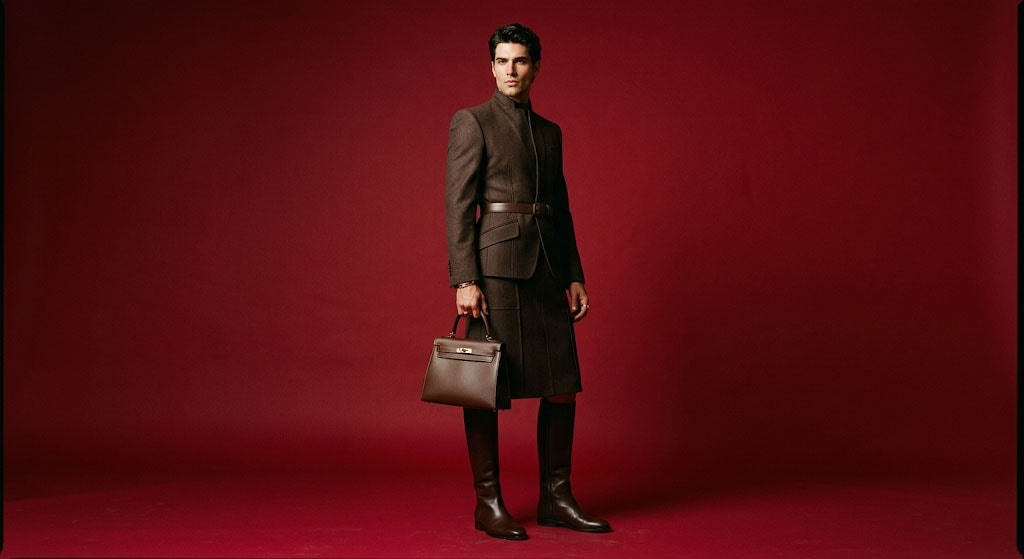
`[Subject] A striking fashion model wearing a tailored brown dress, sleek boots, and holding a structured handbag. [Action] Posing with a confident, statuesque stance, slightly turned. [Location/context] A seamless, deep cherry red studio backdrop. [Composition] Medium-full shot, center-framed. [Style] Fashion magazine style editorial, shot on medium-format analog film, pronounced grain, high saturation, cinematic lighting effect.`
## 概述
Nano Banana 2 是 Google DeepMind 最新、最强大的图像生成模型,于 2026 年 2 月 26 日发布。它基于 Gemini 3.1 Flash Image 构建,将原始 Nano Banana 的速度与超越 Nano Banana Pro 的能力结合起来:支持最多 14 张参考图像、从 0.5K 到 4K 的多分辨率输出、可获取当下上下文的实时网页搜索,以及改进的文本渲染和角色一致性。
发布当天,它就成为 Gemini 应用、Google 搜索和 Google 的 Flow 视频平台的默认图像生成模型——这是它明显超越前代的一个信号。
## 开始使用
1. **前往图像生成** — 打开 [krea.ai/image](https://krea.ai/image),从下拉菜单中选择该模型。
2. **选择 Nano Banana 2** — 打开模型选择器,在 Intelligent Models 部分选择 Nano Banana 2。
3. **撰写提示词** — Nano Banana 2 能很好地处理简单和复杂提示词。根据任务需要做到具体即可。
4. **添加参考图像(可选)** — 上传最多 14 张参考图像来引导风格、构图,或跨多个输出保持角色一致性。
5. **选择分辨率和宽高比** — 根据用例选择 0.5K 到 4K。
6. **生成** — 点击 Generate。尽管功能强大,Nano Banana 2 仍然很快。
7. **迭代** — 使用后续提示词精化结果,或将其带入 Edit 或 Enhancer 工具。
## 一览
| 特性 | 详情 |
| ---------- | ---------------------------------------- |
| **速度** | 快 (2/3) |
| **额度** | 每次生成约 50 |
| **底层模型** | Gemini 3.1 Flash Image (Google DeepMind) |
| **分辨率** | 0.5K 到 4K |
| **参考图像支持** | 最多 14 张图像 |
| **图像编辑** | 是 |
| **文本渲染** | 极佳 — 相比 Pro 更进一步 |
| **网页搜索** | 是 — 生成时可获取实时上下文 |
| **擅长** | 快速高分辨率生成、角色一致性、复杂场景 |
## 概述
Nano Banana 2 是当前 Krea 上最强的 Google 图像模型。它在 Nano Banana Pro 引入的能力基础上进一步提升:更快的生成、更好的指令遵循、更强的文本渲染,以及大幅扩展的参考图像支持,使得跨多次生成保持角色和品牌一致性达到之前难以实现的水平。
多达 14 张参考图像的支持对于任何需要一致视觉身份的项目来说都意义重大——同一角色出现在多个场景中、同一产品在不同场景中,或者一个品牌美学贯穿整个营销活动。把参考图像喂给它,描述你要的转换,它会在整个系列中保持稳定的身份。
它的实时网页搜索能力也让它显得与众不同。像 Seedream 5 Lite 一样,它可以在生成时引入当下信息,使其对话题内容、趋势视觉,以及任何受益于最新上下文的内容都非常有用。它生成的每张图像都包含 SynthID 水印和 C2PA 元数据,也就是说输出可追溯、并符合内容溯源标准。
## 何时使用 Nano Banana 2
| 何时使用 | 何时避免 |
| ------------------------- | ----------------------- |
| 你需要在速度下的高质量输出 | 你需要最便宜的选项做粗略草稿 |
| 你在使用多张参考图像保持一致性 | 使用原始 Nano Banana 也能同样胜任 |
| 你的提示词涉及当前事件或趋势 | |
| 你需要在复杂版式上精确渲染文本 | |
| 你在一个系列中保持角色或品牌身份 | |
| 你需要从低分辨率草稿到 4K 最终输出的灵活分辨率 | |
## 常见用例
* **角色一致性**:在多次生成中保持人物、角色或产品一致
* **活动制作**:一系列共享一致视觉身份的图像
* **复杂场景**:具备准确空间和逻辑关系的多元素构图
* **话题与趋势内容**:引用实时事件或当下信息的视觉
* **高分辨率成品**:用于印刷、大尺寸或专业出版的 4K 输出
* **文字密集的设计**:包含准确排版的海报、信息图、标签和版式
## 提示词技巧
| 建议 | 示例 |
| ----------------- | ------------------------------------------------------------------------- |
| 使用多张参考图像来保持角色一致性 | 上传同一人物或产品的不同角度图像 |
| 直接引用当前事件的名称 | 网页搜索能力使模型能纳入实时上下文 |
| 根据工作阶段指定分辨率 | 快速审阅时用 0.5K 或 1K,最终交付时用 2K 或 4K |
| 明确描述空间关系 | "The product is centered on a white surface, shadow falling to the right" |
| 既用于生成也用于编辑 | 描述你想要的具体改动,它会一致地应用 |
| 组合文本和图像提示以生成多元素场景 | 参考图像加上描述性提示词能给出最受控的输出 |
# 示例
## **仅文本生成**
生成图像时,你的做法取决于你是从参考图像出发还是仅从文本出发。
没有参考时,提示词承担全部工作。仅靠关键词无法达到目的,**你需要像导演给摄影师做简报那样描述场景**。
**公式:** \[主体] + \[动作] + \[地点/场景] + \[构图] + \[风格]
`[Subject] A striking fashion model wearing a tailored brown dress, sleek boots, and holding a structured handbag. [Action] Posing with a confident, statuesque stance, slightly turned. [Location/context] A seamless, deep cherry red studio backdrop. [Composition] Medium-full shot, center-framed. [Style] Fashion magazine style editorial, shot on medium-format analog film, pronounced grain, high saturation, cinematic lighting effect.`
 ## ***多模态生成(带参考的生成)***
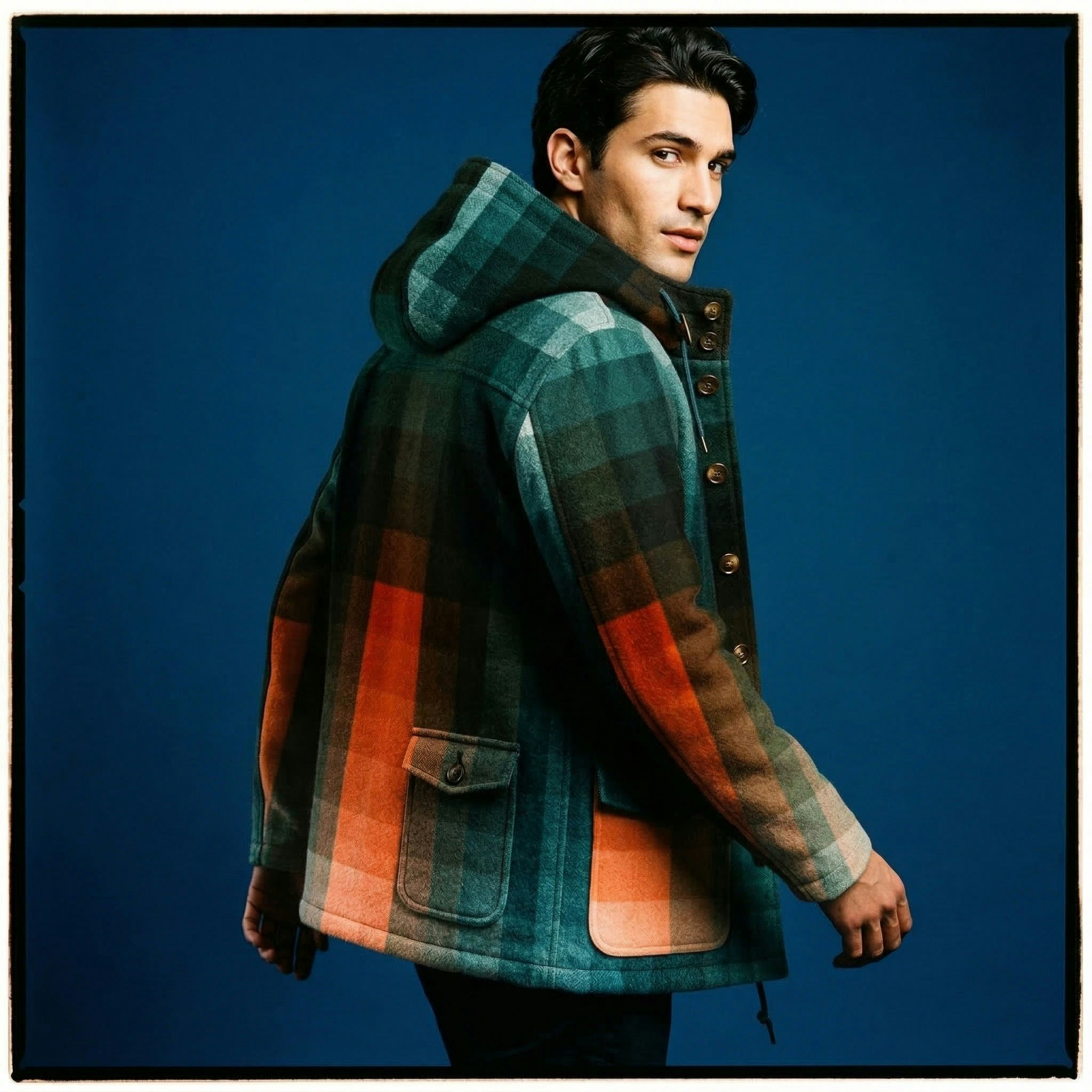
Nano Banana 2 允许你**结合多张参考图像来引导最终输出**。这非常适合保持角色一致性,或将特定产品融入新的环境。
**公式:** \[参考图像] + \[关系指令] + \[新场景]
## ***多模态生成(带参考的生成)***
Nano Banana 2 允许你**结合多张参考图像来引导最终输出**。这非常适合保持角色一致性,或将特定产品融入新的环境。
**公式:** \[参考图像] + \[关系指令] + \[新场景]
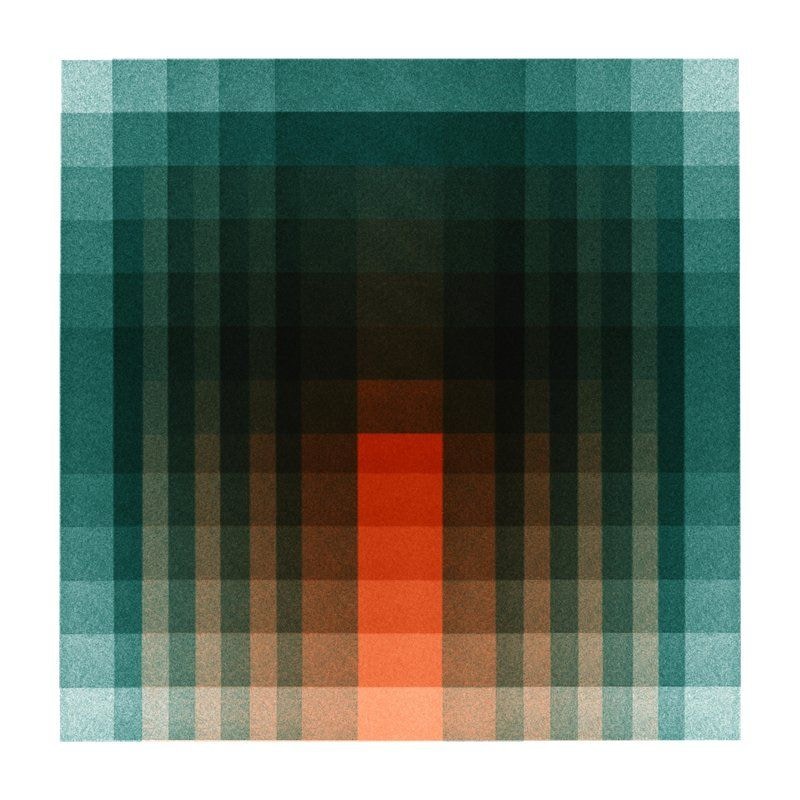
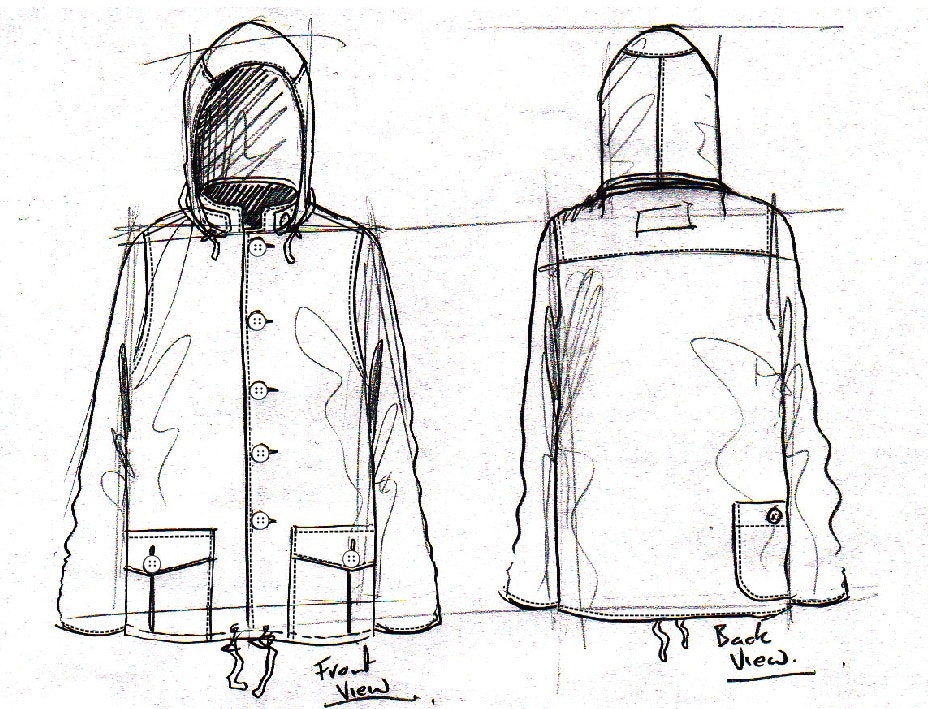 `Using the attached sketch of a jacket as the structure and the attached fabric sample as the texture `***\[Reference images]***`, transform this into a high-fidelity fashion photograph of a male model wearing the jacket.`***\[Relationship instruction]*** `Set against a seamless blue studio backdrop. Fashion editorial style, shot on medium-format analog film, pronounced grain, high saturation, cinematic lighting. `***\[New scenario]***
 ## 图像编辑
编辑需要与生成不同的思维方式。你已经有一张基础图像;提示词要聚焦于什么在改变,什么保持不变。
***对话式编辑(无新参考)***
当你生成一张图像并希望对话式地微调时:
**语义蒙版(inpainting):** 你可以通过文本定义一个"蒙版",只编辑图像的特定部分,不动其余部分。
**提示词技巧:** 明确说明哪些内容要保持完全一致。\
\
**示例提示词:**
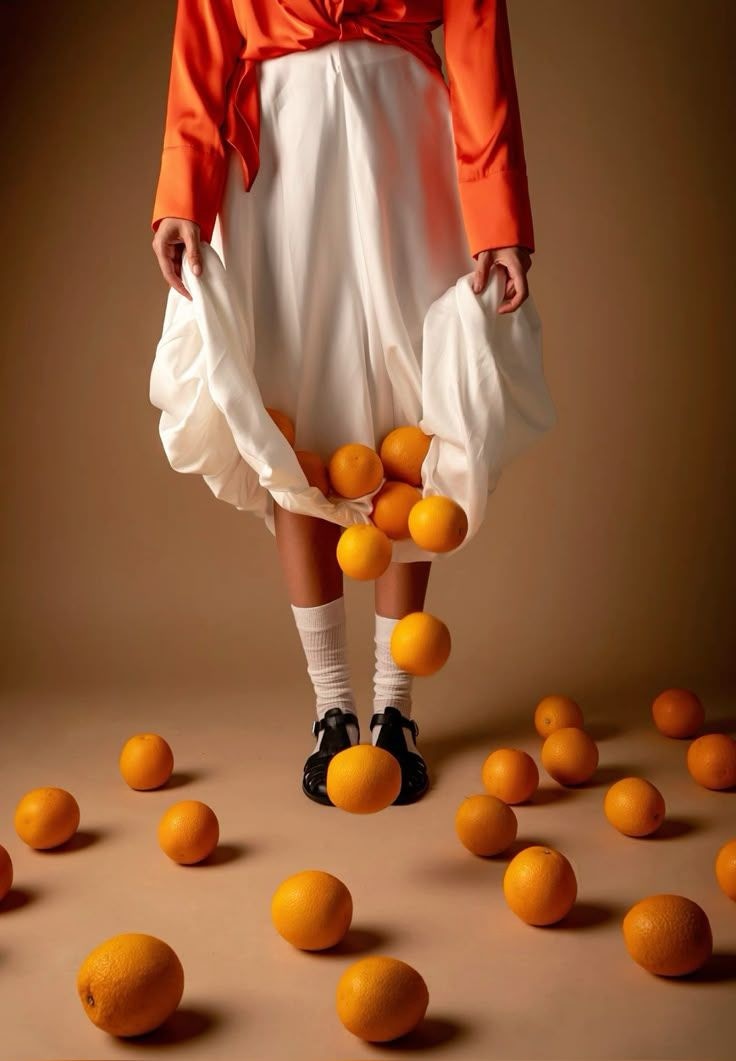
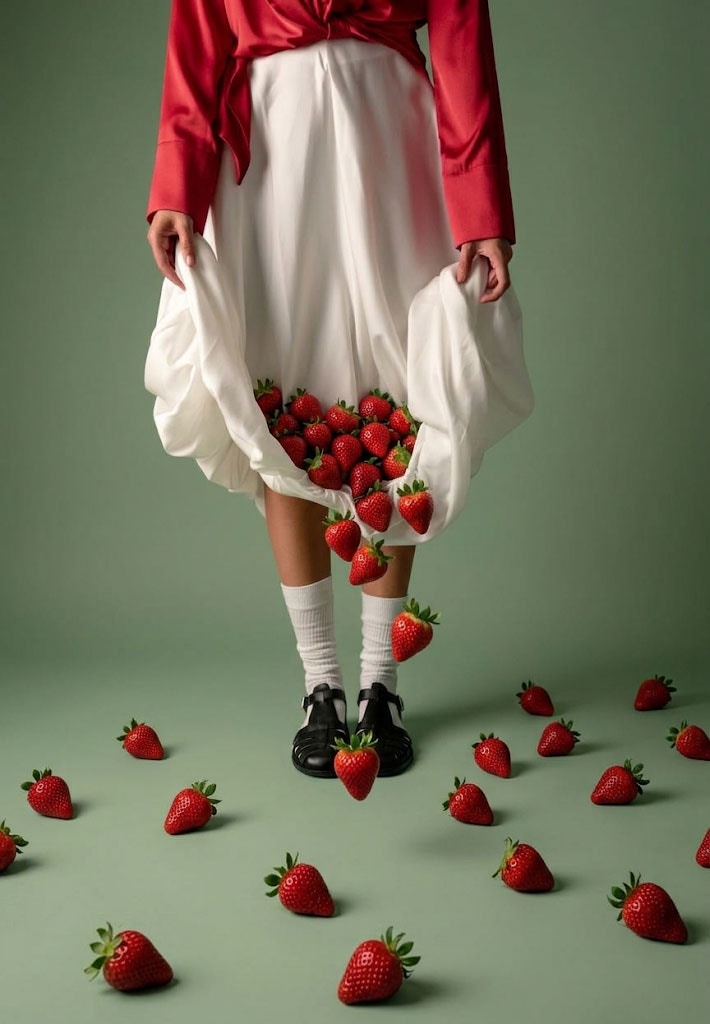
`change the oranges into strawberries and adapt the palette to reflect the red of the strawberries`
## 图像编辑
编辑需要与生成不同的思维方式。你已经有一张基础图像;提示词要聚焦于什么在改变,什么保持不变。
***对话式编辑(无新参考)***
当你生成一张图像并希望对话式地微调时:
**语义蒙版(inpainting):** 你可以通过文本定义一个"蒙版",只编辑图像的特定部分,不动其余部分。
**提示词技巧:** 明确说明哪些内容要保持完全一致。\
\
**示例提示词:**
`change the oranges into strawberries and adapt the palette to reflect the red of the strawberries`