> ## Documentation Index
> Fetch the complete documentation index at: https://www.krea.ai/docs/llms.txt
> Use this file to discover all available pages before exploring further.
# Qwen 2512
> 使用 Qwen 2512 生成真实的肖像和场景,具备增强的人像细节、更干净的文本渲染以及可靠的风格控制。
 ## 概述
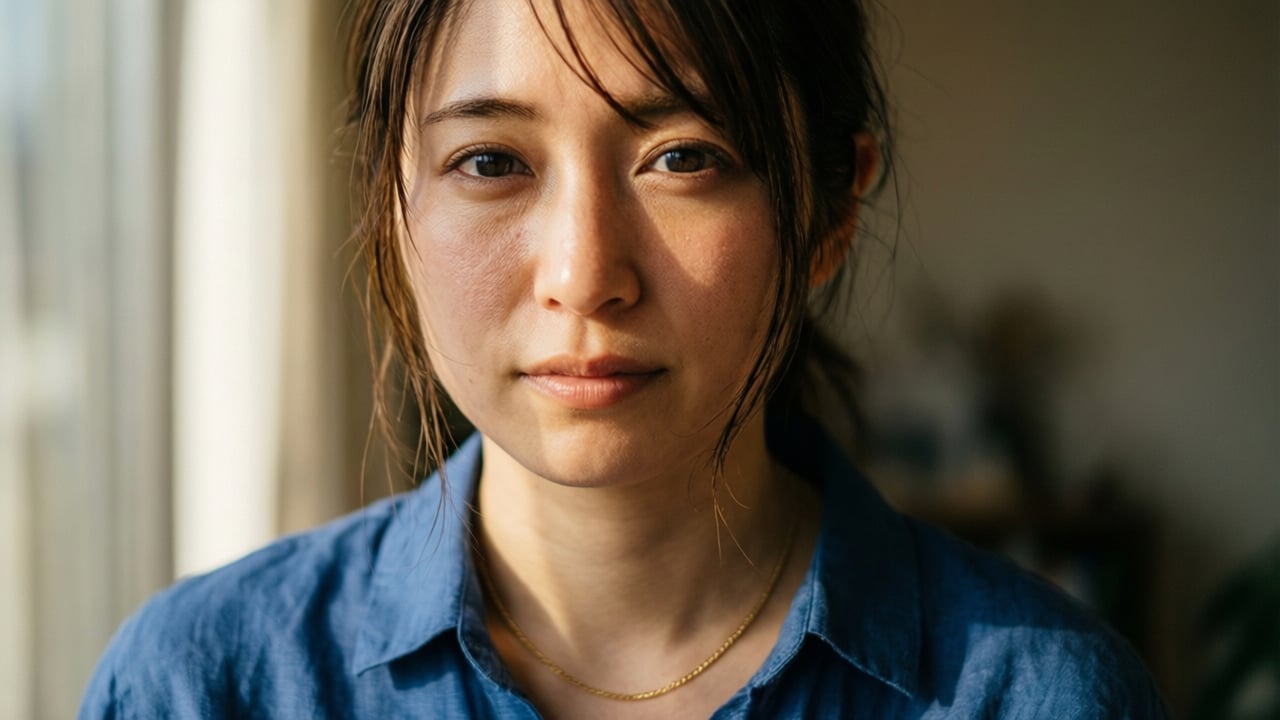
Qwen 2512 是一个具备明确专长的快速模型:**让包含人物、地点和文字的图像看起来令人信服**。许多模型难以处理人脸的细节,而 Qwen 2512 处理皮肤纹理、面部结构和自然光线时明显更用心。同样的用心也延续到风景中,它会呈现精细的环境纹理,而不是把它们平滑成通用样子。
它最具辨识度的能力是 **文本渲染**。如果你的图像需要包含可读文字(店铺招牌、标签、海报),Qwen 2512 是把这件事做对的更可靠的快速模型之一。
每张图像 9 个额度,比 Krea 1 略高,但对于合适的提示词类型,增加的细节值得。
## 一览
| 特性 | 详情 |
| ----------- | -------------- |
| **速度** | 中 (2/3) |
| **质量** | 局限 (1/3) |
| **额度** | 每张图像 9 |
| **LoRA 支持** | 否 |
| **擅长** | 人像肖像、风景、图像中的文字 |
Qwen 2512 为 **真实感而非风格化** 打造。它不会把你的图像推向艺术方向或强加某种美学:它专注于尽可能准确、自然地呈现你所描述的内容。当主题需要可信度而非创造性解读时,它是一个很好的选择。
同样值得注意的是,Qwen 2512 是一个推理模型,也就是说它可以处理更复杂的提示词结构。它不只是匹配关键词,而是 **理解场景中元素之间的关系,让你描述空间布置、主体之间的互动或分层的环境细节** 并真的在输出中看到它们。
## 开始使用
1. **前往图像生成** — 打开 [krea.ai/image](https://krea.ai/image),从下拉菜单中选择此模型。
2. **选择 Qwen 2512** — 打开模型选择器,在 Fast Models 部分选择 Qwen 2512。
3. **撰写提示词** — 用自然语言描述你的主题。对人物、场景和光照要具体。
4. **添加图像参考(可选)** — 上传参考照片来引导风格或构图。
5. **生成并审阅** — 检查图像的面部准确度、风景细节和文字可读性。
6. **必要时精化** — 使用 Edit 工具修复小细节,或调整提示词后重新生成。
## 何时使用 Qwen 2512
| 何时使用 | 何时避免 |
| ------------------ | ---------------- |
| 图像涉及人物,你需要真实的皮肤和面部 | 你需要应用自定义 LoRA 风格 |
| 你在生成具有精细自然细节的风景 | 你想要强烈的艺术或编辑感 |
| 提示词包含可见文字,例如招牌或标签 | 速度是首要考虑 |
| 你希望自然、朴实的输出,没有艺术加工 | |
## 提示词技巧
| 建议 | 示例 |
| ---------------------- | ------------------------------------------------------- |
| 对肖像的光照要具体描述 | "Soft window light from the left" 而不是 "good lighting" |
| 包含肤色、年龄和表情以获得可控的肖像输出 | "Woman in her 40s, warm olive skin, relaxed expression" |
| 将你需要出现在图像中的文字放在引号中 | A sign reading "Fresh Coffee" |
| 为风景提示词加入时间和天气 | "Misty mountain valley at dawn" 而不是 "mountain" |
| 利用 Qwen 的推理能力处理复杂的场景关系 | 直接在提示词中描述空间布置、互动或分层细节 |
# 示例
## 面部特征 / 肖像的真实感
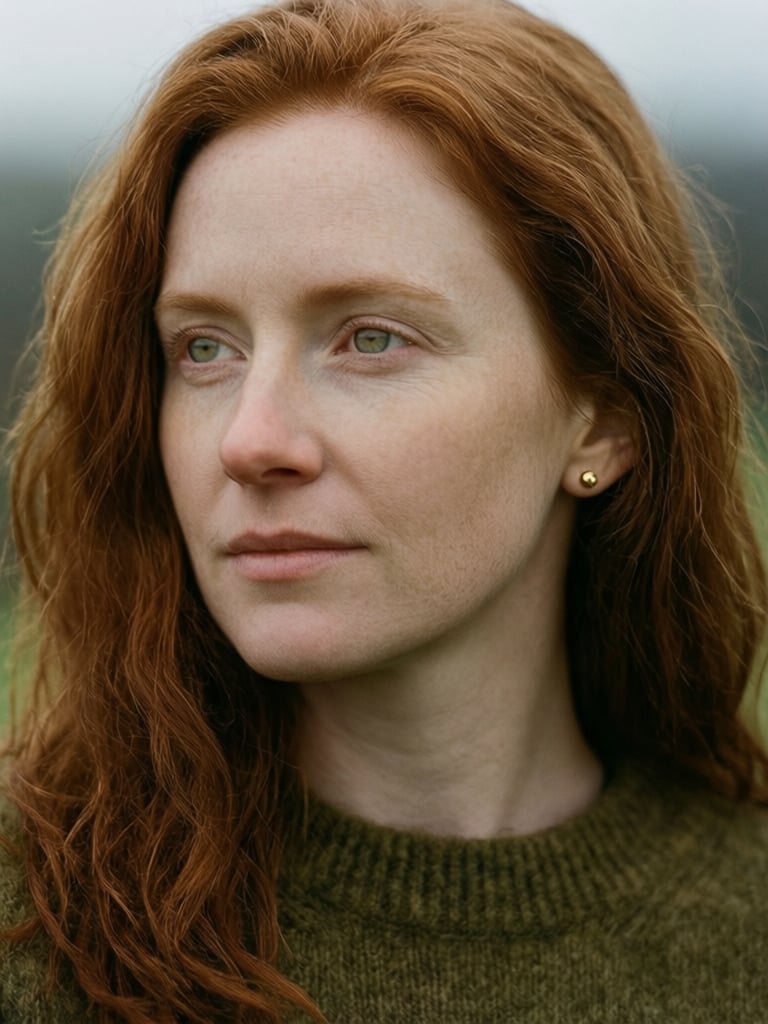
Qwen 2512 显著减少了 AI 生成的观感,产生比大多数快速模型更自然的拍摄感。它在人物主题上提供明显 **更细的细节**,具备准确的 **皮肤纹理**、真实的 **面部特征** 和 **自然光**。这种细节延续到风景和自然元素上,在毛发、树叶和环境纹理上呈现出比这个价位通常更精确的表现。
`A close-up portrait of an Irish woman in her early thirties, natural copper-red hair falling in loose waves around her face, pale freckled skin, light green eyes with a quiet, thoughtful expression. Wearing a soft olive wool sweater, a small gold stud earring visible. Overcast natural light typical of a grey Irish morning, even and diffuse, no harsh shadows, subtle cool undertones in the skin. Shot on 85mm, shallow depth of field, photorealistic, film photography aesthetic, intimate and natural.`
## 概述
Qwen 2512 是一个具备明确专长的快速模型:**让包含人物、地点和文字的图像看起来令人信服**。许多模型难以处理人脸的细节,而 Qwen 2512 处理皮肤纹理、面部结构和自然光线时明显更用心。同样的用心也延续到风景中,它会呈现精细的环境纹理,而不是把它们平滑成通用样子。
它最具辨识度的能力是 **文本渲染**。如果你的图像需要包含可读文字(店铺招牌、标签、海报),Qwen 2512 是把这件事做对的更可靠的快速模型之一。
每张图像 9 个额度,比 Krea 1 略高,但对于合适的提示词类型,增加的细节值得。
## 一览
| 特性 | 详情 |
| ----------- | -------------- |
| **速度** | 中 (2/3) |
| **质量** | 局限 (1/3) |
| **额度** | 每张图像 9 |
| **LoRA 支持** | 否 |
| **擅长** | 人像肖像、风景、图像中的文字 |
Qwen 2512 为 **真实感而非风格化** 打造。它不会把你的图像推向艺术方向或强加某种美学:它专注于尽可能准确、自然地呈现你所描述的内容。当主题需要可信度而非创造性解读时,它是一个很好的选择。
同样值得注意的是,Qwen 2512 是一个推理模型,也就是说它可以处理更复杂的提示词结构。它不只是匹配关键词,而是 **理解场景中元素之间的关系,让你描述空间布置、主体之间的互动或分层的环境细节** 并真的在输出中看到它们。
## 开始使用
1. **前往图像生成** — 打开 [krea.ai/image](https://krea.ai/image),从下拉菜单中选择此模型。
2. **选择 Qwen 2512** — 打开模型选择器,在 Fast Models 部分选择 Qwen 2512。
3. **撰写提示词** — 用自然语言描述你的主题。对人物、场景和光照要具体。
4. **添加图像参考(可选)** — 上传参考照片来引导风格或构图。
5. **生成并审阅** — 检查图像的面部准确度、风景细节和文字可读性。
6. **必要时精化** — 使用 Edit 工具修复小细节,或调整提示词后重新生成。
## 何时使用 Qwen 2512
| 何时使用 | 何时避免 |
| ------------------ | ---------------- |
| 图像涉及人物,你需要真实的皮肤和面部 | 你需要应用自定义 LoRA 风格 |
| 你在生成具有精细自然细节的风景 | 你想要强烈的艺术或编辑感 |
| 提示词包含可见文字,例如招牌或标签 | 速度是首要考虑 |
| 你希望自然、朴实的输出,没有艺术加工 | |
## 提示词技巧
| 建议 | 示例 |
| ---------------------- | ------------------------------------------------------- |
| 对肖像的光照要具体描述 | "Soft window light from the left" 而不是 "good lighting" |
| 包含肤色、年龄和表情以获得可控的肖像输出 | "Woman in her 40s, warm olive skin, relaxed expression" |
| 将你需要出现在图像中的文字放在引号中 | A sign reading "Fresh Coffee" |
| 为风景提示词加入时间和天气 | "Misty mountain valley at dawn" 而不是 "mountain" |
| 利用 Qwen 的推理能力处理复杂的场景关系 | 直接在提示词中描述空间布置、互动或分层细节 |
# 示例
## 面部特征 / 肖像的真实感
Qwen 2512 显著减少了 AI 生成的观感,产生比大多数快速模型更自然的拍摄感。它在人物主题上提供明显 **更细的细节**,具备准确的 **皮肤纹理**、真实的 **面部特征** 和 **自然光**。这种细节延续到风景和自然元素上,在毛发、树叶和环境纹理上呈现出比这个价位通常更精确的表现。
`A close-up portrait of an Irish woman in her early thirties, natural copper-red hair falling in loose waves around her face, pale freckled skin, light green eyes with a quiet, thoughtful expression. Wearing a soft olive wool sweater, a small gold stud earring visible. Overcast natural light typical of a grey Irish morning, even and diffuse, no harsh shadows, subtle cool undertones in the skin. Shot on 85mm, shallow depth of field, photorealistic, film photography aesthetic, intimate and natural.`
 ## 文本渲染
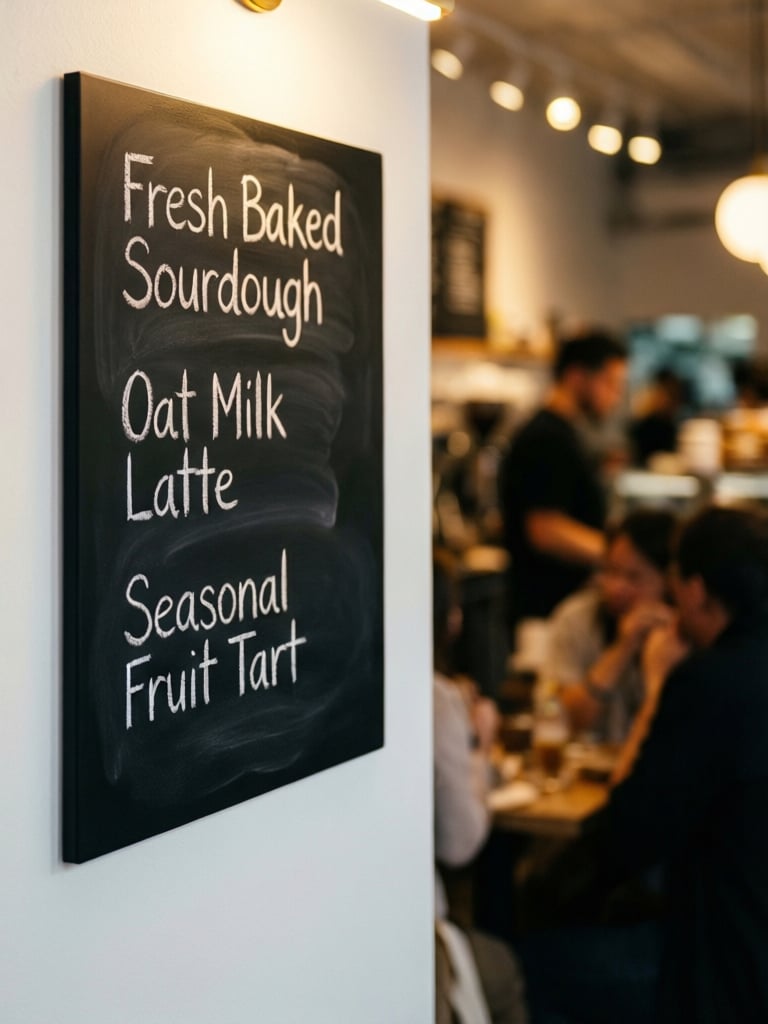
Qwen 2512 处理文本渲染的准确度明显高于大多数快速模型。当提示词包含可读文字时,无论是在招牌、标签、菜单还是其他任何表面上,Qwen 2512 都会以清晰、契合语境的方式再现它们,字形更好、间距正确,版式自然地融入整体构图。这让它对任何需要可读文字作为视觉一部分的图像来说,都是可靠的选择。
`A close-up photograph of a contemporary coffee cafe menu board mounted on a white wall, handwritten chalk lettering reading "Fresh Baked Sourdough," "Oat Milk Latte," and "Seasonal Fruit Tart," written in all caps in a sans serif font warm interior light catching the texture of the chalk strokes, soft bokeh background showing a busy cafe interior, photorealistic, shallow depth of field, shot on 35mm.`
## 文本渲染
Qwen 2512 处理文本渲染的准确度明显高于大多数快速模型。当提示词包含可读文字时,无论是在招牌、标签、菜单还是其他任何表面上,Qwen 2512 都会以清晰、契合语境的方式再现它们,字形更好、间距正确,版式自然地融入整体构图。这让它对任何需要可读文字作为视觉一部分的图像来说,都是可靠的选择。
`A close-up photograph of a contemporary coffee cafe menu board mounted on a white wall, handwritten chalk lettering reading "Fresh Baked Sourdough," "Oat Milk Latte," and "Seasonal Fruit Tart," written in all caps in a sans serif font warm interior light catching the texture of the chalk strokes, soft bokeh background showing a busy cafe interior, photorealistic, shallow depth of field, shot on 35mm.`