
> ## Documentation Index
> Fetch the complete documentation index at: https://www.krea.ai/docs/llms.txt
> Use this file to discover all available pages before exploring further.

# スタイル転送

> 1 枚または複数の参照画像で Krea 2 の生成スタイルを駆動し、参照ごとに強度を調整できます。

Krea 2 には、市場で最も強力なスタイル転送システムが搭載されています。1 枚の参照画像を渡すことも、複数を組み合わせることもでき、Krea 2 がスタイルを抽出して出力に適用します。各参照が最終画像にどれだけ強く影響するかは、あなたが自由に決められます。

## 例

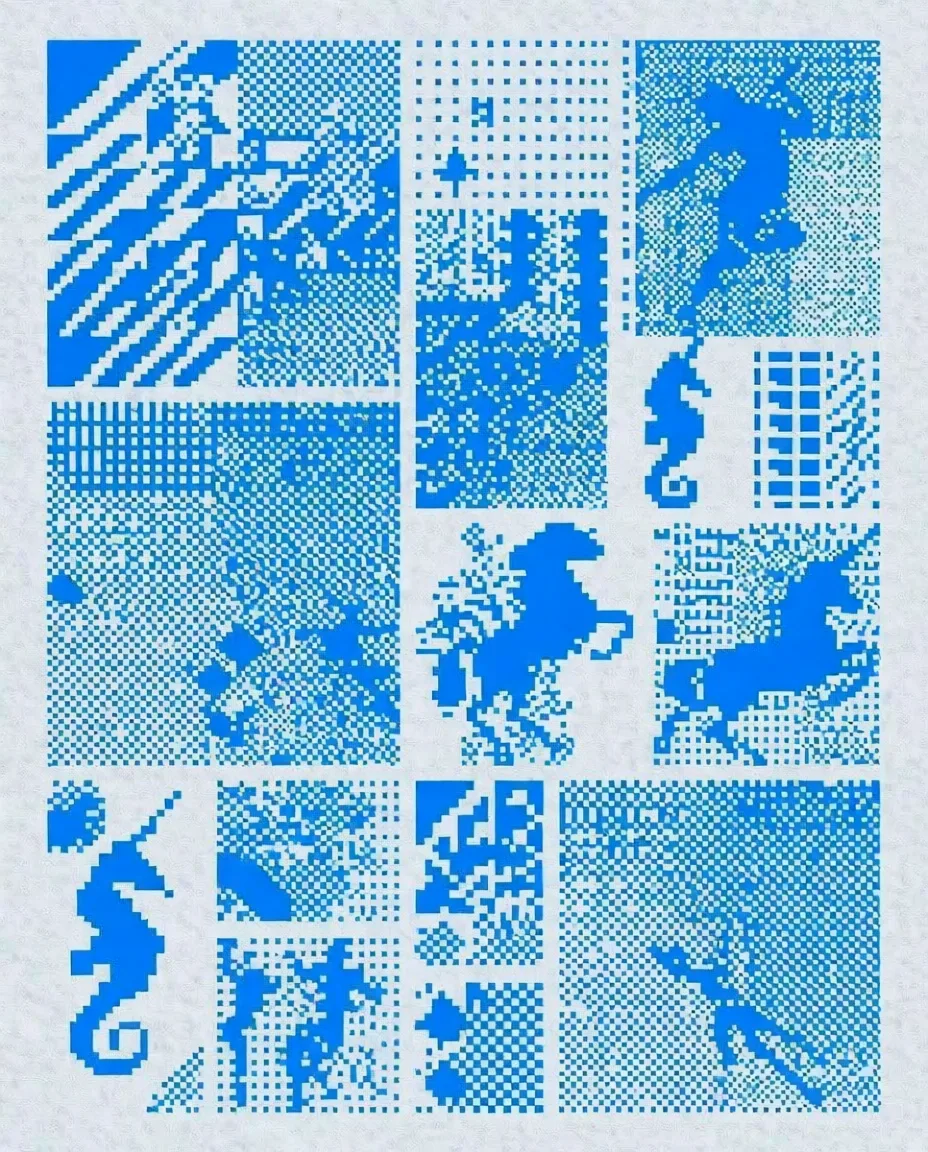
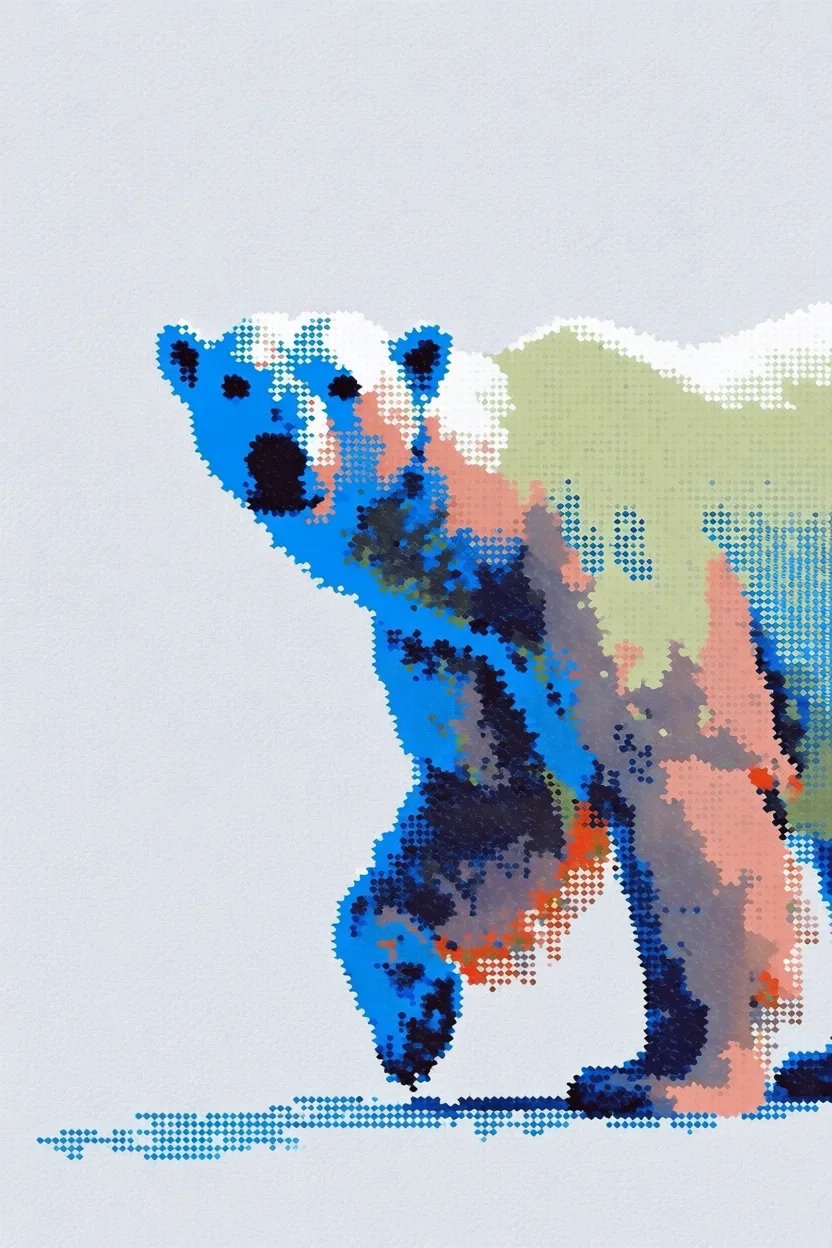
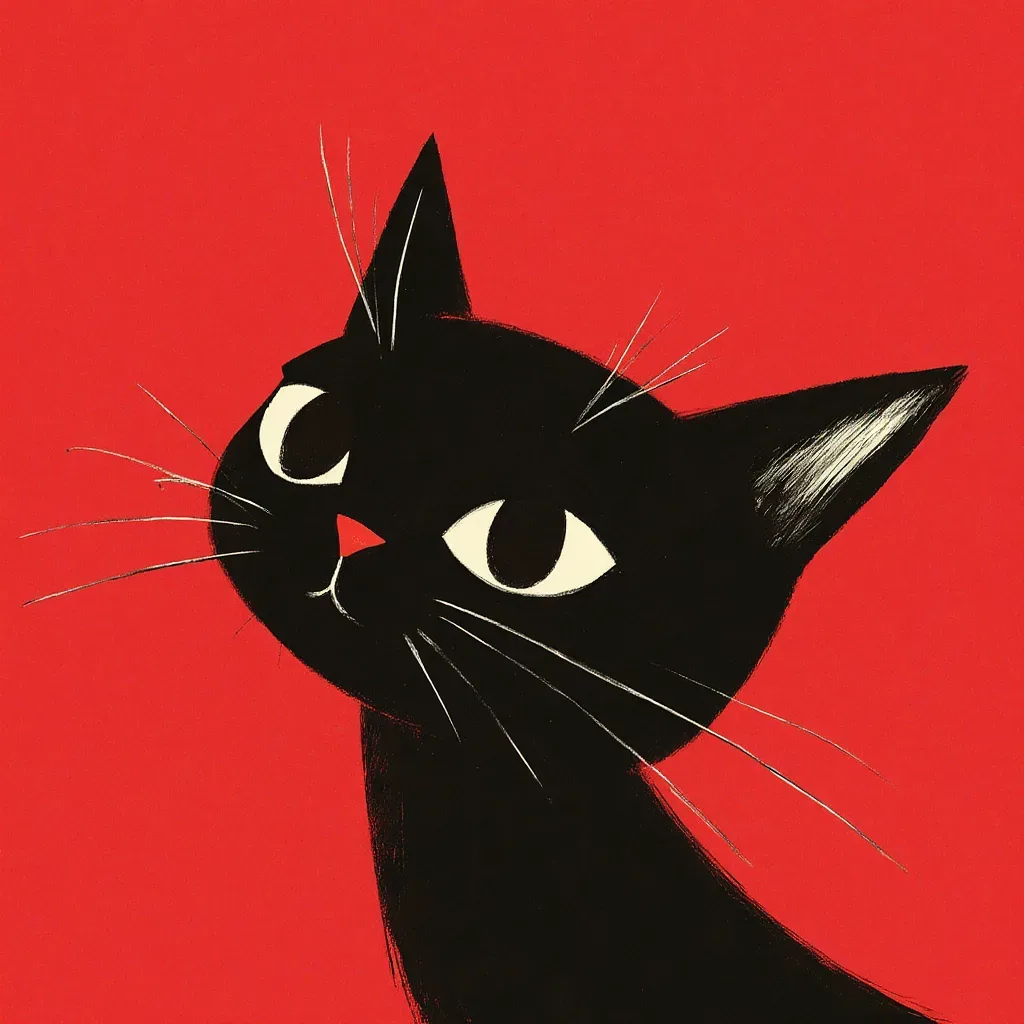
各例では、左に**スタイル参照**、右に**生成された出力**を示しています。

<div className="not-prose space-y-8">
  <div>
    <div className="grid grid-cols-2 gap-3">
      <img src="https://s.krea.ai/docs/krea-2/style-transfer-cat-ref.webp" alt="スタイル参照: 草原を走るカートゥーン" className="rounded-lg w-full object-cover m-0" style={{ aspectRatio: "4/3" }} />

      <img src="https://s.krea.ai/docs/krea-2/style-transfer-cat-out.webp" alt="出力: 横向きにジャンプする猫" className="rounded-lg w-full object-cover m-0" style={{ aspectRatio: "4/3" }} />
    </div>

    <p className="mt-2 text-sm text-gray-600 dark:text-gray-400">プロンプト: <em>a cat jumping sideways</em></p>
  </div>

  <div>
    <div className="grid grid-cols-2 gap-3">
      <img src="https://s.krea.ai/docs/krea-2/style-transfer-polar-bear-ref.webp" alt="スタイル参照: 8 ビットピクセルアートのグリッド" className="rounded-lg w-full object-cover m-0" style={{ aspectRatio: "4/3" }} />

      <img src="https://s.krea.ai/docs/krea-2/style-transfer-polar-bear-out.webp" alt="出力: 白くま" className="rounded-lg w-full object-cover m-0" style={{ aspectRatio: "4/3" }} />
    </div>

    <p className="mt-2 text-sm text-gray-600 dark:text-gray-400">プロンプト: <em>a polar bear</em></p>
  </div>

  <div>
    <div className="grid grid-cols-2 gap-3">
      <img src="https://s.krea.ai/docs/krea-2/style-transfer-cowboy-ref.webp" alt="スタイル参照: Krea 1 風のスケッチ" className="rounded-lg w-full object-cover m-0" style={{ aspectRatio: "4/3" }} />

      <img src="https://s.krea.ai/docs/krea-2/style-transfer-cowboy-out.webp" alt="出力: カウボーイ" className="rounded-lg w-full object-cover m-0" style={{ aspectRatio: "4/3" }} />
    </div>

    <p className="mt-2 text-sm text-gray-600 dark:text-gray-400">プロンプト: <em>a cowboy</em></p>
  </div>

  <div>
    <div className="grid grid-cols-2 gap-3">
      <img src="https://s.krea.ai/docs/krea-2/style-transfer-muppet-ref.webp" alt="スタイル参照: セサミストリート風の馬" className="rounded-lg w-full object-cover m-0" style={{ aspectRatio: "4/3" }} />

      <img src="https://s.krea.ai/docs/krea-2/style-transfer-muppet-out.webp" alt="出力: マペット風の猫と犬" className="rounded-lg w-full object-cover m-0" style={{ aspectRatio: "4/3" }} />
    </div>

    <p className="mt-2 text-sm text-gray-600 dark:text-gray-400">プロンプト: <em>a scene from the live-action Muppets movie featuring a grey cat muppet and his dog friend</em></p>
  </div>
</div>

## 仕組み

<Steps>
  <Step title="参照を用意する">
    画像を参照として利用する方法は 3 つあります。画像を `/assets` に `POST` して返された URL を使う、外部 URL を直接渡す、またはデータ URI を渡す方法です。
  </Step>

  <Step title="URL で参照する">
    `krea-2/medium` または `krea-2/large` リクエストの `image_style_references` 配列に画像 URL またはデータ URI を含めます。
  </Step>

  <Step title="強度を調整する">
    参照ごとに `strength` を -2 から 2 の範囲で設定します。0.6 前後が妥当な出発点です。スタイルを支配的にしたい場合は値を上げ、より控えめな影響にしたい場合は下げてください。
  </Step>
</Steps>

## エンドツーエンドの例

この例では、ローカルファイルをスタイル参照としてアップロードし、Krea 2 Medium の生成で利用します。

<CodeGroup>
  ```javascript Node.js theme={null}
  // npm install @krea-ai/sdk
  import { openAsBlob } from "node:fs";
  import { Krea } from "@krea-ai/sdk";

  const krea = new Krea({ apiKey: process.env.KREA_API_KEY });

  // 1. Upload the style reference
  const file = await openAsBlob("./style-reference.png", { type: "image/png" });
  const asset = await krea.assets.upload(file, {
    filename: "style-reference.png",
    description: "Style reference for Krea 2",
  });

  // 2. Generate with the reference
  const result = await krea.subscribe("image/krea/krea-2/medium", {
    input: {
      prompt: "A portrait of a dancer in a quiet studio",
      aspect_ratio: "4:3",
      resolution: "1K",
      creativity: "medium",
      image_style_references: [{ url: asset.image_url, strength: 0.6 }],
    },
  });

  console.log(result.data?.urls[0]);
  ```

  ```bash cURL theme={null}
  # 1. Upload the style reference
  curl -X POST https://api.krea.ai/assets \
    -H "Authorization: Bearer $KREA_API_TOKEN" \
    -F "file=@./style-reference.png" \
    -F "description=Style reference for Krea 2"
  # Response includes { "image_url": "https://..." }

  # 2. Generate with the reference (replace IMAGE_URL with the response above)
  curl -X POST https://api.krea.ai/generate/image/krea/krea-2/medium \
    -H "Authorization: Bearer $KREA_API_TOKEN" \
    -H "Content-Type: application/json" \
    -d '{
      "prompt": "A portrait of a dancer in a quiet studio",
      "aspect_ratio": "4:3",
      "resolution": "1K",
      "creativity": "medium",
      "image_style_references": [
        { "url": "IMAGE_URL", "strength": 0.6 }
      ]
    }'
  ```

  ```python Python theme={null}
  import os
  import requests

  API_BASE = "https://api.krea.ai"
  API_TOKEN = os.environ["KREA_API_TOKEN"]
  headers = {"Authorization": f"Bearer {API_TOKEN}"}

  # 1. Upload the style reference
  with open("style-reference.png", "rb") as f:
      upload = requests.post(
          f"{API_BASE}/assets",
          headers=headers,
          files={"file": ("style-reference.png", f, "image/png")},
          data={"description": "Style reference for Krea 2"},
      )
  upload.raise_for_status()
  asset = upload.json()

  # 2. Generate with the reference
  generation = requests.post(
      f"{API_BASE}/generate/image/krea/krea-2/medium",
      headers={**headers, "Content-Type": "application/json"},
      json={
          "prompt": "A portrait of a dancer in a quiet studio",
          "aspect_ratio": "4:3",
          "resolution": "1K",
          "creativity": "medium",
          "image_style_references": [
              {"url": asset["image_url"], "strength": 0.6},
          ],
      },
  )
  generation.raise_for_status()
  print(generation.json())  # { "job_id": "..." } — poll /jobs/{id} for the result
  ```
</CodeGroup>

<Note>
  REST の例は非同期です。`POST /generate/...` は即座に `job_id` を返します。Node.js SDK の例では `subscribe(...)` を使い、完了した結果を待ち受けます。ポーリングのパターンについては [ジョブのライフサイクル](/developers/job-lifecycle) を参照するか、[webhook](/developers/webhooks) を使用してポーリングを完全に省略できます。
</Note>

## 強度の調整

`strength` は `-2` から `2` の範囲で設定します。目安となるいくつかのルールは以下のとおりです。

* **約 0.3〜0.5** — 控えめな影響。プロンプトを主体としつつ、参照に個性を加えたいときに有用です。
* **約 0.6** — ほとんどのユースケースでバランスの取れた出発点です。
* **約 0.8〜1.0** — 参照スタイルが支配的になります。プロンプトが一般的で、ビジュアル的なアイデンティティを参照から取り入れたい場合に有用です。
* **負の値** — 出力を参照スタイルから遠ざけます。

出力が文字通りすぎる(参照が強すぎる)場合や、汎用的すぎる(参照が弱すぎる)場合は、0.1 単位で調整してください。

## 複数の参照を組み合わせる

`image_style_references` に複数のオブジェクトを渡してスタイルをブレンドできます。各参照は独自の `strength` を持てます。

```javascript Node.js theme={null}
const result = await krea.subscribe("image/krea/krea-2/medium", {
  input: {
    prompt: "A portrait of a dancer in a quiet studio",
    aspect_ratio: "4:3",
    resolution: "1K",
    image_style_references: [
      { url: assetA.image_url, strength: 0.6 },
      { url: assetB.image_url, strength: 0.4 },
    ],
  },
});
```

参照は加算的にブレンドされます。合計が `1.0` 前後になる強度から始めて、そこから調整してください。