> ## Documentation Index
> Fetch the complete documentation index at: https://www.krea.ai/docs/llms.txt
> Use this file to discover all available pages before exploring further.
# 音声生成
> ElevenLabs、Qwen TTS、ThinkSound、MMAudio の統合を使用し、Krea のノードワークフロー内で音楽、ナレーション、効果音、ダイアログを生成できます。
## Audio 統合
Krea の Audio 統合を使うと、ノードワークフロー内で音声や音楽を直接生成でき、プロジェクトの他の部分と同じクリエイティブパイプラインの一部として音声を扱えます。
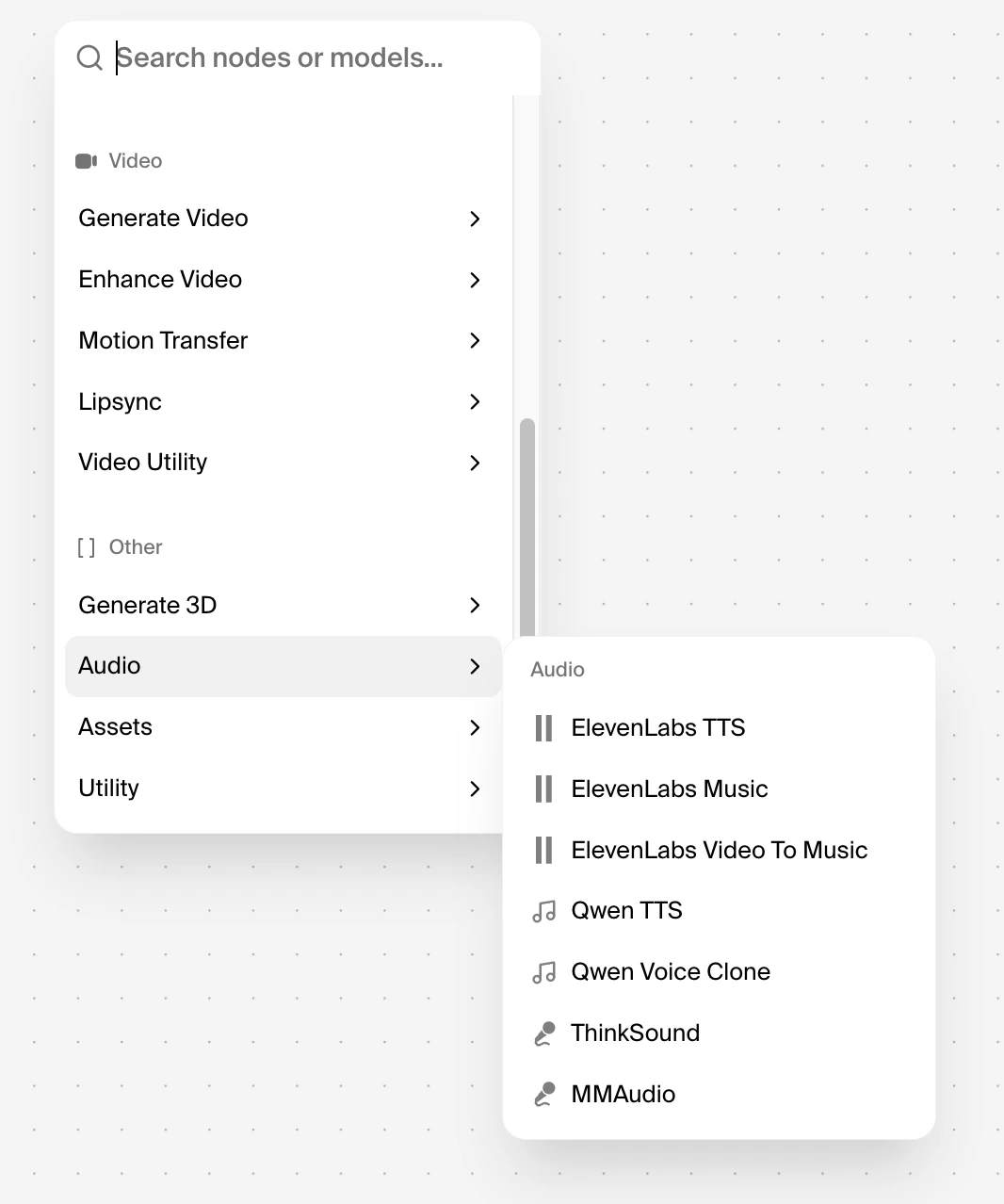
Audio 統合には、ノードワークフローインターフェースからノードメニューを開き、**Audio** に移動することでアクセスできます。
利用可能なモデル: **ElevenLabs TTS**、**ElevenLabs Music**、**ElevenLabs Video To Music**、**Qwen TTS**、**Qwen Voice Clone**、**ThinkSound**、**MMAudio**。
Audio 統合はすべての Krea プランで利用できます。
## ElevenLabs Music
### ElevenLabs Music とは
ワークフロー内でテキストプロンプトから直接オリジナル音楽を生成したい場合は、Krea で ElevenLabs Music を使用してください。
さまざまなスタイルでスタジオクオリティのトラックを作成でき、平易な言葉での説明と、より技術的な音楽的な指示の両方を理解します。ムード、ジャンル、構造、楽器編成、結果にボーカルを含めるかインストゥルメンタルにするかなどを指示できます。
### Krea.ai でのアクセス方法
Krea の **ノードワークフロー** で、プロンプトから音楽トラックを出力するワークフローを作成したい場合は、ElevenLabs Music ノードを追加します。
ノードを追加した後、プロンプトを入力し、長さやクリエイティブコントロールなどの利用可能な設定を調整し、ワークフローを実行して音声を生成します。
### ベストプラクティス
Krea が明確なクリエイティブディレクションを ElevenLabs に伝えられるよう、プロンプトを具体的に書きましょう。
希望するムード、ジャンル、楽器、テンポ、構造を含め、より予測可能な結果を得るために、各プロンプトは 1 度に 1 つの音楽的目標に集中させてください。
より長い作品を作る場合は、フルコンポジションを一度に生成しようとするのではなく、短い生成から始めてセクションごとに反復してください。
### 例
> **Genre:** Desert folk / Americana instrumental.\
> **Mood:** Warm, unhurried, sun-drenched. Hammock on a porch in late afternoon.\
> **Tempo & feel:** 92 BPM, loose rolling groove with a slight behind-the-beat swing.\
> Instruments: Fingerpicked nylon-string guitar as the lead voice. Second acoustic guitar softly strumming underneath. Brushed snare and shaker for rhythm. Warm upright bass holding the low end. Pedal steel swells in the background for atmosphere.\
> **Structure:** Open with two bars of fingerpicked guitar alone, then bring in shaker, brushed snare, and upright bass together. Pedal steel enters as a soft swell underneath at the end.\
> **Mix notes:** Mid-range forward, gentle tape warmth, light room sound, no heavy reverb. Roll off sub-bass and soften the high end so it sits well on a portable outdoor speaker. Mono-safe. Keep dynamics consistent. No drops or builds.\
> **Reference:** Khruangbin, Calexico, Ry Cooder soundtrack work.
***
## ElevenLabs TTS
### ElevenLabs TTS とは
ワークフロー内のテキストを自然な音声に変換したい場合は、Krea で ElevenLabs TTS を使用してください。ニュアンス豊かなペーシングとイントネーションを備えたリアルな音声を生成するため、ナレーション、朗読、製品デモ、チュートリアル、多言語コンテンツに役立ちます。
### Krea.ai でのアクセス方法
Krea のノードワークフローで、テキストから音声を出力するワークフローを作成したい場合は、ElevenLabs TTS ノードを追加します。ノードを追加した後、テキストを入力または接続し、音声を選択し、利用可能なモデルや出力設定を調整し、ワークフローを実行してナレーションを生成します。
### ベストプラクティス
読み上げられたときの音声を意識してテキストを書きましょう。
明確な句読点、短い文、自然な言い回しは、より良い結果を生む傾向があります。一方、不明瞭な略語、変わった記号、編集されていない生のコピーは、出力の一貫性を損なう可能性があります。
長いスクリプトの場合は、ペーシングを確認したり、発音の問題を修正したり、変更が必要な部分だけを再生成したりできるように、テキストを小さなセクションに分割してください。
### 例