















Step 1
Choose input
Start with a text prompt or upload a photo. Pick an avatar style such as cartoon, 3D, anime, or realistic to set the overall direction.
 App by BlueStudios
Create custom avatars fast with avatar maker. Use AI and machine learning to generate profile pics, characters, and styles in seconds. Try it now.
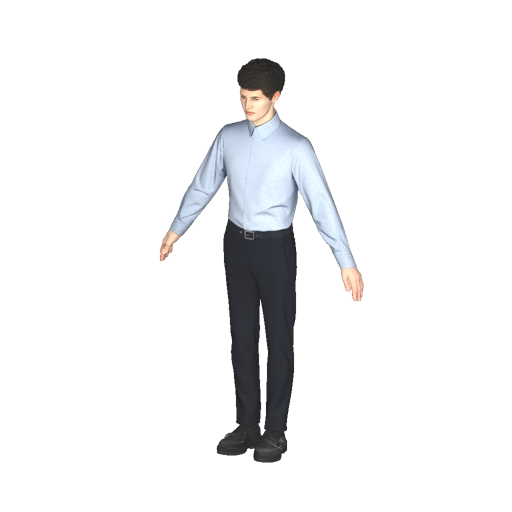
How to use avatar maker
Create a new avatar with a prompt or a photo, then adjust style and details for the right look. Follow these quick steps to generate, refine, and export high-quality avatars for any platform.
Step 1
Start with a text prompt or upload a photo. Pick an avatar style such as cartoon, 3D, anime, or realistic to set the overall direction.

Step 2
Click generate to create options instantly. Tweak facial details, colors, backgrounds, and outfits, then rerun variations until the avatar matches your needs.

Step 3
Download your avatar in the size and format you need for profiles, apps, or branding. Save presets to keep future avatars consistent.
Features
Avatar maker uses AI and machine learning to generate high-quality avatars from prompts or photos. Create consistent characters, explore multiple styles, and fine-tune details with simple controls. Export clean images ready for profile pictures, teams, games, and brand assets—without complex editing workflows.

Generate avatars from a written prompt or transform a photo into a stylized character. Switch styles anytime to quickly explore looks while keeping key identity details.

Create multiple variations in seconds, compare options, and refine with lightweight adjustments. Quickly reach a polished avatar suitable for social profiles, apps, and thumbnails.

Lock in a recognizable look across outputs with repeatable settings and presets. Keep colors, vibe, and character features consistent for teams, channels, and brand systems.
About
Avatar maker is an AI avatar generator that turns ideas or photos into clean, customizable avatars in multiple styles. Generate profile pictures, character portraits, and brand-friendly icons with consistent results. Use prompts and quick controls to iterate fast, refine details, and export avatars for social, games, or team profiles in minutes.
Avatar maker streamlines AI avatar creation with fast generation, flexible style options, and easy refinement. Build consistent characters without complex editing, and export clean assets sized for profiles, apps, and communities. Ideal for quick iterations and reliable, polished results.
Enter a prompt or upload a photo, choose a style, and generate options instantly. Refine details with simple controls, then download your avatar and save presets for consistent future outputs.
Use cases
Discover how different creators use this app in their workflow.
Generate standout avatars for social media, messaging apps, and professional profiles. Create a consistent look across platforms with quick style switching and clean exports.
Create matching avatar sets for teams, Discord servers, and online communities. Keep visual consistency while generating unique variations for each member or role.
Design character portraits and icons for games, streams, and roleplay. Iterate fast with prompts, styles, and variations to build a cohesive cast.
Krea is one of the world's leading generative AI platforms. See what others say.
Real reviews on TrustpilotSo many AI tools out there but I always come back to Krea. It's really the one AI platform that 'just works'.

FYN
Krea's interfaces are still the best in the industry. Everything looks and feels so clean and easy to use! Imo the easiest to use gen AI website.

Lynn
Ultra fast generations. Extremely simple to use. All the latest AI models.

Daniel
KREA is the only AI subscription I have right now besides ChatGPT.

Sophia M.
Find quick answers about avatar maker, AI avatar generation, and exports.
Avatar maker is an AI avatar generator that creates customizable avatars from text prompts or photos. It uses machine learning to produce clean character images in multiple styles for profiles and apps.
Yes. Upload a photo and choose a style to convert it into an avatar. You can refine details like colors and background to better match your desired look and use case.
You can generate avatars in popular looks like cartoon, 3D, anime, and realistic styles. Switch styles anytime to explore options and keep the best results for your profile or brand.
Use the same prompt structure, style settings, and saved presets to repeat a recognizable look. Generate variations while keeping key features stable for teams, channels, or character sets.
Export avatars for profile pictures, team directories, community roles, game icons, and thumbnails. Download in the size and format you need, then reuse settings to create matching updates.
Generate a custom avatar in seconds, refine the style, and export ready-to-use images for any platform.

