














Step 1
Upload
Upload a 3D viewport screenshot or clay render. The system reads your scene layout to keep the same geometry, perspective, and overall composition.
 App by Mikhail Zhilin
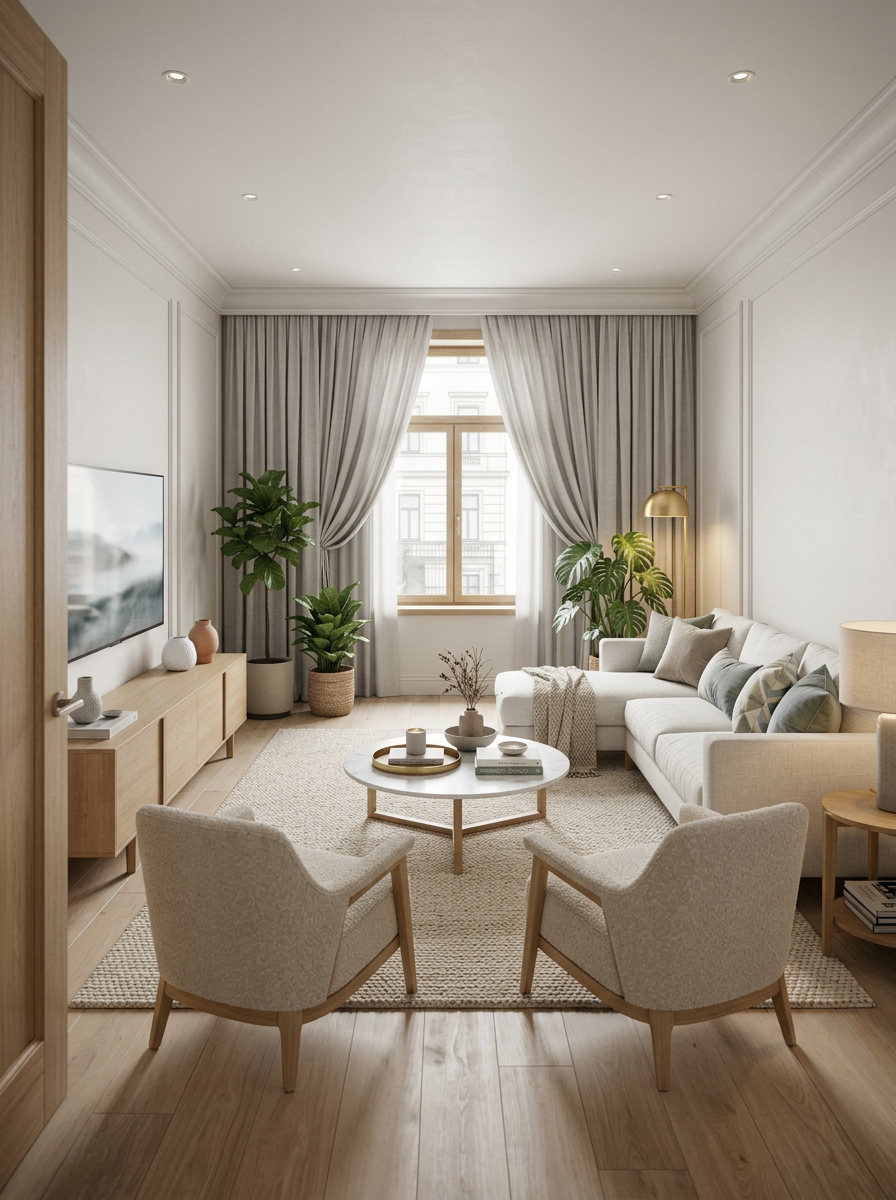
Turn 3D viewports or clay renders into photoreal Scandinavian interiors. Preserve camera, geometry, and composition with AI—try Viewport to Reality.
How to use Viewport to Reality
Convert your 3D viewport or clay render into a photoreal interior in minutes. Follow these steps to upload, guide the style, and export a clean visualization that keeps your camera and geometry consistent.
Step 1
Upload a 3D viewport screenshot or clay render. The system reads your scene layout to keep the same geometry, perspective, and overall composition.

Step 2
Choose a Scandinavian look and adjust guidance if needed. The AI refines materials, lighting, and details while maintaining your camera angle and design intent.

Step 3
Generate and download the photoreal interior render. Use the result for presentations, client approvals, or rapid iteration across multiple angles and rooms.
Features
Viewport to Reality transforms simple 3D viewports into photorealistic interior renders with a refined Scandinavian aesthetic. It preserves camera angle, geometry, and composition while upgrading lighting, textures, and materials. Get consistent visuals faster for reviews, pitches, and design iteration—without redoing your underlying 3D scene.
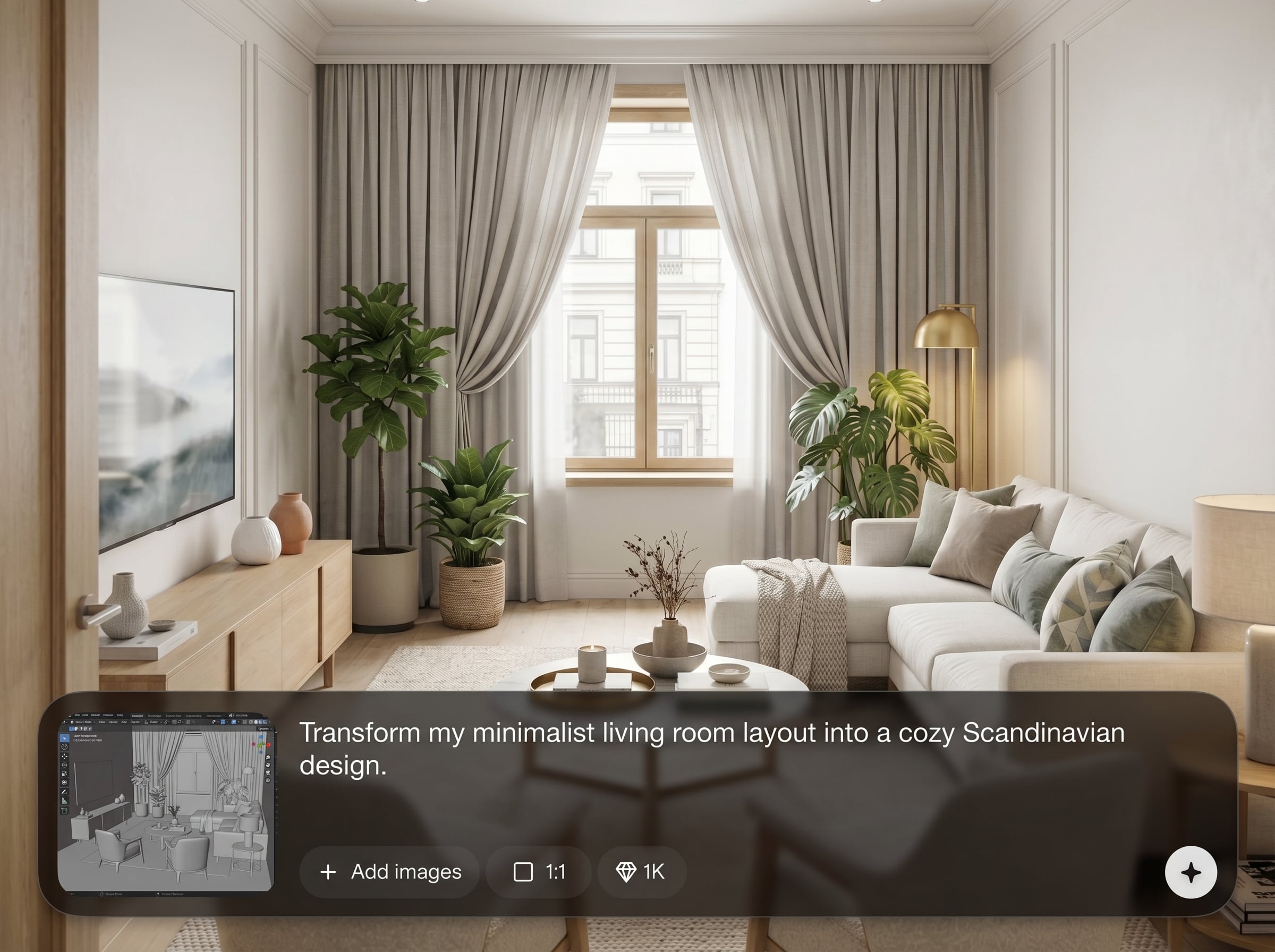
Keep your original viewpoint intact. The AI matches perspective and scene structure so the photoreal result aligns with your viewport, blocking, and composition decisions.
Convert clay shading into clean Nordic finishes—soft woods, neutral palettes, and realistic surfaces. Automatically improves lighting balance and detail for a polished interior visualization.
Generate multiple photoreal options from quick viewport captures. Explore lighting and material variations rapidly and keep consistent framing across angles for cohesive archviz deliverables.
About
Viewport to Reality turns a 3D viewport or clay render into a photoreal interior visualization in Scandinavian style. Upload your image and the AI preserves geometry, camera angle, and composition while refining materials, lighting, and finishes. Generate clean, modern renders for faster design reviews, presentations, and iterations without rebuilding your scene.
Viewport to Reality delivers photoreal interior visualization while preserving geometry, camera angle, and composition—so your design intent stays intact. It’s optimized for Scandinavian-style refinement, producing clean materials and balanced lighting from simple viewports. Iterate quickly and keep visuals consistent across angles and rooms.
Upload a 3D viewport or clay render, choose a Scandinavian direction, and generate. Export your photoreal interior render and repeat with new angles or variants to compare options fast.
Use cases
Discover how different creators use this app in their workflow.
Turn early 3D blocking into photoreal Scandinavian visuals for faster feedback. Keep the same camera view while presenting refined lighting, materials, and atmosphere.
Upgrade viewport screenshots into client-ready renders without long render queues. Maintain geometry and composition while generating realistic finishes and clean, modern interiors.
Create polished interior visualizations from simple clay renders. Produce consistent angles and tasteful Scandinavian styling to support listings, pitches, and marketing mockups.
Krea is one of the world's leading generative AI platforms. See what others say.
Real reviews on TrustpilotSo many AI tools out there but I always come back to Krea. It's really the one AI platform that 'just works'.

FYN
Krea's interfaces are still the best in the industry. Everything looks and feels so clean and easy to use! Imo the easiest to use gen AI website.

Lynn
Ultra fast generations. Extremely simple to use. All the latest AI models.

Daniel
KREA is the only AI subscription I have right now besides ChatGPT.

Sophia M.
Answers to common questions about AI interior visualization, viewport conversion, and photoreal Scandinavian rendering.
Upload a clear 3D viewport screenshot or clay render with visible room structure. Clean silhouettes, readable lighting direction, and minimal UI overlays help the AI preserve geometry and camera perspective.
Yes. The system is designed to preserve camera angle, geometry, and composition from your viewport or clay render, then transform materials, lighting, and details into a photoreal Scandinavian interior.
You can guide the look toward Scandinavian interiors by focusing on bright, neutral palettes and natural materials. The AI refines surfaces and lighting while keeping your underlying layout consistent.
It’s ideal for fast visualization and iteration from early-stage viewports. For final production pipelines, you can still use traditional rendering—Viewport to Reality accelerates look development and client previews.
Use outputs for design presentations, mood exploration, stakeholder reviews, and marketing drafts. The photoreal renders maintain consistent framing, making it easy to compare options across multiple iterations.
Upload a viewport or clay render and generate a photoreal Scandinavian interior visualization in minutes.

