














Step 1
Upload
Add a photo of an object with clear edges and good lighting. The tool detects shape and key details to preserve recognizability in the Jell-O transformation.
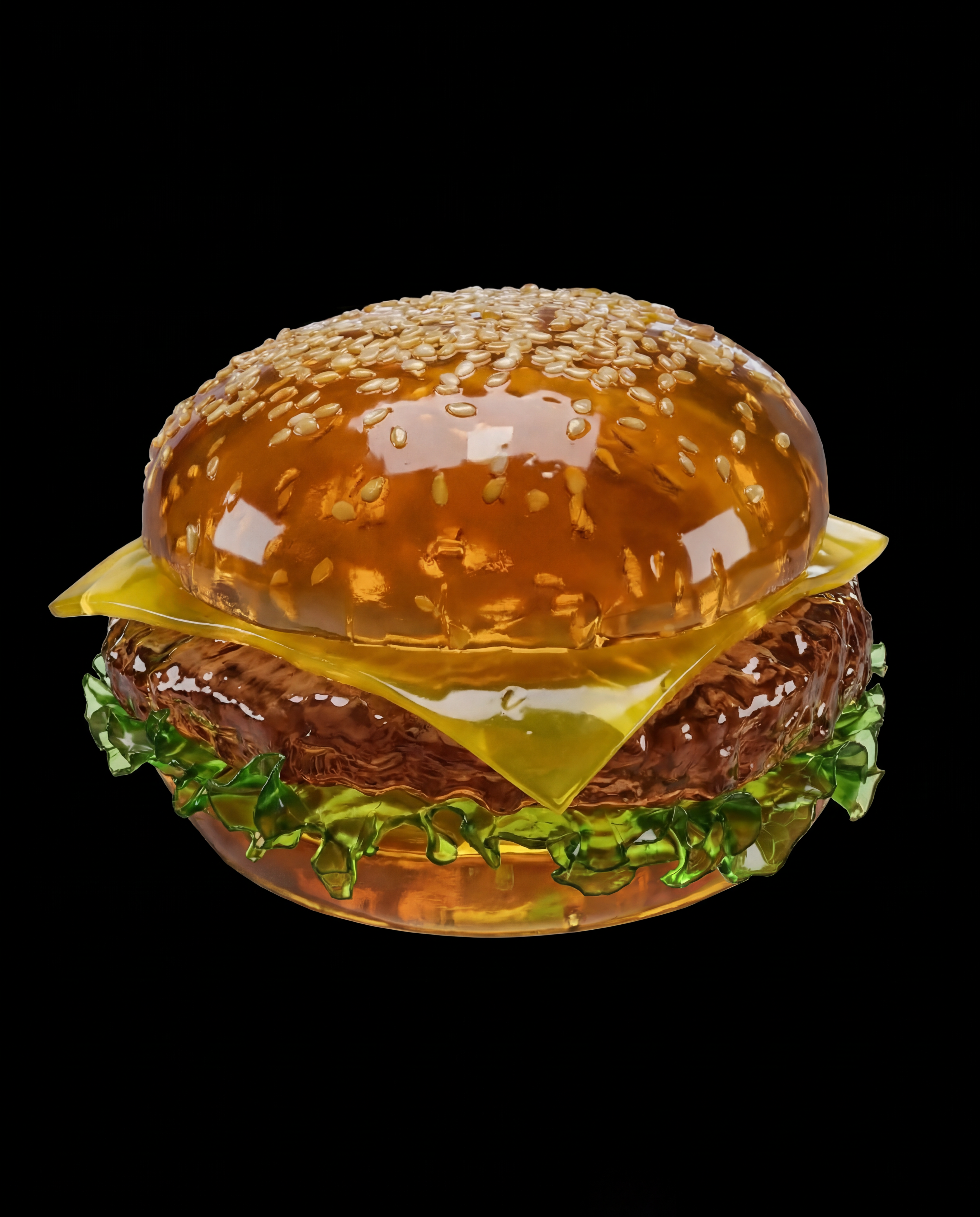
Turn any photo into soft, wobbling Jell-O with AI. Upload an object, choose colors and texture, and generate share-ready visuals in seconds—try it now.
How to use Jell-O This
Create a realistic jelly look in minutes. Upload your object photo, dial in color and wobble settings, then generate multiple variations. Download the best result for posts, mockups, or experiments.
Step 1
Add a photo of an object with clear edges and good lighting. The tool detects shape and key details to preserve recognizability in the Jell-O transformation.

Step 2
Choose Jell-O color, translucency, gloss, and wobble intensity. Refine background and highlights to match a studio, kitchen, or surreal scene for the vibe you want.

Step 3
Generate several AI variations, compare texture and transparency, and pick your favorite. Download high-quality images ready for sharing, mockups, or further edits.
Features
Jell-O This applies an AI jelly effect that keeps your object’s silhouette while adding translucency, gloss, and soft wobble cues. Adjust color, texture, and background for clean, controlled results. Generate multiple options fast and choose the version that best fits your concept, from subtle gelatin shine to bold, surreal goo.

Add soft transparency, specular highlights, and gel depth while keeping the object readable. Fine-tune shine and opacity to match anything from firm gelatin to extra-soft wobble.

Create multiple looks in seconds to explore colors, textures, and backgrounds. Quickly iterate until the Jell-O effect feels right, without rebuilding your setup each time.

Dial in flavor-like color palettes and consistent styling across images. Keep branding-friendly results with predictable tones, clean edges, and adjustable background generation.
About
Jell-O This turns any object into soft, wobbly Jell-O using AI image generation. Upload a photo, pick a flavor-like color, gloss, and jiggle style, then render a jelly-perfect result that still reads clearly as the original object. Create playful product visuals, posters, and social images in seconds with a clean, controlled workflow.
Jell-O This is built for control and speed: consistent silhouettes, adjustable translucency, and clean styling that stays readable. Generate multiple options quickly, refine the look with simple sliders, and get high-quality results without time-consuming manual compositing or texture work.
Open Jell-O This, upload a clear object photo, and choose your jelly color and shine. Generate a few variations, pick the best look, and download instantly for sharing or design workflows.
Use cases
Discover how different creators use this app in their workflow.
Turn everyday items into playful gelatin mockups for ads, thumbnails, and pitch decks—while keeping the original form recognizable and the styling consistent.
Create scroll-stopping Jell-O visuals for posts and stories. Generate quick variations to match trends, themes, and color palettes without complex editing.
Produce surreal concept art by transforming objects into translucent jelly. Experiment with lighting, background, and wobble intensity to build striking compositions fast.
Krea is one of the world's leading generative AI platforms. See what others say.
Real reviews on TrustpilotSo many AI tools out there but I always come back to Krea. It's really the one AI platform that 'just works'.

FYN
Krea's interfaces are still the best in the industry. Everything looks and feels so clean and easy to use! Imo the easiest to use gen AI website.

Lynn
Ultra fast generations. Extremely simple to use. All the latest AI models.

Daniel
KREA is the only AI subscription I have right now besides ChatGPT.

Sophia M.
Answers to common questions about the AI Jell-O effect tool.
Jell-O This is an AI image tool that transforms objects into a soft Jell-O look. It’s ideal for playful mockups, surreal edits, and rapid concept visuals with adjustable color and translucency.
Use a photo with a clear subject, good contrast, and minimal motion blur. Clean edges help the AI preserve the object’s shape while applying realistic jelly transparency and gloss.
Yes. You can adjust the Jell-O color, translucency, gloss, and wobble style to get anything from subtle gelatin sheen to bold, saturated jelly with deeper transparency.
Results generate in seconds, and you can create multiple variations to compare. This makes it easy to iterate on backgrounds, lighting feel, and jelly texture without manual retouching.
It works as an AI generator guided by your input image. The tool uses machine learning to re-render your object with a jelly material effect while keeping key details recognizable.
Upload an object photo, tweak jelly settings, and generate polished, share-ready results in seconds.

