















Step 1
Upload
Add a brake rotor photo or render. The AI detects the rotor shape and surface details, preparing the image for precise edits without manual masking.
Brake Rotor Editor uses AI to edit rotor photos, prototype designs, and create clean render-ready outputs for listings, fitment, and marketing. Try it now.

How to use Brake Rotor Editor
Brake Rotor Editor makes it simple to refine rotor photos or generate new rotor looks with AI. Follow these steps to upload, adjust key details, and export consistent images for product or design workflows.
Step 1
Add a brake rotor photo or render. The AI detects the rotor shape and surface details, preparing the image for precise edits without manual masking.

Step 2
Choose style changes like drilled holes, slotted patterns, finish, and lighting. Fine-tune edge sharpness and remove distractions for a clean, realistic result.

Step 3
Download high-quality outputs for web or print. Export on transparent or solid backgrounds to match catalog standards, listings, or marketing templates.
Features
Brake Rotor Editor combines AI image editing with rotor-specific controls for fast, consistent results. Update patterns, finishes, and backgrounds while keeping realistic proportions and detail. Produce cleaner product images, concept variations, and standardized outputs for catalogs, fitment pages, and marketing—without time-consuming manual retouching.

Edit drilled and slotted patterns, surface finish, and rotor styling with controls tailored to brake discs. Keep details crisp while maintaining a realistic, product-ready look.
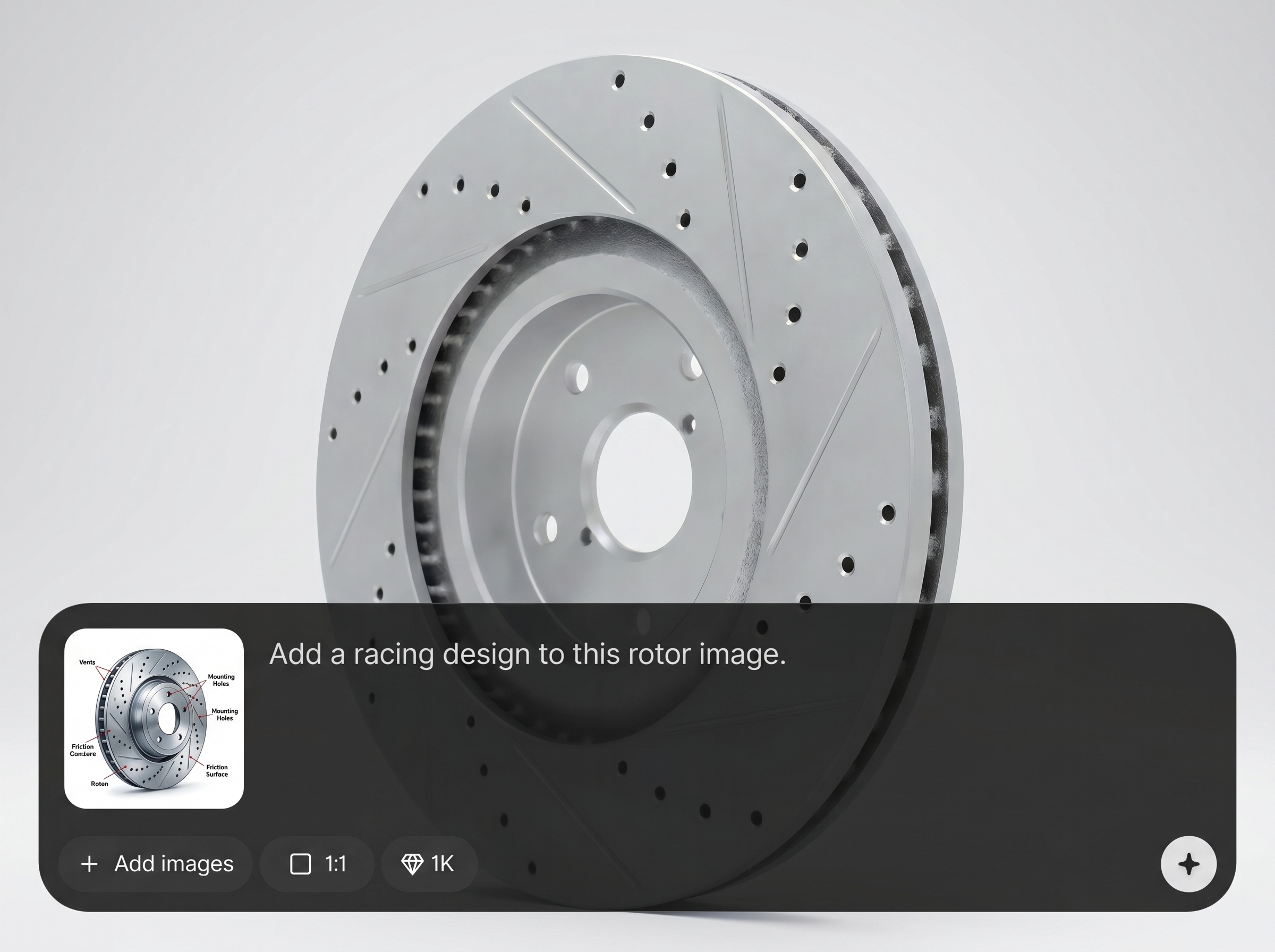
Remove clutter, correct lighting, and standardize backgrounds across multiple images. Generate consistent angles and presentation faster, helping teams reduce repetitive photo editing work.

Export high-resolution images for ecommerce, catalogs, and ads. Choose transparent or solid backgrounds and deliver clean files that drop into product pages and design layouts.
About
Brake Rotor Editor is an AI tool for editing brake rotor images and design concepts in minutes. Upload a photo, adjust rotor style, drilling/slotted patterns, finish, and background, then export clean, consistent visuals. Ideal for rapid prototyping, product listings, and automotive marketing where accuracy and speed matter.
Brake Rotor Editor is built for automotive part visuals, not generic photo edits. Get rotor-aware controls, faster iteration, and consistent outputs that fit ecommerce and catalog standards. Reduce manual masking and retouching while keeping realistic details and proportions across variations.
Open Brake Rotor Editor, upload a brake rotor photo, and choose edits like patterns, finish, and background. Preview changes instantly, refine details, then export high-resolution images ready for product pages or design reviews.
Use cases
Discover how different creators use this app in their workflow.
Create clean, consistent brake rotor images for marketplaces and web stores. Standardize backgrounds, enhance detail, and present multiple variations without reshooting every SKU.
Explore rotor styles quickly by generating drilled, slotted, and finish variations. Compare options side by side to support early-stage design decisions and visual reviews.
Produce standardized visuals for catalogs and fitment content. Keep proportions accurate, reduce distractions, and export images that match brand and documentation requirements.
Krea is one of the world's leading generative AI platforms. See what others say.
Real reviews on TrustpilotSo many AI tools out there but I always come back to Krea. It's really the one AI platform that 'just works'.

FYN
Krea's interfaces are still the best in the industry. Everything looks and feels so clean and easy to use! Imo the easiest to use gen AI website.

Lynn
Ultra fast generations. Extremely simple to use. All the latest AI models.

Daniel
KREA is the only AI subscription I have right now besides ChatGPT.

Sophia M.
Answers to common questions about AI brake rotor editing, image quality, and exporting for product workflows.
Brake Rotor Editor is an AI tool for editing brake rotor photos and concepts. It helps you adjust patterns, finishes, and backgrounds to create clean, consistent images for listings, catalogs, and marketing.
Yes. You can add or modify drilled holes and slotted patterns while preserving realistic edges and surface detail. This is useful for prototyping variations or updating product visuals without reshooting.
It can improve many images by cleaning backgrounds and enhancing clarity, but results are best with clear rotor visibility. Start with the highest-resolution photo available for the most accurate details.
Export high-quality images suitable for web and print, including options for transparent or solid backgrounds. This makes it easy to use outputs in ecommerce templates, catalogs, and marketing layouts.
It’s both, depending on your workflow. You can edit an existing brake rotor image or generate new visual variations based on your inputs, using AI to speed up iteration and cleanup.
Upload a rotor image, apply precise edits, and export clean visuals for listings, catalogs, and prototypes.

