Generate images with Qwen in Krea
Alibaba’s Qwen image model, inside Krea.
Overview
Qwen 2512 is a fast model with a clear specialty: making images that feature people, places, and words look genuinely convincing. Where many models struggle with the subtleties of human faces, Qwen 2512 handles skin texture, facial structure, and natural lighting with noticeably more care. That same attention to detail carries over into landscapes, where it renders fine environmental textures rather than smoothing them into something generic. Its most distinctive capability, though, is text rendering. If your image needs to include legible words (a storefront sign, a label, a poster), Qwen 2512 is one of the more reliable fast models for getting that right. At 9 credits per image, it sits just above Krea 1 in cost, but for the right kind of prompt, the added detail is worth it.At a Glance
Qwen 2512 is built for realism over style. It won’t push your image in an artistic direction or impose a particular aesthetic: instead, it focuses on rendering what you describe as accurately and naturally as possible. That makes it a strong choice when the subject matter calls for believability rather than creative interpretation.
It’s also worth noting that Qwen 2512 is a reasoning model, which means it can process more complex prompt structures. Rather than just matching keywords, it understands relationships between elements in a scene, letting you describe things like spatial arrangements, interactions between subjects, or layered environmental details and actually get them in the output.
Getting Started
- Go to Image Generation — Navigate to krea.ai/image and select this model from the dropdown.
- Select Qwen 2512 — Open the model picker and choose Qwen 2512 from the Fast Models section.
- Write your prompt — Describe your subject in natural language. Be specific about the person, setting, and lighting.
- Add an image reference (optional) — Upload a reference photo to guide the style or composition.
- Generate and review — Check your images for facial accuracy, landscape detail, and text legibility.
- Refine if needed — Use the Edit tool to fix small details, or adjust your prompt and regenerate.
When to Use Qwen 2512
Prompting Tips
Examples
Realism in Facial Features / Portraits
Qwen 2512 significantly reduces the AI-generated look, producing images that feel more naturally photographed than most fast models. It delivers noticeably finer detail across human subjects, with accurate skin texture, realistic facial features, and natural lighting. This detail carries over into landscapes and natural elements, where it renders fur, foliage, and environmental textures with more precision than you would typically expect at this credit price point.A close-up portrait of an Irish woman in her early thirties, natural copper-red hair falling in loose waves around her face, pale freckled skin, light green eyes with a quiet, thoughtful expression. Wearing a soft olive wool sweater, a small gold stud earring visible. Overcast natural light typical of a grey Irish morning, even and diffuse, no harsh shadows, subtle cool undertones in the skin. Shot on 85mm, shallow depth of field, photorealistic, film photography aesthetic, intimate and natural.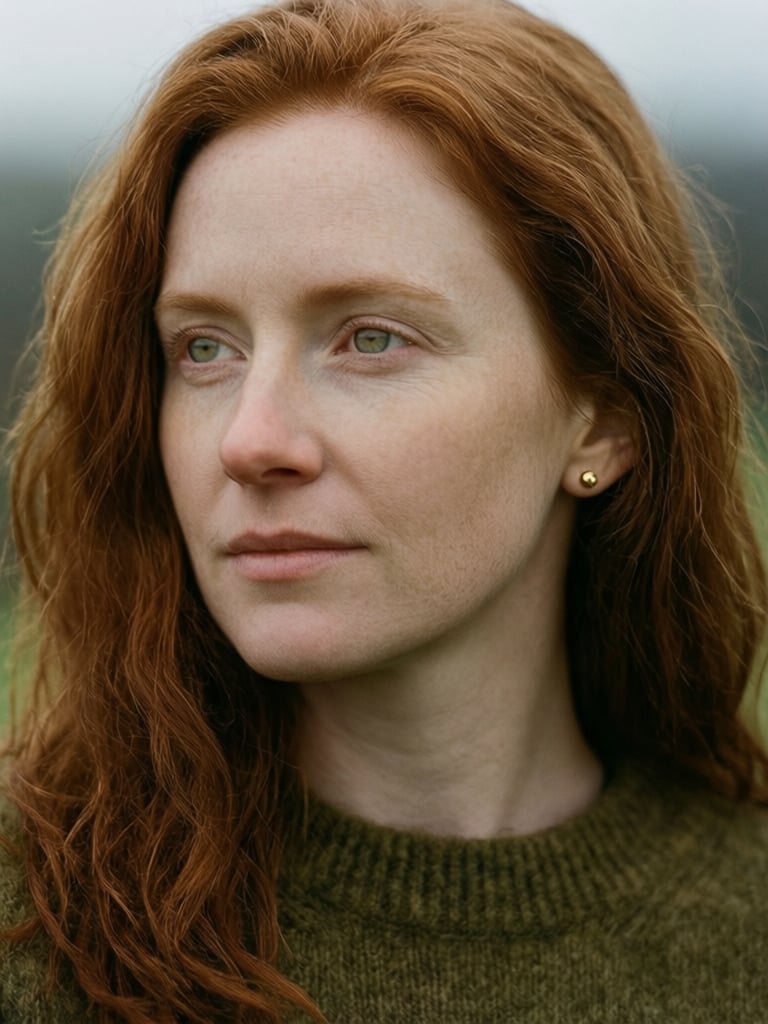
Text Rendering
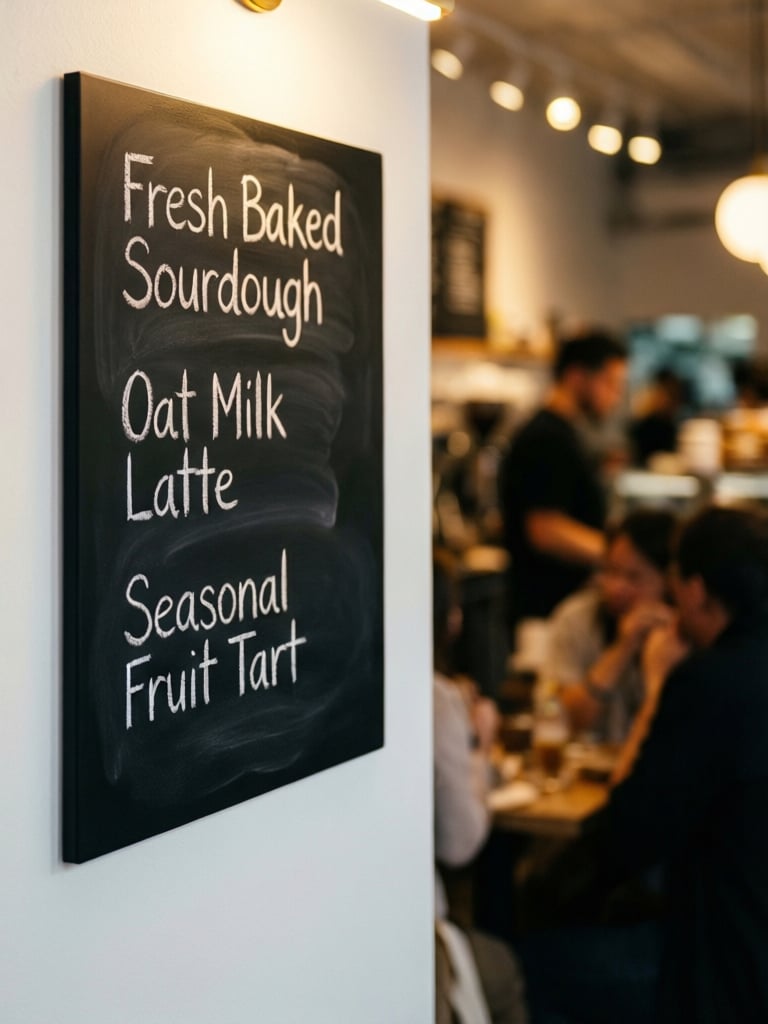
Qwen 2512 handles text rendering with noticeably more accuracy than most fast models. When your prompt includes legible words, whether on a sign, a label, a menu, or any other surface, Qwen 2512 reproduces them cleanly and in context, with better letter formation, correct spacing, and layout that integrates naturally into the overall composition. This makes it a reliable choice for any image where readable text is part of the visual.A close-up photograph of a contemporary coffee cafe menu board mounted on a white wall, handwritten chalk lettering reading "Fresh Baked Sourdough," "Oat Milk Latte," and "Seasonal Fruit Tart," written in all caps in a sans serif font warm interior light catching the texture of the chalk strokes, soft bokeh background showing a busy cafe interior, photorealistic, shallow depth of field, shot on 35mm.