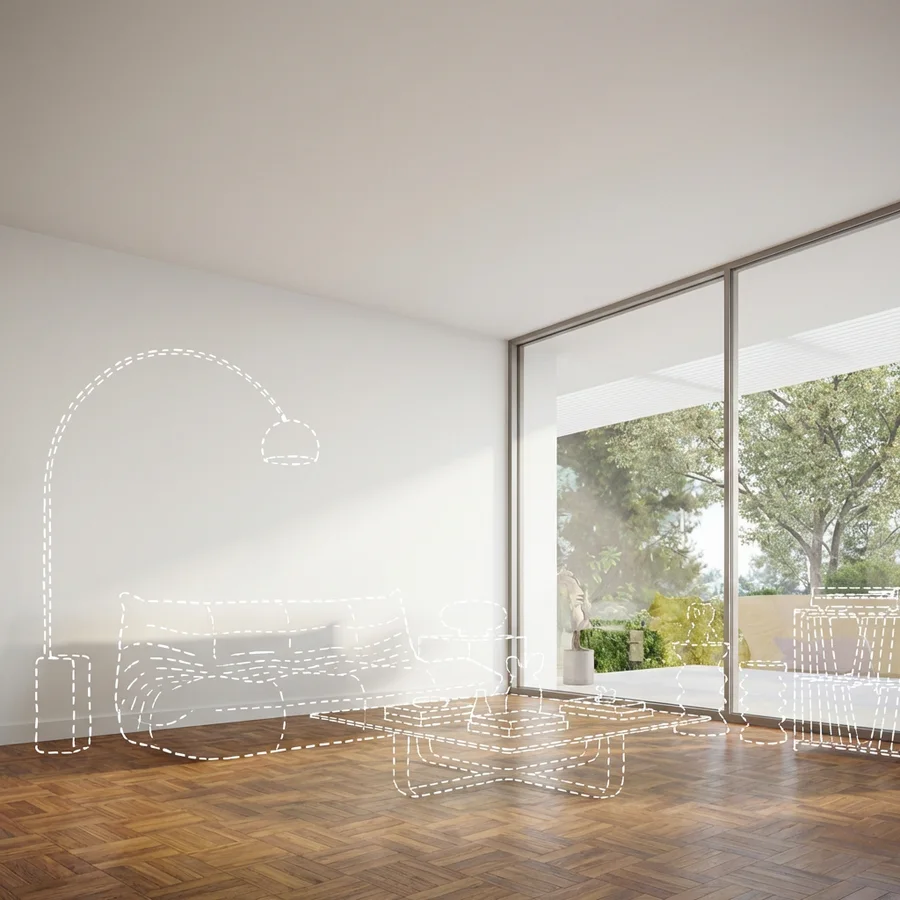
An AI marketing agent for campaigns that keep moving.
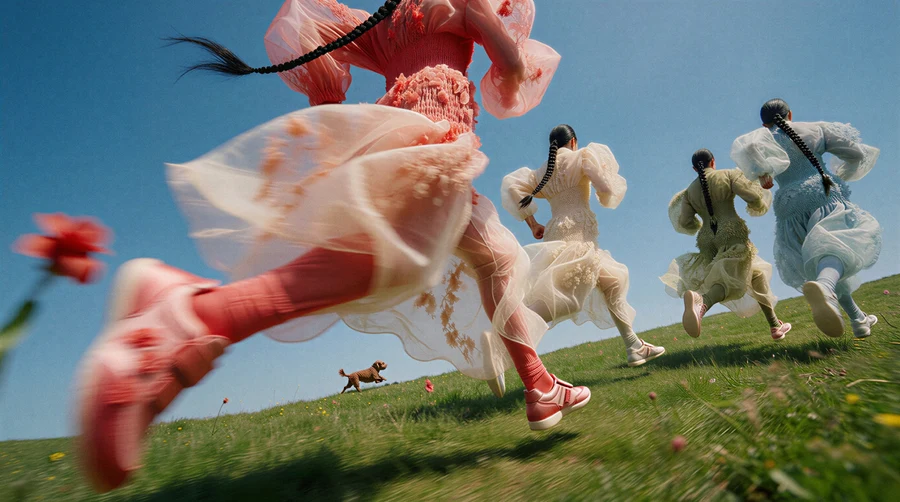
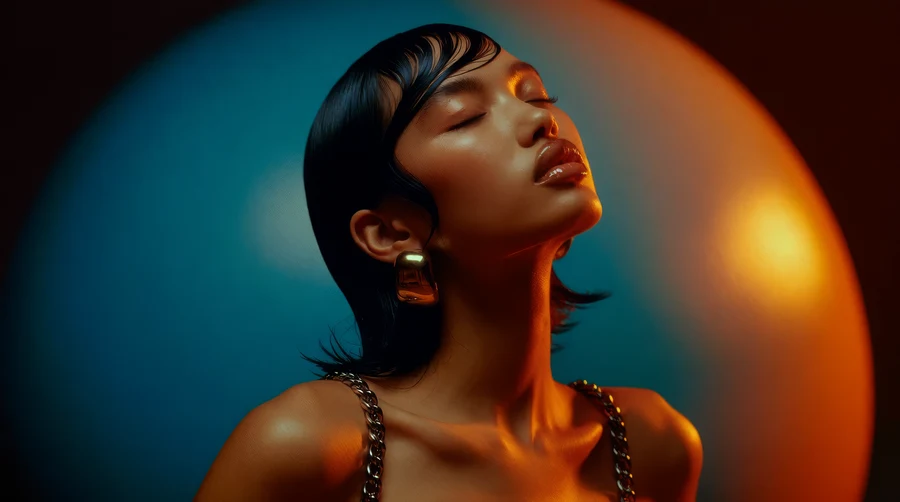
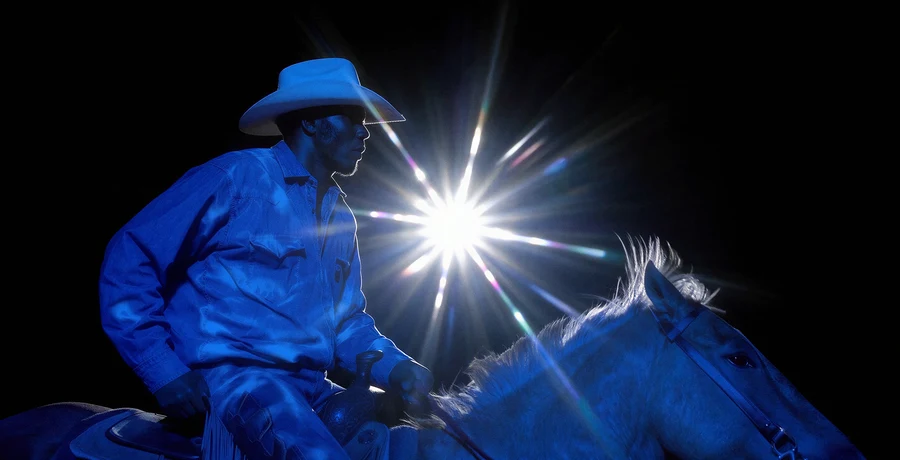
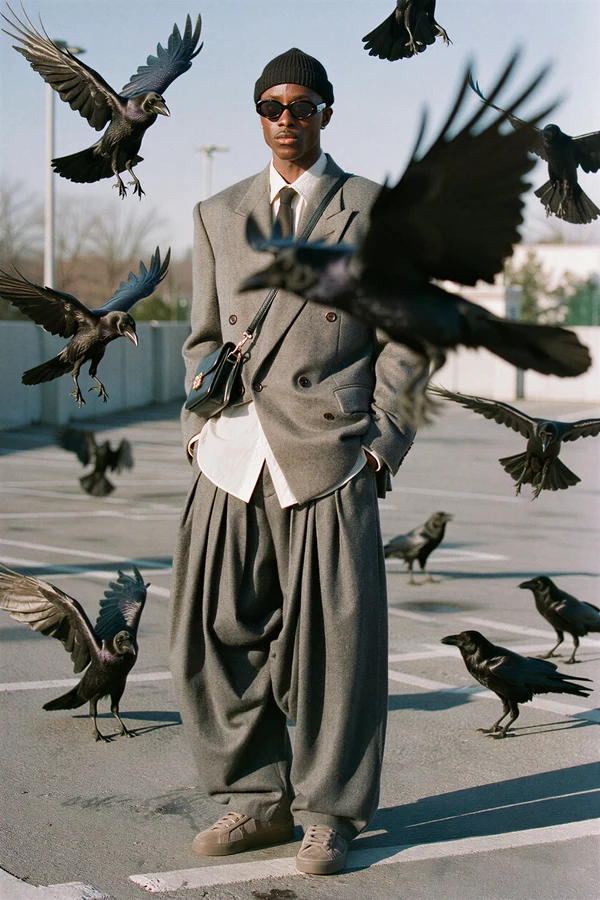
Krea Agent turns product photos, brand context, and performance learnings into campaign concepts, ad variants, UGC-style scenes, and channel-ready creative.
От фотографии продукта до готовой рекламы.
Добавьте ваш продукт, найдите подходящую сцену и превратите выбранное направление в рекламу с Krea Agent.
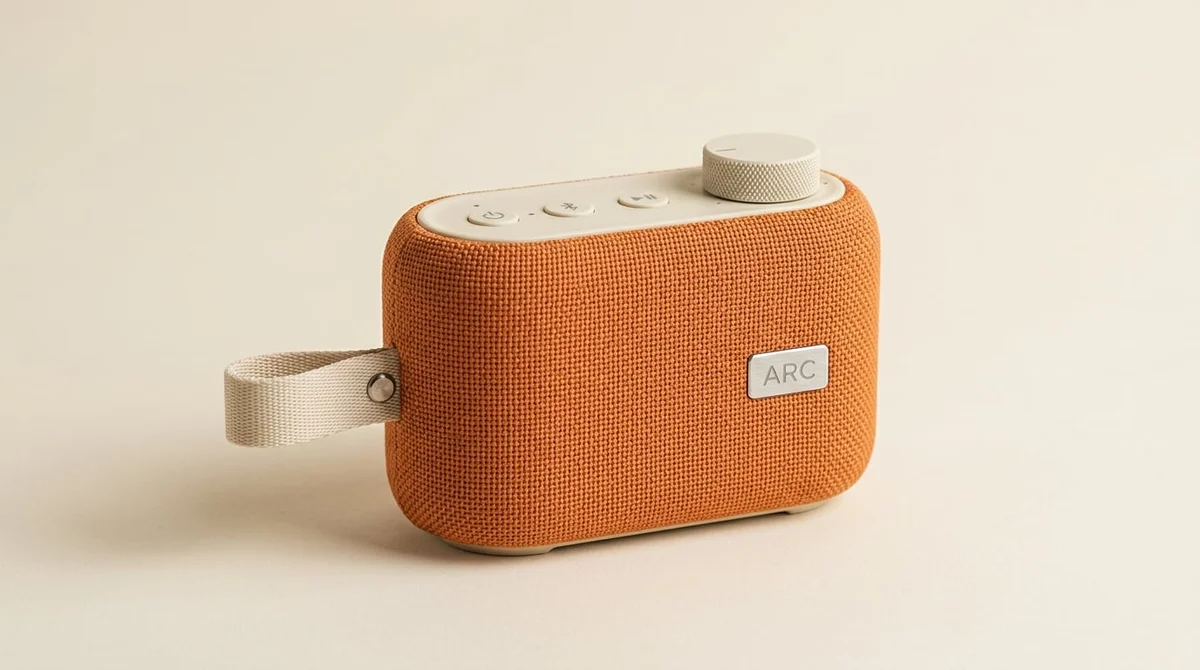
Добавьте ваш продукт
Загрузите фото продукта или опишите, что продаёте. Дайте Krea Agent информацию о вашей аудитории, цели кампании и брендовых референсах, чтобы творческий процесс начался с правильного брифа.
Добавьте ваш продуктЗадайте сцену
Выберите жизненную ситуацию, чистый герой-кадр, студийный деталь или продукт в движении. Опишите освещение, фон и настроение, которые хотите, чтобы Krea исследовал.
Постройте сцену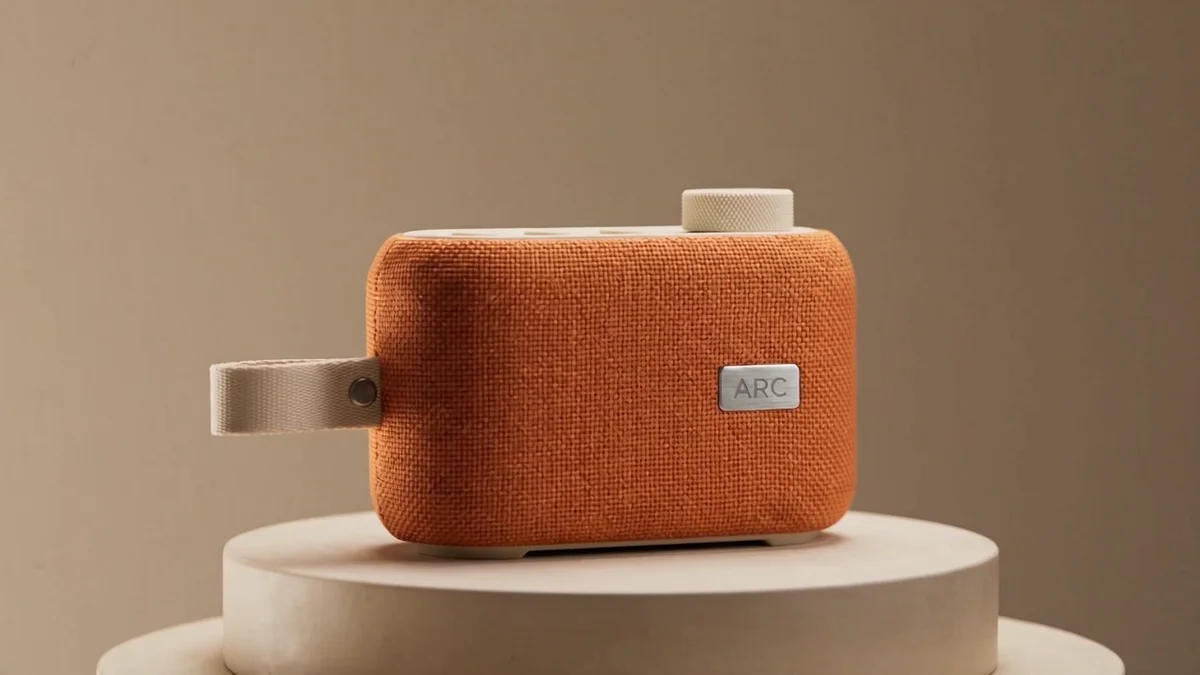
Пример направления
Создайте чистую студийную рекламу вокруг оранжевого динамика и его кремовых элементов управления.
Работайте над вашей рекламой
Формируйте сообщение, кадрирование и визуальное направление в диалоге. Запрашивайте изменения сцены, сравнивайте варианты и проверяйте детали продукта перед выбором любимого.
Оттачивайте с Krea AgentСоздайте и опубликуйте
Создайте готовую рекламу в нужном формате. Скачайте ее для рекламных платформ, страниц продукта и социальных сетей.
Создать рекламу Krea Agent
“Создайте чистую студийную рекламу вокруг оранжевого динамика и его кремовых элементов управления”
Попробуйте Krea AgentMore creative angles without another production cycle.
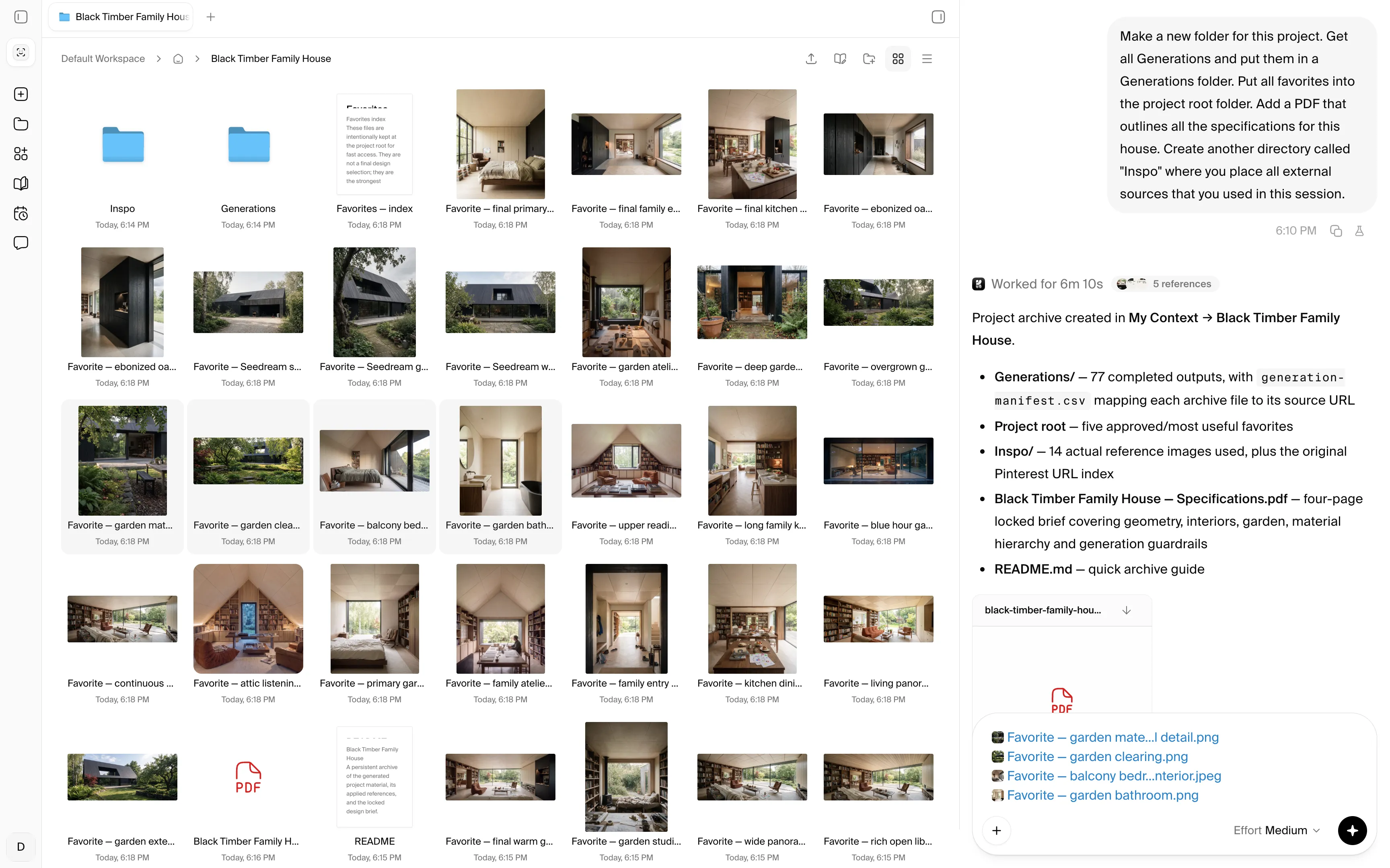
“Hey Krea, organize the brand kit, product shots, winning ads, and performance notes”
Krea comes with unlimited self-organizing cloud storage shared with your team. The agent'%3e%3cpath%20id='Vector'%20d='M13.5%205.40762V35.04C13.5%2035.7981%2014.4097%2036.1687%2014.9319%2035.6296L23.1192%2027.4424C23.2747%2027.2837%2023.4866%2027.1929%2023.7088%2027.1897H35.2821C35.4469%2027.1874%2035.6075%2027.1367%2035.7438%2027.044C35.8802%2026.9513%2035.9863%2026.8206%2036.0491%2026.6682C36.1119%2026.5157%2036.1285%2026.3482%2036.097%2026.1864C36.0655%2026.0245%2035.9871%2025.8755%2035.8717%2025.7578L14.9319%204.80116C14.8142%204.68572%2014.6652%204.60738%2014.5033%204.57585C14.3415%204.54431%2014.174%204.56096%2014.0215%204.62374C13.8691%204.68652%2013.7384%204.79266%2013.6457%204.929C13.553%205.06535%2013.5023%205.22591%2013.5%205.39077V5.40762Z'%20fill='%23000000'%20stroke='%23000000'%20stroke-width='3'/%3e%3c/g%3e%3cdefs%3e%3cfilter%20id='filter0_dd_0_7'%20x='-7.76539'%20y='-2'%20width='64.4308'%20height='64.4308'%20filterUnits='userSpaceOnUse'%20color-interpolation-filters='sRGB'%3e%3cfeFlood%20flood-opacity='0'%20result='BackgroundImageFix'/%3e%3cfeColorMatrix%20in='SourceAlpha'%20type='matrix'%20values='0%200%200%200%200%200%200%200%200%200%200%200%200%200%200%200%200%200%20127%200'%20result='hardAlpha'/%3e%3cfeMorphology%20radius='4'%20operator='erode'%20in='SourceAlpha'%20result='effect1_dropShadow_0_7'/%3e%3cfeOffset%20dy='4'/%3e%3cfeGaussianBlur%20stdDeviation='3'/%3e%3cfeColorMatrix%20type='matrix'%20values='0%200%200%200%200%200%200%200%200%200%200%200%200%200%200%200%200%200%200.1%200'/%3e%3cfeBlend%20mode='normal'%20in2='BackgroundImageFix'%20result='effect1_dropShadow_0_7'/%3e%3cfeColorMatrix%20in='SourceAlpha'%20type='matrix'%20values='0%200%200%200%200%200%200%200%200%200%200%200%200%200%200%200%200%200%20127%200'%20result='hardAlpha'/%3e%3cfeMorphology%20radius='3'%20operator='erode'%20in='SourceAlpha'%20result='effect2_dropShadow_0_7'/%3e%3cfeOffset%20dy='10'/%3e%3cfeGaussianBlur%20stdDeviation='7.5'/%3e%3cfeColorMatrix%20type='matrix'%20values='0%200%200%200%200.145098%200%200%200%200%200.388235%200%200%200%200%200.921569%200%200%200%200.2%200'/%3e%3cfeBlend%20mode='normal'%20in2='effect1_dropShadow_0_7'%20result='effect2_dropShadow_0_7'/%3e%3cfeBlend%20mode='normal'%20in='SourceGraphic'%20in2='effect2_dropShadow_0_7'%20result='shape'/%3e%3c/filter%3e%3c/defs%3e%3c/svg%3e) keeps brand rules, product truth, and campaign learnings in context .
keeps brand rules, product truth, and campaign learnings in context .
'%3e%3cpath%20id='Vector'%20d='M13.5%205.40762V35.04C13.5%2035.7981%2014.4097%2036.1687%2014.9319%2035.6296L23.1192%2027.4424C23.2747%2027.2837%2023.4866%2027.1929%2023.7088%2027.1897H35.2821C35.4469%2027.1874%2035.6075%2027.1367%2035.7438%2027.044C35.8802%2026.9513%2035.9863%2026.8206%2036.0491%2026.6682C36.1119%2026.5157%2036.1285%2026.3482%2036.097%2026.1864C36.0655%2026.0245%2035.9871%2025.8755%2035.8717%2025.7578L14.9319%204.80116C14.8142%204.68572%2014.6652%204.60738%2014.5033%204.57585C14.3415%204.54431%2014.174%204.56096%2014.0215%204.62374C13.8691%204.68652%2013.7384%204.79266%2013.6457%204.929C13.553%205.06535%2013.5023%205.22591%2013.5%205.39077V5.40762Z'%20fill='%233B82F6'%20stroke='%233B82F6'%20stroke-width='3'/%3e%3c/g%3e%3cdefs%3e%3cfilter%20id='filter0_dd_0_7'%20x='-7.76539'%20y='-2'%20width='64.4308'%20height='64.4308'%20filterUnits='userSpaceOnUse'%20color-interpolation-filters='sRGB'%3e%3cfeFlood%20flood-opacity='0'%20result='BackgroundImageFix'/%3e%3cfeColorMatrix%20in='SourceAlpha'%20type='matrix'%20values='0%200%200%200%200%200%200%200%200%200%200%200%200%200%200%200%200%200%20127%200'%20result='hardAlpha'/%3e%3cfeMorphology%20radius='4'%20operator='erode'%20in='SourceAlpha'%20result='effect1_dropShadow_0_7'/%3e%3cfeOffset%20dy='4'/%3e%3cfeGaussianBlur%20stdDeviation='3'/%3e%3cfeColorMatrix%20type='matrix'%20values='0%200%200%200%200%200%200%200%200%200%200%200%200%200%200%200%200%200%200.1%200'/%3e%3cfeBlend%20mode='normal'%20in2='BackgroundImageFix'%20result='effect1_dropShadow_0_7'/%3e%3cfeColorMatrix%20in='SourceAlpha'%20type='matrix'%20values='0%200%200%200%200%200%200%200%200%200%200%200%200%200%200%200%200%200%20127%200'%20result='hardAlpha'/%3e%3cfeMorphology%20radius='3'%20operator='erode'%20in='SourceAlpha'%20result='effect2_dropShadow_0_7'/%3e%3cfeOffset%20dy='10'/%3e%3cfeGaussianBlur%20stdDeviation='7.5'/%3e%3cfeColorMatrix%20type='matrix'%20values='0%200%200%200%200.145098%200%200%200%200%200.388235%200%200%200%200%200.921569%200%200%200%200.2%200'/%3e%3cfeBlend%20mode='normal'%20in2='effect1_dropShadow_0_7'%20result='effect2_dropShadow_0_7'/%3e%3cfeBlend%20mode='normal'%20in='SourceGraphic'%20in2='effect2_dropShadow_0_7'%20result='shape'/%3e%3c/filter%3e%3c/defs%3e%3c/svg%3e)
'%3e%3cpath%20id='Vector'%20d='M13.5%205.40762V35.04C13.5%2035.7981%2014.4097%2036.1687%2014.9319%2035.6296L23.1192%2027.4424C23.2747%2027.2837%2023.4866%2027.1929%2023.7088%2027.1897H35.2821C35.4469%2027.1874%2035.6075%2027.1367%2035.7438%2027.044C35.8802%2026.9513%2035.9863%2026.8206%2036.0491%2026.6682C36.1119%2026.5157%2036.1285%2026.3482%2036.097%2026.1864C36.0655%2026.0245%2035.9871%2025.8755%2035.8717%2025.7578L14.9319%204.80116C14.8142%204.68572%2014.6652%204.60738%2014.5033%204.57585C14.3415%204.54431%2014.174%204.56096%2014.0215%204.62374C13.8691%204.68652%2013.7384%204.79266%2013.6457%204.929C13.553%205.06535%2013.5023%205.22591%2013.5%205.39077V5.40762Z'%20fill='%23F6A53B'%20stroke='%23F6A53B'%20stroke-width='3'/%3e%3c/g%3e%3cdefs%3e%3cfilter%20id='filter0_dd_0_5'%20x='-7.76539'%20y='-2'%20width='64.4308'%20height='64.4308'%20filterUnits='userSpaceOnUse'%20color-interpolation-filters='sRGB'%3e%3cfeFlood%20flood-opacity='0'%20result='BackgroundImageFix'/%3e%3cfeColorMatrix%20in='SourceAlpha'%20type='matrix'%20values='0%200%200%200%200%200%200%200%200%200%200%200%200%200%200%200%200%200%20127%200'%20result='hardAlpha'/%3e%3cfeMorphology%20radius='4'%20operator='erode'%20in='SourceAlpha'%20result='effect1_dropShadow_0_5'/%3e%3cfeOffset%20dy='4'/%3e%3cfeGaussianBlur%20stdDeviation='3'/%3e%3cfeColorMatrix%20type='matrix'%20values='0%200%200%200%200%200%200%200%200%200%200%200%200%200%200%200%200%200%200.1%200'/%3e%3cfeBlend%20mode='normal'%20in2='BackgroundImageFix'%20result='effect1_dropShadow_0_5'/%3e%3cfeColorMatrix%20in='SourceAlpha'%20type='matrix'%20values='0%200%200%200%200%200%200%200%200%200%200%200%200%200%200%200%200%200%20127%200'%20result='hardAlpha'/%3e%3cfeMorphology%20radius='3'%20operator='erode'%20in='SourceAlpha'%20result='effect2_dropShadow_0_5'/%3e%3cfeOffset%20dy='10'/%3e%3cfeGaussianBlur%20stdDeviation='7.5'/%3e%3cfeColorMatrix%20type='matrix'%20values='0%200%200%200%200.921569%200%200%200%200%200.546275%200%200%200%200%200.145098%200%200%200%200.2%200'/%3e%3cfeBlend%20mode='normal'%20in2='effect1_dropShadow_0_5'%20result='effect2_dropShadow_0_5'/%3e%3cfeBlend%20mode='normal'%20in='SourceGraphic'%20in2='effect2_dropShadow_0_5'%20result='shape'/%3e%3c/filter%3e%3c/defs%3e%3c/svg%3e)
'%3e%3cpath%20id='Vector'%20d='M13.5%205.40762V35.04C13.5%2035.7981%2014.4097%2036.1687%2014.9319%2035.6296L23.1192%2027.4424C23.2747%2027.2837%2023.4866%2027.1929%2023.7088%2027.1897H35.2821C35.4469%2027.1874%2035.6075%2027.1367%2035.7438%2027.044C35.8802%2026.9513%2035.9863%2026.8206%2036.0491%2026.6682C36.1119%2026.5157%2036.1285%2026.3482%2036.097%2026.1864C36.0655%2026.0245%2035.9871%2025.8755%2035.8717%2025.7578L14.9319%204.80116C14.8142%204.68572%2014.6652%204.60738%2014.5033%204.57585C14.3415%204.54431%2014.174%204.56096%2014.0215%204.62374C13.8691%204.68652%2013.7384%204.79266%2013.6457%204.929C13.553%205.06535%2013.5023%205.22591%2013.5%205.39077V5.40762Z'%20fill='%23953BF6'%20stroke='%23953BF6'%20stroke-width='3'/%3e%3c/g%3e%3cdefs%3e%3cfilter%20id='filter0_dd_0_9'%20x='-7.76539'%20y='-2'%20width='64.4308'%20height='64.4308'%20filterUnits='userSpaceOnUse'%20color-interpolation-filters='sRGB'%3e%3cfeFlood%20flood-opacity='0'%20result='BackgroundImageFix'/%3e%3cfeColorMatrix%20in='SourceAlpha'%20type='matrix'%20values='0%200%200%200%200%200%200%200%200%200%200%200%200%200%200%200%200%200%20127%200'%20result='hardAlpha'/%3e%3cfeMorphology%20radius='4'%20operator='erode'%20in='SourceAlpha'%20result='effect1_dropShadow_0_9'/%3e%3cfeOffset%20dy='4'/%3e%3cfeGaussianBlur%20stdDeviation='3'/%3e%3cfeColorMatrix%20type='matrix'%20values='0%200%200%200%200%200%200%200%200%200%200%200%200%200%200%200%200%200%200.1%200'/%3e%3cfeBlend%20mode='normal'%20in2='BackgroundImageFix'%20result='effect1_dropShadow_0_9'/%3e%3cfeColorMatrix%20in='SourceAlpha'%20type='matrix'%20values='0%200%200%200%200%200%200%200%200%200%200%200%200%200%200%200%200%200%20127%200'%20result='hardAlpha'/%3e%3cfeMorphology%20radius='3'%20operator='erode'%20in='SourceAlpha'%20result='effect2_dropShadow_0_9'/%3e%3cfeOffset%20dy='10'/%3e%3cfeGaussianBlur%20stdDeviation='7.5'/%3e%3cfeColorMatrix%20type='matrix'%20values='0%200%200%200%200.145098%200%200%200%200%200.388235%200%200%200%200%200.921569%200%200%200%200.2%200'/%3e%3cfeBlend%20mode='normal'%20in2='effect1_dropShadow_0_9'%20result='effect2_dropShadow_0_9'/%3e%3cfeBlend%20mode='normal'%20in='SourceGraphic'%20in2='effect2_dropShadow_0_9'%20result='shape'/%3e%3c/filter%3e%3c/defs%3e%3c/svg%3e)

A performance-minded creative co-worker
Generate campaign systems instead of isolated ads. Krea Agent can work from product references, brand rules, approved creative, and the angles your team wants to test next.
Save repeatable workflows for launch batches, winner refreshes, channel adaptations, seasonal campaigns, or weekly social production so the team can run them again.
Try Krea AgentKrea Agent chooses the right model for each campaign asset
Has
the models


With 150+ image, video, audio and 3D models to choose from, a campaign can use different models for product-true stills, expressive concepts, targeted edits, and motion, including Krea 2, ChatGPT Image, Nano Banana, or Seedance 2.5.
The agent can match the model to each deliverable, keep approved product and brand references in view, and carry one campaign direction from still concepts into motion and channel adaptations.
Try Krea AgentИзучите рабочие процессы агента Krea
Узнайте, как творческие команды используют агента Krea для превращения брифов и референсов в готовые визуальные кампании.


Frequently asked questions
An AI marketing agent helps turn campaign goals, brand context, product references, and creative direction into finished marketing assets. Krea Agent can plan visual work, generate options, and refine selected concepts in one conversation.
Yes. Add the product image and brand context, then ask for different settings, hooks, audiences, visual angles, or formats. You can select a direction and continue iterating without restarting the campaign.
Provide clear product references and identify the details that must stay fixed, such as shape, packaging, color, logo placement, or interface. Keep approved outputs in the conversation as references for later variants.
Yes. Use the winning creative as a reference and ask the agent to preserve the core product story while varying hooks, framing, setting, visual rhythm, or channel format.
Yes. Describe the creator perspective, environment, device or camera feel, product interaction, and intended audience. The agent can develop a connected set of informal lifestyle scenes for review.
You can provide references to communicate pacing, composition, lighting, or production style, then ask the agent to develop an original direction for your own product and brand rather than copying protected creative.
Yes. Once a direction is approved, ask for channel-specific crops, aspect ratios, compositions, and motion treatments while keeping the campaign idea and product references consistent.
Krea Agent chooses from the image, video, editing, and enhancement models available in Krea according to the asset. A single campaign can use different models at different stages.
Yes. A workspace can keep brand guidelines, product shots, approved ads, campaign briefs, and visual references in the shared context library for the team to reuse.
Yes. Ask the agent to save a repeated process as a skill, such as turning a product image into a launch batch or refreshing an approved ad direction for multiple channels.
Do more with Krea
Take every idea further with custom models, real-time exploration, and precise editing tools—all in one creative workflow.