Give your next vehicle a new direction.
Bring your sketches, references, and design brief. Explore exterior forms, develop interior concepts, and refine the details that define a vehicle.
From your first reference to the final result.
Bring the idea. Set the direction. Refine it with Krea Agent, one creative decision at a time.
Start with the vehicle brief
Add a sketch and design references. Describe the vehicle type, proportions, and character you want to explore.
Add your vehicle sketchFind the exterior direction
Explore stance, silhouette, and surface treatment. Compare alternatives against the brief and select a concept to develop.
Build your scene Example direction
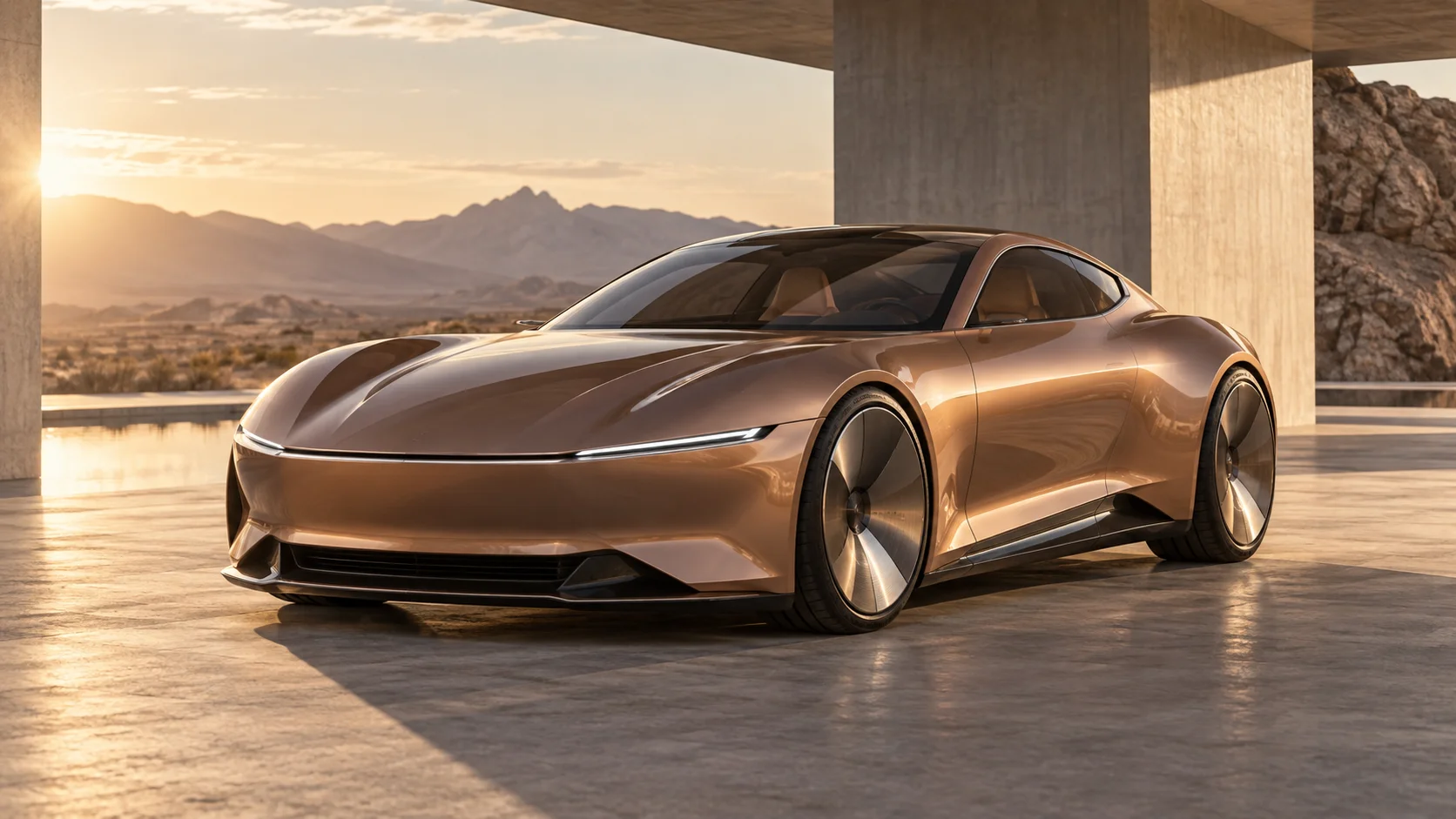
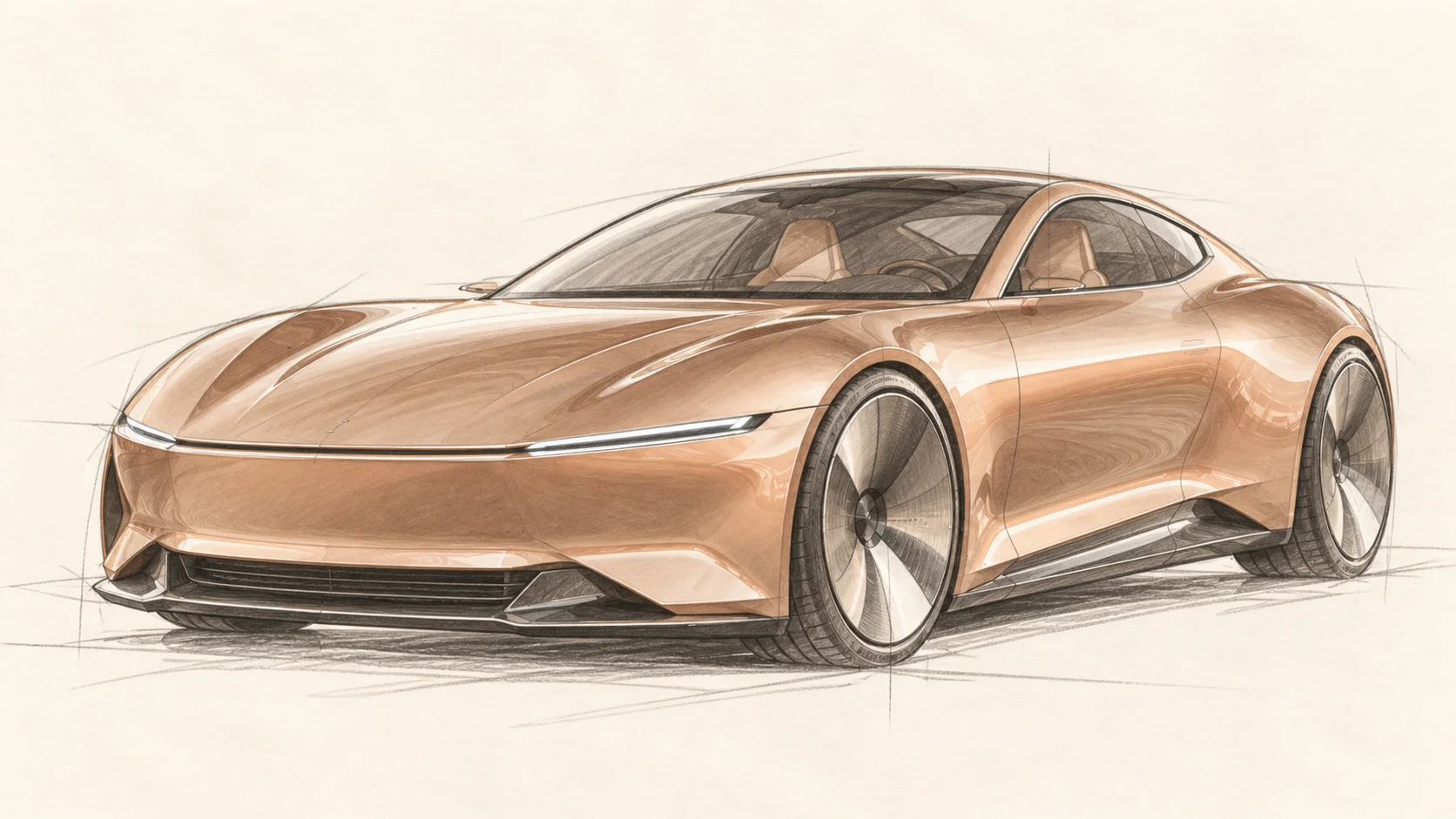
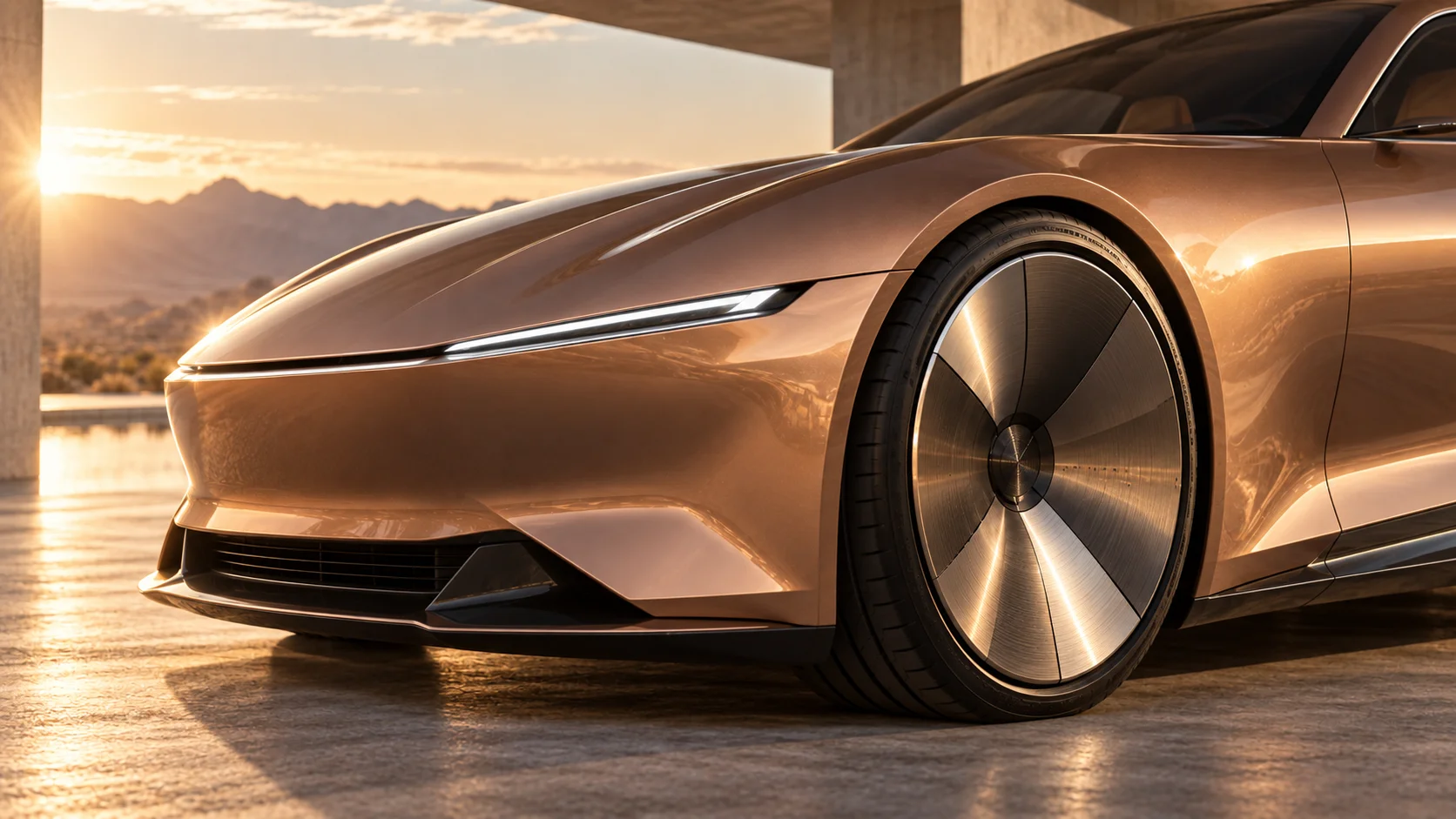
Develop this coupe sketch in copper metallic with a low stance and slim headlights.
Define the details
Develop the cabin, refine a lighting signature, or explore a wheel design. Keep the selected concept in view as you make focused revisions.
Refine with Krea AgentBring a direction to the review
Collect exterior views, interior studies, and material references to communicate the design intent and guide the next round of development.
Develop your vehicle concept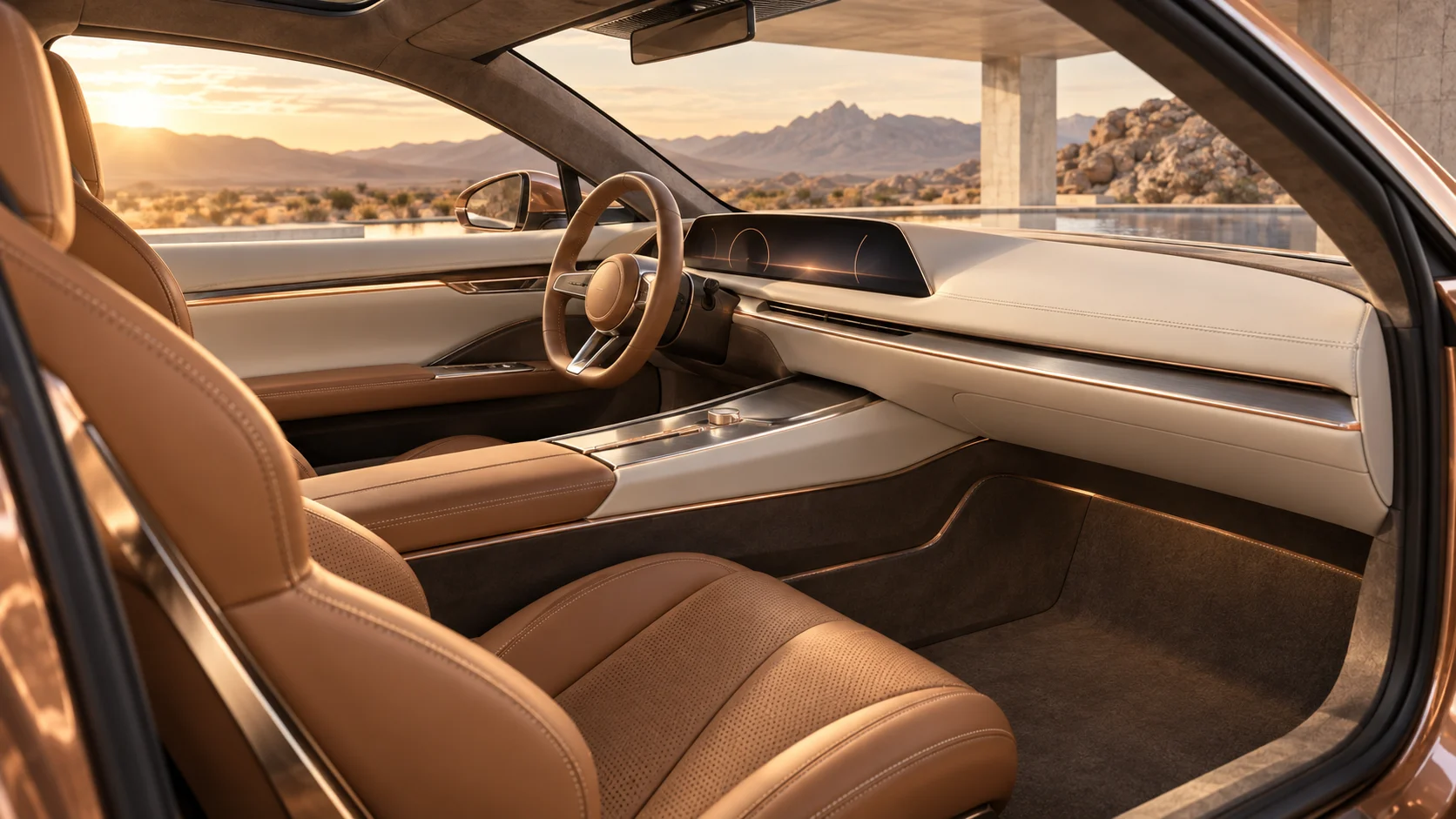
 Krea Agent
“Develop this coupe sketch in copper metallic with a low stance and slim headlights”
Try Krea AgentFind the silhouette. Define the character.
Keep the design direction together
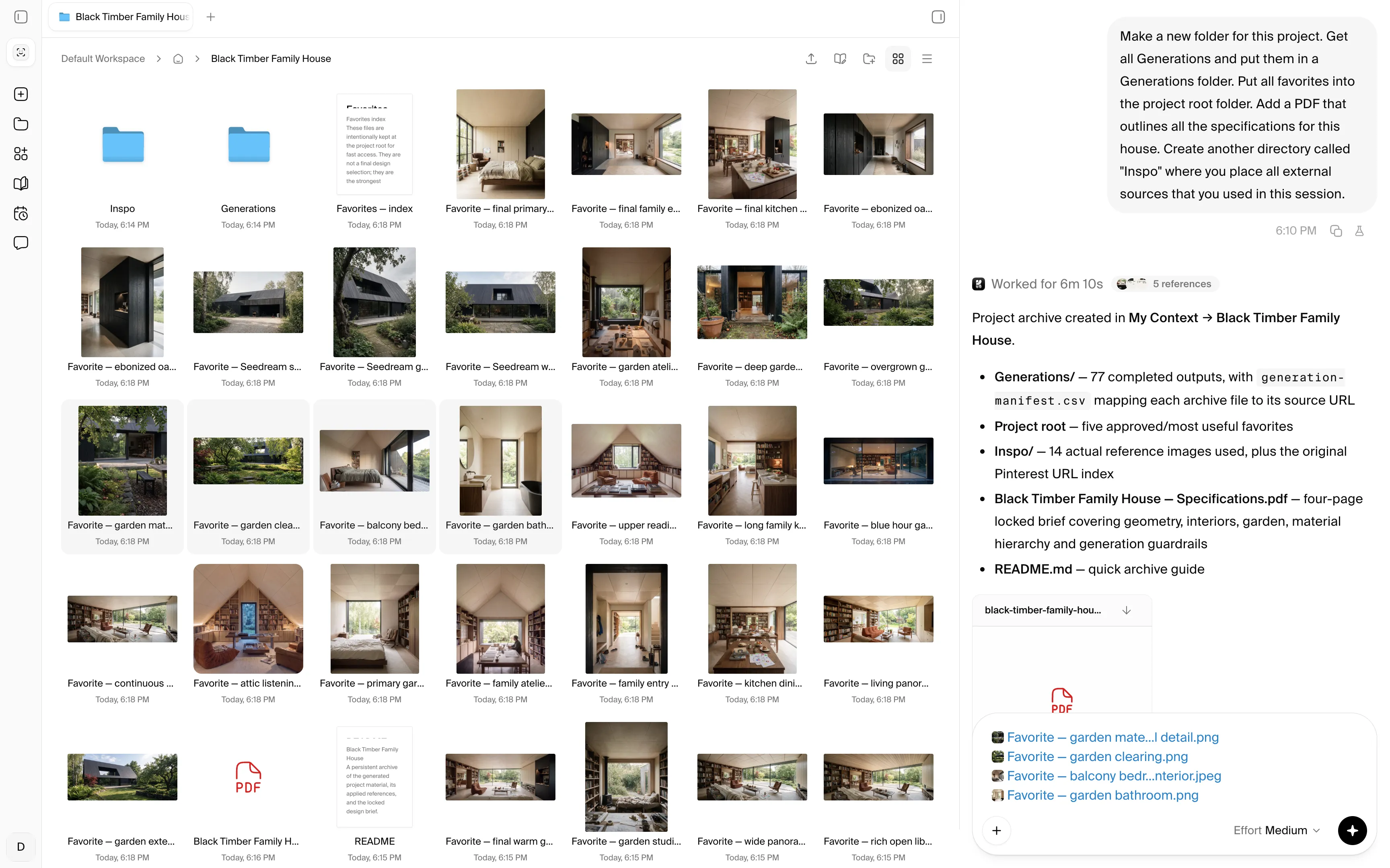
Keep references, working images, and approved directions together. agent'%3e%3cpath%20id='Vector'%20d='M13.5%205.40762V35.04C13.5%2035.7981%2014.4097%2036.1687%2014.9319%2035.6296L23.1192%2027.4424C23.2747%2027.2837%2023.4866%2027.1929%2023.7088%2027.1897H35.2821C35.4469%2027.1874%2035.6075%2027.1367%2035.7438%2027.044C35.8802%2026.9513%2035.9863%2026.8206%2036.0491%2026.6682C36.1119%2026.5157%2036.1285%2026.3482%2036.097%2026.1864C36.0655%2026.0245%2035.9871%2025.8755%2035.8717%2025.7578L14.9319%204.80116C14.8142%204.68572%2014.6652%204.60738%2014.5033%204.57585C14.3415%204.54431%2014.174%204.56096%2014.0215%204.62374C13.8691%204.68652%2013.7384%204.79266%2013.6457%204.929C13.553%205.06535%2013.5023%205.22591%2013.5%205.39077V5.40762Z'%20fill='%23000000'%20stroke='%23000000'%20stroke-width='3'/%3e%3c/g%3e%3cdefs%3e%3cfilter%20id='filter0_dd_0_7'%20x='-7.76539'%20y='-2'%20width='64.4308'%20height='64.4308'%20filterUnits='userSpaceOnUse'%20color-interpolation-filters='sRGB'%3e%3cfeFlood%20flood-opacity='0'%20result='BackgroundImageFix'/%3e%3cfeColorMatrix%20in='SourceAlpha'%20type='matrix'%20values='0%200%200%200%200%200%200%200%200%200%200%200%200%200%200%200%200%200%20127%200'%20result='hardAlpha'/%3e%3cfeMorphology%20radius='4'%20operator='erode'%20in='SourceAlpha'%20result='effect1_dropShadow_0_7'/%3e%3cfeOffset%20dy='4'/%3e%3cfeGaussianBlur%20stdDeviation='3'/%3e%3cfeColorMatrix%20type='matrix'%20values='0%200%200%200%200%200%200%200%200%200%200%200%200%200%200%200%200%200%200.1%200'/%3e%3cfeBlend%20mode='normal'%20in2='BackgroundImageFix'%20result='effect1_dropShadow_0_7'/%3e%3cfeColorMatrix%20in='SourceAlpha'%20type='matrix'%20values='0%200%200%200%200%200%200%200%200%200%200%200%200%200%200%200%200%200%20127%200'%20result='hardAlpha'/%3e%3cfeMorphology%20radius='3'%20operator='erode'%20in='SourceAlpha'%20result='effect2_dropShadow_0_7'/%3e%3cfeOffset%20dy='10'/%3e%3cfeGaussianBlur%20stdDeviation='7.5'/%3e%3cfeColorMatrix%20type='matrix'%20values='0%200%200%200%200.145098%200%200%200%200%200.388235%200%200%200%200%200.921569%200%200%200%200.2%200'/%3e%3cfeBlend%20mode='normal'%20in2='effect1_dropShadow_0_7'%20result='effect2_dropShadow_0_7'/%3e%3cfeBlend%20mode='normal'%20in='SourceGraphic'%20in2='effect2_dropShadow_0_7'%20result='shape'/%3e%3c/filter%3e%3c/defs%3e%3c/svg%3e) keeps your vehicle sketches, material references, and selected concepts together .
keeps your vehicle sketches, material references, and selected concepts together .
'%3e%3cpath%20id='Vector'%20d='M13.5%205.40762V35.04C13.5%2035.7981%2014.4097%2036.1687%2014.9319%2035.6296L23.1192%2027.4424C23.2747%2027.2837%2023.4866%2027.1929%2023.7088%2027.1897H35.2821C35.4469%2027.1874%2035.6075%2027.1367%2035.7438%2027.044C35.8802%2026.9513%2035.9863%2026.8206%2036.0491%2026.6682C36.1119%2026.5157%2036.1285%2026.3482%2036.097%2026.1864C36.0655%2026.0245%2035.9871%2025.8755%2035.8717%2025.7578L14.9319%204.80116C14.8142%204.68572%2014.6652%204.60738%2014.5033%204.57585C14.3415%204.54431%2014.174%204.56096%2014.0215%204.62374C13.8691%204.68652%2013.7384%204.79266%2013.6457%204.929C13.553%205.06535%2013.5023%205.22591%2013.5%205.39077V5.40762Z'%20fill='%233B82F6'%20stroke='%233B82F6'%20stroke-width='3'/%3e%3c/g%3e%3cdefs%3e%3cfilter%20id='filter0_dd_0_7'%20x='-7.76539'%20y='-2'%20width='64.4308'%20height='64.4308'%20filterUnits='userSpaceOnUse'%20color-interpolation-filters='sRGB'%3e%3cfeFlood%20flood-opacity='0'%20result='BackgroundImageFix'/%3e%3cfeColorMatrix%20in='SourceAlpha'%20type='matrix'%20values='0%200%200%200%200%200%200%200%200%200%200%200%200%200%200%200%200%200%20127%200'%20result='hardAlpha'/%3e%3cfeMorphology%20radius='4'%20operator='erode'%20in='SourceAlpha'%20result='effect1_dropShadow_0_7'/%3e%3cfeOffset%20dy='4'/%3e%3cfeGaussianBlur%20stdDeviation='3'/%3e%3cfeColorMatrix%20type='matrix'%20values='0%200%200%200%200%200%200%200%200%200%200%200%200%200%200%200%200%200%200.1%200'/%3e%3cfeBlend%20mode='normal'%20in2='BackgroundImageFix'%20result='effect1_dropShadow_0_7'/%3e%3cfeColorMatrix%20in='SourceAlpha'%20type='matrix'%20values='0%200%200%200%200%200%200%200%200%200%200%200%200%200%200%200%200%200%20127%200'%20result='hardAlpha'/%3e%3cfeMorphology%20radius='3'%20operator='erode'%20in='SourceAlpha'%20result='effect2_dropShadow_0_7'/%3e%3cfeOffset%20dy='10'/%3e%3cfeGaussianBlur%20stdDeviation='7.5'/%3e%3cfeColorMatrix%20type='matrix'%20values='0%200%200%200%200.145098%200%200%200%200%200.388235%200%200%200%200%200.921569%200%200%200%200.2%200'/%3e%3cfeBlend%20mode='normal'%20in2='effect1_dropShadow_0_7'%20result='effect2_dropShadow_0_7'/%3e%3cfeBlend%20mode='normal'%20in='SourceGraphic'%20in2='effect2_dropShadow_0_7'%20result='shape'/%3e%3c/filter%3e%3c/defs%3e%3c/svg%3e)
'%3e%3cpath%20id='Vector'%20d='M13.5%205.40762V35.04C13.5%2035.7981%2014.4097%2036.1687%2014.9319%2035.6296L23.1192%2027.4424C23.2747%2027.2837%2023.4866%2027.1929%2023.7088%2027.1897H35.2821C35.4469%2027.1874%2035.6075%2027.1367%2035.7438%2027.044C35.8802%2026.9513%2035.9863%2026.8206%2036.0491%2026.6682C36.1119%2026.5157%2036.1285%2026.3482%2036.097%2026.1864C36.0655%2026.0245%2035.9871%2025.8755%2035.8717%2025.7578L14.9319%204.80116C14.8142%204.68572%2014.6652%204.60738%2014.5033%204.57585C14.3415%204.54431%2014.174%204.56096%2014.0215%204.62374C13.8691%204.68652%2013.7384%204.79266%2013.6457%204.929C13.553%205.06535%2013.5023%205.22591%2013.5%205.39077V5.40762Z'%20fill='%23F6A53B'%20stroke='%23F6A53B'%20stroke-width='3'/%3e%3c/g%3e%3cdefs%3e%3cfilter%20id='filter0_dd_0_5'%20x='-7.76539'%20y='-2'%20width='64.4308'%20height='64.4308'%20filterUnits='userSpaceOnUse'%20color-interpolation-filters='sRGB'%3e%3cfeFlood%20flood-opacity='0'%20result='BackgroundImageFix'/%3e%3cfeColorMatrix%20in='SourceAlpha'%20type='matrix'%20values='0%200%200%200%200%200%200%200%200%200%200%200%200%200%200%200%200%200%20127%200'%20result='hardAlpha'/%3e%3cfeMorphology%20radius='4'%20operator='erode'%20in='SourceAlpha'%20result='effect1_dropShadow_0_5'/%3e%3cfeOffset%20dy='4'/%3e%3cfeGaussianBlur%20stdDeviation='3'/%3e%3cfeColorMatrix%20type='matrix'%20values='0%200%200%200%200%200%200%200%200%200%200%200%200%200%200%200%200%200%200.1%200'/%3e%3cfeBlend%20mode='normal'%20in2='BackgroundImageFix'%20result='effect1_dropShadow_0_5'/%3e%3cfeColorMatrix%20in='SourceAlpha'%20type='matrix'%20values='0%200%200%200%200%200%200%200%200%200%200%200%200%200%200%200%200%200%20127%200'%20result='hardAlpha'/%3e%3cfeMorphology%20radius='3'%20operator='erode'%20in='SourceAlpha'%20result='effect2_dropShadow_0_5'/%3e%3cfeOffset%20dy='10'/%3e%3cfeGaussianBlur%20stdDeviation='7.5'/%3e%3cfeColorMatrix%20type='matrix'%20values='0%200%200%200%200.921569%200%200%200%200%200.546275%200%200%200%200%200.145098%200%200%200%200.2%200'/%3e%3cfeBlend%20mode='normal'%20in2='effect1_dropShadow_0_5'%20result='effect2_dropShadow_0_5'/%3e%3cfeBlend%20mode='normal'%20in='SourceGraphic'%20in2='effect2_dropShadow_0_5'%20result='shape'/%3e%3c/filter%3e%3c/defs%3e%3c/svg%3e)
'%3e%3cpath%20id='Vector'%20d='M13.5%205.40762V35.04C13.5%2035.7981%2014.4097%2036.1687%2014.9319%2035.6296L23.1192%2027.4424C23.2747%2027.2837%2023.4866%2027.1929%2023.7088%2027.1897H35.2821C35.4469%2027.1874%2035.6075%2027.1367%2035.7438%2027.044C35.8802%2026.9513%2035.9863%2026.8206%2036.0491%2026.6682C36.1119%2026.5157%2036.1285%2026.3482%2036.097%2026.1864C36.0655%2026.0245%2035.9871%2025.8755%2035.8717%2025.7578L14.9319%204.80116C14.8142%204.68572%2014.6652%204.60738%2014.5033%204.57585C14.3415%204.54431%2014.174%204.56096%2014.0215%204.62374C13.8691%204.68652%2013.7384%204.79266%2013.6457%204.929C13.553%205.06535%2013.5023%205.22591%2013.5%205.39077V5.40762Z'%20fill='%23953BF6'%20stroke='%23953BF6'%20stroke-width='3'/%3e%3c/g%3e%3cdefs%3e%3cfilter%20id='filter0_dd_0_9'%20x='-7.76539'%20y='-2'%20width='64.4308'%20height='64.4308'%20filterUnits='userSpaceOnUse'%20color-interpolation-filters='sRGB'%3e%3cfeFlood%20flood-opacity='0'%20result='BackgroundImageFix'/%3e%3cfeColorMatrix%20in='SourceAlpha'%20type='matrix'%20values='0%200%200%200%200%200%200%200%200%200%200%200%200%200%200%200%200%200%20127%200'%20result='hardAlpha'/%3e%3cfeMorphology%20radius='4'%20operator='erode'%20in='SourceAlpha'%20result='effect1_dropShadow_0_9'/%3e%3cfeOffset%20dy='4'/%3e%3cfeGaussianBlur%20stdDeviation='3'/%3e%3cfeColorMatrix%20type='matrix'%20values='0%200%200%200%200%200%200%200%200%200%200%200%200%200%200%200%200%200%200.1%200'/%3e%3cfeBlend%20mode='normal'%20in2='BackgroundImageFix'%20result='effect1_dropShadow_0_9'/%3e%3cfeColorMatrix%20in='SourceAlpha'%20type='matrix'%20values='0%200%200%200%200%200%200%200%200%200%200%200%200%200%200%200%200%200%20127%200'%20result='hardAlpha'/%3e%3cfeMorphology%20radius='3'%20operator='erode'%20in='SourceAlpha'%20result='effect2_dropShadow_0_9'/%3e%3cfeOffset%20dy='10'/%3e%3cfeGaussianBlur%20stdDeviation='7.5'/%3e%3cfeColorMatrix%20type='matrix'%20values='0%200%200%200%200.145098%200%200%200%200%200.388235%200%200%200%200%200.921569%200%200%200%200.2%200'/%3e%3cfeBlend%20mode='normal'%20in2='effect1_dropShadow_0_9'%20result='effect2_dropShadow_0_9'/%3e%3cfeBlend%20mode='normal'%20in='SourceGraphic'%20in2='effect2_dropShadow_0_9'%20result='shape'/%3e%3c/filter%3e%3c/defs%3e%3c/svg%3e)


Explore beyond the first sketch
Work through stance, proportions, and surface transitions before committing to a direction. Compare exterior concepts against the same brief, then develop the one that feels right.
Carry the design language into the cabin. Explore upholstery, trim, and lighting, or focus on a wheel or headlamp detail for your next review.
Try Krea AgentTools for automotive concept development
Has
the models


Explore Image, video, editing, and enhancement models for different stages of your creative process, including Krea 2, Nano Banana, ChatGPT Image, or Krea Enhance.
Develop exterior and interior studies with image models, refine selected areas with editing tools, and enhance views for presentations. Take the visual direction into your surfacing and engineering workflow.
Try Krea AgentExplore Krea Agent workflows
See how creative teams use Krea Agent to turn briefs and references into finished visual campaigns.
Frequently asked questions
Use Krea Agent to explore exterior forms, interior concepts, color and material directions, and detail studies. Start from sketches and references, compare alternatives, and refine selected views through conversation.
Yes. Upload a sketch and describe the vehicle type, proportions, and design features to retain. Add references for surface treatment, stance, lighting, or materials.
Ask for changes to the silhouette, stance, or surface treatment using the same brief. Select a direction and use that image as a reference for subsequent studies.
Explore cabin layouts, seats, trim, and material combinations as visual concepts. Include references for the intended character and review the results against your packaging and ergonomic requirements.
Provide the selected concept and any additional views, and specify the features to preserve. Review the results for consistency: generated views do not come from a shared CAD model.
Request focused studies of a wheel, headlamp, or other detail. Use the selected vehicle as a reference and check that the result fits its overall design language.
Yes. Describe the finishes or add sample images, then ask for alternatives on the selected concept. These are visual studies; evaluate physical samples separately for final material decisions.
No. These workflows create visual concepts, not validated surface models or engineering data. Develop and verify geometry, packaging, aerodynamics, and safety requirements in your specialist tools.
Use selected views to communicate a direction, compare alternatives, and gather feedback. Keep sketches and references alongside the images so the team can assess the design intent.
Do more with Krea
Take every idea further with custom models, real-time exploration, and precise editing tools—all in one creative workflow.