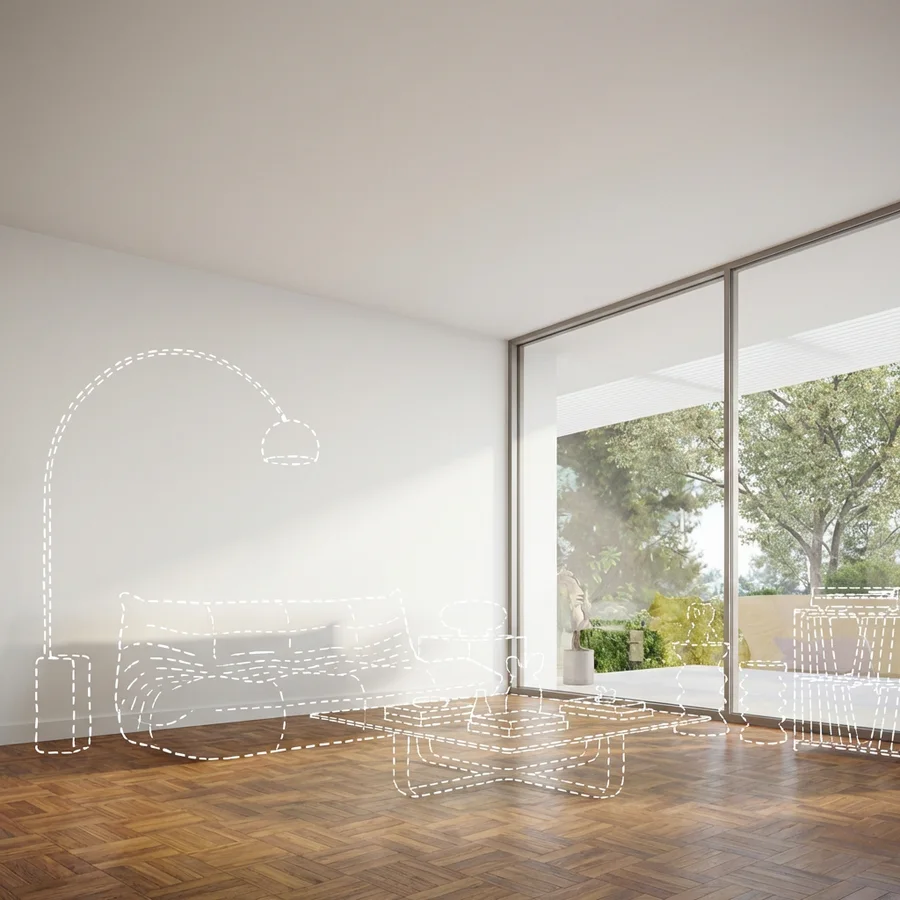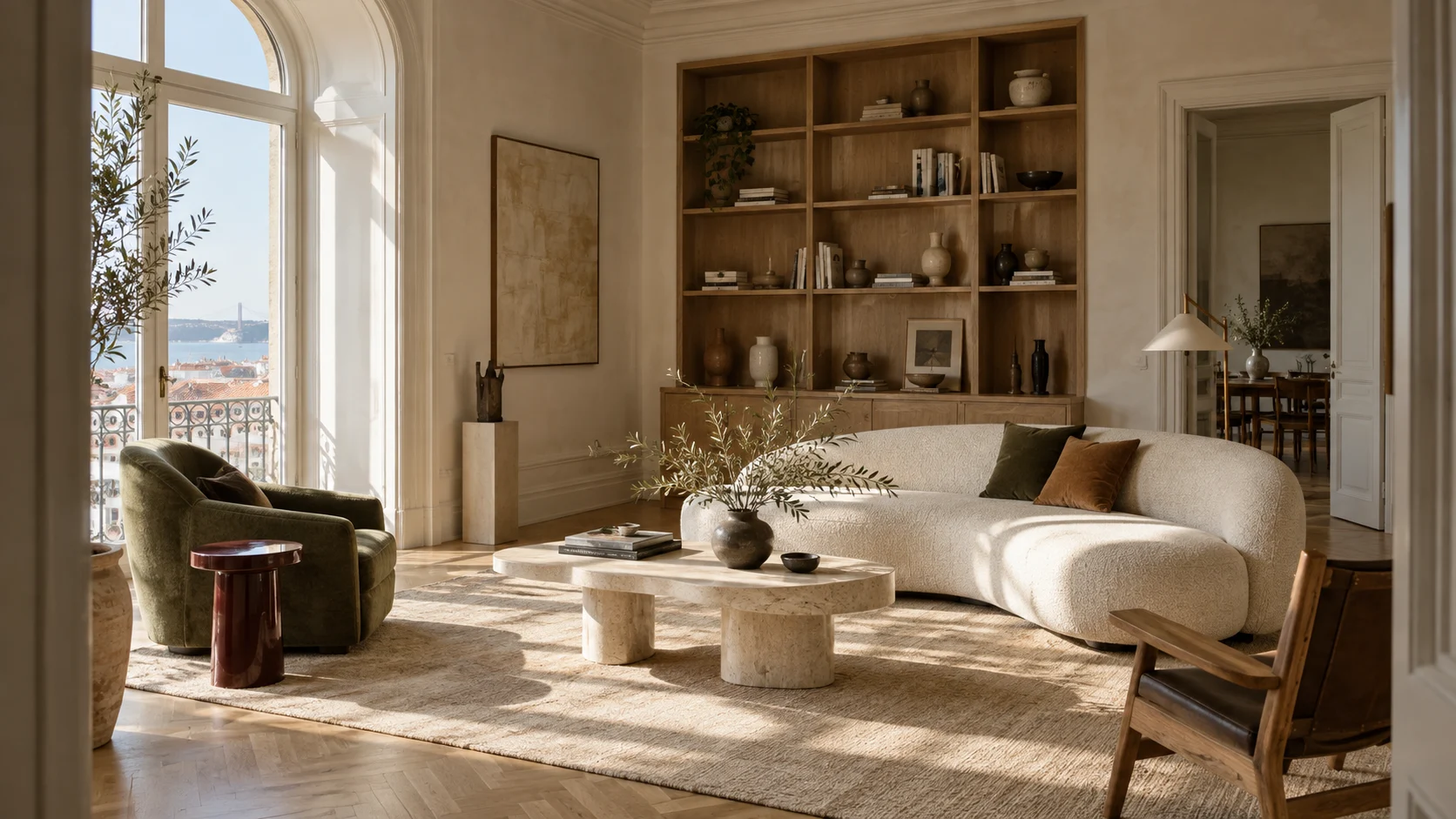
From client brief to interior concept.
Bring your site photos, material references, and design intent. Explore concepts, refine finishes, and develop a visual direction for your next client presentation.
From your first reference to the final result.
Bring the idea. Set the direction. Refine it with Krea Agent, one creative decision at a time.
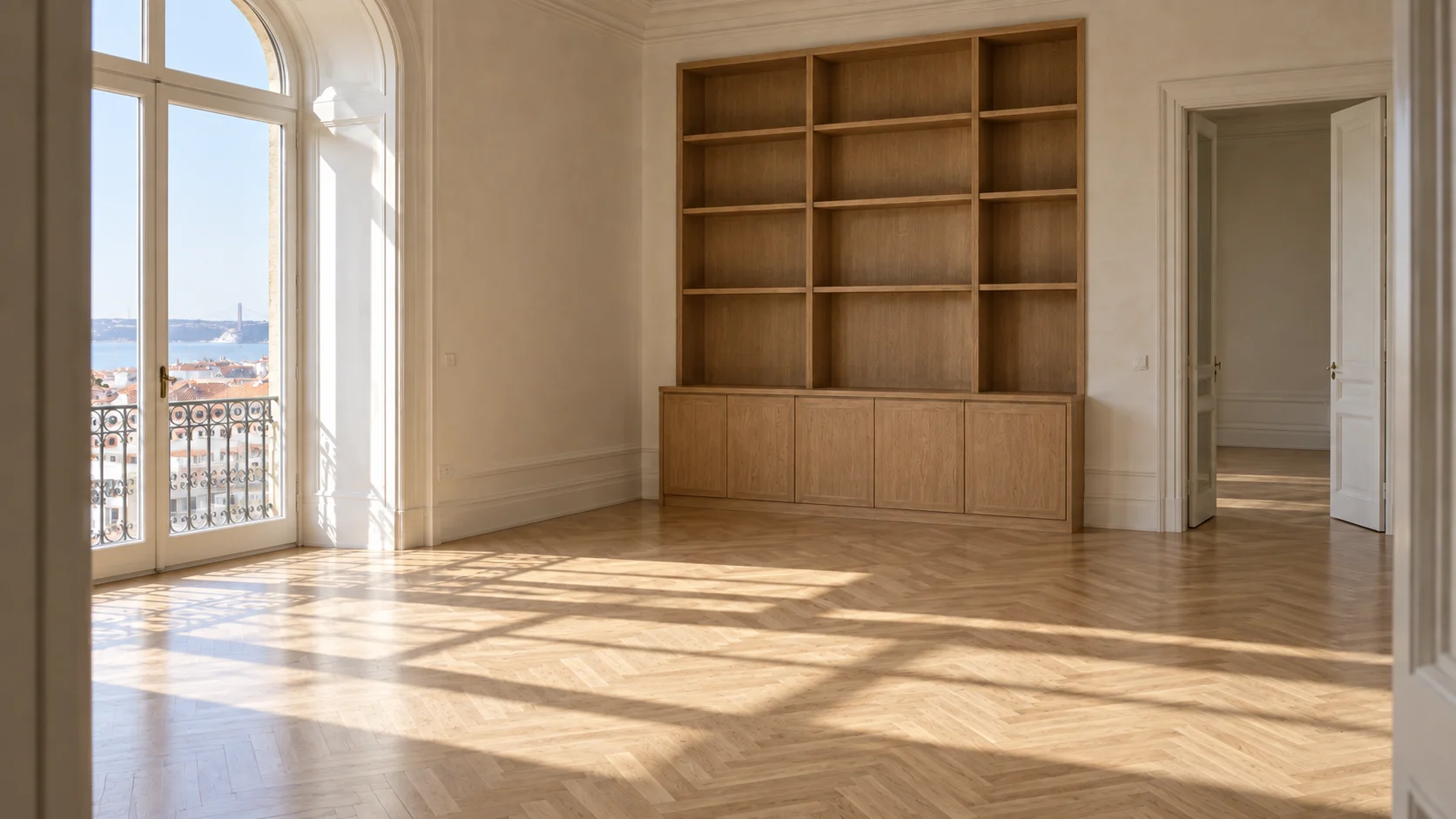
Start with the project brief
Add site photos, sketches, and material references. Outline the client brief, design intent, and architectural elements to retain.
Add your briefDevelop the design direction
Explore furniture silhouettes, finish palettes, and lighting atmospheres. Compare alternatives against the brief and select a direction to develop.
Build your scene Example direction
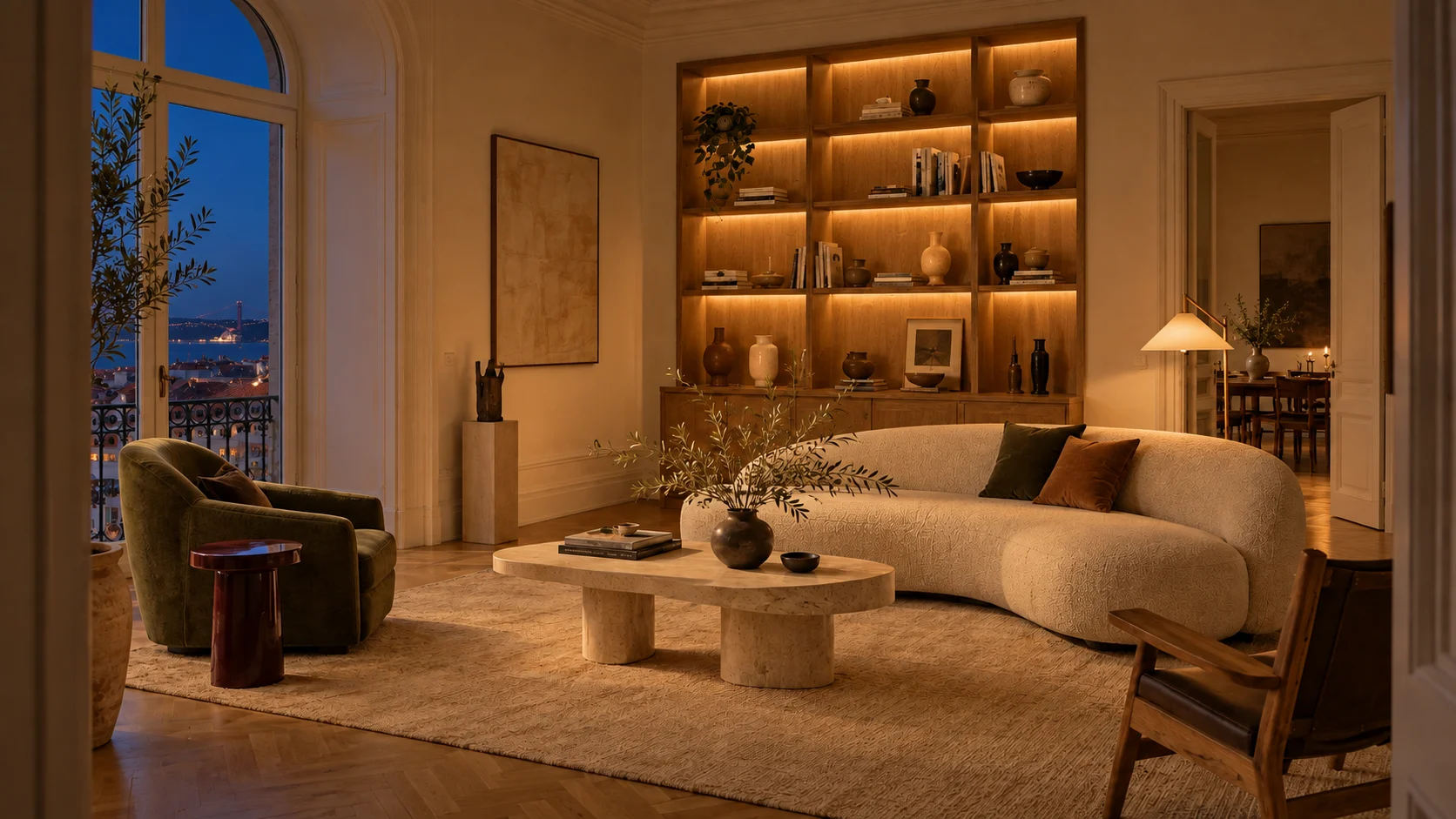
Explore pale oak, cream boucle, olive accents, and travertine. Keep the room’s architecture.
Refine for the next review
Translate client feedback into focused revisions. Adjust materials, furniture, or lighting, checking each study against the selected concept and project references.
Refine with Krea AgentPresent the design intent
Select room views and material studies that communicate the concept. Build a coherent set of visuals for client presentations and project discussions.
Develop your concept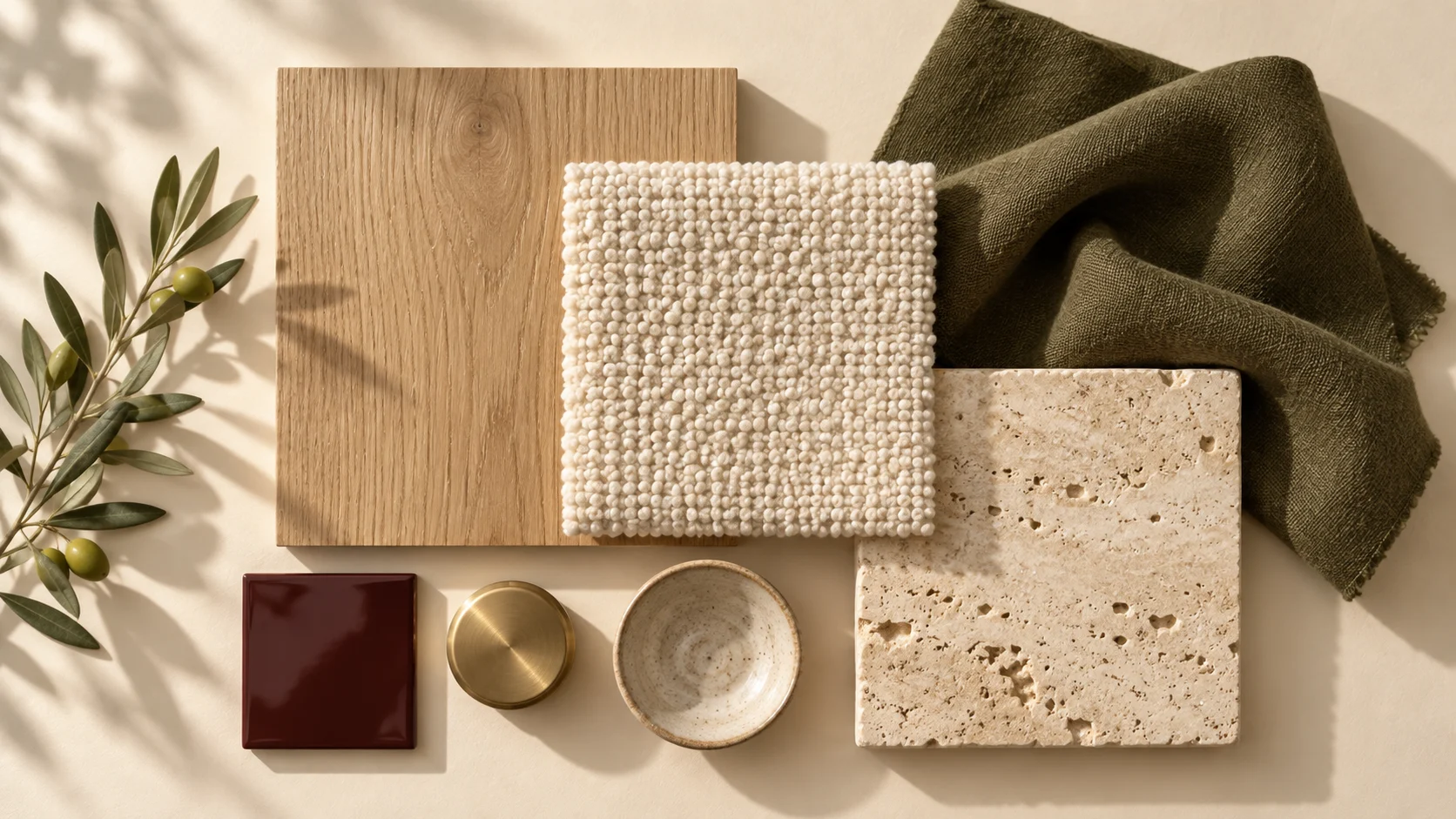
 Krea Agent
“Explore pale oak, cream boucle, olive accents, and travertine. Keep the room’s architecture”
Try Krea AgentDevelop the direction. Present the intent.
Keep the project’s design intent in view
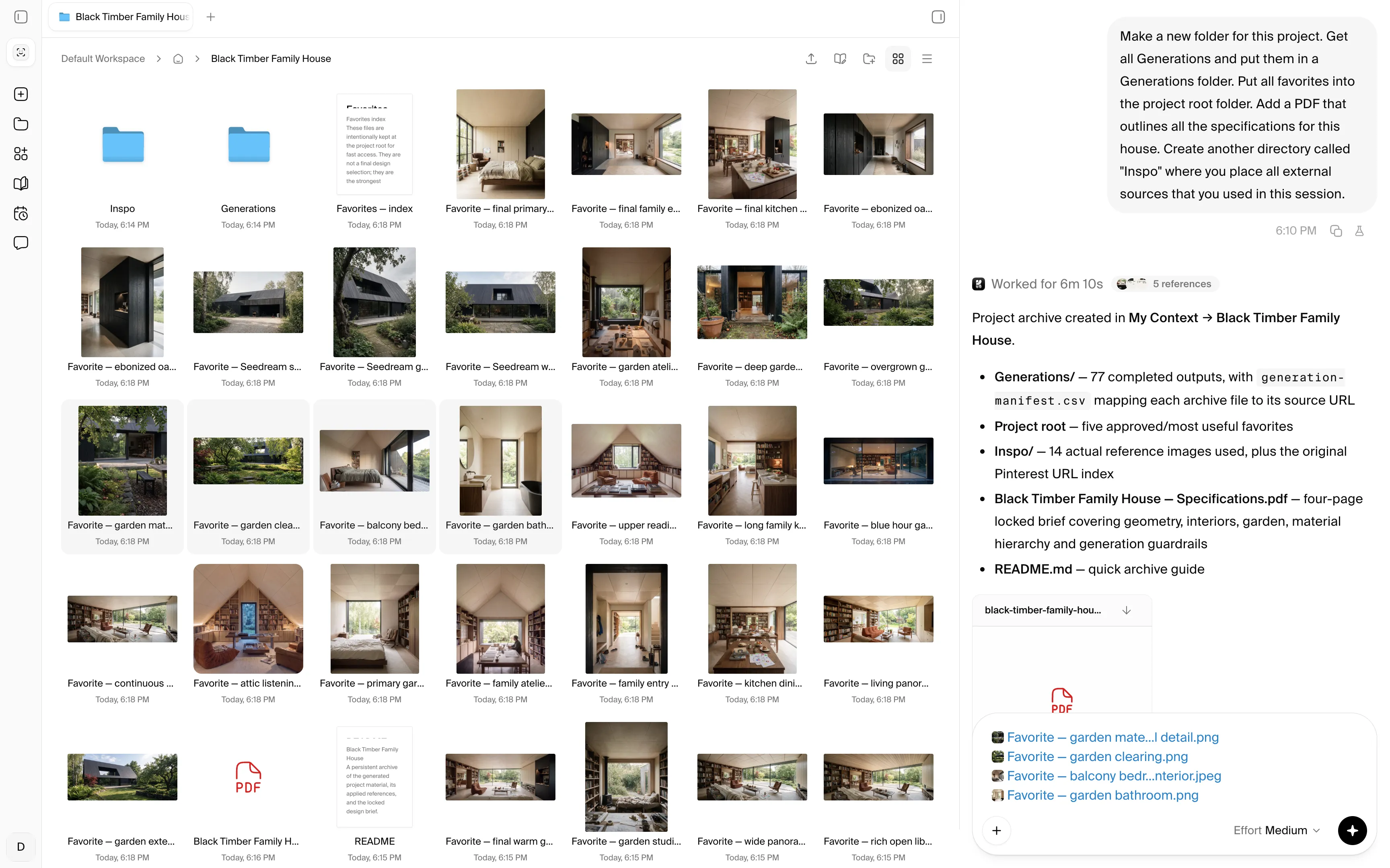
Keep references, working images, and approved directions together. agent'%3e%3cpath%20id='Vector'%20d='M13.5%205.40762V35.04C13.5%2035.7981%2014.4097%2036.1687%2014.9319%2035.6296L23.1192%2027.4424C23.2747%2027.2837%2023.4866%2027.1929%2023.7088%2027.1897H35.2821C35.4469%2027.1874%2035.6075%2027.1367%2035.7438%2027.044C35.8802%2026.9513%2035.9863%2026.8206%2036.0491%2026.6682C36.1119%2026.5157%2036.1285%2026.3482%2036.097%2026.1864C36.0655%2026.0245%2035.9871%2025.8755%2035.8717%2025.7578L14.9319%204.80116C14.8142%204.68572%2014.6652%204.60738%2014.5033%204.57585C14.3415%204.54431%2014.174%204.56096%2014.0215%204.62374C13.8691%204.68652%2013.7384%204.79266%2013.6457%204.929C13.553%205.06535%2013.5023%205.22591%2013.5%205.39077V5.40762Z'%20fill='%23000000'%20stroke='%23000000'%20stroke-width='3'/%3e%3c/g%3e%3cdefs%3e%3cfilter%20id='filter0_dd_0_7'%20x='-7.76539'%20y='-2'%20width='64.4308'%20height='64.4308'%20filterUnits='userSpaceOnUse'%20color-interpolation-filters='sRGB'%3e%3cfeFlood%20flood-opacity='0'%20result='BackgroundImageFix'/%3e%3cfeColorMatrix%20in='SourceAlpha'%20type='matrix'%20values='0%200%200%200%200%200%200%200%200%200%200%200%200%200%200%200%200%200%20127%200'%20result='hardAlpha'/%3e%3cfeMorphology%20radius='4'%20operator='erode'%20in='SourceAlpha'%20result='effect1_dropShadow_0_7'/%3e%3cfeOffset%20dy='4'/%3e%3cfeGaussianBlur%20stdDeviation='3'/%3e%3cfeColorMatrix%20type='matrix'%20values='0%200%200%200%200%200%200%200%200%200%200%200%200%200%200%200%200%200%200.1%200'/%3e%3cfeBlend%20mode='normal'%20in2='BackgroundImageFix'%20result='effect1_dropShadow_0_7'/%3e%3cfeColorMatrix%20in='SourceAlpha'%20type='matrix'%20values='0%200%200%200%200%200%200%200%200%200%200%200%200%200%200%200%200%200%20127%200'%20result='hardAlpha'/%3e%3cfeMorphology%20radius='3'%20operator='erode'%20in='SourceAlpha'%20result='effect2_dropShadow_0_7'/%3e%3cfeOffset%20dy='10'/%3e%3cfeGaussianBlur%20stdDeviation='7.5'/%3e%3cfeColorMatrix%20type='matrix'%20values='0%200%200%200%200.145098%200%200%200%200%200.388235%200%200%200%200%200.921569%200%200%200%200.2%200'/%3e%3cfeBlend%20mode='normal'%20in2='effect1_dropShadow_0_7'%20result='effect2_dropShadow_0_7'/%3e%3cfeBlend%20mode='normal'%20in='SourceGraphic'%20in2='effect2_dropShadow_0_7'%20result='shape'/%3e%3c/filter%3e%3c/defs%3e%3c/svg%3e) keeps your site photos, finish references, and selected concepts together .
keeps your site photos, finish references, and selected concepts together .
'%3e%3cpath%20id='Vector'%20d='M13.5%205.40762V35.04C13.5%2035.7981%2014.4097%2036.1687%2014.9319%2035.6296L23.1192%2027.4424C23.2747%2027.2837%2023.4866%2027.1929%2023.7088%2027.1897H35.2821C35.4469%2027.1874%2035.6075%2027.1367%2035.7438%2027.044C35.8802%2026.9513%2035.9863%2026.8206%2036.0491%2026.6682C36.1119%2026.5157%2036.1285%2026.3482%2036.097%2026.1864C36.0655%2026.0245%2035.9871%2025.8755%2035.8717%2025.7578L14.9319%204.80116C14.8142%204.68572%2014.6652%204.60738%2014.5033%204.57585C14.3415%204.54431%2014.174%204.56096%2014.0215%204.62374C13.8691%204.68652%2013.7384%204.79266%2013.6457%204.929C13.553%205.06535%2013.5023%205.22591%2013.5%205.39077V5.40762Z'%20fill='%233B82F6'%20stroke='%233B82F6'%20stroke-width='3'/%3e%3c/g%3e%3cdefs%3e%3cfilter%20id='filter0_dd_0_7'%20x='-7.76539'%20y='-2'%20width='64.4308'%20height='64.4308'%20filterUnits='userSpaceOnUse'%20color-interpolation-filters='sRGB'%3e%3cfeFlood%20flood-opacity='0'%20result='BackgroundImageFix'/%3e%3cfeColorMatrix%20in='SourceAlpha'%20type='matrix'%20values='0%200%200%200%200%200%200%200%200%200%200%200%200%200%200%200%200%200%20127%200'%20result='hardAlpha'/%3e%3cfeMorphology%20radius='4'%20operator='erode'%20in='SourceAlpha'%20result='effect1_dropShadow_0_7'/%3e%3cfeOffset%20dy='4'/%3e%3cfeGaussianBlur%20stdDeviation='3'/%3e%3cfeColorMatrix%20type='matrix'%20values='0%200%200%200%200%200%200%200%200%200%200%200%200%200%200%200%200%200%200.1%200'/%3e%3cfeBlend%20mode='normal'%20in2='BackgroundImageFix'%20result='effect1_dropShadow_0_7'/%3e%3cfeColorMatrix%20in='SourceAlpha'%20type='matrix'%20values='0%200%200%200%200%200%200%200%200%200%200%200%200%200%200%200%200%200%20127%200'%20result='hardAlpha'/%3e%3cfeMorphology%20radius='3'%20operator='erode'%20in='SourceAlpha'%20result='effect2_dropShadow_0_7'/%3e%3cfeOffset%20dy='10'/%3e%3cfeGaussianBlur%20stdDeviation='7.5'/%3e%3cfeColorMatrix%20type='matrix'%20values='0%200%200%200%200.145098%200%200%200%200%200.388235%200%200%200%200%200.921569%200%200%200%200.2%200'/%3e%3cfeBlend%20mode='normal'%20in2='effect1_dropShadow_0_7'%20result='effect2_dropShadow_0_7'/%3e%3cfeBlend%20mode='normal'%20in='SourceGraphic'%20in2='effect2_dropShadow_0_7'%20result='shape'/%3e%3c/filter%3e%3c/defs%3e%3c/svg%3e)
'%3e%3cpath%20id='Vector'%20d='M13.5%205.40762V35.04C13.5%2035.7981%2014.4097%2036.1687%2014.9319%2035.6296L23.1192%2027.4424C23.2747%2027.2837%2023.4866%2027.1929%2023.7088%2027.1897H35.2821C35.4469%2027.1874%2035.6075%2027.1367%2035.7438%2027.044C35.8802%2026.9513%2035.9863%2026.8206%2036.0491%2026.6682C36.1119%2026.5157%2036.1285%2026.3482%2036.097%2026.1864C36.0655%2026.0245%2035.9871%2025.8755%2035.8717%2025.7578L14.9319%204.80116C14.8142%204.68572%2014.6652%204.60738%2014.5033%204.57585C14.3415%204.54431%2014.174%204.56096%2014.0215%204.62374C13.8691%204.68652%2013.7384%204.79266%2013.6457%204.929C13.553%205.06535%2013.5023%205.22591%2013.5%205.39077V5.40762Z'%20fill='%23F6A53B'%20stroke='%23F6A53B'%20stroke-width='3'/%3e%3c/g%3e%3cdefs%3e%3cfilter%20id='filter0_dd_0_5'%20x='-7.76539'%20y='-2'%20width='64.4308'%20height='64.4308'%20filterUnits='userSpaceOnUse'%20color-interpolation-filters='sRGB'%3e%3cfeFlood%20flood-opacity='0'%20result='BackgroundImageFix'/%3e%3cfeColorMatrix%20in='SourceAlpha'%20type='matrix'%20values='0%200%200%200%200%200%200%200%200%200%200%200%200%200%200%200%200%200%20127%200'%20result='hardAlpha'/%3e%3cfeMorphology%20radius='4'%20operator='erode'%20in='SourceAlpha'%20result='effect1_dropShadow_0_5'/%3e%3cfeOffset%20dy='4'/%3e%3cfeGaussianBlur%20stdDeviation='3'/%3e%3cfeColorMatrix%20type='matrix'%20values='0%200%200%200%200%200%200%200%200%200%200%200%200%200%200%200%200%200%200.1%200'/%3e%3cfeBlend%20mode='normal'%20in2='BackgroundImageFix'%20result='effect1_dropShadow_0_5'/%3e%3cfeColorMatrix%20in='SourceAlpha'%20type='matrix'%20values='0%200%200%200%200%200%200%200%200%200%200%200%200%200%200%200%200%200%20127%200'%20result='hardAlpha'/%3e%3cfeMorphology%20radius='3'%20operator='erode'%20in='SourceAlpha'%20result='effect2_dropShadow_0_5'/%3e%3cfeOffset%20dy='10'/%3e%3cfeGaussianBlur%20stdDeviation='7.5'/%3e%3cfeColorMatrix%20type='matrix'%20values='0%200%200%200%200.921569%200%200%200%200%200.546275%200%200%200%200%200.145098%200%200%200%200.2%200'/%3e%3cfeBlend%20mode='normal'%20in2='effect1_dropShadow_0_5'%20result='effect2_dropShadow_0_5'/%3e%3cfeBlend%20mode='normal'%20in='SourceGraphic'%20in2='effect2_dropShadow_0_5'%20result='shape'/%3e%3c/filter%3e%3c/defs%3e%3c/svg%3e)
'%3e%3cpath%20id='Vector'%20d='M13.5%205.40762V35.04C13.5%2035.7981%2014.4097%2036.1687%2014.9319%2035.6296L23.1192%2027.4424C23.2747%2027.2837%2023.4866%2027.1929%2023.7088%2027.1897H35.2821C35.4469%2027.1874%2035.6075%2027.1367%2035.7438%2027.044C35.8802%2026.9513%2035.9863%2026.8206%2036.0491%2026.6682C36.1119%2026.5157%2036.1285%2026.3482%2036.097%2026.1864C36.0655%2026.0245%2035.9871%2025.8755%2035.8717%2025.7578L14.9319%204.80116C14.8142%204.68572%2014.6652%204.60738%2014.5033%204.57585C14.3415%204.54431%2014.174%204.56096%2014.0215%204.62374C13.8691%204.68652%2013.7384%204.79266%2013.6457%204.929C13.553%205.06535%2013.5023%205.22591%2013.5%205.39077V5.40762Z'%20fill='%23953BF6'%20stroke='%23953BF6'%20stroke-width='3'/%3e%3c/g%3e%3cdefs%3e%3cfilter%20id='filter0_dd_0_9'%20x='-7.76539'%20y='-2'%20width='64.4308'%20height='64.4308'%20filterUnits='userSpaceOnUse'%20color-interpolation-filters='sRGB'%3e%3cfeFlood%20flood-opacity='0'%20result='BackgroundImageFix'/%3e%3cfeColorMatrix%20in='SourceAlpha'%20type='matrix'%20values='0%200%200%200%200%200%200%200%200%200%200%200%200%200%200%200%200%200%20127%200'%20result='hardAlpha'/%3e%3cfeMorphology%20radius='4'%20operator='erode'%20in='SourceAlpha'%20result='effect1_dropShadow_0_9'/%3e%3cfeOffset%20dy='4'/%3e%3cfeGaussianBlur%20stdDeviation='3'/%3e%3cfeColorMatrix%20type='matrix'%20values='0%200%200%200%200%200%200%200%200%200%200%200%200%200%200%200%200%200%200.1%200'/%3e%3cfeBlend%20mode='normal'%20in2='BackgroundImageFix'%20result='effect1_dropShadow_0_9'/%3e%3cfeColorMatrix%20in='SourceAlpha'%20type='matrix'%20values='0%200%200%200%200%200%200%200%200%200%200%200%200%200%200%200%200%200%20127%200'%20result='hardAlpha'/%3e%3cfeMorphology%20radius='3'%20operator='erode'%20in='SourceAlpha'%20result='effect2_dropShadow_0_9'/%3e%3cfeOffset%20dy='10'/%3e%3cfeGaussianBlur%20stdDeviation='7.5'/%3e%3cfeColorMatrix%20type='matrix'%20values='0%200%200%200%200.145098%200%200%200%200%200.388235%200%200%200%200%200.921569%200%200%200%200.2%200'/%3e%3cfeBlend%20mode='normal'%20in2='effect1_dropShadow_0_9'%20result='effect2_dropShadow_0_9'/%3e%3cfeBlend%20mode='normal'%20in='SourceGraphic'%20in2='effect2_dropShadow_0_9'%20result='shape'/%3e%3c/filter%3e%3c/defs%3e%3c/svg%3e)


More room for design development
Explore furniture silhouettes, material combinations, and lighting atmospheres against the same brief. Compare distinct directions before developing the concept you want to present.
Work through client feedback with focused visual revisions. Adjust an upholstery, joinery finish, or lighting mood, using your selected concept and project references to guide each iteration.
Try Krea AgentTools for each stage of concept development
Has
the models


Explore Image, video, editing, and enhancement models for different stages of your creative process, including Krea 2, Nano Banana, ChatGPT Image, or Krea Enhance.
Explore spatial concepts with image models, refine furniture and finishes with editing tools, and enhance selected views for presentations. Use video models to explore atmosphere and camera movement from a concept image.
Try Krea AgentExplore Krea Agent workflows
See how creative teams use Krea Agent to turn briefs and references into finished visual campaigns.

Frequently asked questions
Use Krea Agent for early concept exploration, material studies, and visuals for client presentations. Start from your project references, compare design directions, and refine selected concepts through conversation.
Yes. Upload site photos, sketches, and reference images, then describe the client brief, design intent, and elements to retain. Include additional views to give the agent more context about the space.
Yes. Use the same brief to explore alternative furniture silhouettes, finish palettes, or lighting atmospheres. Compare the studies and refine a selected direction in response to client feedback.
Specify the walls, openings, proportions, and fixed elements to retain. Generated images can still alter geometry, so review concepts against site photos, surveys, and project drawings.
Yes. Upload furniture imagery, fabric swatches, finish samples, or moodboards to guide visual development. Verify product fidelity, dimensions, availability, and specifications separately before specifying or procuring items.
Bring the selected concept back into the conversation and describe a focused revision, such as a new upholstery, joinery finish, or pendant. Review each result for changes beyond the requested edit.
Yes. Compare daylight, evening light, or different combinations of accent and ambient lighting. These are visual atmosphere studies, not photometric simulations.
Krea produces visual concepts, not measured plans or construction documents. Use your project drawings and specification process to validate dimensions, technical performance, and buildability.
Keep site photos, material references, and selected concepts together in your library. Refer to the shared palette and design intent in each request, then review the results for consistency across rooms.
Do more with Krea
Take every idea further with custom models, real-time exploration, and precise editing tools—all in one creative workflow.