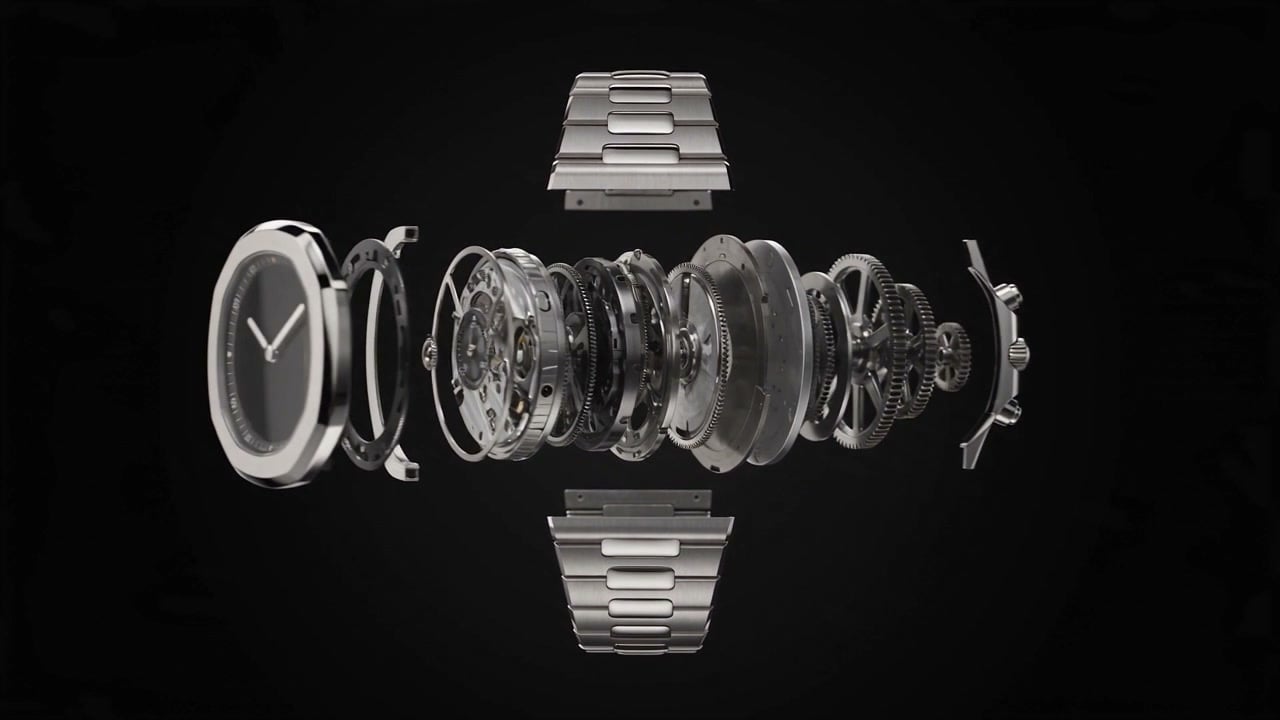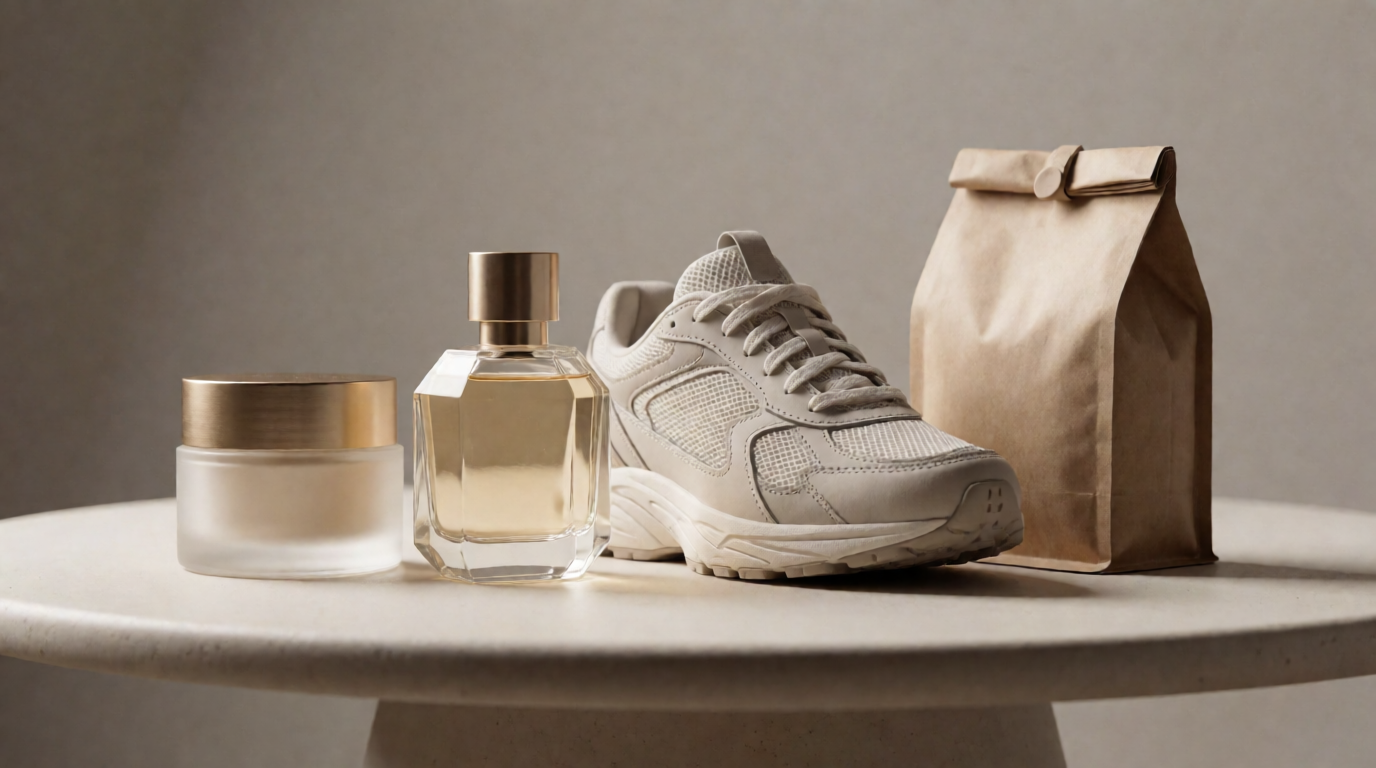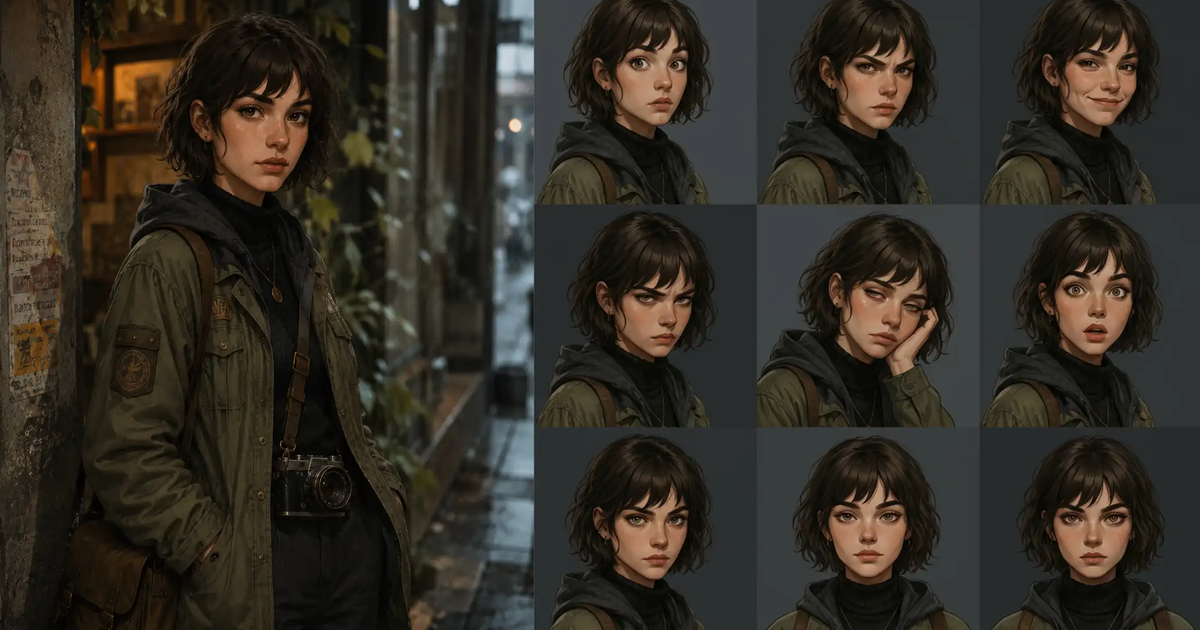
This guide includes 30+ prompt templates for portraits, product shots, ads, characters, posters, interiors, fashion, food photography, and image edits.
Nano Banana works well with simple prompts, but the best results come from prompts that give the model more structure: the subject, style, lighting, camera angle, reference image, and what should stay consistent.
Use the prompts below as starting points. Replace the bracketed text with your own product, person, brand, scene, or reference image, then generate a few variations and refine the best result.
What Is Nano Banana?
Nano Banana is Google’s AI image generation and editing model. It became popular because it is easy to use, fast to prompt, and especially good at turning simple ideas into polished images.
You can use Nano Banana to create new images from text, edit existing photos, blend multiple reference images, generate stylized portraits, design product shots, create social posts, and test visual ideas quickly.
The model is especially useful when you want to move from a rough idea to a usable image without writing a long creative brief. Still, the quality of the output depends heavily on the prompt. A vague prompt may give you something interesting, but a specific prompt gives you more control over the final result.
That is why prompt templates help. Instead of starting from a blank box, you can copy a prompt structure that already tells the model what kind of image to create, what details matter, and what style to follow.
Nano Banana vs Nano Banana Pro
Nano Banana and Nano Banana Pro are both Google image models, but they are built for slightly different workflows.
Nano Banana usually refers to Gemini 2.5 Flash Image, which Google describes as a fast model for high-volume image generation, conversational image editing, and low-latency creative workflows. It is the better fit when you want quick generations, simple edits, and lots of variations.
Nano Banana Pro usually refers to Gemini 3 Pro Image, which is built for more production-ready image work. Google highlights native 1K output with built-in upscaling to 2K and 4K, stronger text rendering, better handling of detailed prompts, multi-image workflows, and more advanced image editing control.
| Feature | Nano Banana | Nano Banana Pro |
|---|---|---|
| Google model name | Gemini 2.5 Flash Image | Gemini 3 Pro Image |
| Best for | Fast image generation, quick edits, high-volume variations | Production-ready assets, detailed prompts, complex image edits |
| Resolution | Standard image generation for fast workflows | Native 1K output with built-in 2K and 4K upscaling |
| Speed | Optimized for low latency and high-volume generation | More advanced, but better suited for quality-focused workflows |
| Text in images | Can handle simple text, but may be less reliable | Stronger text rendering for posters, mockups, labels, logos, and graphics |
| Image editing | Good for conversational edits and targeted changes | Better for complex edits, layout changes, lighting, camera angle, and style control |
| Reference images | Useful for simple image edits and variations | Better for multi-image blends and consistency workflows |
| Best use cases | Social posts, quick concepts, fun styles, simple photo edits | Product shots, ads, posters, infographics, brand visuals, character consistency |
How to Use These Nano Banana Prompts
Each prompt below is written as a reusable template. Copy the prompt, replace the bracketed parts, and run it with your own image or idea. For example, when you see: [PRODUCT], replace it with your actual product, like: a matte black water bottle
For best results, generate more than one version. Start with the template, pick the best output, then refine the prompt with more details about the style, lighting, layout, or exact edit you want.
A good Nano Banana prompt usually includes:
- subject
- setting, background and surroundings
- style, mood, and atmosphere
- lighting and color tones
- camera angle and composition
- what should stay consistent
Try Nano Banana on Krea
Generate and edit images with Nano Banana. Open the Krea image generator with Nano Banana ready to go.
Try Nano BananaBest Nano Banana Prompts to Copy
Below are 32 Nano Banana prompt ideas grouped by use case. Fill in your own prompt and image examples for each one.
Product and Ad Nano Banana Prompts
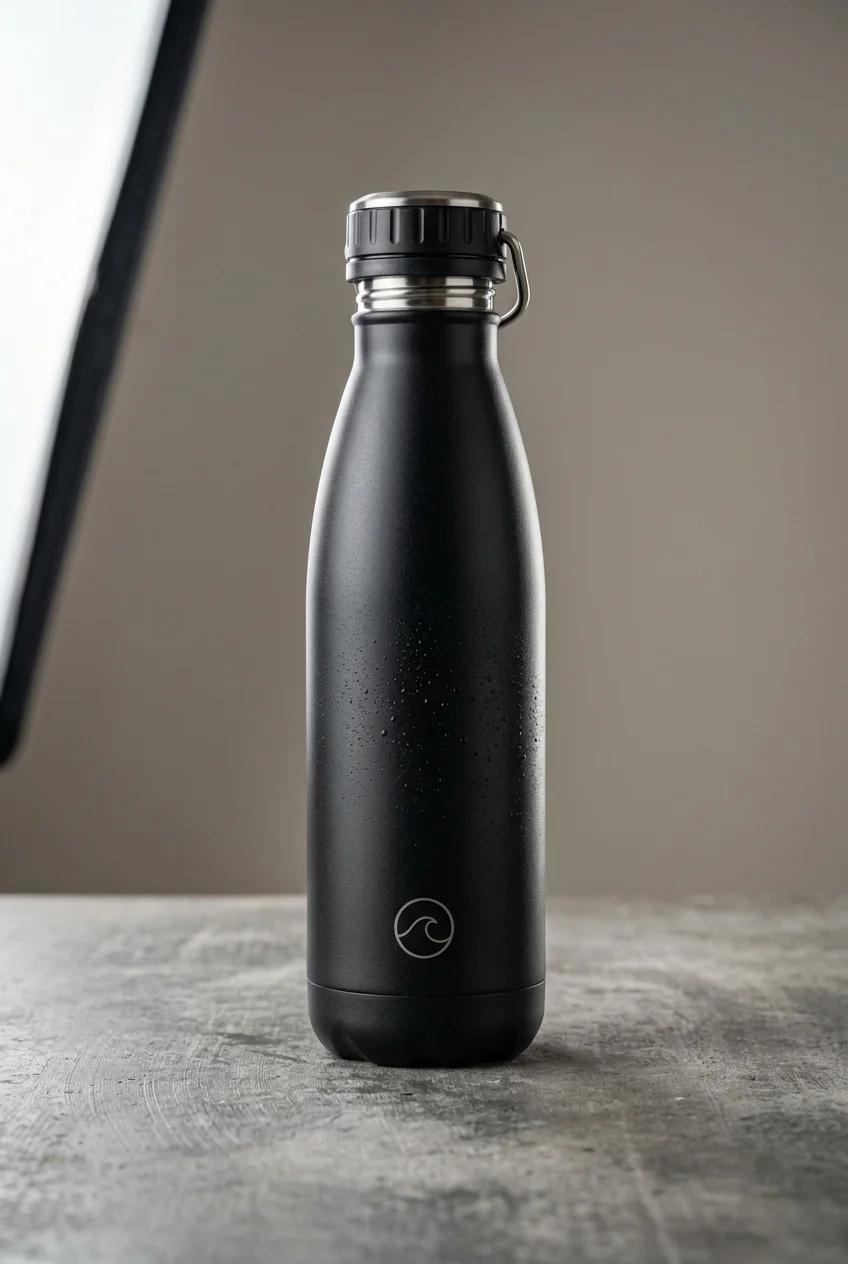
1. Product Photography Prompt
For clean studio shots where the product needs to look polished, accurate, and ready for an ecommerce page.
premium studio product photo of [a matte black reusable water bottle] on [a light gray stone surface]. Use softbox lighting, realistic contact shadows, subtle reflections, crisp product edges, and a calm wellness brand mood. Keep the bottle shape, cap, material, and logo accurate. No extra props, no random text, no distorted packaging.
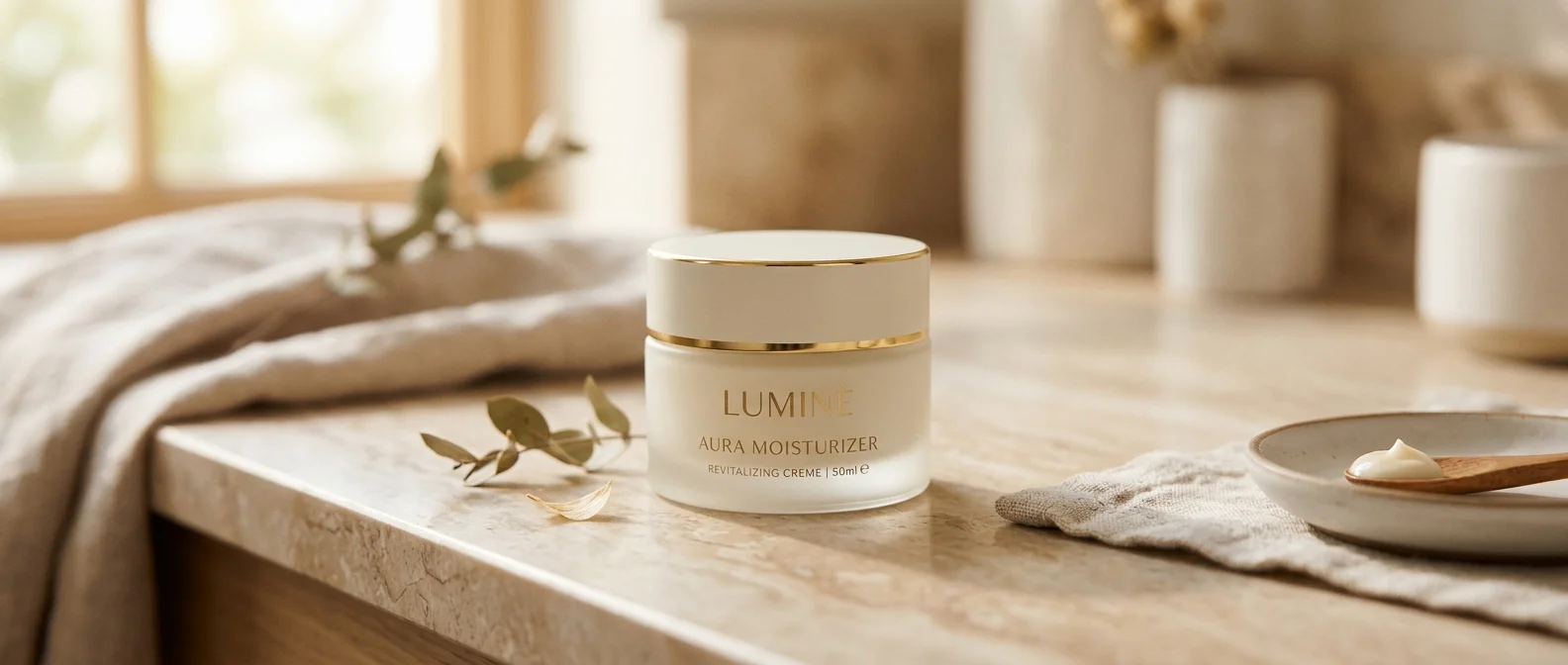
2. Minimal Ecommerce Hero Prompt
Best for simple website hero images with negative space for headlines, buttons, or product copy.
Place [a frosted glass moisturizer jar with a cream lid, thin gold rim, and gold label text reading “LUMINÉ AURA MOISTURIZER”] on [a warm beige marble vanity countertop]. Frame it as a [wide horizontal ecommerce hero image] with the product slightly right of center and plenty of soft negative space around it. Use warm morning window light from the left, shallow depth of field, creamy background blur, realistic marble reflections, and soft contact shadows. Add subtle spa details in the background: [linen towel, eucalyptus sprig, ceramic bowl, wooden skincare spatula with cream, and blurred bathroom jars].
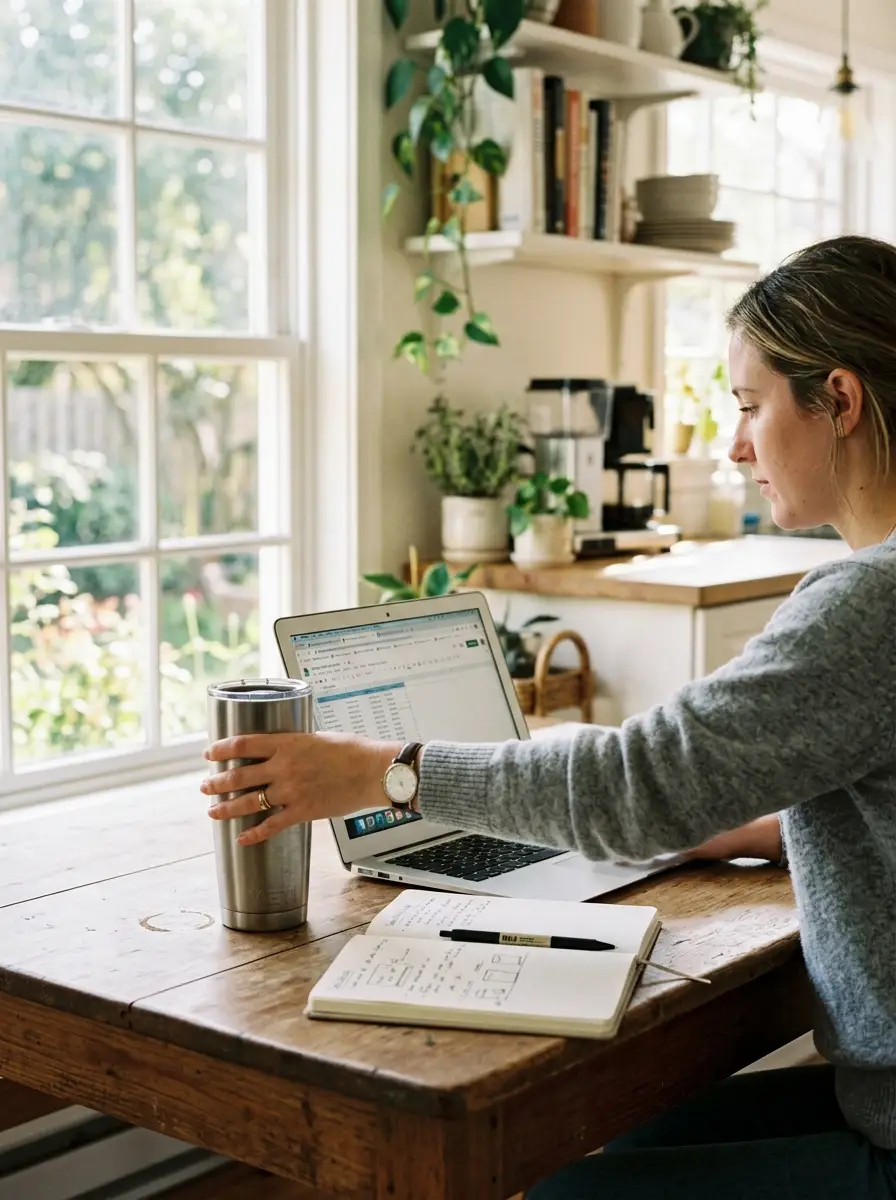
3. Lifestyle Product Shot Prompt
Good for making a product feel usable, natural, and part of someone’s real life.
Show [a stainless steel travel mug] being used during [a quiet morning work session in a bright kitchen]. A person should be reaching for the mug beside a laptop and notebook. Use natural window light, realistic hands, soft background blur, and a candid editorial photography style. The product should feel integrated into the scene but still easy to notice.
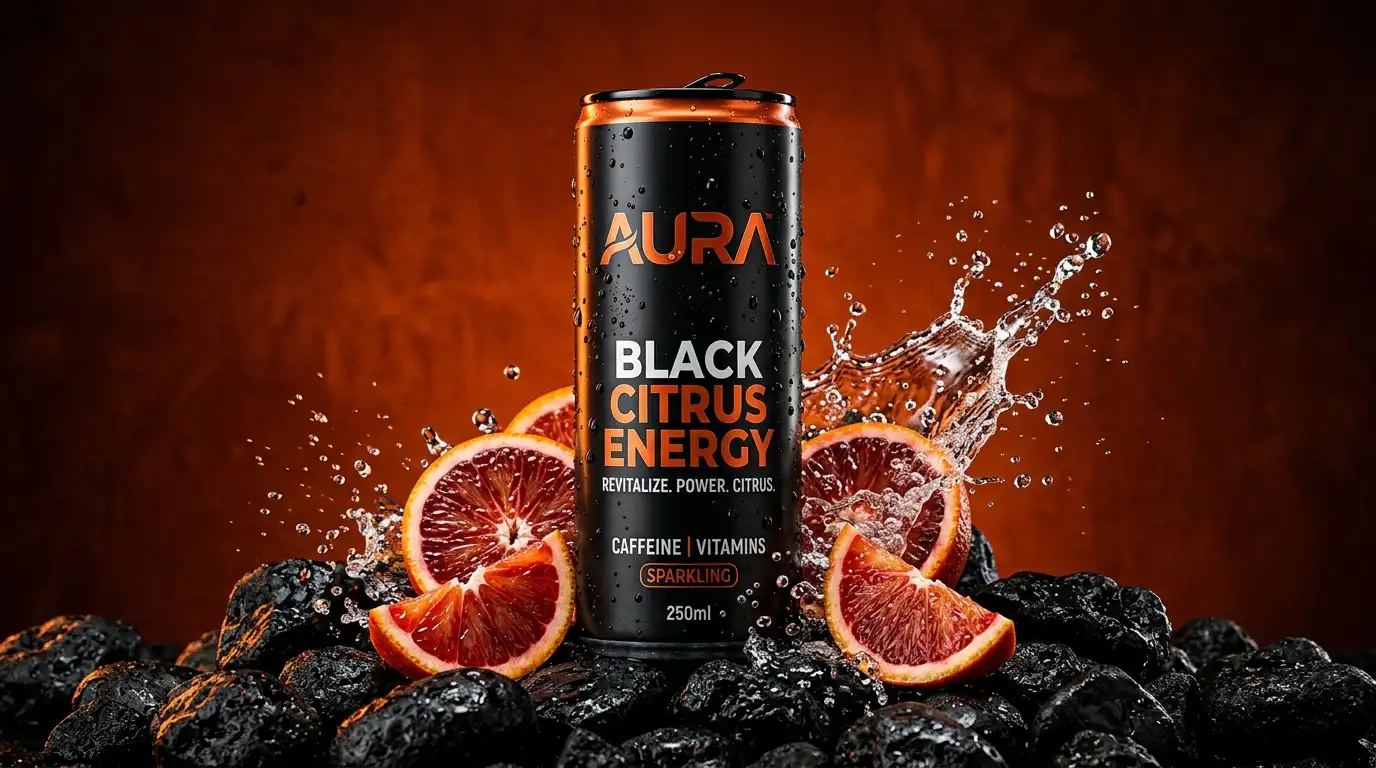
4. Product Ad Campaign Prompt
Use this when you want a more dramatic campaign visual instead of a plain product shot.
striking campaign image for [a black citrus energy drink can]. Place the can against [a deep burnt-orange background] with [wet black stones, sliced blood oranges, condensation, and a sharp splash of sparkling water]. Use dramatic rim light, glossy reflections, high contrast, and a clean luxury beverage composition. The image should feel intense, graphic, and premium.
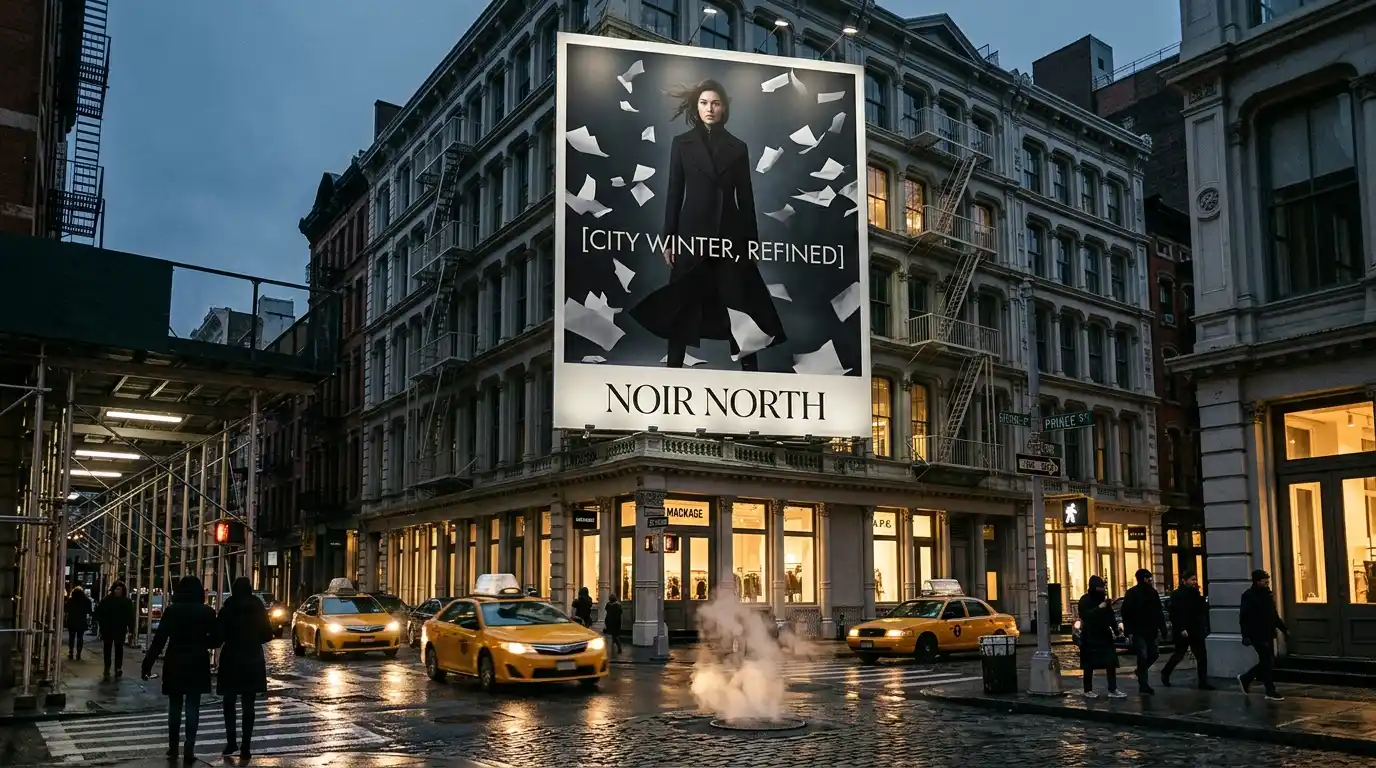
5. Billboard Mockup Prompt
For visualizing a brand, product, or app as a real-world outdoor campaign.
realistic street photograph in [SoHo, New York at dusk] featuring a large fashion billboard mounted above a cast-iron building. The billboard advertises [a luxury outerwear brand called “NOIR NORTH”] and shows [a model in a long black wool coat standing in a wind tunnel of white paper fragments]. Add the headline “[CITY WINTER, REFINED]” in large elegant type. Include classic New York details below: [yellow cabs, steam rising from a street vent, pedestrians in dark coats, scaffolding, wet pavement, and glowing storefront windows]. Use cinematic blue-gray evening light, subtle billboard glow, realistic perspective, and soft motion blur from passing traffic. The overall mood should feel editorial, expensive, and unmistakably New York.
6. Social Media Ad Prompt
For square or vertical paid social concepts that need to stop the scroll quickly.
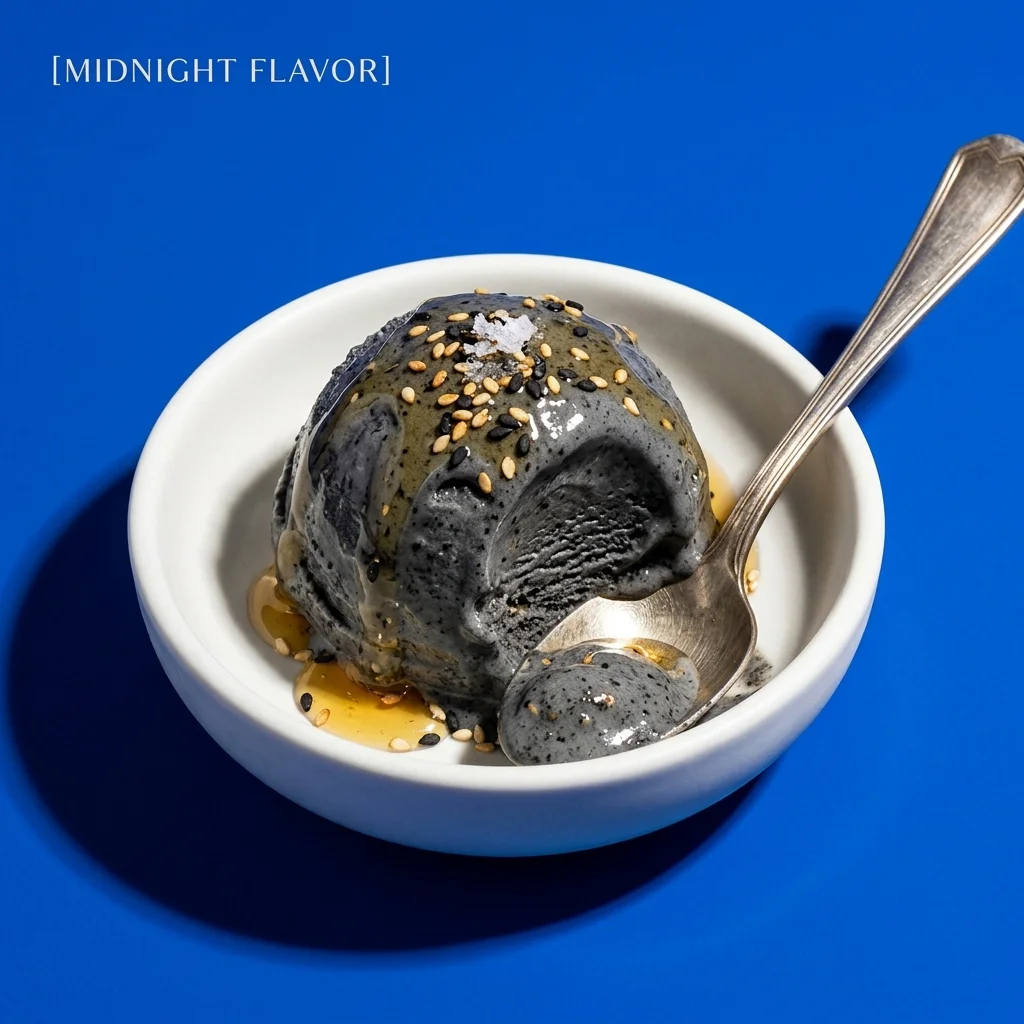
square social media ad for [a black sesame gelato brand called “MIDNIGHT”]. The main visual is [one glossy charcoal-black sesame gelato scoop with creamy melt, sesame specks, and soft ridges from the scoop] sitting in [a small white ceramic bowl] on [a saturated cobalt blue background]. Add [a drizzle of honey, toasted sesame seeds, a tiny pinch of flaky salt, and a silver spoon catching a bit of melted gelato] to make it look delicious. Use hard flash photography, rich creamy texture, appetizing highlights, dramatic shadow, minimal composition, and a premium food-magazine mood. Add small elegant text in the top-left corner: “[MIDNIGHT FLAVOR]”. Keep the layout clean and the food clearly edible. Avoid tar-like texture, muddy black color, dry surface, cluttered ad graphics, or generic dessert styling.
7. YouTube Thumbnail Prompt
For creator thumbnails where the image needs to be readable and clickable on mobile.
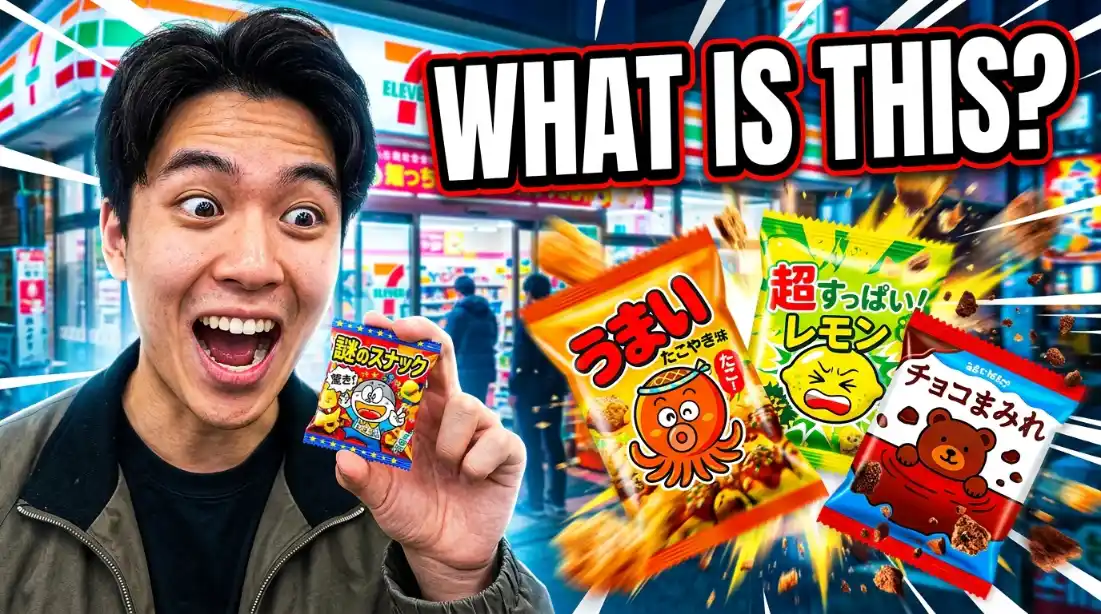
high-click YouTube thumbnail for a video titled “[I Tried Japan’s Weirdest Convenience Store Snacks]”. On the left, show [a creator under harsh fluorescent convenience-store lighting] holding [a tiny mysterious snack package] close to the camera with a shocked expression. On the right, show [three colorful Japanese snack packages bursting outward] with motion blur, crumbs, and dramatic scale exaggeration. Add huge readable text: “[WHAT IS THIS?]” in bold white letters with a dark outline. Use saturated reds, yellows, and electric blues, sharp cutout edges, exaggerated facial expression, and a clean mobile-first composition. Make it feel funny, chaotic, and instantly clickable. Avoid tiny text, cluttered packaging details, distorted hands, or generic reaction-face styling.
8. App Screenshot Mockup Prompt
For SaaS landing pages, app design mockups, product launches, pitch decks, and feature announcements.
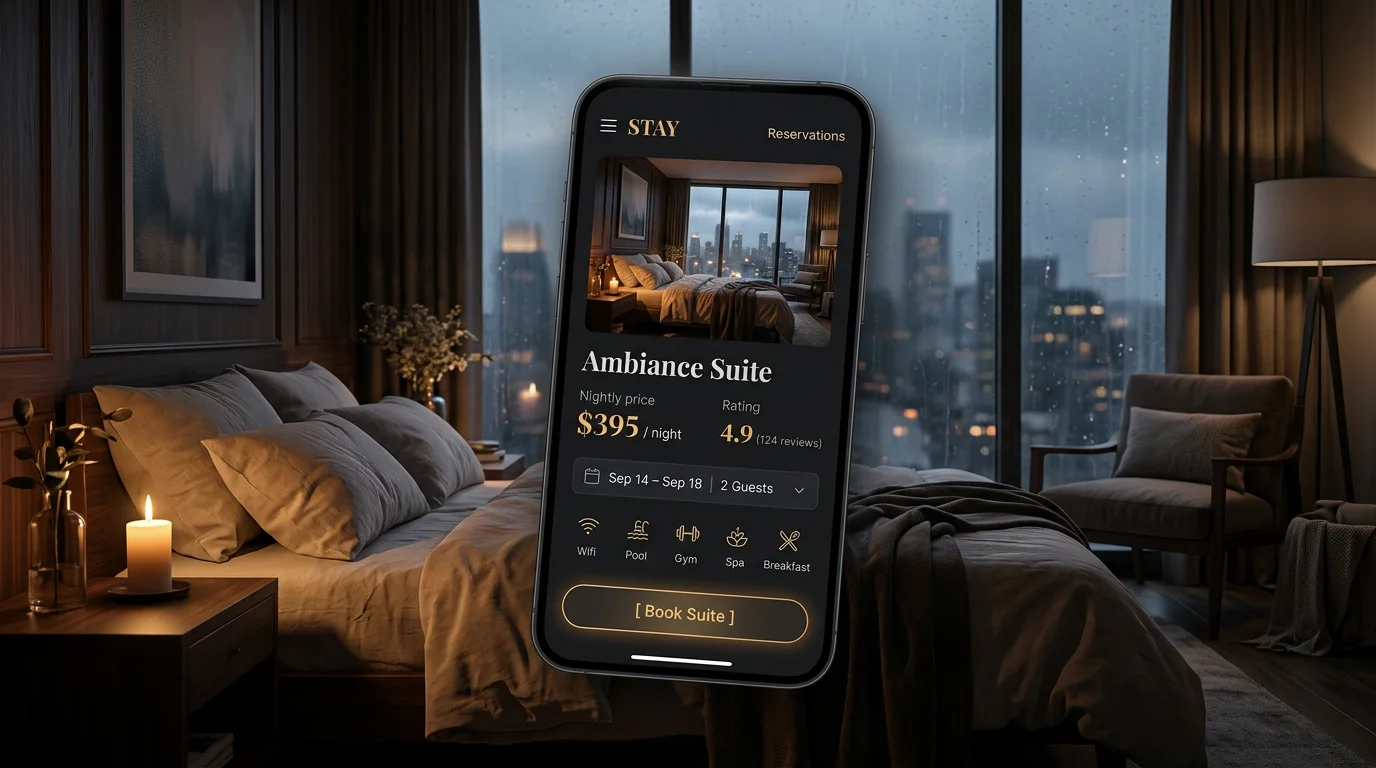
polished hifi landing-page hero mockup for [a boutique hotel booking app called “STAY”]. Show [a dark-mode mobile app interface] floating over [a moody editorial photo of a candlelit hotel room with linen sheets, wood paneling, and a rain-streaked window]. The app screen should feature [a large suite photo card], [nightly price], [guest rating], [date selector], [amenity icons], and a clear button labeled “[Book Suite]”. Use elegant typography, rounded glassy cards, subtle reflections, soft shadows, and a slight three-quarter perspective. The mood should feel like luxury travel editorial mixed with a premium mobile app launch. Keep all UI text readable and realistic. Avoid fake analytics charts, random gibberish, cluttered screens, or generic SaaS dashboard styling.
Portrait and Character Nano Banana Prompts
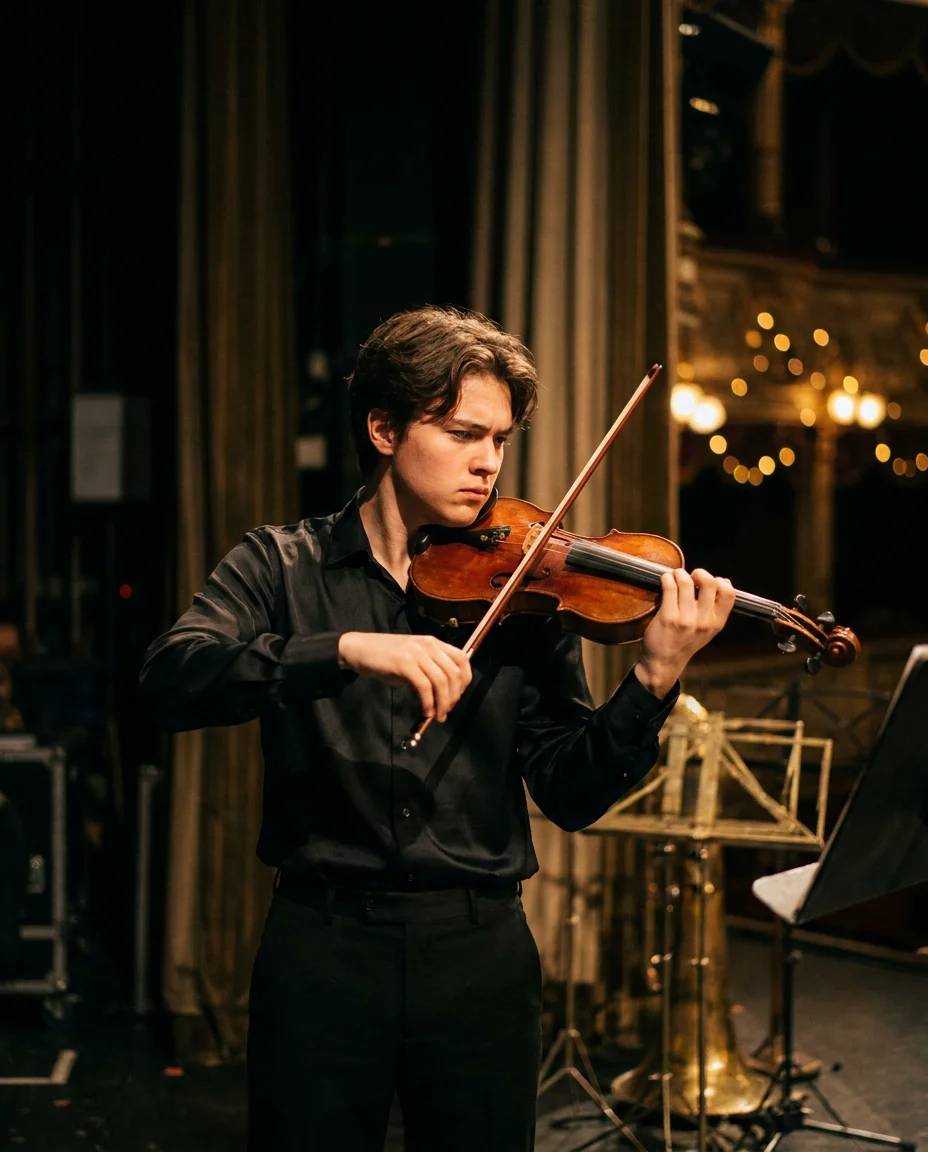
9. Cinematic Portrait Prompt
For cinematic portraits, give the model a character, a location, a light source, and a small story moment.
cinematic portrait of [a young violinist] [playing backstage at an old concert hall]. They are wearing [a black silk shirt and tailored black trousers], with [a warm brown wooden violin tucked under their chin] and [the bow in motion across the strings], clearly mid-performance. Capture them in [a focused three-quarter pose], with the violin fully visible and the body language natural and expressive, like they are warming up before going on stage. Light the face and instrument with warm stage light from the side, while the background falls into deep shadow with [blurred velvet curtains, brass music stands, and soft golden bokeh]. Use a 50mm lens look, shallow depth of field, natural skin texture, subtle film grain, realistic wood grain on the violin, and a quiet intense expression. The mood should feel intimate, dramatic, and editorial, like a still from an independent music documentary. Keep the hands, violin, and bow anatomically realistic. Avoid stiff posing, missing instrument details, or generic studio portrait lighting.
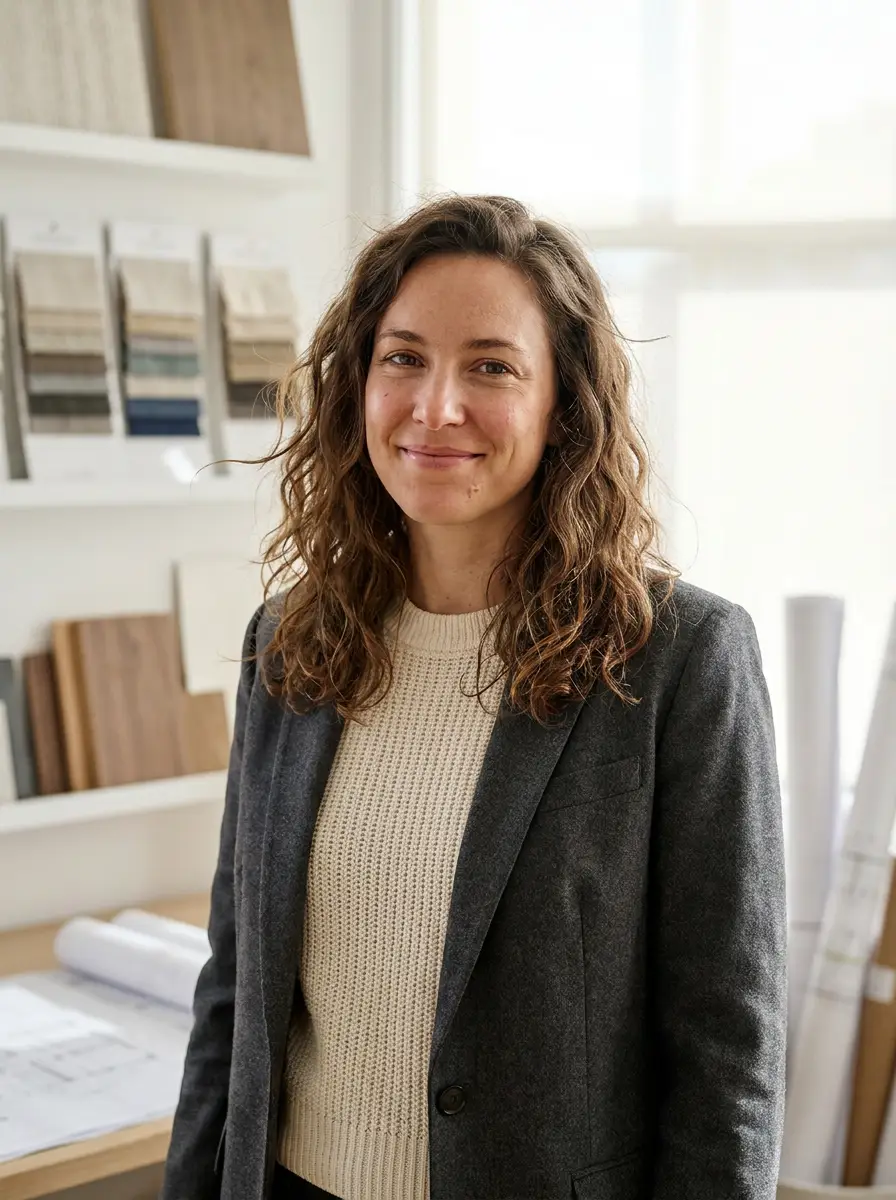
10. Professional Headshot Prompt
This prompt works best if you upload a reference photo first. Nano Banana can use your photo to preserve the person’s face, then change the setting, lighting, outfit, and overall mood. Use it for LinkedIn photos, company bio pages, team profiles, or personal websites.
realistic professional headshot of [a female interior architect in her early 30s] [standing in a softly lit design studio]. She is wearing [a cream knit top and tailored charcoal blazer], with [rolled architectural drawings and material samples softly blurred in the background]. Frame her chest-up at eye level with relaxed posture and a calm confident expression. Use soft natural window light, sharp eyes, natural skin texture, subtle hair flyaways, realistic fabric detail, and a warm neutral color palette. The image should feel polished, approachable, and editorial, like a profile photo for a design magazine. Avoid plastic skin, fake teeth, harsh shadows, over-retouching, or generic corporate headshot styling.
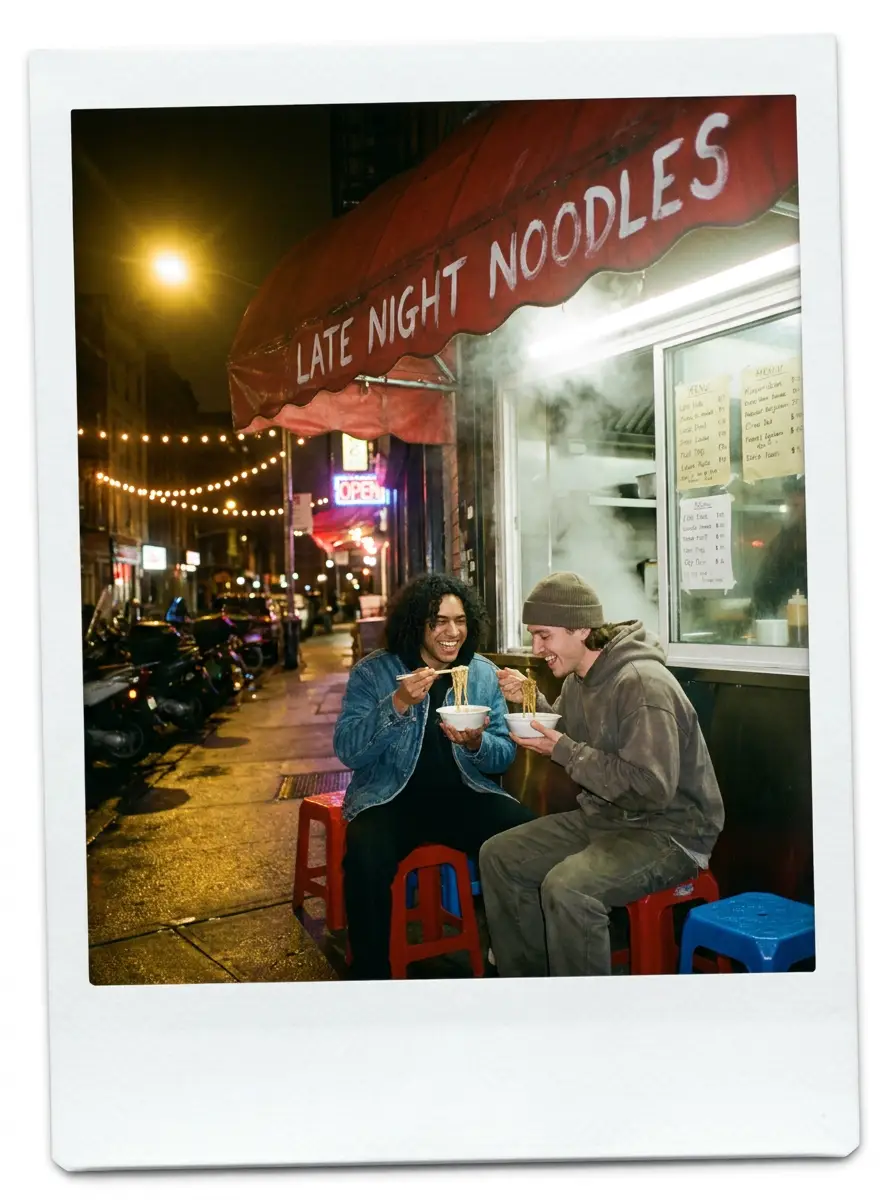
11. Polaroid Photo Prompt
Use this prompt when you want a photo to feel candid, nostalgic, and slightly imperfect. The key is to describe the flash, framing, background mess, and emotional moment so it does not come out too clean or staged.
realistic Polaroid photo of [two friends eating noodles outside a late-night restaurant]. They are [sitting on small plastic stools under a red awning], laughing mid-bite with disposable chopsticks in hand. Use direct flash, warm street lighting, slightly crooked framing, casual expressions, subtle motion blur, and a white instant-photo border. Add background details like [handwritten menu signs, steam from the kitchen window, scooters parked nearby, and reflections on wet pavement]. The image should feel spontaneous, nostalgic, and real, like a memory from a night out. Avoid perfect studio lighting, overly posed faces, glossy fashion styling, or clean stock-photo composition.
12. Character Consistency Prompt
Use this prompt when you want to turn one character image into a reusable reference sheet. Upload your character first, then ask Nano Banana to preserve the exact identity, outfit, colors, and silhouette across multiple angles.
Using the uploaded reference image, create a clean character sheet of [the same character] on [a plain warm-gray background]. Preserve the character’s face shape, eye shape, hairstyle, outfit, color palette, body proportions, accessories, and overall personality. Show [front view, side view, three-quarter view, and back view] in a neat lineup with consistent scale and lighting. Keep the design language identical across all views, as if this were a production reference sheet for animation or game design. Avoid changing the character’s age, silhouette, outfit details, facial identity, or art style.
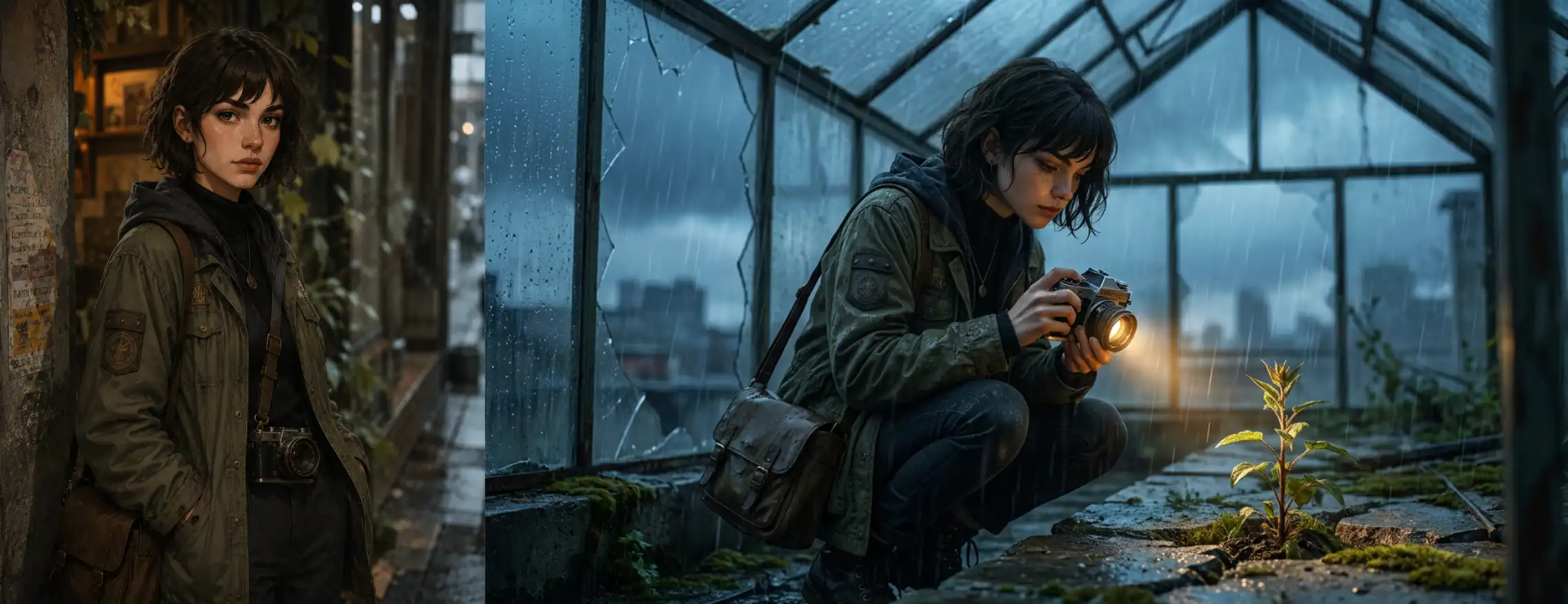
13. Character in a New Scene Prompt
This prompt works best after you upload a character reference image. The goal is to change the scene, pose, and mood while keeping the same character identity, outfit, proportions, and visual style. We’ll use the same character reference as above.
Using the uploaded character reference, place [the same urban explorer character] in [an abandoned rooftop greenhouse during a storm]. Keep their face shape, short dark hair, olive field jacket, black turtleneck, camera, crossbody bag, boots, and muted color palette consistent. Show them [crouching beside broken glass panels while photographing a rare plant growing through the concrete]. Use rain on the windows, blue-gray storm light, warm flashlight glow, wet fabric texture, shallow depth of field, and cinematic environmental storytelling. The image should feel like the next scene in the same character’s story. Avoid changing the character’s face, outfit, age, silhouette, or illustration style.
14. 3x3 Portrait Grid Prompt
Upload a reference image first if you want the same person or character to stay consistent. This prompt is useful for testing expressions, angles, and lighting variations without losing the character’s identity. We will again use the same character reference here.
Using the uploaded character reference, create a 3x3 portrait grid of [the same urban explorer character]. Keep their face shape, short dark hair, olive field jacket, black turtleneck, camera strap, earrings, and muted color palette consistent in every square. Vary only the expression, head angle, crop, and lighting. Include these expressions: [curious, focused, amused, suspicious, tired, surprised, determined, calm, and serious]. Use a clean dark-gray background, cinematic illustration style, soft directional light, and consistent facial identity across all nine portraits. Avoid changing the character’s age, hairstyle, outfit, face, or art style.
15. Chibi Die-cut Sticker Prompt
This prompt is useful for turning a character, mascot, pet, or object into a cute chibi sticker. The result can work as printable merch, a Discord emoji, a streaming emote, or social media assets, so the design should stay simple, expressive, and easy to read at small sizes.
chibi sticker of [a cute green baby dinosaur mascot wearing oversized little boots]. The dino has [a very large round head, tiny body, tiny arms, tiny tail, big sparkling eyes, soft blush cheeks, and a happy mischievous smile]. It is holding [a tiny laptop] or [a small bone], with one foot lifted in a playful pose. Use extra-cute proportions, soft rounded shapes, clean bold outlines, gentle cel shading, and bright friendly green tones with slightly darker green accents on the back. Add a thick white sticker border around the full silhouette. Place the full sticker on [a plain light sky-blue background] with plenty of empty space around the character for easy cropping. Make the design feel adorable, playful, and highly recognizable as a mascot sticker, Discord emoji, streaming emote, or printable merch asset. Avoid realistic reptile texture, sharp claws, scary teeth, aggressive expression, or overly detailed accessories.

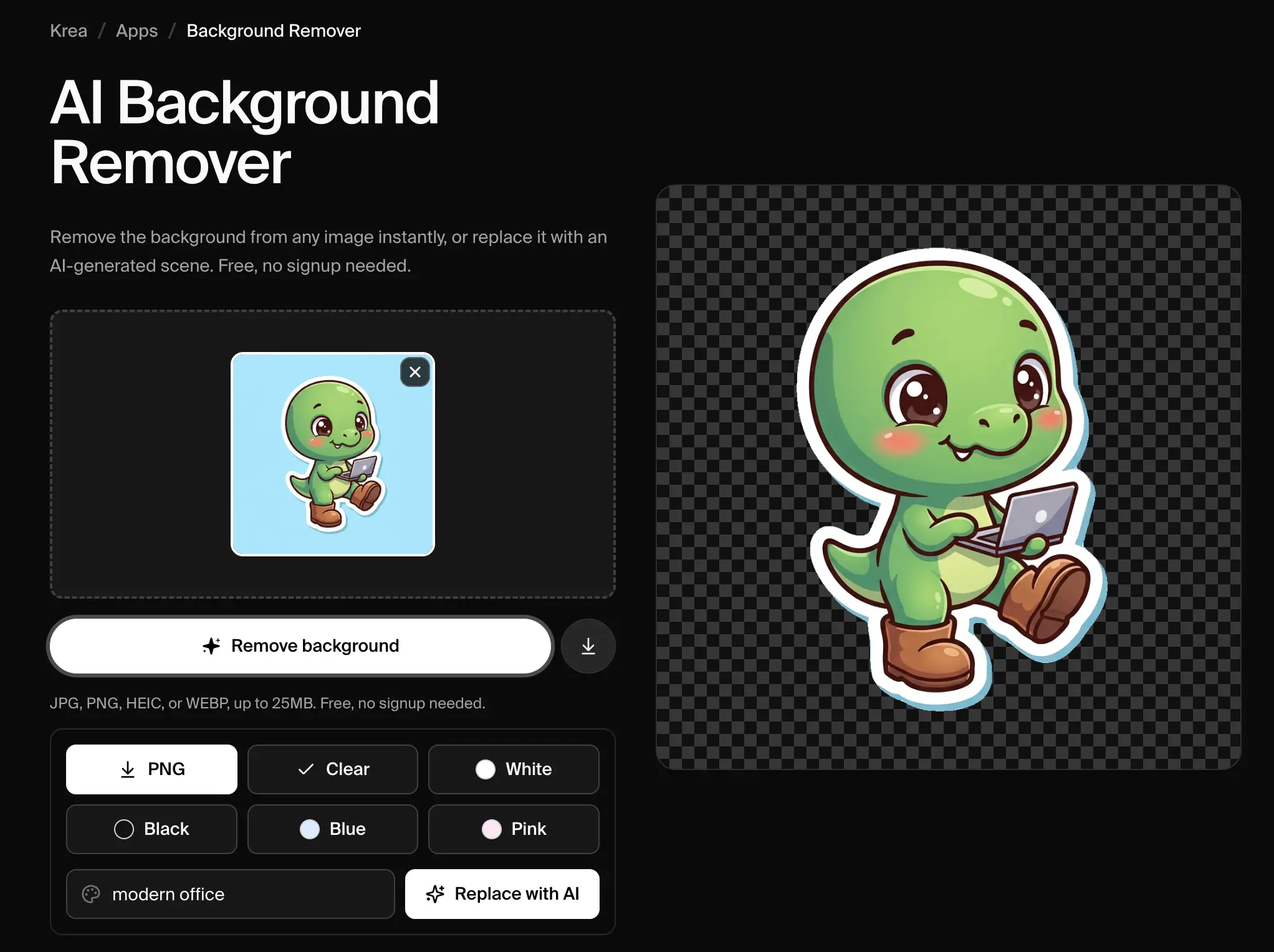
Tip: Nano Banana does not directly export transparent images. For stickers, use a solid background color that is different from the subject, then remove the background afterward. You can use Krea’s free background remover to turn the result into a clean PNG-style sticker, or a plain white background with our white background guide — then see our guide to making AI stickers for turning that file into a printed, die-cut sticker.
16. Plush Toy Prompt
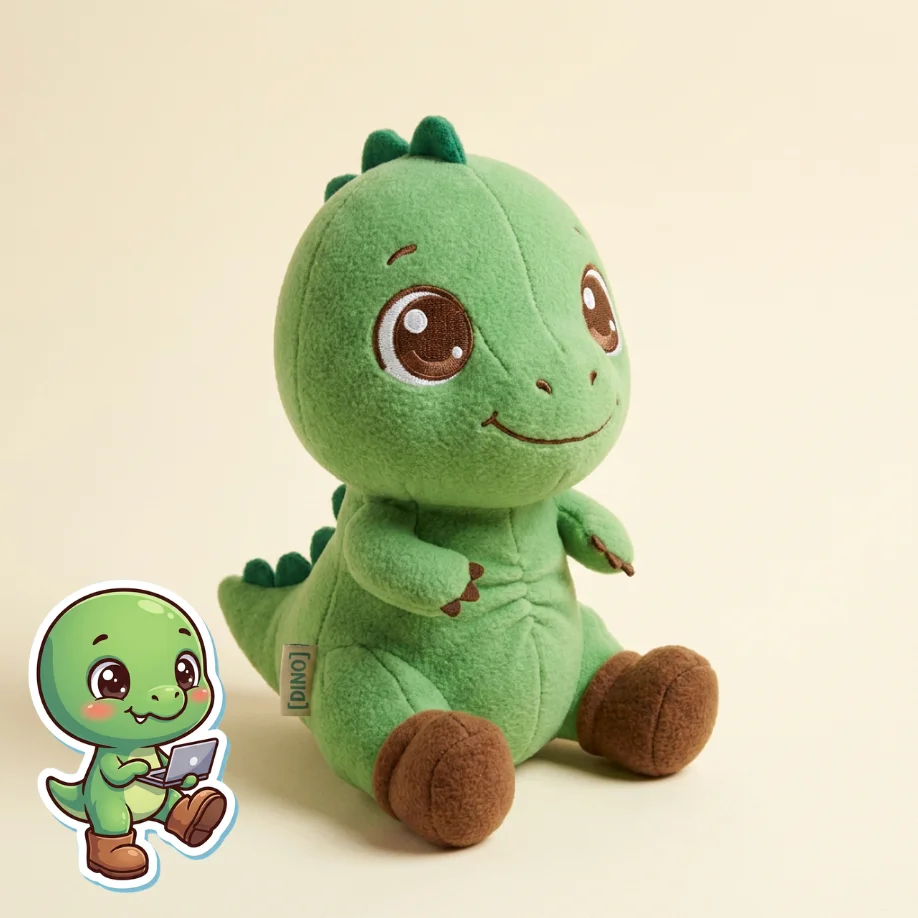
This prompt is for turning a character, mascot, pet, or object into a soft toy concept. It works especially well if you upload a reference image first. We’ll use the same cute dinosaur as reference.
Using the uploaded reference image, turn [the same cute green dinosaur mascot] into [a real plush toy photographed for an online shop]. Keep the dino’s rounded snout, tiny arms, short tail, friendly expression, and recognizable silhouette. Translate the design into soft fleece fabric with [embroidered eyes, tiny stitched claws, rounded seams, subtle stuffing wrinkles, and small darker green felt spikes along the back]. Place the plush sitting upright on [a pale cream paper backdrop] with soft studio shadows and gentle product photography lighting. Add a small woven tag that says “[DINO]”. Make it look physically manufacturable, huggable, and cute enough for merch. Avoid realistic reptile texture, plastic 3D render style, scary teeth, sharp claws, or overly complex details.
17. Action Figure Prompt
For the popular boxed toy/action figure style, with accessories and packaging.
Create a premium boxed action figure of [the cute green dinosaur mascot]. Keep the dino’s round snout, tiny arms, short tail, friendly expression, and recognizable silhouette. Pose the figure confidently inside clear molded plastic packaging, with accessories arranged neatly beside it: [a tiny laptop, a small bone, a coffee cup, and a little pickaxe]. The backing card uses [bold playful typography, warm green and yellow tones, and subtle pixel-inspired graphics], with the readable title “[DINO BUILDER]” at the top. Use realistic toy photography, sharp plastic reflections, believable cardboard texture, and clean retail-style lighting. Make it feel like a real collectible toy from a stylish design store.
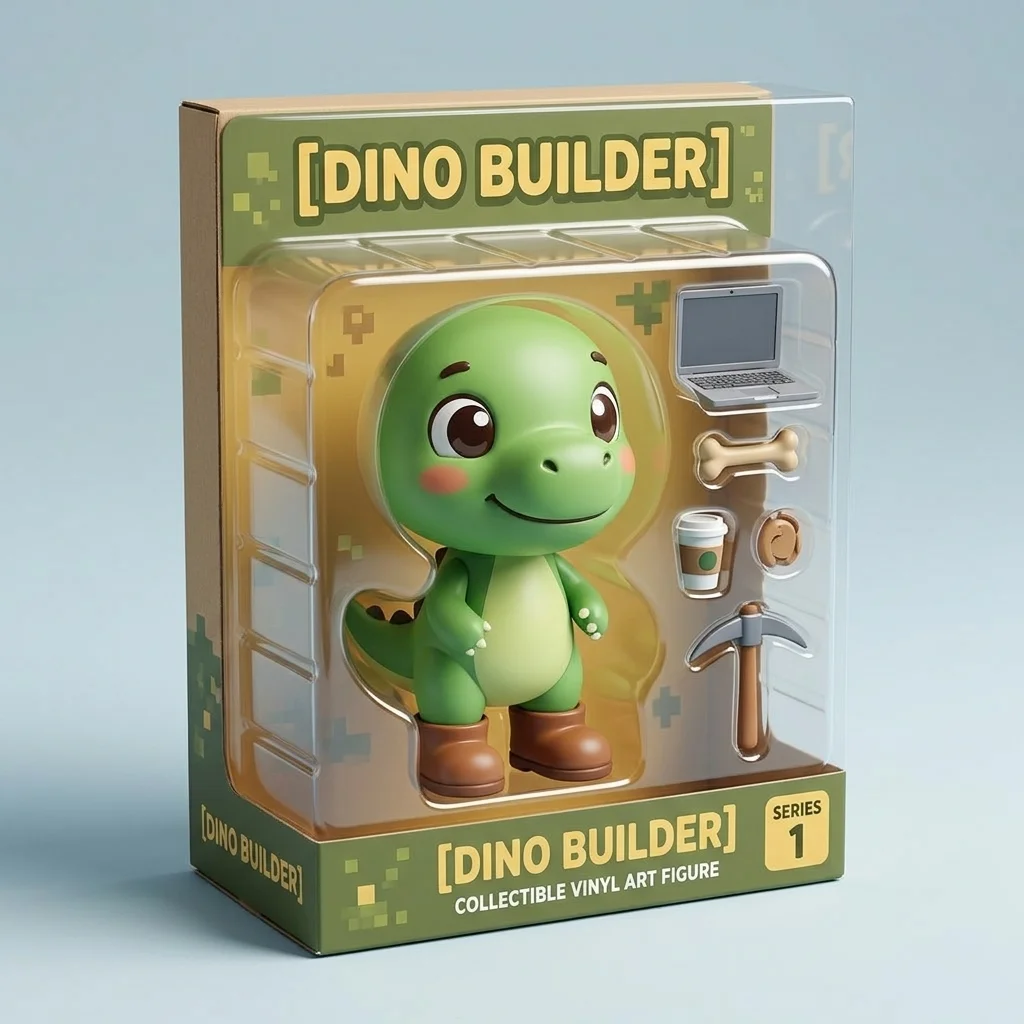
Image Editing Nano Banana Prompts
18. Change Background Prompt
For replacing the environment while keeping the subject untouched.
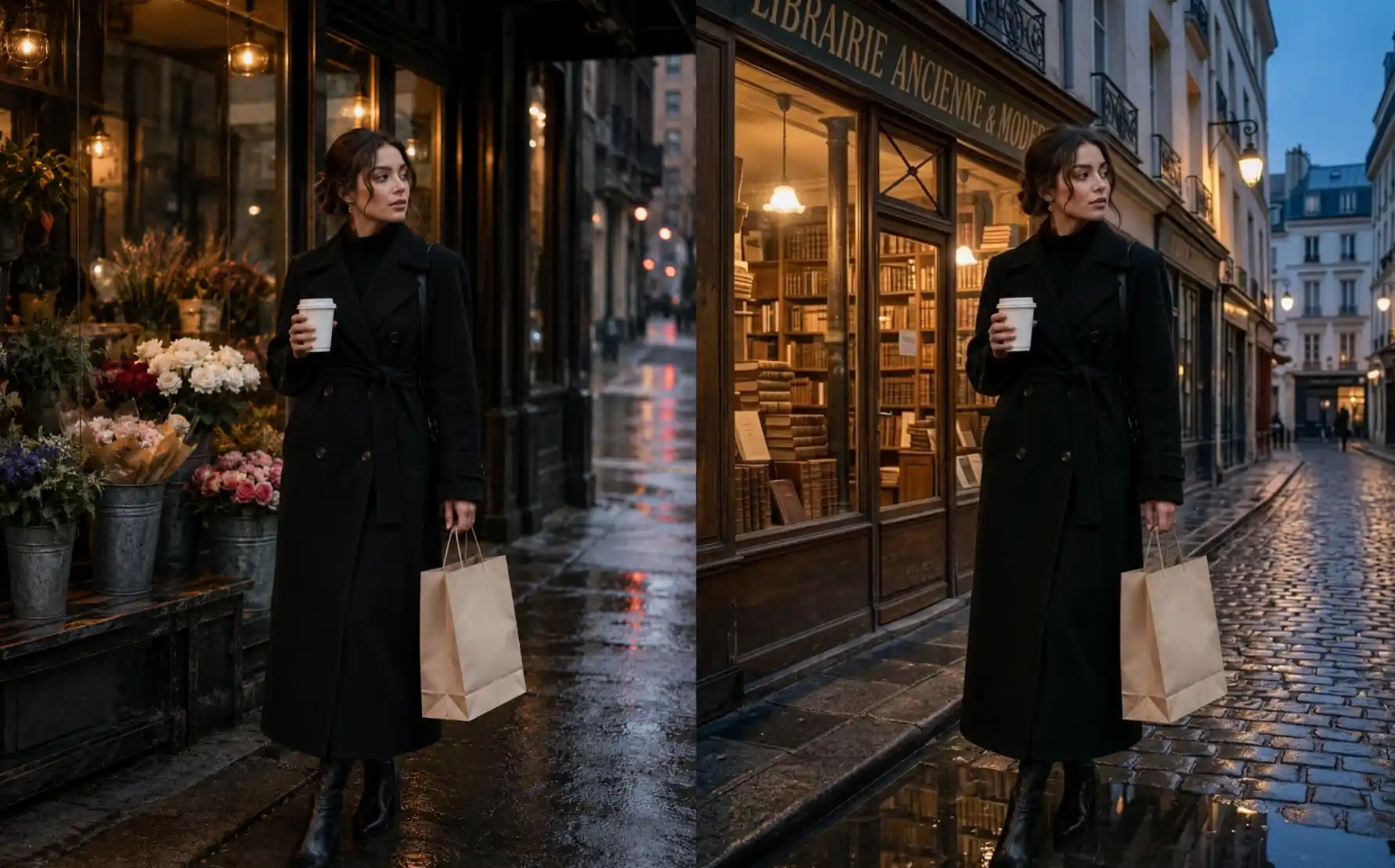
Edit the uploaded image. Replace only the background with [a quiet Paris street outside a vintage bookshop at dusk]. Keep the woman exactly the same: face, hair, coat, pose, coffee cup, shopping bag, body shape, camera angle, and expression. Match the lighting direction, wet pavement reflections, depth of field, and color temperature so she looks naturally photographed in the new location. Avoid changing her outfit, face, hands, or the objects she is holding.
19. Remove Object Prompt
For cleaning up distracting objects without changing the rest of the photo.
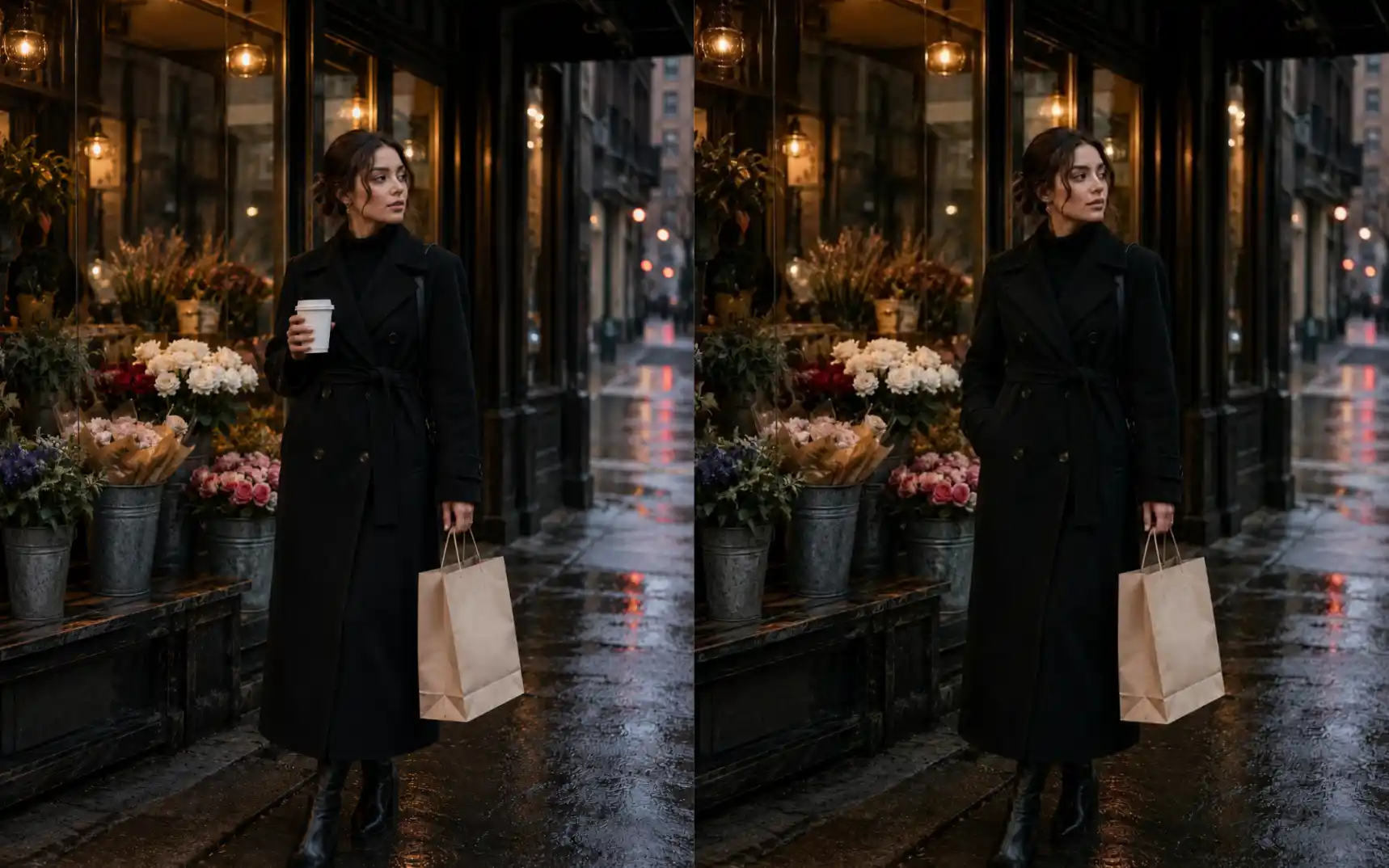
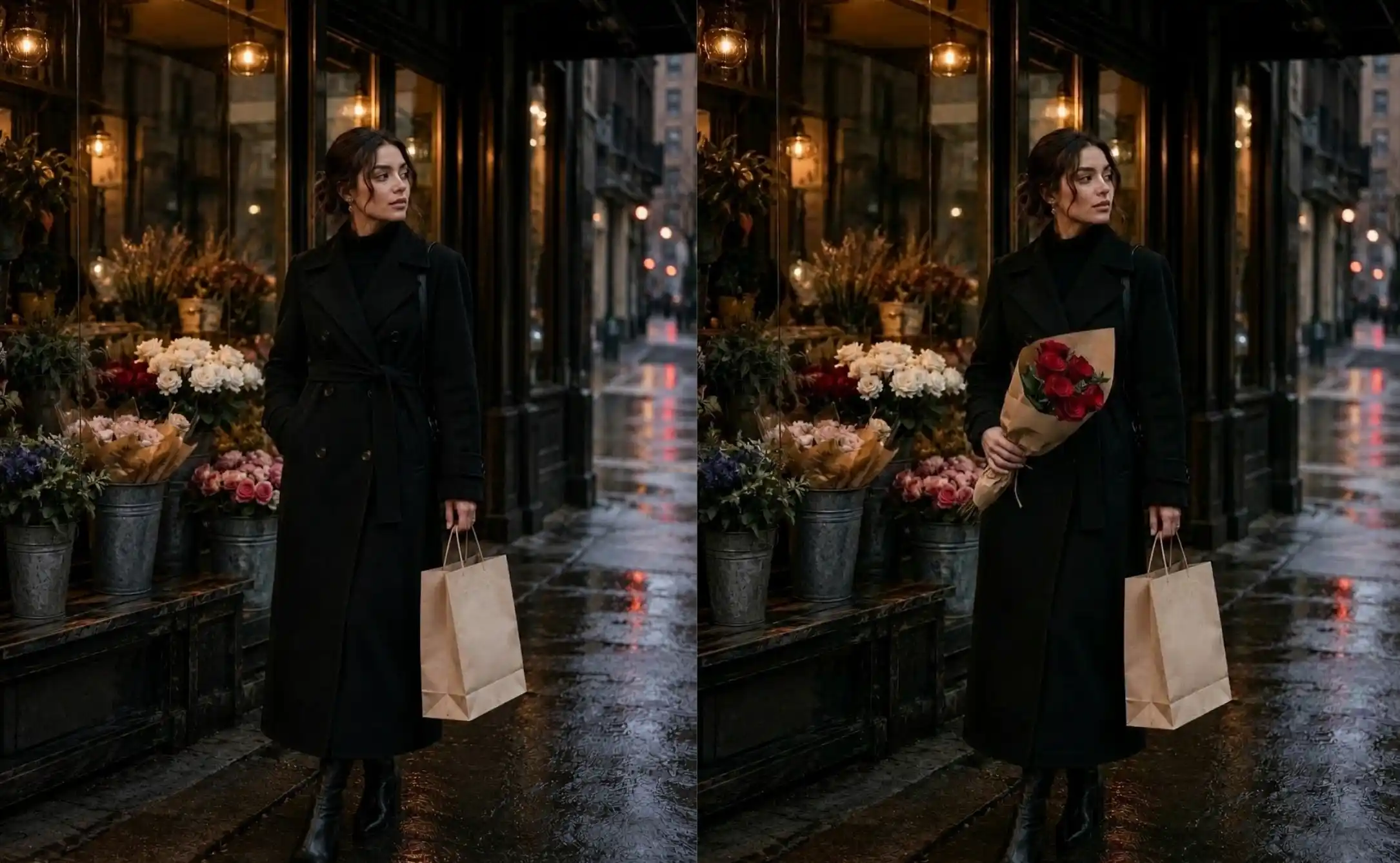
remove [the white paper coffee cup from her hand]. Keep the woman, coat, pose, shopping bag, flower shop, wet pavement, lighting, and camera framing unchanged. Reconstruct the hidden hand and coat area naturally, with realistic fingers, fabric folds, shadows, and perspective. The final image should look like she was never holding a cup. Avoid warped hands, blurry fabric, or changes to her face.
20. Add Object Prompt
For inserting a new item into a scene realistically.
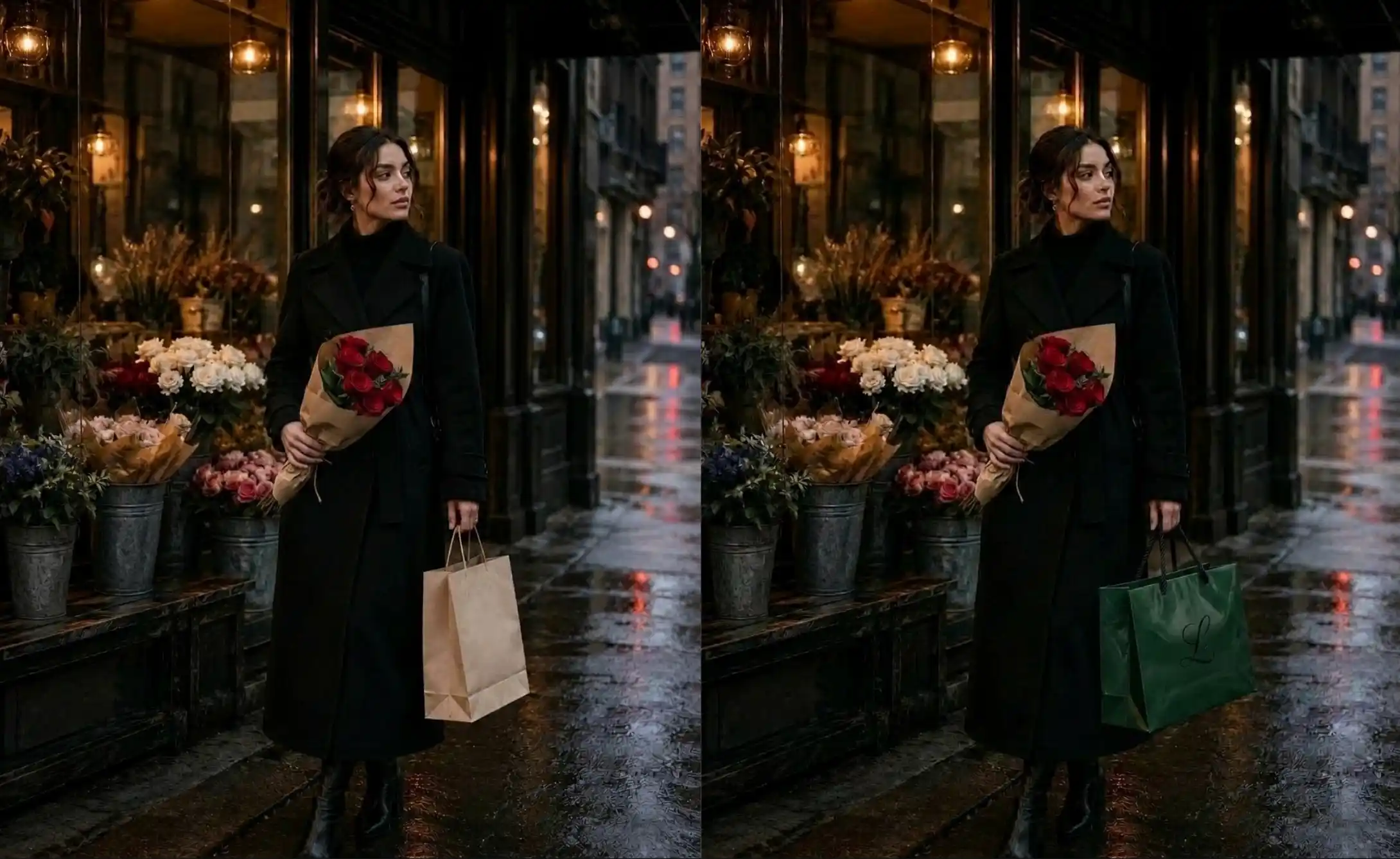
add [a small bouquet of deep red roses wrapped in brown paper] to [the woman’s free hand]. Match the bouquet’s scale, angle, lighting, contact shadows, paper texture, and color temperature to the rainy evening street scene. Keep her face, coat, pose, shopping bag, background, and camera framing unchanged. Make the bouquet look naturally held, not pasted on top.
21. Replace Object Prompt
For swapping one product, prop, or object while preserving the original photo.
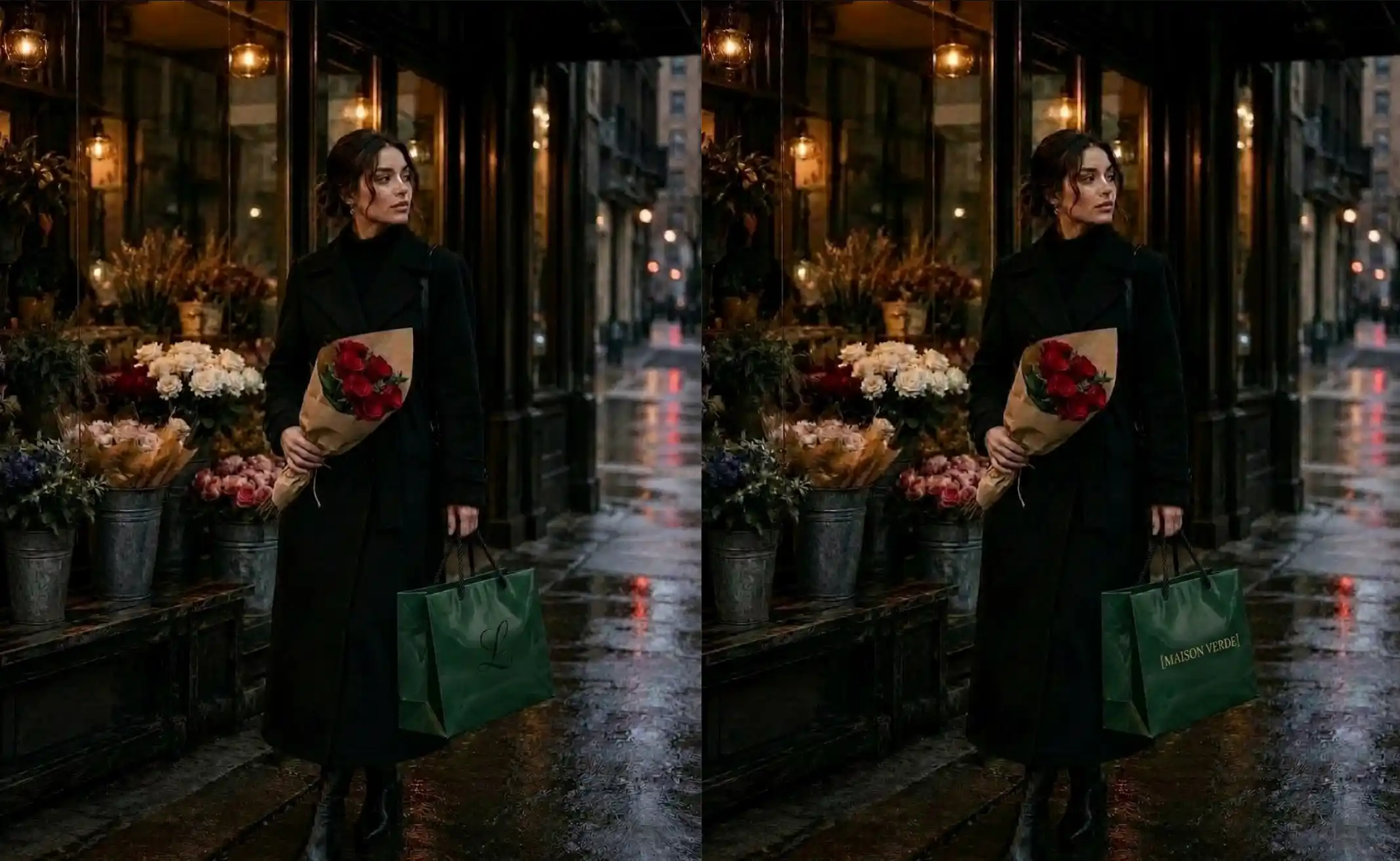
replace [the plain beige shopping bag] with [a glossy dark green luxury shopping bag with black rope handles]. Keep the new bag in the same position, size, and angle as the original. Match the lighting, wet reflections, hand grip, shadows, and perspective. Keep the woman, coat, face, coffee cup, flower shop, and street scene unchanged.
22. Edit Text in Image Prompt
For changing text on signs, posters, product labels, packaging, or graphics.
Edit the uploaded image and add the text “[MAISON VERDE]” to [the front of the dark green luxury shopping bag]. Place the text centered on the bag in [small elegant gold serif lettering]. Match the bag’s perspective, folds, paper texture, lighting, and shadows so the text looks naturally printed on the surface. Keep the woman, coat, hand grip, background, flowers, wet pavement, and camera framing unchanged. Avoid pasted-on text, warped letters, extra logos, or changing the bag shape.
23. Outpaint Image Prompt
For expanding an image into a wider crop or new aspect ratio.
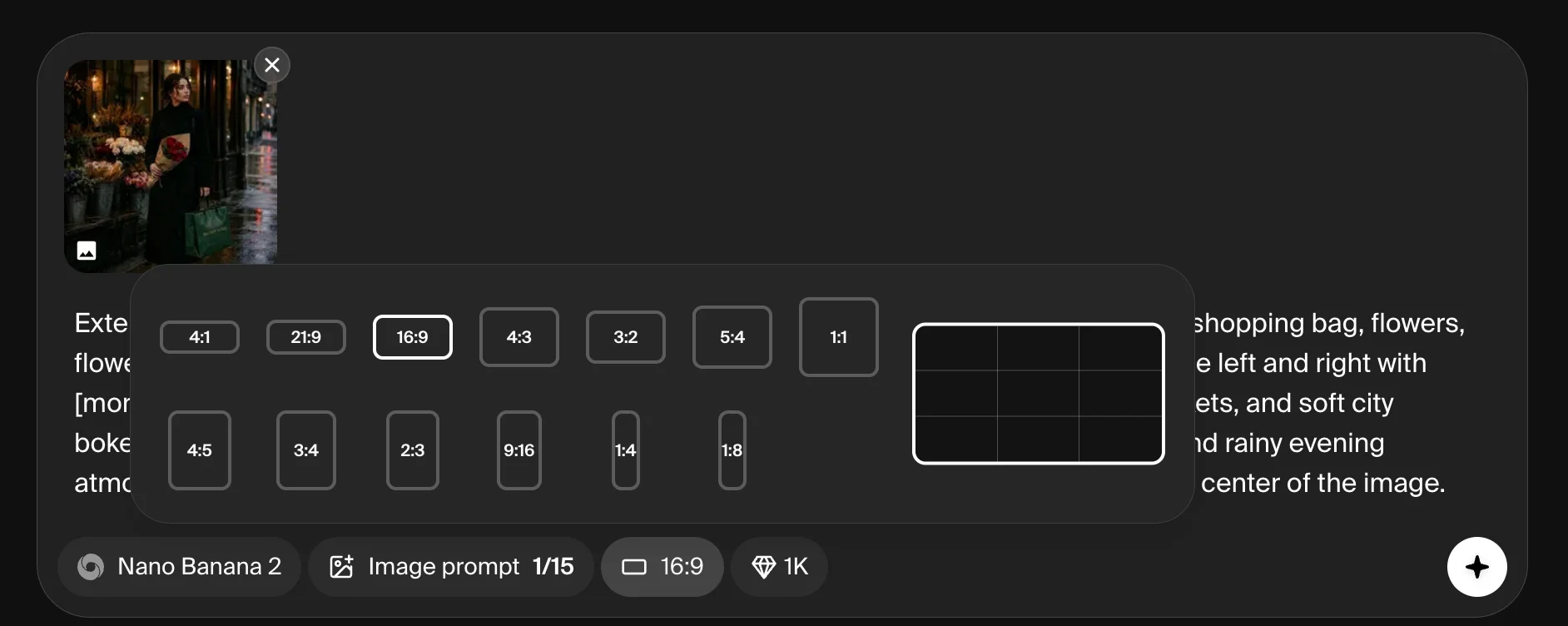
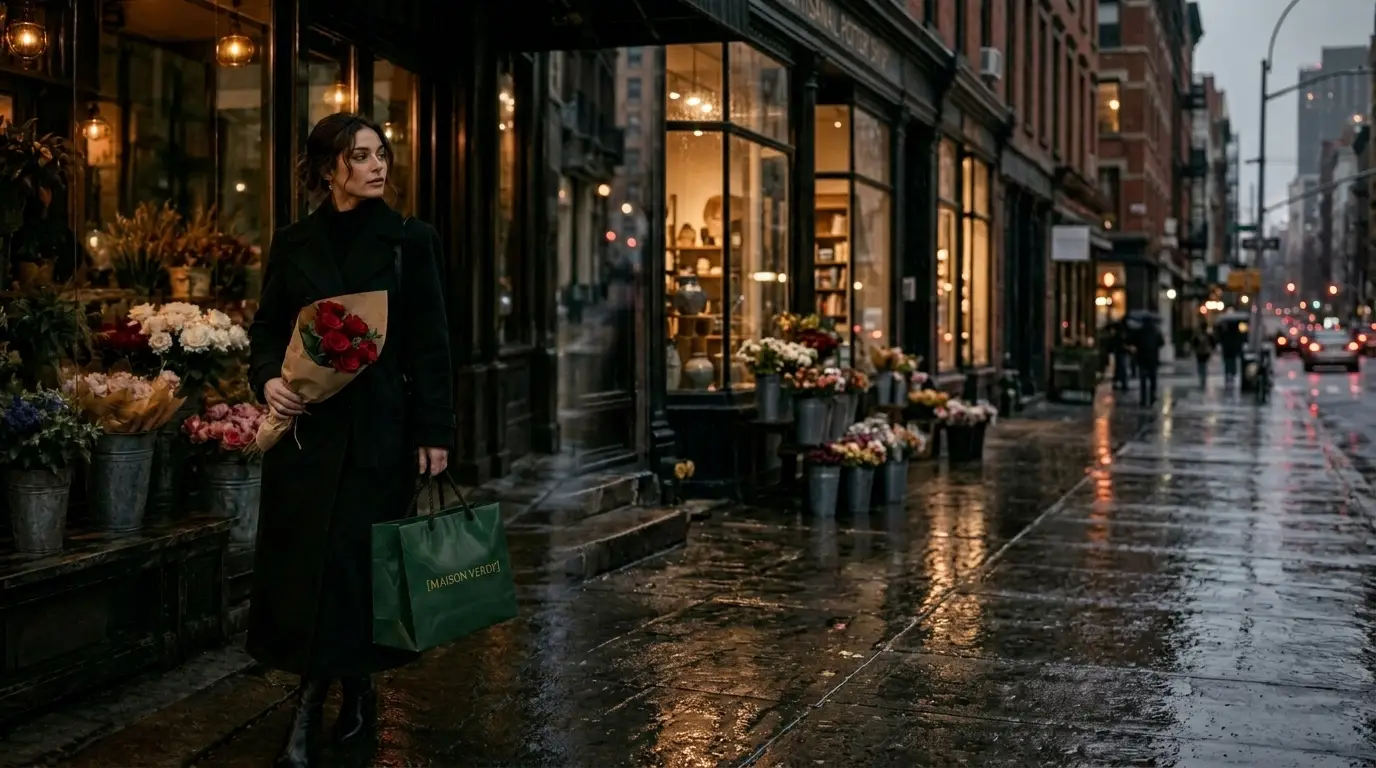
Extend the uploaded image into [a wide 16:9 cinematic crop]. Keep the woman, pose, outfit, shopping bag, flower shop, lighting, and overall rainy evening mood unchanged, but reposition the composition so [the woman stands on the left third of the frame]. Expand the scene naturally to the right with [more rainy New York storefronts, wet pavement reflections, warm window lights, flower buckets, and soft city bokeh], leaving generous open space on the right side. Match the same 35mm street photography look, depth of field, color temperature, and moody SoHo atmosphere. Keep the result feeling like a natural wider version of the original image.
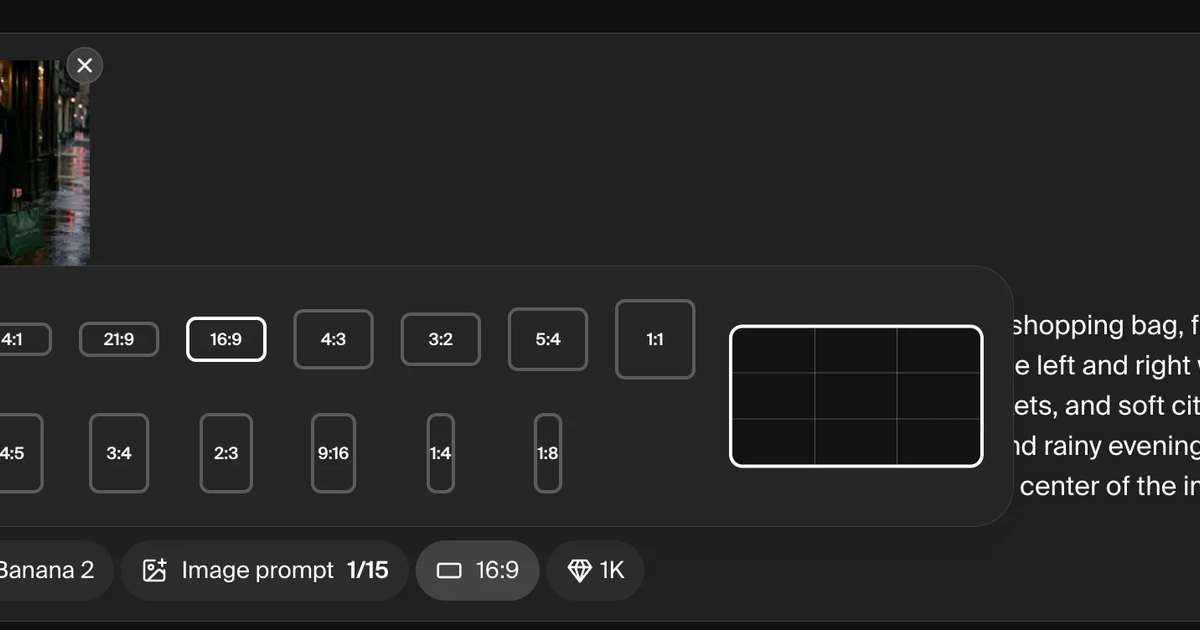
Tip: In Krea, set the aspect ratio manually before generating or editing. The aspect ratio setting can override what you write in the prompt, so switch it to 16:9 first if you want a wide outpainted image.
24. Change Weather Prompt
For changing the mood of an outdoor photo with weather and atmosphere.
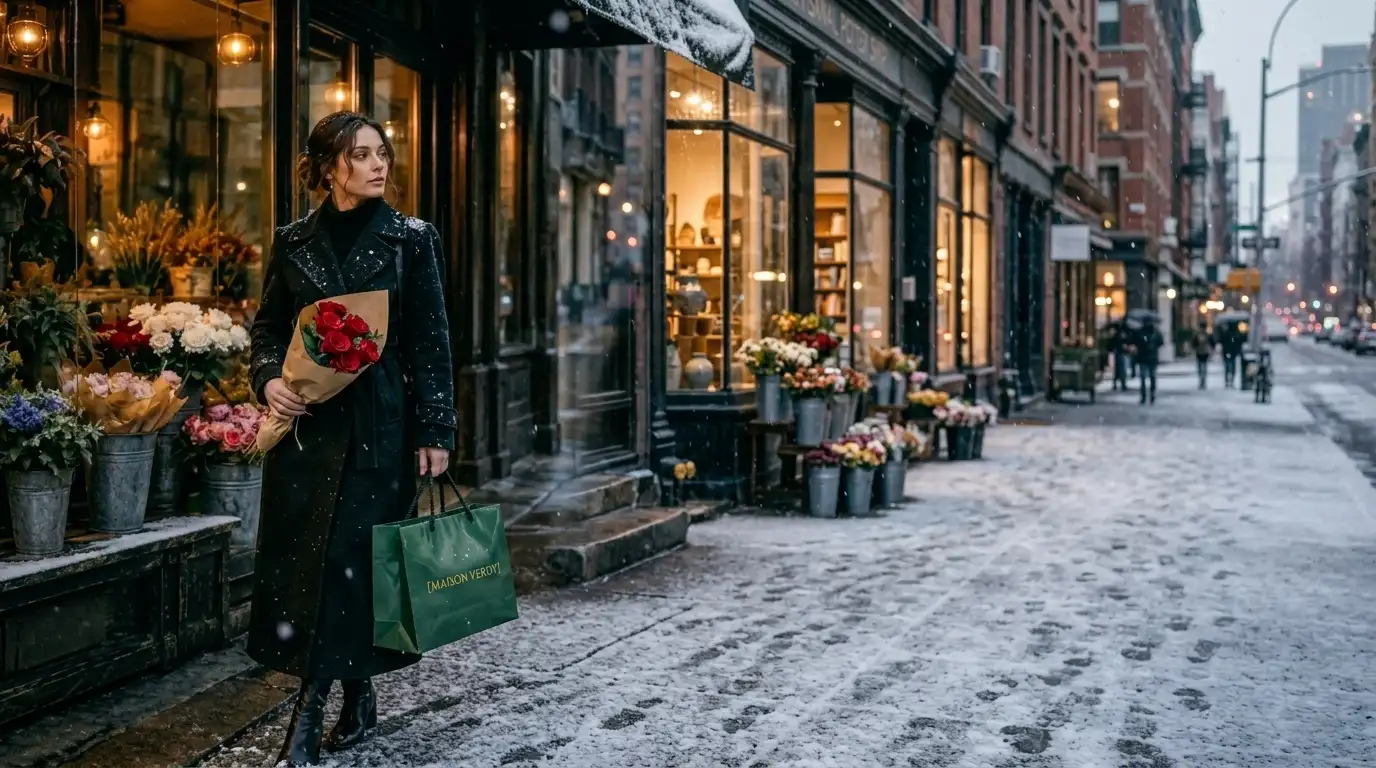
change the weather to [quiet winter snowfall]. Keep the woman, pose, outfit, shopping bag, flower shop, street layout, and camera angle the same. Replace the wet rain mood with [soft falling snow, a light dusting of snow on the pavement, flower buckets, awning, and coat shoulders], while keeping the warm shop lights glowing in the background. Shift the color mood to cool blue-gray winter tones with warm golden light from the storefront. Make the snow feel natural and atmospheric.
25. Change Color Prompt
For recoloring clothing, products, walls, cars, or props while preserving material detail.
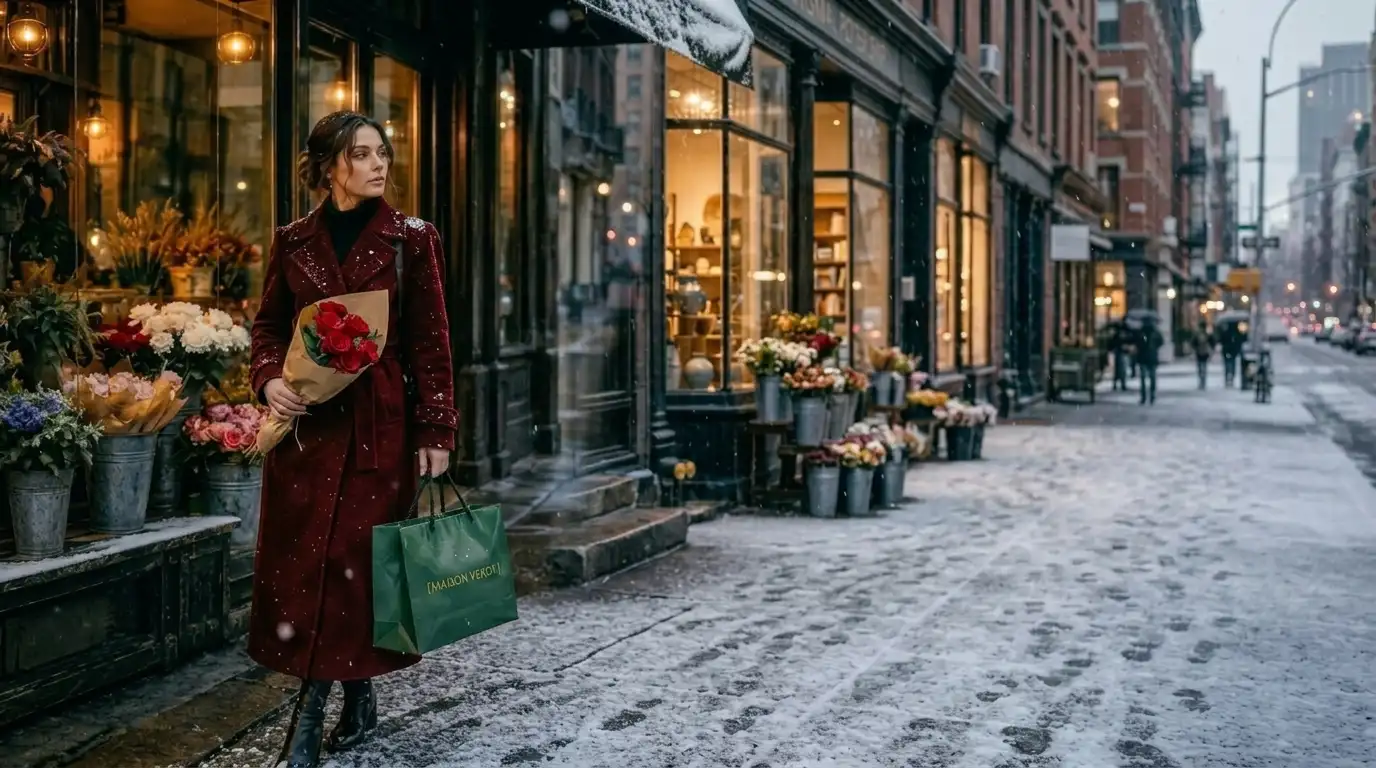
Edit the uploaded image and change [the woman’s black wool coat] to [deep oxblood red]. Keep the coat’s fabric texture, seams, buttons, folds, shadows, and fit exactly the same. Preserve the woman’s face, hair, pose, shopping bag, flower shop, street background, wet pavement, and camera angle. The new coat color should follow the original lighting naturally, with warm highlights from the shop window and cooler shadows from the rainy street. Avoid changing the coat style, smoothing the fabric, altering the face, or recoloring anything else in the image.
Style and Creative Nano Banana Prompts
26. Interior Design Prompt
For room mockups, renovation ideas, decor concepts, and interior moodboards.
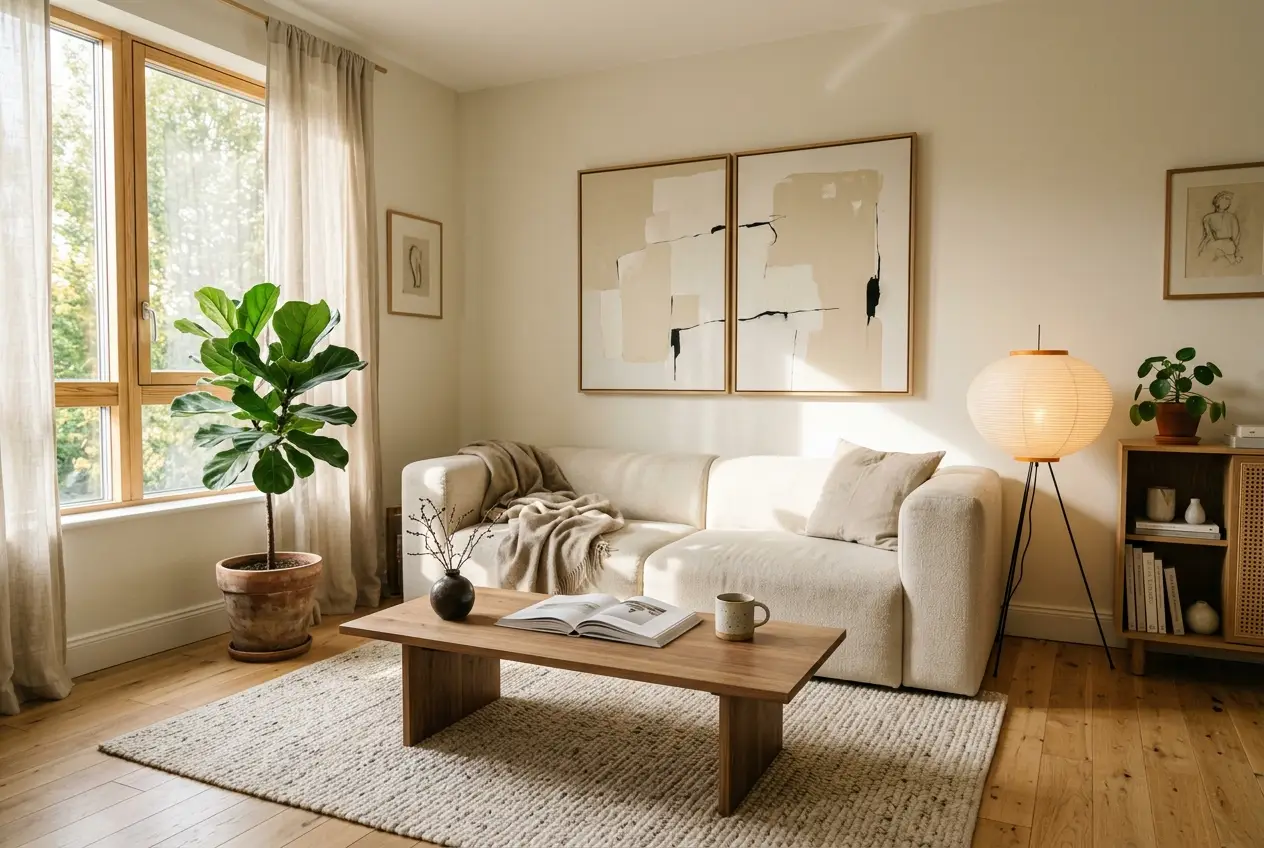
realistic interior design image of [a small apartment living room] in [warm Japandi style]. The room has [light oak flooring, a cream linen sofa, a low walnut coffee table, a paper floor lamp, a neutral wool rug, ceramic vases, and two indoor plants]. Use natural morning light from a large window on the left, soft shadows, realistic room proportions, and a calm editorial composition. Add small lived-in details like [an open art book, a folded throw blanket, and a handmade mug on the table]. Make the space feel quiet, balanced, and actually buildable.
27. Fashion Editorial Prompt
For fashion campaigns, lookbooks, outfit concepts, or editorial portraits.
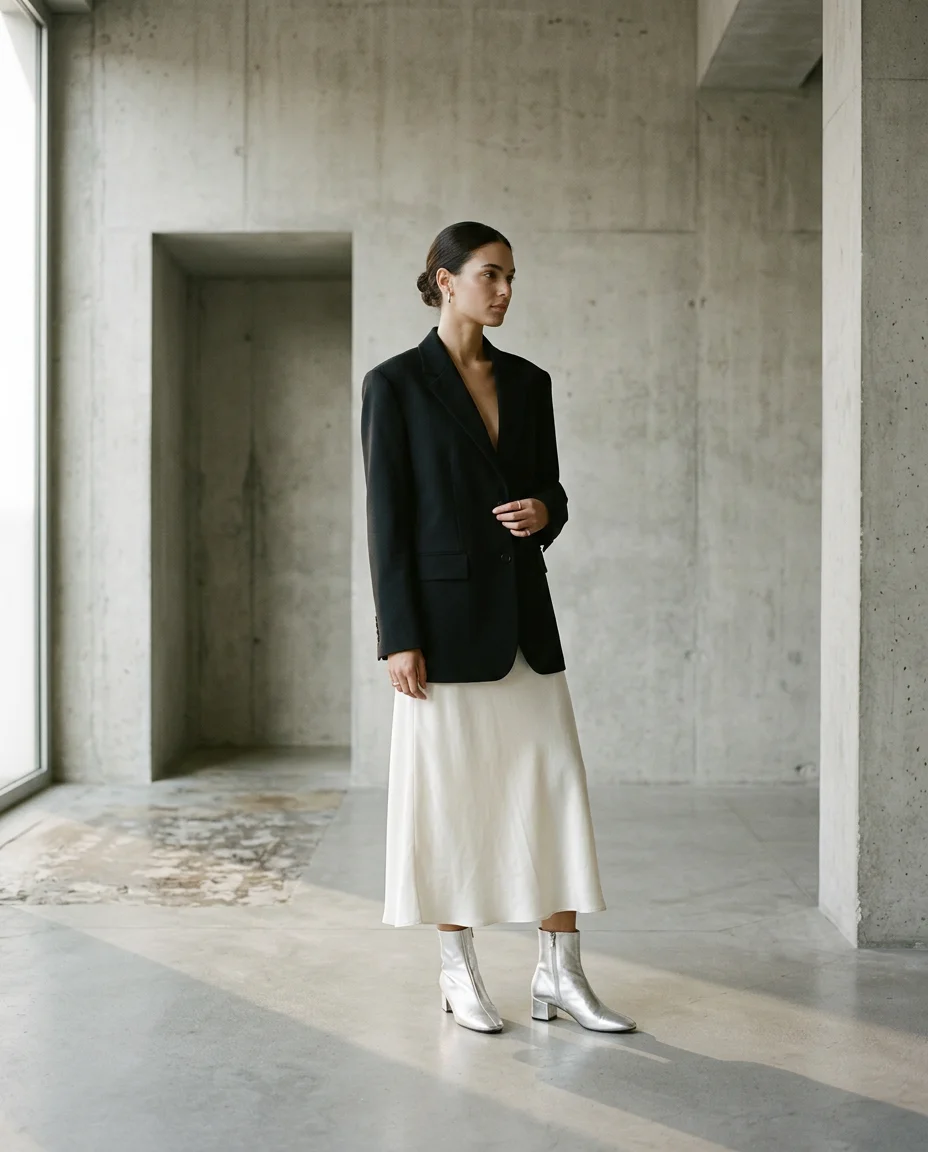
high-end fashion editorial image of [a model wearing an oversized black blazer, a white silk skirt, and silver ankle boots] inside [a minimalist concrete gallery]. Frame it as a vertical 4:5 full-body shot with elegant negative space. Use soft directional window light, long shadows, natural skin texture, crisp fabric detail, and a muted palette of charcoal, ivory, and silver. The pose should feel still, confident, and slightly distant, like a quiet luxury campaign in an independent fashion magazine. Keep the styling refined, architectural, and expensive-looking.
28. Food Photography Prompt
For restaurant images, recipes, menus, food ads, and social content.
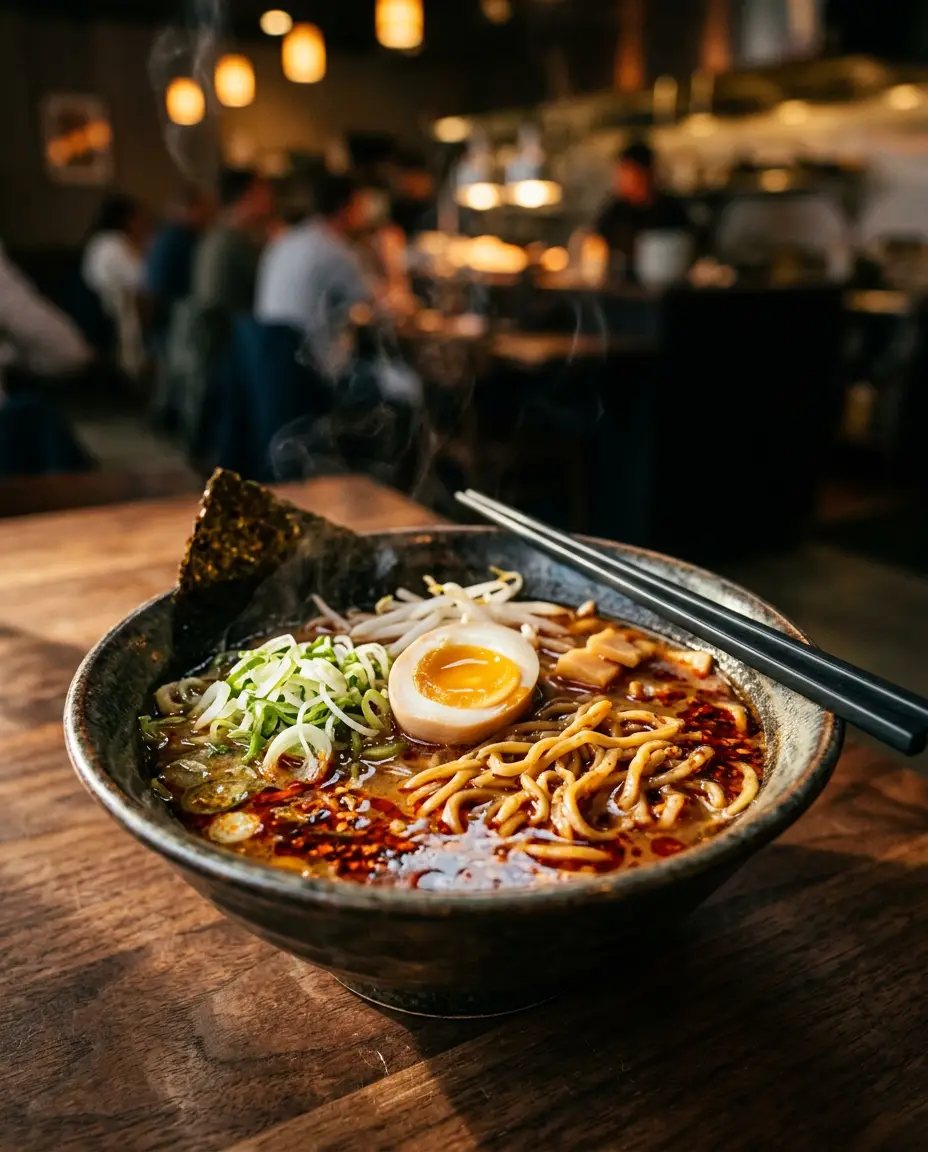
editorial food photograph of [a bowl of spicy miso ramen with soft-boiled egg, scallions, chili oil, nori, and glossy noodles] on [a dark walnut table]. Frame it as a close 4:5 vertical shot from a slight three-quarter angle. Use warm side light, shallow depth of field, visible steam, rich broth reflections, textured noodles, and tiny pools of red chili oil catching the light. Add [black chopsticks resting across the bowl] and a softly blurred restaurant background with amber highlights. The image should feel warm and deeply appetizing, like a feature photo in a modern food magazine.
29. Style Fusion Prompt
For combining two aesthetics into one coherent image.
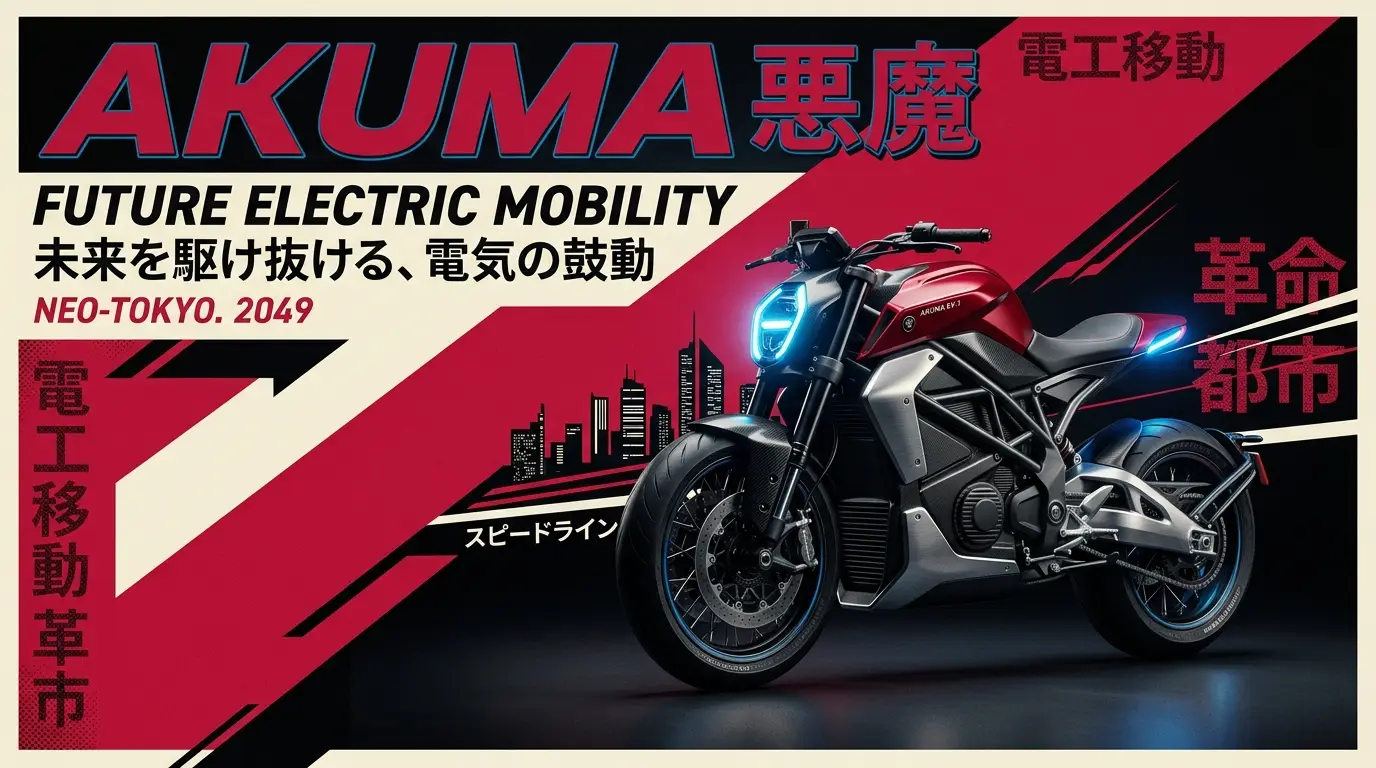
campaign image of [a futuristic electric motorcycle] that blends [retro 1980s Japanese poster design] with modern product photography. Keep the motorcycle physically realistic, with sharp studio lighting, premium reflections, rubber tire texture, brushed metal details, and a low heroic camera angle. Use the poster influence for bold color blocking, graphic shadows, nostalgic typography energy, and a palette of crimson, cream, black, and electric blue.
30. Multi-Image Blend Prompt
Use this when you want to combine separate references for subject, mood, and layout into one polished image.
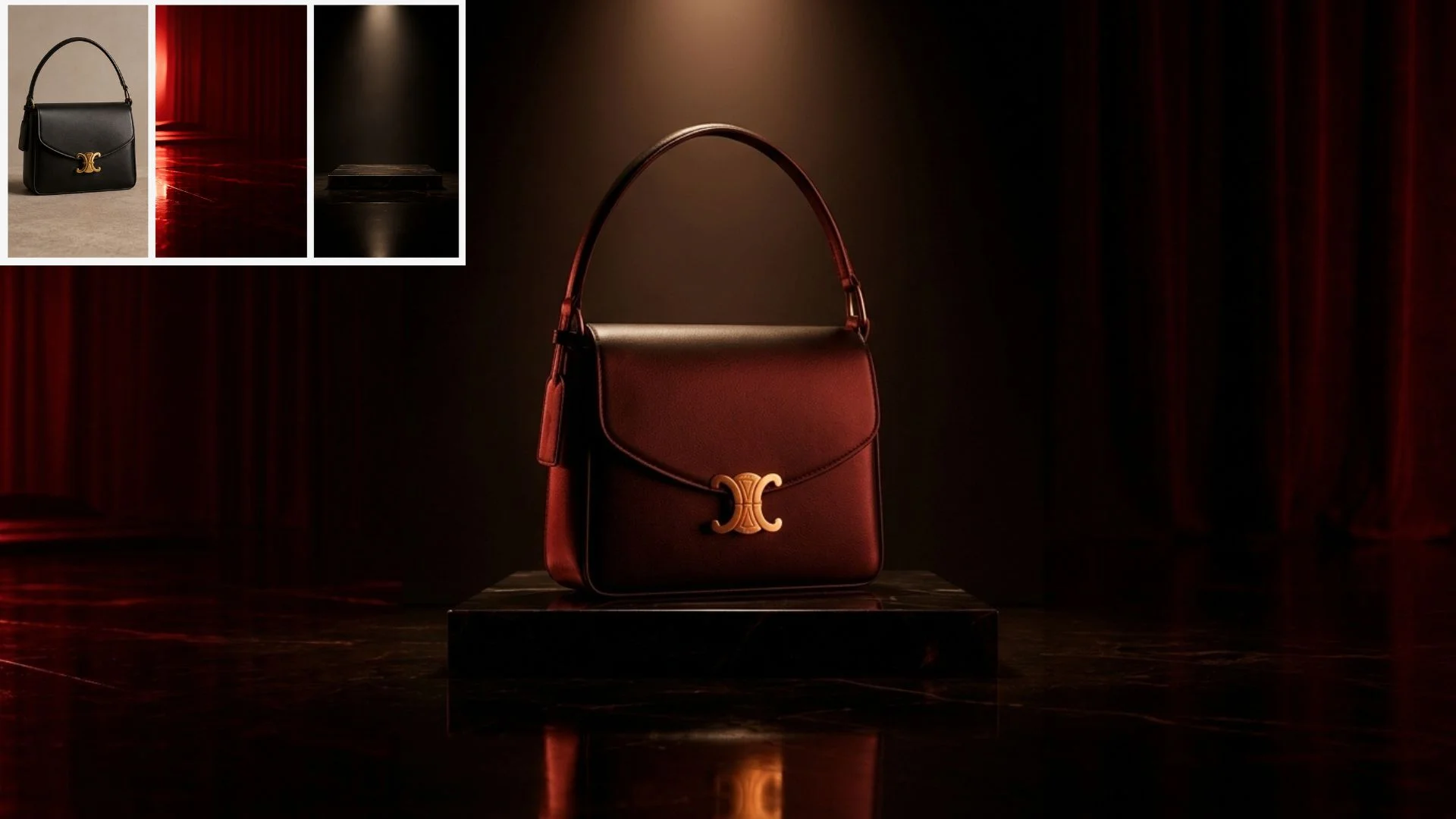
Use image 1 as the subject reference, image 2 as the lighting and color reference, and image 3 as the composition reference. Create a high-end campaign image that preserves [the black leather handbag from image 1], applies [the deep red cinematic lighting and glossy reflections from image 2], and follows [the low centered hero composition from image 3]. Place the handbag on a dark lacquered surface with subtle reflections, sculptural shadows, and a rich editorial color palette. The final image should feel cohesive, expensive, and art-directed, like a luxury accessories campaign.
31. Infographic Prompt
For explaining a process, concept, comparison, or workflow visually.
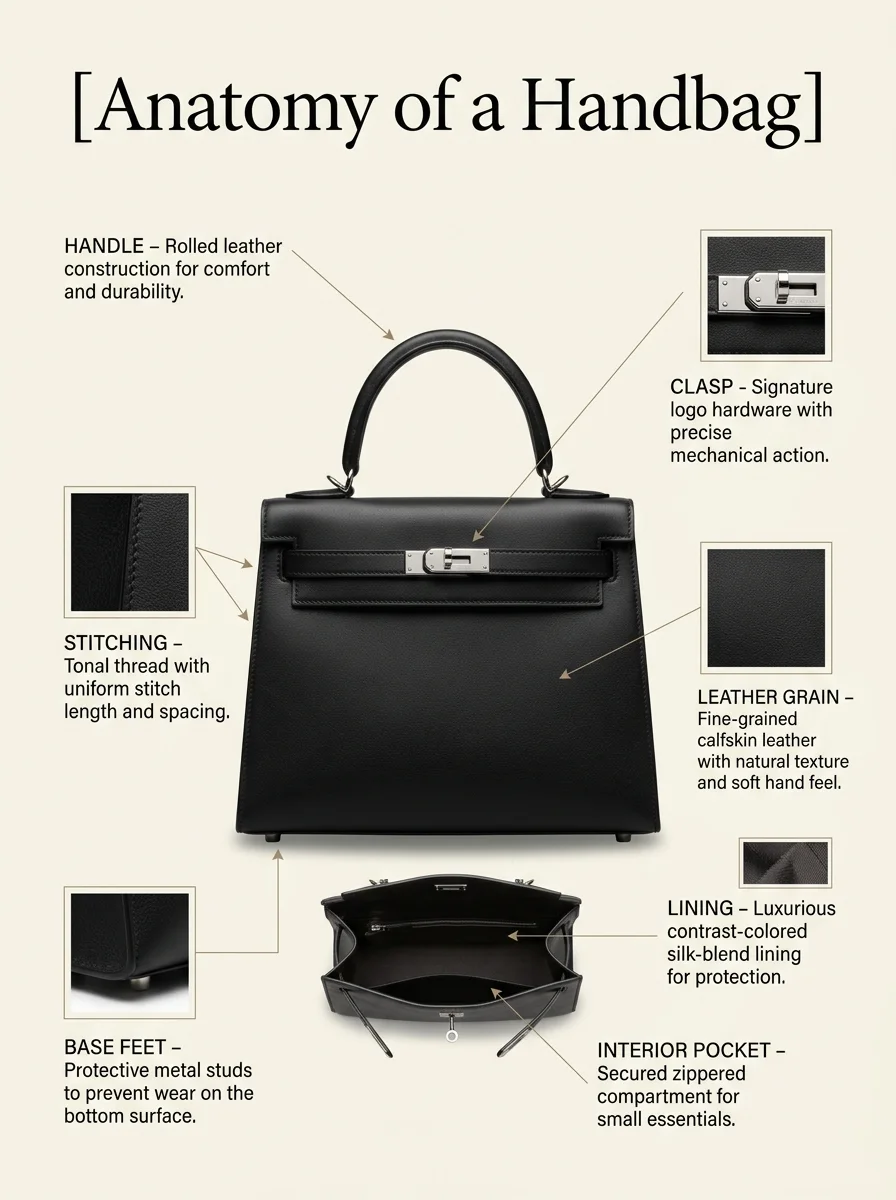
vertical infographic explaining [the anatomy of a luxury handbag]. Use a clean editorial layout with the title “[Anatomy of a Handbag]” at the top. Show [a black leather handbag] in the center with thin callout lines pointing to [the handle, clasp, stitching, leather grain, lining, base feet, and interior pocket]. Use elegant serif typography, warm ivory background, subtle shadows, small material close-ups, and a refined fashion-magazine design style. Keep the text short, readable, and correctly spelled. The final image should feel premium, minimal, and educational.
32. Storyboard Prompt
For turning a video idea, ad sequence, or narrative concept into panels.
Create a 6-panel storyboard for [a 15-second fragrance campaign video]. Panel 1: [a glass perfume bottle sitting on a marble sink at dawn]. Panel 2: [a hand sprays the fragrance into warm morning light]. Panel 3: [orange peel, white flowers, and mist drift through the air in slow motion]. Panel 4: [a model in a cream silk shirt walks past a sunlit window]. Panel 5: [the perfume bottle appears again with soft reflections and floating petals]. Panel 6: [a clean final product shot of the perfume bottle on marble with warm light and soft shadows]. Use cinematic framing, consistent warm color grading, elegant pacing, and a luxury beauty campaign mood. Keep each panel visually distinct but part of the same story.
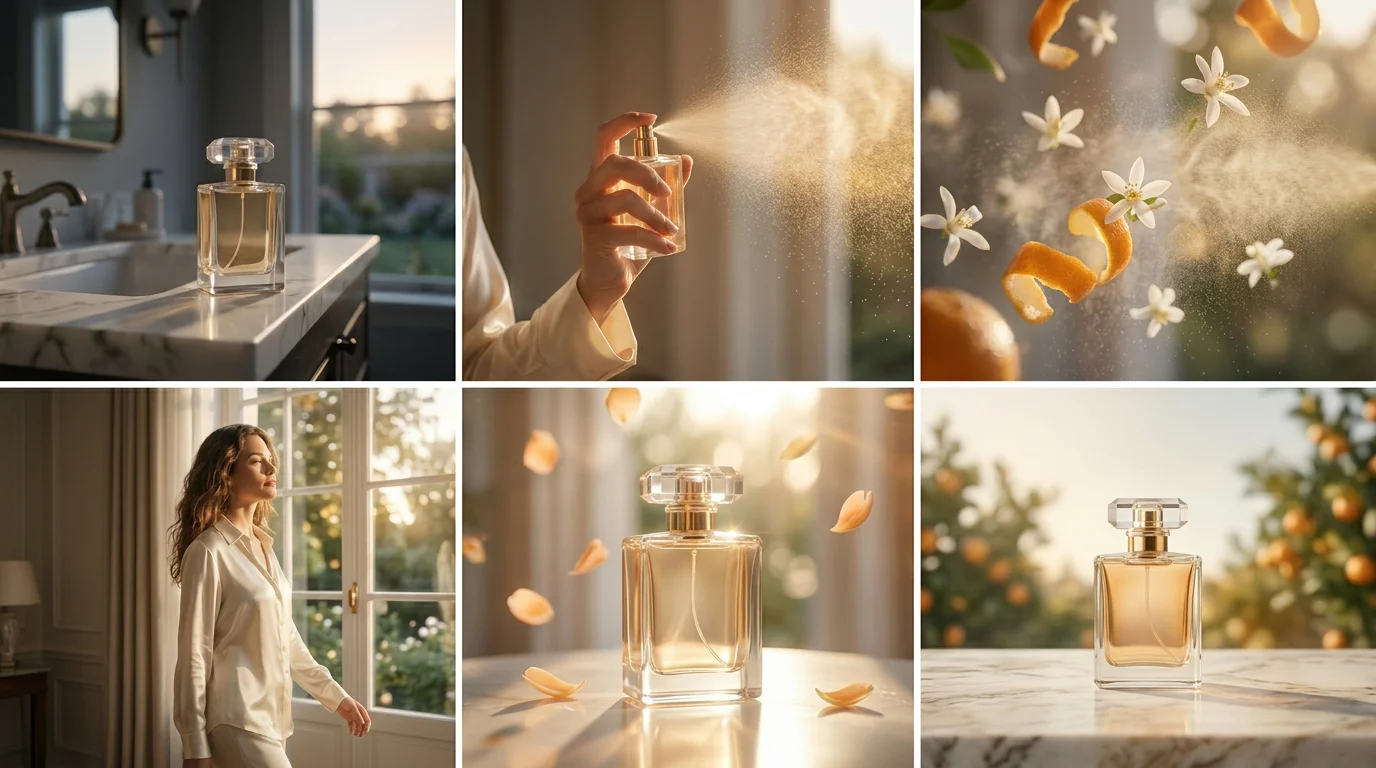
Tip: Once you have a storyboard like this, you can use it as an image reference for video models like Seedance to quickly turn the concept into an early video draft. This is especially useful for fast creative concepting and mood exploration.
How to Best Use Nano Banana
Krea gives you access to Nano Banana models inside a broader creative suite, so you can test prompts, compare generations, edit images, upload references, and try other models without jumping between tools.
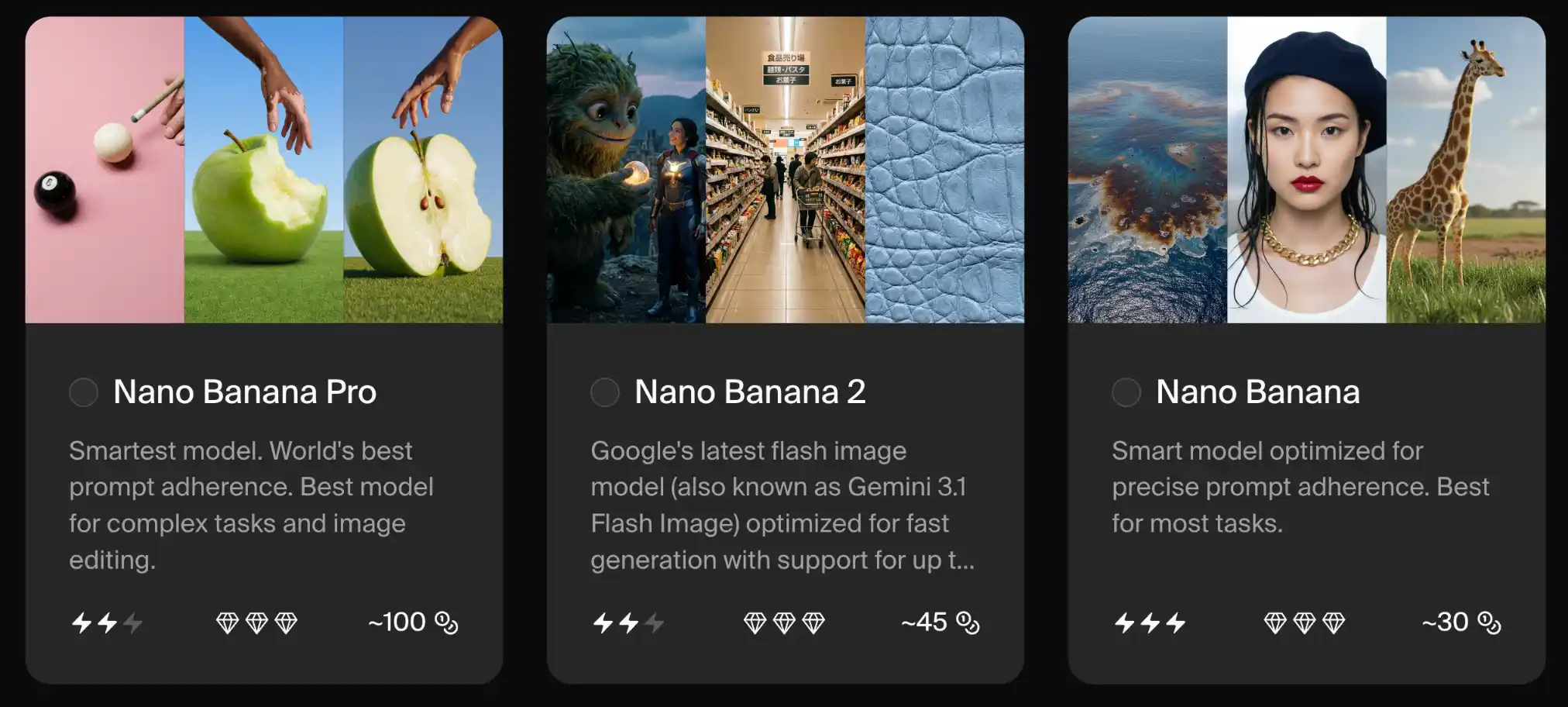
1. Choose the right model: Nano Banana, Nano Banana 2, Nano Banana Pro
Start with Nano Banana 2 for most experiments. It is a good default for prompt testing, image edits, character consistency, and fast variations.
Switch to Nano Banana Pro when you need higher prompt adherence, stronger text rendering, more complex reference handling, or a more polished final image.
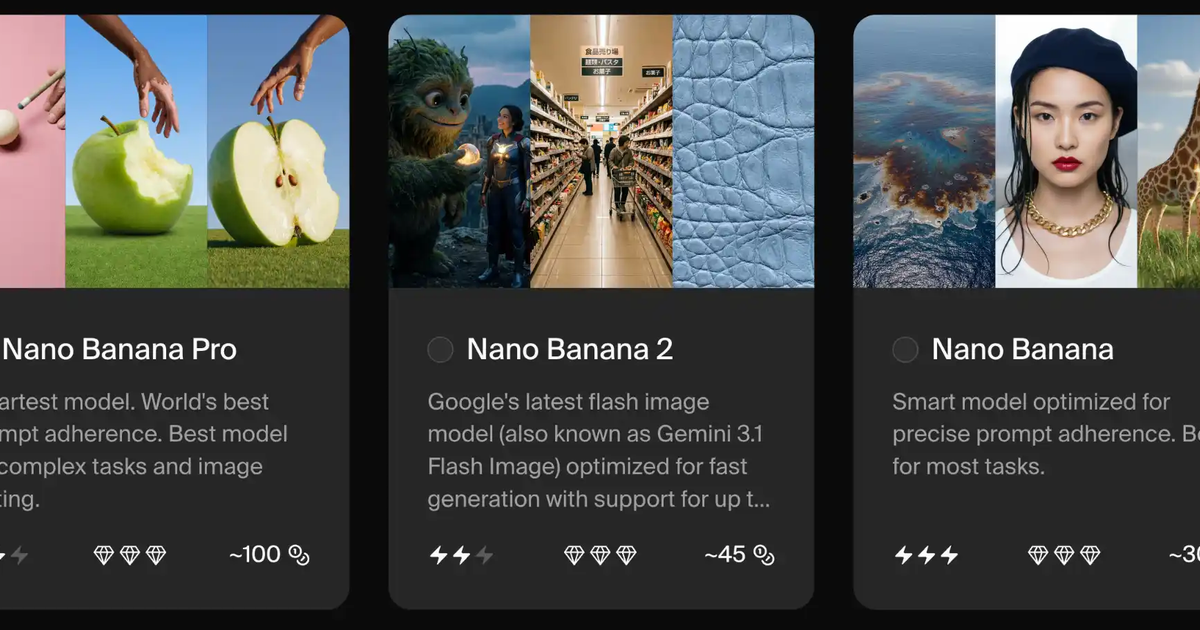
In Krea, the model picker shows:
- Nano Banana: around 30 compute units
- Nano Banana 2: around 45 compute units
- Nano Banana Pro: around 100 compute units
That means a few casual Pro generations can burn through credits quickly. Krea’s docs also list Nano Banana Pro at about 100 credits per generation, while Nano Banana 2 is about 50 credits per generation. Krea’s API docs list Nano Banana Pro at 60.1 compute units for 1K/2K and 120 for 4K, while Nano Banana 2 is 34.4 for 1K, 57.8 for 2K, and 86.5 for 4K. So the best workflow is to test the idea with Nano Banana or Nano Banana 2, generate a few variations and refine the prompt, and wwitch to Nano Banana Pro only when you need stronger prompt adherence, complex editing, or final-quality output.
2. Set the aspect ratio manually
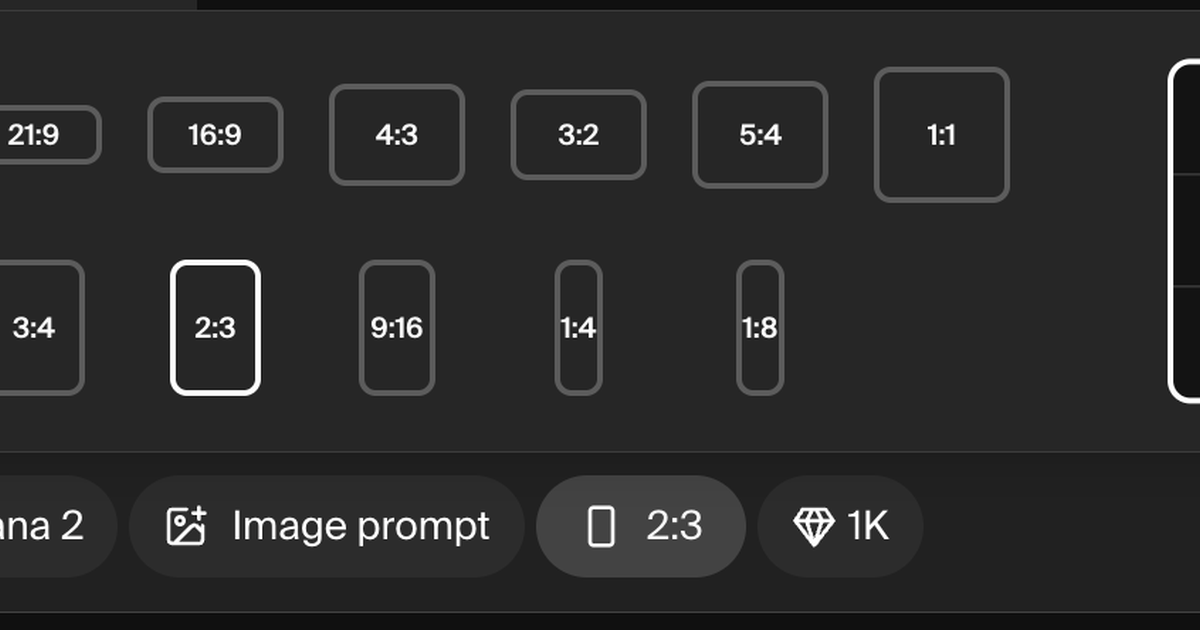
Before generating, check the aspect ratio setting. If you want a vertical portrait, choose 4:5 or 9:16. If you want a wide banner, choose 16:9.
This setting can override what you write in the prompt. If your prompt says “wide 16:9” but the tool is still set to square, you may still get a square image.
3. Start with a lower resolution
Use a lower resolution while testing. Once the prompt, composition, and style are working, increase the resolution for the final version.
This saves credits and keeps iteration faster.
4. Upload references when needed
For product accuracy, character consistency, headshots, or edits, upload a reference image. Then write the prompt around what should change and what should stay consistent.
For example: “Use the uploaded handbag as the product reference. Change the lighting and background, but keep the shape, logo, stitching, and material the same.”
5. Experiment with other models
Nano Banana is not always the best model for every image. Try the same prompt across different Krea models when you are exploring style.
Krea makes it extremely easy to browse different image models and even compare them in one place. You can browse models, run the same prompt across multiple options, and compare the results side by side before choosing the best one for your project.
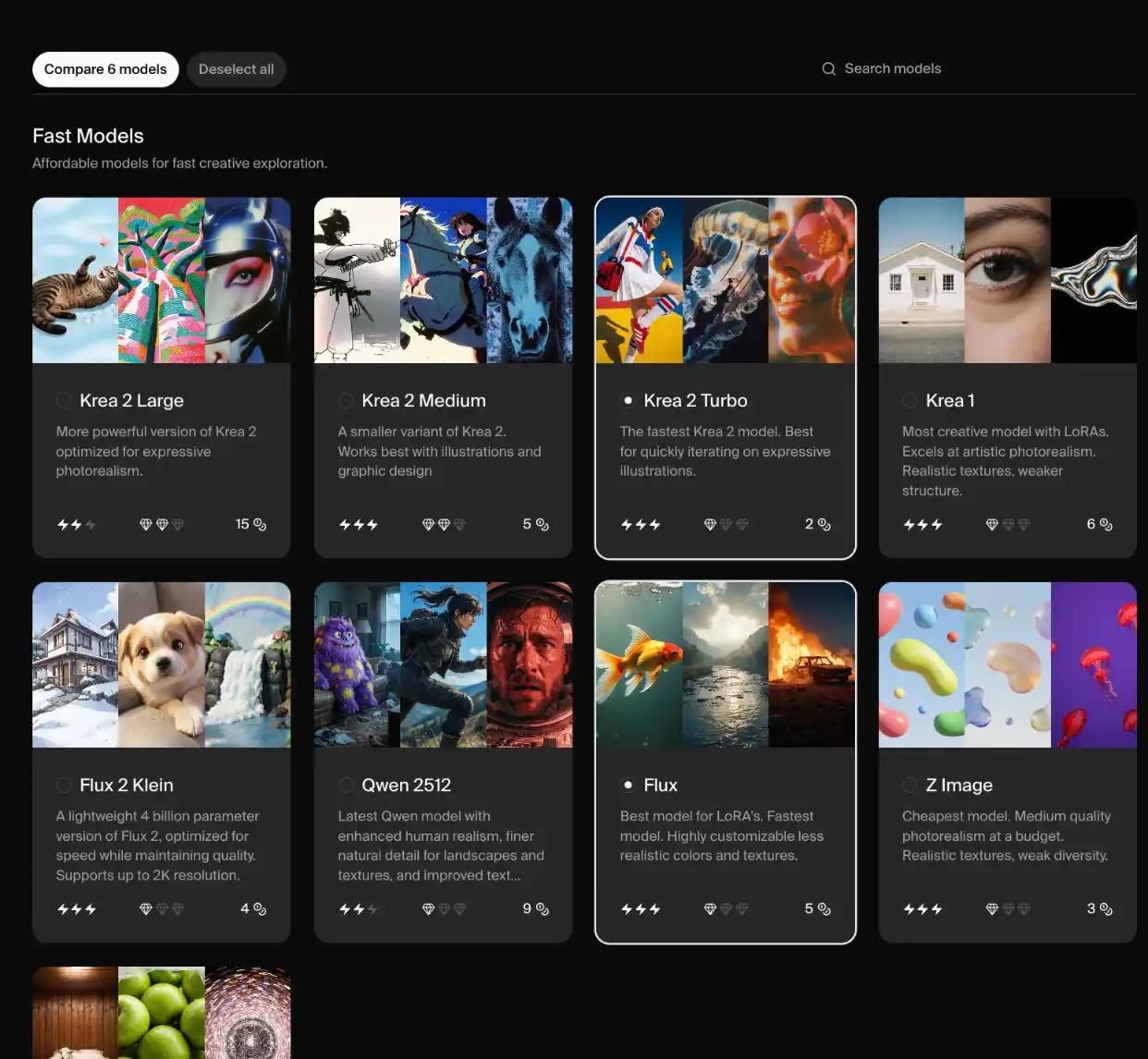
There is no single best model for every task. The right choice depends on what you are making, and the fastest way to decide is to see it in action. Explore our guides to other models like ChatGPT Image, Flux, and Recraft.
FAQ
Frequently asked questions
What are Nano Banana prompts?
What is the best Nano Banana prompt?
Can I copy and paste these Nano Banana prompts?
Do these prompts work with Nano Banana Pro?
Can Nano Banana edit existing images?
How do I make Nano Banana images look more realistic?
How do I keep a character consistent in Nano Banana?
What should I include in a Nano Banana product prompt?
Try Nano Banana prompts in Krea
Generate, edit, and compare Nano Banana outputs with references, multiple models, and creative tools in one place.
Try Krea Image