Krea, Midjourney, and Adobe Firefly rank as the strongest all-around AI image generators in 2026, each suited to a different workflow: Krea for real-time, all-in-one iteration, Midjourney for artistic quality, and Firefly for commercial-safe output. The eight picks below cover real-time workflow, artistic style, commercial safety, prompt adherence, design integration, typography, character consistency, and open-source control.
Creating compelling visuals is challenging enough. You go through way too many iterations to get what you want. You don’t have enough time to sketch, refine, or hit your composition and style targets. You read endless design software guides to make sure your images look professional. And even if you nail all of these things, if you don’t have access to stock libraries or illustrators, your perfect concept will be riddled with generic placeholders or hours of manual editing.
So should you give up and hire a designer? Not yet: AI image generators can deliver impressive results. These creative AI tools have been picking up on quality, realism, and controls, helping you create natural, high-fidelity visuals from text without even having to open Photoshop or hire an artist.
I spent a few weeks testing all the AI image generator tools I could get my hands on, and based on my experiences with them, these are the eight best.
The best creative AI image generators
- Krea for real-time creative exploration and all-in-one image workflow
- Midjourney for unmatched artistic quality and cinematic style
- Adobe Firefly for commercial safety and professional integration
- OpenAI Image Generation for prompt adherence and all-around versatility
- Canva Magic Media / Dream Lab for seamless design workflows in Canva
- Ideogram for text-in-image and design precision
- Leonardo AI for customization, consistency, and game assets
- Stability AI (Flux / Stable Diffusion) for open-source flexibility and full control
What makes the best creative AI image generator?
How we evaluate and test tools
Our best tools roundups are written by humans who’ve spent much of their careers using, testing, and writing about software. Unless explicitly stated, we spend dozens of hours researching and testing tools, using each as it’s intended to be used and evaluating it against the criteria we set for the category.
The best creative AI image generators are pretty easy to spot: the generated visuals look natural and realistic, almost (almost!) as if a skilled artist created them by hand.
Beyond this intuitive check, each platform offers a range of settings that help you steer the generation, such as aspect ratio, style references, inpainting, or upscaling. And if you’re planning to go full AI workflow, you can learn advanced prompting techniques and mark how each element should be performed with the highest level of control. Don’t overdo these, though: it can reduce the quality and realism of the output.
With that in mind, here’s what we looked for as we were testing the best creative AI image generators:
- Quality and fidelity. These text-to-image tools offer realistic or stylized output, with variations, natural details, and adequate composition balance.
- Available controls. Prompt following, style references, editing tools, upscaling, and consistency features will let you tune the generation to your needs.
- Output resolution. We looked for the highest export quality possible, so you can use these images in any project.
- Style and model library. Multiple models and styles can fit a wider range of projects—including photorealism, illustrations, or 3D—so you can have greater flexibility as you work.
- Extras. If any tool has any useful extra features for image creation, such as real-time canvas, consistency tools, or inpainting, we took that into consideration.
We also went a little further. Before becoming analysts, several of us worked in design and creative fields. We used that experience to judge these images based on additional parameters:
- Composition flow. Humans make variations in layout and focus, which is useful for adding emphasis or increasing engagement. Bad AI usually evens everything out, so we paid attention to the models that introduced the best variations.
- Style coherence. Style deals with the variations of aesthetic throughout elements. The worst AI models make everything predictable, robotic, and lifeless—many were excluded because of this.
- Creative performance. Some tools let you choose moody, vibrant, or cinematic renditions of the text. We excluded those that weren’t subtle, heavily over- or under-stylizing the prompt. Still, it’s hard for AI to give an accurate performance here, so if you need something nuanced, you might consider working with a professional illustrator.
We spent over three weeks signing up for every AI image generator we could find. We used the same prompts in every one of them to better home in on the differences. We tried the controls to gauge their power and see whether they’d help us improve the final result.
When judging the best creative AI image generator for your purposes, keep in mind that your audience will probably be paying attention to other details of your content as well. A few imperfections here and there are completely forgivable. With all this in mind, here are this year’s best picks.
Start creating in real time
Sketch on the Krea canvas and watch your image render as you draw.
Open the canvasThe best creative AI image generators at a glance
| Tool | Best for | Pricing |
|---|---|---|
| Krea | Real-time creative exploration and all-in-one image workflow | Free tier; paid from ~$5/month |
| Midjourney | Unmatched artistic quality and cinematic style | From $10/month |
| Adobe Firefly | Commercial safety and professional integration | Free limited; paid from $9.99/month |
| OpenAI Image Generation | Prompt adherence and all-around versatility | Included in ChatGPT web |
| Canva Magic Media / Dream Lab | Seamless design workflows | Included in Canva plans with AI allowances |
| Ideogram | Text-in-image and design precision | Free tier; paid from $20/month |
| Leonardo AI | Customization, consistency, and game assets | Free daily credits; paid from $12/month |
| Stability AI (Flux/SD) | Open-source flexibility and full control | Free (self-hosted); API/pay-per-use |
Best creative AI image generator for real-time creative exploration and all-in-one image workflow
Krea
Krea pros:
- Real-time canvas feedback and blazing speed
- All-in-one with multiple models and moodboards
Krea cons:
- Compute billing can be hard to understand
- Less straight-forward for simple text-to-image for absolute beginners
Scrolling through hundreds of preset styles and still can’t find one that fits your vision perfectly? Most platforms give you plenty of options, but sometimes you need visuals you’ve never seen before, unique and impactful. Krea lets you design exactly that from scratch using real-time sketching and prompts.
Describing a scene in words feels impossible at first. Krea has a clever shortcut: open the canvas tool, sketch roughly, and watch it render instantly. From there, choosing a reference or moodboard feels like the most powerful setting here: switch styles, and you’re completely shifting the aesthetic. Then, finish by layering descriptors to fine-tune details.
Once you’ve designed your custom concepts, create a project, paste your refined prompt, pick your model, and generate. You can control the performance with live adjustments, in addition to the post-edit controls. This has a learning curve and unpredictable results, but can yield more nuanced visuals as you gain experience.
Beyond image generation, Krea has something no other platform offers: seamless real-time flow with video and enhance tools. Set up projects and you’ll see instant previews. These signals are fed as inputs into the generation engine, helping tune outputs to mirror your sketch and vibe.
Krea price: Free tier available; paid plans from ~$5/month for higher compute and full access.
Read more about Krea 2, Krea’s foundation image model, for the style-transfer system behind these results.
Best creative AI image generator for unmatched artistic quality and cinematic style
Midjourney
Midjourney pros:
- Life-like artistic depth and composition
- Large style range spanning multiple aesthetics
Midjourney cons:
- Occasional output inconsistencies, especially with complex text or physics
- Workflow is less integrated than a browser suite or design platform.
- Private work is limited to higher tiers.
Midjourney used its latest updates to expand the feature set from a simple, high-quality generator to a platform that can cover most of your artistic, editorial, and concept needs. This makes it a great pick if you’re looking to consolidate your image creation workflow into one powerful tool.
The platform is expanding fast; some entry points to interesting features can be a bit hidden. To start, you’ll find the core features front-and-center: instant generation for the typical text-to-image experience, along with remix tools, personalization, and style references. There’s upscaling, variations, and a deep community library of styles that you can use in these projects. Other features tucked away include character consistency, video extensions, or advanced parameter tuning.
When you click to start any of these, you’re taken to the generation interface. It changes slightly depending on what you’re doing: it always has the core controls for prompt strength, with stylization, weirdness, and variety (among others). For example, when creating series, you get reference image controls and slightly deeper multi-prompt settings; when remixing, you get a pane to see variations as you generate.
Beyond this rich toolset, the v8.1 model is an exciting addition, introducing HD images and blazing fast speeds 4-5x faster than previous models. You can add directions for lighting or mood to control the model’s performance, adding cinematic flair or subtle drama. This is only possible with the newest models from v7, so make sure you select it. As advertised, the results can vary a lot and require more prompt engineering, but the performance feels more alive when compared with previous versions.
The ribbon around this versatile feature set is the community and web app improvements. If you want to give a combination of shine and collaboration to your creative process, Midjourney can put its high-quality outputs in shared projects. There are deep controls for personalization so outputs match your taste, and workflows to set series frameworks.
For teams looking to automate further, Midjourney works well with external tools, connecting it to thousands of other apps you use at work and helping you weave AI image generation into broader production processes. For example, tools can take a finalized brief, send it to Midjourney to generate concepts, and upload the images to your drive.
Midjourney price: No broad free tier; plans from $10/month for basic access, up to $60/month for higher volume and features.
Best creative AI image generator for commercial safety and professional integration
Adobe Firefly (Web, Photoshop, Express)
Adobe Firefly pros:
- Commercial-safe outputs with licensed training
- Tight integration with Creative Cloud apps
Adobe Firefly cons:
- Quality sometimes generic compared to pure artistic leaders
When you need safe, brand-consistent visuals for client work, Adobe Firefly stands out. It offers strong controls to make sure you’re hitting all the right notes consistently.
How does this work? Open the editor, describe your concept. On the side, click style or reference tools. The options become selectable: adjust aspect, match uploaded references, or tweak safety filters. If you select a structure, you can adjust composition balance.
Pronunciation-style controls (for elements) live in the generation settings. There’s a learning curve and experimentation process around references, so make sure to explore the guides.
Adobe Firefly is the obvious choice for teams already living inside Creative Cloud. Adobe positions it as a commercially safe layer across Photoshop, Illustrator, Express, and other products, as it was trained on legally licensed content. The main appeal is not just image generation, but the fact that generated content can move into the rest of Adobe’s editing stack without friction.
With the commercially safe outputs, I did find it to be restrictive at times, failing to follow my instructions to generate images conditioned on other characters. It felt much like a corporate tool more than a creative tool with freedom.
Adobe Firefly price: Free limited credits; standalone from $9.99/month, included in Creative Cloud.
Best creative AI image generator for prompt adherence and all-around versatility
OpenAI Image Generation (via ChatGPT, Web)
OpenAI pros:
- Exceptional prompt understanding and conversational refinement
- Strong text and context-aware results
OpenAI cons:
- Rate limits on standard plans; occasional safety filters
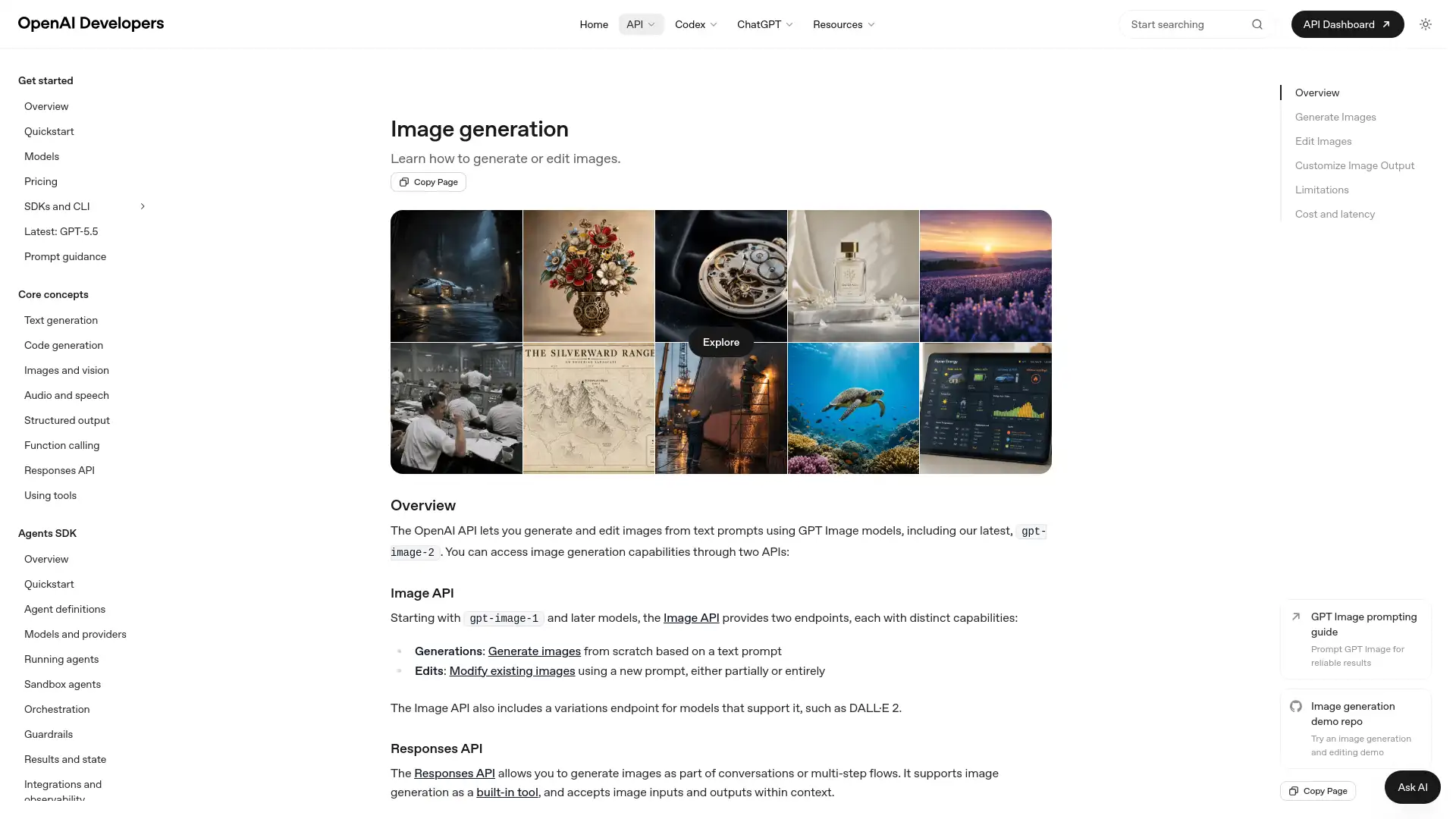
OpenAI’s image generation stack is a better fit when prompt precision matters more than a specific aesthetic. The docs emphasize instruction following, text rendering, and detailed editing. OpenAI also supports image generation through its API and the Responses API, which makes it relevant for product teams as well as individual creators.
The biggest practical strength is control. If the brief includes exact text, specific layout constraints, or a need to correct part of an image rather than regenerate the whole thing, OpenAI is one of the cleaner options. It also includes C2PA metadata and safety guardrails, which matters for teams that need a more documented image pipeline.
OpenAI’s image generation is often the easiest way to get started, and most widely adopted and accessible generation tool in the world. Anyone can simply go to the ChatGPT website and in the text input ask for a generated image. However, this free tier is heavily limited in speed, quality, and usage amounts. Before upgrading, I felt much lower quality than the paid tier. I often found myself leaving as it generated because it simply took so long, before coming back to check for my image later. It felt more like a one-off image generation tool than an actual creative image generation tool. After upgrading however, it was very useful for occasional image generations for brief prototyping or proof of concepts. Image edits must be steered with more prompts, there are no full-fledged image editing features built-in like inpainting.
OpenAI price: Included in ChatGPT free version with more usage starting at $8/month.
Best creative AI image generator for seamless design workflows
Canva Magic Media / Dream Lab (Web)
Canva pros:
- Instant integration into templates and brand kits
- Easy on-brand generation with editing
Canva cons:
- Lower raw artistic quality than dedicated tools
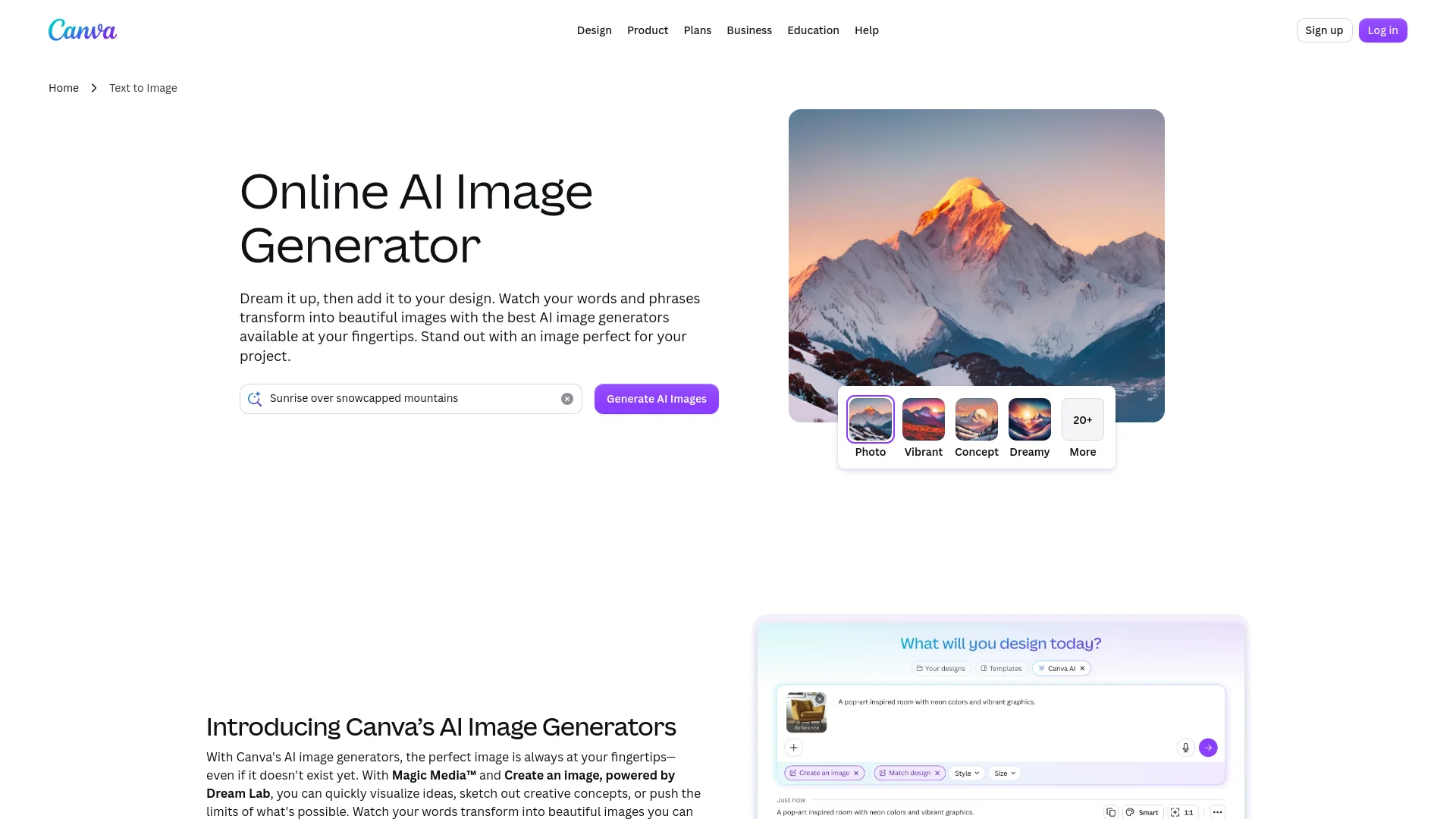
Canva makes sense when image generation is part of a larger marketing or design workflow. The generator lives inside the Canva editor, so images can go straight into decks, ads, social posts, and one-pagers without extra steps. Canva also supports multiple image-generating apps, including Magic Media, DALL·E by OpenAI, and Imagen by Google Cloud. To get started, Canva makes it very easy with their push towards their AI products. Directly inside the canvas you can type out what you want to generate and watch it appear in your canvas moments later.
This setup is most practical for teams already living in Canva. Canva also supports Magic Edit, Magic Expand, and other fill-style functions, which makes it better for quick production than for advanced model control. Its AI features use monthly allowances depending on plan, so it works best when image generation is one part of a broader suite rather than the whole job.
Canva price: Pro at $13/month with higher generation limits.
Best creative AI image generator for text-in-image and design precision
Ideogram (Web)
Ideogram pros:
- Revolutionary accurate text rendering in visuals
- Great for posters, logos, and graphics
Ideogram cons:
- Slightly narrower pure artistic range
Ideogram is the strongest pick for text inside images. Ideogram is often described as good at logos, posters, designs, realistic images, and text rendering. Ideogram 3.0 is also positioned around photorealism, prompt fidelity, and clear typography.
For poster work, event graphics, mock packaging, and social visuals that need readable words, Ideogram is often easier to use than more general generators. It also supports batch generation, private generations on paid tiers, character consistency, style reference, and background removal. The batch limit on Pro and Team goes up to 500 prompts at once, which is a concrete reason agencies and high-volume creators tend to look at it. One thing I found Ideogram exceptional for was producing product showcase images. I generated a visual ad for the perfume bottle on my desk and it looked extremely aesthetic and compelling with a strong aspect ratio and focal point control.
Ideogram price: Free limited; from $7-8/month.
Best creative AI image generator for customization, consistency, and game assets
Leonardo AI (Web)
Leonardo pros:
- Powerful canvas, custom models, and asset tools
- Strong character and texture consistency
Leonardo cons:
- Credits can burn on advanced features
Built specifically for game developers and marketers, Leonardo AI is a full design suite with the tools to create consistent images. It offers deep creative control over text-to-image generation, custom model training, and AI video creation.
The public image generator page offers a free entry point and points users toward higher-resolution and advanced features on paid plans. Leonardo specializes in offering their proprietary foundation models like Phoenix and Lucid Origin and also provides the option to train your custom models to maintain brand and character consistency. Precise control over the characters I generated such as their facial expressions made it very strong for producing consistent and realistic characters.
Leonardo price: Generous free daily; from $10/month.
Best creative AI image generator for open-source flexibility and full control
Stability AI (Flux / Stable Diffusion platforms)
Stability pros:
- Unlimited local/self-hosted options and massive customization
- Flux excels in photorealism and adherence
Stability cons:
- Setup barrier for non-technical users
Stability AI is a strong option in this list because of the Stable Diffusion ecosystem and the control it gives developers and advanced users. This is the tool family to consider when open-weight access, customization, and self-hosted workflows matter more than a polished consumer interface. Stability frames its models as part of a large open ecosystem, and its research work has focused on making diffusion faster and more practical.
Stability is useful for teams building their own pipelines, not for people who want the prettiest web app. If the job is a local workflow, a custom fine-tune, or an internal image system, this is the more relevant option. If the job is quick marketing visuals in a browser, it is usually more tool than needed.
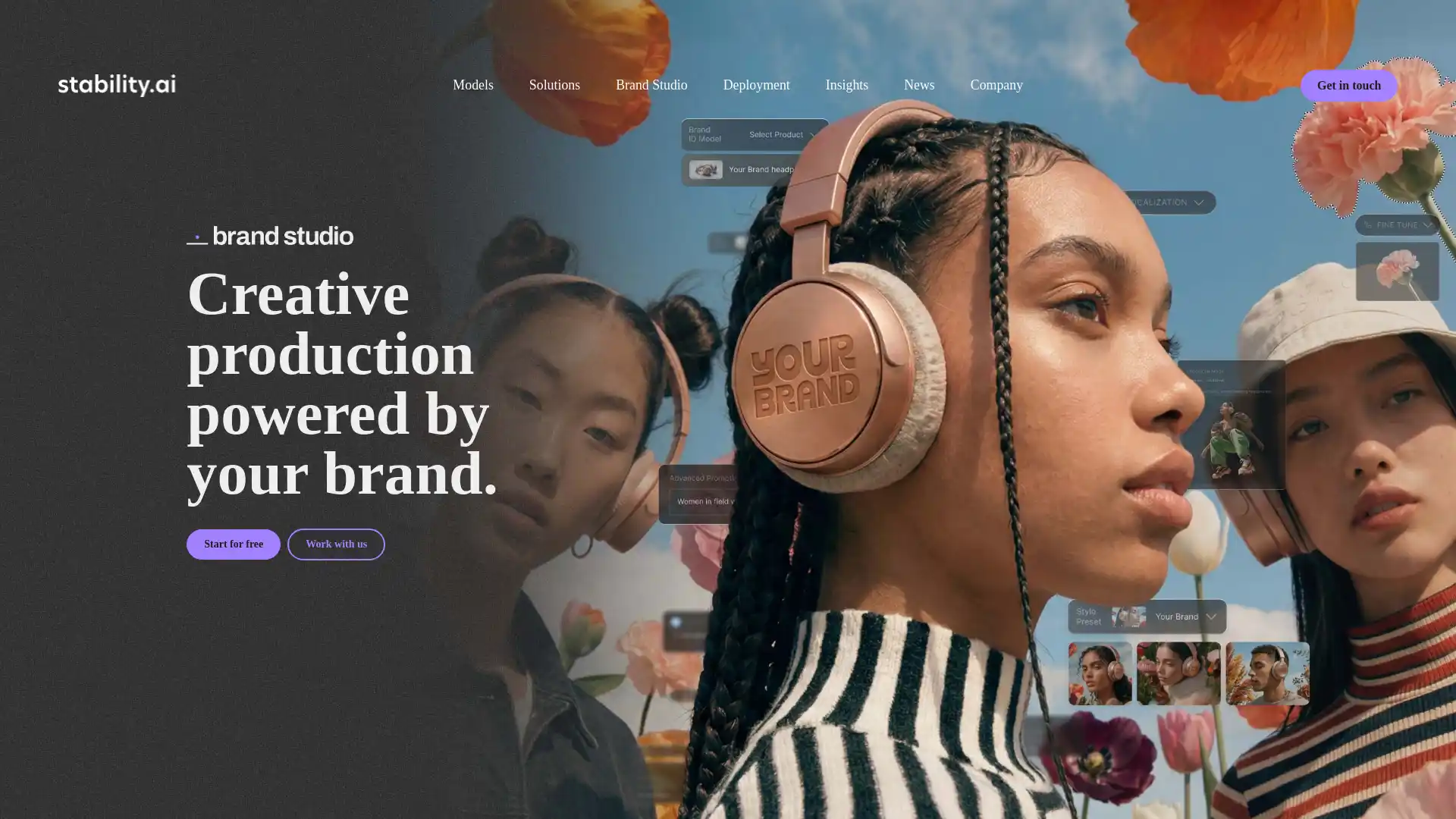
Stability on the web can feel hard to use and get started with for some. For one, in order to get started for free, you have to click twice from their home page to be redirected to the brand studio page before finally landing on the login page. It feels very much more of a corporate tool for businesses than creatives tinkering by themselves. For most users, the hassle of setting up GPUs and inference systems locally is more common.
Stability price: Free for self-host; API flexible.
Which Tool Is Best For Your Workflow
The right tool depends on what the image has to do after it is generated.
- Pick Krea if you want one browser tool for generation, editing, upscaling, and fast reference-based iteration.
- Pick Midjourney if you want the strongest stylized output and do not need a full workflow suite.
- Pick Adobe Firefly if your work lives in Photoshop, Illustrator, or Express and commercial workflow matters.
- Pick OpenAI if the brief needs strict prompt following, readable text, or API access.
- Pick Canva if you make marketing assets and want generation inside a design editor.
- Pick Ideogram if typography is the most important part of the image.
- Pick Leonardo AI if you want a broad feature set and a more experimental setup.
- Pick Stability AI if you need open-weight control or a self-hosted path.
For most people comparing tools in 2026 — including anyone switching after Reve’s 2026 shutdown — the best way is to choose 2 or 3 top contenders for your workflow and then actually go test some prompts and editing. Thankfully, most of these options all have a free tier for some experimentation. It is most important to find the tool that works for you and your prioritizations, whether it’s strong image editing, upscaling, artistic style, text, or anything else.
FAQ
Frequently asked questions
Which AI is best for creative image creation?
Are AI-generated images legal for commercial use?
What AI is better than ChatGPT for image creation?
Do these tools replace a designer?
How does Krea compare to Midjourney and Adobe Firefly?
Try AI image generation in Krea
Generate, edit, upscale, and iterate on images in real time with multiple models in one place.
Try Krea Image