Kling 3.0 is Kuaishou’s video generation model. It renders a written prompt as a finished clip with synchronised audio, and it is the one model in Krea’s Kling family you can direct shot by shot: hand it a list of timed prompt segments and it cuts a single continuous take through each beat in order. Clips run 3 to 15 seconds in three quality modes, std, pro and 4k. A five second std clip costs about $0.88, and turning audio on at 4k costs nothing extra.
We ran the API ourselves to benchmark it. Every price and generation time below is measured, and every clip on this page came out of the exact call printed beside it.
Key takeaways
- Kling 3.0 returns a job id you poll until it reads
completed, which took under about two minutes for every clip on this page. multi_promptis the feature the parameter list buries: up to 15 seconds of timed beats, each with its own prompt of up to 512 characters, rendered as one continuous shot.- Quality is set by
mode, not a resolution field: std at $0.1764 per second, pro at $0.2352, 4k at $0.441. - Audio adds exactly 50% to the rate on std and pro, but 4k costs $0.441 per second with audio or without, so at 4k you turn it on for free.
- Kling 3.0 takes a start frame and an end frame but no reference images. Identity work through references belongs to Kling o1, a different endpoint.
Nothing on this page is stock, and nothing was edited after generation.
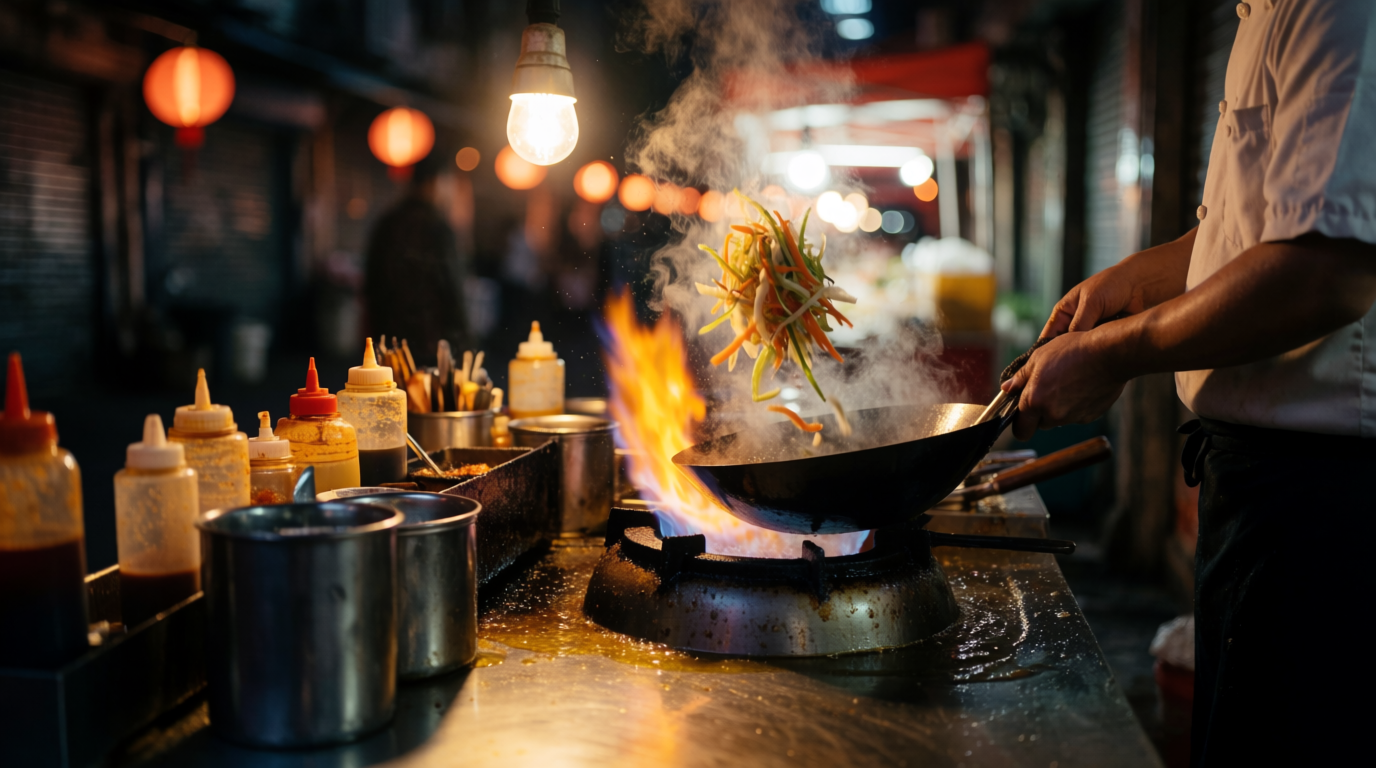
The still was generated with Krea 2, Krea’s own image model, and Kling 3.0 animated it from that single frame with the audio generated in the same pass.
Image, Krea 2: a night market wok station from across the counter, a cook tossing vegetables in a carbon steel wok over a roaring gas flame, steam and oil vapour lit by a single hanging bulb, stainless counter crowded with sauce bottles, dark alley bokeh behind, photorealistic, shallow depth of field.

Video, Kling 3.0: the cook tosses the wok twice, flame flares up the side, steam rolls toward camera, ladle taps the rim, handheld close shot. Audio: the roar of the burner, oil sizzle, the clank of the ladle.
Call Kling 3.0 from your code
The API reference has the endpoint, per-second pricing, and a request ready to copy.
Open API docsWhat Kling 3.0 generates
Kling 3.0 turns a prompt into video with optional synchronised sound, from three seconds to fifteen, in 16:9 or 9:16. It accepts a starting frame, an ending frame, or both, so image to video and frame to frame interpolation are the same endpoint as text to video.
What it does not accept is reference media. There is no reference image field on this endpoint at all, so a recurring character or product has to arrive through start_image or stay in the prompt. If reference-driven identity is the job, Krea exposes Kling o1 for exactly that, and the last section before pricing compares the two.
Kuaishou released Kling 3.0 in February 2026 and describes it as a unified multimodal architecture built for multi-shot storytelling, with native audio and lip sync across several languages. The multi-shot part is not marketing: it is a request field here, and it is the best reason to pick this endpoint.
Get an API key
Create a token at krea.ai/settings/api-tokens. Token creation is limited to workspace owners and admins, so a missing button means a missing role, not a missing feature.
The API bills a dedicated USD balance, separate from any Krea subscription, funded at krea.ai/app/api with presets from $10 to $100 or any custom amount from $5 to $10,000. Two billing behaviours are worth knowing before the first test: an empty balance fails new submissions with a 402 while jobs already running finish normally, and failed or cancelled jobs are never billed, so a rejected generation costs the wait and nothing else.
The Kling 3.0 endpoint
POST https://api.krea.ai/generate/video/kling/kling-3.0
Authorization: Bearer <your key>
prompt is the only required field, capped at 2,500 characters. The response is a job, not a video: rendering takes minutes, so you collect the result by polling rather than holding the request open.
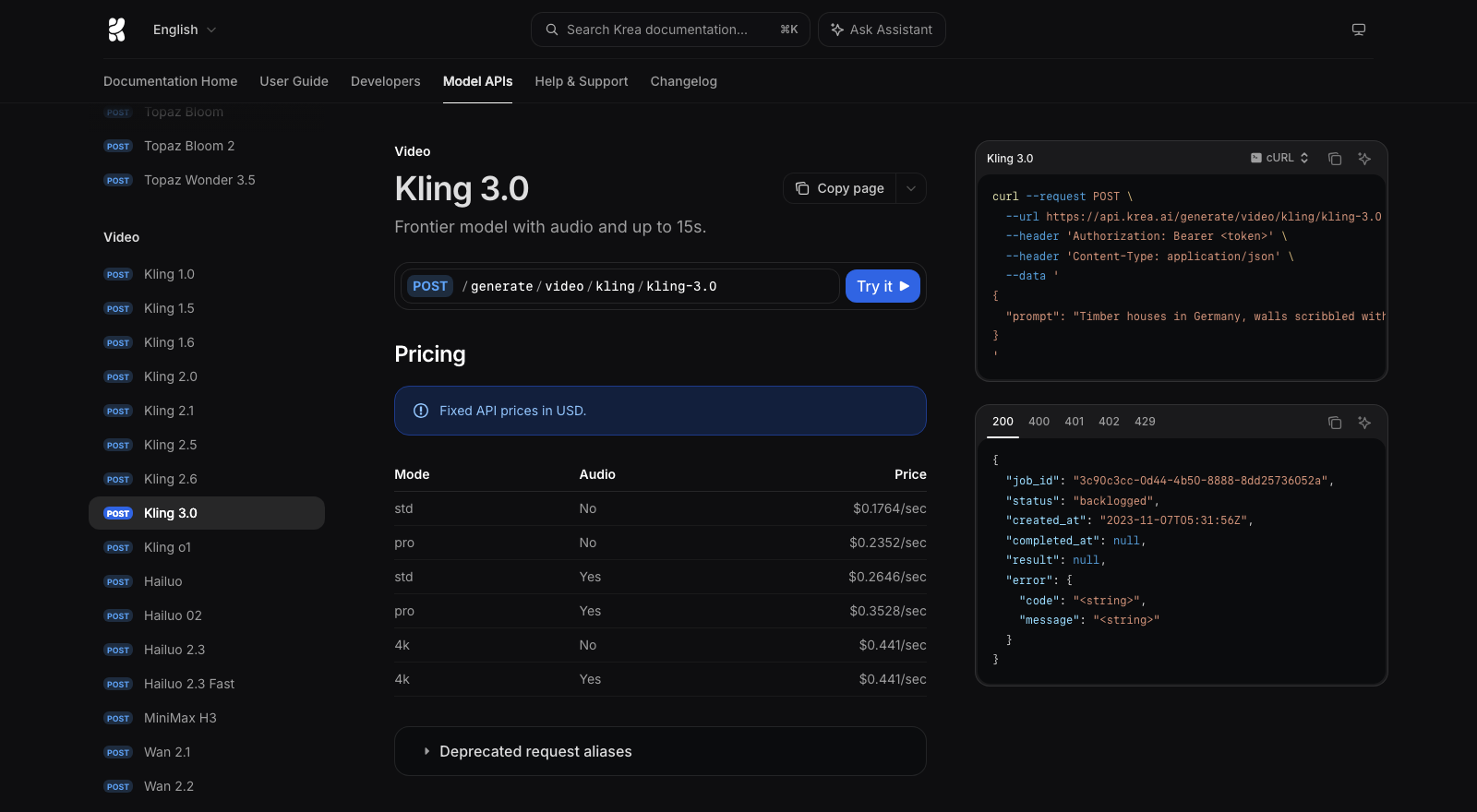
Everything in this guide sits on one page of Krea’s API reference: the endpoint path, the per-second price for every mode, and a request ready to copy.
Your first request
curl -X POST https://api.krea.ai/generate/video/kling/kling-3.0 \
  -H "Authorization: Bearer $KREA_API_KEY" \
  -H "Content-Type: application/json" \
  -d '{
    "prompt": "macro shot of a hummingbird hovering at a red trumpet flower, wings a translucent blur, morning backlight through mist, dew on the petals, slow push in",
    "duration": 5,
    "mode": "std",
    "aspect_ratio": "16:9"
  }'
The API answers immediately with the job:
{
  "job_id": "238e7b90-f4dc-4c74-8cfa-3088f3be3976",
  "status": "scheduled",
  "created_at": "2026-08-25T10:58:09.934Z",
  "completed_at": null
}
Polling the job
Ask for the job until its status settles:
curl https://api.krea.ai/jobs/$JOB_ID \
  -H "Authorization: Bearer $KREA_API_KEY"
The status walks through queued and processing, sometimes via backlogged or sampling under load, and lands on one of three endings: completed, failed or cancelled. On completion the payload carries the download:
{
  "job_id": "238e7b90-f4dc-4c74-8cfa-3088f3be3976",
  "status": "completed",
  "completed_at": "2026-08-25T10:59:01.090Z",
  "result": {
    "urls": [
      "https://app-uploads.krea.ai/public/8071fa1f-ccb9...-video.mp4"
    ]
  }
}
The job lifecycle reference recommends polling every 2 to 5 seconds, which is plenty when the render takes minutes. For production, skip polling: pass an X-Webhook-URL header with the generation request and the full job payload is POSTed to you at the terminal state. Webhooks are unsigned, so match the job_id against jobs you actually created and make the handler idempotent.
Full code example, JavaScript and Python
Submit, poll, print the URL. No SDK required:
const KEY = process.env.KREA_API_KEY
const TERMINAL = ["completed", "failed", "cancelled"]

const { job_id } = await fetch(
  "https://api.krea.ai/generate/video/kling/kling-3.0",
  {
    method: "POST",
    headers: { Authorization: `Bearer ${KEY}`, "Content-Type": "application/json" },
    body: JSON.stringify({
      prompt:
        "macro shot of a hummingbird hovering at a red trumpet flower, " +
        "wings a translucent blur, morning backlight through mist, " +
        "dew on the petals, slow push in",
      duration: 5,
      mode: "std",
      aspect_ratio: "16:9",
    }),
  },
).then((r) => r.json())

let job
do {
  await new Promise((r) => setTimeout(r, 5000))
  job = await fetch(`https://api.krea.ai/jobs/${job_id}`, {
    headers: { Authorization: `Bearer ${KEY}` },
  }).then((r) => r.json())
  console.log(job.status)
} while (!TERMINAL.includes(job.status))

console.log(job.result.urls[0])
That exact script produced the std hummingbird clip further down this page, in 51 seconds for $0.88.
The same logic in Python:
import os, time, requests

KEY = os.environ["KREA_API_KEY"]
HEAD = {"Authorization": f"Bearer {KEY}"}

job = requests.post(
    "https://api.krea.ai/generate/video/kling/kling-3.0",
    headers=HEAD,
    json={
        "prompt": "macro shot of a hummingbird hovering at a red trumpet flower, wings a translucent blur, morning backlight through mist, dew on the petals, slow push in",
        "duration": 5,
        "mode": "std",
        "aspect_ratio": "16:9",
    },
).json()

while job["status"] not in ("completed", "failed", "cancelled"):
    time.sleep(5)
    job = requests.get(f"https://api.krea.ai/jobs/{job['job_id']}", headers=HEAD).json()
    print(job["status"])

print(job["result"]["urls"][0])
Directing a shot with multi_prompt
This is the field that separates Kling 3.0 from everything else in the Kling family, and from most video endpoints anywhere. Instead of one prompt describing one moment, multi_prompt takes an ordered list of beats, each with its own prompt and its own duration in seconds:
{
  "multi_prompt": [
    { "prompt": "wide shot, a white lighthouse on a rocky point at dusk, calm sea, warm low light", "duration": 4 },
    { "prompt": "storm clouds roll in fast, the sea turns grey and violent, spray bursts over the rocks", "duration": 4 },
    { "prompt": "night, rain streaks the air, the lighthouse beam sweeps across the waves toward camera", "duration": 4 }
  ],
  "generate_audio": true,
  "mode": "std",
  "aspect_ratio": "16:9"
}
That request rendered the clip above: dusk calm, the storm front arriving with spray bursting over the rocks, then night with the beam sweeping toward camera, as one continuous shot with the weather scored underneath. The file came back at 12.04 seconds, exactly the sum of the three beats, so set the top-level duration to that sum and treat the beat durations as the real timeline.
Each beat’s prompt is capped at 512 characters, a quarter of the single-prompt budget, which is the right constraint to design for: write each segment as a shot direction, not a scene essay. Subject, change, camera. The model carries everything you do not contradict, so the lighthouse survives all three beats without being re-described.
Audio with generate_audio
The wok clip at the top carries burner roar, oil sizzle and the clank of a ladle, all from generate_audio: true in the same generation as the pixels. No separate audio pass exists to sync, which is the point: the sound lands on the motion because they were rendered together. And silent mode is genuinely silent: without the flag the file ships with no audio track at all, rather than a muted one.
Name the sound you want inside the prompt. Left undirected, the model chooses the soundtrack itself, and a scored montage where you wanted room tone is a prompt you did not finish, not a bug. On std and pro, audio raises the per-second rate by exactly 50%, so a silent draft followed by one audio take is cheaper than iterating with sound on.
std, pro and 4k
Kling 3.0 has no resolution parameter. Quality is the mode field, and the mode is also the price: std at $0.1764 per second, pro at $0.2352, 4k at $0.441.
Same prompt, same five seconds, std against pro:
Mode is resolution wearing a different name. The std file came back at 1280x720, the pro file at 1920x1080, and the 4k file further down renders a true 3840x2160. At matched crops the pro take resolves the iridescence on the bird’s breast feathers that std softens into colour. There is no seed field on this endpoint, so the two takes compose differently: what you are comparing is the tier, not a frozen shot.
The 4k tier has one pricing quirk worth exploiting: $0.441 per second applies with audio or without, so a 4k render is the only place sound is free. If the deliverable is a hero file at maximum quality, generate the audio in the same pass.
The same prompt at 4k, with the audio it charged nothing extra for:
Start and end frames
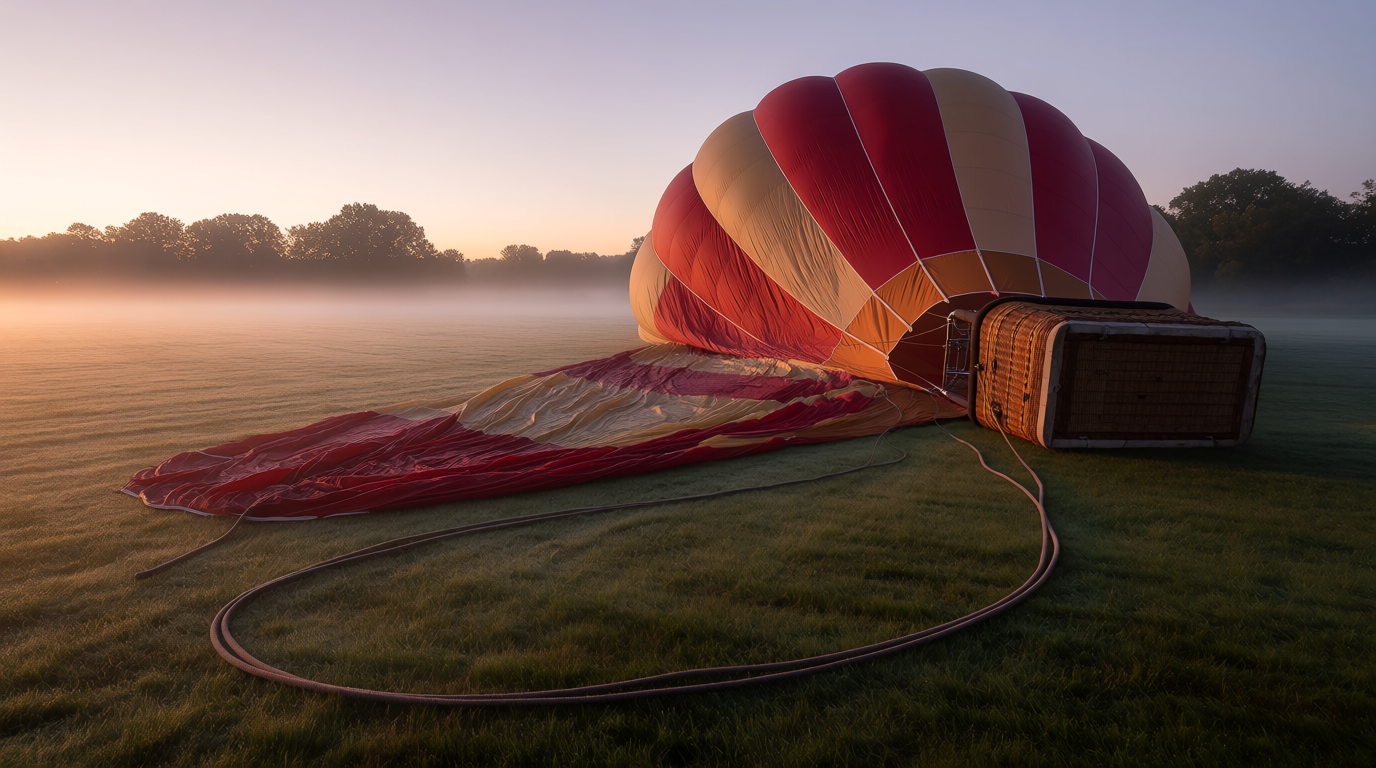
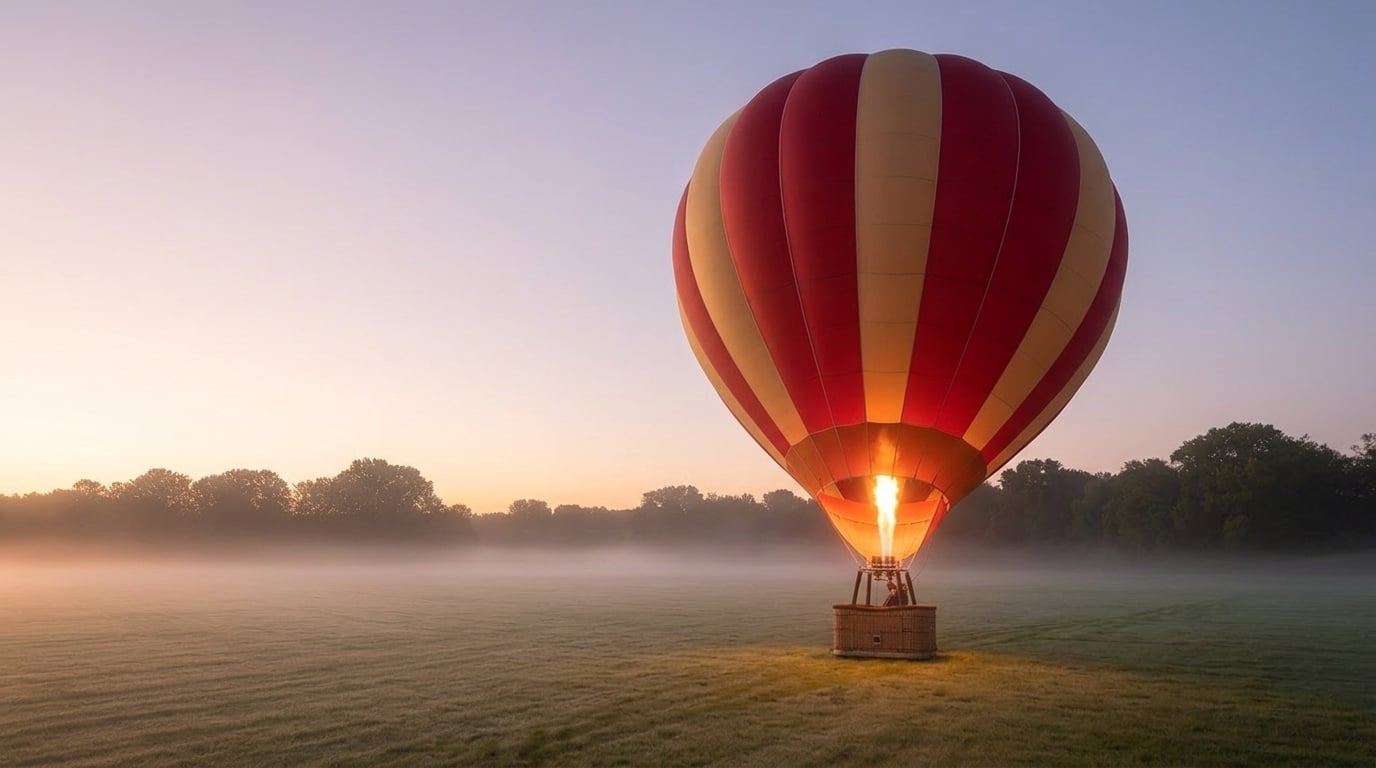
Give Kling a first frame and a last frame and it invents the travel between them. The reliable way to build that pair is to make the end frame an edit of the start frame rather than a second generation, so the model has one change to perform instead of two scenes to reconcile.
The two frames, the second one edited from the first:
{
  "prompt": "the hot air balloon inflates and rises upright as the burner fires, envelope swelling with light, continuous shot",
  "start_image": "<url of the deflated frame>",
  "end_image": "<url of the inflated frame>",
  "duration": 5,
  "mode": "std"
}
The render plays the change and nothing else: the envelope swells with the burner glowing through it, the basket rights itself, and the mist, treeline and dawn light pass through untouched because they exist in both frames. The output also adopts the exact pixel shape of the frames you supply, which is worth knowing when the stills are not a stock 16:9.
Both frame fields take an external URL, a base64 data URI, or an uploaded asset. Send only start_image for plain image to video.
Kling 3.0 API parameters
| Field | Accepts | Default |
|---|---|---|
prompt | string, required, up to 2,500 chars | |
multi_prompt | list of {prompt, duration} beats, prompts up to 512 chars | |
duration | 3 to 15 seconds | 5 |
mode | std, pro, 4k | std |
aspect_ratio | 16:9, 9:16 | 16:9 |
generate_audio | boolean | false |
start_image / end_image | image input |
The absences matter as much as the fields. No resolution, because mode carries it. No 1:1, which older Kling versions had. No seed, so an exact re-roll is not available. And no reference inputs of any kind.
Kling 3.0 against Kling o1
Krea exposes nine Kling endpoints, and the two current ones divide the work cleanly. Kling 3.0 owns directing: timed multi-prompt beats, native audio, the 4k mode, and durations to 15 seconds. Kling o1 owns identity: style references, element references and a video reference, at 3 to 10 seconds, with no audio and no multi-prompt.
So the choice is not a version number, it is the input you hold. A storyboard and no fixed cast is a 3.0 job. A character sheet or a style frame that must survive the shot is an o1 job at $0.1176 per second, and animating its silent output is what generate_audio on a 3.0 re-render or an audio tool is for.
Kling 3.0 API pricing
Per second of finished video, fixed USD:
| Mode | Silent | With audio |
|---|---|---|
| std | $0.1764 | $0.2646 |
| pro | $0.2352 | $0.3528 |
| 4k | $0.441 | $0.441 |
A five second clip lands at $0.88 in std, $1.18 in pro, $2.21 in 4k. The six clips on this page cost $9.64 to generate. For scale inside the same catalogue, Seedance 2.0 starts at $0.0849 per second and Runway Gen-4.5 at $0.126, so std Kling 3.0 sits mid-pack and buys the directing features; the premium tiers are where a specific deliverable justifies them.
Duration is the other lever. Every second of a fifteen second 4k take costs $0.441 whether you keep it or not, so block the shot at three to five std seconds first, then pay for length and pixels once the framing is chosen.
Kling 3.0 generation times
Timed end to end, from POST to a downloadable URL, in August 2026:
| Clip | Inputs | Mode | Time |
|---|---|---|---|
| Hummingbird, std | prompt | std, 5s | 51s |
| Wok station | start frame, audio on | std, 5s | 1m 07s |
| Balloon | start and end frames | std, 5s | 1m 23s |
| Hummingbird, pro | prompt | pro, 5s | 1m 27s |
| Hummingbird, 4k | prompt, audio on | 4k, 5s | 1m 45s |
| Lighthouse | three timed beats, audio on | std, 12s | 2m 03s |
Every clip landed inside about two minutes, and the ordering follows the work: plain std first, then frames and tiers, with the twelve second directed take slowest at just over two minutes. That is several times faster than the three to five minutes we measured on Seedance 2.0 at 1080p, and fast enough that iterating on a prompt feels like iterating rather than scheduling. One August afternoon is one sample of the queue, so budget minutes, not seconds, all the same.
Build the integration for that wait: store the job id, free the thread, and let a webhook or a slow poll collect the file.
Common Kling 3.0 API errors
Validation failures arrive instantly as a 422 naming the exact field and limit: a duration outside 3 to 15, an aspect ratio other than the two it supports, a mode string that is not std, pro or 4k, or a multi-prompt beat over its 512 characters. A 402 means the USD balance is empty and arrives at submit. A 429 means too many concurrent jobs, which is the ceiling a batch pipeline hits first, so queue submissions instead of firing them all at once.
The expensive failure is moderation, because it arrives minutes in rather than at submit. None of the six generations on this page was refused. When a prompt does trip it, the verdict arrives as a failed job minutes in rather than a 422 at submit; naming a film, a studio or a living artist is the usual trigger, and describing the look in plain visual terms is the fix. Failed jobs are not billed, so the cost is time.
Running the Kling 3.0 API on Krea
Every request on this page went to api.krea.ai. Three steps get you generating.
- Create a token at krea.ai/settings/api-tokens, owners and admins only.
- Fund the balance at krea.ai/app/api, $10 to $100 presets or $5 to $10,000 custom.
- Submit to
POST /generate/video/kling/kling-3.0with the bearer token, then collect the job by pollingGET /jobs/{id}or anX-Webhook-URL.
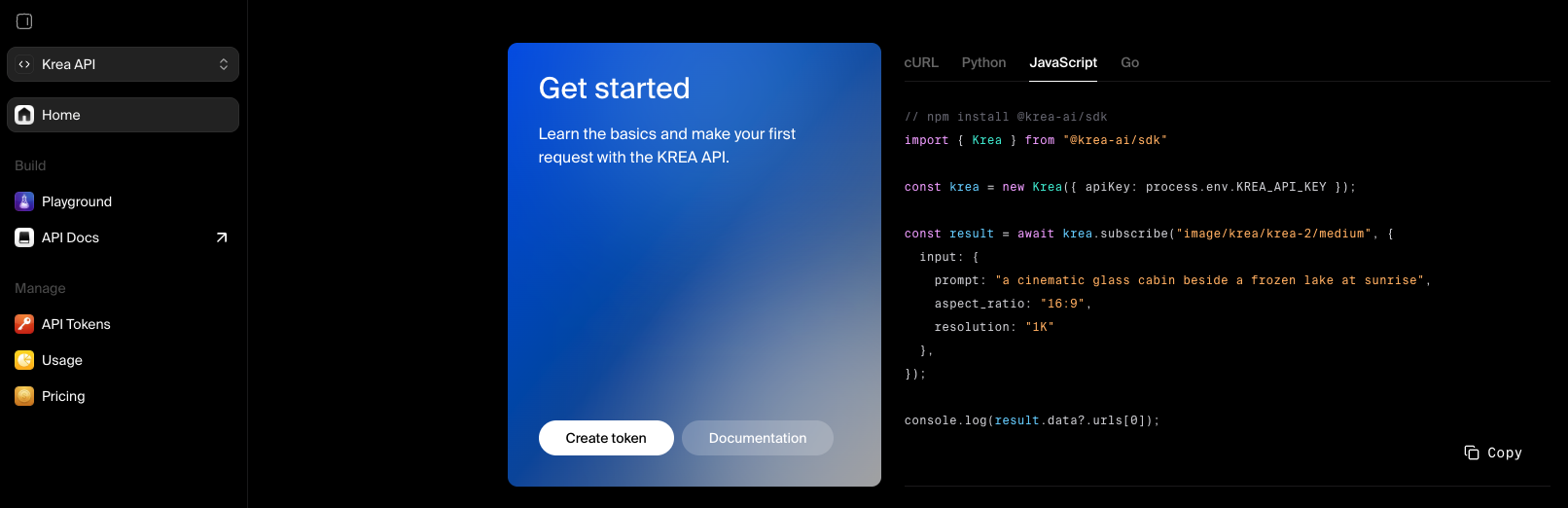
The same token reaches the rest of the API catalogue, including the image model that drew this page’s start frames and the other eight Kling versions, so one integration covers the whole pipeline from still to directed, sounding shot.
Ship your first directed shot
Create a token, fund the balance, and submit a multi-prompt request in minutes.
Get API access