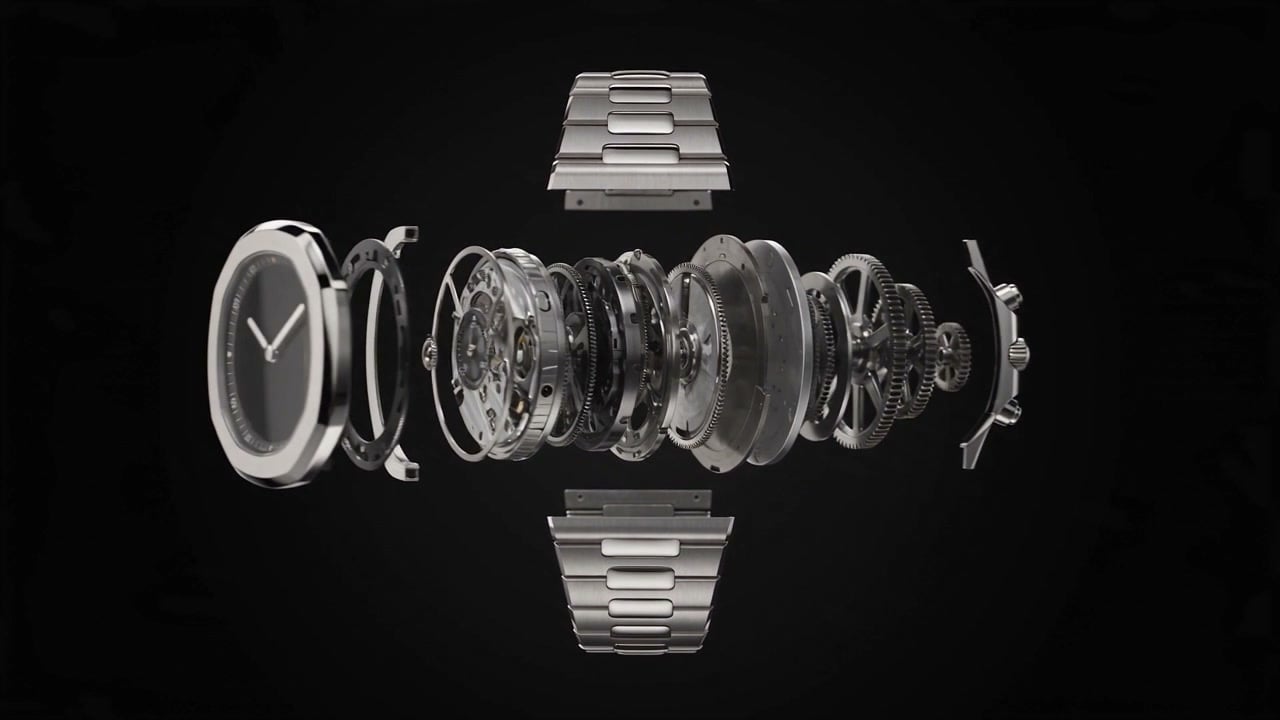
Seedance 2.5 is ByteDance’s long-form video model. It takes a written prompt and returns a finished clip with audio already synchronised to it, and it accepts images as input too: a starting frame, an ending frame, or up to thirty references. Clips run 4 to 30 seconds at up to 1080p, which is twice the length its predecessor allows. No per-second rate has been published for it yet, so the honest number below is time rather than money: a 30 second 1080p generation took just over ten minutes on the day we ran it.
What follows is the working integration: the endpoint, the job loop, and a file you can run unchanged, then the two capabilities that only exist on this model. We ran the API ourselves to benchmark it. Every generation time below is measured, and every clip in the body came out of the call printed beside it.
Key takeaways
- Seedance 2.5 renders up to 30 seconds in a single generation, against 15 on Seedance 2.0, and both stop at 4 seconds on the short end.
- It accepts 30 reference images against 9 on 2.0, enough to hand the model a cast, its props and its location in one call.
- Seedance 2.5 stops at 1080p and has no upscale flag, so a 4K deliverable still belongs to Seedance 2.0.
- No per-second price is published for 2.5 yet, so one measured test generation is the only number you can budget against.
- Long generations are slow: 30 seconds of 1080p video took 10m 17s end to end, so poll on a webhook rather than a held-open request.
That clip carries one character across a scene she was never generated in, held together by thirty reference images. The prompt did the rest:
the same character from the reference images, now standing on a rooftop at dawn, coat moving in the wind, city far below, pop art digital rendering with halftone shading and bold ink outlines, slow push inBuild on the Seedance 2.5 API
Create a token and submit a 30 second single-take generation from your own code.
Open API docsWhat Seedance 2.5 generates
Text to video, image to video, and frame-to-frame animation, with optional synchronised audio, at 480p, 720p or 1080p. References are the interesting part of the input surface: up to 30 images, 10 videos and 10 audio tracks in a single request, which is what lets one character, one location or one voice survive a change of scene.
Two limits are worth knowing before you design around the model. There is no 4K tier and no upscale flag, so anything that has to be delivered at 4K goes to Seedance 2.0 instead. And a 30 second generation is a genuinely long wait, which shapes the integration more than any parameter does.
Get an API key
Tokens are created at settings/api-tokens, and only workspace owners and admins can make one. API calls draw on a USD balance that is topped up separately at app/api and has nothing to do with an app subscription. Empty it and new requests come back 402 Payment Required while jobs already running finish normally.
Failed and cancelled jobs are not billed. That matters more here than on a fast model: a rejected 30 second request costs you ten minutes and nothing else.
The Seedance 2.5 endpoint
POST https://api.krea.ai/generate/video/bytedance/seedance-2-5
Authorization: Bearer <your key>
prompt is the only field you must send. Everything else has a default, and the response is a job rather than a video.
Your first request
curl -X POST https://api.krea.ai/generate/video/bytedance/seedance-2-5 \
  -H "Authorization: Bearer $KREA_API_KEY" \
  -H "Content-Type: application/json" \
  -d '{
    "prompt": "one continuous unbroken shot, a lone figure walks the length of a rain slicked city street at night, neon signs passing overhead, the camera tracking beside her the whole way, cinematic anamorphic look",
    "duration": 30,
    "resolution": "1080p",
    "aspect_ratio": "16:9",
    "generate_audio": true
  }'
The reply is a job id and a status:
{
  "job_id": "1f4c9a02-58d6-4a71-9a54-2c0f1b7e3d88",
  "status": "scheduled",
  "type": "videoV2",
  "created_at": "2026-08-18T12:41:07.220Z",
  "completed_at": null
}
Polling the job
Ask for the job until it settles:
curl https://api.krea.ai/jobs/$JOB_ID \
-H "Authorization: Bearer $KREA_API_KEY"completed, failed and cancelled end the run; every other state means it is still working. The job lifecycle reference documents all nine and asks for a 2 to 5 second interval.
At 30 seconds of output, polling is the wrong shape for production. Send an X-Webhook-URL header on the generation request and the API posts the finished job to you instead, which frees the ten minutes a poll loop would spend asleep. Webhooks are unsigned, so check the job_id against one you started and write the handler to tolerate a repeat delivery.
Full code example, JavaScript and Python
const KEY = process.env.KREA_API_KEY
const TERMINAL = ["completed", "failed", "cancelled"]

const { job_id } = await fetch(
  "https://api.krea.ai/generate/video/bytedance/seedance-2-5",
  {
    method: "POST",
    headers: { Authorization: `Bearer ${KEY}`, "Content-Type": "application/json" },
    body: JSON.stringify({
      prompt:
        "one continuous unbroken shot, a lone figure walks the length of a rain " +
        "slicked city street at night, neon signs passing overhead, the camera " +
        "tracking beside her the whole way, cinematic anamorphic look",
      duration: 30,
      resolution: "1080p",
      aspect_ratio: "16:9",
      generate_audio: true,
    }),
  },
).then((r) => r.json())

let job
do {
  await new Promise((r) => setTimeout(r, 5000))
  job = await fetch(`https://api.krea.ai/jobs/${job_id}`, {
    headers: { Authorization: `Bearer ${KEY}` },
  }).then((r) => r.json())
  console.log(job.status)
} while (!TERMINAL.includes(job.status))

console.log(job.result.urls[0])
import os, time, requests
KEY = os.environ["KREA_API_KEY"]
HEAD = {"Authorization": f"Bearer {KEY}"}
job = requests.post(
"https://api.krea.ai/generate/video/bytedance/seedance-2-5",
headers=HEAD,
json={
"prompt": "one continuous unbroken shot, a lone figure walks the length of a rain slicked city street at night, neon signs passing overhead, the camera tracking beside her the whole way, cinematic anamorphic look",
"duration": 30,
"resolution": "1080p",
"aspect_ratio": "16:9",
"generate_audio": True,
},
).json()
while job["status"] not in ("completed", "failed", "cancelled"):
time.sleep(5)
job = requests.get(f"https://api.krea.ai/jobs/{job['job_id']}", headers=HEAD).json()
print(job["status"])
print(job["result"]["urls"][0])Thirty seconds in one generation
This is the headline, and the reason to reach for 2.5 over 2.0. duration accepts anything from 4 to 30, and the model holds one take across the whole span rather than stitching cuts.
The clearest way to see it is to give the model a frame to start from and a route to walk. Here is the supplied still:
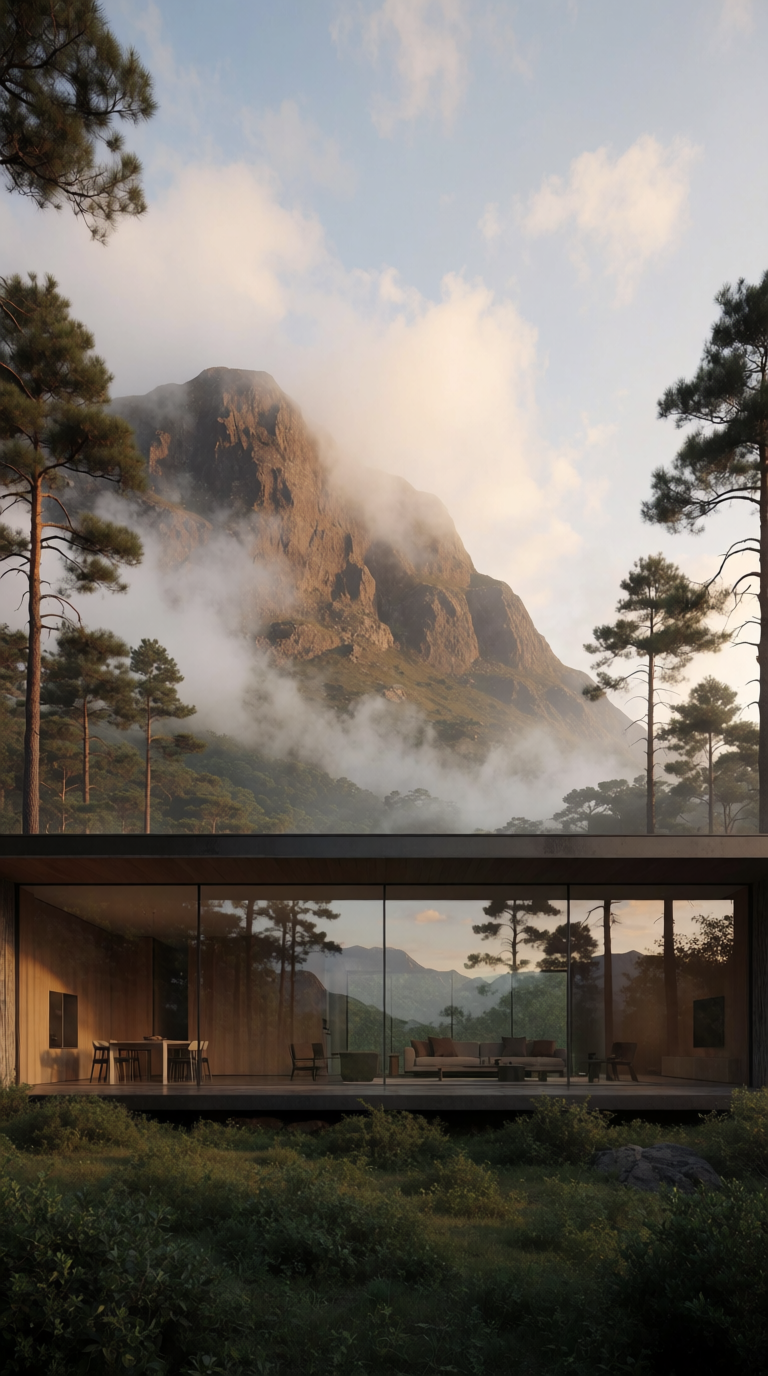
One generation, 9m 19s to render, and the output measured a full 30 seconds. The camera pushes in on the house, moves through the glazing into the interior, and comes back out to the view, with the ambient sound and the voiceover generated alongside it.
A prompt for this length is a different object from a prompt for five seconds. That one ran to roughly 4,700 characters and was written as a shot list with timecodes:
Shot 1, exterior reveal, 0s to 10s: start exactly on the provided frame, hold nearly still for a second, then a slow handheld push in toward the house ...
Shot 2, entering the house, 10s to 22s: a clean jump cut closer, then the camera moves like a person doing a casual walkthrough with a phone ...
Shot 3, from inside back out, 22s to 30s: move outward toward the glazing so the inside and outside visually merge ...
Three instructions in it did most of the work. Timecoded beats, so the model paces itself across thirty seconds instead of spending its material in ten. A named camera behaviour, handheld with realistic sway and no drone moves, which keeps a long take from drifting into impossible motion. And an explicit sound design naming the breeze, the pine and the distant birds, with a written voiceover script under it, because thirty seconds of silence is as wrong as thirty seconds of stock music.
Text alone works too, without a start frame:
Ten minutes seventeen seconds for that one, from a single paragraph naming one continuous unbroken shot and a camera tracking beside the subject. Give a long take something that can keep going, a walk or a camera move with somewhere to travel, and it will fill the time. Give it a static subject and it will find drift to fill the time instead.
Composing a scene from references
reference_images takes up to 30 on this model, against 9 on Seedance 2.0, and the jump changes what the field is for. Nine references pin one character. Thirty let you hand the model a cast, its props and its location, and ask for a scene none of them have appeared in together.
Seven references went into the clip below: three characters, their two weapons, one courtyard. The seventh is the object they are fighting over.
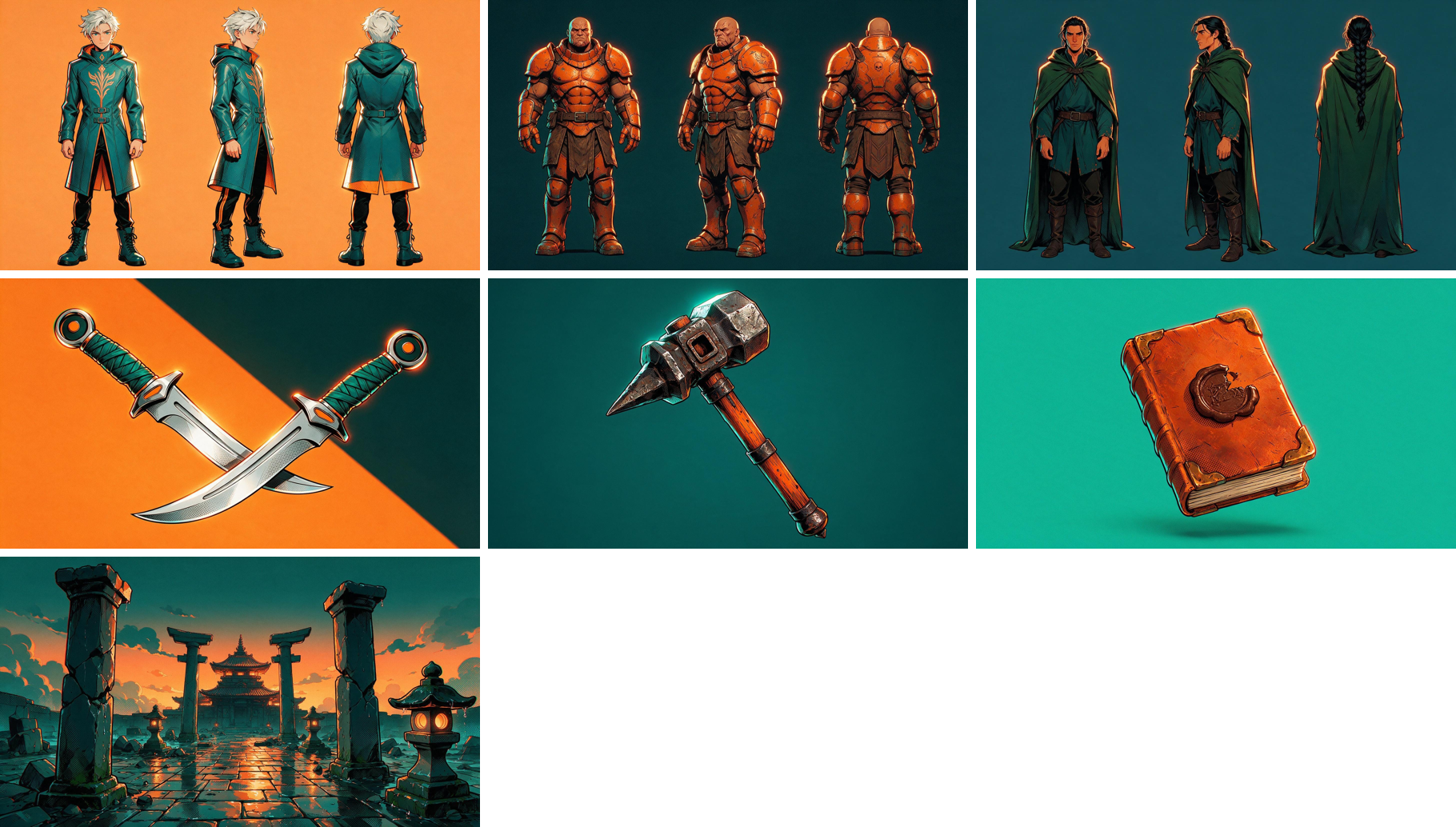
{
  "prompt": "A fight over a small leather bound booklet in the rain soaked temple courtyard from the reference...",
  "reference_images": [
    "https://.../duelist.png",
    "https://.../brawler.png",
    "https://.../newcomer.png",
    "https://.../daggers.png",
    "https://.../hammer.png",
    "https://.../booklet.png",
    "https://.../courtyard.png"
  ],
  "duration": 15,
  "resolution": "1080p",
  "generate_audio": true
}
Fifteen seconds, 12m 05s to render. The duelist and the brawler fight until she is driven onto one knee and beaten. Then the third character walks in, picks the booklet off the wet stone without looking at either of them, and leaves with it.
Two things about that are worth stealing.
Draw your character sheets with empty hands. The first version of these references had each character holding their weapon, and the weapons were also supplied as separate references. That gives the model two versions of the same dagger to reconcile, and it spends its effort on the contradiction rather than the scene. Characters in neutral poses, weapons as their own objects, and the composition holds.
Put the object at the centre of the plot, not just in the frame. The booklet is a reference like any other, but the prompt gives it a job: it is what the fight is about and what the third character takes. A prop with a purpose gets rendered as an actor in the scene, and you can see it change hands.
Send that same seven-reference request to Seedance 2.0 and it never reaches the queue, though for a different reason than you might expect. Ten or more references fail at submit:
{
  "error": "Validation failed",
  "details": [
    {
      "field": "reference_images",
      "message": "Too big: expected array to have <=9 items",
      "code": "too_big"
    }
  ]
}
HTTP 422, returned at submit rather than as a failed job, which is the cheapest kind of error to hit. It is also the clearest statement of what separates the two models.
Seedance 2.5 API parameters
| Field | Accepts | Default |
|---|---|---|
prompt | string, required | |
duration | 4 to 30 seconds | 5 |
resolution | 480p, 720p, 1080p | 720p |
aspect_ratio | 16:9, 4:3, 1:1, 3:4, 9:16, 21:9 | 16:9 |
generate_audio | boolean | false |
start_image / end_image | URL, data URI, or uploaded asset | |
reference_images | up to 30 | |
reference_videos | up to 10 | |
reference_audios | up to 10 | |
effects | up to 12 | |
enhance_prompt | boolean | false |
seed | integer |
Seedance 2.5 against Seedance 2.0
| Seedance 2.5 | Seedance 2.0 | |
|---|---|---|
| Maximum duration | 30 seconds | 15 seconds |
| Maximum resolution | 1080p | 4K, with upscale |
| Reference images | 30 | 9 |
| Reference videos | 10 | 3 |
| Reference audio | 10 | 3 |
| Start and end frames | yes | yes |
| Synchronised audio | yes | yes |
The version numbers mislead. Choose 2.5 for length and for the weight of reference material it will carry; choose 2.0 when the deliverable has to be 4K. Neither is the newer-and-therefore-better one.
Seedance 2.5 API pricing
The API pricing page lists no rate for Seedance 2.5 as of August 2026, though the endpoint is live and billing works. Anyone quoting you a per-second figure for it is guessing.
What you can do is bound it. Seedance 2.0 starts at $0.0849 per second and 2.0 Fast at $0.0677, and video billing is per generation on the compute a request actually consumes. A 30 second clip is six times the output of the five second clips most rate cards are quoted against, so size your first test accordingly and read the balance afterwards rather than trusting an estimate.
Seedance 2.5 generation times
Measured end to end, from POST to a downloadable URL, in August 2026. These are here so you can size the wait before you build around it: an API call to this model is not a request you hold a user in front of.
| Generation | Inputs | Time |
|---|---|---|
| 30s, 1080p, audio on | start frame, 9:16 | 9m 19s |
| 30s, 1080p, audio on | prompt only | 10m 17s |
| 6s, 1080p | 10 reference images | 9m 32s |
| 15s, 1080p, audio on | 7 reference images | 12m 05s |
Two readings. Long generations are slow in a way that is not proportional to output length: a six second clip carrying ten references took nearly as long as a thirty second one, so the reference stack costs real time. And ten minutes is long enough that a held-open HTTP request is the wrong design, which is the practical argument for the webhook.
For comparison on the same day, Seedance 2.0 returned five second 1080p clips in three to five minutes.
Common Seedance 2.5 API errors
A 422 at submit is a schema violation, and the message names the field and the limit, as the reference-image example above shows. A 402 means the API balance is empty. A job that reaches failed after several minutes is usually moderation: naming a specific film, studio or artist in a prompt gets the generation rejected, while describing the same look in plain visual terms passes.
The slow failure is the expensive one. Validate lengths and counts client-side before you spend ten minutes discovering them.
Running the Seedance 2.5 API on Krea
Every request on this page went to api.krea.ai. Three pages get you there.
- Create a token at krea.ai/settings/api-tokens, which workspace owners and admins can do.
- Add balance at krea.ai/app/api, from $5 upward, billed separately from any app subscription.
- Send the request to
POST /generate/video/bytedance/seedance-2-5, then collect the job by pollingGET /jobs/{id}or by settingX-Webhook-URL.
The same token reaches the other 72 models in the API reference, which is the practical answer to the split above: when a job needs 30 seconds you call 2.5, when it needs 4K you change one string in the URL and call 2.0, and nothing else about your integration moves.
Start with a six second test at 720p before you spend ten minutes on a thirty second one. The prompt that survives the short version is the only one worth the long render.
Queue your first long take
One POST returns a 30 second clip with synced audio and up to 30 references.
Get API access