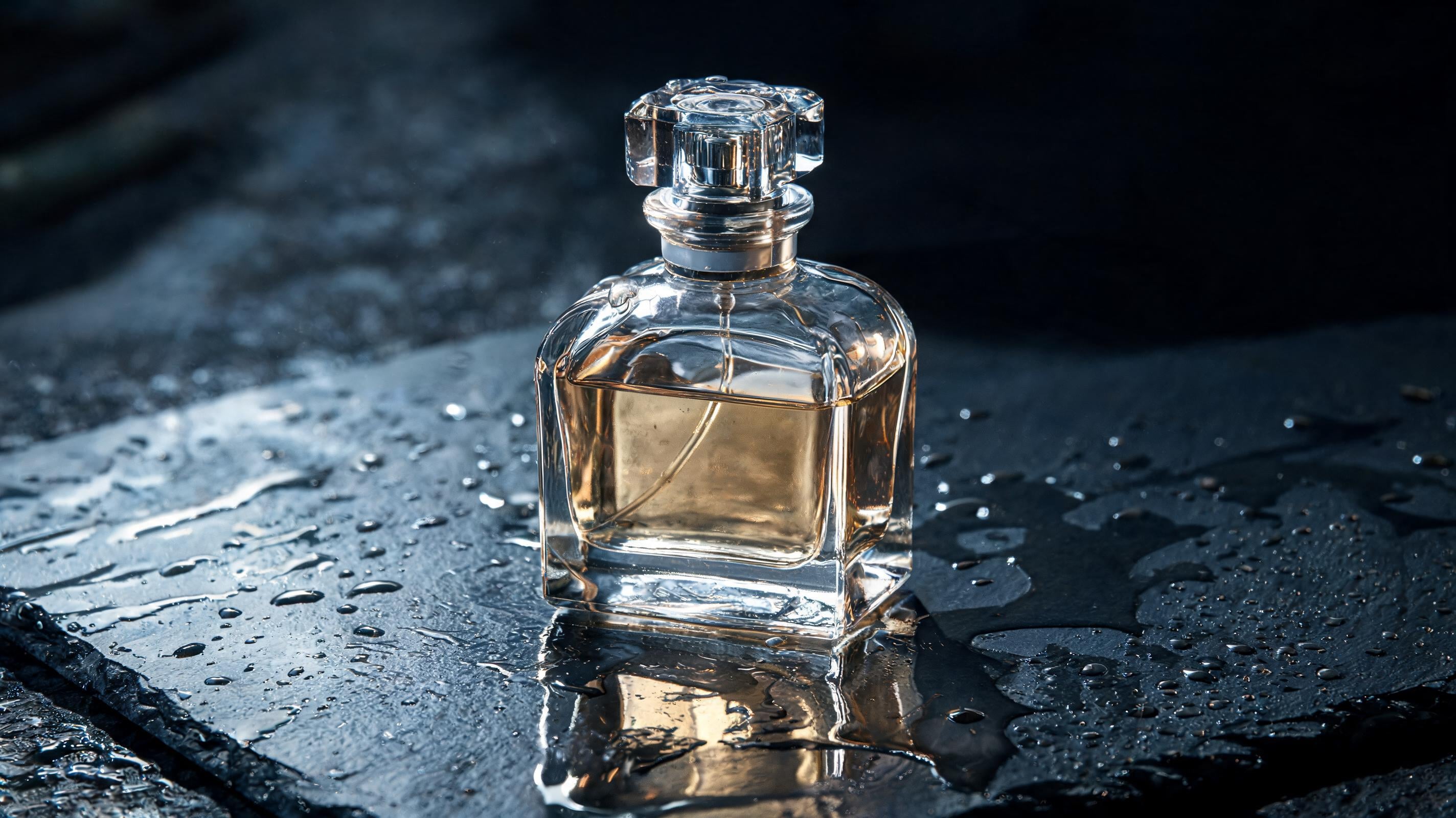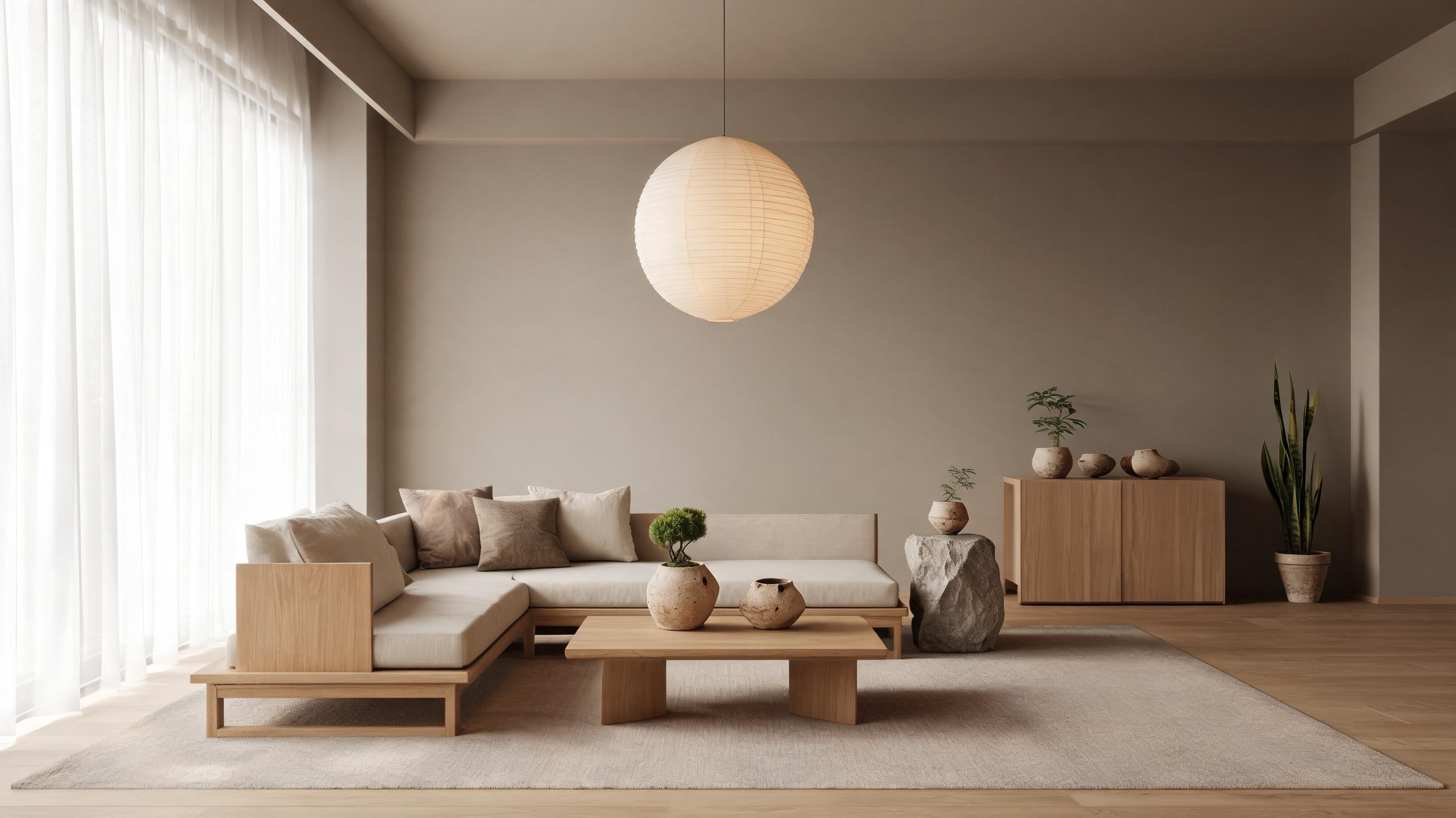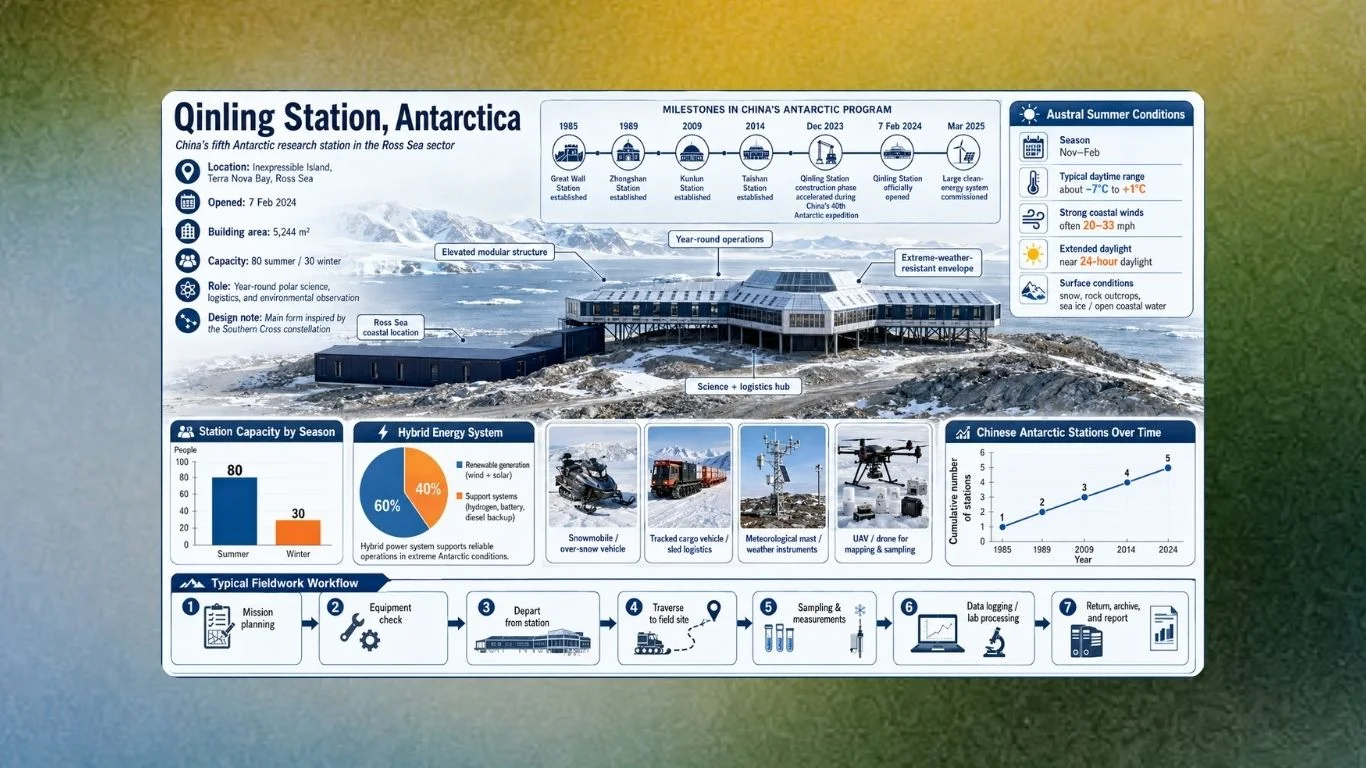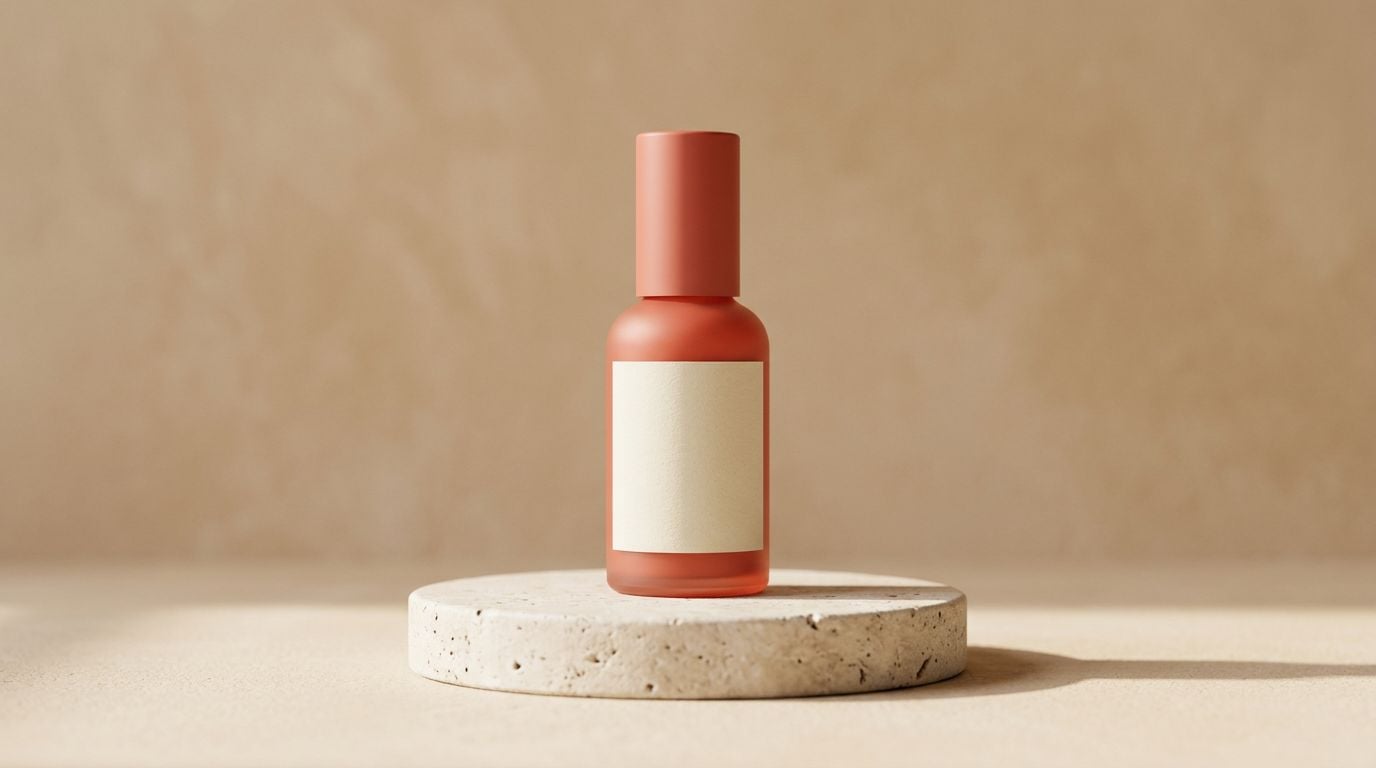
The product render’s brushed-metal finish still looks plastic, leaving the material-realism problem unresolved. Seedream 5.0 Pro launched on July 8, 2026, with edits designed to preserve composition and pose while changing selected details, according to the Krea Team.
The better question is which production decision the next image must support, such as approving a believable portrait or finalizing a product layout with exact copy. fal.ai documents text generation and image editing in Seedream 5.0 Pro. It also supports fusion of as many as 10 reference images.
Seedream 5.0 Pro works best as a production starting point when a clear visual brief is paired with Krea’s reference and edit workflow to refine details that a fresh generation might otherwise drift from. The prompts below move from photographic direction to product materials, text-heavy layouts, and reference-led revisions.
How We Chose These Seedream 5.0 Pro Prompts
A strong Seedream prompt gives the model a visual brief it can reason through while reserving revisions for Krea instead of stuffing every possible request into one generation. fal.ai’s Seedream guidance favors natural-language prompts that unite the subject, setting, and lighting in one visual brief. Its Lite testing places complex prompts at roughly 30 to more than 100 words. Replicate’s Seedream prompting guide recommends using double quotes for renderable copy. During image refinement, preserve the pose, composition, and any label text in double quotes.
We selected prompts that establish a focal subject and believable lighting or materials, then specify one decisive control for the next revision. Longer prompts can bury late details, so put the subject and non-negotiable constraint first, then move the remaining correction into a targeted edit.
Try it on Krea: Generate any prompt below with Seedream 5.0 Pro, then upload references or refine the selected area in the canvas.
Generate a photoreal shot now
Run any brief below in Seedream 5.0 Pro on Krea, then fix one detail with a selected-area edit.
Open Seedream 5.0 ProAt a Glance: The 15 Prompt Jobs
| # | Prompt | Best for | Primary control to preserve or revise |
|---|---|---|---|
| 1 | Editorial close-up | Fashion portraits | Gaze and studio light |
| 2 | Natural-light founder portrait | Authentic headshots | Skin texture and expression |
| 3 | Professional headshot | LinkedIn and team pages | Pose and wardrobe |
| 4 | Environmental action portrait | Editorial storytelling | Subject-to-setting relationship |
| 5 | Luxury fragrance bottle | Clean ecommerce hero shots | Shadow and reflective materials |
| 6 | Transparent-material fashion shot | Refraction experiments | Pose and flowing silhouette |
| 7 | Lifestyle tech product | Contextual product photography | Product focus and depth of field |
| 8 | Outdoor brand-kit scene | Campaign asset systems | Logo and color direction |
| 9 | Technical product blueprint | Dense explainer graphics | Diagram hierarchy |
| 10 | Multilingual event poster | Localized campaigns | Exact non-English copy |
| 11 | Label and package mockup | Packaging concepts | Exact product text |
| 12 | Outfit-transfer lookbook | Character consistency | Identity across references |
| 13 | Four-frame campaign sequence | Batch social assets | Repeated character and product cues |
| 14 | Selected-area material swap | Controlled image editing | Original structure outside the edit |
| 15 | Timely editorial scene | Current-event visuals | Factual context and composition |
Photoreal Portrait Prompts
1. Editorial Close-Up Portrait - Best for Controlled Fashion Beauty Images
Prompt:
Create a close-up editorial portrait of a fashion model with a piercing, direct gaze and a sculptural black hat. Frame from the shoulders up, with sharp focus on both eyes and a softly defocused cobalt-blue studio background. Use rich red, cobalt, and black color blocking; dramatic studio key light from camera left; gentle fill on the shadow side; realistic skin pores, fine facial hair, and subtle under-eye texture. Medium-format fashion photography, 85mm look, shallow depth of field, magazine-cover composition. Preserve the gaze, head angle, and hat silhouette during later edits.Variation tip: Experiment with alternative color-block palettes. Add a beauty mark. Select only the background for replacement.
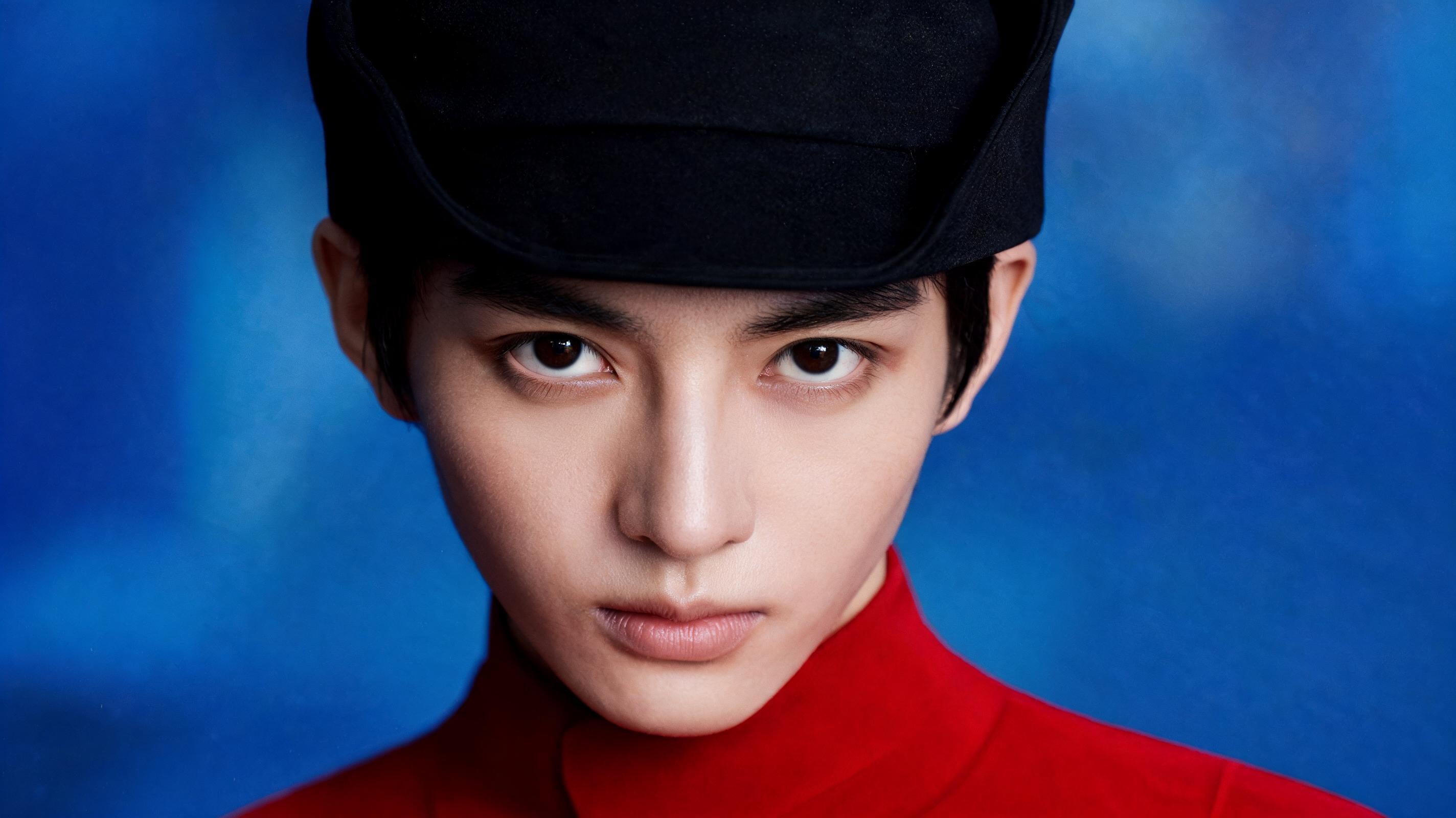
Editorial portraits benefit when the prompt locks the gaze, focal plane, and light direction before asking for fashion styling. Krea’s launch example establishes a close portrait baseline with a piercing gaze, sculptural hat, and dramatic studio lighting. That combination gives you a beauty-image baseline whose expression and focal point remain stable while you later alter color or background.
2. Natural-Light Founder Portrait - Best for Credible Personal Branding
Prompt:
Photograph a startup founder in their early forties standing beside a large north-facing window in a quiet design studio. They wear a textured charcoal overshirt over a plain cream T-shirt, with relaxed shoulders and a thoughtful half-smile. Use soft indirect morning light, natural shadow falloff, realistic pores, faint smile lines, individual eyebrow hairs, and a few flyaway hairs. Keep the studio shelves softly blurred but recognizable. Documentary portrait photography, 50mm lens, f/2.8, muted neutral color grade, honest and approachable mood.Variation tip: Swap the profession and props. Move from morning to overcast afternoon. Preserve the expression before changing wardrobe.
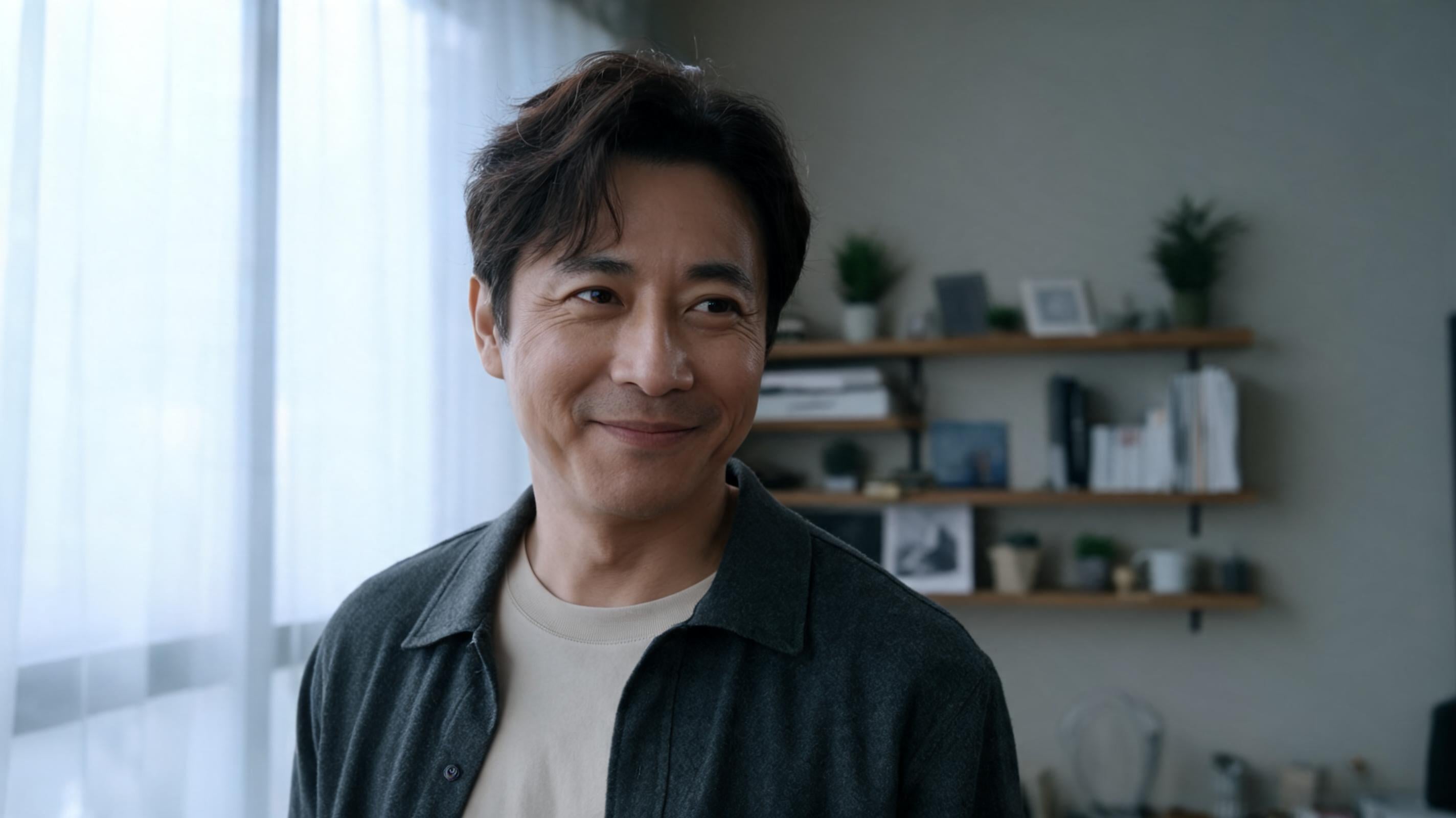
Small variations in the skin, soft window direction, and a secondary environment keep the image rooted in natural-looking skin and an ordinary setting. fal.ai describes Seedream 5.0 Pro as reconstructing real-world lighting, materials, and skin texture for photographic realism. Small skin variation, soft window direction, and an environment with a secondary role steer the result toward a person readers can believe rather than a generic studio face.
3. Professional Team Headshot - Best for Consistent Staff Profiles
Prompt:
Frame a professional headshot of a middle-aged Asian business leader wearing a navy pinstripe suit and white shirt against a clean neutral-gray background. Turn the shoulders slightly to camera right while keeping the eyes toward the lens. Use a large softbox at 45 degrees, soft fill, sharp focus on the eyes, restrained catchlights, natural skin texture, and a confident but approachable expression. Corporate portrait photography, 85mm lens, f/2, chest-up framing, realistic fabric weave, balanced color, no dramatic retouching. Preserve the pose and facial expression if changing the suit color later.Variation tips: Match a company dress code. Use one background HEX value cautiously. Use the same approved face reference for every person in a team series, locking facial identity while varying only permitted wardrobe or background details.
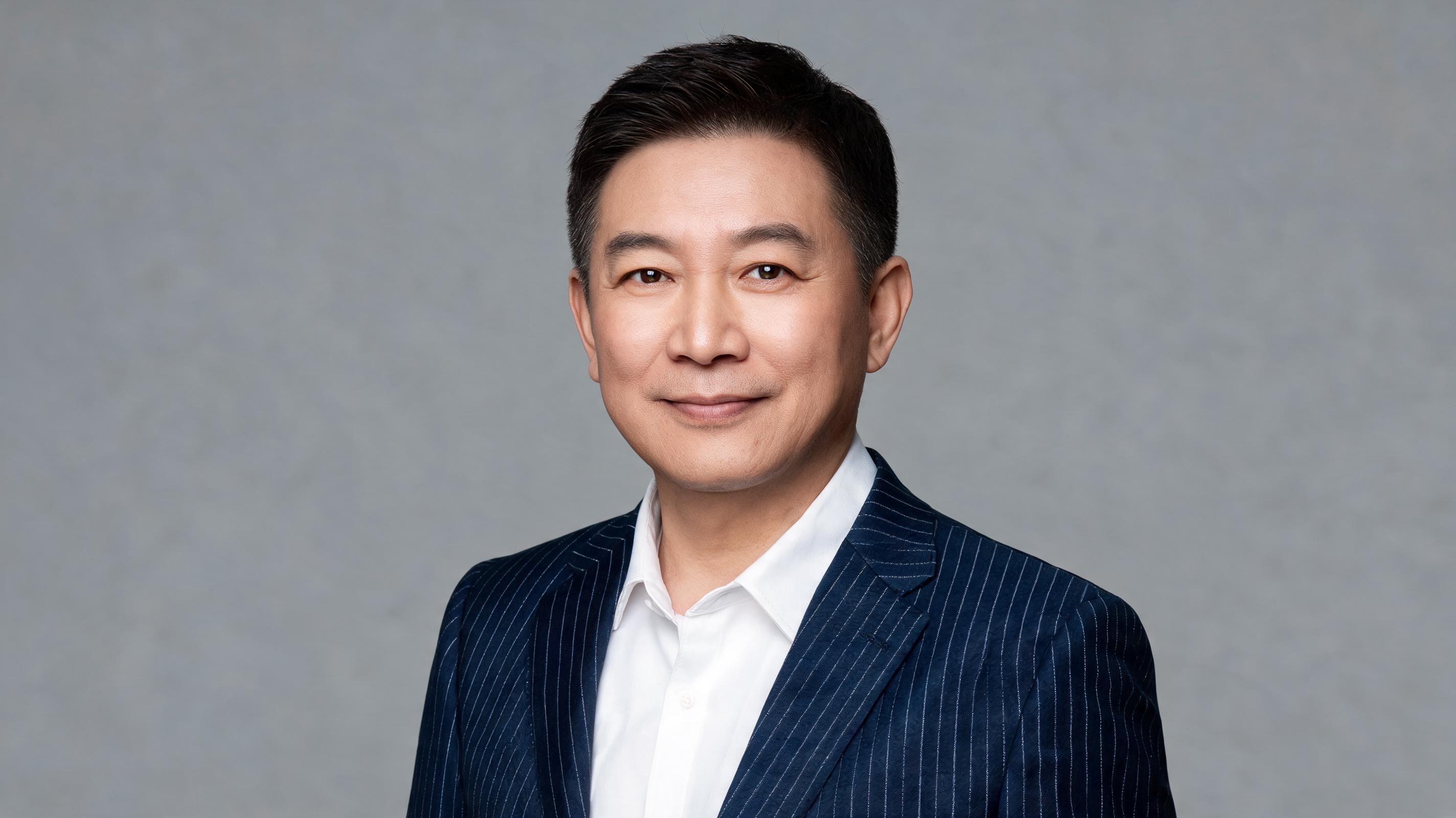
For a unified team page, apply the same production treatment to every portrait. Allow identity and approved wardrobe details to vary while keeping those production choices fixed, so every portrait reads as part of the same visual system. The 0xmega Seedream prompting guide sets its professional-headshot example against a neutral-gray background and uses a 45-degree softbox. The headshot structure features turned shoulders with direct eye focus. Retain that structure and change only staff-specific wardrobe or identity inputs to reduce the variation that makes a team page look assembled from unrelated shoots.
4. Environmental Action Portrait - Best for Narrative Lifestyle Editorials
Prompt:
Create a photoreal editorial image of a ceramic artist carrying two unfinished bowls through a sunlit workshop at late afternoon. Show the artist in three-quarter profile, walking from a shadowed shelving wall toward a worktable covered with clay tools. Dust floats in the side light; dried clay marks appear on the apron and hands; the bowls remain clearly visible and physically supported. Use warm golden-hour side lighting through high windows, 35mm documentary photography, moderate depth of field, subtle motion in one step, natural color grade, focused and quietly busy mood.Variation: Replace the trade and tools. Make the action seated. Add a single reference for wardrobe continuity.
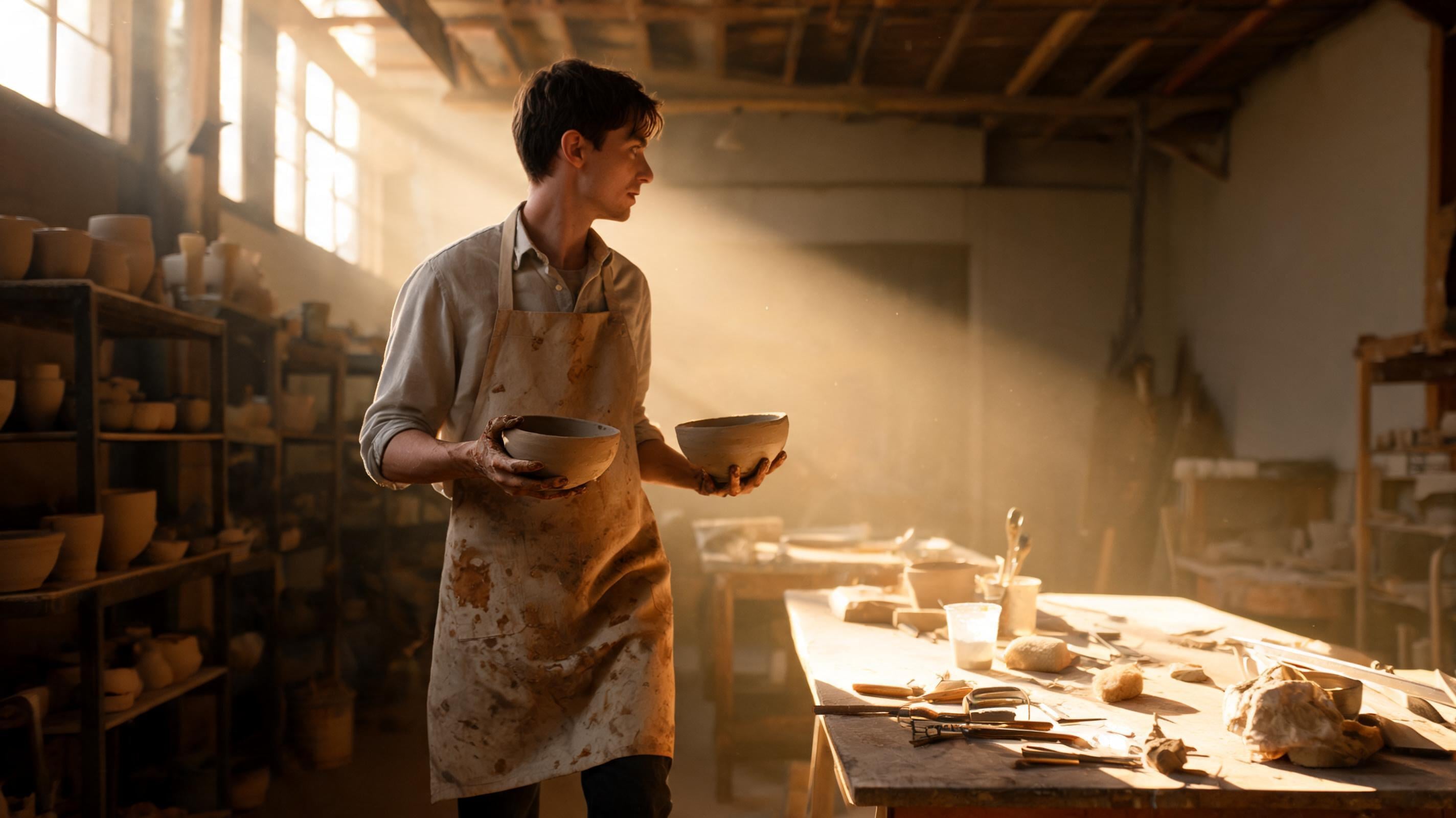
Depict the subject performing a specific task, and arrange the tools and workspace so the task is immediately clear. The practitioner framework recommends leading with the subject’s action, then adding relationships and environment. Specify the needed lighting and mood instead of relying on a keyword list. Here, the bowls, hands, and worktable create logical relationships for the model to resolve, making the action legible rather than reducing the setting to decorative clutter.
Product Photography Prompts
5. Luxury Fragrance Bottle - Best for Clean Ecommerce Hero Assets
Prompt:
Create a premium ecommerce hero image of a rectangular amber-glass perfume bottle with a brushed-gold cap standing on white marble. Place the bottle slightly right of center, with one long dramatic shadow falling to the lower left. Use a cream-to-warm-gray seamless background, controlled product-photography lighting, crisp label edges, realistic glass thickness, subtle liquid tint, fine marble veining, and restrained reflections. Front three-quarter camera angle, 100mm macro product-photography look, sharp focus across the bottle, quiet luxury mood. Leave clean negative space on the left for later copy.Change the bottle geometry to create a distinct product variation. Test matte versus glossy caps. Reserve negative space on a different side.
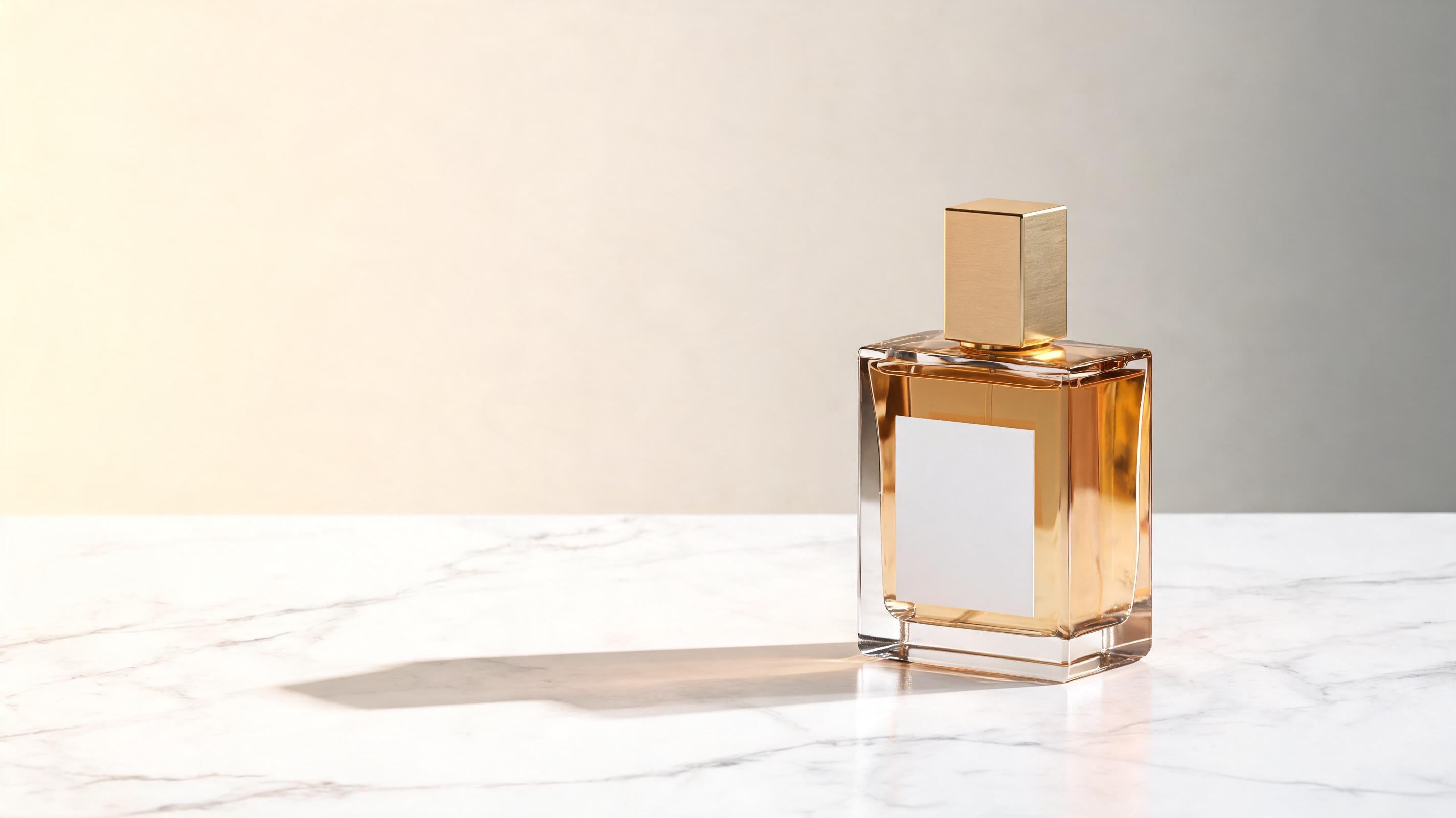
An ecommerce hero shot needs fewer objects and more material specificity because extra props can compete with the product for attention and distract from its form, finish, and label. The 0xmega guide’s clean-product example places a perfume bottle in sharp focus on white marble, against a cream-to-warm-gray background with one dramatic shadow and luxury lighting. It keeps the setup consistent by controlling the camera, reflections, label legibility, and reserved copy space.
6. Transparent Material Fashion Shot - Best for Refraction-Led Concepts
Prompt:
Using the uploaded portrait as the base image, keep the model’s pose, body proportions, facial expression, and flowing dress silhouette unchanged. Replace only the silver-metal dress material with completely transparent clear water shaped as the same garment. Make the model’s skin details visible through the liquid, with realistic water thickness, edge tension, droplets, and refraction that bends the background subtly through the dress. Shift the lighting response from metallic reflections to clean liquid refraction while preserving the original studio composition and camera framing.Try translucent resin. Select the garment region first. Keep the background untouched.
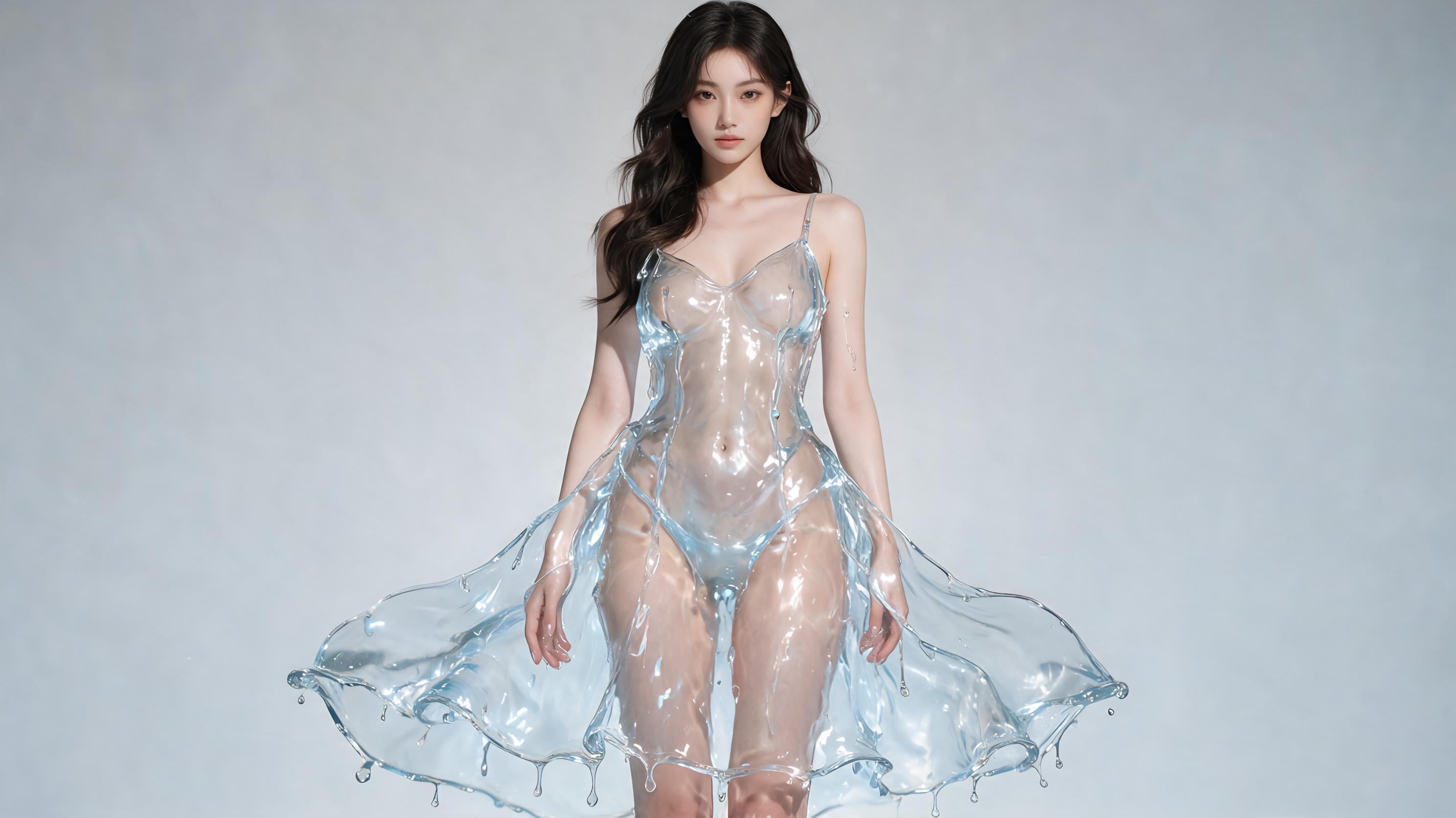
Material experiments work best as preservation-led edits because the pose and silhouette provide the stable frame for a physically different surface. Krea demonstrates an edit that keeps a model’s pose and flowing shape while changing a silver-metal garment to clear water or glass with visible skin and refracted light. Use that edit grammar for fashion or product composites without asking a fresh generation to recreate every successful part of the original frame.
7. Coffee-Shop Earbuds - Best for Casual Tech Lifestyle Ads
Prompt:
Create a casual lifestyle product photograph of a compact wireless-earbuds case on a wooden coffee-shop table beside a latte and an open notebook with abstract handwritten notes. Put the earbuds case in sharp focus near the lower-right third, with the latte and notebook naturally receding into a soft background blur. Use warm morning window light from the left, small realistic reflections on the case, visible wood grain, slight condensation on the glass of water in the background, and an inviting but unstaged mood. 50mm lens, shallow depth of field, commercial lifestyle photography, warm neutral grade.Variation tips: Switch to a desk or train table. Use a color-matched case reference. Turn the scene into an overhead flat lay.
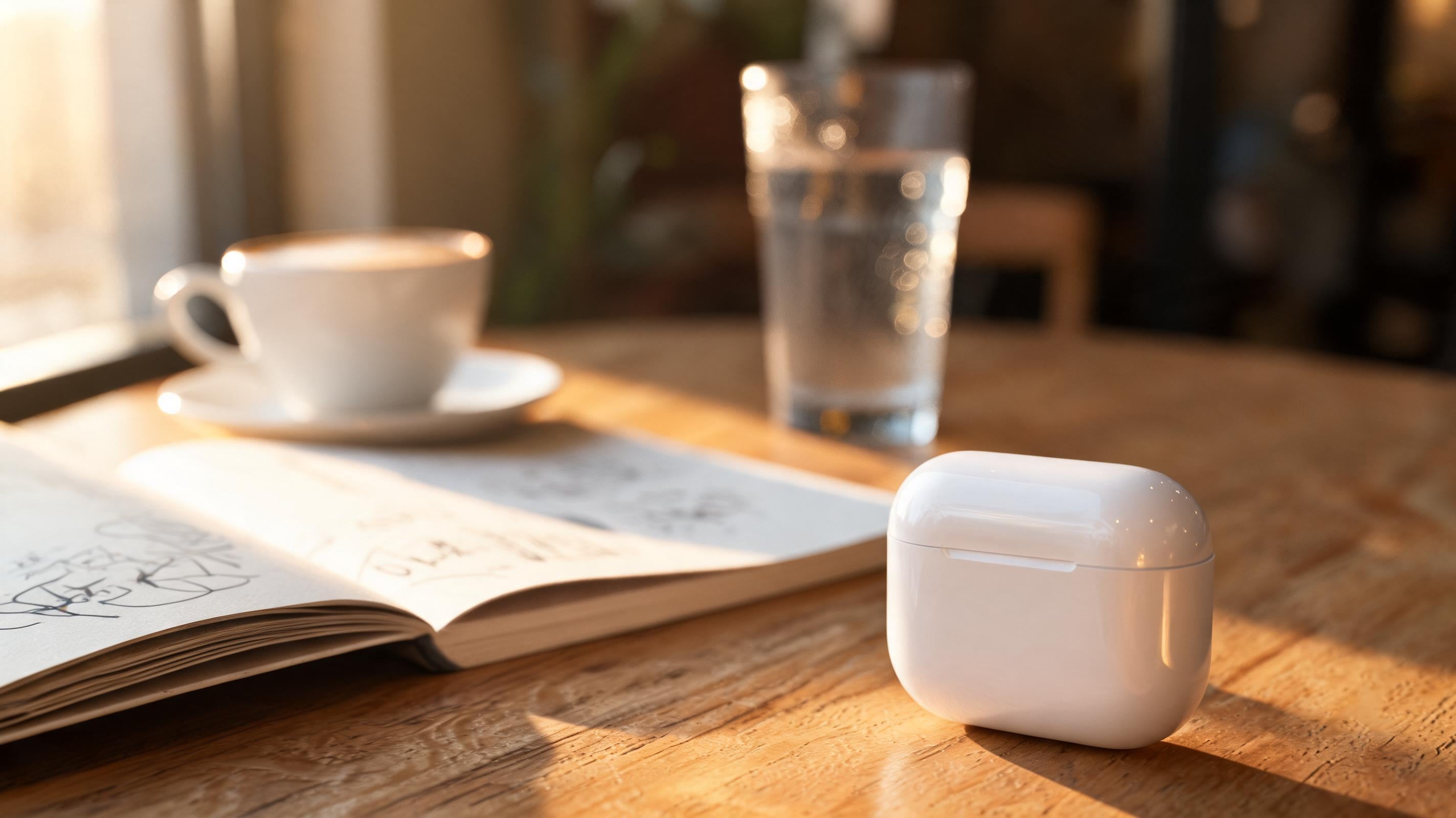
A lifestyle product image must give the product context without letting the context compete for focus. The practitioner examples place a wireless-earbuds case beside a latte and open notebook under morning window light, using shallow depth of field for a warm technology scene. Making the case’s position and focal priority explicit protects the asset from reading as a café photograph with an incidental gadget.
8. Outdoor Brand Kit - Best for Coherent Campaign Systems
Prompt:
Use the uploaded logo as the visual reference for an outdoor sports brand named GREEN. Create a coordinated flat-lay campaign image containing a recycled-fabric packaging bag, cap, trail map card, lanyard, enamel pin, and water bottle. Use a fun, simple, modern visual system with forest green as the dominant tone and small cream accents. Keep the logo treatment consistent across each item, show believable print placement and material textures, and arrange the objects with clean spacing on a warm off-white surface. Commercial brand photography, soft overhead studio light, crisp shadows, 4:5 composition.Variation tips: Add one secondary accent color. Generate one product family at a time. Save the logo reference for every batch.
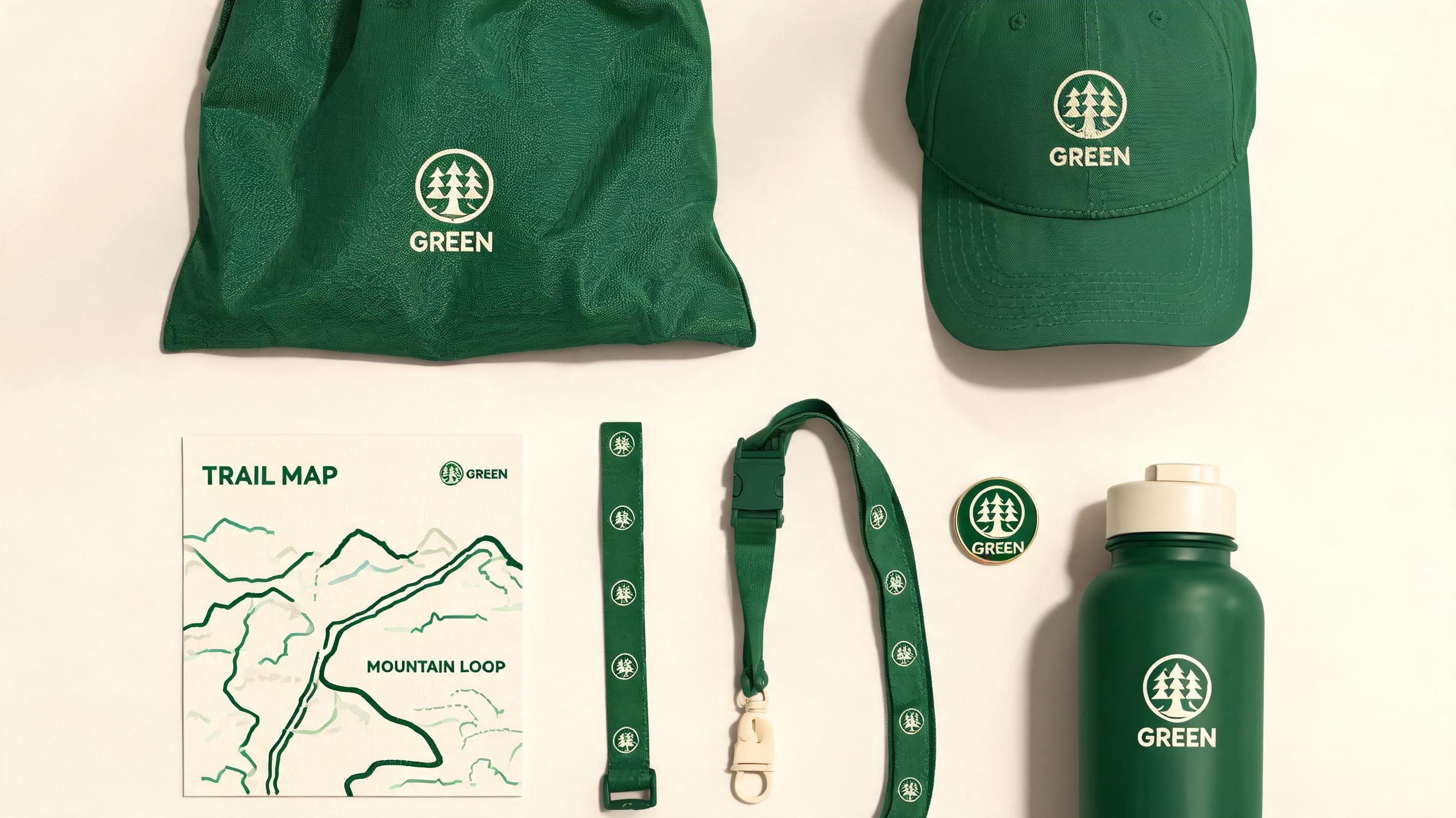
Brand-system prompts need a common reference and a constrained asset list, so a campaign looks designed rather than merely color coordinated. Krea’s brand-kit example uses a logo reference to create packaging bags, hats, and cards for GREEN, an outdoor sports brand with a green, fun, simple, modern direction. Reusing the supplied logo and naming each deliverable gives a marketing team a route from one identity to a connected set of product assets.
Layouts, Text, and Design Prompts
9. Technical Product Blueprint - Best for Dense Explainer Graphics
Prompt:
Design a grayscale technical blueprint infographic for a futuristic electric sports car. Include front, side, and rear line drawings; an exploded view of the battery and wheel assembly; small structural callouts; directional arrows; measurement marks; and a clear visual hierarchy with the hero side view largest. Use fine drafting lines, off-white blueprint paper texture, dark graphite labels, consistent spacing, and realistic engineering-diagram proportions. Keep all annotations secondary to the car silhouette. Technical visualization, precise layout, high-density information design, square composition.Variation tips: Use a camera or chair instead of the vehicle. Reduce the number of callouts. Export a base before editing labels.
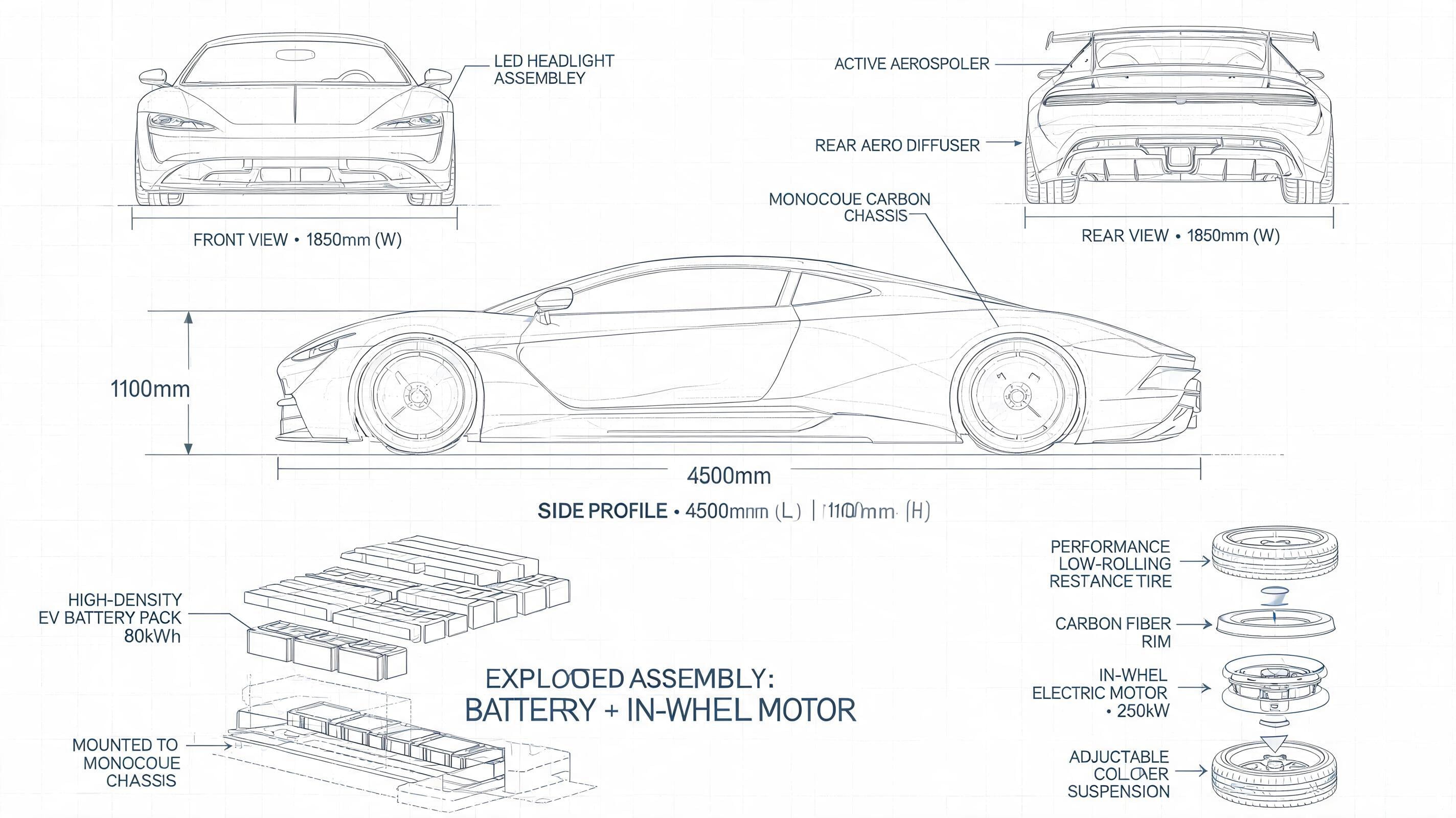
Dense graphics need a hierarchy instruction before a style instruction because a well-rendered diagram still fails if its primary view is unclear. fal.ai’s Seedream 5.0 Pro example specifies a futuristic sports-car blueprint in front, side, and rear views. It adds exploded parts, assembly and structural diagrams, plus dense linework and measurement values. Directing the largest view and subordinate annotations helps you apply structured-layout output to information that must be scanned rather than admired at a glance.
10. Multilingual Event Poster - Best for Localized Campaign Creative
Prompt:
Create a vertical event poster for an outdoor music festival at sunset. Render the headline exactly as “SUMMER SOUNDS 2026” and the Arabic subhead exactly as “موسيقى عند الغروب”. Place the English headline at the top in bold condensed type and the Arabic line directly below with clear right-to-left spacing. Add a coral-to-violet sunset gradient, a dark crowd silhouette along the lower edge, and a small date line reading exactly “18 JULY · CITY PARK”. Keep the hierarchy spacious and legible, with the headline dominant and the date line clearly separated.For a multilingual variation, replace Arabic with Japanese or Spanish. Use one headline language at a time. Keep copy short when testing a new layout.
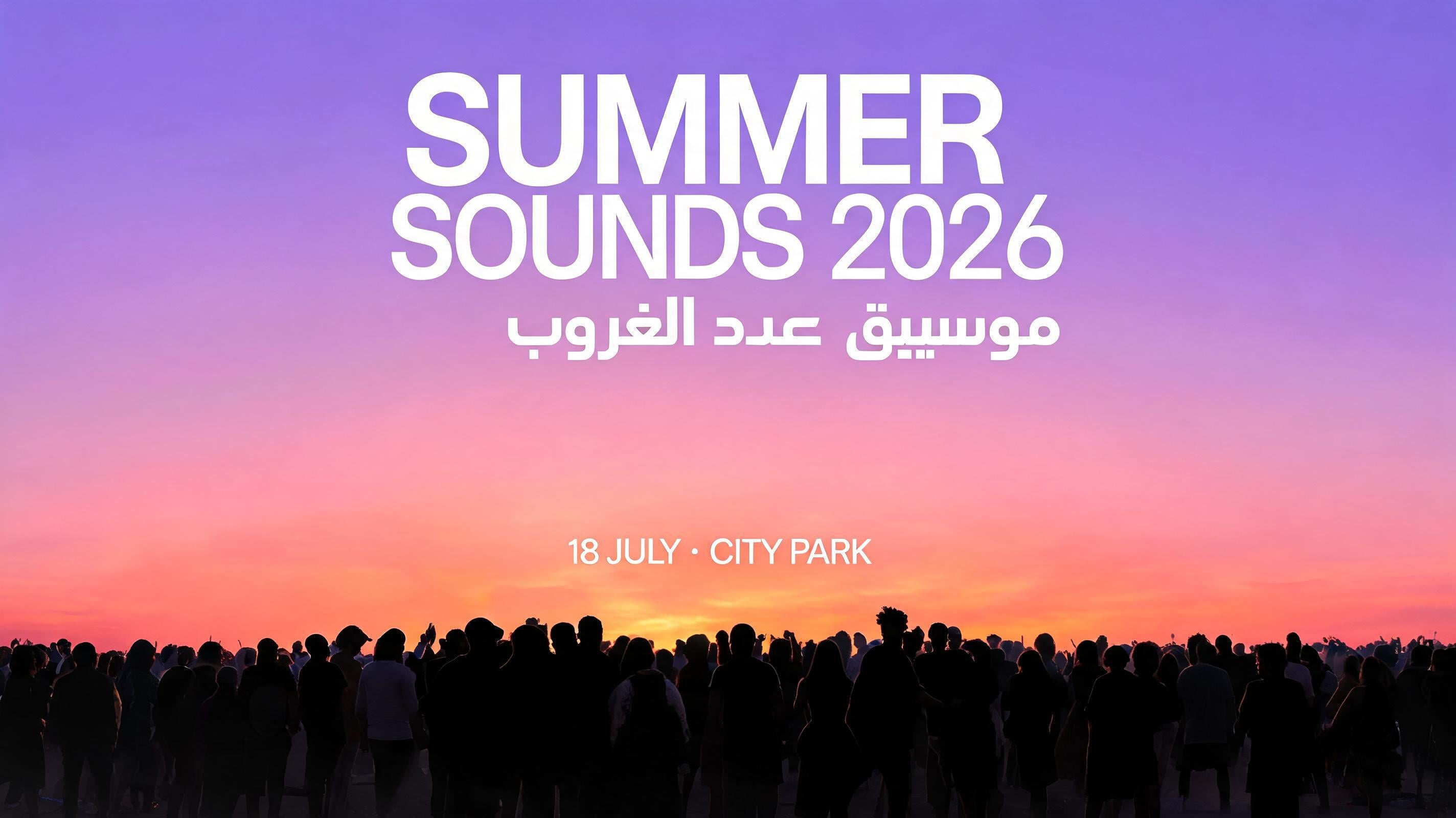
Localized poster prompts should state each string exactly and assign it a place in the hierarchy, especially when scripts flow in different directions. fal.ai lists native text support across 14 languages. It says Seedream 5.0 Pro supports multilingual typography, including accents and right-to-left text. For bilingual poster prompts, quote each string exactly, then specify the English text’s role and placement alongside the Arabic text’s role and placement in the visual hierarchy.
11. Label and Package Mockup - Best for Copy-Sensitive Product Concepts
Prompt:
Create a front three-quarter product mockup of a matte white skincare serum carton beside its frosted-glass bottle on a pale stone surface. Render the carton headline exactly as “CALM / 02”, the descriptor exactly as “BARRIER SERUM”, and the bottle volume exactly as “30 mL”. Use restrained black typography, one muted sage-green band, soft overhead studio lighting, realistic paper grain, crisp folded carton edges, frosted-glass diffusion, and a small natural shadow. Premium beauty packaging photography, 4:5 composition, leave the upper-right corner free for campaign copy.Variation tips: Replace the product category. Use only essential label copy. Move campaign space above the bottle.
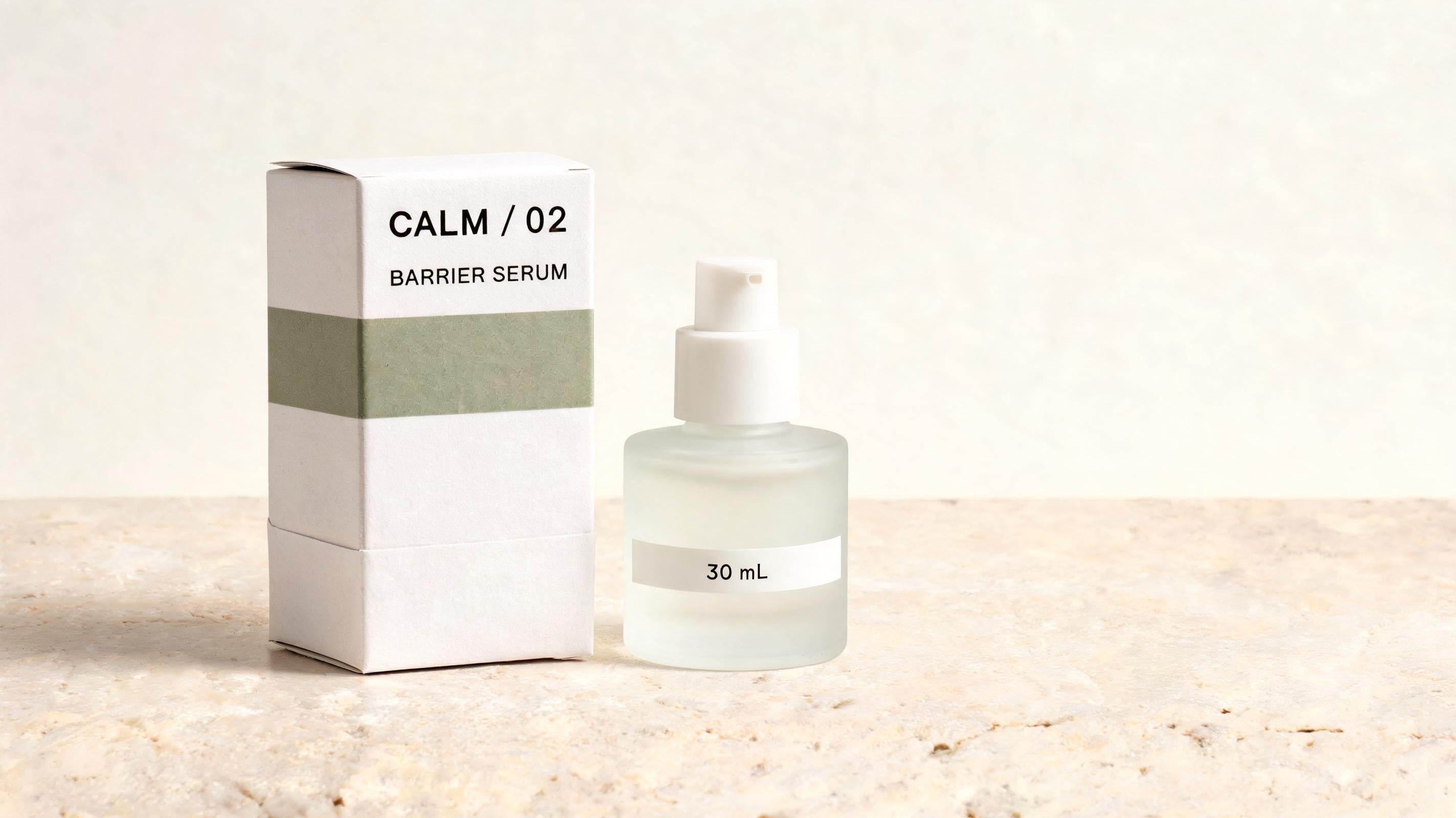
Package mockups work best when required copy is brief and quoted before decorative details are added. For a bottle label, put the exact headline, descriptor, and volume in double quotes, for example “BOTANICAL TONIC,” “SPARKLING HERBAL DRINK,” and “330 mL,” so Replicate treats each required string as literal copy. You can check the headline, descriptor, and volume individually, then use an edit for any remaining label correction instead of discarding a strong product composition.
Reference-Led Consistency and Krea Edit Prompts
12. Outfit-Transfer Lookbook - Best for Maintaining Character Identity
Prompt:
Use reference image 1 for the model’s face, hair, body proportions, and identity. Use reference image 2 for the complete outfit, including the jacket cut, trouser fabric, shoes, and accessory styling. Create a full-length street-style lookbook image of the same person standing beside a concrete gallery wall on an overcast day. Keep the person recognizable from reference image 1 while transferring the outfit details from reference image 2. Use soft diffuse daylight, realistic fabric drape and seams, 70mm fashion photography, full-body framing, restrained urban color grade.Variation tips: Assign one reference image to each role. Change only the location. Add an accessory reference after the base works.
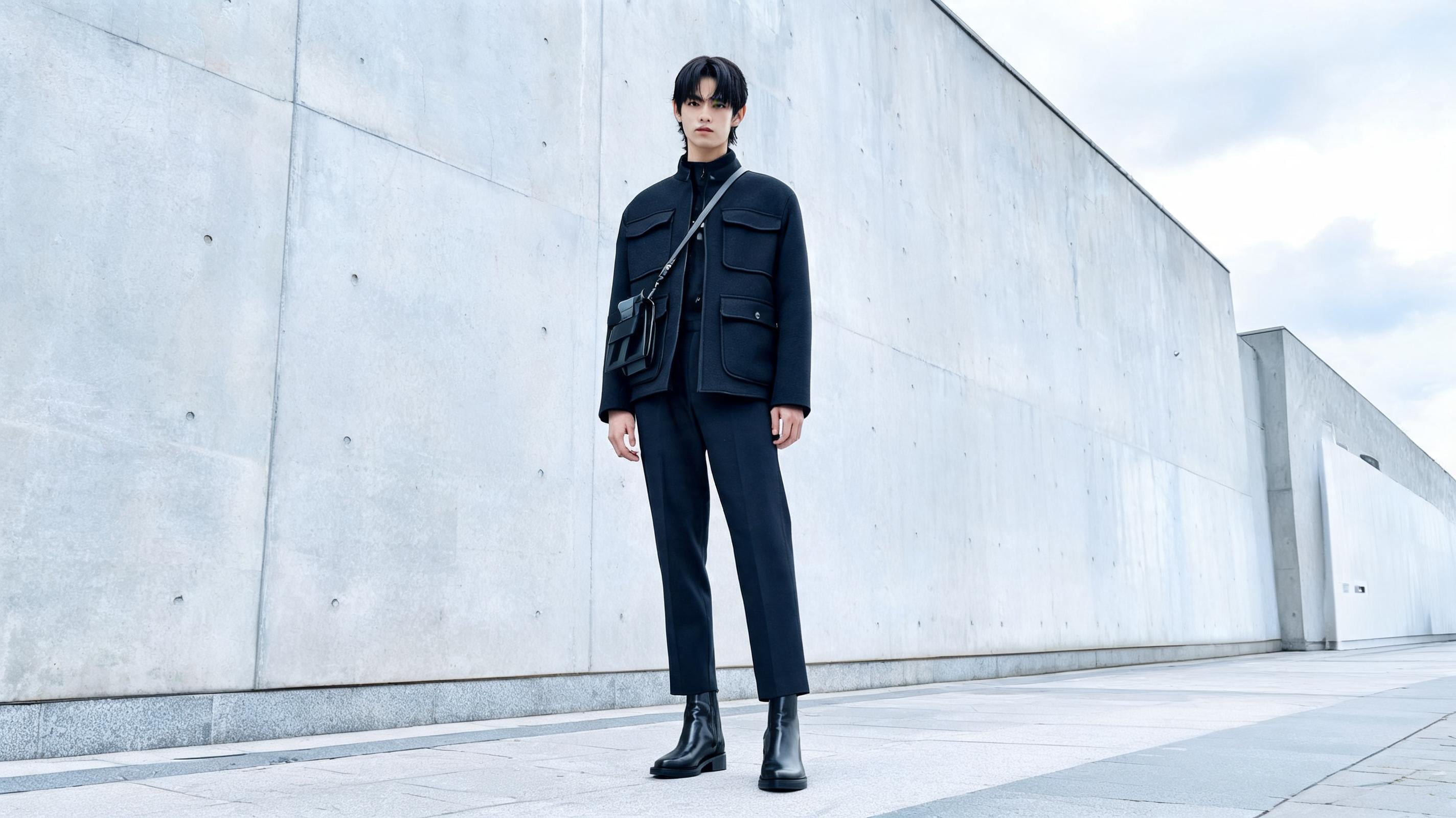
Reference roles should be assigned by function so identity and wardrobe are separate instructions instead of competing visual guesses. Krea gives the outfit-transfer command, “Replace the clothing in image 1 with the outfit from image 2,” as a reference-blending use case. Naming what each reference contributes helps a lookbook retain a recognizable person while still producing a new outfit image.
13. Four-Frame Campaign Sequence - Best for Social-Series Consistency
Prompt:
Referring to reference image 1 for the same main character and reference image 2 for the same red motorcycle, generate four separate 4:5 editorial campaign images: (1) the character putting on sunglasses beside the motorcycle, (2) riding the motorcycle on a coastal road, (3) standing beside it wearing a black hat, and (4) holding a red lollipop while leaning on the parked motorcycle. Preserve character identity, motorcycle color and shape, wardrobe palette, and late-afternoon coastal light across all four images. Photoreal commercial campaign photography, 35mm lens, cinematic but natural color.Variation tips: Batch one pose at a time for cleaner production control. Keep the palette fixed. Build a contact sheet before selecting finals.
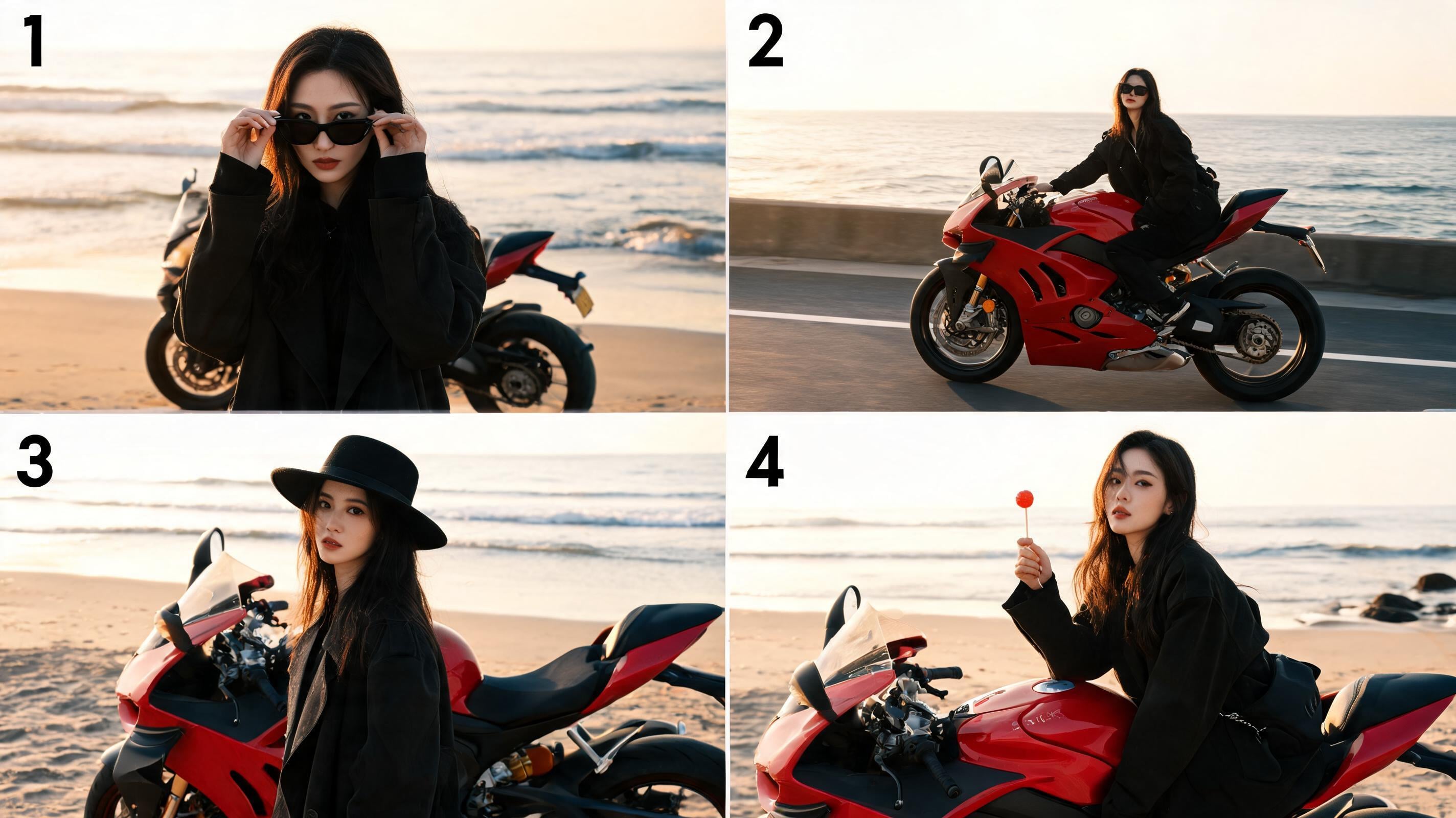
A campaign sequence requires repeated identity anchors and a finite shot list, which makes consistency a stated production requirement. Krea’s multi-image example asks for four images of characters wearing sunglasses, riding motorcycles, wearing hats, and holding lollipops. Turning those actions into numbered frames lets a social team request variety while preserving the character, vehicle, lighting, and palette that make the images belong together.
14. Selected-Area Material Swap - Best for Revising One Finished Image
Prompt:
Using the uploaded product photograph, preserve the product’s exact position, camera angle, proportions, label, background, shadow direction, and crop. Select only the metal cap. Change its material from brushed aluminum to translucent cobalt-blue resin with subtle internal bubbles, realistic edge thickness, soft light transmission, and small highlights that match the existing studio light. Do not alter the bottle, typography, tabletop, or any area outside the selected cap. Keep the original composition unchanged.Use a lasso to select the target object. State every protected element. Test one material property per edit.
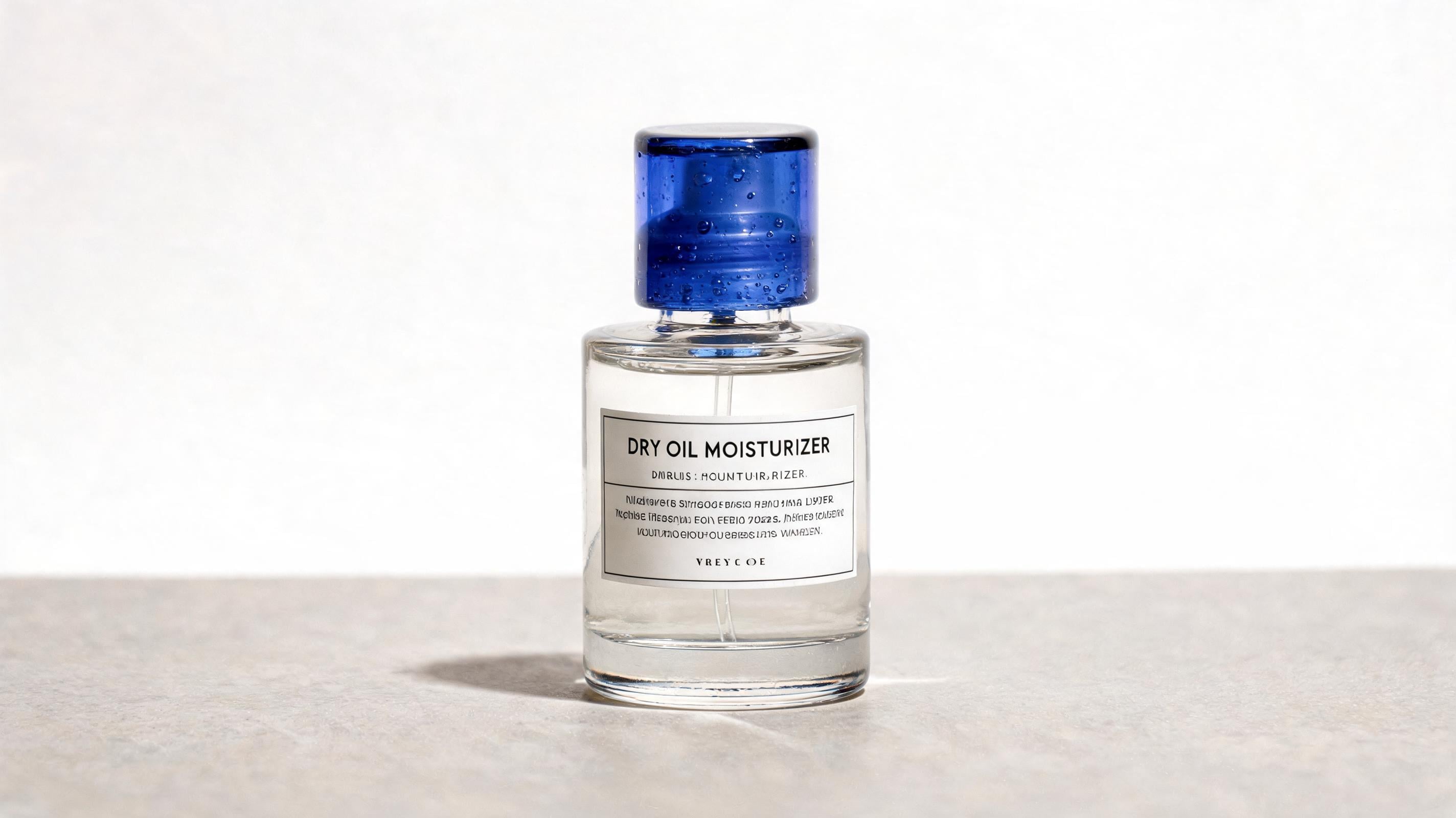
A finished asset should be edited by naming the selected region and protected regions, which prevents a small request from becoming a full redesign. fal.ai describes automatic layer separation in Seedream 5.0 Pro across 10 or more layers, including subject, text, background, and details, for independent modification. The cap-only instruction turns that capability into a dependable revision pattern for feedback on a material, finish, or accent color.
15. Timely Editorial Scene - Best for Current-Context Concepts
Prompt:
Create a photoreal editorial image for a current local design-week story using the latest factual context available for the named event, city, and venue. Show a diverse group of visitors entering the venue at blue hour, with the building exterior and event signage treated accurately but without inventing sponsor logos or unreadable copy. Frame the entrance from street level, use wet pavement reflections after light rain, realistic crowd spacing, documentary 35mm photography, cool ambient sky light balanced with warm interior light, and a composed magazine-news mood. Keep the event name and date in double quotes only after verifying them.Variation tips: Insert a verified event name. Use a real venue reference. Remove unverified brand details.
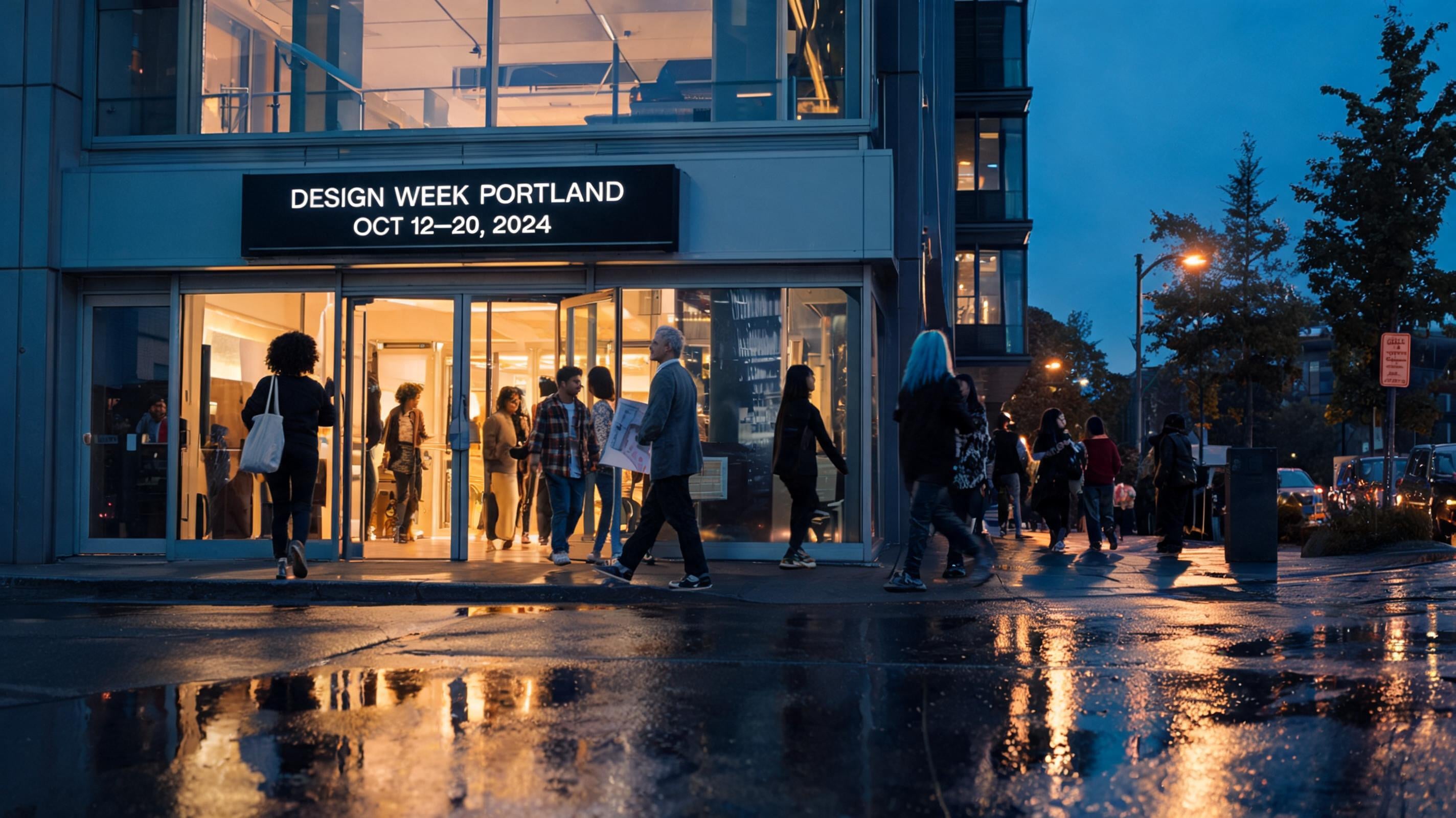
Timely editorial prompts should request current context while limiting unverified text and brand detail that could turn a plausible scene into a factual error. Krea says Seedream 5.0 Pro can use web-search-augmented reasoning for up-to-date products, events, and trends during generation. That capability can produce a fast visual starting point, but verify event names, dates, and logos before treating the image as publishable campaign material. Web-grounded context improves timeliness without removing the need to check factual copy, so keep verified details short and explicitly quoted.
How to Work Through These Prompts on Krea
Generate a base image from one prompt. Once you identify the one visual decision that still needs control, use references or a selected-area edit to refine it. Krea’s Seedream workflow combines prompt entry, multi-reference uploads, and canvas selection tools. It also supports batch and sequence generation. That sequence keeps an early render useful: retain its composition, then refine identity, material, text, or background rather than restarting from a blank prompt.
Pro generations can consume credits quickly during batches, so test a single composition before producing a sequence. This limits expensive variation that has no clear decision behind it. In Krea, start with one generation, then refine a selected area or reference image into the final asset.
Ready to make the first version? Open Seedream 5.0 Pro on Krea and generate one of these prompts.
FAQ
Frequently asked questions
What’s the main advantage of using Seedream 5.0 Pro prompts with Krea editing?
How do I write prompts for better photorealism in Seedream 5.0 Pro?
Can Seedream 5.0 Pro preserve specific text in posters or packaging?
What are “reference-led revisions,” and when should I use them?
Is it better to combine everything into one long prompt or do multiple passes?
Try these Seedream 5.0 Pro prompts in Krea
Generate any prompt from this guide with Seedream 5.0 Pro, then refine with references and selected-area edits in the canvas.
Try Seedream 5.0 Pro