Product images are incredibly important for marketing teams and even small imperfections can disqualify a good looking image from being used. Seedream 5.0 Pro on Krea lets teams target changes with point, box, and sketch edits rather than rerolling the image.
This easy to control edit also lets teams experiment with different variations. A fragrance team might use anchors to preserve the bottle silhouette, while a furniture team might box-select the upholstery for a fabric change.
For commercial product imagery, Seedream 5.0 Pro is most effective as a controlled art-direction workflow that preserves the product, physical cues, and brand decisions while enabling targeted revisions for approval. Start with a reference-led generation, then choose the workflow that matches the asset required next.
How We Chose These Examples
Soon after launch, Seedream 5.0 Pro ranked second on Arena.ai’s Multi-Image Edit leaderboard at 1,415 points and fourth on Single-Image Edit at 1,393 points. We picked some examples to highlight the targeted control of Seedream 5.0 Pro on critical variable such as material color, finish, or label layout. Moreover, ByteDance describes material changes on Seedream can accurately model the difference between reflection and refraction.
Shoot your product without a studio
Generate a hero render with Seedream 5.0 Pro, then fix one detail with a box edit.
Start a product shotAt-A-Glance: 15 Seedream 5.0 Pro Product-Render Workflows
| # | Example | Main control to use | Best commercial decision supported |
|---|---|---|---|
| 1 | Translucent perfume on wet slate | Glass refraction + side light | Hero-shot direction |
| 2 | Clear fragrance bottle glare fix | Box/region edit | Reflection correction |
| 3 | Perfume line across three scents | Multi-reference inputs | Range consistency |
| 4 | Sofa fabric and color swap | Material + swatch references | Finish approval |
| 5 | Glass coffee table in a styled room | Refraction-aware material edit | Transparent-material realism |
| 6 | Furniture collection colorway variants | Anchored edits + layers | SKU variation review |
| 7 | Premium smartphone on a seamless set | Product reference + studio-light brief | E-commerce hero image |
| 8 | Laptop with a controlled screen replacement | Region selection + layer separation | Feature-message revision |
| 9 | Nine-product tech display rack | Full-layout prompting | Complex assortment layout |
| 10 | Serum dropper with liquid texture | Product lock + physical-lighting brief | Beauty-material direction |
| 11 | Cosmetics shade extension | Exact hex color specification | Shade-family review |
| 12 | Beauty product with model integration | Multi-reference consistency | Campaign continuity |
| 13 | Japanese green-tea carton | Text-led packaging layout | Packaging concept review |
| 14 | Branded kit across packaging and collateral | Logo reference + batch generation | Visual-system exploration |
| 15 | Foil label correction without changing the pack | Region edit + separated layers | Pre-production revision |
1. Fragrance and Glass
1. Seedream 5.0 Pro on Krea – Best for a translucent perfume hero image
Prompt:
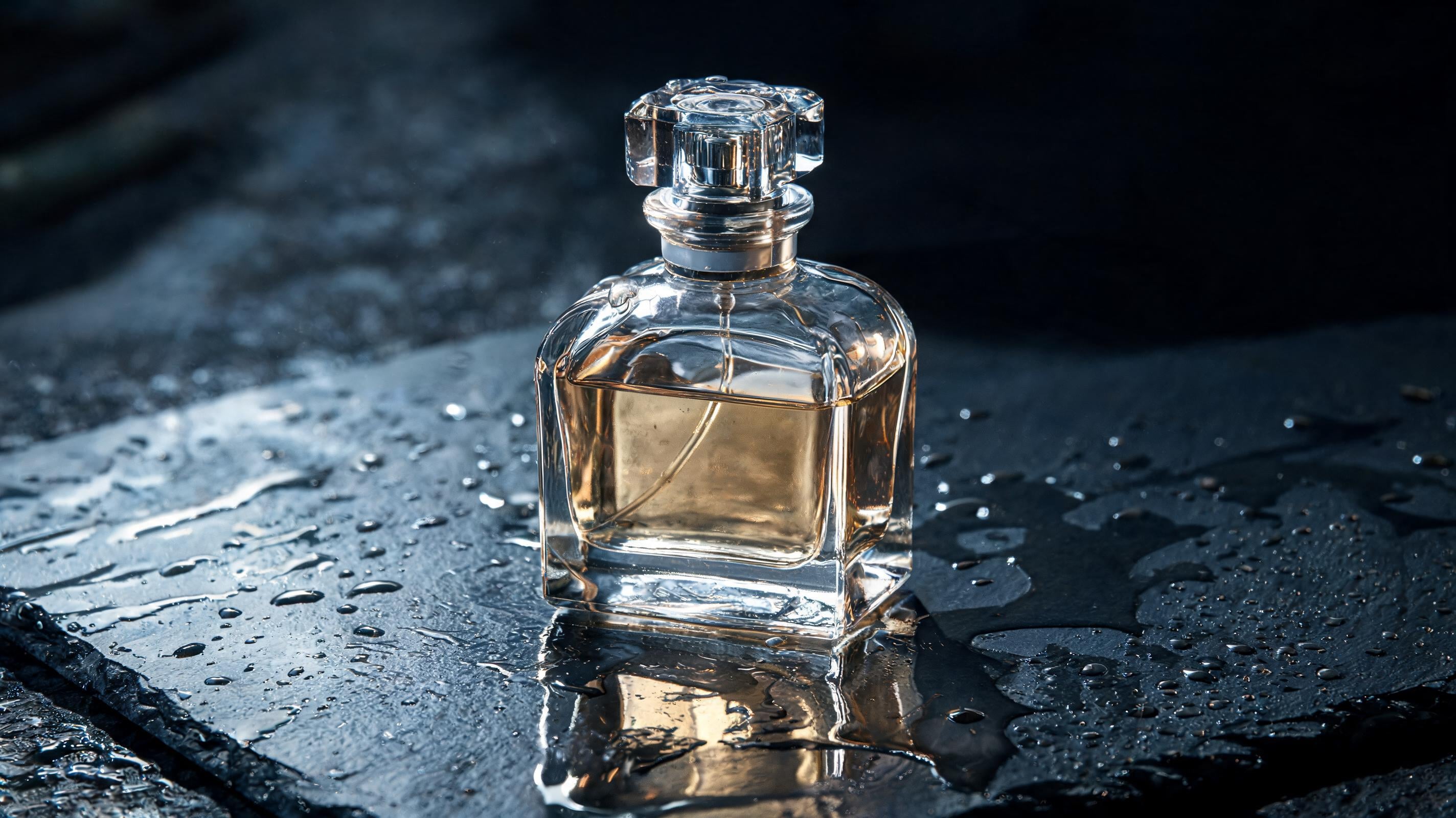
Editorial product photograph of a translucent perfume bottle on wet slate, dramatic side light, hyperreal glass refraction, professional color grading.Variation tips: Replace wet slate with the approved surface. Add a bottle reference. Specify the crop before generating.
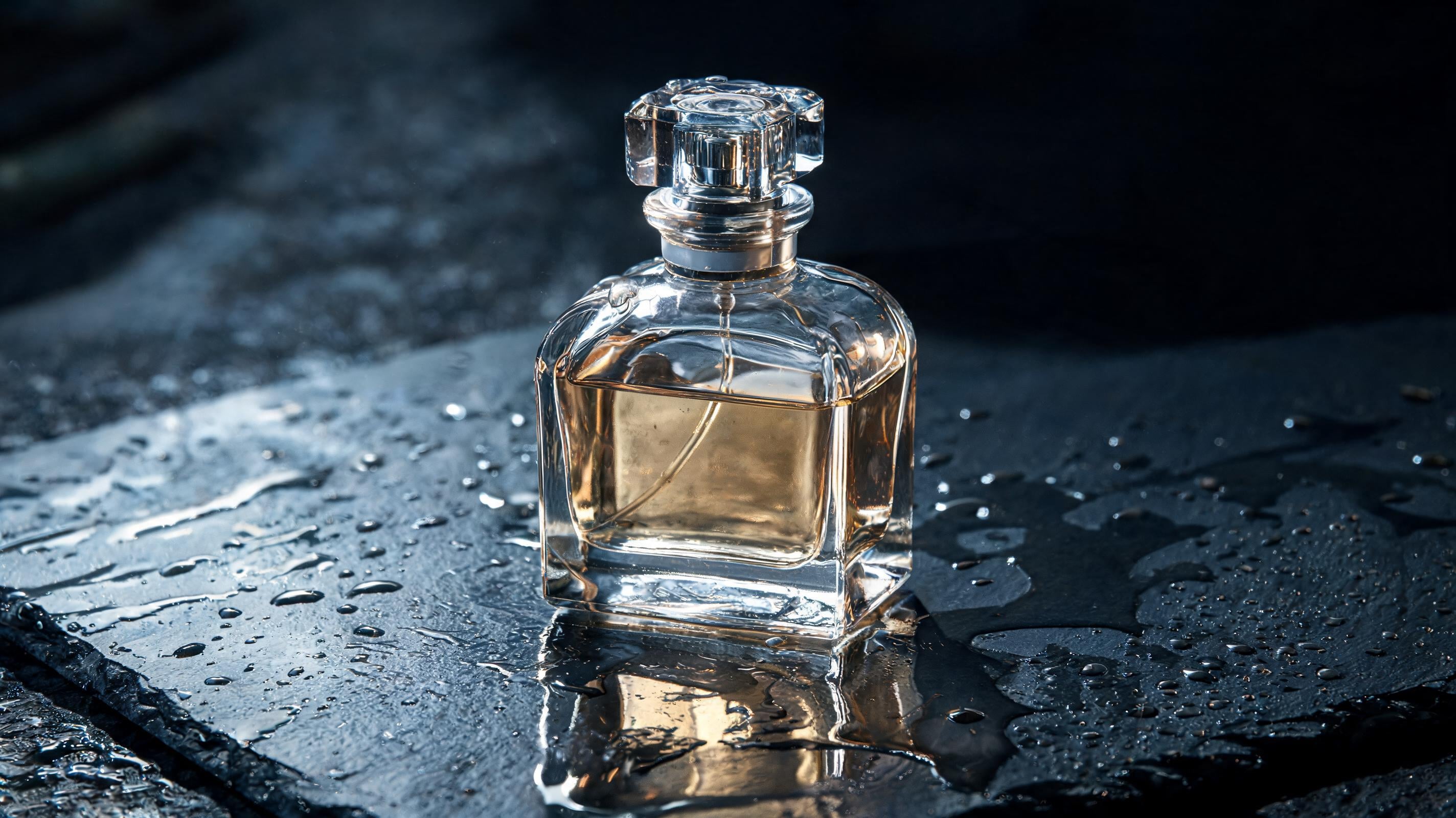
The official perfume workflow is the strongest starting point because it requests glass behavior and studio art direction in the same image. Krea uses this translucent bottle-on-wet-slate prompt to demonstrate dramatic side light and hyperreal glass refraction on its Seedream 5 Pro model page.
The prompt gives an art director usable constraints for the product and its lighting or finish. It can establish lighting and composition direction before a reshoot or retouching pass. That distinction is especially clear in regulated pack photography, where exact details matter.
2. Seedream 5.0 Pro on Krea – Best for correcting glare on a clear fragrance bottle
Workflow: Generate or upload the approved bottle composition. Select only the glare region and request a softer, controlled reflection. Preserve the bottle placement, label, and background.
Variation tips: Mask the smallest viable area. Keep the original light direction. Review label edges at full size.
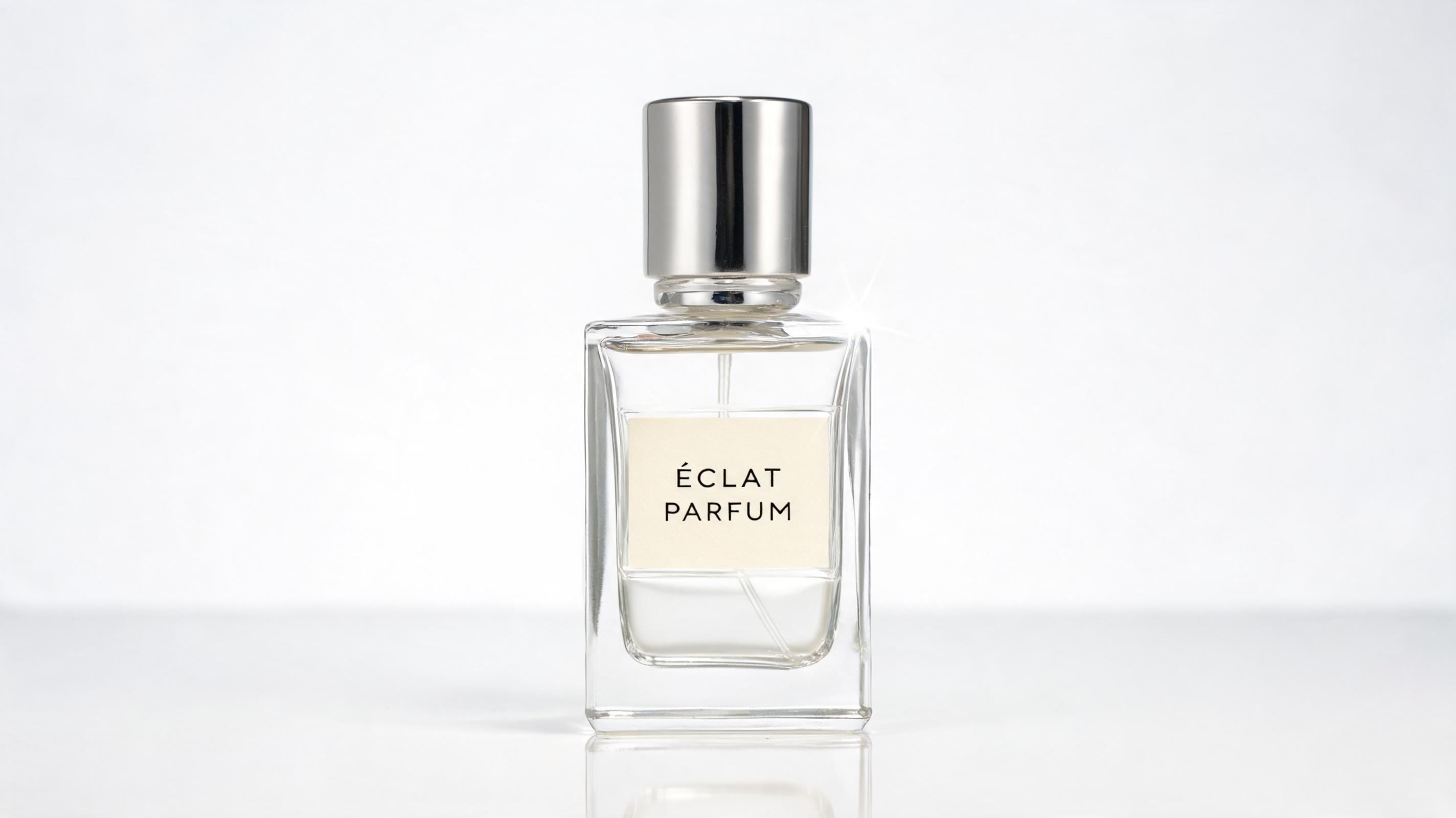
The example illustrates how Krea’s documented regional controls can target a localized glare correction. Clear-bottle imagery becomes useful in review when glare can be revised locally instead of forcing a new hero image.Krea lets users select a point, draw a box, or sketch the area they want to change.
A retoucher can isolate a shoulder highlight or cap reflection while protecting the bottle silhouette and label that already passed review. Manual inspection remains necessary for transparent edges, but limiting the edit is safer than relying on a new generation to preserve the full composition.
3. Seedream 5.0 Pro on Krea – Best for a three-scent perfume range
Workflow: Upload approved bottle, cap, and logo references. Add art-direction references, then generate one scent at a time using a fixed camera brief and a distinct approved palette for each SKU.
Variation tips: Reuse the same crop language. Change one scent variable per round. Keep caps as a separate reference.
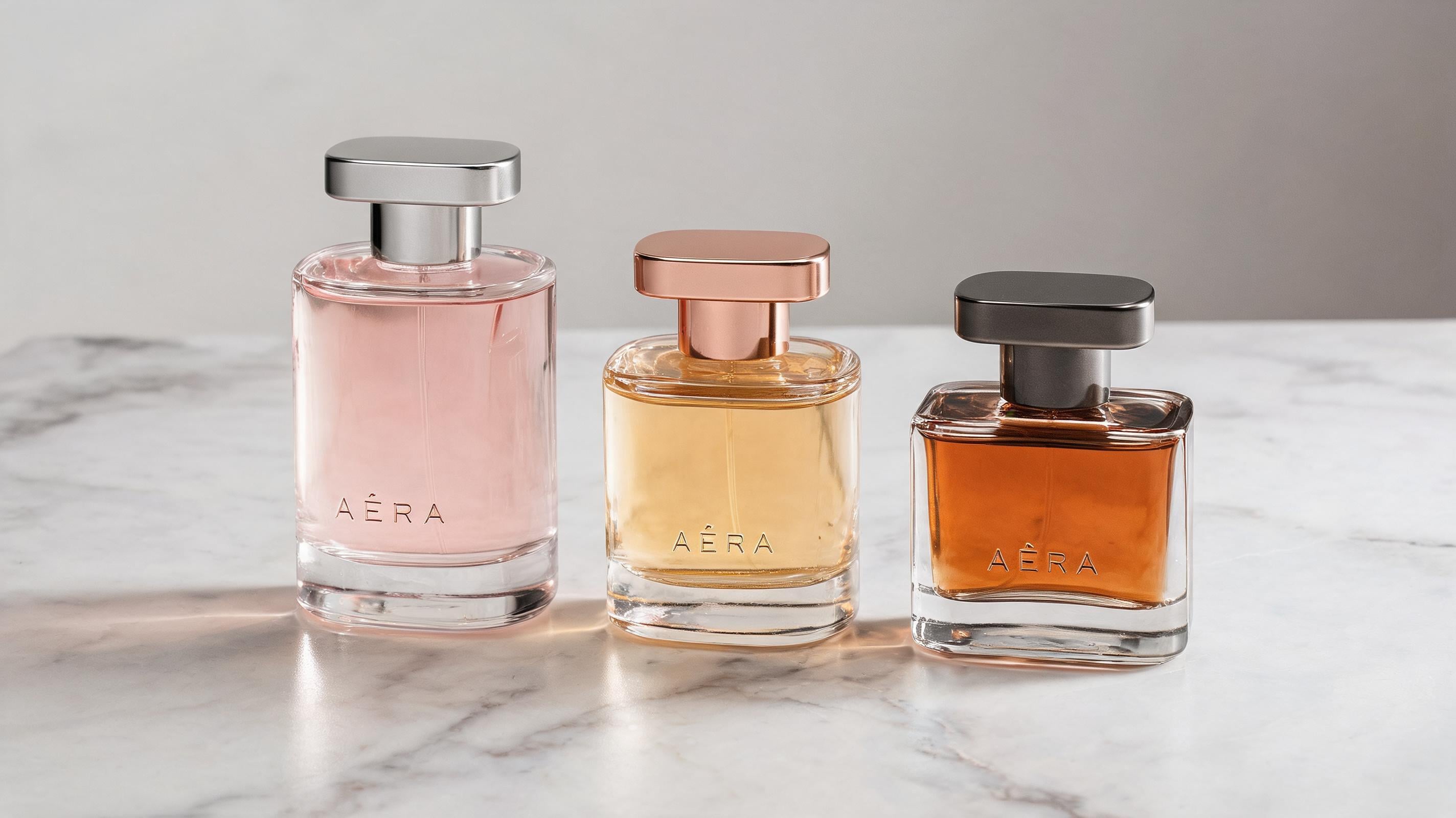
Multi-reference generation lets each SKU vary while keeping the range visually aligned, making campaign production more dependable. Krea supports up to 10 references for locking product, subject, or style consistency across scenes.
This workflow preserves product identity and visual direction with less prompt prose, because separate references carry each responsibility. Public evidence does not establish consistency across a large catalog, so a three-SKU test is the practical place to expose drift before expanding the workflow.
2. Furniture and Interior Product Renders
4. Seedream 5.0 Pro on Krea – Best for a sofa finish swap
Workflow: Provide the target material, approved color swatch, and sofa scene, then request a finish change while preserving the camera angle and room composition.
Variation tips: Name the upholstery material. Attach the color source. Freeze the room styling first.
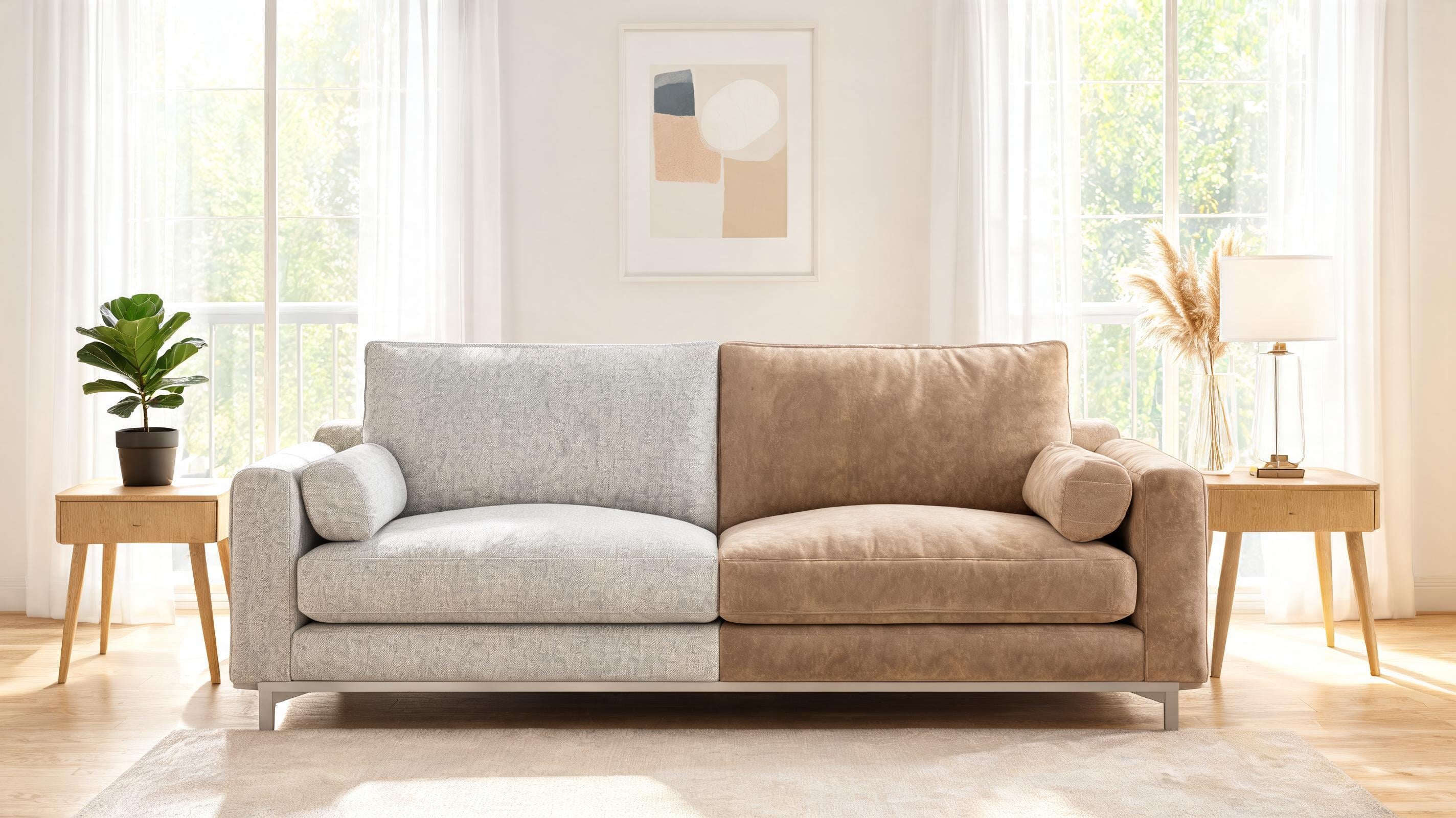
The example shows how reference inputs can guide a controlled sofa edit. Furniture teams can review finish options without rebuilding a room scene. ByteDance’s sofa example combines material from one reference and color from another to modify a sofa in a third image.
That structure separates the upholstery decision from room styling, product form, and camera view.In finish review, the workflow provides a faster visual brief for deciding which finish merits physical sampling, rather than a measured fabric or manufacturing specification, as Krea’s Seedream 5.0 Pro launch post describes.
5. Seedream 5.0 Pro on Krea – Best for a glass coffee table in context
Workflow: Use a room reference and coffee-table reference; request a transparent-glass tabletop with visible background detail through the surface and lighting consistent with the room.
Preserve the visible rug pattern, floor texture, and furniture edges through the glass tabletop. Avoid competing window reflections. Preserve contact shadows.
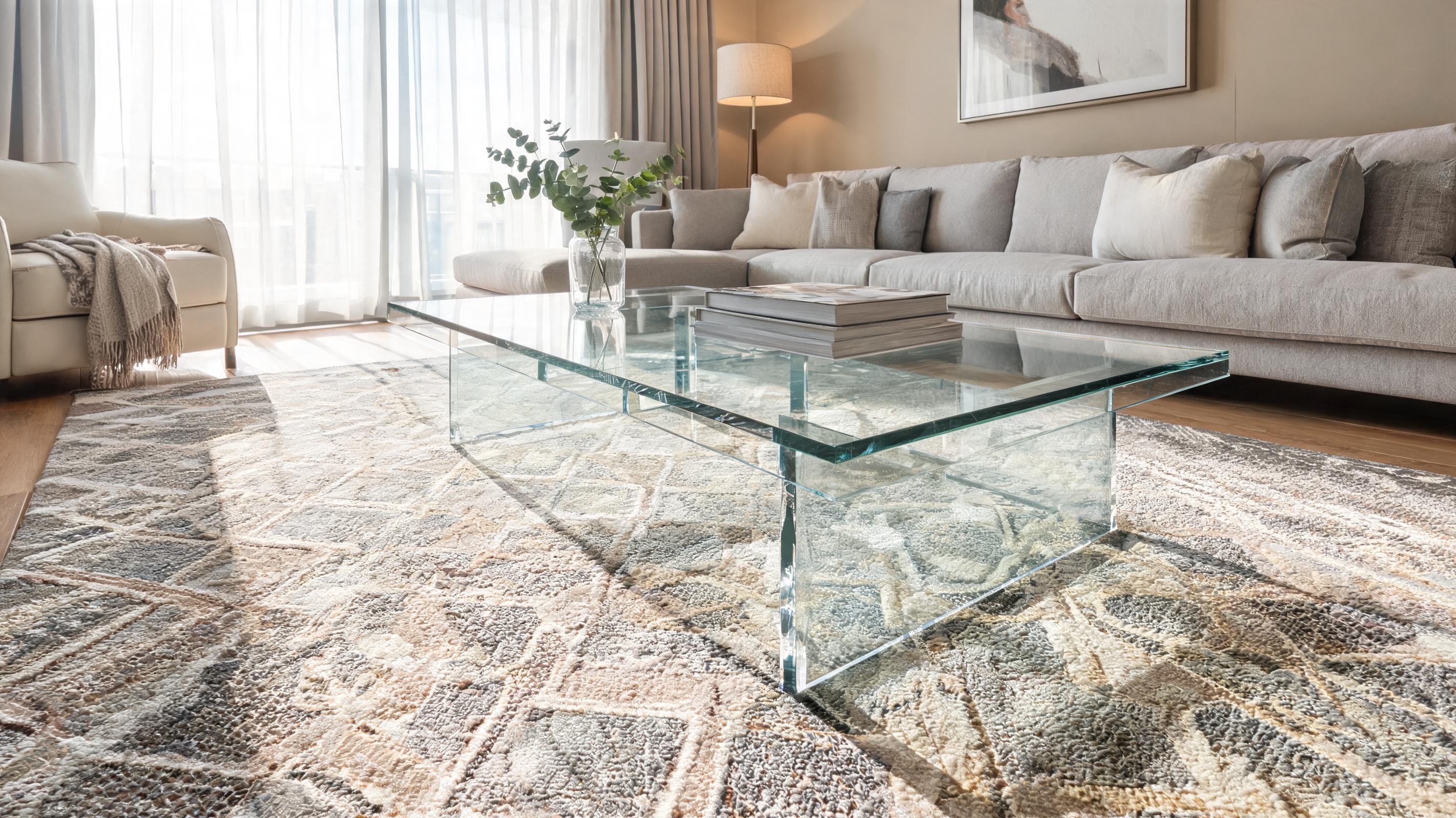
This prompt/workflow template tests whether the model can preserve the room while rendering the glass table as a realistic transparent material. Glass furniture is a useful stress test because the viewer must see the room behind the surface while reading believable light behavior. ByteDance’s material-editing demonstration turns reflective silver metal into transparent water or glass. It preserves the structure while revealing underlying detail through refraction.
For an interior render, state both the material and what remains legible through it, such as the rug or lower shelf. Actual product constraints still need review, but this approach gives “glass” a physical instruction rather than treating it as decoration.
6. Seedream 5.0 Pro on Krea – Best for furniture colorway review
Workflow: Generate the approved hero composition, anchor the sofa or chair position, and create one approved colorway per edit.
Variation tips: Use named swatches. Hold wall and floor colors fixed. Export each variant with its SKU label outside the image.
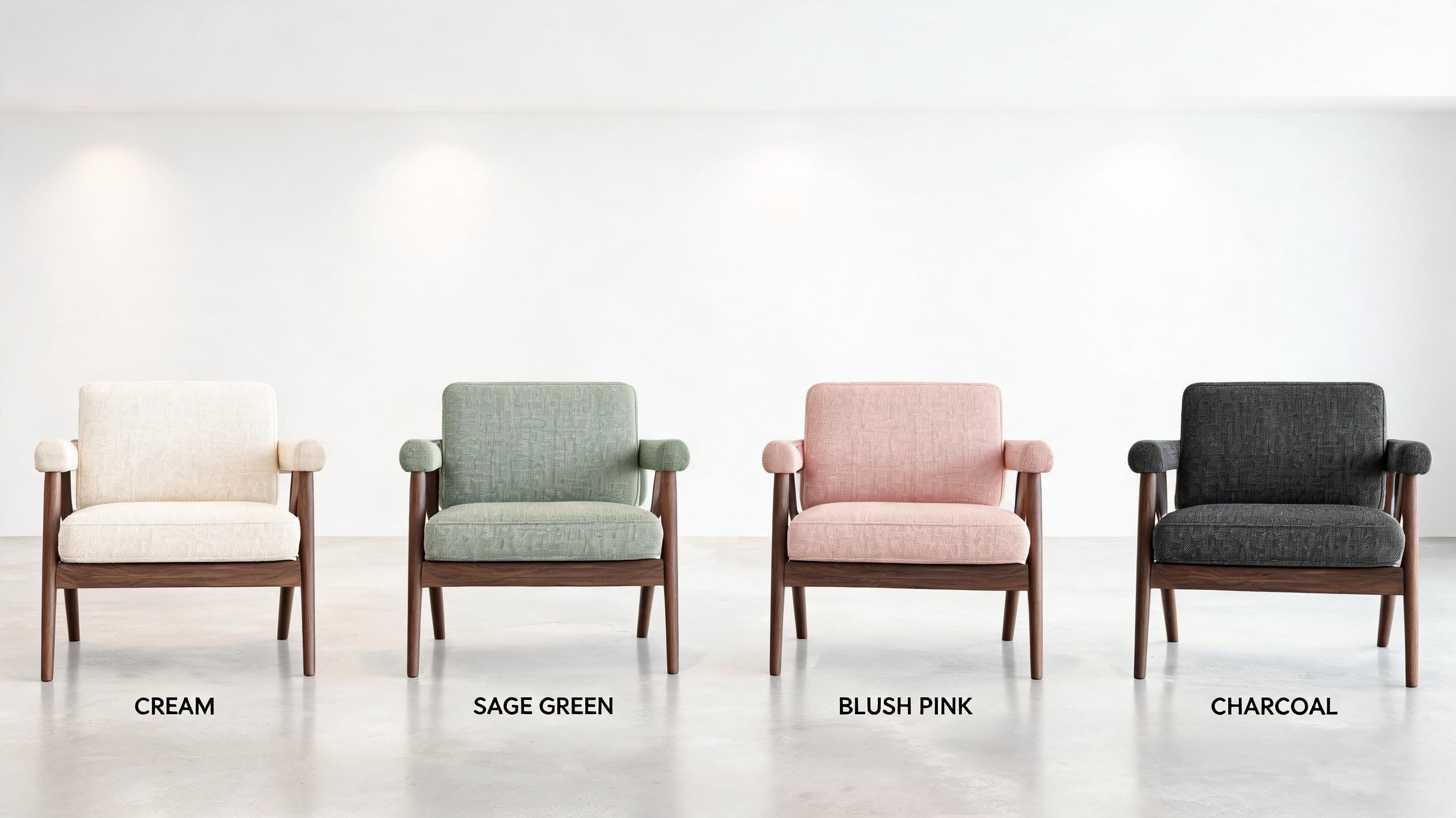
This workflow template enables structured approval of furniture colorway variants. Colorway reviews work when the product changes and the room stays a stable comparison frame. Krea’s anchor editing can reposition or preserve subjects without fully regenerating the composition.
Holding the camera, styling, and neighboring finishes fixed makes chair-color differences easier for a buyer to judge. Exact hex instructions set the intended shade direction, but physical validation is still needed to confirm an upholstery match.
3. Consumer Tech
7. Seedream 5.0 Pro on Krea – Best for a studio-lit smartphone hero image
Workflow: Upload the device reference and specify a seamless background — often a plain white studio backdrop, as in our white background guide — and camera angle. Set reflection and shadow levels, then protect negative space for campaign copy.
Variation tips: Specify lens perspective. Keep ports and buttons visible. Reserve copy space explicitly.
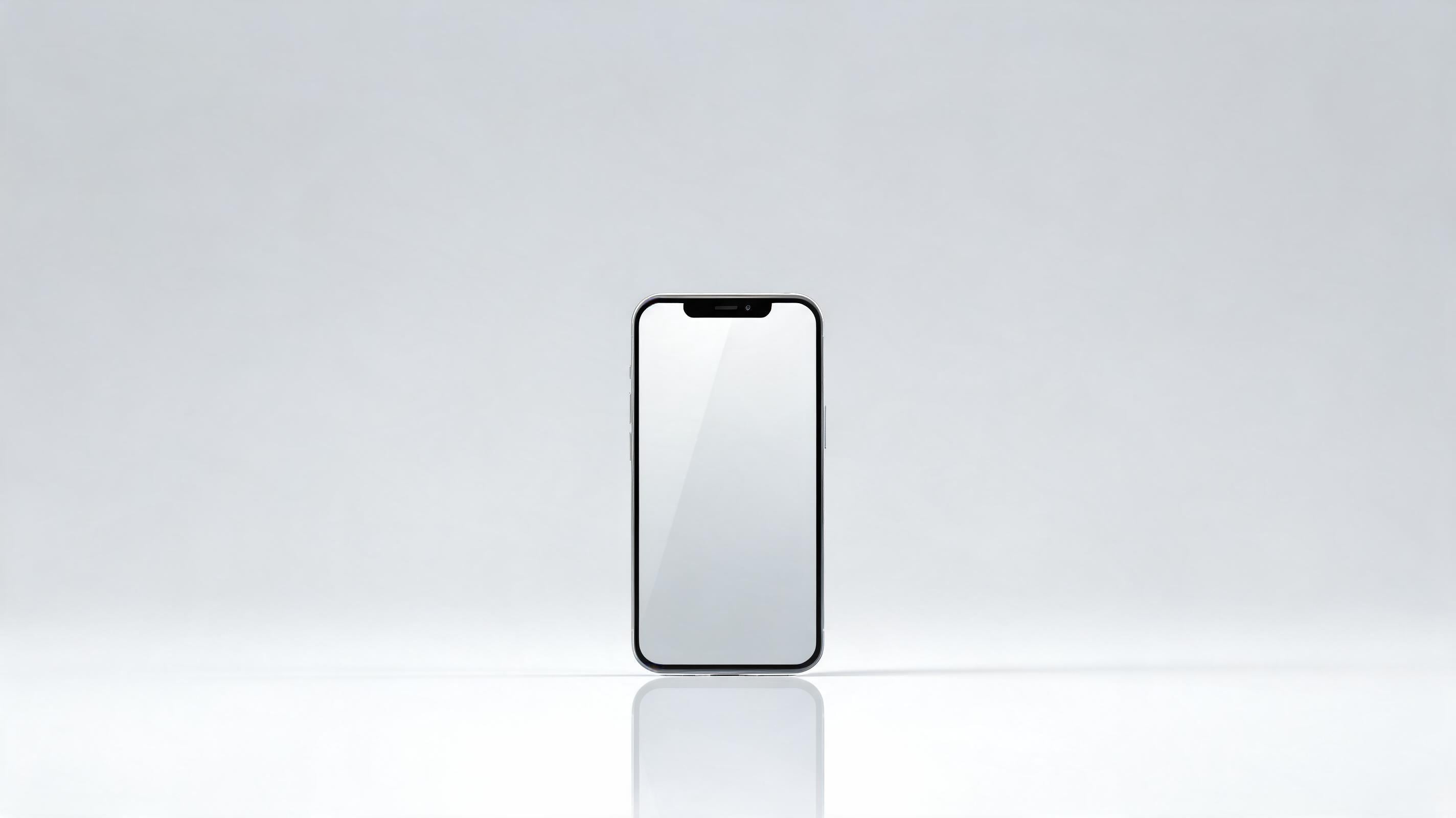
A tech hero image needs a product-locked composition because small changes to ports, camera modules, or edge geometry can invalidate the asset. ByteDance positions Seedream 5.0 Pro for realistic imagery with physical lighting, shadows, and material texture.
A device reference plus a lighting brief lets a team explore premium studio direction while retaining the reference as the source of product identity.Generated output cannot prove exact hardware specifications. According to ByteDance’s Seedream 5.0 Pro announcement, it can support concept-stage campaign imagery before final CAD.
8. Seedream 5.0 Pro on Krea – Best for replacing a laptop screen without rebuilding the scene
Workflow: Select the display rectangle and replace only the screen content. Keep the laptop chassis, desk lighting, and hand-and-background composition unchanged.
Variation tips: Use a clean source UI. Preserve bezel thickness. Check screen reflections after editing.
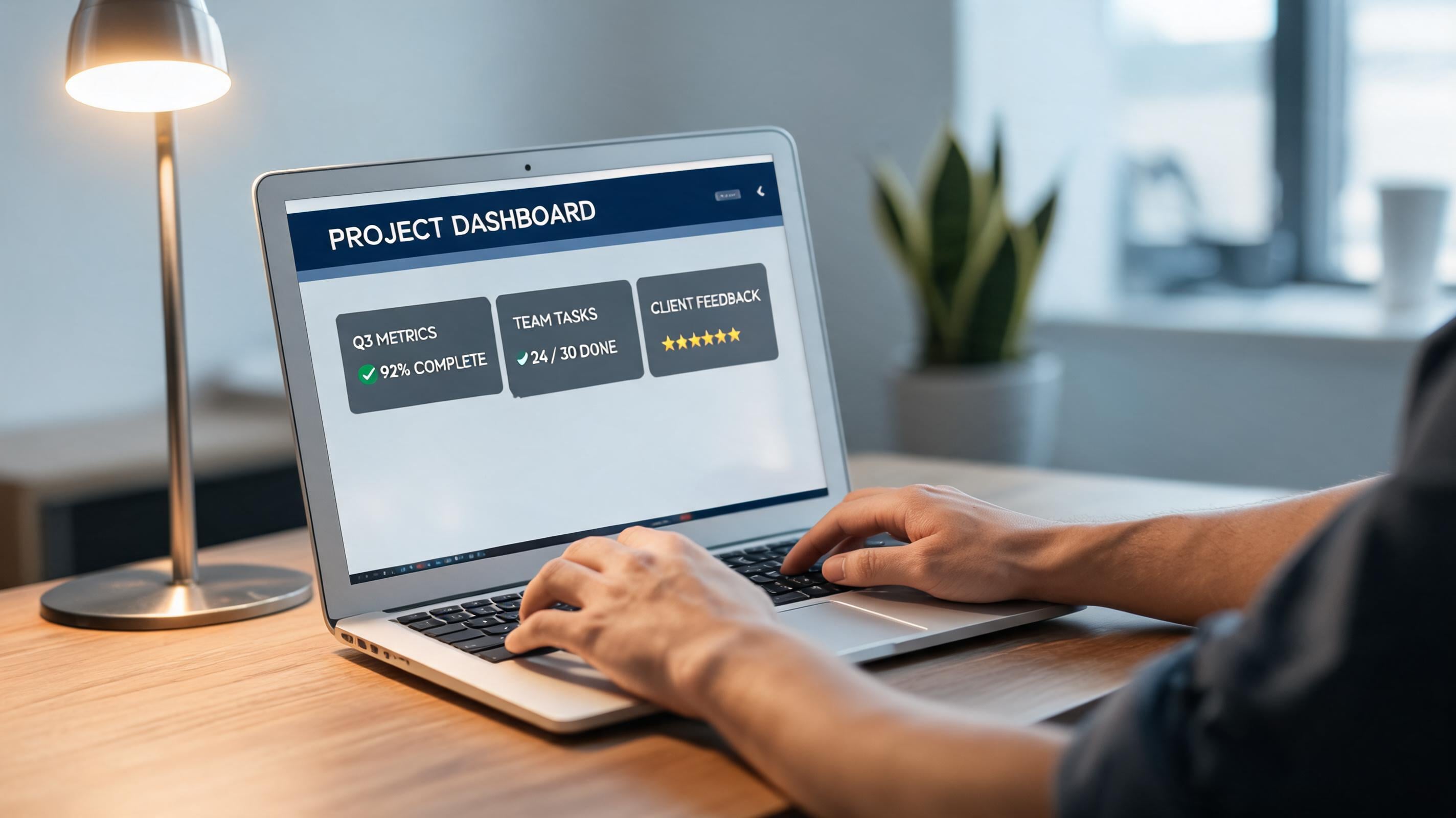
Region editing matters for screen replacements because campaign messages change more often than the laptop shot. Seedream 5.0 Pro can isolate editable transparent-PNG layers, including text and product elements.
Keeping display content separate from hardware lets a team update campaign details, including features, markets, and launch dates, without rebuilding the approved shot. UI copy still needs proofreading and product review, but the revision remains limited to the area that changed.
9. Seedream 5.0 Pro on Krea – Best for a nine-product tech display
Workflow: Describe the complete 3-by-3 rack layout before naming individual products, then list product details by position.
Variation tips: State row and column order. Use one visual family. Leave spacing rules explicit.
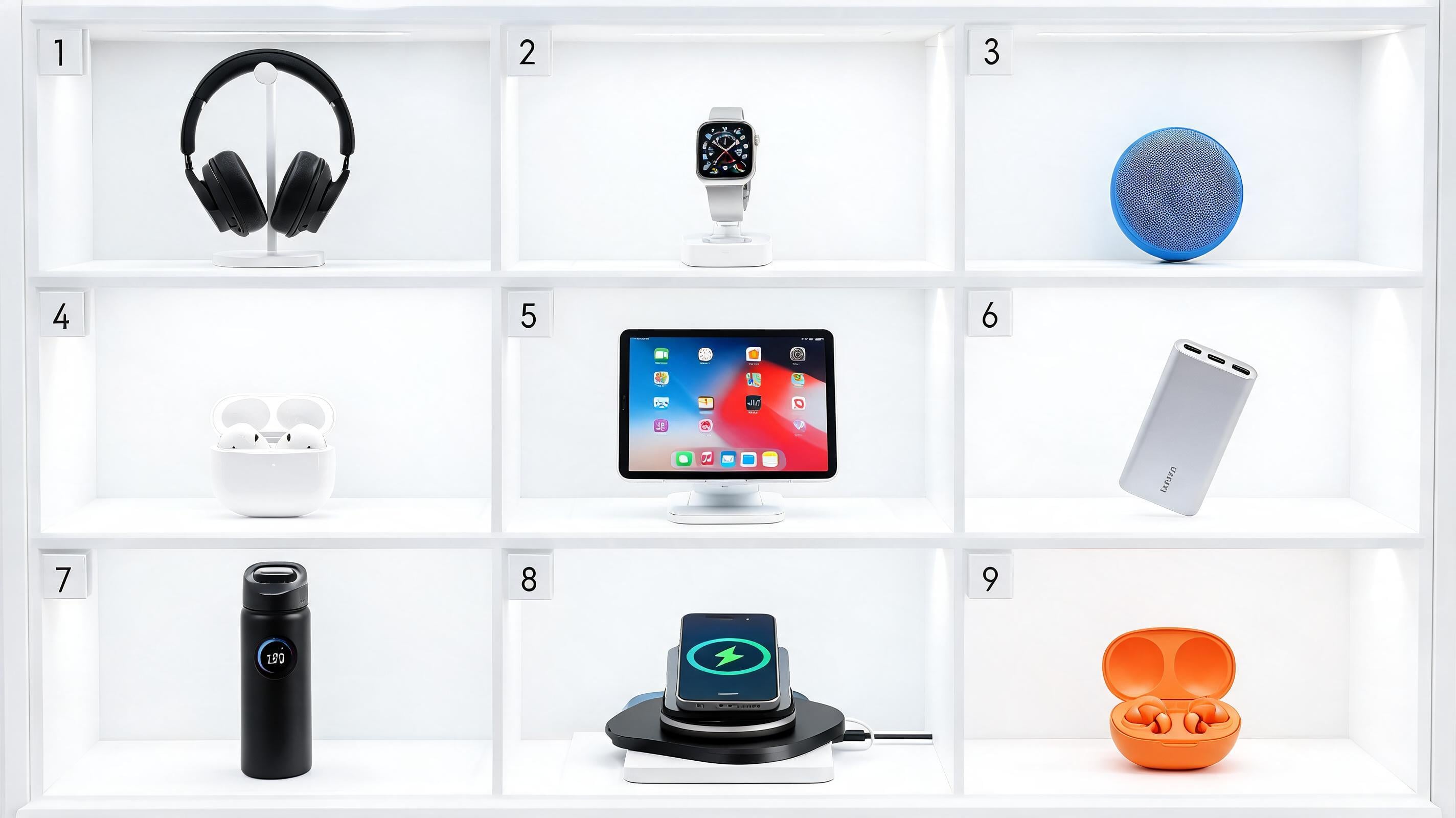
Lead with layout in multi-product displays, since the viewer needs to grasp the assortment structure before individual object details. A buildfastwithai and Zhidx test reports accurate rendering of a 3-by-3 rack with nine distinct products.
Writing the spatial system first gives the model an ordered composition to follow, which is more useful for a retail set than an undifferentiated gadget list. Dense grids still need checks for duplicates or altered items, so use them as controlled assortment tests rather than a full marketplace catalog.
4. Beauty
10. Seedream 5.0 Pro on Krea – Best for a serum-dropper material study
Workflow: Use the product pack as a reference and request a macro studio composition specifying glass thickness, liquid translucency, and a controlled dropper highlight.
Variation tips: Define the liquid viscosity visually. Keep label orientation fixed. Avoid overfilling the pipette.
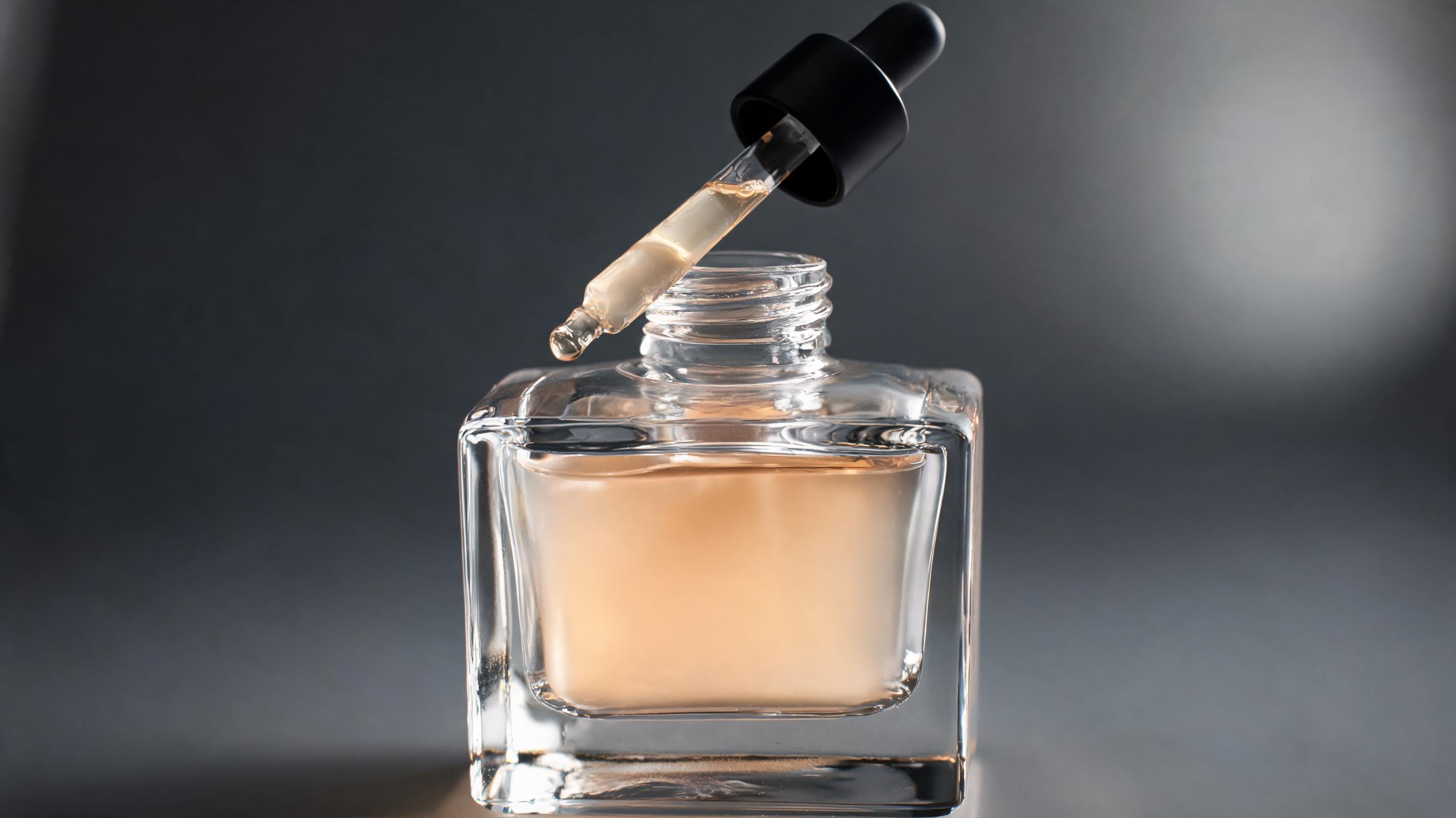
Serum imagery benefits from a physical-lighting brief because liquid, glass, and surface texture often communicate the product promise. Krea’s perfume example calls for a wet surface and dramatic side light. It also specifies professional color grading and hyperreal refraction in a single request.
Using that prompt structure for serum forces the brief to name optical and tactile details rather than rely on “premium beauty” language. The result can communicate visual direction, though it should never imply unverified formula performance or scientific liquid accuracy.
11. Seedream 5.0 Pro on Krea – Best for cosmetics shade extensions
Workflow: Provide the approved product shape and shade swatches, specify the hex code for each variant, and edit one shade region at a time while holding the base composition constant.
Variation tips: Use one shade per file. Name the approved code. Compare against a physical swatch before release.
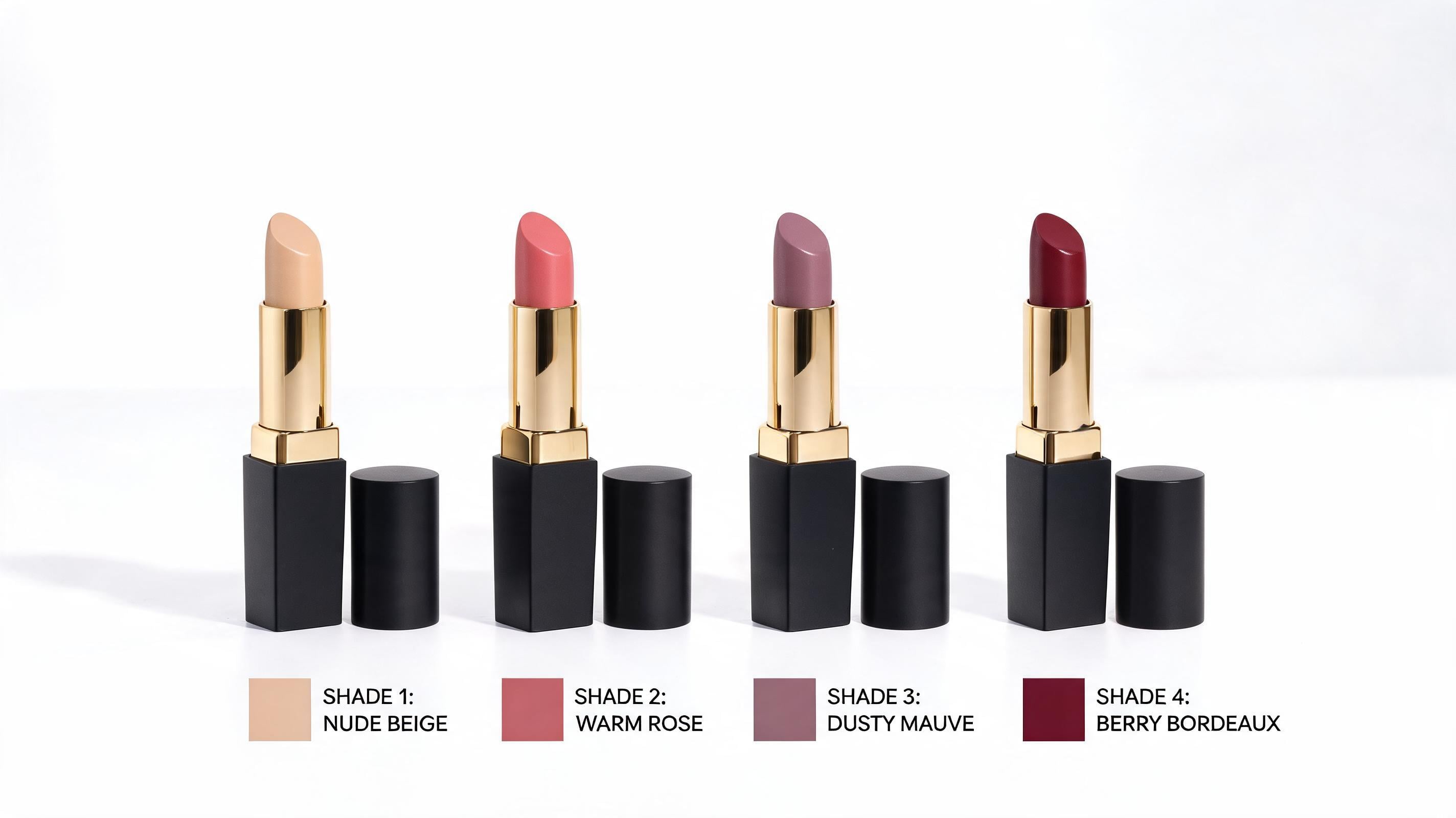
Cosmetics shade extensions should use explicit values so visual exploration remains tied to an approval system. Seedream 5.0 Pro accepts exact hex codes or swatches for color specification.
That gives a team an auditable way to request a launch shade family instead of asking to make a color “warmer.” A hex value cannot guarantee how pigment, gloss, or packaging reproduces across devices and materials, so physical samples remain the release authority.
12. Seedream 5.0 Pro on Krea – Best for beauty product and model continuity
Workflow: Upload approved model, product, and style references; specify the product position and model pose separately, including the makeup look in the style reference.
Variation tips: Use the same references across angles. Keep one hero pose. Review hands and pack contact closely.

A beauty campaign needs the person and product to remain recognizable together across images. Scenario describes Seedream 5.0 Pro as supporting consistent characters and products across a series through multi-reference inputs.
Separate references for face, product, styling, and visual direction give the team more controls than repeatedly prompting a generic model with a bottle. Identity and packaging can drift in any generated sequence, so this is the workflow to test before committing to a multi-asset campaign.
5. Packaging and Branded Systems
13. Seedream 5.0 Pro on Krea – Best for a premium tea-packaging concept
Prompt:
Product packaging for a premium Japanese green tea... Clean minimalist white box, gold foil typography...Variation tips: Add the approved logo as a reference. Specify the pack format. Verify every final line of copy externally.
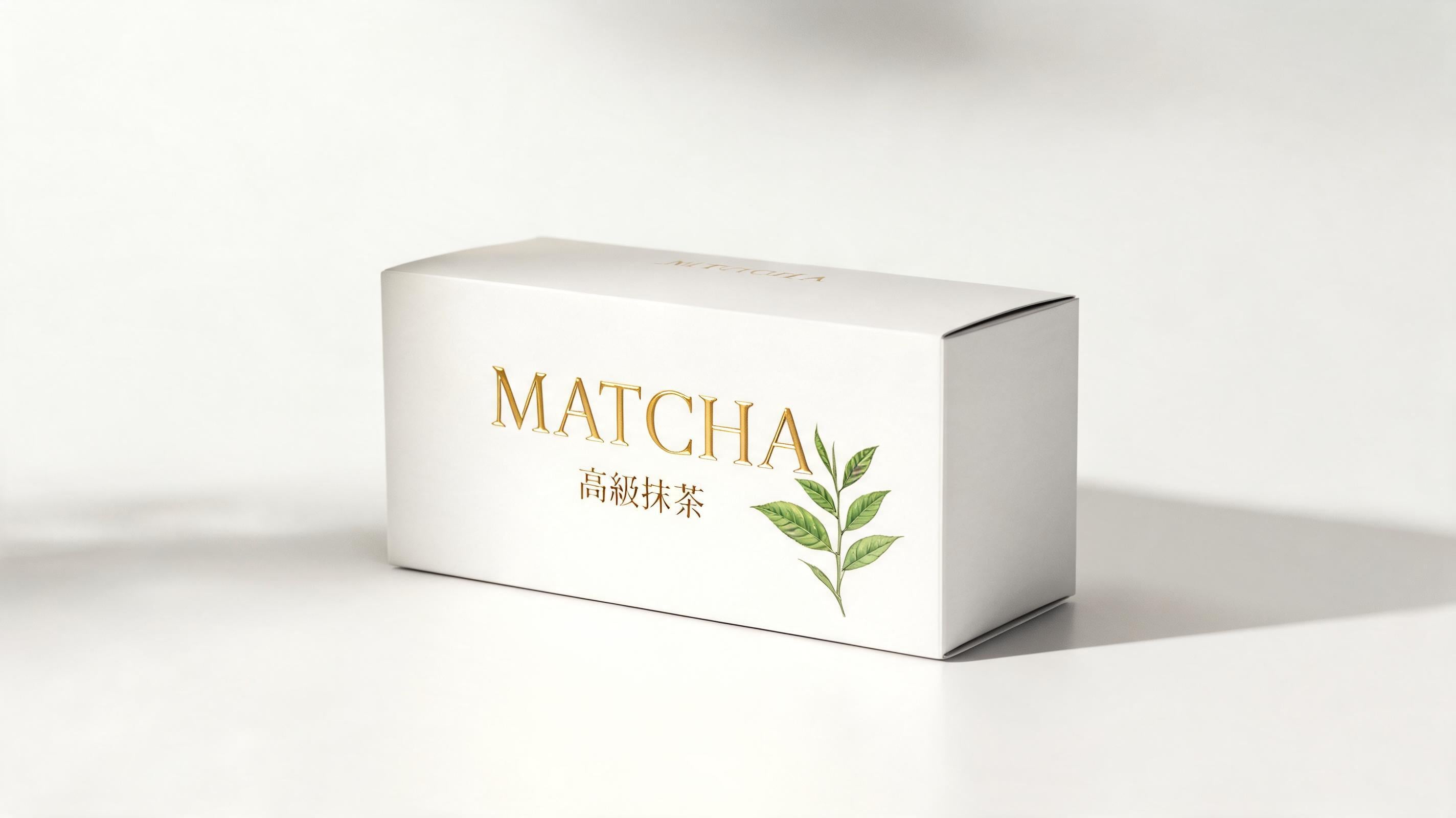
The tea-packaging workflow unifies product form with typographic and print treatment in a commercial composition. Scenario’s documented example describes premium Japanese green-tea packaging with a minimalist white box, gold-foil typography, botanical illustration, and four-color print considerations.
That prompt helps a packaging team request a coherent concept system before splitting work into production files. In-image text still requires checking against approved copy and print requirements, but the model’s text controls make hierarchy prototyping useful at concept stage.
14. Seedream 5.0 Pro on Krea – Best for a logo-led branded kit
Workflow: Upload the logo and approved style board, then guide a branded kit of packaging bags, cards, and hats using the approved campaign color.
Variation tips: Limit the first batch to four asset types. State the brand color. Keep the logo treatment unchanged.
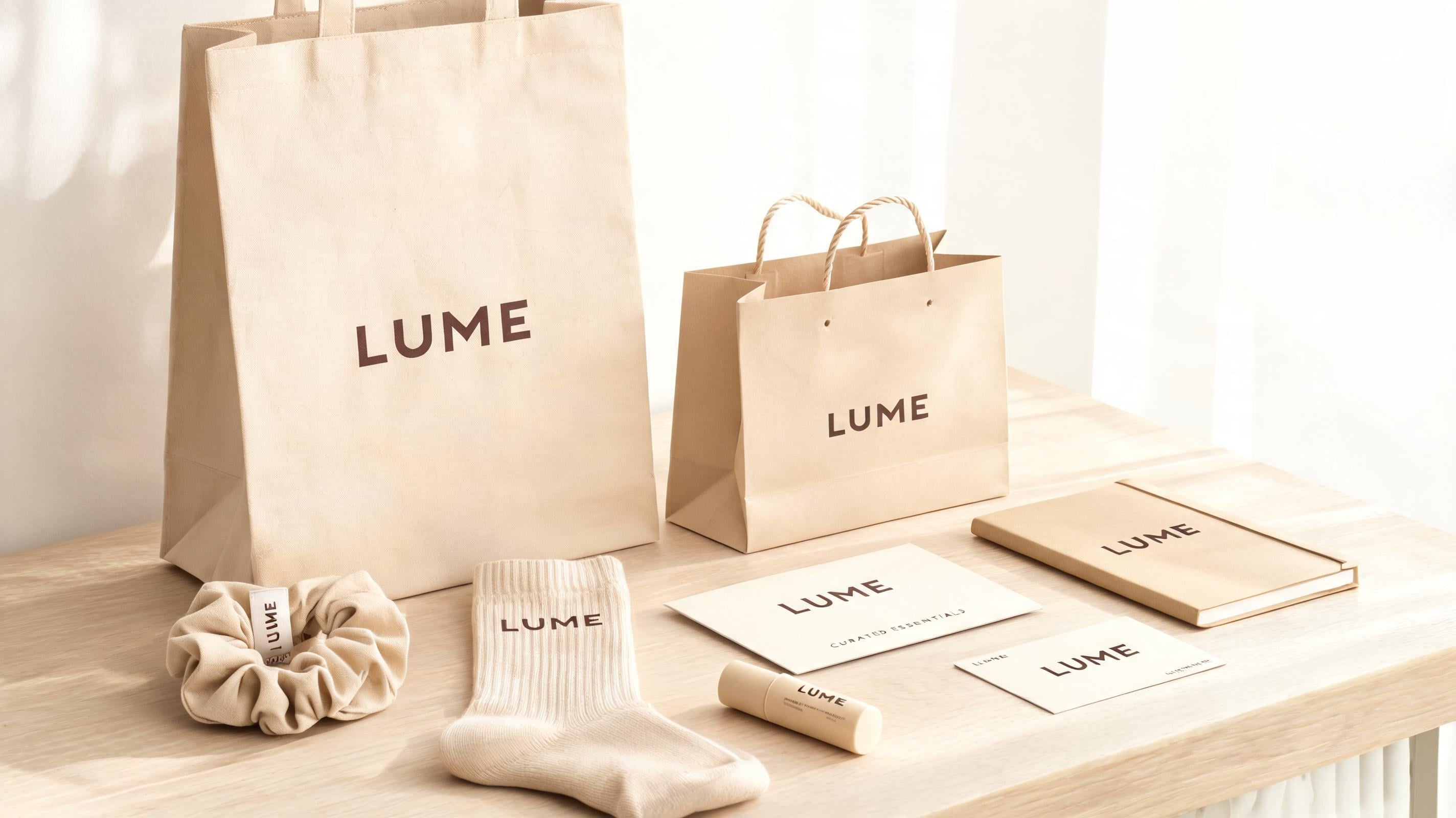
A branded-kit brief tests whether a visual system can travel across objects without becoming unrelated mockups. Krea’s launch examples apply a logo reference across a green packaging bag, hat, and other matching brand assets.
This gives a brand team a way to compare system-level directions before commissioning production artwork for every item. Generated kits remain concept assets, but they can expose inconsistent color, logo scale, or styling logic early enough for the brand team to correct the system.
15. Seedream 5.0 Pro on Krea – Best for correcting foil-label copy while preserving the pack
Workflow: Decompose the packaging composition into product, text, background, and prop layers; revise only the label region and export the corrected concept for review.
Variation tips: Change one copy block per pass. Preserve die-cut edges. Route final text through legal review.
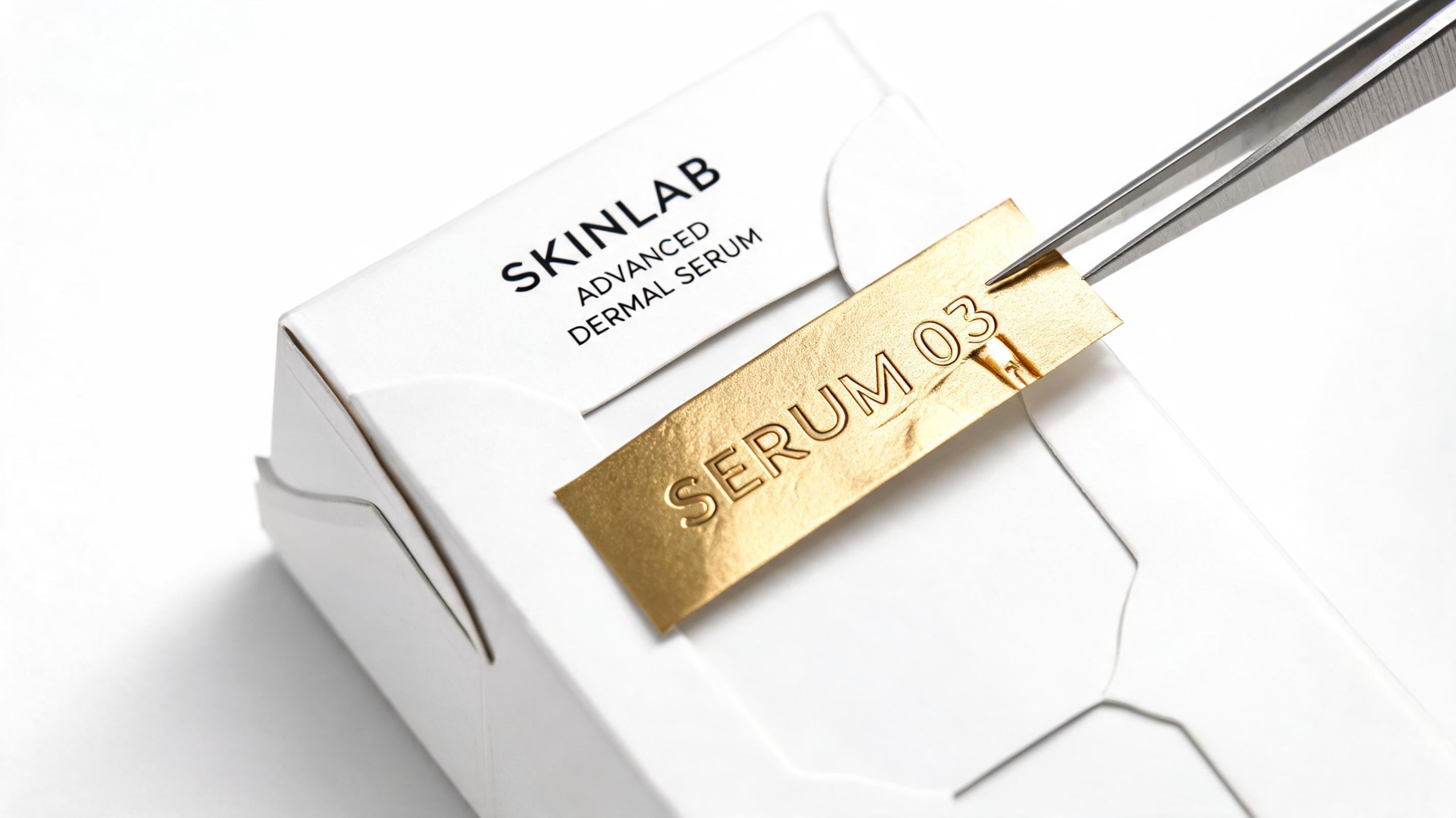
With layers, copy corrections can happen without rebuilding an approved pack image. Seedream 5.0 Pro supports multilingual text rendering across at least 12 languages on Krea, while other platform documentation cites 14 or more.
Separated text and product layers give localization teams a clearer revision path for concept imagery across markets.Legal, nutritional, and other regulated copy may still need careful review, while visual decisions that are already approved remain separate from that process.
Seedream 5.0 Pro on Krea
Seedream 5.0 Pro on Krea is perfect for generating product photography that requires precise and fine-grained control. One can edit the generated image by simply choosing a point, a box, or sketch an area to edit. This unlocks generating variations in products and also performing detailed fixes. Overall, this guide demonstrates examples of Seedream 5.0 Pro working well for product photography.
FAQ
Frequently asked questions
What makes Seedream 5.0 Pro on Krea better for product photography than rerolling from scratch?
How should teams choose between point, box, and sketch edits?
How do I keep product identity consistent across multiple SKUs (e.g., a fragrance line)?
Is Seedream 5.0 Pro reliable for transparent/glass materials and reflections?
What’s the best workflow for label or packaging text revisions without breaking the design?
Create product photography with Seedream 5.0 Pro
Generate product renders with reference-led consistency, then revise materials, colors, and label copy with point, box, and sketch edits on Krea.
Try Seedream 5.0 Pro