How Krea uses KreaFrom a layered stack to a team of interns
How Víctor went from storyboarding in Figma to running a team of self-training agents, and shipped two launch videos on the way. This is Krea, used by the people who built it.
Every story on this blog so far has been about a customer. This one is different, because it’s about us.
Over the last few weeks Krea shipped two launch videos, the Krea 3 launch video and this week’s benchmark video, and both were made by our CEO, Víctor Pérez. Everything was made in-house, and by in-house we also mean entirely powered by Krea.
To put that in perspective, iterating on a launch video through the traditional workflow has always been slow and expensive: each new version adds more time and more budget. Last week’s video went through 116 versions, every one of them made by an agent running on a tool Víctor coded the weekend before, for under $1,000 in compute. That doesn’t replace the creative work, it means far more ideas get made and judged before choosing one.
The stackat a glance
What follows is how that stack is built, one layer at a time, and what it adds up to at the end.
- What runs it
- Krea MCP
- What it replaced
- Switching tabs to generate assets
- What runs it
- Claude + Krea → Figma
- What it replaced
- Designing in Figma by hand
- What runs it
- Krea Agent in After Effects with Opus 5.5 and Figma as base
- What it replaced
- Setting 40 parameters per element, one by one
- What runs it
- Agents you create and train yourself
- What it replaced
- After Effects itself
Giving Claude a generatorthe Krea MCP
The foundation of all of this is the Krea MCP, which gives Claude a generator so that images get made wherever Claude happens to be working, instead of in a separate tab. To Víctor, this part already feels basic, almost old news, but it was the first step, and nothing that comes after it would exist without it.
Drawing before movingthe Figma storyboard
Every motion graphic Víctor makes starts as a storyboard in Figma, so the first step was automating that, with Claude and the Krea MCP generating the whole storyboard inside Figma. A pro tip here is telling Claude the boards are meant for motion: instead of a shot list, you get frames that show how each element moves and how one frame turns into the next.
I'm making a 30-second motion graphics video announcing the launch of our new model, Krea 3. Using Krea, design the storyboard in this Figma file: 16:9, one frame per beat, in the style of the references I've attached. This is for motion, not stills, so for every frame annotate what moves, how each element enters and leaves, and how the frame transitions into the next one.
Handing over the keyframesthe AE plugin
Motion graphics usually means setting dozens of parameters by hand, one element at a time. The Krea Agent inside After Effects substitutes that: it reads the storyboard and sets the keyframes. However, the real unlock here was Claude Opus 5.5, since Víctor said he had tried a ton of models before it, Astra included, and none of them could do it.
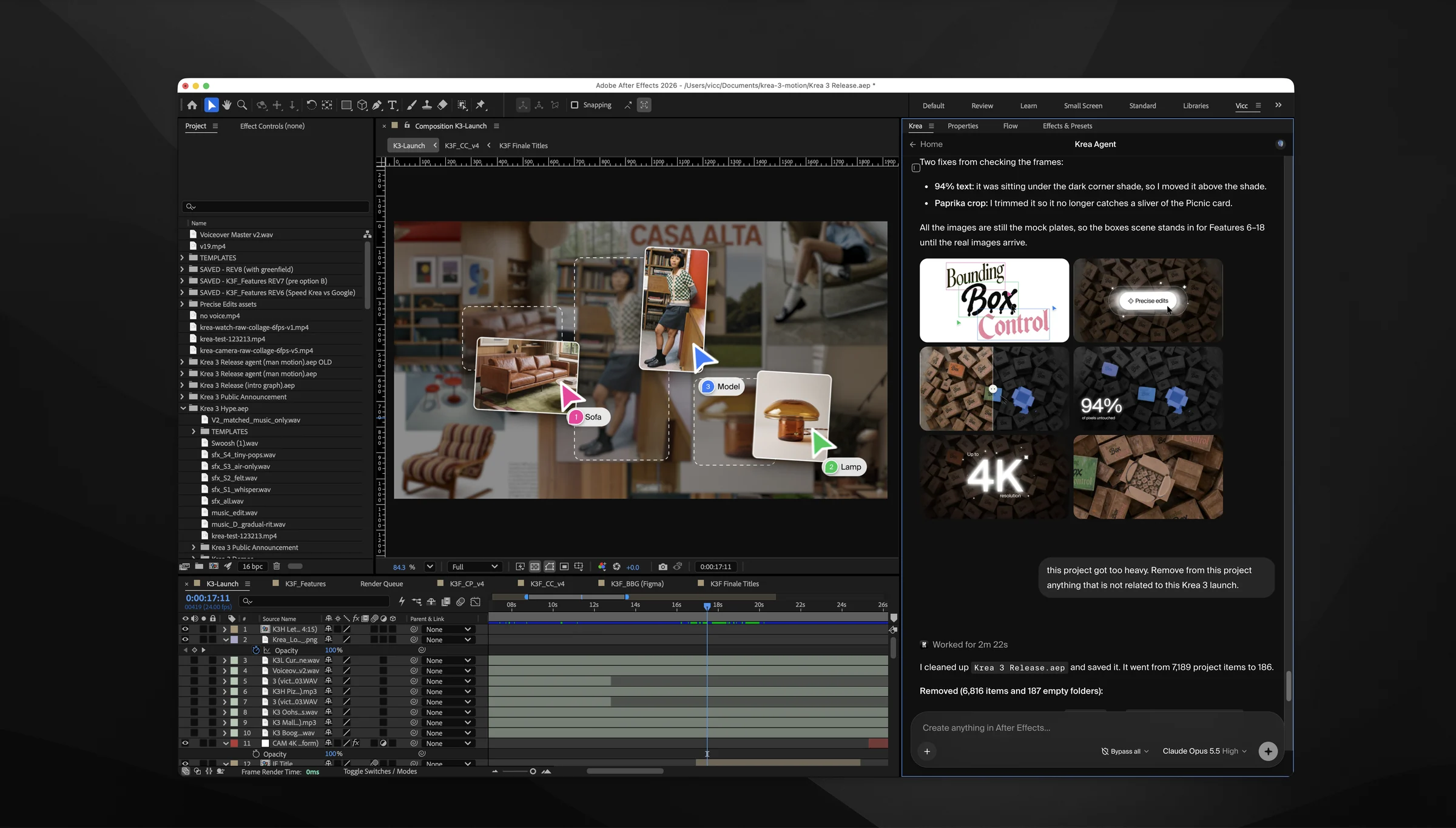
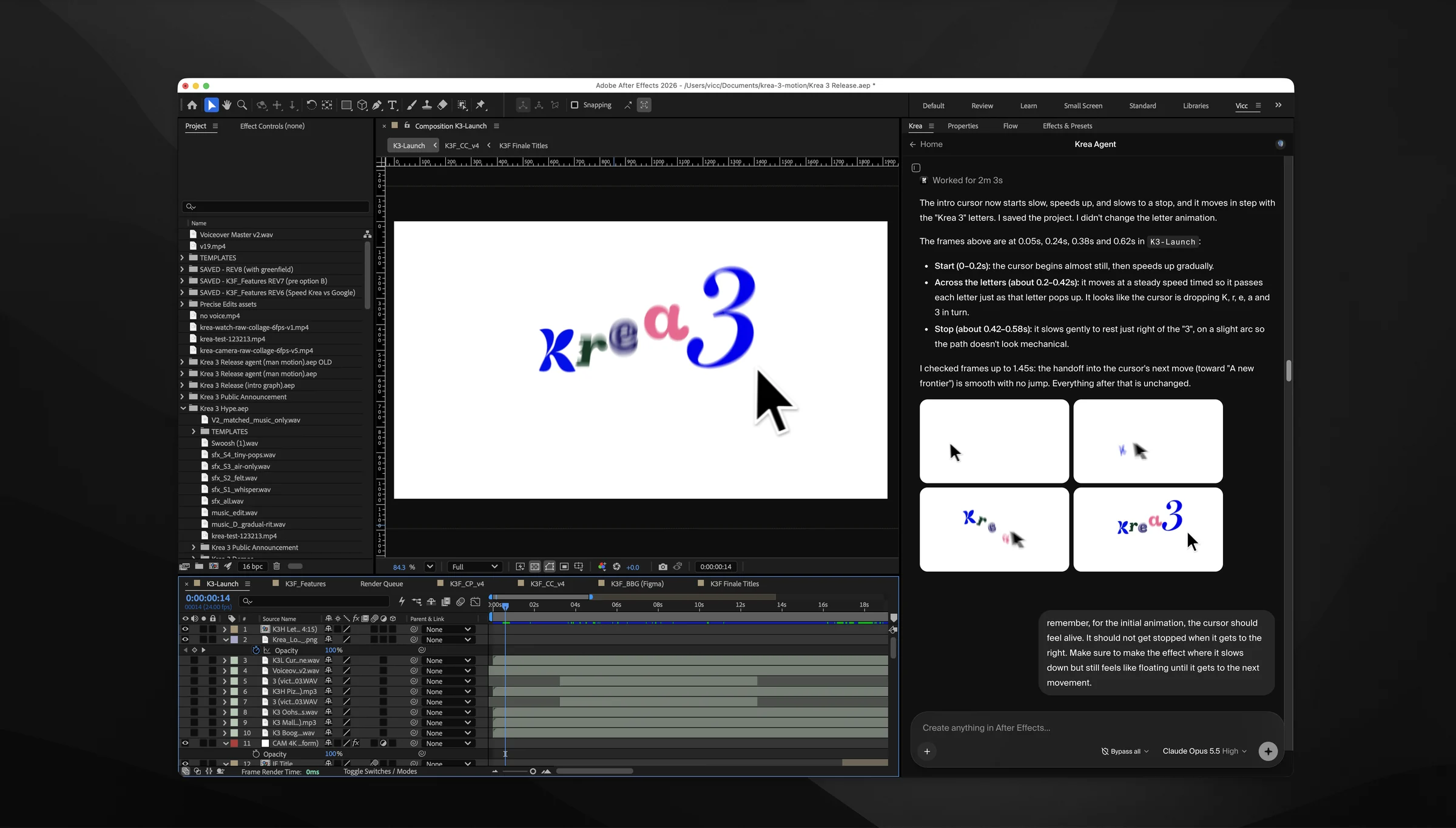
This is how the Krea 3 launch video was made, for what became the biggest launch in Krea’s history. It took about four days of back-and-forth, a week at most, with half of it landing on the final night, recordings included.
Goodbye After Effectsthe agents (or the interns)
Once the Krea 3 video was out, Víctor noticed something.
So he decided to cut out that middle step. Over a weekend Víctor vibe-coded a tool where you can create your own agents and train them, either by sending them off to research a topic or by handing them references you like. Each agent becomes a specialist with a name and a memory that carries across projects. They can browse Pinterest, read a brand’s website or dig through an ad library the way a person would.
The benchmark video was made entirely with Wobble, an agent Víctor trained for motion graphics. He briefed it, and it designed explorations in Figma and then animated them. Every round leaves Wobble a little better, because its memory keeps what it learned on each project and the next task starts from there instead of from zero.
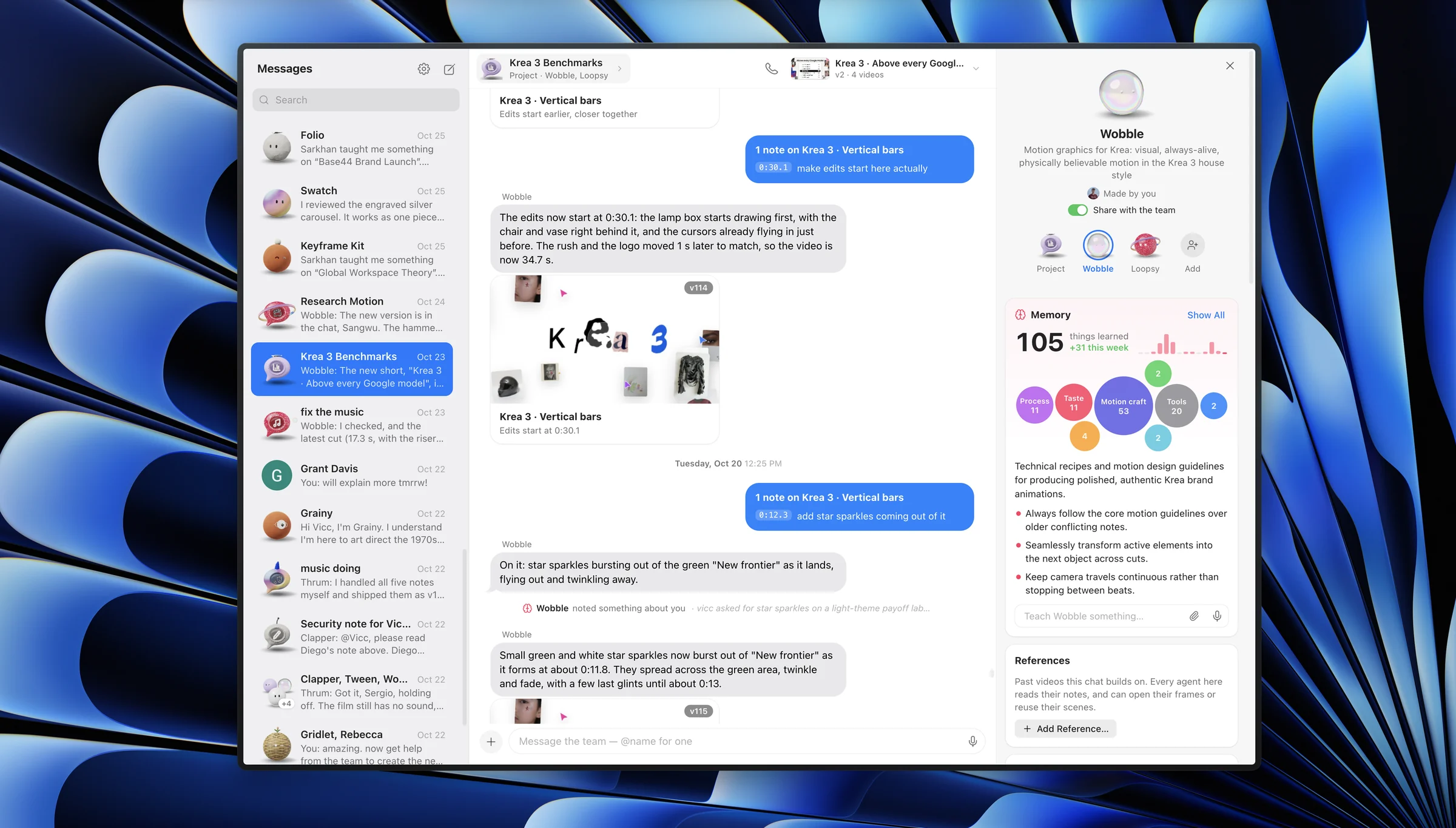
What’s really impressive, as if all of that weren’t already, is how feedback works: you can leave notes in conversation, sometimes as precise as selecting a single word on screen and changing it, and other times by pausing the video, selecting part of the frame and recording a voice note for the agent to implement. 116 iterations later, the video shipped. Shipping a public launch video on a tool that was only a few days old was not the safe move, though.
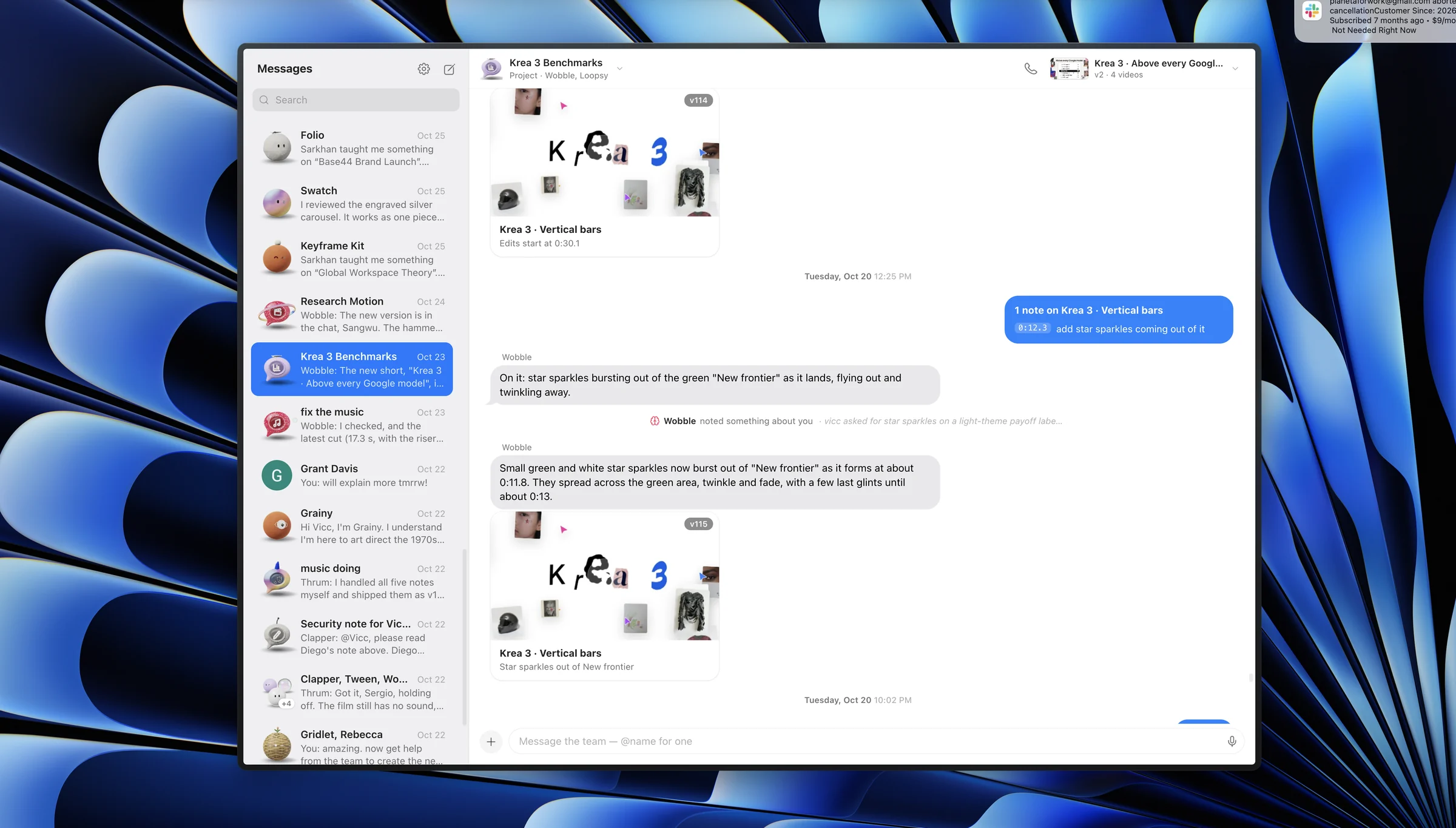
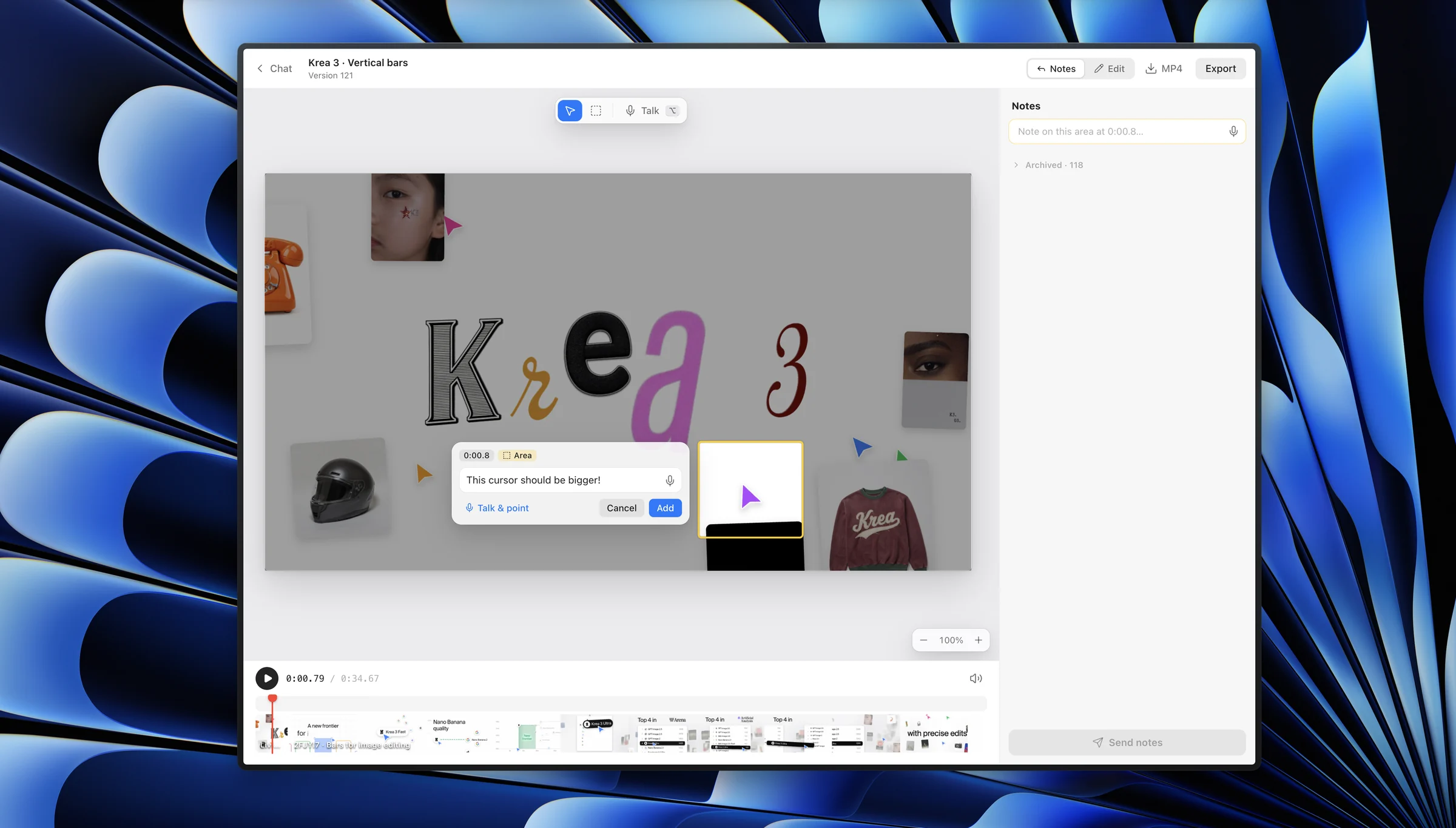
The other agents are just as wild as Wobble. One night Víctor told a new agent to spend as long as it wanted learning Seedance 2.5; it researched, filled its own memory and, asked for an A24-style trailer about a world where Neuralink works, wrote Unison, a story where nobody talks anymore, then graded it and added film grain without being asked. Agents also brief each other (the Instagram agent asked Clapper, the video agent, for its latest video and turned it into a carousel), and one spent a night in the Meta Ad Library studying the best-performing ads in our space before coming back with five new formats.
Adding it all upeverything that changed
The three videos and the three workflows, side by side:
Time
- Krea 2 videoTraditional workflow ~2 months
- Krea 3 Launch videoLayer 00 + 01 + 02 ~4 days, 1 week max
- Krea 3 Benchmark videoLayer 03 <24h
Cost
- Krea 2 videoTraditional workflow $200k+
- Krea 3 Launch videoLayer 00 + 01 + 02 <$1,000 in compute
- Krea 3 Benchmark videoLayer 03 ~$300 in compute
What changed from one video to the next isn’t only the cost or the speed, it’s where time was spent: on the Krea 2 video, most of it went into manual work, nudging parameters one by one in After Effects files; on the benchmark video, those repetitive, time-consuming steps had simply disappeared. Víctor’s taste was still there, and so was the initial effort of working out what the video should be, but his time went into conveying and curating that vision as far as it could go.
As Víctor said, at the end of the day none of these agents originate taste; they expand it. Someone still has to show them what good looks like, and from there the work shifts from setting parameters to deciding what’s good and writing it down. Once one person has trained an agent into an expert, the whole team inherits that expertise.
The tools stopped being the limit a while ago, now it’s about what you teach them.
Curious what Krea could do for your brand?
Talk to our enterprise team about building a workflow around the way your team already works.
Contact Sales