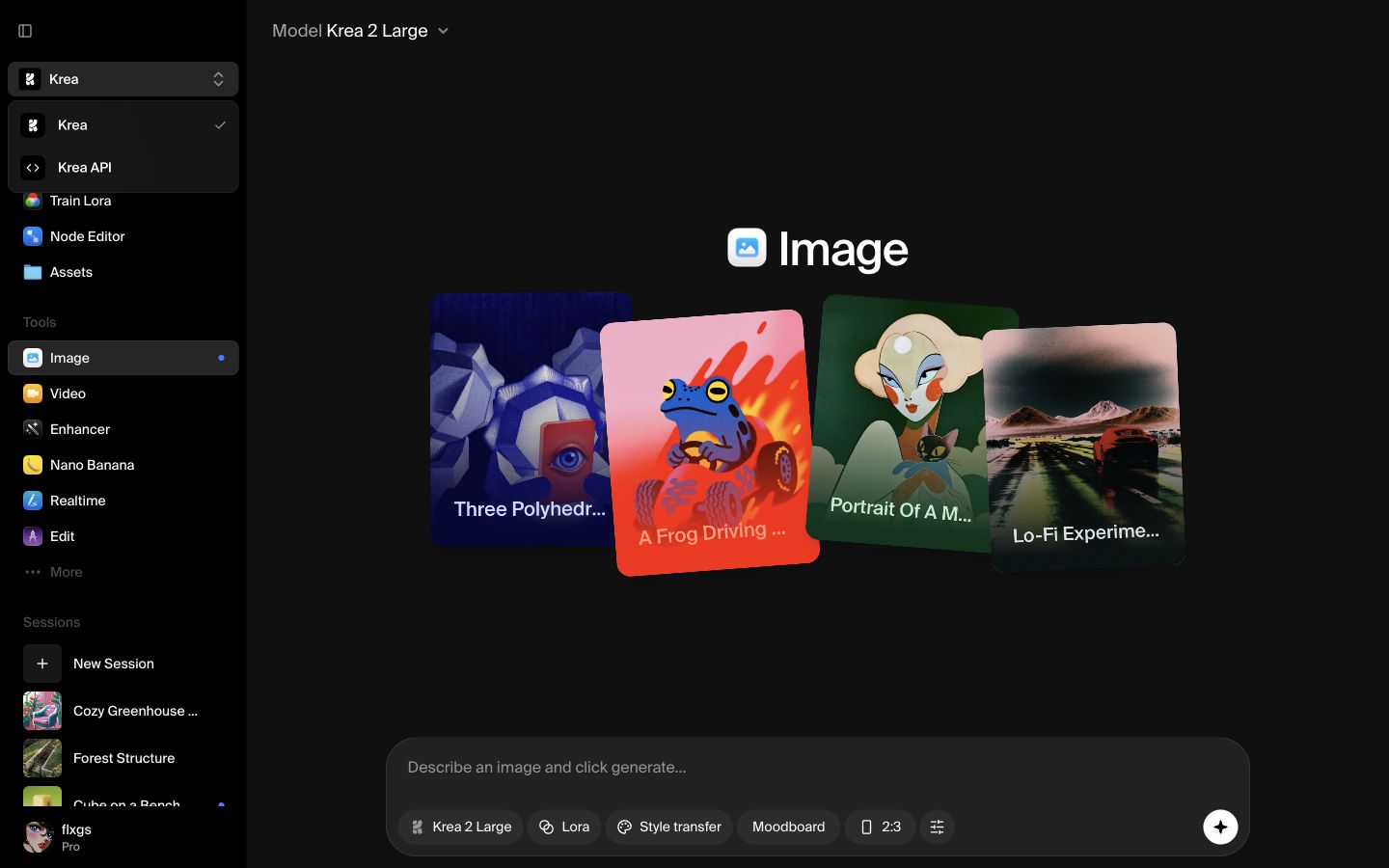
Open API mode
Start in the Krea app and open the workspace dropdown in the top-left corner. Choose Krea API to switch from the creative tools into the API workspace.
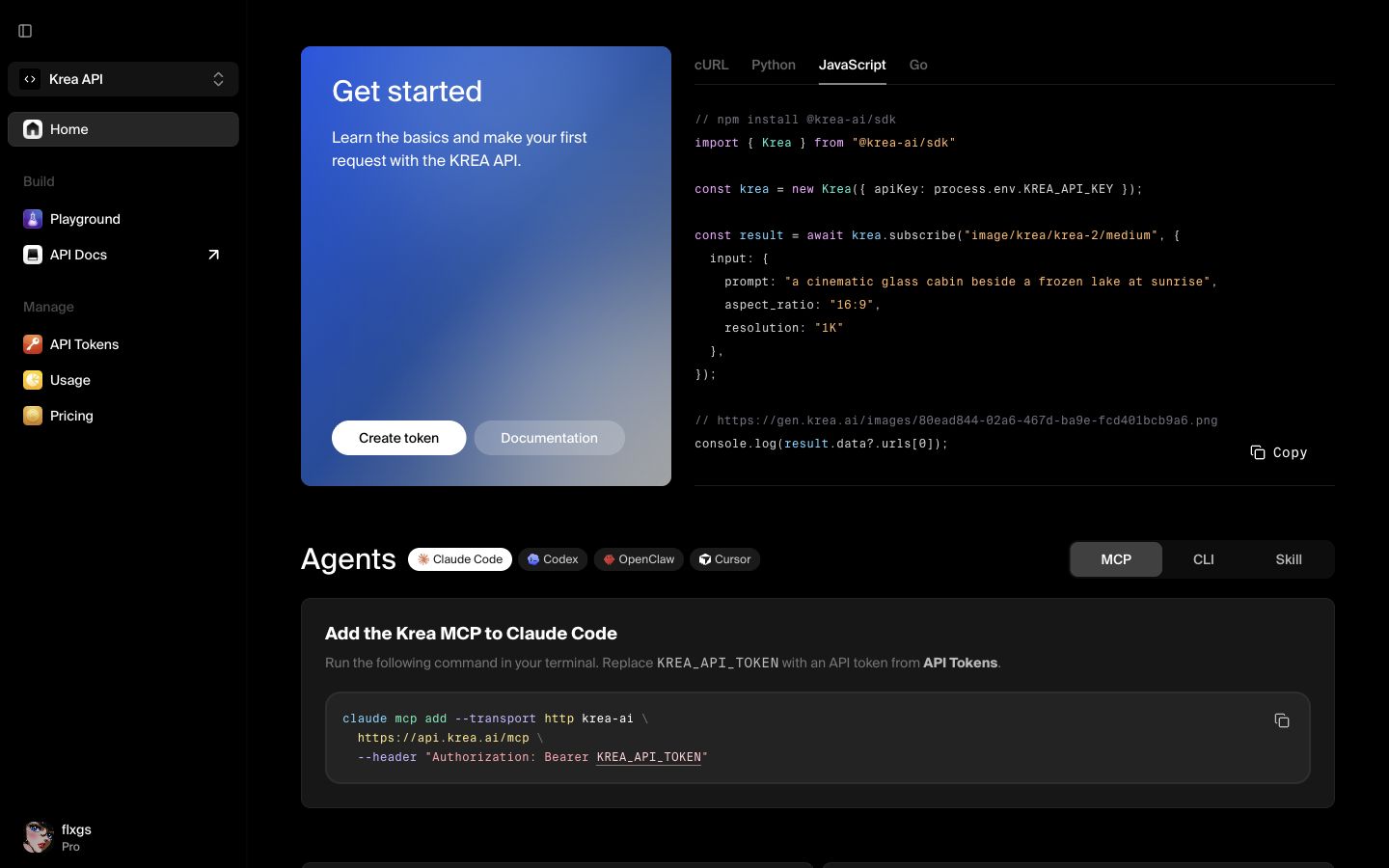
Go to tokens
API mode opens with the API home page, quick-start code, documentation links, and account usage. Click Create token on the home page, or open API Tokens from the sidebar under Manage.
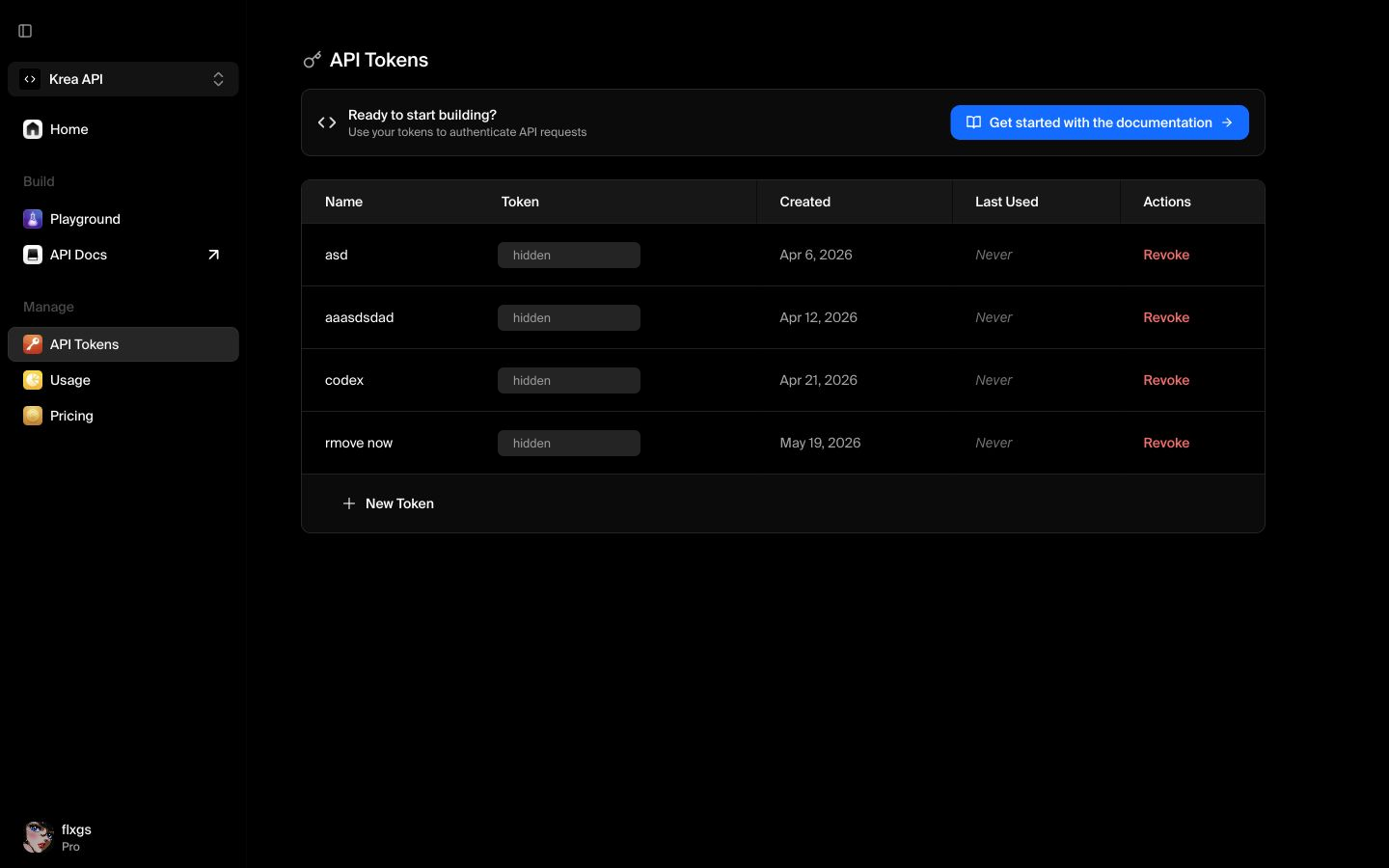
Create a new token
On the API Tokens page, click New Token. This opens the key creation dialog. Existing token values are intentionally hidden here because API credentials should not be shared in screenshots, docs, chats, or tickets.
Name the token
Give the token a name that explains where it will be used, such as production backend, staging app, or local testing. Clear names make it easier to revoke the right key later.
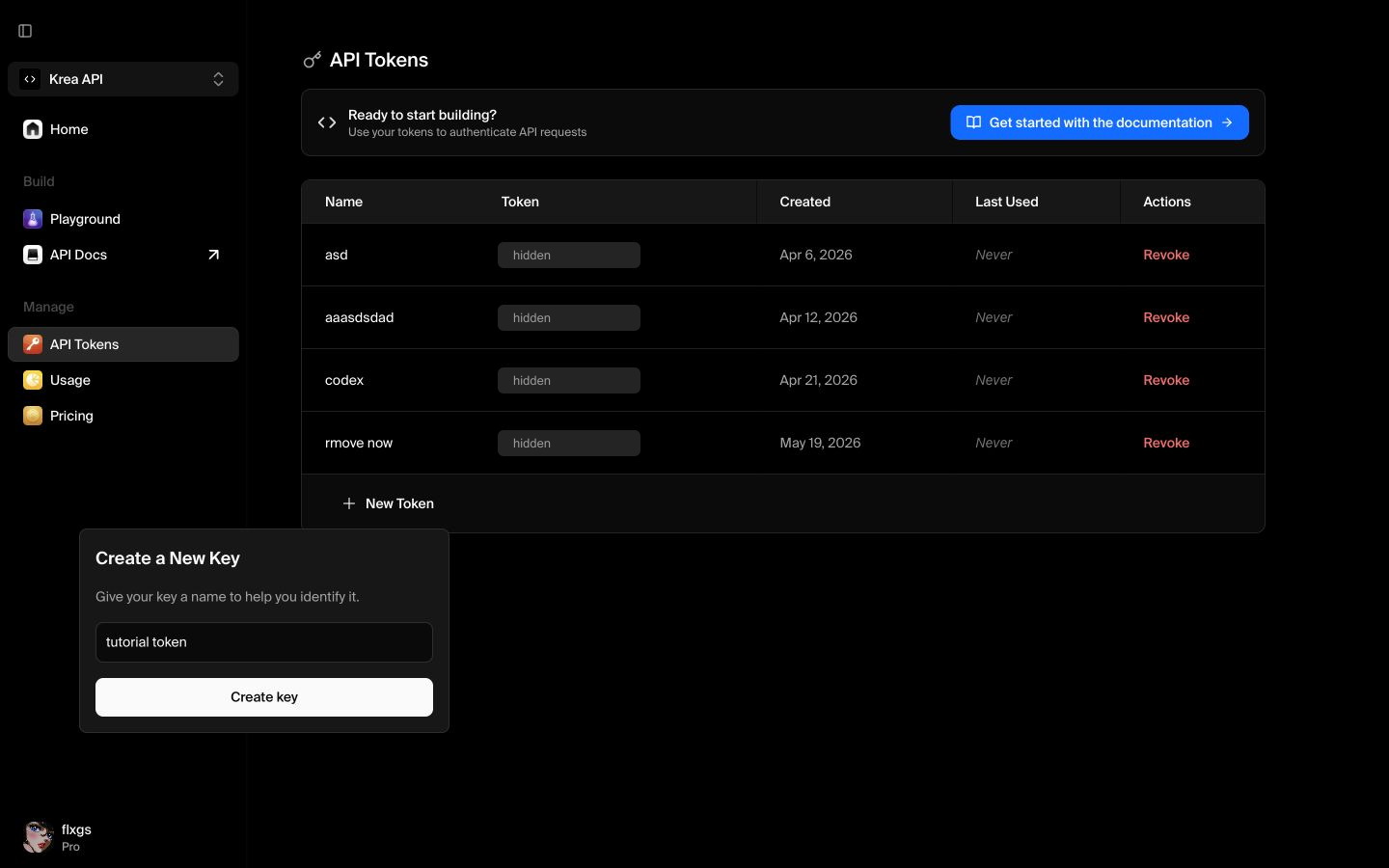
Click Create key. Krea will show the token once after it is created. Copy it immediately, store it in your secrets manager or environment variables, and avoid putting it directly in client-side code.
Quick checklist
- Use a specific name for the app, script, or environment that will use the token.
- Copy the token when Krea shows it; you may not be able to view the full value again.
- Store it in a secure place such as your deployment secrets or local
.envfile. - Revoke the token if it is exposed, unused, or tied to an old project.
Create an API token
Switch to Krea API mode and create a token for your next integration.
Open API Tokens