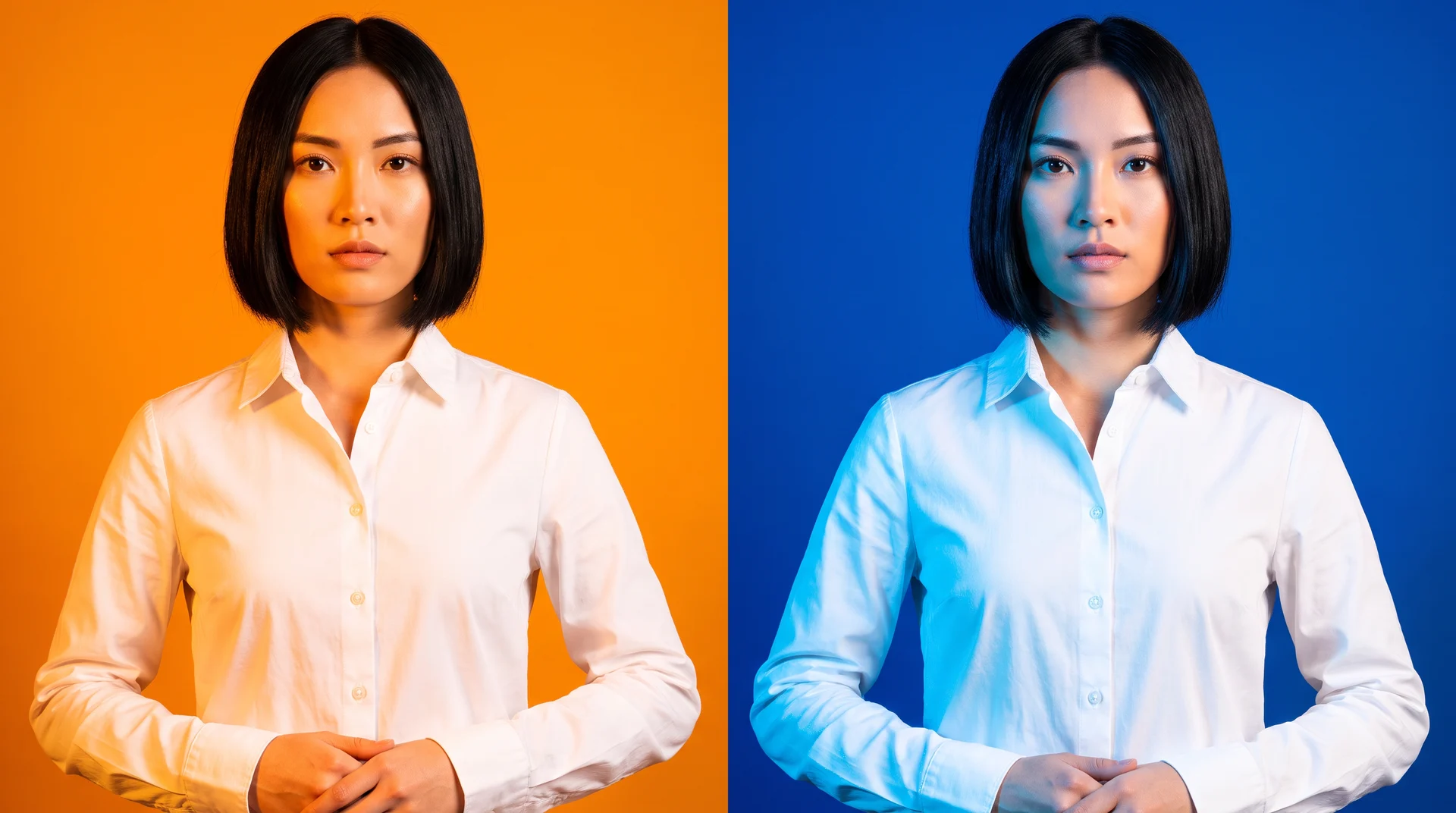
Seedream 5.0 Pro and Seedream 4.0 both generate, edit, and work from image references. Seedream 4.0 uses one architecture for generation and editing, while Pro accepts references alongside spatial annotations.
That overlap makes a checklist a poor way to choose. The useful question is which model removes friction from the creative job in front of you.
Use Seedream 5.0 Pro for production work that needs spatial revisions, dense information layouts, or photoreal finishing. Use Seedream 4.0 when native 4K output and fast high-resolution generation matter more than interactive control. That recommendation draws on ByteDance’s Seedream 4.0 technical report, its Seedream 5.0 Pro launch announcement, and Krea’s Seedream 5.0 Pro model page. Public independent head-to-head benchmarks remain limited, but the documented workflow differences are specific enough to guide a practical choice.
Seedream 5.0 Pro vs Seedream 4.0 at a glance
| Dimension | Seedream 5.0 Pro | Seedream 4.0 |
|---|---|---|
| Core approach | Professional production and design understanding | Unified image generation and editing |
| Editing method | Point, box, lasso, sketch, region, anchor, and layer controls on Krea | Prompt-based editing in the same model architecture |
| Structured content | High-density infographics and logical layout planning | Knowledge-based diagrams, formulas, and charts |
| Text handling | Native prompt and image generation in about 12 languages on Krea | Text rendering for formulas and charts |
| References | Up to 10 reference images on Krea | More than 10 input images in the technical report |
| Resolution | Up to 2752 × 1536 long-edge output on Krea | Native 1K–4K support |
| Speed evidence | No equivalent public inference figure cited here | Up to 1.4 seconds for a 2K image without the LLM/VLM PE model |
| Production assets | Up to 20 editable transparent-PNG layers on Krea | Multi-image input and output workflows |
Settle the comparison on your brief
Run your next deliverable through Seedream 5.0 Pro and see which model earns the job.
Open Seedream 5.0 ProSeedream 5.0 Pro gives designers more precise ways to revise an image
Seedream 5.0 Pro changes editing from describing a revision to locating it. On Krea, it supports point, box, and lasso selection in a single editing pass. Anchor repositioning is available as well. Strokes can become objects. Seedream 4.0’s official examples emphasize prompt-led changes: remove a subject, change lighting, or colorize a photo. It also handles global and local edits in the same workflow, including prompt-based swaps that preserve alignment or restore an old image. That difference shows up when a client approves the composition but asks for a change to one bottle label, one sleeve, or a patch of wall. Pro makes local edits easier because you mark the exact area before the request goes in, so the change is aimed at one part while the rest of the image stays untouched.
That does not make prompt-based editing obsolete. A global lighting shift or a subject swap is often faster to describe than to mark up, and 4.0 handles those jobs within its unified generation-and-editing workflow. The split appears when an edit becomes local: 4.0 is efficient for a new instruction across the frame, while Pro gives art direction a more direct path into a selected area.
Pro also turns a generated image into assets a production team can continue to adjust. Krea can separate an image into as many as 20 editable transparent-PNG layers, then apply exact hex colors or material references to controlled changes. That helps when one approved campaign composition must become several brand variants without rebuilding its people, products, and background each time. A team can preserve the layout while updating the finish that changed in review.
Seedream 4.0 fits a different endpoint. Its multi-image workflows support reference-led creation and editing for finished high-resolution images. If the deliverable is a finished high-resolution image, rather than a set of components for later adjustment, that simpler path can be the better fit.
Seedream 5.0 Pro is the clearer choice for dense layouts and multilingual text
Information-heavy design places a harder demand on an image model than placing a subject in an attractive scene. ByteDance identifies high-density infographics and logical layout planning as one of Pro’s four core capability advances. Its examples include tea flavor wheels, car blueprints, and exploded views, showing the dense, structured layouts this mode is built for. Those examples matter because an explainer or interface succeeds only if readers can find the title, supporting labels, and hierarchy in the intended order. If you are making a visual report, poster, or product interface, Pro’s documented design focus aligns more closely with that requirement.
Seedream 4.0 remains capable of structured visual work. Its technical report documents text rendering for formulas and charts, while official examples include equations with solution steps and historical timelines. That makes it a credible option for technical diagrams or a chart-led composition where the image primarily communicates known facts. Pro earns the recommendation for denser public-facing layouts because its published capability extends from rendering the content to organizing the content on the page.
Text introduces a second divide. Krea lists native text support in about 12 languages for Pro, and ByteDance describes typography and cultural-presentation adaptation across more than a dozen languages. Seedream 4.0 documents formula and chart text rendering, which is useful for equations, labels, and English-first diagram work. A public notice needs exact wording, recognizable route symbols, and readable time blocks. Pro has the more relevant published toolset for that design problem.
Seedream 5.0 Pro render of a bilingual subway notice with clear English and Spanish text, route symbols, time blocks, and public-sign hierarchy.
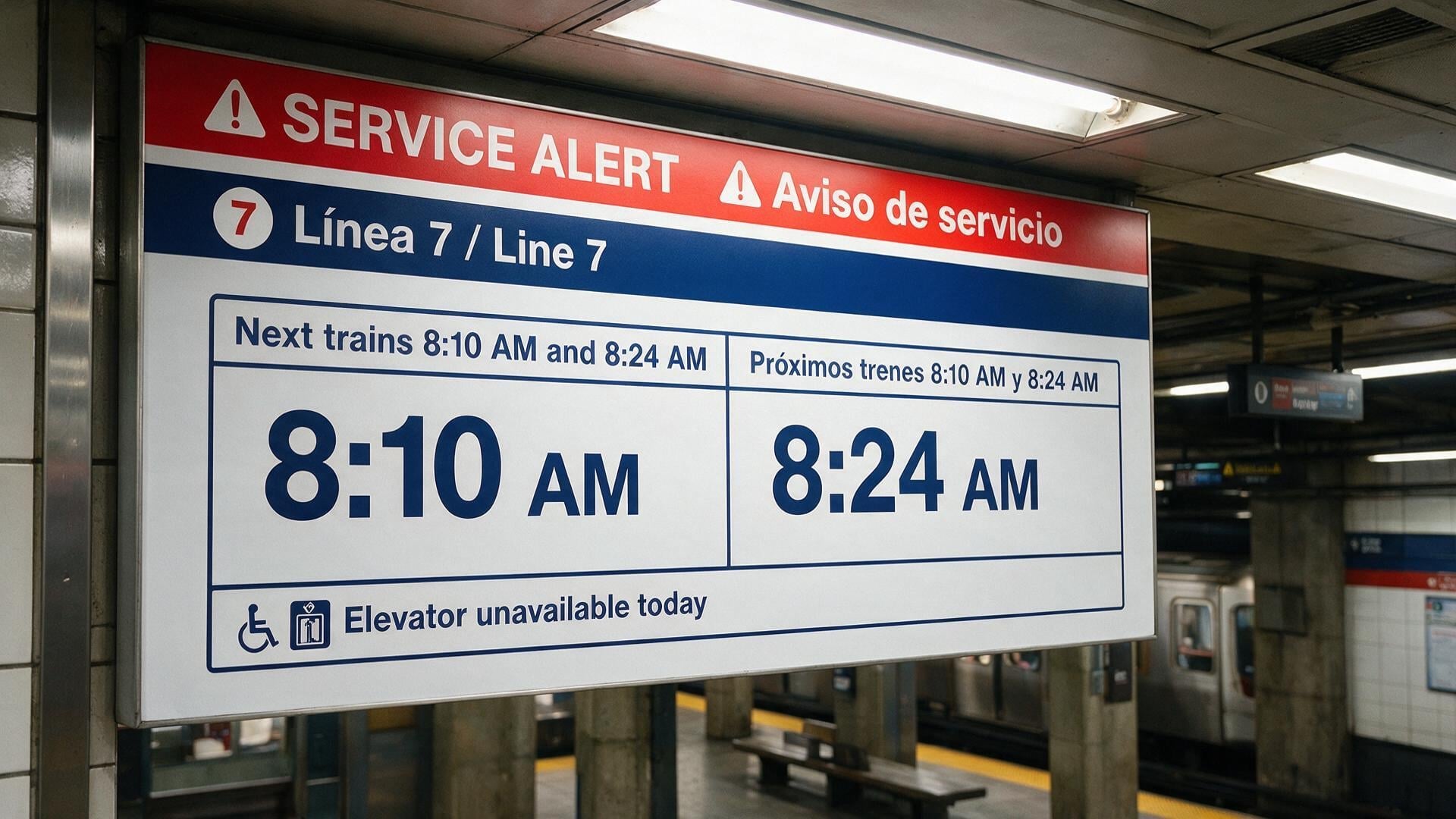
Seedream 4.0 render of the same bilingual subway notice brief, with the same copy and layout.
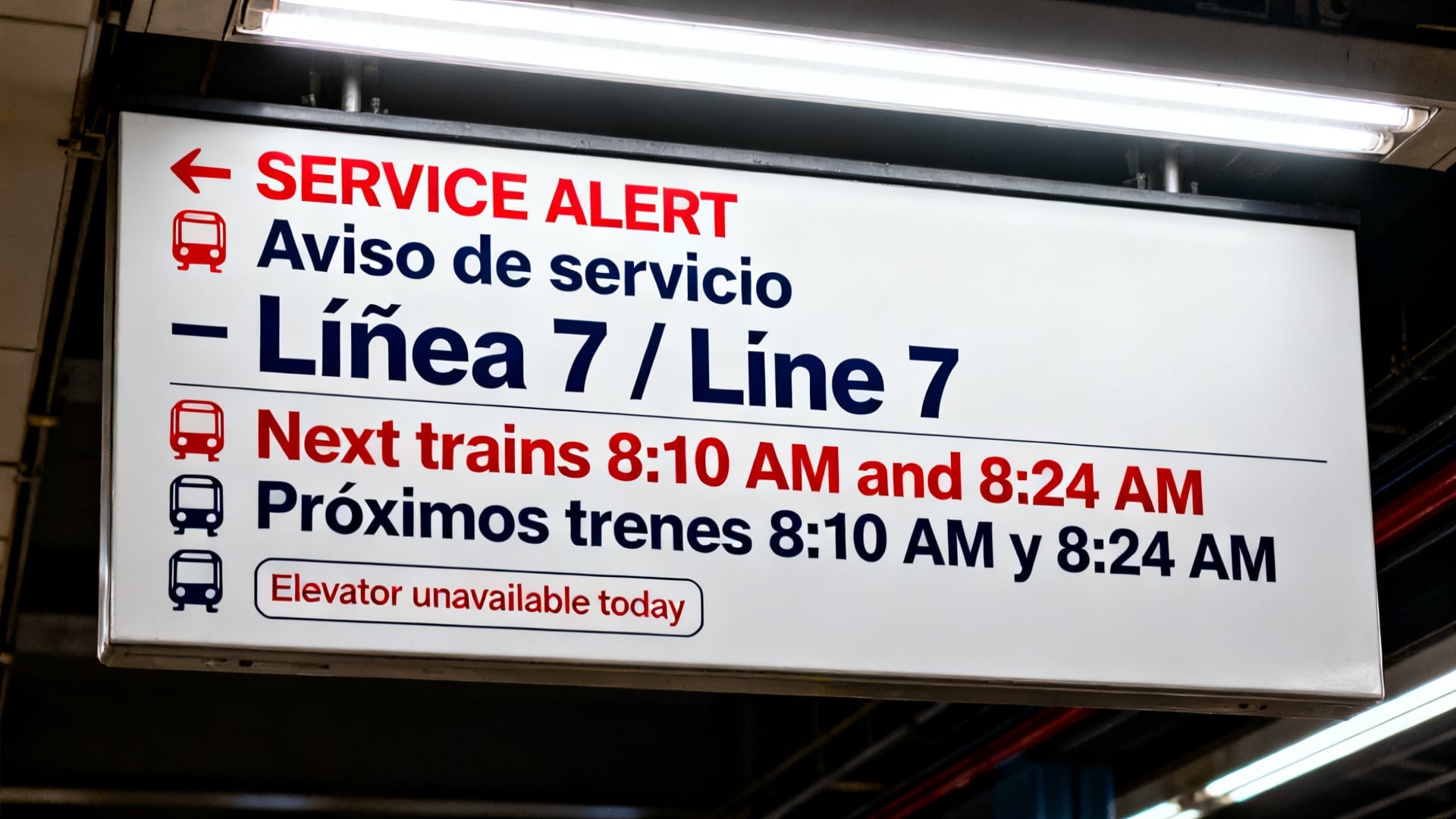
Native multilingual support gives multilingual projects a strong foundation for localized presentation across language, typography, and layout, so translated copy can be built into the model from the start. It does, however, give multilingual projects a reason to start with a model designed to handle language, typography, and localized presentation together, rather than treating translated copy as a final patch.
Seedream 4.0 retains the native-resolution and speed advantage
A required 4K deliverable changes the decision before editing controls enter the conversation. ByteDance documents native Seedream 4.0 output from 1K through 4K. Krea lists Pro at up to 2752 × 1536 long-edge output. If your specification calls for native 4K, begin with 4.0 rather than assuming the newer Pro model reaches the highest documented resolution tier. Resolution can determine whether a print crop, a large-format display, or a source-size requirement is met in production.
Native 4K becomes the deciding constraint whenever that specification is required, so 4.0 is the safer choice for a non-negotiable 4K deliverable. You can value spatial edits, layer separation, and photoreal finishing, then still choose 4.0 if native 4K is the non-negotiable requirement. If the deliverable requires native 4K, choose 4.0.
Seedream 4.0 also has a public performance figure that supports rapid high-resolution exploration. Its technical report says 4.0 can generate a 2K image in as little as 1.4 seconds without the LLM/VLM PE model. The speed comes from architecture changes, distillation, and quantization. That speed changes the economics of broad concept exploration: you can generate more viable compositions before deciding which one deserves detailed work.
Pro emphasizes control, structured design, and fidelity in its public positioning. For batch concepting or quick high-resolution options, 4.0 therefore has the clearer documented case. 4.0 is better for rapid exploration, while Pro is better for localized revision, the same speed-versus-quality split that separates Krea 3 from Nano Banana Pro on editing. 4.0’s speed lets you explore more workable compositions before picking one. Pro’s local control targets only the parts of the concept that need revision, so you can fine-tune specific details inside the option you already selected.
Seedream 5.0 Pro aims higher on photoreal finishing, while 4.0 remains capable for broad visual creation
Photoreal campaign work often succeeds or fails on physical details that are easy to miss in a concept image. ByteDance says Pro improves image-text alignment, structural coherence, and visual aesthetics over prior versions. Its photorealism description centers on physical lighting and shadows, plus realistic materials and fine skin detail. It also highlights materials and motion. That makes Pro the best starting point for a product scene or customer-facing campaign, especially where a glass reflection, fabric, or skin texture will be inspected closely.
Seedream 5.0 Pro render of a skincare campaign still life with believable glass, condensation, hand detail, soft window light, and realistic materials.

Seedream 4.0 render of the same skincare campaign still life brief, with the same bottle, hand, stone surface, and lighting setup.

Pro is the model for late-stage revision, where the last pass needs cleaner glass, tighter condensation, sharper hands, and more believable materials; 4.0 is the model for earlier concept exploration, where rougher outputs are acceptable while the direction is still being worked out. A concept image can tolerate an approximate material or a less convincing shadow because it communicates direction. A final ad often cannot. Pro is better aligned with the latter job because its published improvements focus on the physical cues that make an image feel finished.
Seedream 4.0 is still a broad multimodal creation model, not a narrow 4K fallback. Its release frames one architecture around knowledge-based generation, complex reasoning, and reference consistency, with batch input and output and varied styles covered as part of the same system. It also supports large reference stacks, with more than 10 input images, while keeping structure and consistency. Those capabilities support teams working from multiple product references, style sources, or campaign inputs.
Seedream 4.0 is useful for varied styles, multiple references, and high-resolution asset generation when spatial controls are not needed. Use it confidently for varied styles, large reference sets, and high-resolution asset generation when the job ends with a completed image. Move to Pro when the work requires spatial art direction, separated layers, dense typography, or close-up photoreal finishing.
Choose Seedream 5.0 Pro if / Choose Seedream 4.0 if
Use Seedream 5.0 Pro for final-pass refinement: swap one object, region, color, or material while preserving the approved composition.
- Seedream 5.0 Pro handles final-pass edits by swapping one object, region, color, or material while preserving the approved composition.
- You are making a dense infographic, interface, poster, or blueprint where hierarchy guides the reader.
- You need multilingual image text, layer-separated assets, or a photoreal finish for customer-facing work.
Choose Seedream 4.0 for native 4K output, fast multimodal generation, or global prompt-based edits.
- Native 4K output is the deciding constraint.
- Generating many 2K concepts makes 4.0’s published fast-inference figure valuable for keeping iterations moving quickly.
- Your edits are global prompt-based changes, or your reference-driven workflow ends with a finished image.
Choose 4.0 when native 4K output is the requirement, and choose Pro when you need spatially controlled final revisions.
FAQ
Frequently asked questions
Which model should I choose for production work with local, spatial revisions?
When does Seedream 4.0 make more sense than Pro?
Is Seedream 5.0 Pro better for infographics, dense layouts, and UI-like compositions?
How does text handling differ between the two models?
If I need editable assets for later brand variants, which should I use?
Try both Seedream models in Krea
Generate with Seedream 4.0 or bring a composition into Seedream 5.0 Pro for spatial edits and layer separation.
Try Seedream 5.0 Pro