










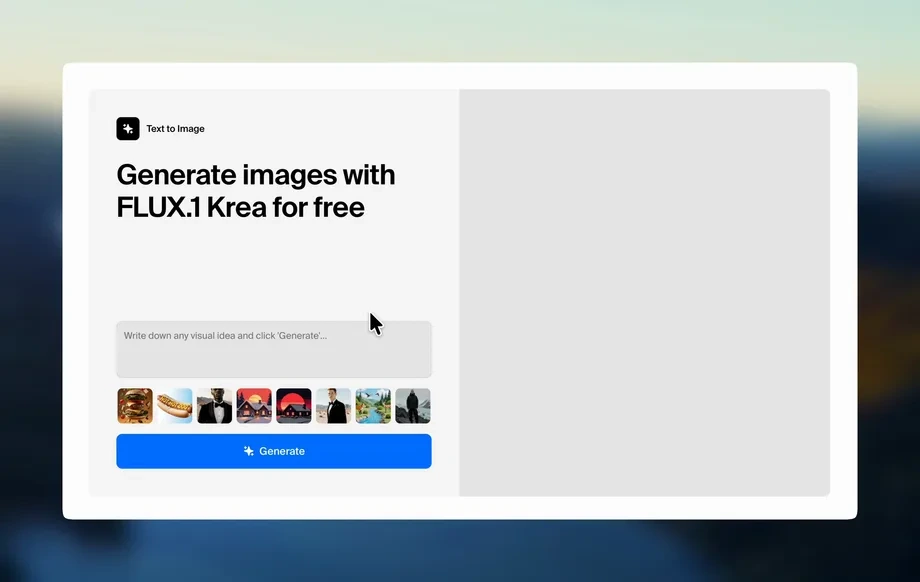
Step 1
Prompt
Describe your scene with key details like location, mood, lighting, and lens perspective. Add keywords such as panoramic, 360°, or wide-angle to guide composition and depth.
Generate high-quality 360° images fast with 360 Chicago Workshop Group 1. Use AI prompts and styles to create immersive visuals online—try it now.
Run the app to see your first output
How to use 360 Chicago Workshop Group 1
Create immersive panoramic images with a quick, guided workflow. Add a prompt, choose a style, and generate variations until the scene looks right. Download high-resolution outputs for your next project.
Step 1
Describe your scene with key details like location, mood, lighting, and lens perspective. Add keywords such as panoramic, 360°, or wide-angle to guide composition and depth.
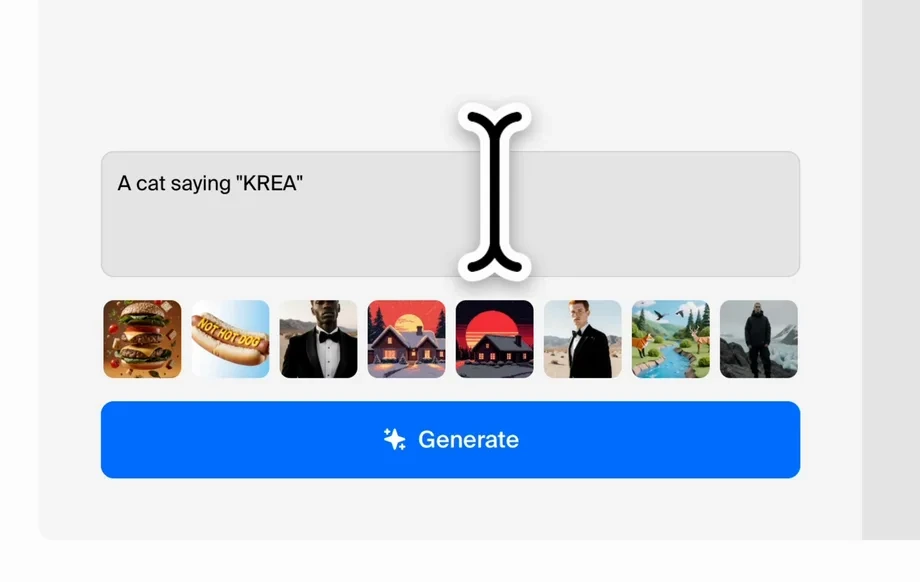
Step 2
Select a style and quality level, then generate multiple AI outputs. Iterate quickly by adjusting your prompt, adding constraints, or remixing a strong result for consistency.
Step 3
Download your preferred image in high resolution for web, slides, or print. Use the exported file as a base for edits, mockups, or immersive experience prototypes.
Features
Generate panoramic and 360°-style visuals with AI-driven prompt controls designed for speed and consistency. Create variations, refine composition, and keep visual direction aligned across outputs. Export high-resolution images ready for presentations, virtual tour concepts, or design exploration—without complex setup or lengthy rendering workflows.
Turn text prompts into immersive panoramic scenes with composition cues for wide-angle and 360° visuals. Get rapid results for ideation, storyboarding, and environment concepts.
Generate multiple options in seconds and refine direction with small prompt edits. Compare variations to lock in lighting, mood, and layout without starting over each time.
Create sharp outputs suitable for web embeds, slide decks, and print. Download clean files and keep your workflow moving from concept to delivery with minimal friction.
About
360 Chicago Workshop Group 1 is an AI image generator built for creating immersive 360° visuals and panoramic scenes from simple text prompts. Choose styles, refine details, and generate high-resolution images in minutes for virtual tours, presentations, and concept work. Get consistent results with fast iterations, flexible controls, and export-ready outputs for web or print.
360 Chicago Workshop Group 1 streamlines 360° image generation with a prompt-first workflow built for speed and consistency. Produce panoramic variations quickly, refine direction with simple edits, and export high-quality results ready for review, sharing, or production planning.
Type a scene description, add panoramic or 360° keywords, and generate your first set of images. Iterate with small prompt changes and download the best result in high resolution.
Use cases
Discover how different creators use this app in their workflow.
Draft immersive environments for real estate, museums, and venues. Quickly explore layouts and atmospheres before committing to full production or on-site capture.
Generate striking panoramic visuals for proposals and stakeholder reviews. Communicate scale and context clearly with 360°-style scenes tailored to your brief.
Test styles, materials, lighting, and moods for interiors or locations. Produce multiple AI directions fast to support decision-making and creative alignment.
Krea is one of the world's leading generative AI platforms. See what others say.
Real reviews on TrustpilotSo many AI tools out there but I always come back to Krea. It's really the one AI platform that 'just works'.
FYN
Krea's interfaces are still the best in the industry. Everything looks and feels so clean and easy to use! Imo the easiest to use gen AI website.
Lynn
Ultra fast generations. Extremely simple to use. All the latest AI models.
Daniel
KREA is the only AI subscription I have right now besides ChatGPT.
Sophia M.
Answers to common questions about 360 Chicago Workshop Group 1 and AI image generation.
360 Chicago Workshop Group 1 is an AI image generator focused on creating 360°-style and panoramic visuals from text prompts. It helps you ideate, iterate, and export high-quality images quickly for many use cases.
Write a detailed prompt describing the scene, then include cues like “360°,” “panoramic,” or “wide-angle.” Generate variations and refine the prompt until composition and lighting match your desired immersive look.
No. The workflow is prompt-based and designed for fast results without 3D modeling or complex software. You can start with simple descriptions and improve outputs through quick iterations.
Prompts with clear subjects, environment details, and camera language perform best. Include location, time of day, lighting style, and perspective terms like “ultra wide,” “fisheye,” or “panorama” for stronger results.
Yes. Generate batches of variations, then adjust small prompt elements to keep continuity while exploring options. This is useful for comparing styles, compositions, and moods while staying on-brief.
You can generate high-quality images suitable for presentations and concept work. For best clarity, use specific prompts, choose higher quality settings when available, and export at the highest resolution provided.
Yes. It uses artificial intelligence and machine learning techniques to synthesize images from text instructions. The model interprets your prompt to predict visual details and generate matching outputs.
In most cases, yes, depending on your usage needs and the platform’s terms. Review licensing and content policies before publishing, especially for branded, sensitive, or regulated applications.
Try adding camera constraints like “level horizon,” “centered composition,” or “realistic perspective.” Reduce conflicting prompt elements, specify fewer focal subjects, and generate more variations to find a cleaner layout.
Yes. It can generate both interior rooms and outdoor environments. Add context like room type, materials, and lighting for interiors, or landscape features and weather conditions for exteriors.
Enter a prompt, generate panoramic variations, and export high-resolution images for your next presentation or concept.