













Create
Edit & enhance
AI 3D Model Generator
Upload an image or describe an object, and Krea turns it into a textured 3D model you can rotate, compare across models, and download as GLB, OBJ, FBX, PLY, STL.
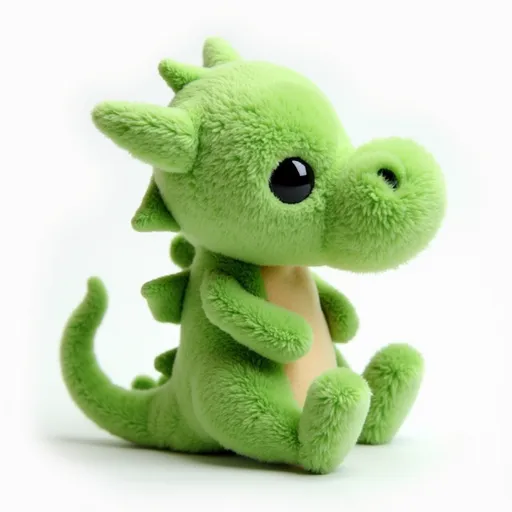
Generating needs a free Krea account. Your image or prompt opens in Krea's 3D tool, where you generate the model, view it, switch models, and download it. Free accounts use Hunyuan3D-2.1; paid plans start on Hunyuan3D 3.1 Pro.
From a single image to a 3D model
Each model below was generated in Krea's 3D tool from the image on the left. Drag the slider to compare.

Lake cabin diorama
How to make a 3D model with AI
Three steps, a few minutes, no 3D modeling skills.
- 01
Upload an image or write a prompt
Drop a JPG, PNG, WebP, or HEIC image of one object, or describe the object in a few words. A clean, well-lit object on a plain background gives the best shape.
- 02
Generate the 3D model
Sign in with a free account and Krea opens its 3D tool with your input, where it builds a textured mesh. Rotate it in the viewer, or run the same input through another model to compare.
- 03
Download and use it
Download the model as GLB, OBJ, FBX, PLY, STL and open it in Blender, a game engine, a 3D printing slicer, or a web viewer.
Image to 3D and text to 3D in one tool
Two ways in, the leading 3D generators side by side, and files you can use right away.
Open the 3D toolImage to 3D
Turn a product photo, concept art, a character render, or any picture of an object into a 3D model. The AI keeps the shape and colors of your image and fills in the sides it can't see.
Text to 3D
No reference image? Describe the object in plain words. Every model in the 3D tool accepts text; some first create a reference image from your prompt and model from that.
Textured models or bare meshes
Models are textured by default. Switch on mesh only when you just need geometry, and use Hunyuan3D 3.1 Pro's PBR option for physically based materials.
AI 3D models on Krea
Every model below takes an image or a text prompt. Pick one in the 3D tool, or run the same input through several and keep the best.
Hunyuan3D 3.1 Pro
- Paid plan
- ~90s
TRELLIS 2
- Paid plan
- ~60s
Tripo H3.1
- Paid plan
- ~60s
- Mesh-only option
Rodin V2.5
- Paid plan
- ~120s
- Mesh-only option
Meshy V7
- Paid plan
- ~180s
- Mesh-only option
Hunyuan3D 3.1 Rapid
- Paid plan
- ~45s
- Mesh-only option
Rodin V2.5 Fast
- Paid plan
- ~45s
- Mesh-only option
Tripo
- Paid plan
- ~60s
- Mesh-only option
Hunyuan3D-2.1
- Free plan
- ~45s
- Mesh-only option
TRELLIS
- Paid plan
- ~60s
Models marked Free plan are open to free accounts; the others need a paid plan. A free account gets 100 compute units a day and a Hunyuan3D-2.1 generation costs about 23, so that covers about 4 models a day. Times are the estimates the 3D tool shows and vary with load.
Export formats
Download every model in the format your next tool expects.
GLB
Single-file glTF with textures included. Works in Blender, three.js, web viewers, and most AR apps.
OBJ
A widely supported mesh format for 3D software, retopology, and further editing.
FBX
The common interchange format for Unity, Unreal Engine, Maya, and other game and animation tools.
PLY
A simple polygon format used in 3D scanning, research, and point-cloud tools.
STL
Geometry-only format that 3D printing slicers read directly.
What you can make with AI 3D models
From a sketch or a sentence to a usable model in minutes.
Game assets
Generate props, characters, and environment pieces from concept art, then block out levels in Unity, Unreal Engine, or Godot.
Product mockups
Turn a product photo or sketch into a model you can light and render from any angle for pitches, packaging ideas, and store previews.
3D printing
Export STL for figurines, miniatures, toys, and props. Check and scale the mesh in your slicer before you print.
AR and the web
Drop GLB models into web viewers, three.js scenes, and AR experiences that place an object in the viewer's room.
Building a whole scene? Krea Agent for 3D can plan and generate several assets for you.
AI 3D model generator FAQ
Answers to the questions people ask most about turning images and text into 3D models.
An AI 3D model generator creates a 3D mesh, usually with textures, from a single image or a short text description. The model has learned how objects look from every side, so it predicts the full shape, including the parts your input doesn't show. On Krea you upload an image or write a prompt, pick a model such as Hunyuan3D, TRELLIS, Tripo, Rodin, or Meshy, and get a model you can rotate and download.
Upload the image at the top of this page and click Generate 3D model. Krea opens the 3D tool with your image loaded as the input; click Generate there and the model appears in a 3D viewer. From there you can rotate it, try another model on the same image, or download it.
There's no single best one; it depends on the object and what you need it for. Hunyuan3D 3.1 Pro gives high-fidelity models with optional PBR materials, Meshy V7 focuses on clean topology, Tripo H3.1 makes sharp geometry at low cost, Rodin V2.5 builds detailed, well-structured meshes, and TRELLIS 2 is a native 3D model for high-quality assets. Krea runs all of them in one tool, so you can try the same input on several; our guide to the best AI 3D model generators compares them in more depth.
Not as finished, textured models. ChatGPT can write code that builds simple geometry, such as OpenSCAD or Blender Python scripts, but it isn't a 3D generator that turns a photo or a prompt into a textured mesh. A dedicated 3D generator does that: upload the image or paste your prompt here and download a GLB, OBJ, FBX, PLY, STL file.
Yes, you can start for free. A free Krea account gets 100 compute units a day, and Hunyuan3D-2.1 is open to free accounts at about 23 units per model, so that covers about 4 3D models a day. Hunyuan3D 3.1 Pro, TRELLIS 2, Tripo, Rodin, Meshy, and the other models need a paid plan, which also adds more compute and priority jobs.
A sharp, well-lit image of one object, fully in frame, on a plain background works best. Busy scenes, heavy shadows, and cropped objects make the shape harder to read. JPG, PNG, WebP, and HEIC all work; if the background is cluttered, clean it up first with the background remover.
Yes. Type a description such as "a ceramic robot with a glossy orange finish" in the prompt box and Krea generates it in 3D. Text gives the AI more freedom, so for full control over the look, create the exact image first with the AI image generator, then turn that image into a 3D model.
Usually between about 45 seconds and 180 seconds, depending on the model. Those are the estimates the 3D tool shows for its fastest and slowest models, and busy times can take longer. Mesh-only generations skip texturing and finish sooner.
Good enough to use directly for concepts, props, renders, and prints, and a strong starting point for hero assets. Models are textured by default, and Hunyuan3D 3.1 Pro can add PBR materials for realistic lighting in game engines and renderers. For real-time use you may want to reduce the polygon count or retopologize, as with most AI-generated meshes.
You can download every model as GLB, OBJ, FBX, PLY, STL. GLB keeps the textures in a single file and opens in most 3D apps and web viewers, FBX and OBJ suit game engines and 3D software, and STL is what 3D printing slicers expect.
Yes. Download the model as STL and open it in your slicer. AI-generated meshes can have thin parts or small holes, so check the model there (most slicers repair simple issues), scale it, and add supports before printing.
Yes. Blender imports GLB, FBX, and OBJ directly, and Unity and Unreal Engine import FBX and OBJ, plus GLB through their glTF importers. Download the format your pipeline uses from the 3D tool.
Yes, on a paid plan. Krea's paid plans include a commercial license for what you generate, including 3D models for games, products, and client work. Generations on the free plan aren't licensed for commercial use, and you should only use input images you own or have permission to use.
No. Krea doesn't add a watermark or logo to the 3D models you download, on any plan. The files are plain meshes and textures you can edit like any other model.
Your image is saved to your Krea account and sent to the 3D model you choose to create the result; models such as Tripo, Rodin, Meshy, and TRELLIS run with third-party providers. Only upload images you have the rights to. Our privacy policy covers storage, deletion, and data use in detail.
You can try. Most 3D models are tuned on English prompts, so English gives the most predictable results, but many also understand other languages. If a prompt in your language misses, rewrite it in short, concrete English, or start from an image instead, which works the same in any language.
You don't have to choose: Krea includes Meshy V7 alongside Hunyuan3D, TRELLIS, Tripo, and Rodin. That means you can compare several generators on the same image or prompt in one tool, with one account and one plan, and use the same account for AI images and video.
Related tools
Prepare your input, go further with 3D, or read up on the models.
3D tool
Generate, view, and download 3D models with every model Krea offers.
AI image generator
Create the exact reference image you want, then turn it into 3D.
Background remover
Isolate your object on a clean background for sharper image-to-3D results.
AI image enhancer
Upscale and sharpen low-resolution photos before you model them.
Krea Agent for 3D
Let the agent plan and generate a set of 3D assets for a scene.
Best AI 3D model generators
Our guide comparing the leading AI 3D generators in 2026.
The platform that just works
So many AI tools out there but I always come back to Krea. It's really the one AI platform that 'just works'.

FYN
Verified review
Best interfaces in the industry
Krea's interfaces are still the best in the industry. Everything looks and feels so clean and easy to use! Imo the easiest to use gen AI website.

Lynn
Verified review
Fast, simple, always up to date
Ultra fast generations. Extremely simple to use. All the latest AI models.

Daniel
Verified review
The only AI subscription I need
KREA is the only AI subscription I have right now besides ChatGPT.

Sophia M.
Verified review
New models the same day
I'm a Krea Max user. It's crazy how fast they add models. I see a new AI model on twitter and the same day krea already offers it.

Wirot Ch.
Verified review
The most powerful creative suite
Still the most powerful AI creative suite out there.

Gravion
Verified review
Generate your first 3D model
Upload an image or describe an object and get a 3D model in minutes.