












Step 1
Upload
Add your product or scene images in order, or upload a batch. The AI analyzes perspective and alignment to prepare a consistent 360° rotation sequence.
Generate stunning 360° photos and product spins with AI. Upload images, set angles, and export web-ready assets fast. Try 360 Chicago Workshop Group 2 now.
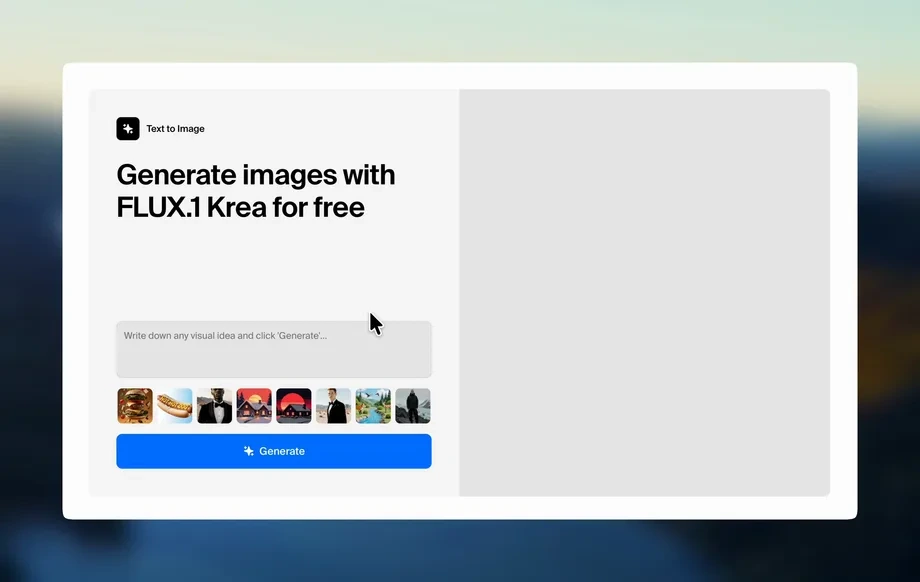
Run the app to see your first output
How to use 360 Chicago Workshop Group 2
This quick walkthrough shows how to create a 360 image sequence using AI. Upload your source photos, adjust rotation and quality settings, then generate and export web-ready frames for your site or app.
Step 1
Add your product or scene images in order, or upload a batch. The AI analyzes perspective and alignment to prepare a consistent 360° rotation sequence.
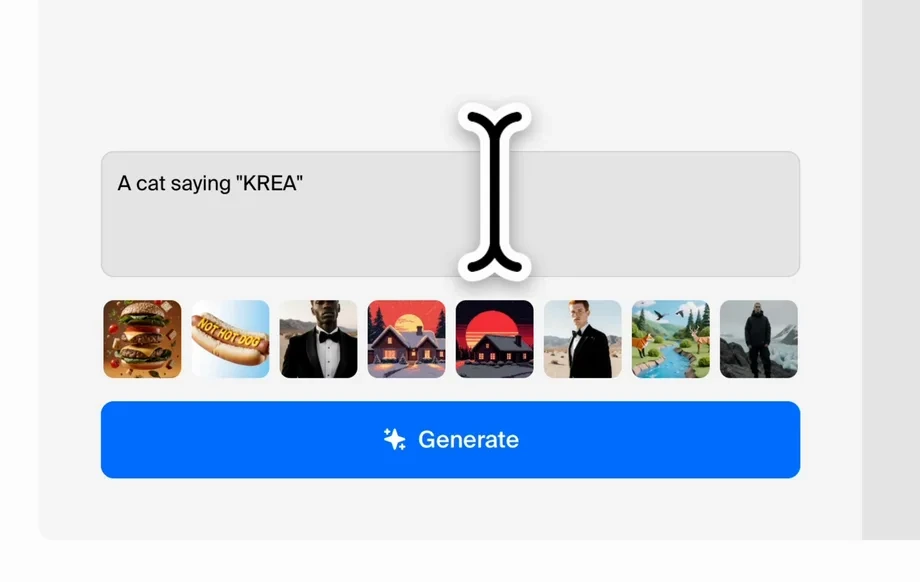
Step 2
Select rotation direction, frame count, crop, and output size. Fine-tune smoothing and background cleanup options to match your brand and platform requirements.
Step 3
Run the AI generator to produce a clean 360 set. Download frames or a web-ready package for eCommerce, listings, and virtual tour embeds.
Features
Create consistent 360 spins without manual stitching or frame-by-frame edits. 360 Chicago Workshop Group 2 uses AI to align images, smooth motion, and standardize output sizing for reliable results. Export assets optimized for web viewers, product pages, and virtual tour workflows to publish faster and keep quality consistent across collections.
AI detects perspective changes and stabilizes frames to reduce jitter. Get a cleaner, more professional 360° rotation with fewer reshoots and less manual post-processing.
Generate frames quickly and export in consistent sizes for web viewers. Produce lightweight assets that load smoothly on product pages, landing pages, and interactive embeds.
Standardize framing across a set with crop and padding controls. Optional cleanup helps keep attention on the subject, improving visual consistency for catalogs and listings.
About
360 Chicago Workshop Group 2 is an AI 360 photo generator that turns your images into smooth, interactive spins and panoramic views. Upload a set of photos, choose rotation and output settings, and generate consistent frames automatically. Create web-ready 360 product views and virtual tour assets faster, with clean results that look professional across devices.
360 Chicago Workshop Group 2 streamlines 360 production with AI alignment, smoothing, and consistent exports. Reduce manual cleanup, standardize output for web viewers, and scale batches for catalogs or campaigns. Get reliable results with practical controls for cropping, sizing, and rotation behavior.
Add your images, pick frame count and direction, and run the AI generator. Download the resulting frames or package and publish to your site, store, or viewer.
Use cases
Discover how different creators use this app in their workflow.
Create interactive 360 product views for PDPs and marketplaces. Improve shopper confidence with consistent angles, clean framing, and web-optimized exports.
Generate panoramic sequences and virtual tour assets from image sets. Share rooms and spaces with smoother rotation and consistent sizing for embeds.
Produce 360 visuals for ads, landing pages, and social posts. Reuse outputs across channels to maintain brand consistency and speed up creative production.
Krea is one of the world's leading generative AI platforms. See what others say.
Real reviews on TrustpilotSo many AI tools out there but I always come back to Krea. It's really the one AI platform that 'just works'.

FYN
Krea's interfaces are still the best in the industry. Everything looks and feels so clean and easy to use! Imo the easiest to use gen AI website.

Lynn
Ultra fast generations. Extremely simple to use. All the latest AI models.

Daniel
KREA is the only AI subscription I have right now besides ChatGPT.

Sophia M.
Find quick answers about AI 360 generation, exports, and how to get the best results.
360 Chicago Workshop Group 2 is an AI tool for generating 360° photo spins and panoramic sequences from image sets. It helps align frames, smooth motion, and export consistent, web-ready assets.
Upload a sequence of images, then choose rotation and output settings. The AI uses artificial intelligence and machine learning to align perspectives, stabilize transitions, and produce a uniform 360 frame set.
Use evenly spaced angles, consistent lighting, and a stable camera position. Clean backgrounds help, but the AI can assist with smoothing and framing to keep outputs consistent.
Yes. Generate a 360 product spin and export consistent frames for product pages and listings. Web-optimized outputs help reduce load time while maintaining clear, professional detail.
It can generate panoramic-style sequences and 360 assets suitable for virtual tour workflows. Export frames or packages that integrate with common web viewers and interactive embeds.
Export a sequence of frames for use in web viewers and interactive players. Output sizing is standardized for consistent display, making it easier to publish across sites and platforms.
Yes. The workflow is designed for quick generation and repeatable settings across items. Use the same configuration to produce consistent 360 outputs for catalogs and collections.
No. The interface focuses on simple inputs and practical controls. AI handles alignment and smoothing, so you can generate polished 360 visuals without advanced editing workflows.
Ensure your source images are evenly spaced and shot from a stable position. Then increase smoothing and use consistent crop settings to standardize framing across the sequence.
You can generate outputs from your uploads within the app workflow. For training and data usage specifics, review the in-app policy and settings available in your account.
Upload an image set, choose your rotation settings, and export web-ready 360 assets in minutes.