












Step 1
Upload
Add a 360° panorama or a set of overlapping photos. The tool analyzes alignment, perspective, and exposure to prepare your project for AI panorama stitching and enhancement.
Generate immersive 360° photos and virtual tours with AI. Upload images, enhance panoramas, and export shareable links fast—try 360 Chicago Workshop Group 5.
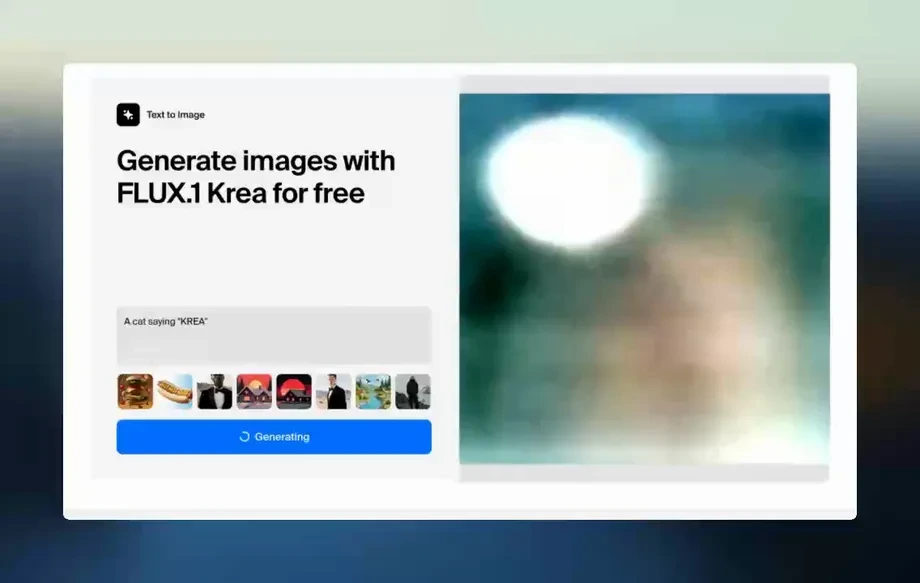
Run the app to see your first output
How to use 360 Chicago Workshop Group 5
Follow these steps to generate a polished 360° panorama using AI enhancement and tour-ready exports. Start with your images, adjust the look, and publish a shareable interactive view quickly.
Step 1
Add a 360° panorama or a set of overlapping photos. The tool analyzes alignment, perspective, and exposure to prepare your project for AI panorama stitching and enhancement.
Step 2
Use AI controls to improve sharpness, dynamic range, and color consistency across the scene. Preview changes instantly and refine until the 360° view looks clean and realistic.
Step 3
Export a web-ready 360° asset or a shareable tour link. Download optimized files for listings and embeds, and keep quality consistent across devices and browsers.
Features
Turn raw panoramas into immersive 360° experiences with AI-powered stitching and enhancement. Improve clarity, correct lighting, and smooth seams for professional results. Export optimized 360° assets and shareable links built for fast loading, consistent quality, and easy publishing across websites, listings, and presentations.
Automatically refines exposure, color balance, and detail across your 360° scene. Reduce blur and uneven lighting while keeping a natural look for clean, professional panoramas.
Combine overlapping photos into a seamless panorama with quick processing and real-time previews. Iterate faster with fewer manual fixes and dependable scene alignment.
Export optimized 360° files and shareable links designed for web and mobile. Maintain consistent quality and performance for embeds, listings, and interactive presentations.
About
360 Chicago Workshop Group 5 helps you generate and enhance 360° visuals with AI for virtual tours, listings, and immersive previews. Upload a panorama or source images, refine clarity and lighting, and create a smooth, interactive view in minutes. Export shareable links and assets optimized for web, mobile, and social—without complicated editing workflows.
Get AI-powered 360° panorama stitching, enhancement, and tour-ready exports in one workflow. Produce consistent, realistic results with fast previews and optimized outputs for web and mobile. Save time on manual fixes while delivering immersive visuals that are easy to publish and share.
Enter 360 Chicago Workshop Group 5, upload a panorama or photo set, and apply AI enhancement. Preview instantly, then export an optimized 360° asset or shareable link for your site or listing.
Use cases
Discover how different creators use this app in their workflow.
Create crisp 360° walkthrough views for property pages. Enhance lighting and clarity to help viewers explore rooms naturally and stay engaged longer.
Publish immersive panoramas for attractions, restaurants, and event spaces. Generate tour-ready assets that load fast and look consistent across devices.
Show products and spaces in interactive 360° views. Build virtual tour experiences that support marketing pages, demos, and customer onboarding.
Krea is one of the world's leading generative AI platforms. See what others say.
Real reviews on TrustpilotSo many AI tools out there but I always come back to Krea. It's really the one AI platform that 'just works'.
FYN
Krea's interfaces are still the best in the industry. Everything looks and feels so clean and easy to use! Imo the easiest to use gen AI website.

Lynn
Ultra fast generations. Extremely simple to use. All the latest AI models.
Daniel
KREA is the only AI subscription I have right now besides ChatGPT.
Sophia M.
Answers to common questions about AI 360° generation, enhancement, and exports.
It’s an AI tool for generating and enhancing 360° panoramas and tour-ready visuals. Upload images, improve quality with AI enhancement, and export optimized 360° assets or shareable interactive links.
Yes. Upload a set of overlapping photos and the tool uses AI panorama stitching to align frames, smooth seams, and produce a cohesive 360° image with consistent lighting.
Yes. Import a panorama and use AI enhancement to improve sharpness, exposure, and color balance. This is useful for cleaning up older captures or uneven lighting conditions.
You can export web-ready 360° assets suitable for embeds, listings, and presentations. Export options focus on optimized quality and performance so panoramas load quickly on mobile and desktop.
It combines both. You can enhance 360° images with AI photo editing features and create tour-ready outputs like shareable links, making it practical for publishing interactive panoramas.
Generation time depends on image size and project complexity, but most enhancements and stitching complete quickly. Real-time previews help you iterate without waiting on long renders.
The AI aims for natural-looking improvements by correcting exposure, reducing artifacts, and keeping details consistent across the panorama. You can fine-tune settings to match your preferred style.
Yes, outputs can be used for commercial use cases like real estate, hospitality, and retail. Always ensure you have the rights to the images you upload and publish.
No. You can use existing panoramas or stitch overlapping photos from standard cameras or phones. Better source images help, but the AI tools reduce manual editing requirements.
After exporting, you can share a link or embed the 360° view on a website or listing. The exports are optimized for smooth interaction across common browsers and devices.
Upload your images, enhance panoramas with AI, and export a tour-ready 360° experience in minutes.