
















Step 1
Upload
Choose a clear portrait photo with good lighting and a forward-facing angle. Upload it to Ceramic Me to start the photo-to-ceramic transformation.
 App by Felix Gil
Transform any portrait into a realistic ceramic sculpture with glossy finishes. Upload a photo, preserve facial features, and generate art in seconds.
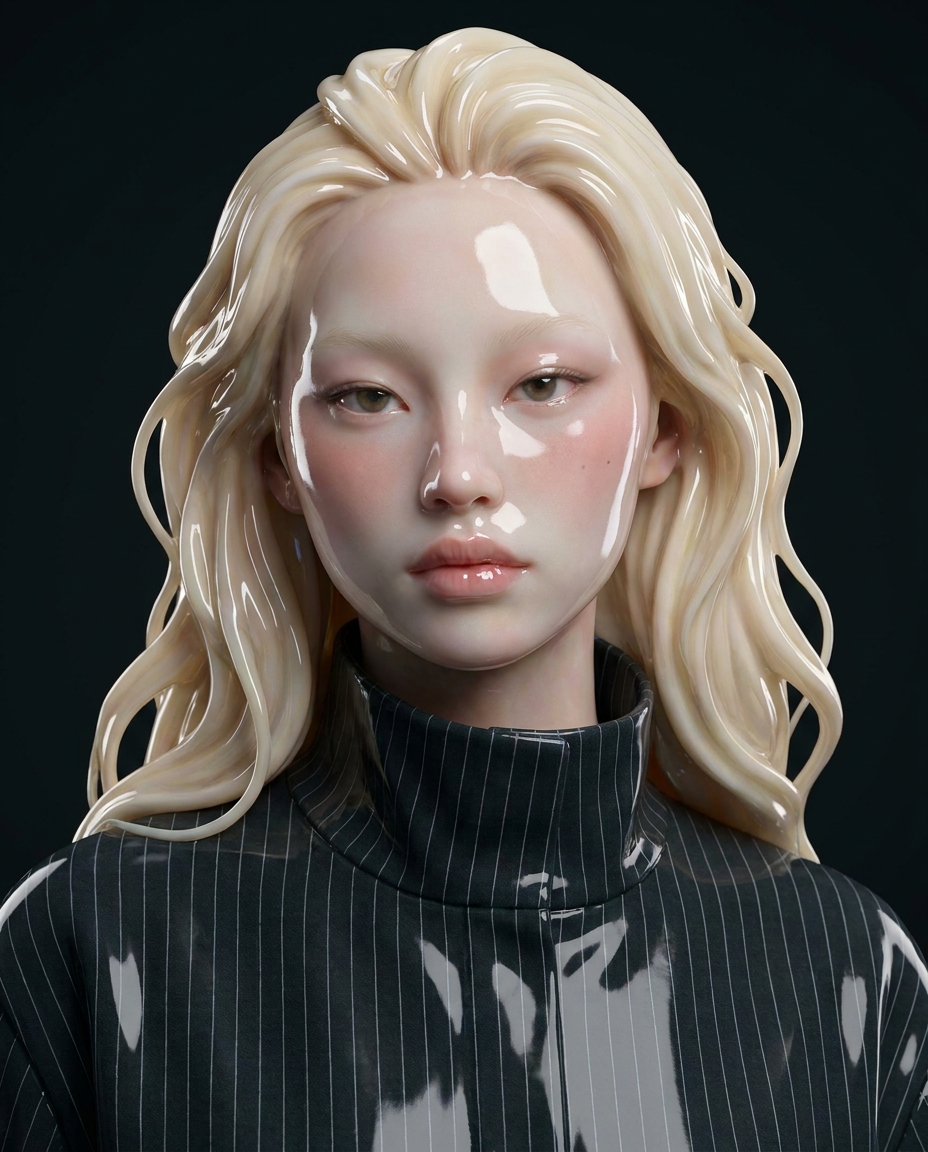
How to use Ceramic Me
Learn how to transform a portrait into realistic ceramic artwork with Ceramic Me. Upload your photo, choose the look you want, and generate a glossy ceramic sculpture-style image in moments.
Step 1
Choose a clear portrait photo with good lighting and a forward-facing angle. Upload it to Ceramic Me to start the photo-to-ceramic transformation.

Step 2
Adjust the ceramic look with finish and style options for a glossy, realistic sculpture feel. Fine-tune framing to keep facial details and composition consistent.

Step 3
Click generate to create your ceramic sculpture portrait in seconds. Review variations, pick your favorite, and download a high-quality image ready to share or print.
Features
Ceramic Me converts portraits into convincing ceramic sculpture images with glossy finishes and realistic texture. The AI keeps facial structure recognizable while applying a refined ceramic material look. Generate fast, consistent results for avatars, art concepts, and standout photo edits—no design skills required.
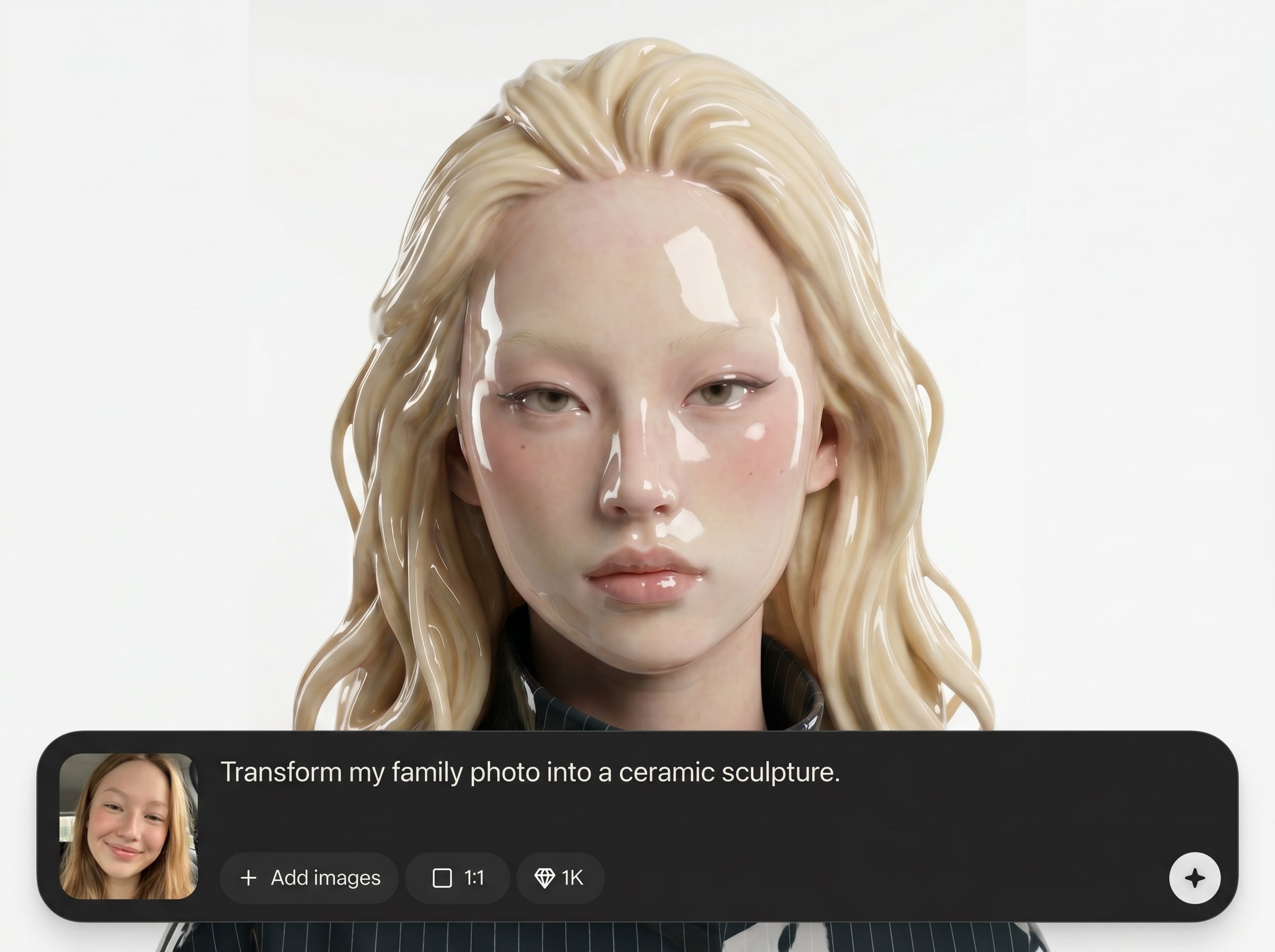
Maintain recognizable facial structure and expression while transforming the image into ceramic. Ideal for keeping likeness intact across edits, variations, and different portrait angles.
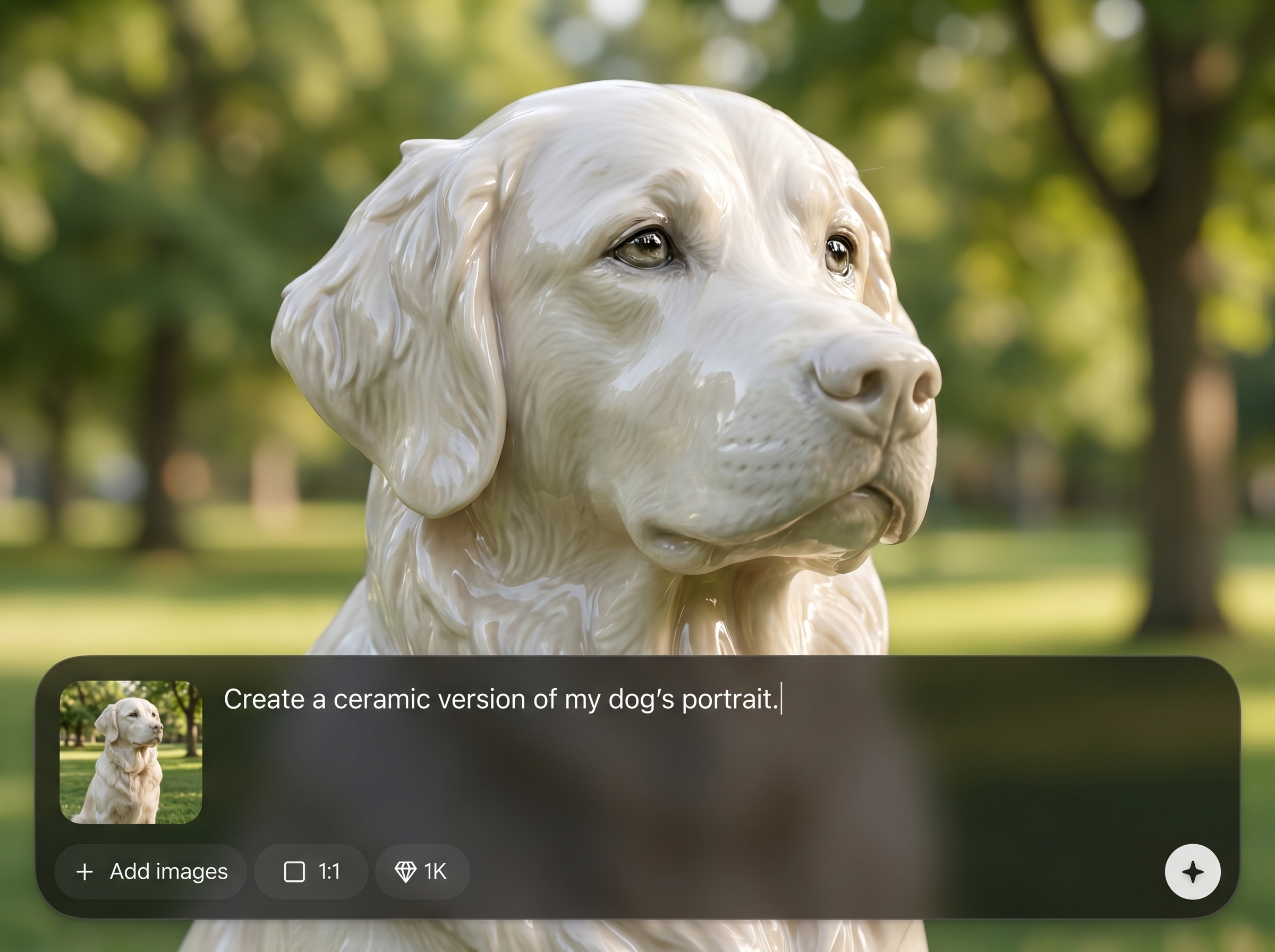
Create polished, studio-style ceramic surfaces with realistic highlights and sheen. Get a premium sculpture aesthetic that looks like fired, glazed ceramic—without manual retouching.
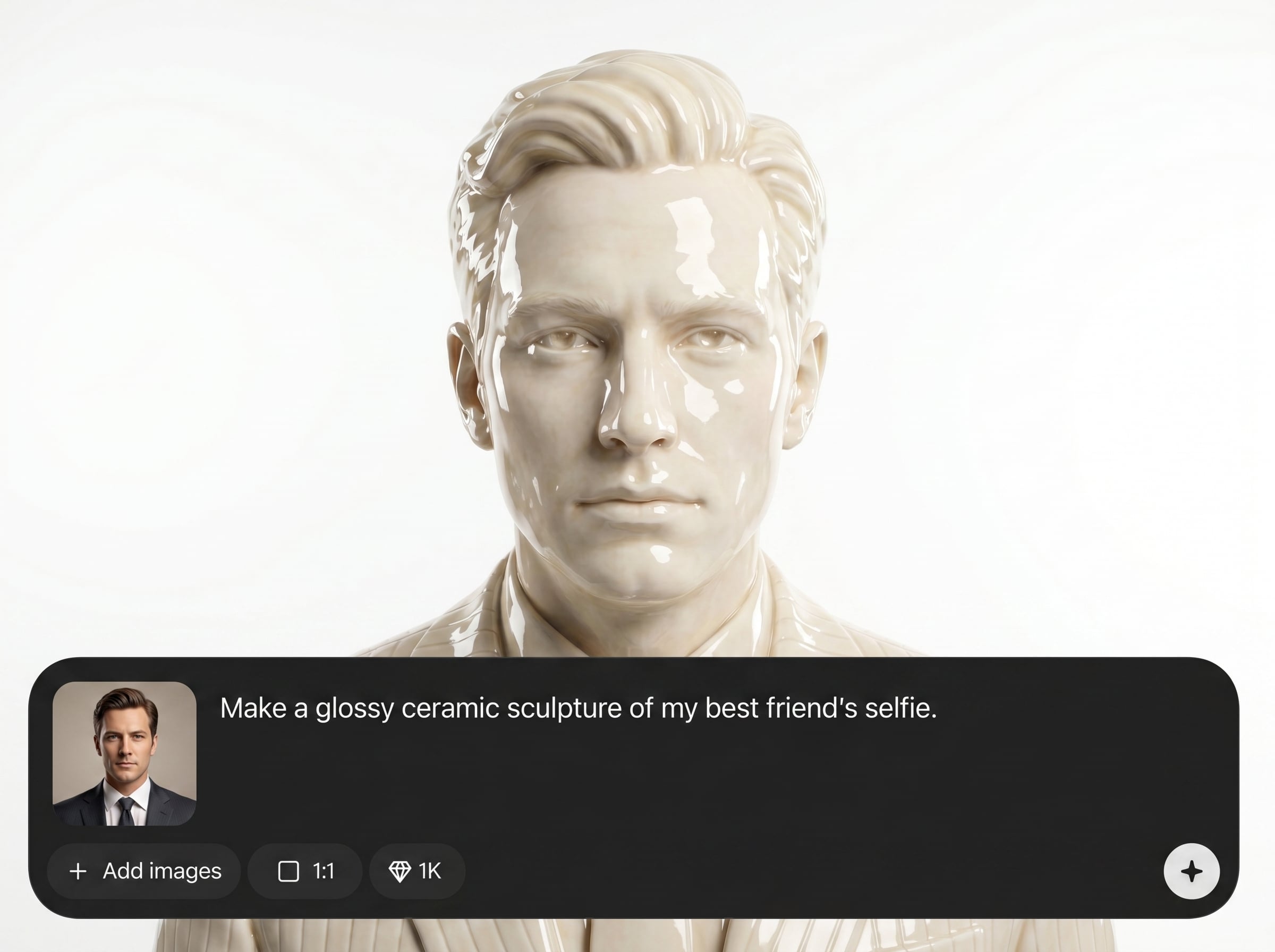
Generate ceramic portrait results in seconds with consistent, high-quality images. Export ready-to-use files for social profiles, print mockups, or creative workflows with minimal tweaking.
About
Ceramic Me turns your portrait into a realistic ceramic sculpture with glossy, studio-like finishes. Upload a photo and the AI preserves key facial features while reimagining the subject as ceramic artwork. Generate high-quality results in seconds for prints, profiles, gifts, and creative projects.
Ceramic Me delivers realistic ceramic sculpture results with strong facial-feature preservation and glossy, studio-style finishes. The workflow is simple—upload, generate, iterate—so you can create high-quality portrait transformations quickly. Get consistent outputs for avatars, prints, and creative exploration without manual editing.
Getting started is easy: upload a clear portrait, select your preferred ceramic look, and generate in seconds. Save your favorite variation and download a high-quality image for sharing, printing, or design use.
Use cases
Discover how different creators use this app in their workflow.
Turn a standard headshot into a distinctive ceramic avatar. Keep facial likeness while adding a glossy art style that stands out across platforms.
Create ceramic-style portrait art for cards, posters, and framed prints. Generate multiple variations quickly to match different moods and compositions.
Explore ceramic sculpture aesthetics for campaigns, moodboards, and style studies. Produce consistent portrait transformations that fit modern, tactile design directions.
Krea is one of the world's leading generative AI platforms. See what others say.
Real reviews on TrustpilotSo many AI tools out there but I always come back to Krea. It's really the one AI platform that 'just works'.

FYN
Krea's interfaces are still the best in the industry. Everything looks and feels so clean and easy to use! Imo the easiest to use gen AI website.

Lynn
Ultra fast generations. Extremely simple to use. All the latest AI models.

Daniel
KREA is the only AI subscription I have right now besides ChatGPT.

Sophia M.
Answers to common questions about Ceramic Me and AI ceramic portrait generation.
Ceramic Me is an AI photo-to-ceramic tool that transforms portraits into realistic ceramic sculpture images. It preserves key facial features while applying glossy ceramic texture and lighting for a polished artwork look.
Use a sharp, well-lit portrait with the face clearly visible and minimal motion blur. Center the subject, avoid heavy filters, and choose a clean background for the most realistic ceramic sculpture effect.
Yes. Ceramic Me is designed to keep facial structure, proportions, and expression recognizable while reimagining the subject as ceramic art. Results can vary slightly depending on lighting, angle, and resolution.
Yes. The generator produces a glazed, glossy ceramic look with realistic highlights and sheen. You can also iterate to find the most natural reflections and the cleanest material texture for your portrait.
Most ceramic portraits generate in seconds. Processing time depends on image size, server load, and selected options, but the workflow is optimized for fast, repeatable results and quick variation testing.
High-resolution JPG or PNG portraits work best. Larger images with clear facial detail produce more convincing ceramic texture and lighting. If your photo is small, try cropping tightly to the face before uploading.
Yes. Download high-quality outputs suitable for print mockups and artwork. For the sharpest prints, start with a high-resolution portrait and generate multiple variations to choose the cleanest details.
It’s an AI transformation tool that applies a ceramic sculpture style to portraits. Instead of manual editing, it uses machine learning to synthesize realistic material texture, gloss, and studio-like lighting.
Yes. Generate several versions to explore different ceramic textures, highlights, and framing. Variations help you pick the most realistic glaze and the best-preserved facial details for your final image.
It may adjust the background to better match the ceramic artwork aesthetic. For maximum control, upload portraits with simple backgrounds or crop closer to the face to keep attention on the ceramic sculpture look.
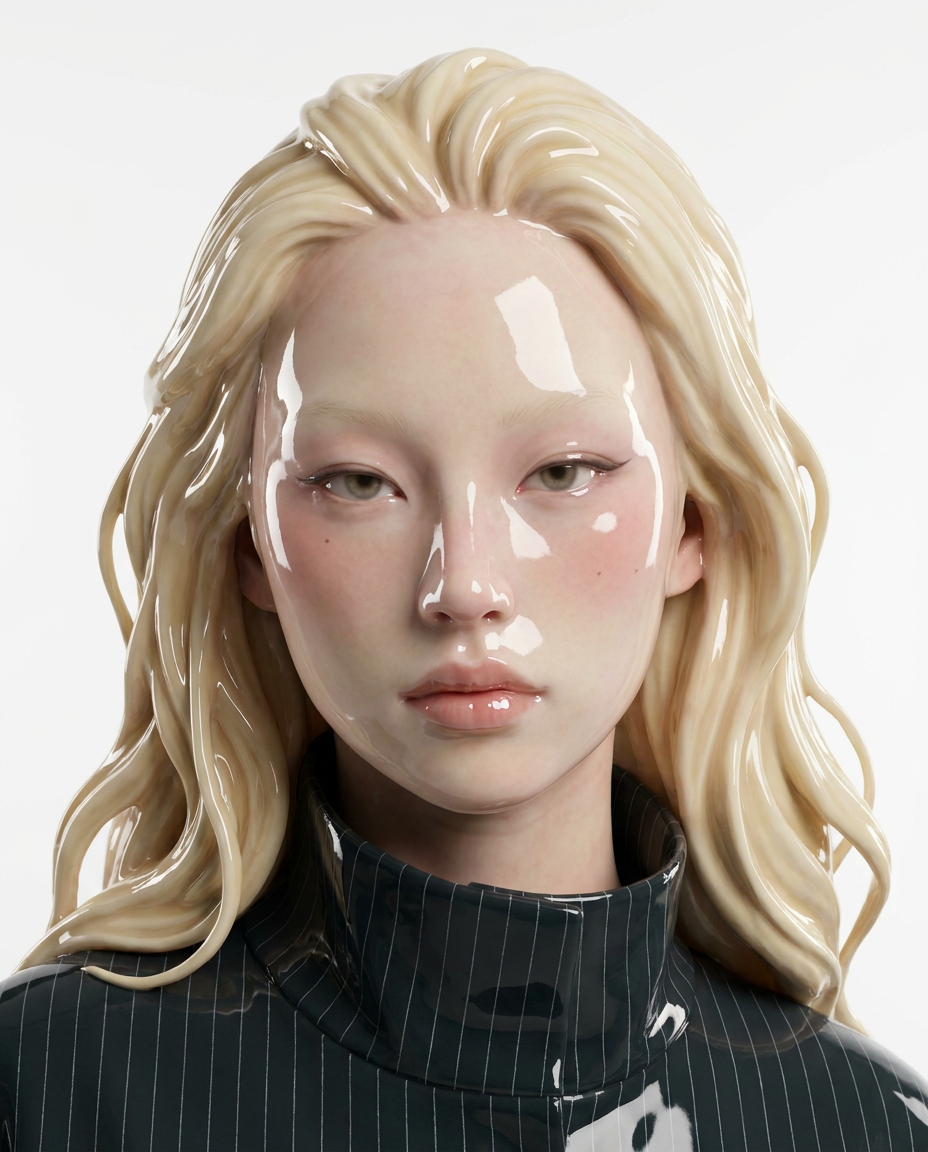
Upload a portrait and generate a realistic glossy ceramic sculpture image in seconds—ready to download and share.

