















Step 1
Input requirements
Enter your part or layout description, target dimensions, units, and tolerance needs. Add constraints like min/max ranges, fit type, or material notes for higher accuracy.
Generate precision designs and measurements with caliper-11-10-2026. Use AI to draft, refine, and export specs in seconds—try it online now.
How to use caliper-11-10-2026
Follow these steps to turn a quick idea into usable dimensions and technical specs. caliper-11-10-2026 uses AI to structure your inputs, apply units, and output consistent results ready to share or export.
Step 1
Enter your part or layout description, target dimensions, units, and tolerance needs. Add constraints like min/max ranges, fit type, or material notes for higher accuracy.
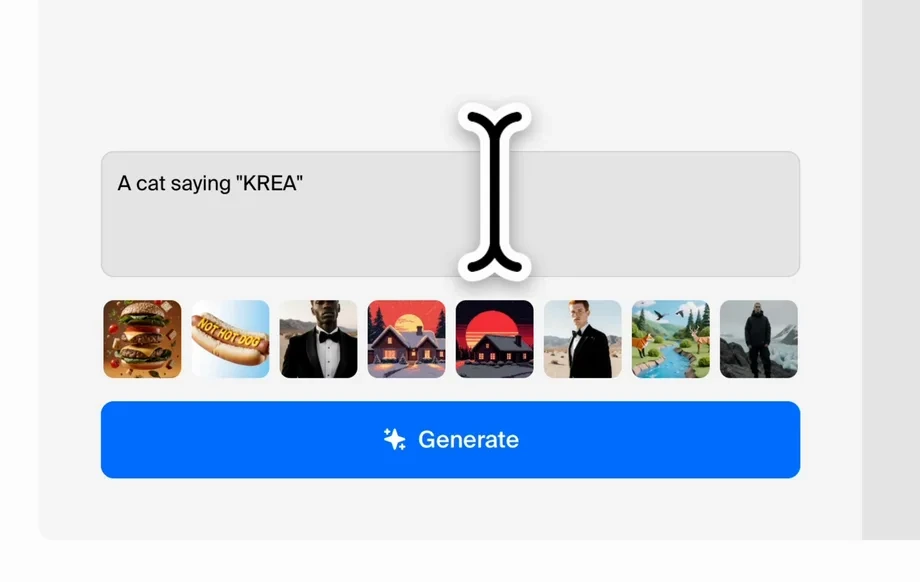
Step 2
Run the AI generator, then review dimensions and calculated fields. Iterate by adjusting tolerances, rounding rules, or constraints until the spec matches your intent.

Step 3
Export the generated specs and measurements for documentation or CAD workflows. Copy formatted outputs, save versions, and share a single link for fast reviews.
Features
caliper-11-10-2026 turns plain-language requirements into structured dimensions, tolerances, and technical specs using AI. Quickly iterate without losing consistency across revisions. Export clean outputs for documentation, manufacturing notes, or CAD handoff, with unit control and validation to reduce costly mistakes.

Generate consistent dimensions, tolerance bands, and rounding rules from your inputs. The AI helps keep constraints aligned, reducing rework while maintaining clear, readable technical outputs.

Adjust units, constraints, or target measurements and regenerate instantly. Keep versions as you iterate so you can compare changes, revert quickly, and document decisions with confidence.

Produce clean, shareable specs for engineering notes, QA checklists, or CAD prep. Copy formatted text, export structured data, and standardize outputs across teams and projects.
About
caliper-11-10-2026 is an AI precision design generator that helps you create accurate dimensions, specs, and technical outputs from simple inputs. Describe what you need, adjust tolerances and units, and generate clean, consistent results fast. Ideal for product design, engineering notes, and rapid iteration when accuracy matters.
caliper-11-10-2026 focuses on clarity and consistency for measurement-driven work. Use AI to turn messy requirements into structured specs, apply units and tolerances reliably, and iterate fast without losing formatting. Export-ready outputs reduce handoff friction for engineering, QA, and manufacturing workflows.
Enter a short description plus key dimensions, select units and tolerance preferences, then generate. Review the output, tweak constraints, and export a clean spec package in just a few iterations.
Use cases
Discover how different creators use this app in their workflow.
Define part dimensions, tolerances, and constraints quickly for early prototypes. Generate consistent documentation that stays aligned as requirements change.
Create standardized measurement tables and technical notes from prompts. Reduce manual formatting and keep unit conversions and rounding consistent across reports.
Generate check-ready measurement criteria and tolerance ranges. Improve clarity for inspections and handoffs while minimizing ambiguity in critical dimensions.
Krea is one of the world's leading generative AI platforms. See what others say.
Real reviews on TrustpilotSo many AI tools out there but I always come back to Krea. It's really the one AI platform that 'just works'.

FYN
Krea's interfaces are still the best in the industry. Everything looks and feels so clean and easy to use! Imo the easiest to use gen AI website.

Lynn
Ultra fast generations. Extremely simple to use. All the latest AI models.

Daniel
KREA is the only AI subscription I have right now besides ChatGPT.

Sophia M.
Answers to common questions about AI measurement, dimensioning, and exporting with caliper-11-10-2026.
It generates structured dimensions, tolerances, and technical spec outputs from your inputs. You can provide target measurements, constraints, and units, then refine results for documentation or engineering workflows.
It’s an AI specification and dimensioning generator, not a photo ruler. Use it to create measurement specs and tolerance ranges for parts and designs from text-based requirements.
Yes. Choose units (metric or imperial), rounding preferences, and tolerance style. The AI applies your settings across outputs to keep measurements consistent and easy to interpret.
Outputs follow the constraints and values you provide. For best results, include clear targets, ranges, and fit requirements. Always validate critical dimensions against your engineering standards before production.
Yes. It helps produce export-ready specs you can use alongside CAD work. Generate dimension tables, notes, and structured outputs to speed handoff and reduce manual formatting effort.
You can regenerate quickly after changing constraints, tolerances, or units. Save versions to compare outputs side by side, making it easier to track decisions and roll back when needed.
Provide a clear part description, key dimensions, unit system, tolerances, and constraints like min/max limits or fit types. Adding context such as material notes can improve spec consistency.
Yes. Copy formatted specs, export structured data, and share outputs for reviews. This makes it easier to move from concept to documentation without retyping measurement details.
You can use the app online to generate and refine specs quickly. Availability of features may vary by plan, but the workflow is designed for fast, low-friction testing and iteration.
Generate dimensions, tolerances, and export-ready outputs in minutes—start with a prompt and refine as you go.

