














'/%3e%3c/svg%3e) Try in Claude
Try in Claude Odysseus’s journey to Troy and home
Create
Edit & enhance
One topic. A complete faceless video.
Seedance 2.5
A visual language for every story.
These are complete 30-second examples—not six-second style tests. Preview the edit, then send its prompt straight into Krea Agent.
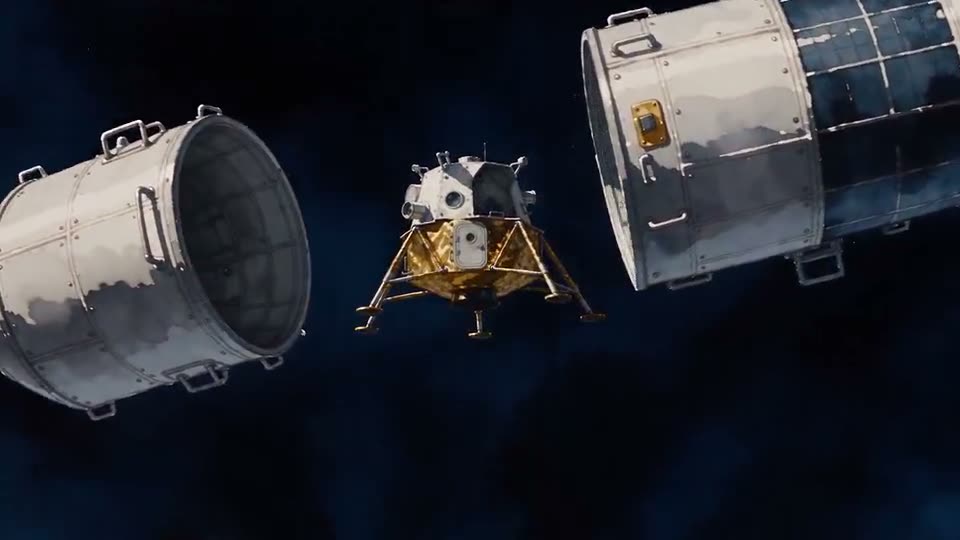
Humanity reaches the Moon
Watercolor chronicle
Magellan’s voyage around the world
Paper diorama
How ideas become printed books
Hand drawn
The sky, sea, and underworld
Poster vector
How the first motion pictures worked
Mannequin cinema
Step 1
Connect Krea to your assistant.
Set up Krea MCP once, then create images and videos from the assistant you already use.
Connect Krea to your assistant.
2
Add Krea
The name and URL are prefilled. Follow Claude’s prompts, then click Add.
3
Connect and sign in
If Claude shows Connect, click it and finish the Krea sign-in. Then ask for an image.
Step 2
A prompt in. A story out.
Start with this example, or make it your own. Send the prompt to your agent to create a complete faceless video.
Your prompt
Create a 30-second faceless video in a watercolor chronicle style about the Apollo mission and the moment humanity touched the Moon.
The result
A production workflow, not a single generation.
The skill gives Agent a repeatable way to protect story structure, continuity, and the final edit across multiple generation steps.
- Step 1
Lock the brief
Define the topic, runtime, aspect ratio, audience, and narration path before any generation begins.
- Step 2
Build the visual language
Set one style formula and create reusable characters, locations, and props before animating scenes.
- Step 3
Generate ordered scenes
Turn the story into timed blocks, keep references stable, and review every clip for continuity.
- Step 4
Assemble and verify
Normalize the clips, preserve scene order, align real audio, and inspect the final video before delivery.
Frequently asked questions
A faceless video tells a story without an on-camera presenter. Narration, animated scenes, captions, archive-inspired visuals, or illustrated sequences carry the idea instead.
No. Illustrated or generated characters can appear and act inside the story. Faceless describes the channel format: it does not rely on a visible host speaking to camera.
The examples on this page are 30 seconds. Longer videos can be planned as ordered scene blocks, subject to the durations supported by the selected video model and your production budget.
Yes. Describe a medium and visual direction, or start from one of the templates on this page. The workflow locks a style formula and reuses it across scenes.
Krea Agent can use audio generated by a model that supports it or assemble narration you supply with matching script timings. Exact voice consistency depends on the available audio path.
Yes, when real transcript timestamps are available. The workflow avoids guessing word timings so captions stay aligned with the spoken audio.
Yes. Passed scenes remain fixed while Agent retries a failed or off-style block, preserving the approved story order and references.
Choose a template or open Krea Agent with the Faceless Video skill, then provide a topic, target duration, aspect ratio, visual style, and narration preference.
Your next story does not need a camera crew.
Start with a topic. Krea Agent will turn the brief into a structured faceless video workflow.