
Kostenloser KI-Bild-Upscaler & Enhancer
Laden Sie ein Bild hoch und lassen Sie Krea Details schärfen, die Klarheit verbessern und Ihr Foto bis zu 8K Auflösung hochskalieren.
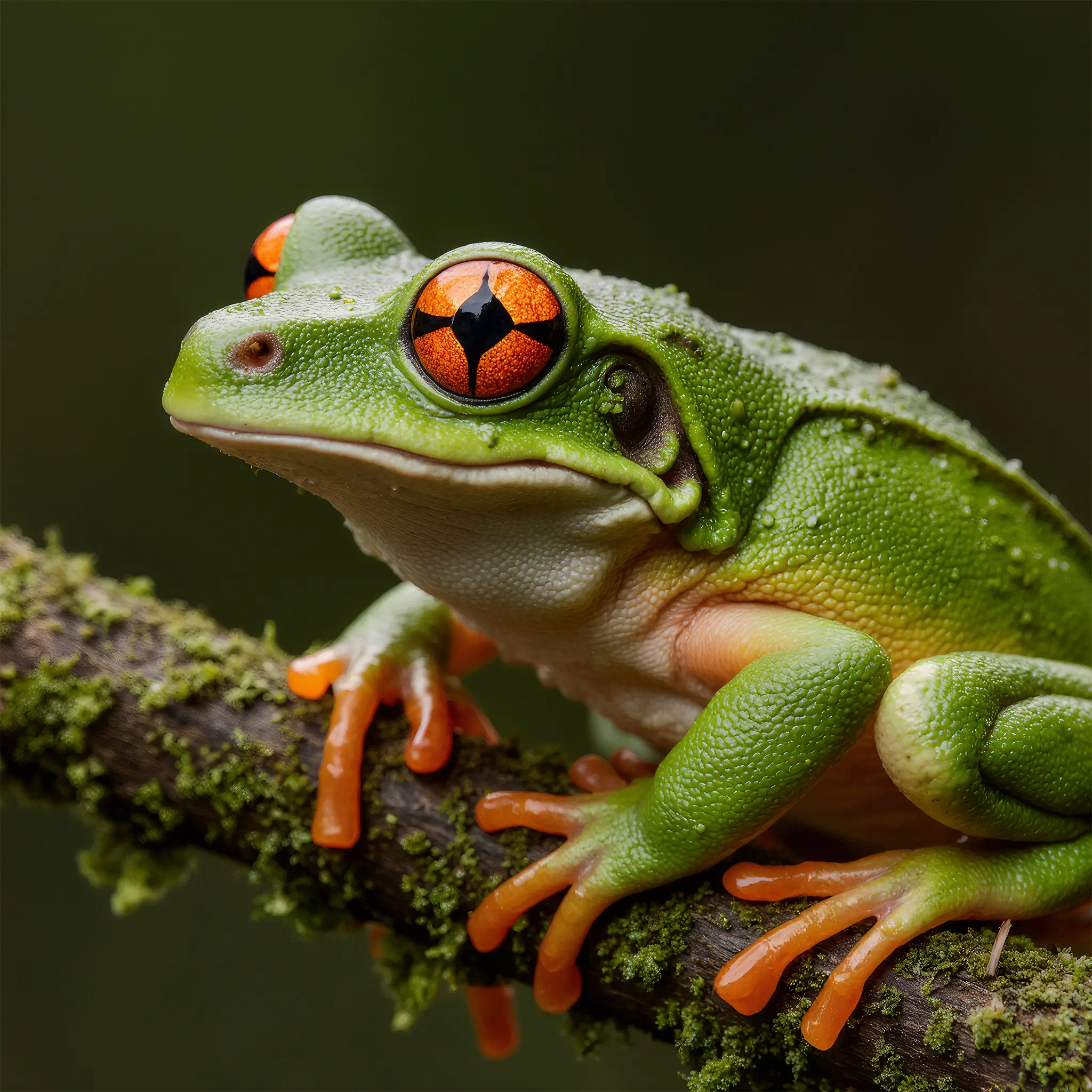
Hintergrund vor der Verbesserung entfernen
So verwenden Sie den KI-Bildverbesserer von Krea
Bilder in 3 einfachen Schritten hochskalieren und verbessern
1 Bild hochladen
Laden Sie ein beliebiges Foto hoch, das Sie verbessern möchten. Dies kann ein unscharfes Bild, ein Foto mit niedriger Auflösung oder jedes Bild sein, das verbessert werden soll. Wir unterstützen alle gängigen Dateiformate.
2 Verbessern
Klicken Sie auf die Schaltfläche Verbessern. Unsere KI verbessert automatisch Auflösung, Klarheit und Gesamtqualität. Ihr verbessertes Bild ist in Sekundenschnelle fertig.
3 Herunterladen
Laden Sie schließlich Ihr verbessertes Bild herunter und teilen Sie es. Melden Sie sich an, um alle Funktionen von Krea zu entdecken.
Warum den KI-Bild-Upscaler von Krea verwenden?
Krea Enhancer ist ein leistungsstarkes KI-Bildverbesserungstool, das Fotos mit niedriger Qualität in schärfere, hochauflösende Bilder verwandelt. Es verbessert automatisch Auflösung, Schärfe, Klarheit und die Gesamtbildqualität, während natürliche Details erhalten bleiben und künstliche Artefakte vermieden werden.
Probieren Sie Krea Enhancer im Haupttool ausKostenloser KI-Bildverbesserer. Keine Anmeldung, keine Kreditkarte.
Verbessern Sie Ihre Bilder kostenlos mit unserer leistungsstarken KI-Technologie. Keine teure Software oder technische Kenntnisse erforderlich. Verwandeln Sie unscharfe, niedrigauflösende Fotos sofort in kristallklare Bilder.
Explore other Krea toolsNatürliche Verbesserung ohne Artefakte
Unsere KI-Technologie verbessert Bilder intelligent, bewahrt natürliche Details und vermeidet den künstlichen, überbearbeiteten Look, der bei anderen Verbesserungswerkzeugen häufig vorkommt.
Explore other Krea toolsBlitzschnelle Verbesserung
Erhalten Sie verbesserte Bilder in Sekundenschnelle. Perfekt für Fotografen, Content-Ersteller und alle, die ihre Fotoqualität schnell verbessern möchten.
Explore other Krea toolsVertraut von über 30 Millionen Kreativen und Unternehmen weltweit
Intuitiv, leistungsstark und kostenlos. Sehen Sie, was andere über Krea sagen.
Lesen Sie unsere Erfahrungsberichte
Echte Bewertungen auf TrustpilotThe platform that just works
So many AI tools out there but I always come back to Krea. It's really the one AI platform that 'just works'.

FYN
Verifizierte Bewertung
Best interfaces in the industry
Krea's interfaces are still the best in the industry. Everything looks and feels so clean and easy to use! Imo the easiest to use gen AI website.

Lynn
Verifizierte Bewertung
Fast, simple, always up to date
Ultra fast generations. Extremely simple to use. All the latest AI models.

Daniel
Verifizierte Bewertung
The only AI subscription I need
KREA is the only AI subscription I have right now besides ChatGPT.

Sophia M.
Verifizierte Bewertung
New models the same day
I'm a Krea Max user. It's crazy how fast they add models. I see a new AI model on twitter and the same day krea already offers it.

Wirot Ch.
Verifizierte Bewertung
The most powerful creative suite
Still the most powerful AI creative suite out there.

Gravion
Verifizierte Bewertung
Trusted by over 30,000,000 users From 191 countries. We've got a plan for everybody...
Free
Get free daily credits to try basic features.
Basic
Access our most popular features
Pro
Advanced features and discounts on compute units
Max
Full access with higher discounts on compute units
For Teams and Enterprises
Workplace management, collaboration, and enterprise customizations
Business
Secure and collaborative workspace for growing teams
Enterprise
Enterprise-grade security with dedicated support and admin features
Weitere Funktionen entdecken













Häufig gestellte Fragen
Sie können jeden Bildtyp verbessern: Porträts, Landschaften, Produktfotos, alte Familienfotos, Screenshots und mehr. Das Tool funktioniert besonders gut bei unscharfen, niedrig aufgelösten oder verrauschten Bildern.
Krea Enhancer kann die Bildauflösung und -qualität deutlich verbessern. Die Ergebnisse variieren je nach Originalbild, typischerweise sind jedoch 2-4-fache Auflösungsverbesserungen mit natürlich wirkenden Ergebnissen möglich.
Ja! Unsere KI-Technologie ist speziell darauf ausgelegt, Bilder zu verbessern und dabei natürliche Details zu bewahren sowie künstliche Artefakte oder Überbearbeitung zu vermeiden, die Bilder unnatürlich wirken lassen.
Ja. Nutzer ohne Konto erhalten eine begrenzte Anzahl kostenloser Verbesserungen. Registrieren Sie sich für mehr Verbesserungen und um alle Funktionen von Krea zu nutzen.
Nein. Sie können Bilder auf Krea.ai kostenlos verbessern, ohne ein Konto zu erstellen. Das Verbessern von Bildern ist so einfach wie Hochladen und Klicken auf die Schaltfläche „Verbessern“. Keine Anmeldung oder Kreditkarte erforderlich.
Die meisten Bildverbesserungen sind in wenigen Sekunden abgeschlossen. Die Verarbeitungszeit kann je nach Bildgröße und Serverauslastung leicht variieren. Nutzer mit Abonnement erhalten die schnellsten Ergebnisse.
Ja. Sie können verbesserte Bilder für kommerzielle Zwecke verwenden, einschließlich Fotografie, Marketingmaterialien und professionelle Projekte.
Wir unterstützen alle gängigen Bildformate, einschließlich JPEG, PNG, WebP und mehr.
Keine Anmeldung. Keine Kreditkarte. Beeindruckende Ergebnisse in Sekunden.