














Step 1
Upload or Prompt
Upload a logo or enter a text prompt. Choose a style direction, background, and color rules so the AI generates a pattern that matches your brand system.
Generate seamless logo cup patterns and mockups fast with LogoCupPatternMocap. Use AI to preview wraps, export files, and refine designs online.
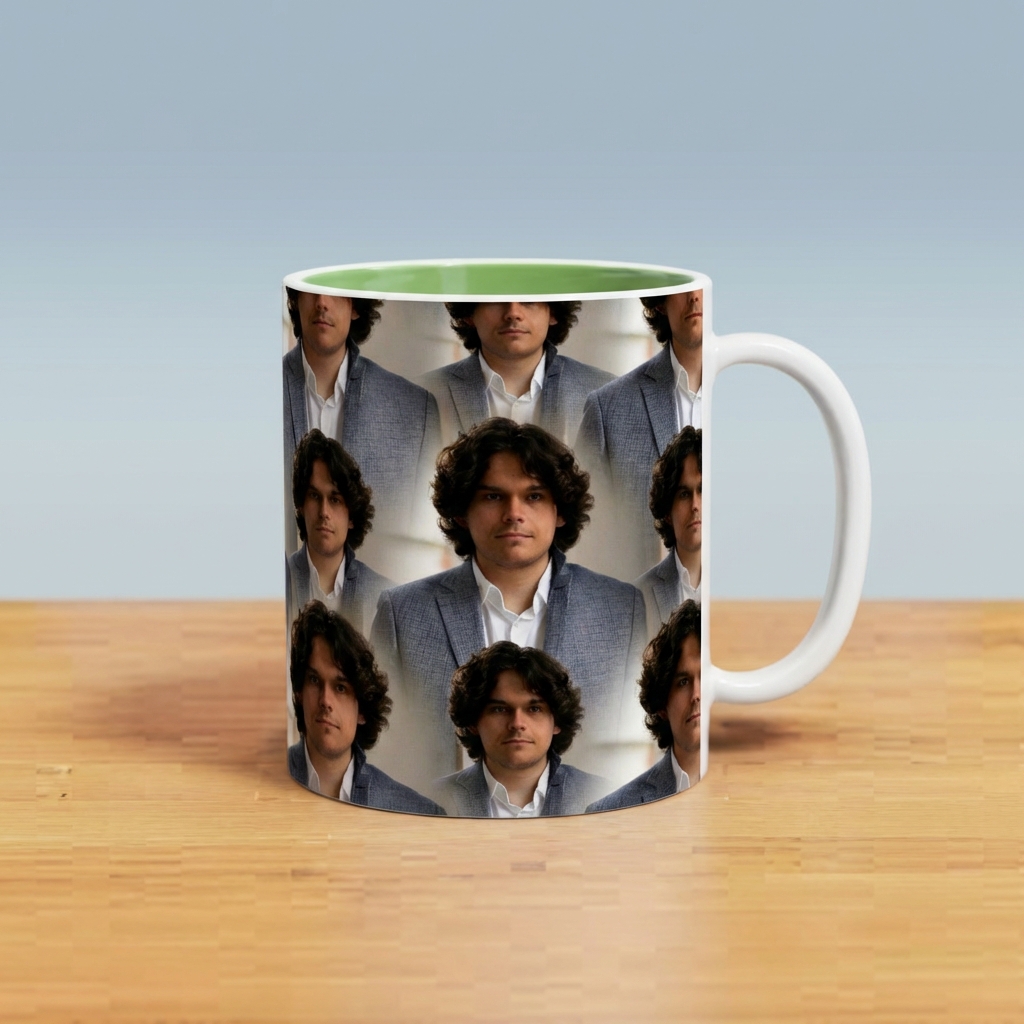
How to use LogoCupPatternMocap
Create a seamless logo pattern and apply it to a cup mockup with a few settings. This quick workflow helps you test repeats, adjust scale, and export print-ready files for production.
Step 1
Upload a logo or enter a text prompt. Choose a style direction, background, and color rules so the AI generates a pattern that matches your brand system.

Step 2
Adjust scale, spacing, rotation, and alignment to perfect the seamless tile. Preview the wrap on a cup mockup to spot gaps, overlaps, and edge artifacts.

Step 3
Download the seamless pattern tile and mockup renders. Export high-resolution files for packaging, product listings, or print workflows, then iterate with quick variations as needed.
Features
LogoCupPatternMocap combines an AI seamless pattern maker with cup wrap mockups so you can design and preview repeats in one place. Control layout, scale, and spacing to keep logos consistent. Export print-ready pattern tiles and high-quality mockup images for branding, packaging, and e-commerce visuals.

Generate clean, tileable logo patterns with AI while keeping spacing and alignment consistent. Quickly create variations for different brand lines, seasonal drops, or packaging formats without rebuilding repeats manually.

Apply your pattern to a realistic cup mockup to preview wrap behavior and scale. Catch edge issues early, test multiple looks fast, and produce presentation-ready visuals for approvals.

Export high-resolution seamless tiles and mockup images optimized for design and print workflows. Fine-tune rotation, density, and background treatments to match brand guidelines and production requirements.
About
LogoCupPatternMocap is an AI logo pattern generator for creating seamless repeats and realistic cup mockups in minutes. Upload a logo or start from a prompt, control scale and spacing, and preview how the pattern wraps on cups. Export print-ready assets for branding, packaging, and product visuals—fast, consistent, and easy to refine online.
LogoCupPatternMocap streamlines pattern creation and mockup preview in one AI workflow. Get faster iteration, consistent repeats, and clear wrap visualization without manual tiling. Fine-grained controls help match brand guidelines, while exports support both presentation and production needs.
Upload a logo or enter a prompt, then choose your layout settings and generate. Preview the wrap on the cup mockup, tweak scale and spacing, and export the seamless tile and renders when ready.
Use cases
Discover how different creators use this app in their workflow.
Create repeat patterns and see how they wrap on cups before committing to production. Reduce revisions by validating scale, spacing, and brand consistency early.
Build a cohesive set of logo repeats for multiple products and campaigns. Generate consistent variations while keeping layout rules aligned with your identity guidelines.
Produce clean mockup renders for listings and ads without a full photo shoot. Test multiple pattern options quickly to find the best-performing look.
Krea is one of the world's leading generative AI platforms. See what others say.
Real reviews on TrustpilotSo many AI tools out there but I always come back to Krea. It's really the one AI platform that 'just works'.

FYN
Krea's interfaces are still the best in the industry. Everything looks and feels so clean and easy to use! Imo the easiest to use gen AI website.

Lynn
Ultra fast generations. Extremely simple to use. All the latest AI models.

Daniel
KREA is the only AI subscription I have right now besides ChatGPT.

Sophia M.
Answers to common questions about AI logo patterns, cup mockups, and exporting production-ready files.
It generates seamless logo repeat patterns and applies them to cup wrap mockups for quick visualization. You can export both the pattern tile and high-resolution mockup images for design, review, and production.
Yes. Upload your logo and control scale, spacing, rotation, and background rules to keep repeats consistent. The tool helps maintain a clean pattern structure across variations without manual tiling work.
The exports are designed for print workflows, including high-resolution seamless tiles you can place into layout tools. Always verify final dimensions, bleed, and color settings based on your specific printer requirements.
Use the seamless preview and adjust density, alignment, and rotation until edges match cleanly. The cup mockup preview helps reveal repeating artifacts so you can refine before exporting final tiles.
Not necessarily. You can use the mockup renders directly for presentations or listings. For production packaging, placing the seamless tile into a layout file is recommended for precise sizing and placement.
Generate seamless repeats, preview cup wraps, and export high-resolution assets for branding and packaging—online, fast.

