“What is the best website for tshirt design?” has two different answers depending on what you are actually short on: a design, or a mockup. A template site like Placeit or Vexels gets you a print-ready graphic fast, built from a shared library. An AI image model like Krea generates an original graphic from a text prompt, but you still vectorize and place it yourself. This guide covers both paths, plus the free mockup tool print-on-demand sellers already use, so you can pick by what your shirt actually needs.
Every price and quota below comes from the vendor’s own pricing page, checked in September 2026. Every image in this post is a raw Krea 2 generation from the prompt shown beside it — none of these are photographs of real shirts.
The best AI t-shirt design tools at a glance
| # | Tool | Best for | Cost to start | Catch |
|---|---|---|---|---|
| 1 | Krea | An original graphic from a text prompt | Free, 100 compute units/day | Raster output; a production shirt still needs vectorizing |
| 2 | Placeit | Template graphics plus instant mockups | $14.95/month, or $7.47/month billed annually | Shared template library, not exclusive |
| 3 | Kittl | AI-assisted vector design for print | Free (5 projects, 200 AI tokens one-time); Pro $15/month | Free tier’s one-time token grant runs out fast |
| 4 | Vexels | Print-on-demand sellers who need volume | $10.50/month (Merch Starter) | Lower tiers cap AI credits and custom-design requests |
| 5 | Printful | Free mockup generator for an existing graphic | Free, no subscription | Only mockups and print fulfillment, no AI generation |
| 6 | Canva | A t-shirt graphic inside a design workflow you already use | Free; Pro $18/month | Library-template designs are non-exclusive |
Generate a t-shirt graphic free
Open Krea 2 and turn a text prompt into a print-ready graphic on today's free compute.
Open Krea 2How we chose and tested
We ran the same brief through every tool that could take it: a chest-graphic design for a small apparel brand, meant for screen printing on a dark shirt. We scored originality, file format, license terms, and the price you actually pay to use the output commercially. Prices come from each vendor’s own page — Placeit’s pricing page, Kittl’s pricing page, Vexels’ plans page, Printful’s mockup generator page, Canva’s pricing page, and Krea’s pricing page. The example images are single raw generations from the stated prompt — no retouching, no cherry-picking.
1. Krea — an original graphic from a plain-language prompt
Krea 2 treats a t-shirt graphic as a design brief, not a template search. Describe the composition, palette, and line weight, and it returns a graphic no other buyer of a template pack will also own. The free plan gives 100 compute units of Krea 2 generation per day and limited LoRA training (capped at 50 training images) — enough to run dozens of graphic variations daily. Paid plans start at Individual Basic, $9/month for 5,000 compute units, the full model library, and the commercial license the free plan does not include.
Prompt:
Retro streetwear t-shirt graphic design: bold vintage sunset over palm trees, thick outlined typography reading “ENDLESS SUMMER” in a distressed varsity font, orange and cream color palette, flat vector illustration style, centered graphic on a plain background.
Variation tips: name the print technique you want (“flat vector illustration,” “halftone screen-print texture”) instead of a vibe word — it steers the model toward a graphic that actually reproduces on fabric, not a photorealistic render that won’t.
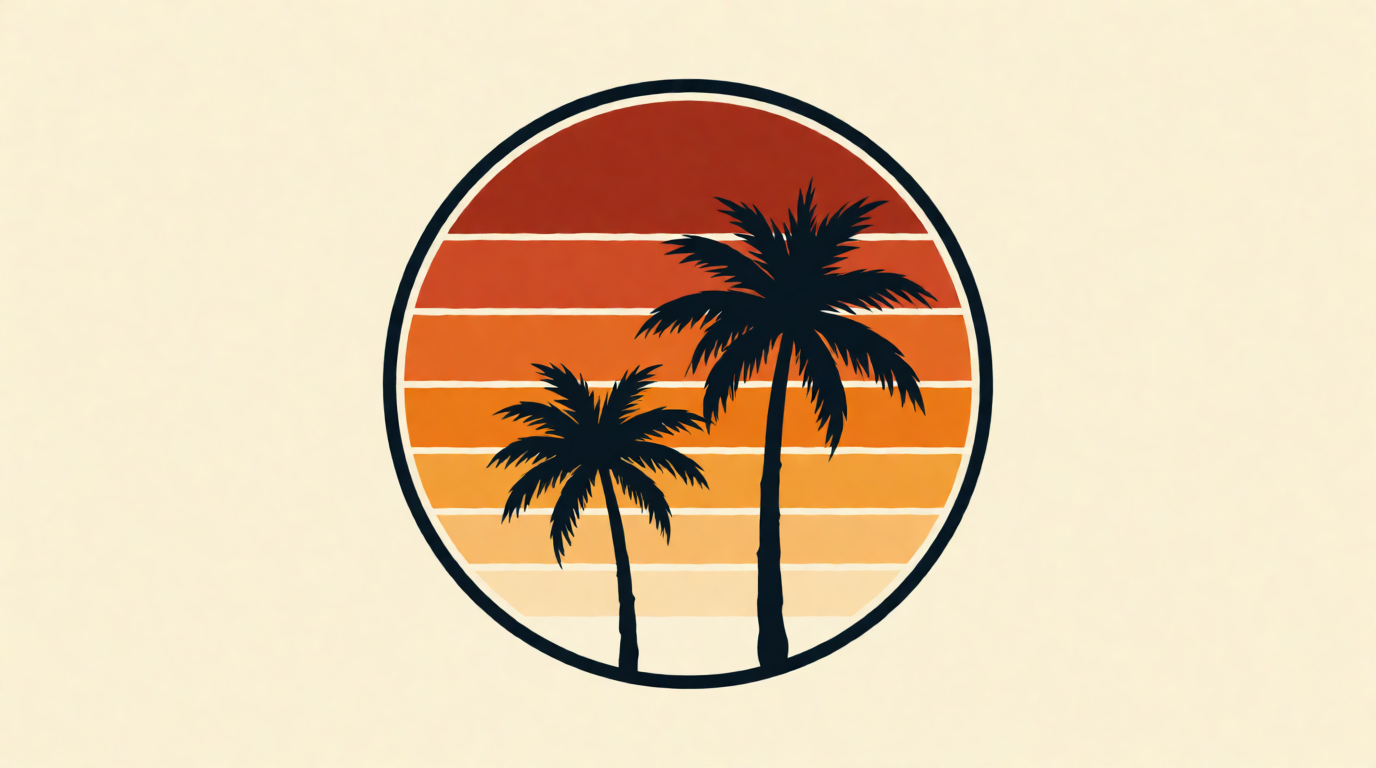
Where it stops: Krea 2 outputs a raster PNG, not a vector file. Screen printing and embroidery both want vector art at the separation stage, so a production run needs a vectorizing pass — Krea’s free vectorizer app handles a clean flat graphic well, but fine detail still benefits from a manual cleanup in a vector editor. The free tier also excludes the commercial license, per Krea’s pricing page: selling shirts printed with a free-tier graphic needs a paid plan first.
Try Krea free — 100 compute units a day, no credit card.
2. Placeit — templates plus an instant mockup, one subscription
Placeit is a template editor built specifically for merchandise: pick a stage (a design template or a photo mockup), swap the text and colors, and export. Its own pricing page lists the Unlimited plan at $14.95/month billed monthly, or $89.69/year — $7.47/month — billed annually, with unlimited downloads and a commercial license included on every plan.
Settings recipe: search by “t-shirt design template,” not “mockup,” to land on the editable graphic layer first; lock your brand’s two colors before browsing so you are filtering templates, not restyling every one you open; export the design layer separately from the mockup photo so you keep a print-ready file.
Where it stops: every template is drawn from a shared library, so a competitor can land close to your design with different text. Placeit is a design-and-mockup tool, not a generator — there is no path to an original AI graphic here, only variations on existing templates.
3. Kittl — vector-native design with AI assist
Kittl builds t-shirt graphics as editable vector layers from the start, which matters more here than for most design tasks: a vector file is what a screen printer or an embroidery digitizer actually wants. The free plan gives 5 projects and a one-time grant of 200 AI tokens. Pro is $15/month billed monthly (about $10/month billed annually, $120/year), and adds 2,000 AI tokens a month, high-resolution exports up to 10,800px at 300 DPI, SVG and PDF vector export, and a commercial license. Expert ($35/month, or about $26/month annually) adds a refilling 200 AI tokens per day on top of the monthly allowance, per Kittl’s own pricing FAQ.
Settings recipe: start from a blank canvas and generate a background or graphic element with Kittl’s AI tools, then add text as a separate editable vector layer — this keeps the typography sharp at any print size, instead of baked into a raster AI output.
Where it stops: the free plan’s 200 AI tokens are a one-time grant, not a monthly refill — most testers exhaust it inside a single design session, per Kittl’s own token FAQ. Vector-native output is the strongest reason to pick Kittl over a pure image generator for a print-bound design.
4. Vexels — built for print-on-demand sellers running volume
Vexels sells both a stock library of pre-made t-shirt designs and an online editor with AI credits. Merch Starter is $10.50/month ($126/year), with 30 stock downloads a month, 200 AI credits, and 100 designer projects. Merch Seller steps up to $21.75/month ($261/year): 100 stock downloads, 600 AI credits, unlimited designer projects, and 2 custom-design credits a month where a human designer does the work for you.
Settings recipe: if you sell on a print-on-demand marketplace already, start from Vexels’ stock library filtered to your niche instead of a blank AI prompt — the library is built and tagged for exactly that use case.
Where it stops: the entry Starter tier’s AI credits and stock downloads cap out fast for anyone listing more than a handful of designs a month; sellers running real volume end up on Seller or Expert ($36.75/month) to avoid hitting the ceiling mid-month.
5. Printful — free mockups, but no design generation
Printful’s Design Maker and mockup generator is free, with no subscription: upload or build a graphic, drop it onto a template, and download a realistic product mockup for your store listing. Printful makes its money on the printed product, not the design tool — a custom t-shirt order starts at $7.50, covering the shirt and one print placement.
Settings recipe: design or generate your graphic elsewhere (Krea, Kittl, or your own art), then bring the finished PNG into Printful purely for the mockup and the print order — that split plays to what each tool is actually good at.
Where it stops: Printful does not generate a graphic for you. If you arrive without a design, you are choosing a template from its library, not creating something new. It is the last step in the pipeline, not the first.
6. Canva — a t-shirt graphic inside a workflow you already use
Canva’s t-shirt design templates work like Placeit’s: pick a layout, swap fonts and colors, export. It is free to start, and useful if your brand’s other marketing already lives in Canva. Canva Pro is $18/month (or roughly $12/month billed annually, $144/year) and adds the premium element library, background remover, and brand kit.
Settings recipe: start from a near-blank template and rebuild with Canva’s basic shapes and text instead of a finished design — a from-scratch build with your own colors clears Canva’s exclusivity problem below; a template you barely touched does not.
Where it stops: Canva’s own trademark help page states that designs built from its Free or Pro library content are not exclusive to you and generally cannot be trademarked — only fonts, simple shapes, and lines are exempt, because the library content is licensed to every subscriber. For a shirt design you plan to sell under your own brand, that is a real limitation, not fine print.
Screen-print-ready vs. direct-to-garment: why the file format matters
A t-shirt graphic dies at the print stage more often than at the design stage. Screen printing separates a design into flat color layers, so it wants simple vector shapes with a limited palette; a photorealistic AI image with soft gradients will look muddy or need an expensive extra separation pass. Direct-to-garment (DTG) printing sprays the full-color image directly onto fabric, so it tolerates gradients and photographic detail far better.
Prompt:
Vintage band-tee style illustration for a fictional rock band “WOLF HOUR”: detailed cross-hatched wolf howling at a crescent moon, black ink illustration, distressed halftone texture, centered graphic on a cream off-white background.
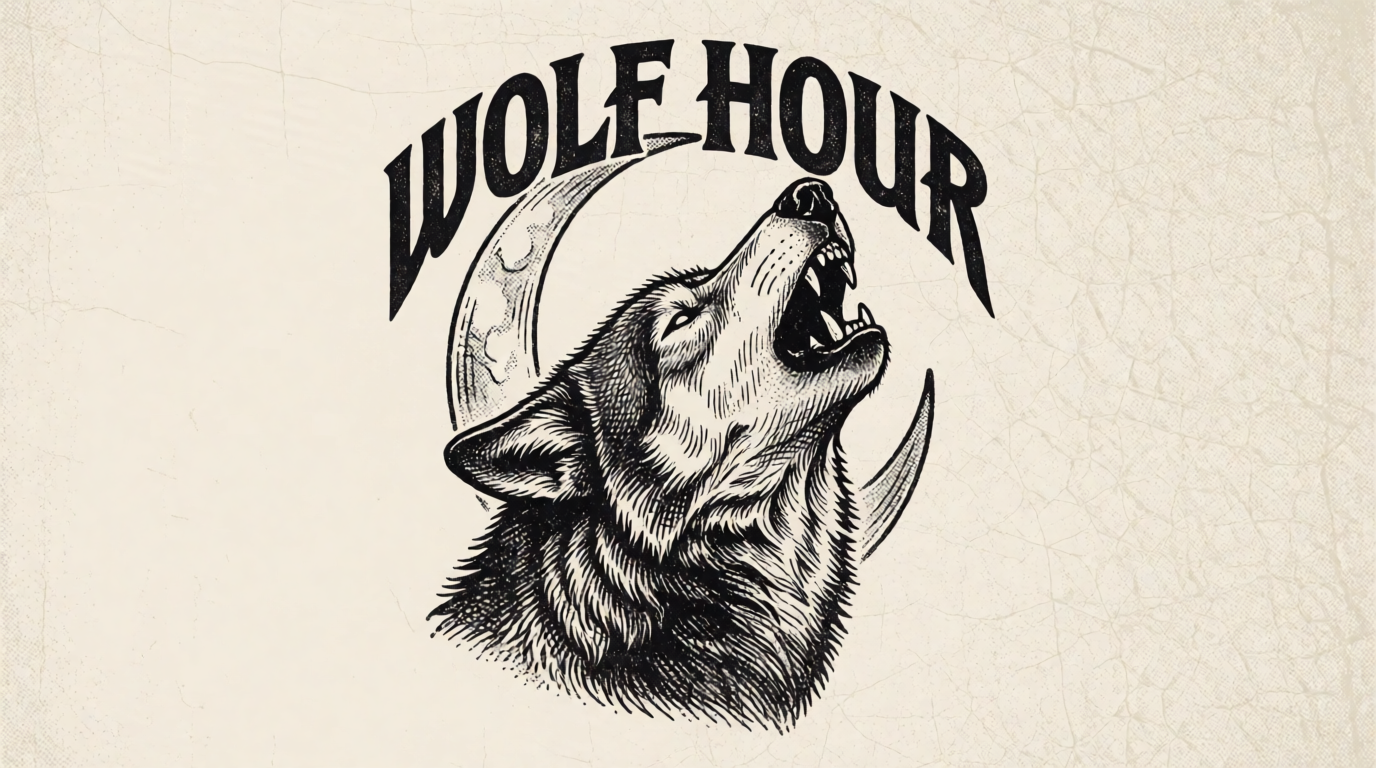
If you plan to screen print, ask your printer how many color separations your design needs before you finalize it — a graphic like the halftone wolf above is a two-color job; a soft-gradient sunset print in the streetwear example earlier is a DTG job or a four-plus-color screen job, and that changes your per-shirt cost.
Typography-only designs, the easiest print job
Not every t-shirt needs an illustration. A typography-only design is the cheapest to print (often one flat color) and the fastest to test across multiple shirt colors.
Prompt:
Minimalist typography t-shirt design: the word “DRIFT” in a tall condensed geometric sans-serif, one letter per line stacked vertically, single accent-color arrow icon replacing the letter I, black text on a white background, clean graphic design presentation.
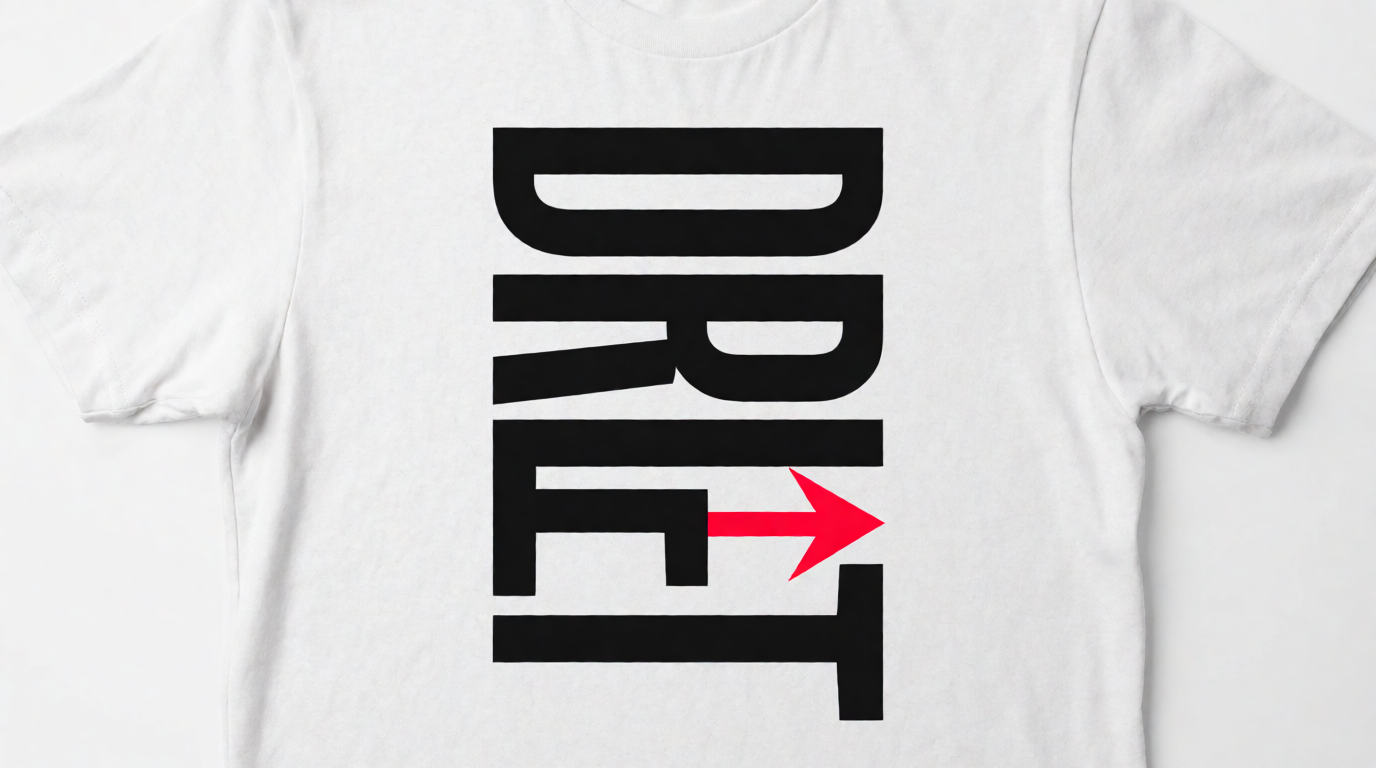
Two graphic styles, one prompt structure away
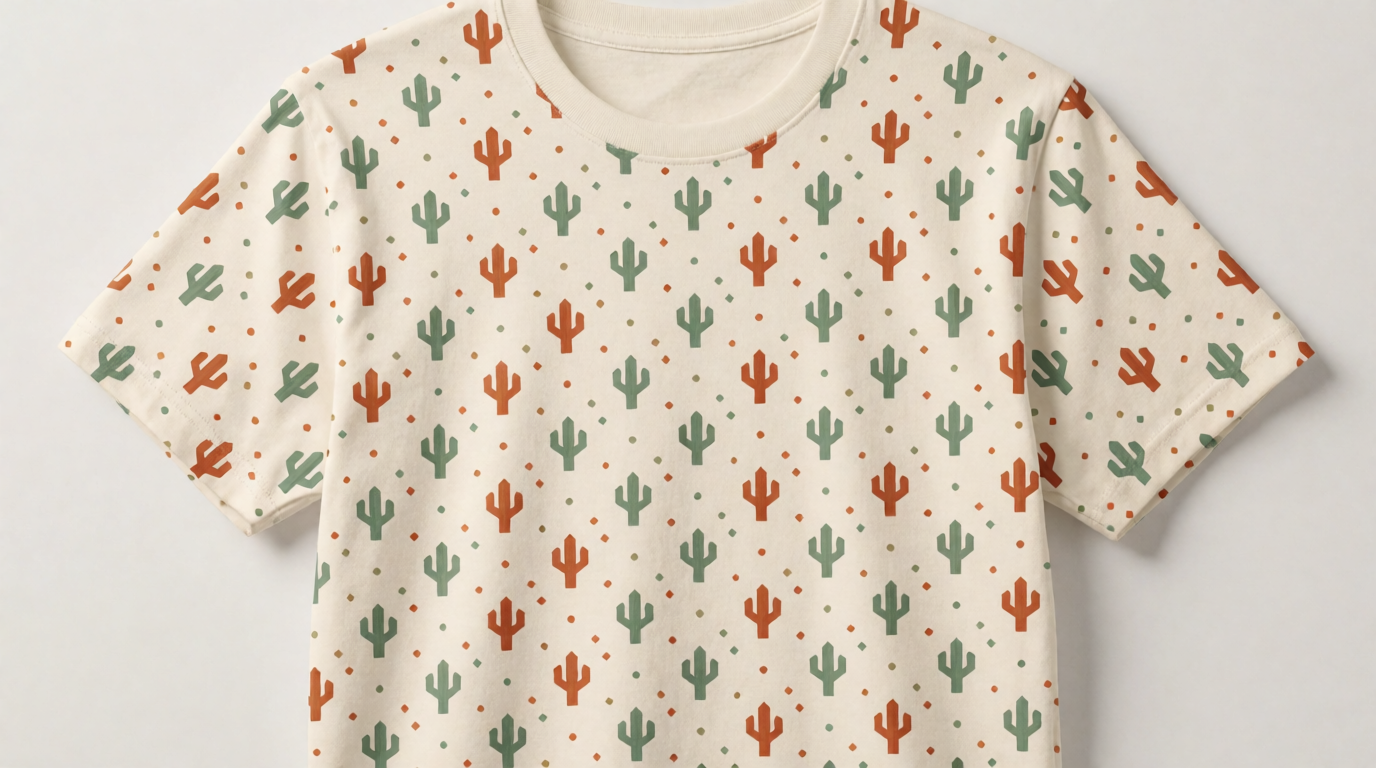
An all-over print is a different job again: the graphic must tile edge to edge with no visible seam. Describe the pattern as “seamless” and “repeating” explicitly, and check the result at the tile boundary before you send it to a printer that supports all-over sublimation.
Checking your design before you order
A mockup makes a flat graphic look like a finished product, which is useful for a store listing and dangerous for catching real problems. Generate or place your graphic on an actual mockup before ordering a sample run.
Prompt:
Photorealistic mockup: a young man wearing a plain black crewneck t-shirt with a small minimalist mountain-line-art logo on the left chest, casual studio portrait, soft daylight, neutral gray background, waist-up shot.
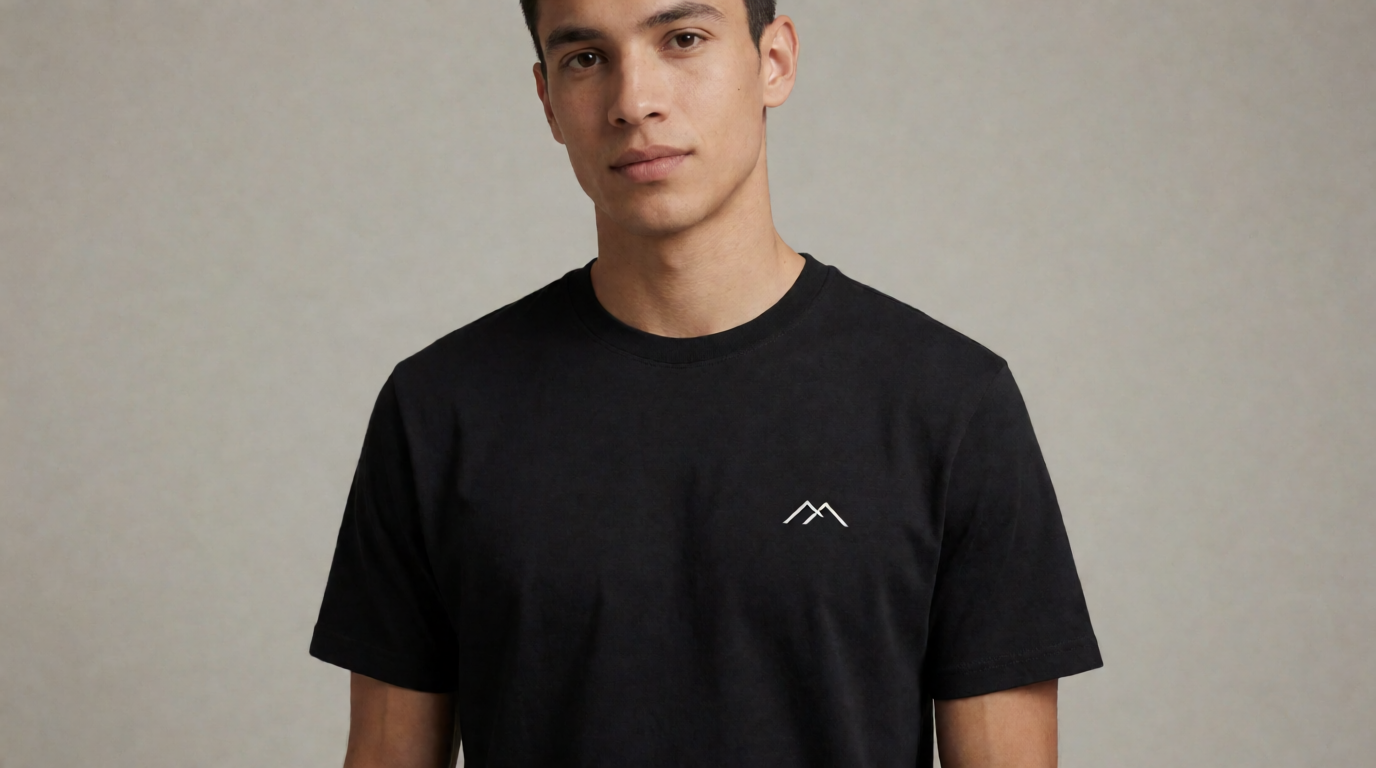
Where a generated mockup like this stops: it shows proportion and placement, not print physics. It will not tell you whether your ink hits Pantone, whether small text below 3-4mm line width will hold on a screen print, or how a light graphic looks on a dark garment before a white underbase layer. A real printed sample answers those questions; a mockup only screens out the design ideas obviously too complex or too busy for the shirt.
How to design a t-shirt with AI, step by step
- Pick the print method first. Screen print (flat colors, cheapest per-unit at volume), DTG (full color, better for one-offs and gradients), or embroidery (needs a true vector file, no fine detail). This decision changes what “good” output looks like before you generate anything.
- Write the brief. One line for the brand or message, the garment color, and the print method from step 1.
- Generate wide. Run 10-15 variations of one prompt in Krea 2 — a free day’s compute covers this comfortably. Change one variable per rerun: palette, line weight, composition. Our style-prompt guide shows how much one style word moves the result.
- Vectorize for print. Convert your finalist to SVG with Krea’s free vectorizer or Kittl’s vector-native editor, then check the file at actual print size — details that read fine on a screen can vanish at 4 inches on fabric.
- Mock it up. Place the design on a garment mockup — Placeit, Canva, or Printful’s free mockup generator all work here — to catch placement and scale problems before committing to a run.
- Order one sample before you order fifty. No tool in this guide, Krea included, tells you how ink actually sits on fabric. A single test shirt catches color and separation problems a screen render cannot.
Which t-shirt design tool should you pick?
Pick by what your shirt has to survive, not by the first nice-looking export:
- You want a graphic nobody else has → generate with Krea 2, then vectorize for print. Free to explore; the commercial license and full model library arrive on the $9/month plan.
- You need a template, a mockup, and a download today → Placeit’s Unlimited plan, especially at the $7.47/month annual rate.
- The graphic must be a clean vector file for screen printing → Kittl, budgeting for Pro once the free plan’s one-time tokens run out.
- You are running a print-on-demand storefront at real volume → Vexels, sized to Starter, Seller, or Expert by how many designs you ship a month.
- You already have a finished graphic and just need a product mockup → Printful’s Design Maker, free, with no subscription.
- T-shirts are one output of a broader Canva-based workflow → Canva, but read the trademark limits before you sell anything built from library content.
For the wider image-generation toolbox beyond apparel, see our guides to free AI image generators and creative AI image generators.
Frequently asked questions
What is the best website for t-shirt design?
What is the best site to design t-shirts for free?
Can I sell shirts I designed with AI?
Do I need a vector file to print a t-shirt design?
How do I make an all-over print t-shirt design?
What's the cheapest way to test a t-shirt design before ordering?
Design your t-shirt graphic with Krea
Generate an original t-shirt graphic with Krea 2 free — 100 compute units a day, no credit card. Paid plans add the full model library, the vectorizer, and the commercial license.
Try Krea free