Yes, Gamma has a free plan, real enough to build a working deck on. The catch is the shape of it: 400 AI credits, given once at signup, that never refresh. There is no daily or monthly reset like Canva or Krea offer. Once you spend them — on decks, restyles, and AI images — your only way back is a referral, or a paid plan. This guide answers the real decision: does 400 one-time credits get you through a real presentation, or do you hit a wall halfway through your second deck. Every number below comes from Gamma’s own pricing and help pages, checked this week, alongside two named alternatives and one honest note on where Krea fits — which is not “building your deck.”
Gamma at a glance
| Tool | Free tier | Cheapest paid plan | What free actually gets you |
|---|---|---|---|
| Gamma | 400 credits, one-time, never refresh | Plus, $9/seat/month ($108/seat billed annually) | About 8 full 10-slide decks, or fewer with AI images and restyles |
| Gamma Pro | — | $18/seat/month ($216/seat billed annually) | 4,000 credits/seat/month, premium AI image models |
| Gamma Ultra | — | $90/seat/month ($1,080/seat billed annually) | 20,000 credits/seat/month, most advanced text/image/video models |
| Canva | Up to 20 Standard or Premium AI uses/month, shared pool | Pro, $144/year (~$12/month) | Magic Design decks, but the AI pool covers every Canva AI feature, not just slides |
| Beautiful.ai | None — 14-day trial only, card required | Pro, $14.50/month billed annually | Full features during the trial, then billed automatically |
| Krea (for the visuals, not the deck) | 100 compute units/day, no card | Basic, $9/month ($5/month billed yearly) | Krea 2 image generation only — no slides, no decks, no layout |
Gamma figures are from Gamma’s pricing page and Gamma’s credits help article, checked September 2026. Canva figures are from Canva’s pricing page and Canva’s AI usage article. Beautiful.ai figures are from beautiful.ai/pricing. Krea figures are from krea.ai/pricing.
Need the visuals, not the deck?
Krea generates the on-brand hero images and backgrounds you drop into Gamma. It does not build slides.
Try Krea 2 freeHow we verified this
Every price and credit number in this post comes from a vendor page loaded this week, in September 2026: Gamma’s pricing page and its credits help article, Canva’s pricing page and AI usage article, Beautiful.ai’s pricing page, and Krea’s own pricing page. Where a vendor states a number as an estimate rather than a hard rule (Gamma’s credit costs “vary based on what you’re doing”), we say so instead of rounding it into a fact. We did not generate a deck in Gamma, Canva, or Beautiful.ai for this post — every image is a single, raw Krea 2 generation from the exact prompt printed beside it, made to illustrate the ideas, not to fake a competitor’s output.
Is Gamma AI actually free?
Yes, with one condition worth stating plainly: free means a one-time balance, not an ongoing plan. Gamma’s pricing page confirms the Free plan gives 400 credits at signup, keeps Gamma branding on every export, and caps each generation at 10 slides per prompt. Export to PDF, PPTX, PNG, and Google Slides is not gated on Free — the AI generation budget is.
The credits help article is specific about what happens after you spend them: “Once your initial credits are used, you must either earn more through referrals or upgrade to a paid plan.” There is no monthly reset on Free, unlike Canva’s monthly AI allowance or Krea’s daily compute units. Gamma’s free tier is a bucket you draw down once, not a tap that refills.
Can I get more free Gamma credits without paying? Yes, through referrals: 200 credits per successful referral, up to 2,000 held at once, with no cap on how many times you can earn more. That’s real, but it needs other people to sign up through your link — not something you control on your own schedule.

A single, raw Krea 2 generation from the prompt below — illustrating a one-time balance running low, not a real Gamma screen.
Prompt (Krea 2 Turbo, 16:9, 1K):
A glass apothecary jar holding a handful of glowing amber tokens with only a few left at the bottom, dramatic side lighting on a dark charcoal background, macro product photography, no text
Variation tips: a near-empty container reads as “running low” without any UI or text in the frame.
What exactly does Gamma’s free plan include?
Gamma turns a prompt, an outline, or a pasted document into a full deck, a simple document, or a basic website, then can restyle the whole thing in one click. On Free, that full toolset works — the limit is the 400-credit budget and the 10-slide-per-prompt cap, not a feature wall. Images draw from the same 400 credits as everything else; there is no separate “no AI images on Free” rule.
The credits article is explicit that spend is variable, not fixed: “the number of credits an action uses can vary based on what you’re doing, which AI model is used, and the length or complexity of the generation.” Gamma shows the exact credit cost for an AI image before you generate it but publishes no universal price list. Third-party trackers estimate a standard 10-slide deck at roughly 50 credits and an AI image at roughly 2 to 40 credits — treat those as estimates, not Gamma’s own numbers.
Working from the deck estimate alone: 400 credits at roughly 50 per 10-slide deck is around 8 full decks, before restyles or AI images. Add a handful of AI-generated images per deck and that number drops fast, closer to 2 or 3 fully-illustrated decks before the balance is gone.
Gamma prompt (deck outline, Free plan):
Create a 10-slide launch deck for a subscription coffee-roasting service: who we are, the problem, our beans, subscription tiers, wholesale pricing, three customer quotes, contact. Warm cream and espresso brown palette, one idea per slide, leave placeholders for real numbers.
Variation tips: give Gamma the slide list yourself instead of a one-line topic — its output is only as well-structured as the outline you feed it. Add “leave placeholders for real numbers” so it doesn’t invent figures.
Where the free plan stops: no removed watermark (that starts at Plus), a 10-slide ceiling per single prompt, and a credit balance that only goes down unless you refer people or pay.
What does Gamma cost after the free credits run out?
Gamma’s pricing page lists three paid individual/team tiers, all billed per seat:
- Plus — $9/seat/month, or $108/seat billed annually. Gives 1,000 credits per seat per month and removes Gamma branding from exports.
- Pro — $18/seat/month, or $216/seat billed annually. Gives 4,000 credits per seat per month, adds premium AI image models, custom branding, and API access.
- Ultra — $90/seat/month, or $1,080/seat billed annually. Gives 20,000 credits per seat per month and access to Gamma’s most advanced text, image, and video models.
A Business tier sits above these with 10,000 credits per seat, mentioned in Gamma’s FAQ without its own price on the main table. On every paid plan, credits refill monthly and roll over up to double the plan’s allowance — a real reset, unlike Free’s one-time balance.
Settings recipe (which plan):
Count how many decks you make in a normal month, including restyles and AI images. Under roughly 8 plain decks a year (not a month) → stay on Free and use referrals to top up. A deck or two a month with images → Plus. Heavy AI-image use inside decks → Pro, for the premium image models. Video generation inside Gamma → Ultra is the only tier that includes it.
Canva: the free tier that actually resets monthly
Canva’s Magic Design builds a slide deck from a topic or pasted content, then applies Canva’s much larger template library on top. Per Canva’s AI usage article, Canva Free includes up to 20 Standard or Premium AI uses a month — smaller than Gamma’s 400, but it resets at 12:00 a.m. UTC on the first of each month instead of draining once and staying there.
The trade-off: that 20-use allowance is shared across every Canva AI feature (Magic Write, Background Remover, Magic Design, image generation), not a dedicated presentation budget. Canva Pro is $144/year (about $12/month) for one person and raises the pool to 200 Premium or 20 Ultra uses a month, plus 5 Brand Kits and 100GB of storage.
Canva Magic Design prompt:
A 10-slide launch deck for a subscription coffee-roasting service: who we are, the problem, our beans, subscription tiers, wholesale pricing, customer quotes, contact. Warm cream and espresso brown palette.
Variation tips: name the palette and slide count up front; Canva’s free allowance punishes regeneration more than a long prompt.
Where Canva stops on Free: no Ultra AI, one Brand Kit, and the 20-use monthly cap covers every AI feature you touch that month, not just decks. For the full breakdown, see is Canva free in 2026.
Beautiful.ai: no free plan, a 14-day trial with a card
Beautiful.ai takes a different approach: it auto-layouts slides so elements stay aligned as you edit, but it has no free plan at all. Its only no-cost route is a 14-day trial that requires a credit card up front and auto-charges into Pro ($14.50/month billed annually) if you don’t cancel first.
That makes it the strictest of the three on cost of entry: Gamma gives 400 credits with no card, Canva gives a permanent (if capped) free plan with no card, and Beautiful.ai gives two weeks before it bills you. Its Team plan is $40/user/month for 2 to 20 seats. There is no free-tier comparison to make here — if a card-free option matters, it rules Beautiful.ai out before you look at anything else it does well.
Where Krea fits — and where it plainly does not
Be clear about this up front: Krea does not build presentations or slide decks. It has no outline generator, no slide layout engine, no deck export, and no restyle button. Turning a topic into a 10-slide deck is Gamma, Canva, or Beautiful.ai’s job, not Krea’s.
What Krea does is generate the images that go inside a deck someone else assembled — a hero image, a background photo, or an on-brand illustration that isn’t a generic stock photo, dropped into an existing slide.
Per krea.ai/pricing, checked this week, the Free plan is $0, gives 100 compute units a day, requires no credit card, and runs Krea 2 image generation with basic upscaling to 2K and limited LoRA training on up to 50 images. It does not include the full third-party image-model library, any video model, 3D or lipsync, Krea Nodes, or the commercial license — those start at Basic, $9/month ($5/month billed yearly) for 5,000 compute units.
Here is the kind of visual a Gamma user would drop straight into a deck’s title slide — a single, raw Krea 2 generation from the exact prompt below:
Prompt (Krea 2 Turbo, 16:9, 1K):
Product photo of a matte black wireless earbuds case floating above a soft gradient background transitioning from deep teal to warm cream, studio lighting, gentle shadow below, e-commerce hero image, 50mm lens, no text
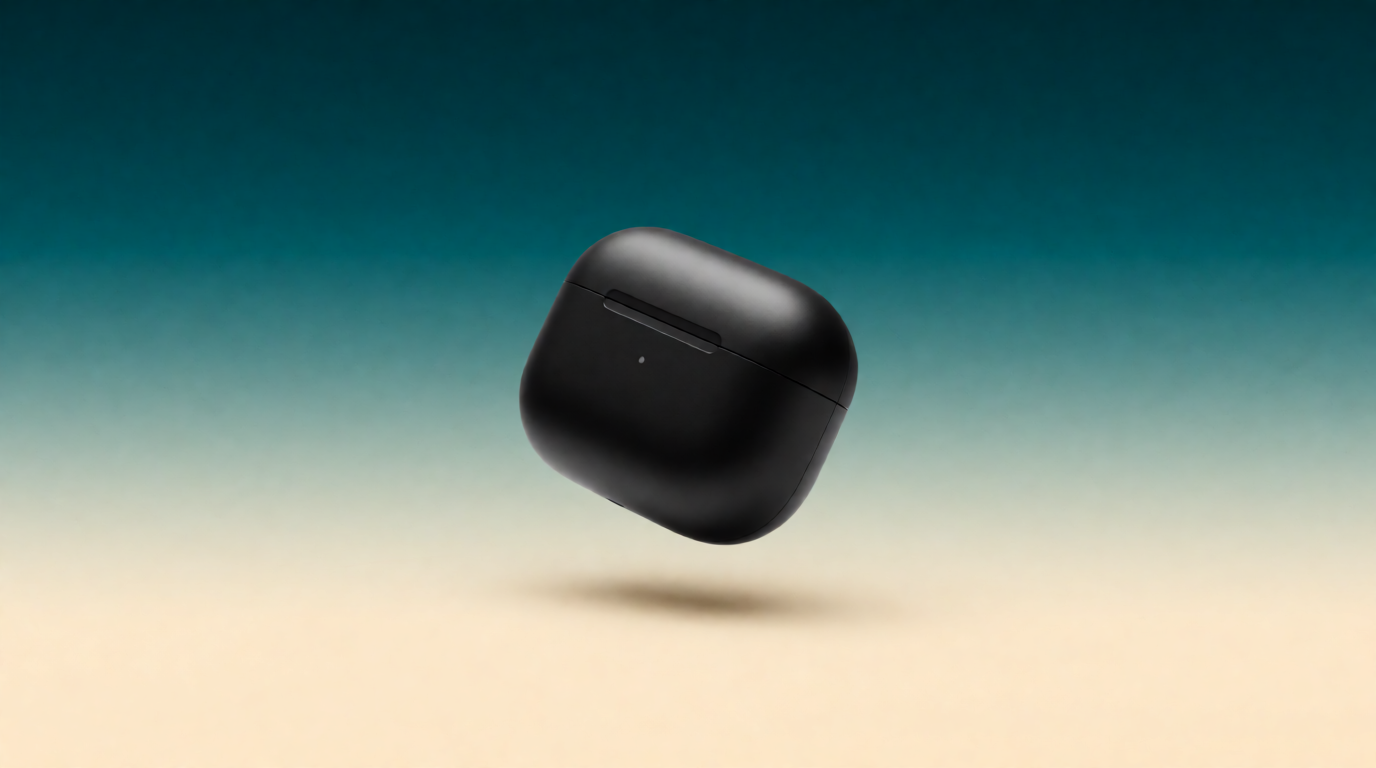
Variation tips: name the two gradient colors explicitly; a named two-color gradient reads cleaner behind slide text than “colorful” or “vibrant.”
Style range is the other thing a deck-builder’s own AI images do not expose well. Below is one scene generated twice with only the style clause changed, both raw Krea 2 outputs, both usable as a deck’s opening slide:
One scene, two styles — raw Krea 2 outputs


Prompts:
Flat vector illustration of a small team gathered around a laptop on a conference table, presentation screen glowing behind them, warm color palette of coral, navy and cream, clean geometric shapes, no text
Photorealistic editorial photo of a small team gathered around a laptop in a modern conference room, presentation screen glowing behind them, natural window light, shallow depth of field, no text
Variation tips: hold the scene fixed and swap only the style words — this gives you two directions for the same deck cover without re-writing the brief.
A background with room for a headline is the third common need when you’re building a title slide. Raw Krea 2 output from the prompt below:
Prompt (Krea 2 Turbo, 16:9, 1K):
Wide photograph of a minimalist glass conference table with a single potted plant and a closed notebook, large empty wall space in soft sage green on the right side for text overlay, natural daylight, no text

Variation tips: state which side stays empty and why (“for text overlay”); the model composes around it reliably, which saves you from cropping later.
Try Krea 2 free — 100 compute units a day, no credit card. Need to touch up a photo before it goes on a slide? The AI image editor handles that on the same free plan. For the wider deck-tool comparison this post narrows down from, see the best AI PPT maker in 2026, and for the broader field of free image generators, see the best free AI image generators in 2026.
Which should you pick?
Pick by what runs out first:
- A handful of decks a year, no card wanted → Gamma Free. Budget roughly 8 plain 10-slide decks from the 400 one-time credits, fewer if you lean on AI images.
- A deck or two most months, ongoing → Gamma Plus at $9/seat/month for 1,000 monthly credits and no watermark.
- You want a monthly reset instead of a one-time balance, and a huge template library → Canva Free (20 AI uses/month) or Canva Pro at $144/year.
- You need auto-layout precision and don’t mind a card for a 14-day trial → Beautiful.ai, budgeting for Pro at $14.50/month once the trial ends.
- Your bottleneck is the images inside the deck, not the deck itself → keep whichever deck tool you use, and generate visuals in Krea: 100 compute units a day free, $9/month for the full image model library.
Frequently asked questions
Is Gamma AI free?
Can I use Gamma AI for free?
What does Gamma's free plan include?
How many decks can I make with Gamma's free credits?
Is there a free alternative to Gamma?
Does Krea build presentations like Gamma?
Generate the visuals, keep your deck tool
Krea's free plan runs Krea 2 with 100 compute units a day, no credit card. Basic is $9/month ($5/month billed yearly) for the full image model library.
Try Krea free