Ideogram is an AI image generator built around one problem most image models still get wrong: putting readable, correctly spelled words inside a picture. Posters, logos, packaging, signage, memes — anywhere the text itself is the point, not a decoration — is the use case Ideogram was built for, and it has stayed narrowly focused on that problem since its first public release in 2023. This guide covers what Ideogram actually does, what its free plan gives you versus what it holds back, how its claimed text accuracy checks out, and how it stacks up against Midjourney, Recraft, and Krea — including an honest answer on whether Krea can do what Ideogram does.
Ideogram at a glance
| Tool | Free tier | Cheapest paid plan | Known for |
|---|---|---|---|
| Ideogram | Weekly slow credits for eligible accounts, images public, 1 generation at a time | Plus, $20/month ($15/month billed annually, $180/year) | Best-in-class text and typography rendering |
| Midjourney | None — no free tier at all | Basic, $10/month ($8/month billed annually, $96/year) | Painterly, stylized image quality |
| Recraft | 3 generations per style/day, images public, no commercial use | Basic, $10/month billed annually ($120/year) | Vector graphics and editable brand styles |
| Krea (for comparison) | 100 compute units/day, no card, Krea 2 only | Basic, $9/month ($5/month billed yearly) | Fast iteration across many models, weaker on in-image text |
Ideogram, Midjourney, and Recraft figures are from each vendor’s own pricing page, checked October 2026: Ideogram’s pricing page, Midjourney’s plans doc, and Recraft’s pricing page. Krea figures are from krea.ai/pricing.
Need fast iteration across many models?
Krea's free plan runs Krea 2 at 100 compute units a day, no credit card. It is not built for in-image typography — see the honest test below.
Try Krea 2 freeHow we verified this
Every price, credit figure, and plan feature in this post comes from the vendor’s own pricing or feature page, loaded this week in October 2026: Ideogram’s pricing page and its text rendering feature page, Midjourney’s plans comparison, Recraft’s pricing page, and Krea’s own pricing page, parsed for its actual checkmarks rather than assumed from the feature list. Where a vendor states a number as its own claim rather than an independently verified one — Ideogram’s 95% text accuracy figure is Ideogram’s own reported number — we say so instead of repeating it as settled fact. Every image in this post is a single, raw Krea 2 generation from the exact prompt printed beside it, including one deliberately testing Krea on short in-image text, shown as it came out rather than retried until it looked better.
What does Ideogram do?
Ideogram generates images from a text prompt, like any other AI image generator, but it was designed from day one around a specific weakness in the category: most diffusion models render text as a texture, not as language, so letters warp, double up, or vanish. Ideogram’s founding team came from Google Brain’s Imagen project, and text rendering has stayed the company’s core bet through three model generations — Ideogram 3.0, the open-weight Ideogram 4.0 released in June 2026, and the current flagship, Ideogram 4.5.
The product itself covers the same ground as its competitors: text-to-image generation, image editing, an object remover, a background remover, an ad resizer, and a color-and-material swap tool for product shots. What’s different is the design-first framing — Ideogram’s own categories for a generation are things like Poster, Logo, Social Media Post, and Product Photography, and the tool expects you to type the literal words you want rendered into the prompt itself.
Can I get accurate text in an AI-generated image with Ideogram? According to Ideogram’s own text rendering page, the model achieves “95% text rendering accuracy, compared to 30-50% for most other AI image generators.” That is Ideogram’s self-reported figure, not an independent benchmark, but it matches the general pattern reported elsewhere: Ideogram pairs a text encoder with a vision-language model specifically to keep spelling and kerning correct, while most general-purpose image models were never trained with that as a priority.
Prompt (Ideogram, Poster category):
A concert poster with bold text reading “SUMMER NIGHTS” above a silhouette of a saxophone player, orange and purple gradient background, clean graphic design layout
Variation tip: put the exact words you want in quotation marks inside the prompt, and name the design category (Poster, Logo, Social Media Post) — Ideogram uses the category to choose layout and typography weight.
Is Ideogram free, and what does the free plan actually include?
Yes, Ideogram has a free plan, and per Ideogram’s pricing page it requires no credit card. The catch is the shape of the allowance: free accounts get weekly slow-queue credits — available to accounts that sign in with Google, Apple, or Microsoft — capped at one generation running or queued at a time. There’s no private generation on Free: every image you make is published to Ideogram’s public community feed by default, a limitation Ideogram’s licensing page confirms directly.
Commercial use is allowed even on the free tier. Per Ideogram’s FAQ, “We do not claim ownership of your generated images, and you’re free to use them for any purpose, including commercial use” — a notably more generous stance than some competitors that reserve commercial rights for paid plans. The trade-off is visibility, not legal rights: your free-tier images are commercially usable but publicly visible on the site.
Where free stops: a single running generation at a time, a slow queue with variable wait times, no private generation or image deletion, and no access to AI-assisted editing tools (Editing with AI, Image Reference), which the pricing page notes require priority credits.
What does Ideogram cost after the free tier?
Per Ideogram’s pricing page, checked October 2026, there are three paid tiers above Free, all billed either monthly or annually:
- Plus — $20/month, or $15/month billed annually ($180/year). Gives 2,400 priority credits a month, private generation, unlimited slow-queue credits, and a larger generation queue.
- Pro — $60/month, or $42/month billed annually ($504/year). Gives 7,500 priority credits a month, adds batch generation, quality export, limited custom model training, and the largest generation queue.
- Team — $30/user/month, or $20/user/month billed annually, minimum 2 seats. Gives 3,600 priority credits per user a month, plus central billing and collaboration features.
Priority credits expire at the end of each billing cycle with no rollover; top-up credits purchased separately do carry over. An Enterprise tier above Team adds custom credit packages, private custom model training, and volume API discounts, priced on contact.
Settings recipe (which plan):
Mostly browsing ideas and fine with public images → stay on Free. Need privacy on your generations and a handful of logos or posters a month → Plus. Running batch jobs or exporting print-quality files for client work → Pro. Multiple people sharing one billing seat → Team.
Midjourney: no free tier, but a different visual signature
Midjourney is the generator most people mean when they say “AI art” — its models lean toward painterly, highly stylized output rather than literal photographic or typographic accuracy. Per Midjourney’s own plans comparison, it has never offered a persistent free tier the way Ideogram and Recraft do; every account needs a subscription to generate.
Pricing runs on GPU-hours rather than image credits: Basic is $10/month (or $96/year, working out to $8/month) for 3.3 hours of fast GPU time; Standard is $30/month ($288/year, $24/month) for 15 hours and adds unlimited Relax Mode for images; Pro is $60/month ($576/year, $48/month) for 30 hours and adds Stealth Mode (private generations); Mega is $120/month ($1,152/year, $96/month) for 60 hours. Independent reviews commonly cite Midjourney’s text rendering in the 30% range on multi-word phrases — closer to Ideogram’s own “most other generators” comparison point than to Ideogram’s result.
Prompt (Midjourney, v7):
A moody cinematic portrait of a woman in a vintage trench coat on a neon-lit rain-soaked city street at night, shallow depth of field —ar 16:9
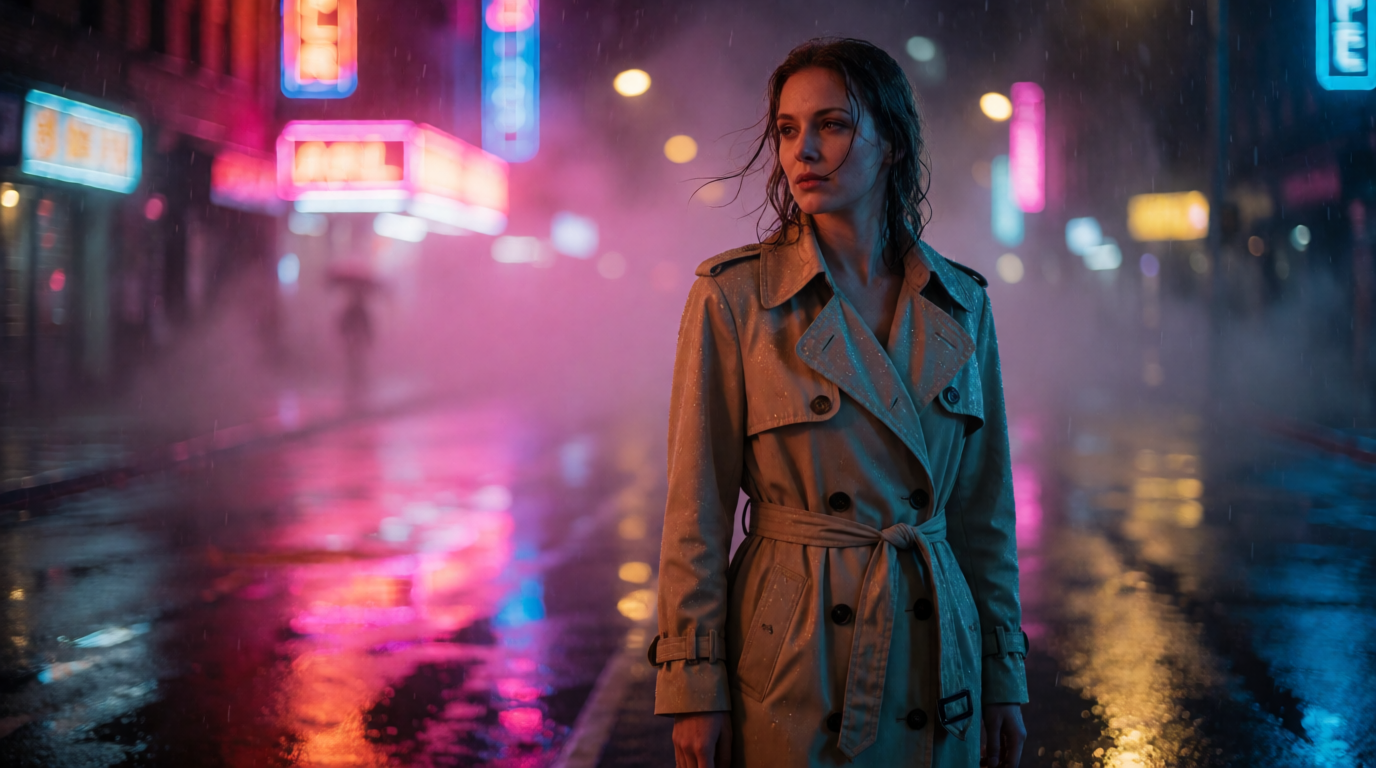
A raw Krea 2 generation from the prompt above, shown to illustrate the mood Midjourney specializes in — not a Midjourney output.
Variation tip: Midjourney responds more to mood and lighting words than to literal composition instructions — describe the feeling you want, not a shot list.
Where Midjourney stops: no free plan at all, a GPU-hour budget that’s easy to burn through on a busy day of iterating, and text rendering that remains one of its weaker points relative to a dedicated tool like Ideogram.
Recraft: vector graphics and editable brand styles
Recraft is the other generator people land on when searching for Ideogram alternatives, mainly because it also targets designers rather than general image-makers — its specialty is clean vector output and reusable brand styles, rather than photorealism. Per Recraft’s pricing page, the Free plan gives 3 generations per style per day, 3 image uploads a day, and up to 2 images per generation, with a hard catch: “No commercial use” and “all images are public” on Free, stricter than Ideogram’s free-but-public approach.
Recraft’s paid Basic plan is $10/month billed annually ($120/year; monthly billing costs more, since Recraft advertises a 20% discount for paying yearly), giving 1,000 credits a month, commercial rights, private generations, and access to outside models like Nano Banana, Seedream, GPT Image, and Flux alongside Recraft’s own. Pro is $16/month billed annually ($192/year) and adds video generation; Teams is $18/seat/month billed annually and adds a shared workspace.
Prompt (Recraft, vector style):
Flat vector illustration of a small retail storefront with a striped awning and geometric trees, pastel color palette, clean minimal shapes, no text
Variation tip: Recraft’s custom Style Library lets you lock a palette and line weight once, then reuse it across every asset in a campaign — set that up before generating a batch, not after.
Flat vector storefront — raw Krea 2 output
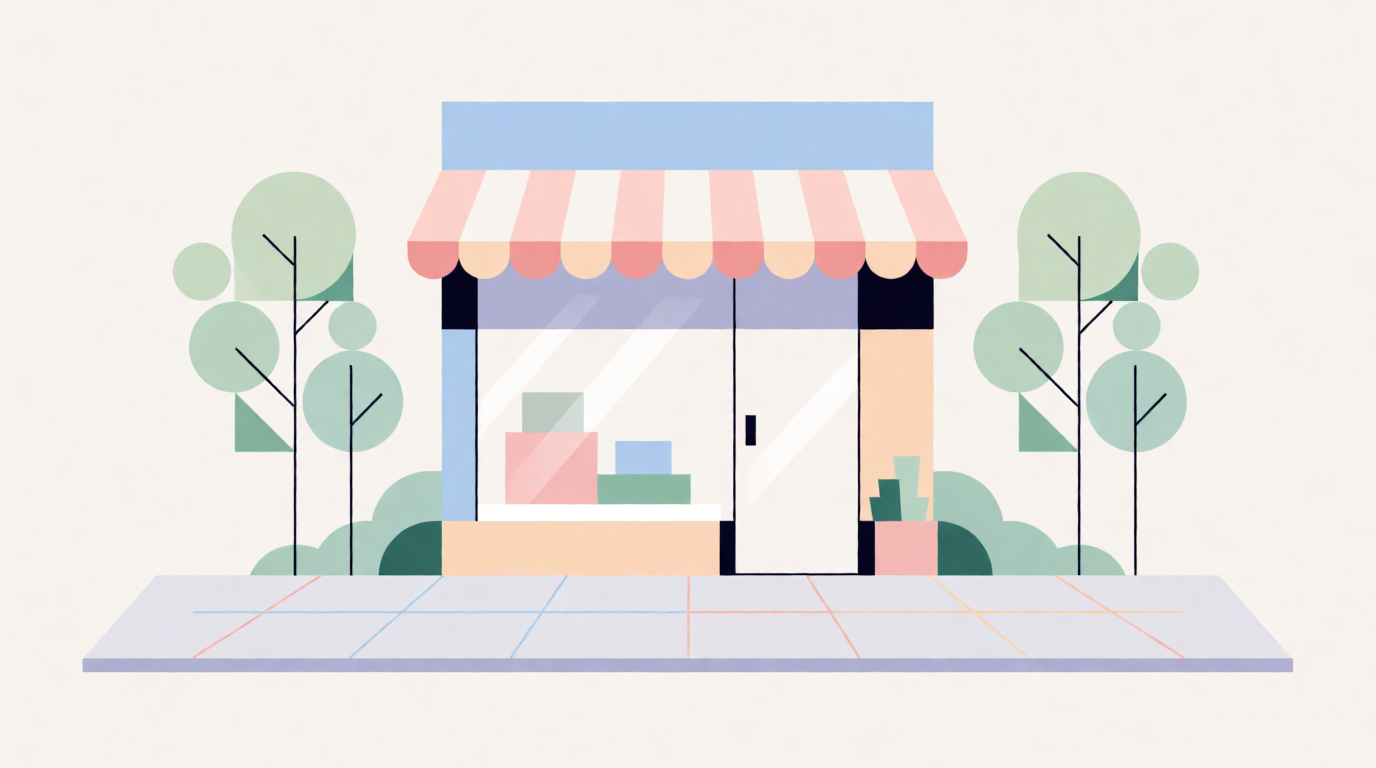
A raw Krea 2 generation illustrating the flat-vector style Recraft specializes in — made on Krea to show the look, not a Recraft screenshot.
Where Recraft stops: no commercial use at all on Free (not even public-and-usable, as on Ideogram), and its video generation is gated behind Pro, two tiers up from its entry paid plan.
Where Krea fits — and an honest test of its text rendering
Be direct about this up front: Krea is not built around in-image text the way Ideogram is. Krea’s own Krea 2 model is a general-purpose image generator tuned for speed, style range, and iteration — it was not trained with a dedicated text encoder the way Ideogram’s models were, and that shows up directly in output.
Per krea.ai/pricing, checked this week, the Free plan is $0/month, 100 compute units a day, no credit card required, running Krea 2 with limited LoRA training (up to 50 images) and basic image upscaling to 2K. It does not include the full third-party image model library, video models, 3D or lipsync models, Krea Nodes, or the commercial license — those start at Basic, $9/month ($5/month billed yearly) for 5,000 compute units, which does include the full model library, video access, and a commercial license.
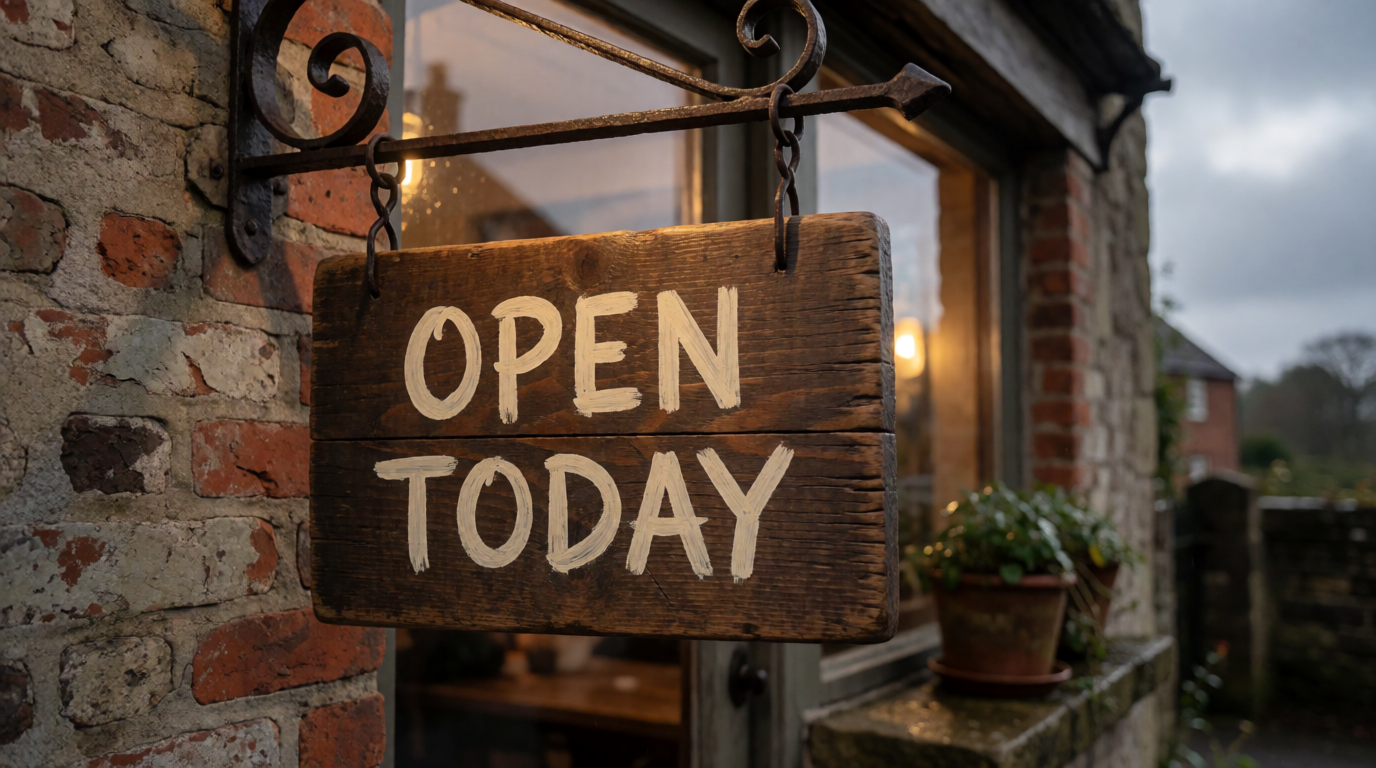
To test the text claim honestly rather than assume it, here are two raw, single-attempt Krea 2 generations, each asked for a short piece of in-image text, shown exactly as generated with no retries:
Prompt (Krea 2 Turbo, 16:9, 1K):
A rustic wooden cafe sign hanging outside a shop, hand-painted text reading “OPEN TODAY,” warm morning light, overcast sky, documentary photography style
Prompt (Krea 2 Turbo, 16:9, 1K):
A concert poster with bold text reading “SUMMER NIGHTS” above a silhouette of a saxophone player, orange and purple gradient background, clean graphic design layout
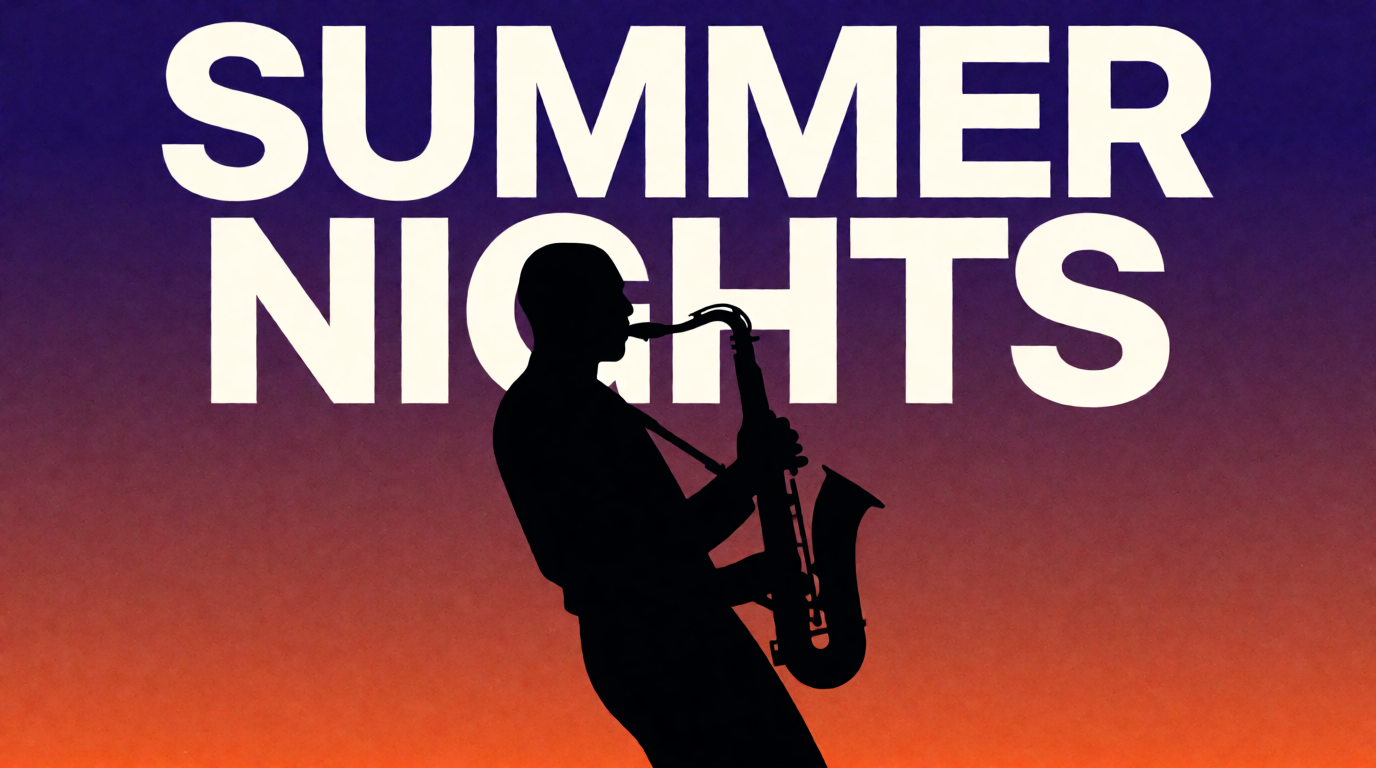
Both of these first-attempt generations came out legible, correctly spelled, and reasonably well-kerned — a better result than the “weak, general-purpose model” reputation might suggest, on two-word phrases at least. That said, two clean attempts are not a reliability guarantee: general-purpose models like Krea 2 are well known to grow less consistent as text gets longer, smaller, or more detailed (full sentences, body copy, fine print), and a model without a dedicated text encoder can still fail on the next attempt even after two clean ones. Treat these results as “short text is often fine, don’t bet a client’s logo on the first try,” not as “Krea solves text rendering.”
Variation tip: keep in-image text on Krea short (one or two words) and generate more than one version before picking one for anything brand-critical.
For the kind of work Krea’s free plan is actually built for — photoreal product shots, concept art, style exploration across dozens of models in one place — here’s a raw generation with no text requirement at all:

Prompt (Krea 2 Turbo, 16:9, 1K):
Product photo of a ceramic coffee mug with a matte charcoal finish sitting on a marble countertop, soft morning light, minimalist styling, no text
Variation tip: drop “no text” into any Krea prompt where you don’t need lettering — it reduces the odds of the model inventing garbled text nobody asked for.
Try Krea 2 free — 100 compute units a day, no credit card. For a wider field of free generators beyond this specific comparison, see the best free AI image generators in 2026, and for a deeper look at Krea against another stylized generator, see Krea 2 vs Midjourney.
Ideogram vs Midjourney vs Recraft vs Krea
| Ideogram | Midjourney | Recraft | Krea | |
|---|---|---|---|---|
| Free tier | Weekly slow credits, public images | None | 3/style/day, public, no commercial use | 100 compute units/day |
| Cheapest paid plan | $20/mo ($15/mo annual) | $10/mo ($8/mo annual) | $10/mo billed annually | $9/mo ($5/mo annual) |
| Commercial use on free tier | Yes, images stay public | N/A — no free tier | No | No (starts at Basic) |
| Strongest at | Typography, logos, posters | Painterly, stylized art | Vector graphics, brand styles | Speed, model variety, iteration |
| In-image text reliability | Best of this group, per vendor’s own 95% claim | Weak, ~30% in independent reviews | Not its focus | Inconsistent — no dedicated text engine |
Which should you pick?
Pick by what the image needs to do, not by which tool is generally “better”:
- The image needs to say something — a logo, a poster headline, packaging copy → Ideogram. Its free tier is usable if public images are fine; Plus at $15/month (annual) removes that if not.
- You want painterly, art-directed stills and don’t mind paying from day one → Midjourney Basic at $8/month (annual), budgeting for more GPU hours if you iterate heavily.
- You need flat vector graphics and a locked brand style reused across many assets → Recraft Basic at $10/month (annual) once you need commercial rights, since Free explicitly excludes them.
- You want to try many models fast, need video or 3D alongside stills, and don’t need the image to carry readable text → Krea, free at 100 compute units/day, Basic at $9/month ($5/month annual) once you need the full library and a commercial license.
- You need both — a real deck of stills and clean typography on a handful of assets → generate the bulk of the work in Krea or Midjourney, and finish the text-critical pieces in Ideogram.
Frequently asked questions
What does Ideogram do?
What are some websites similar to Ideogram?
Is Ideogram free to use?
How accurate is Ideogram's text rendering?
What are good alternatives to Ideogram?
Can I use Ideogram images for commercial projects?
Generate across many models, not just one
Krea's free plan runs Krea 2 at 100 compute units a day, no credit card. Basic is $9/month ($5/month billed yearly) for the full model library and a commercial license.
Try Krea free