No, Topaz AI is not free, and in 2026 you can’t even try the desktop apps before paying. Topaz Labs ended perpetual licenses for Topaz Photo AI and Topaz Video AI in September 2025, and sometime after that it also quietly retired the classic “download and test, buy later” trial for its Studio Desktop Collection. Today you buy a subscription up front and get a 48-hour window to ask for a refund if it doesn’t fit your workflow. That single change answers most of what people search for — “is Topaz free,” “can I try Topaz for free,” “what does Topaz cost” — but it leaves out the part that matters more for a lot of buyers: whether the machine they already own can even run it. Topaz Photo AI and Topaz Video AI both have a hard 16GB system RAM floor, which rules out 4GB and 8GB machines entirely, independent of what you pay. This guide covers the real 2026 pricing for both apps, the specific RAM and GPU numbers Topaz publishes, the free web-based route Topaz itself offers instead of a trial, and three places to go if the subscription or the hardware requirement doesn’t work for you.
Topaz AI at a glance
| Product | Free route | Cheapest paid plan | What free actually gets you |
|---|---|---|---|
| Topaz Photo AI (desktop) | None — buy, 48-hour refund window | Personal, $199/yr ($25/mo billed annually) or $39/mo no commitment | Nothing to test before paying |
| Topaz Video AI (desktop) | None — buy, 48-hour refund window | Personal, $299/yr ($25/mo billed annually) or $59/mo no commitment | Nothing to test before paying |
| Topaz Image (web) | 10 free upscales, no watermark, no card | $12/mo ($109/yr) Personal | Real output, capped at 10 images total |
| Topaz Video (web) | Limited free preview credits | $19/mo ($199/yr) | Browser-based, no install |
| Upscayl | Fully free, open source, no account | $0 forever (optional Cloud tier ~$12/mo) | Everything — it has no paid gate on the desktop app |
| Krea (for images, not video) | 100 compute units/day, no card | Basic, $9/mo ($5/mo billed yearly) | Krea 2 generation plus basic upscaling to 2K |
Topaz figures are from Topaz Labs’ pricing page, the Topaz Video AI pricing page, and the Topaz Express web pricing page, checked this week. Upscayl figures are from its GitHub repository. Krea figures are from krea.ai/pricing.
Need to upscale an image today, free?
Krea's free plan runs basic upscaling to 2K with no card and no 10-image cap on the web tool.
Try the EnhancerHow we verified this
Every price, trial term, and spec in this post comes from a Topaz Labs page loaded this week, in October 2026: the Topaz Photo AI pricing page, the Topaz Video AI pricing page, the Topaz Express pricing page for the web apps, and Topaz’s own documentation for Photo AI system requirements and Video AI system requirements. The trial policy comes from an official Topaz Labs staff reply on the Topaz community forum, which confirmed the current Studio Desktop Collection has no trial, only a 48-hour refund window. Krea’s free-tier facts are from krea.ai/pricing, read directly off the page’s check and x marks rather than its marketing copy. We did not install either Topaz desktop app for this post; every image is a single, raw Krea 2 generation made to illustrate the ideas, not a product screenshot.
Is Topaz Photo AI free?
No. Topaz Photo AI’s pricing page lists three ways to buy it, all subscriptions, with no free tier and — as of this year — no trial:
- Personal — $199/year billed upfront, $25/month if you pay monthly on an annual plan, or $39/month with no commitment at all. Includes all 12 of Topaz’s enhancement tools (Remove, Denoise, Sharpen, Upscale, Recover Faces, Dust & Scratch, and more), unlimited local rendering, unlimited cloud rendering, and plugin support for Photoshop, Lightroom Classic, Capture One, Apple Photos, and Affinity. Commercial use is limited to organizations under $1 million in annual revenue.
- Pro — $599/year billed upfront, or $63/month on an annual plan. Adds full commercial use regardless of company size, seat management, and local access to the Wonder 1 model.
- Topaz Studio (the bundle covering Photo AI, Video AI, and Topaz’s other apps) — $399/year upfront, $45/month on an annual plan, or $69/month with no commitment.
Topaz ended perpetual, one-time licenses for its desktop apps in September 2025; every current purchase path above is a recurring subscription, and that’s true across the whole product line, not just Photo AI.
Can I try Topaz Photo AI for free before buying? Not in the way most software offers a trial. A Topaz staff reply on the official community forum states plainly: “At this time, we do not offer a trial for the Topaz Studio Desktop Collection.” Instead, you buy first, use the full app with no restrictions, and have 48 hours to request a refund if it isn’t right for you. Older advice about a 30-day demo mode refers to a discontinued legacy version (v4.0.4) that lacks Topaz’s current AI models and cloud rendering — installing it to “trial” the current app is misleading.
There is a real no-cost option, though: Topaz’s browser-based image upscaler gives you 10 free upscales with no watermark and no credit card, separate from the desktop app entirely. Past that, it’s $12/month ($109/year) for the Personal web plan or $35/month ($329/year) for Pro, which raises the export cap from 32 megapixels to 256 megapixels and adds full commercial use.
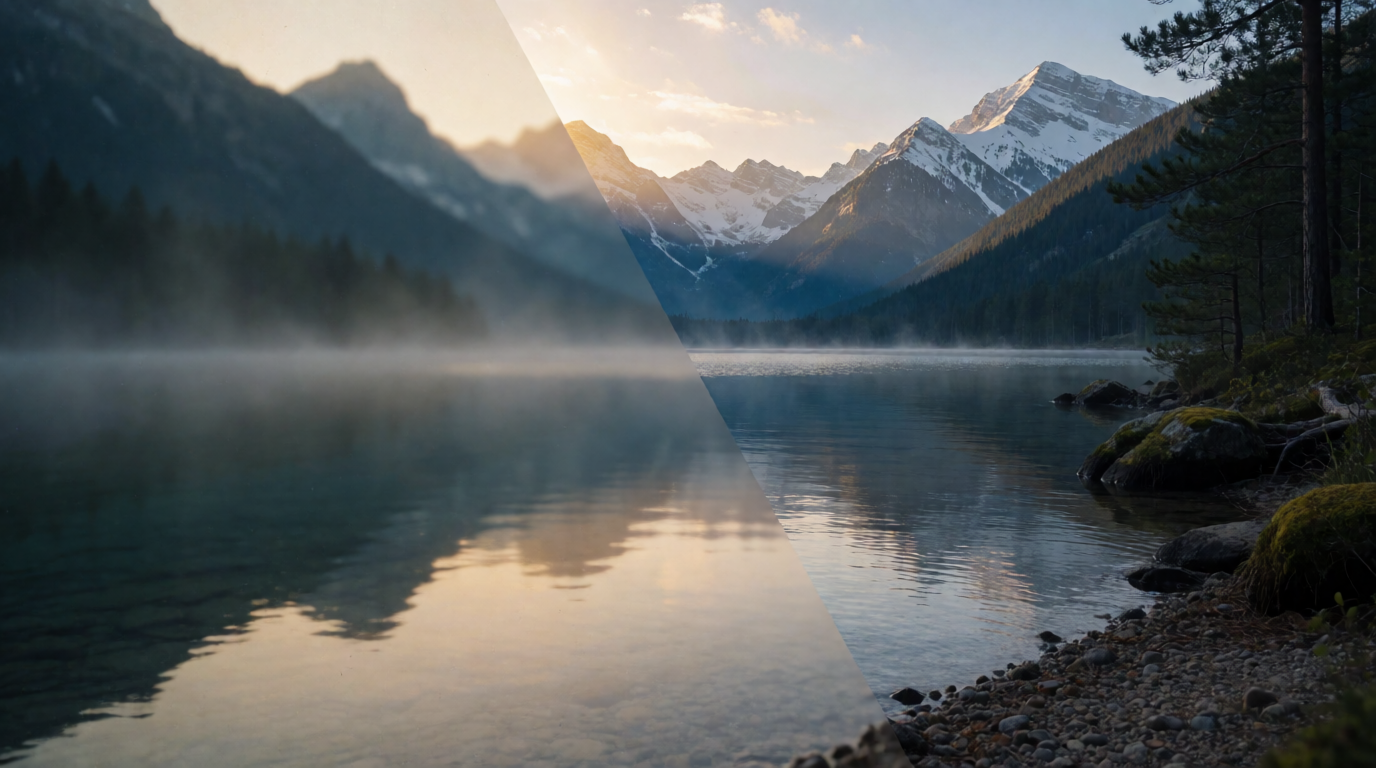
A single, raw Krea 2 generation illustrating the idea of a blurry photo becoming sharp — not an actual Topaz Photo AI result.
Prompt (Krea 2 Turbo, 16:9, 1K):
A split-composition photograph: left half a soft, hazy, out-of-focus old photo of a mountain lake at dawn; right half the same scene razor-sharp with crisp fine detail and rich texture, seamless diagonal transition between the two halves, photorealistic, dramatic natural light, no text
Variation tips: naming the exact seam (“seamless diagonal transition”) keeps the model from drawing a hard line down the middle that reads as a UI slider instead of one continuous photo.
Where Topaz Photo AI stops: no free tier, no desktop trial, a 48-hour-only refund window, and commercial use gated behind the Pro tier unless your company is under the $1 million revenue threshold on Personal.
What does Topaz Video AI cost?
Topaz Video AI’s pricing page follows the same subscription-only shape as Photo AI, with higher prices that reflect the heavier processing:
- Personal — $299/year billed upfront, $25/month if paid monthly on an annual plan, or $59/month with no commitment. Includes Topaz’s full current model lineup (Starlight Precise, Starlight Mini, Proteus, Iris, Nyx, Rhea, Rhea XL, Artemis, Gaia, Theia, Apollo, Chronos, Aion, Themis), SDR-to-HDR conversion, stabilization, unlimited local rendering, and 25 monthly cloud-rendering credits. Commercial use is capped the same way as Photo AI Personal, at organizations under $1 million in revenue.
- Pro — $699/year billed upfront, or $58/month on an annual plan. Adds the specialized Starlight Sharp, Starlight HQ, and Starlight Fast local models, seat management, 100 monthly cloud credits, and full commercial use.
- Topaz Studio — $399/year upfront for every Topaz app, including Video AI, with 300 monthly video cloud credits.
The same 2026 policy applies here as with Photo AI: no free tier, no desktop trial, and a 48-hour refund window after purchase. If you want to touch the actual output before committing, Topaz’s web-based video upscaler runs in a browser for $19/month ($199/year), with a short free preview before it asks for a subscription — a much lower commitment than the $299/year desktop app, in exchange for fewer models and browser-only processing.
Settings recipe (which Video AI tier to buy):
If you upscale and denoise footage occasionally and don’t need Topaz’s newest specialized models, Personal at $299/year covers the full standard lineup. If your work is paid client delivery above the $1 million revenue line, or you need Starlight’s sharpest variants, go Pro at $699/year. If you also touch photos regularly, price out Topaz Studio at $399/year before buying Photo AI and Video AI as two separate $199 and $299 subscriptions — the bundle undercuts buying both apps alone.
Variation tips: count your actual clips per month before picking a tier — Video AI’s cloud credits (25 on Personal, 100 on Pro) only matter if you render in the cloud instead of locally, and local rendering is unlimited on every paid tier.
A raw Krea 2 generation evoking a video-editing workspace — not a screenshot of Topaz Video AI’s interface.
Where Topaz Video AI stops: the steepest price of any tool in this comparison at $299 to $699 a year, cloud credits that run out well before most local rendering does, and the same no-trial policy as Photo AI.
Can Topaz run on 8GB RAM? Can it run on 4GB?
No, to both. This is the question with the highest ask volume in this whole topic, and the answer is unambiguous once you read Topaz’s own documentation instead of a reseller’s summary. Per Topaz’s official Photo AI system requirements:
- Windows minimum: Windows 10 or 11, an Intel or AMD CPU with AVX instructions from 2016 or later, 16GB of system RAM, a GPU with 6GB of VRAM, and 60GB of free storage.
- Windows recommended: Windows 11, a post-2020 CPU, 24GB of RAM, and an 8GB+ VRAM GPU (RTX 3000-series or AMD 5000-series or newer).
- Mac (Apple Silicon) minimum: macOS 13 Ventura or later, 16GB of unified memory, 88GB of storage.
- Mac (Intel) minimum: macOS 13, 16GB of RAM, and at least 4GB of VRAM (8GB recommended), since Topaz’s generative models need 8GB of VRAM to run at a usable speed.
Topaz Video AI’s system requirements are the same floor with a higher recommendation: 16GB minimum on both Windows and Mac, 32GB recommended on both, plus a 6GB-VRAM GPU minimum and 8GB+ recommended on Windows.
There is no configuration, on either app, on either platform, that runs on 4GB or 8GB of system RAM. 16GB is the documented floor everywhere Topaz publishes a number. A machine with 8GB will fail to meet Topaz’s own minimum spec before you even get to GPU requirements — it may launch, but Topaz does not support it and does not guarantee it will process a file without crashing. If your current machine has 8GB of RAM, the realistic options are upgrading the machine, using Topaz’s browser-based upscalers (which run Topaz’s models on their servers instead of yours), or choosing a tool built for lighter hardware.
A raw Krea 2 generation illustrating system memory — not a real Topaz Labs hardware diagram.
Prompt (Krea 2 Turbo, 16:9, 1K):
Macro product photograph of computer RAM memory modules standing upright on a dark desk, soft blue and amber circuit-trace light glowing along the heat spreaders, shallow depth of field, studio lighting, no text
Variation tips: naming the lighting colors explicitly (“blue and amber”) gives the model a clean two-tone palette instead of a generic rainbow glow that reads as a stock photo.
Alternatives if the price or the hardware requirement rules Topaz out
Three different alternatives cover three different blockers: wanting to pay less, wanting to test before any commitment, and not having 16GB of RAM to spare.
Topaz’s own web apps solve the trial problem without leaving the Topaz ecosystem. Topaz Image web runs in any browser, needs no install and no 16GB RAM floor on your own machine, and gives 10 free upscales with no watermark before asking for $12/month. Topaz Video web works the same way for clips, at $19/month. Neither matches the desktop apps’ full model lineup — Starlight and the other specialized Video AI models are desktop-only — but both let you see real output before paying anything.
Upscayl is the honest free option: a fully open-source, Real-ESRGAN-based image upscaler that runs locally on Windows, macOS, and Linux with no account, no watermark, and no usage cap, maintained on GitHub with over 40,000 stars. It’s a fidelity upscaler, not a full restoration suite — it won’t recover faces or remove noise the way Topaz Photo AI’s dedicated tools do — but for straightforward resolution increases it costs nothing, permanently, and has far lighter hardware demands than Topaz’s desktop apps. An optional Upscayl Cloud tier (~$12/month) exists for faster cloud rendering, but the desktop app itself has no paid gate.
Krea Enhancer takes a different angle entirely: it’s browser-based like Topaz’s web tools, but backed by Krea’s own models rather than a 10-image cap, and it pairs upscaling with the rest of a generation and editing workflow instead of standing alone as a single-purpose utility.
One restoration idea, illustrated two ways — raw Krea 2 outputs

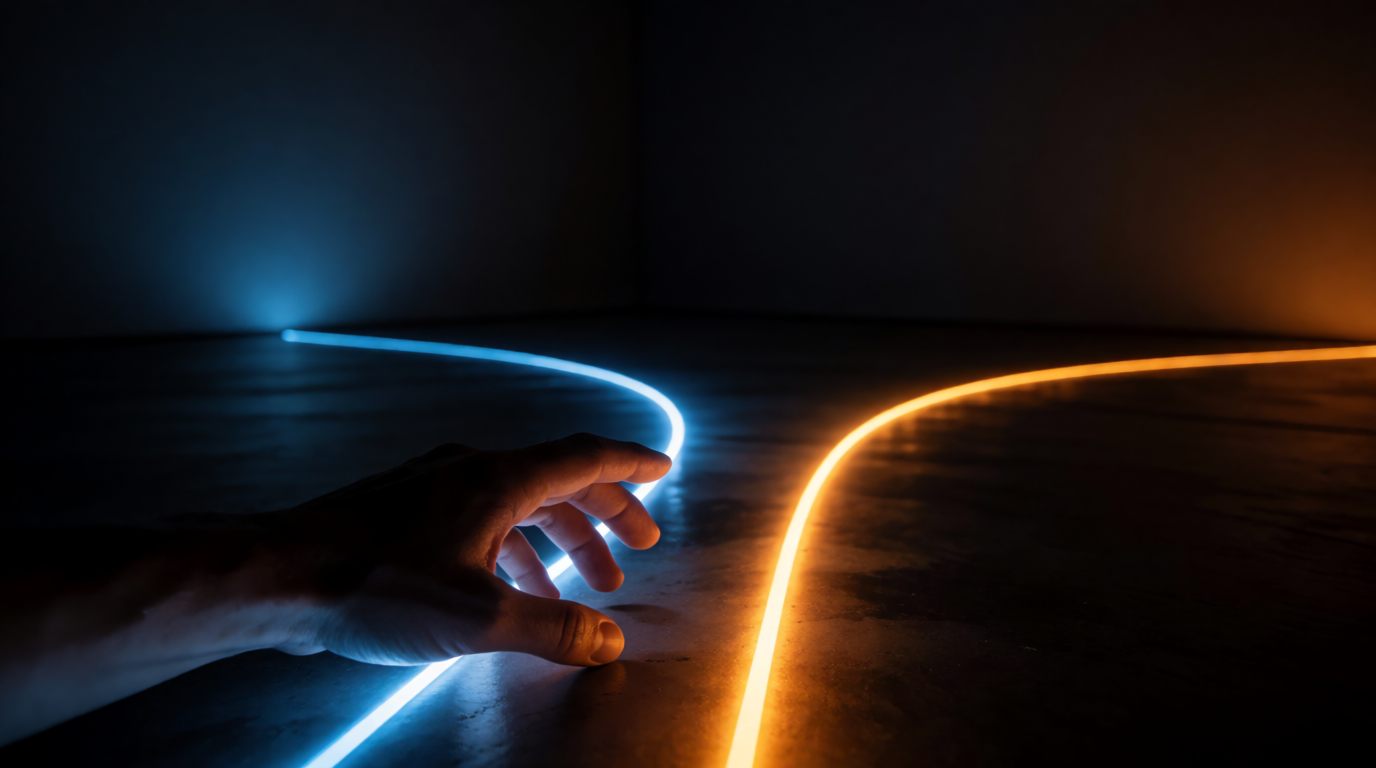
Prompts:
A weathered, faded family photograph in an old wooden frame sitting beside a bright, freshly restored print of the same style scene on a wooden desk, warm window light, shallow depth of field, editorial still life photography, no text
Conceptual photo of a person’s hand reaching toward two glowing diverging pathways of light on a dark floor in a minimalist room, one path glowing cool blue, the other warm amber, dramatic low-key lighting, no text
Variation tips: pairing a literal scene (the photo frame) with an abstract one (the pathways) gives you two usable visuals for the same idea — restoration, and choosing between tools — without repeating the same composition.
Where Krea fits — and where it plainly does not
Be clear about this up front: Krea does not do video upscaling, denoising, or frame interpolation — the core of what Topaz Video AI does has no equivalent in Krea today. Krea’s enhancement tools are image-only.
What Krea does overlap with is image upscaling and restoration, and on genuinely different terms than Topaz. Per krea.ai/pricing, checked this week, the Free plan is $0, needs no credit card, and includes 100 compute units a day on Krea 2 image generation plus basic upscaling to 2K resolution and limited LoRA training on up to 50 images. It does not include the full third-party model library, any video model, 3D or lipsync, Krea Nodes, or a commercial license — those start at Basic, $9/month ($5/month billed yearly) for 5,000 compute units, selected video models, and upscaling up to 22K.
Unlike Topaz’s 10-image cap on its free web upscaler, Krea’s free upscaling runs daily, every day, for as long as you want to keep using it — the trade-off is a lower resolution ceiling (2K free vs. 22K on Basic) rather than a hard image count.
Try the Enhancer free — basic upscaling to 2K, no credit card. For a deeper look at fidelity versus creative upscaling and where each tool family wins, see the best AI image upscalers in 2026 and the best AI photo enhancers in 2026, both of which cover Topaz Photo AI and Gigapixel AI alongside Krea in more depth. If you’re already inside Krea and want Topaz’s own enhancement model as one option among several, see how to enhance images with Topaz Generative in Krea — a different product entirely from the standalone Topaz apps covered in this post.
Topaz vs. the alternatives, side by side
| Tool | Install required | Cheapest cost | Free option | Best at |
|---|---|---|---|---|
| Topaz Photo AI | Yes, 16GB RAM minimum | $199/yr | None (48-hr refund only) | Deep single-image restoration: faces, noise, dust, text |
| Topaz Video AI | Yes, 16GB RAM minimum | $299/yr | None (48-hr refund only) | Professional video upscaling and frame interpolation |
| Topaz Image (web) | No | $12/mo | 10 upscales, no watermark | Trying Topaz’s output with no install |
| Upscayl | Yes, light (no stated RAM floor near Topaz’s) | $0 | Fully free, forever | Zero-cost batch image upscaling |
| Krea Enhancer | No | $9/mo | Daily 2K upscaling, no card | Upscaling inside a wider generation/editing workflow |
Which should you pick?
Pick by what’s actually blocking you:
- You need Topaz’s specific restoration or video models and have the hardware → buy Photo AI ($199/yr) or Video AI ($299/yr) directly, or Topaz Studio ($399/yr) if you need both.
- You want to see real output before paying anything → Topaz’s own web upscalers, 10 free images with no watermark on the image side, before any subscription decision.
- Your machine has less than 16GB of RAM → Topaz’s desktop apps are off the table regardless of budget; use the web versions or Upscayl instead, both of which run far lighter.
- You want a permanent zero-cost option and can live without face recovery or denoising → Upscayl, free and open source, no cap, no account.
- Upscaling is one step in a larger generation or editing workflow, not a standalone job → Krea, 100 compute units a day free, $9/month for the full library and 22K upscaling.
Frequently asked questions
Is Topaz free or paid?
Is Topaz video AI free?
What does Topaz video AI cost?
Can I try Topaz AI for free?
Can Topaz run on 8GB of RAM?
Can Topaz run on 4GB of RAM?
Upscale an image free, today
Krea's free plan runs 100 compute units a day on Krea 2 image generation plus basic upscaling to 2K, no credit card required.
Try Krea free