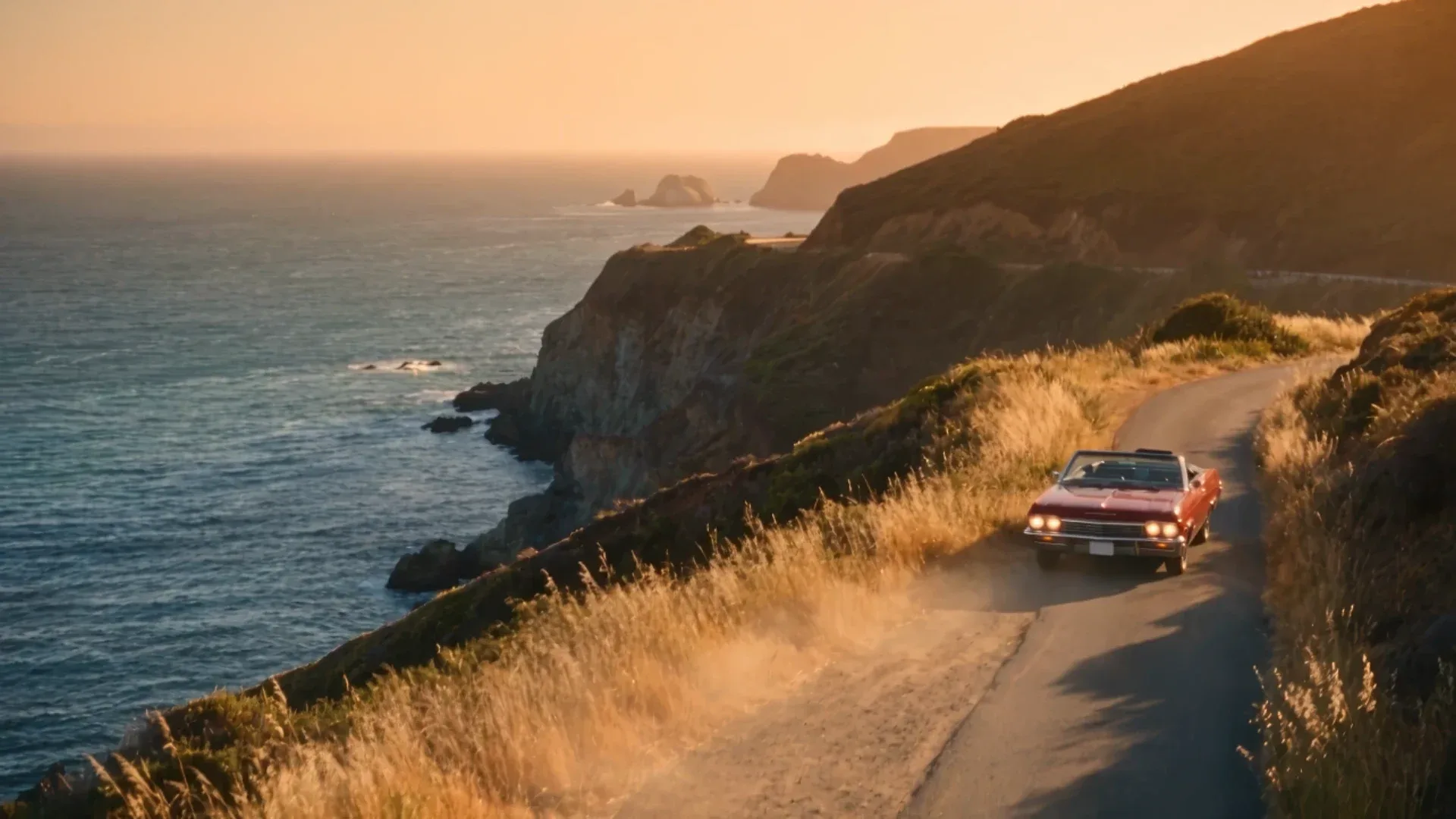
A good Seedance 2.5 prompt reads like a shot list, not a caption. Start with the subject and the scene. Then describe the action as beats, give each beat a camera move, set the light and style, and finish with the sounds you want. Seedance 2.5 generates one take of 4 to 30 seconds with native audio, and it takes up to 50 references: 30 images, 10 videos and 10 audio files. Prompts that use that length and those references get far better results than one-line descriptions.
This guide covers how to structure a prompt. If you want finished prompts to copy, see 10 Best Seedance 2.5 Prompts for Cinematic AI Videos and 10 Best Seedance 2.5 Examples + Prompts.
Key takeaways
- Use the formula: subject and scene, then action beats, camera, timing, transitions, audio and style.
- Describe where the action goes, not just the pose. Give direction, distance and duration so motion travels on screen.
- Plan about three strong beats per generation. Add more only if each is short and fully staged.
- Give every reference a job. For example: “@Image1’s character as the subject” or “reference @Video1’s camera movement.”
- Always write the audio. Seedance 2.5 generates sound in the same pass, so a sound line is never wasted.
Write your first Seedance 2.5 prompt
Open Seedance 2.5 in Krea Video, paste a prompt, and pick a length from 4 to 30 seconds.
Open Seedance 2.5Weak prompt vs structured prompt: the same scene, two ways
To show what structure actually buys you, we ran the same idea through Seedance 2.5 twice in October 2026, both at 8 seconds, 720p, 16:9 and the same seed, with Krea’s prompt rewriting off.
The weak version is a caption:
a woman walking in the rain at nightSeedance 2.5 still made a moody clip, but every decision was its own. It opens on her feet in the puddles, tilts up her dark coat to her face, and has her walk toward the camera down an empty wet road with city lights blurred behind her. It’s dark and generic: no umbrella, no stop, no moment that makes the shot about anything.
The structured version fills in the formula:
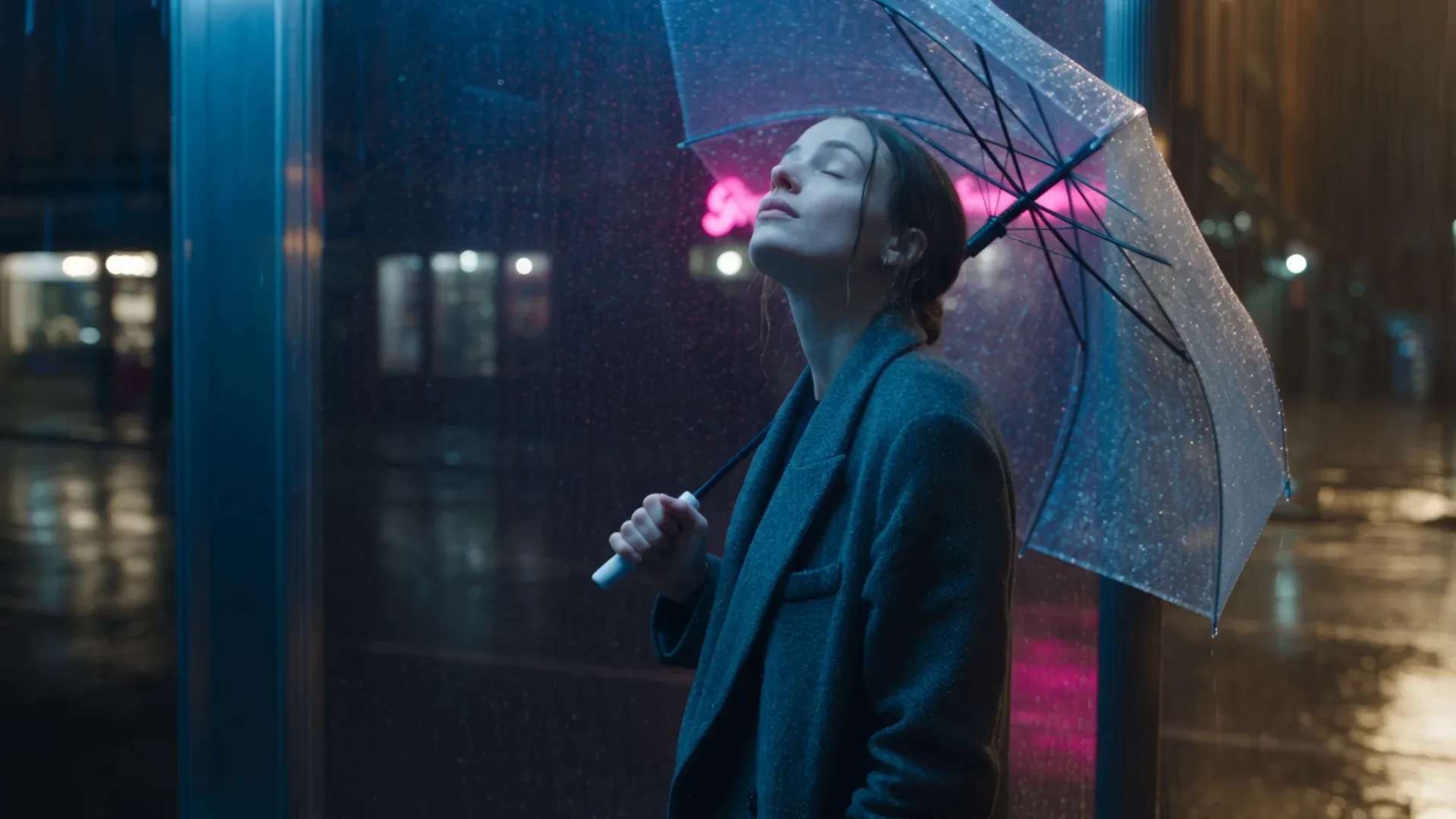
Medium tracking shot, 35mm. A woman in a long charcoal coat walks from frame-right toward frame-left along a rain-soaked city sidewalk at night, holding a clear umbrella, neon shop signs reflecting in the puddles at her feet. Around the 4-second mark she stops under a flickering bus-stop light, lowers the umbrella and looks up at the rain. Camera: steady tracking at her shoulder height, matching her pace, then a smooth push-in to a medium close-up as she stops. Light: cool blue streetlight with warm pink and amber neon accents, wet reflective surfaces. Audio: rain drumming on the umbrella, footsteps splashing, a passing car hiss, distant traffic. Photorealistic, cinematic, natural realtime motion.Almost everything we specified is on screen: the charcoal coat, the clear umbrella, pink neon reflected in the wet street, the bus shelter, the stop, the look up at the rain, and a finish in a medium close-up. One detail slipped. She tilts the umbrella back rather than fully lowering it.
What the structure controlled:
| Prompt element | Weak prompt | Structured prompt |
|---|---|---|
| Shot size and lens | Model’s choice (feet, tilt up) | Medium tracking, 35mm, ending in medium close-up |
| Direction of travel | Toward camera, model’s choice | Right to left, as written |
| Story beat | None | Stops under the bus-stop light, looks up |
| Props and wardrobe | Generic dark coat | Charcoal coat, clear umbrella |
| Light | Dark, low contrast | Blue streetlight with pink and amber neon |
The weak prompt isn’t “wrong.” It’s just a roll of the dice. The structured prompt turns the same eight seconds into the shot you planned. That’s the whole case for the formula below.
The Seedance 2.5 prompt formula
Krea’s Seedance prompting guide uses this order:
[Subject / character] + [Scene / environment] + [Action / motion] +
[Camera movement] + [Timing breakdown] + [Transitions / effects] +
[Audio / sound design] + [Style / mood]
You don’t need every slot for every shot. A single product rotation can be one sentence. A 30-second story needs most of them. The order matters because it matches how the model builds the clip: it locks who and where first, then adds motion and camera on top, then audio and style.
1. Subject and scene
Name the subject and describe what makes it recognizable, such as clothing, materials or age. Then place it somewhere specific. “A baker in a linen apron in a wood-fired bakery at dawn” gives the model much more to hold than “a baker.”
2. Action beats
Action is where most prompts fail. “The hero attacks” leaves the model to guess. Describe the trajectory: the start pose, the direction, the distance, how long it takes and the end pose.
Action: the hero lunges two meters left-to-right across the wet floor over
1.5 seconds, blade tip drawing a bright arc from low left to high right,
coat snapping backward from the force.
Describe what the motion causes, too: dust kicked up, fabric reacting, liquid splashing. Physical detail makes motion read as real.
Here’s the rule in a real test. We asked for this:
Low wide shot, 24mm. A skateboarder in a red hoodie rolls from frame-left toward a set of five concrete stairs in an empty plaza at golden hour, pops an ollie and travels three meters through the air over the stairs, lands on the flat ground with the board flexing and grit spraying from the wheels, then rides out to frame-right. Camera: tracking left to right at natural realtime speed, no slow motion. Audio: wheels rolling on concrete, the pop of the tail, the slap of the landing, distant birds.The prompt names a start (frame-left), a path (toward and over the stairs), a distance (three meters), a physical consequence (grit spraying from the wheels) and an end (riding out frame-right). Seedance 2.5 followed that path. When we ran the same prompt through MiniMax H3 Max and Wan 3.0, both had the rider come toward the camera instead. One flaw: the low 24mm framing crops the rider’s head and torso in parts of the clip. If you want the full body in frame, say so (“full body in frame throughout”).
3. Camera and cinematography
Use standard camera vocabulary. Seedance responds to it:
| Want | Write |
|---|---|
| Move toward the subject | push in, slow push |
| Move away | pull back |
| Follow movement | tracking shot, follow shot |
| Circle the subject | orbit |
| Fast transition | whip pan |
| No cuts | one continuous take, no cuts |
| Vertigo effect | dolly zoom |
| Top-down | overhead, bird’s eye |
Specify shot size (extreme close-up, medium, wide) and, for more control, lens (35mm, 50mm, 85mm). For one-take or POV shots, also say what the camera must not do. Write “no cuts, no zoom, never breaking the viewpoint,” because otherwise the model tends to cut between angles.
4. Timing for longer clips
For clips of 10 seconds or more, give each segment a time range:
0–3s: opening shot, camera, action
3–6s: development
6–10s: key action
10–15s: resolution and closing frame
Seedance 2.5 reliably delivers about three strongly distinct beats per generation. If you ask for five or six beats with a long final hold, it tends to do the first few well and then drift through the rest. To get more beats, keep each one under about 2.5 seconds, stage each fully (time range, shot size, lens, one move, a named transition), and end with a constraint like “no long static holds, keep cutting.” Beats left unstaged with only “HARD CUT” between them usually come out as soft morphs rather than real cuts.
Time ranges also work for a single continuous take. This 20-second prompt asks for three beats and no cuts:
20-second one-take, no cuts. 0-7s: a woman in a yellow raincoat cycles through a narrow rainy cobblestone street lined with old brick houses at dawn, camera tracking beside her at handlebar height. 7-14s: she turns onto a small bridge over a canal and the camera rises in a smooth crane move above her to reveal the canal, moored houseboats and wet rooftops. 14-20s: she stops at a corner bakery, leans her bike against the wall and walks inside as the door bell rings; the camera settles on the steamy bakery window. Audio: rain on cobblestones, bicycle chain ticking, canal water lapping, the door bell, muffled bakery chatter. Photorealistic, natural overcast light.All three beats land in order: the narrow street, the canal with its moored boats, then the bakery, where she leans the bike on the wall, walks in, and the clip ends on the warm window. Scene detection (ffmpeg, threshold 0.3) found zero cuts, so “one-take, no cuts” held for the full 20 seconds. Two instructions came out softer than written: the camera trails behind her instead of riding beside her, and the “crane rise” is a gentle reveal rather than a big lift. If a camera move matters, give it its own beat and a size (“rises five meters overhead”).
5. Audio
Audio is generated in the same pass as the picture. Write it on its own line: ambience, specific sound effects tied to actions, music direction, and any spoken lines in quotes. If you want a quiet, natural scene, say “no music, only natural diegetic sound.” Otherwise the model may add a generic score.
6. Style and mood
Put style last unless it’s the point of the shot. “Cinematic, film grain, shallow depth of field” or “documentary tone” is enough for most shots. For non-photoreal looks such as stop-motion, gouache or charcoal, put the style first and add hard negatives (“NOT 3D, NO motion blur, NO morphing”) to override the model’s default smooth look.
Pacing words: avoid accidental slow motion
Words like slow, gentle, soft and dreamy tend to push the whole clip into slow motion. For realtime motion, use smooth, steady, fluid, controlled or natural realtime. If you do want slow motion, limit it to one moment: “RAMPS TO SLOW MOTION as the glass shatters… SNAPS BACK to realtime as he lands.”
Using @ references in your prompt
Seedance 2.5 refers to uploaded files as @Image1, @Video1, @Audio1 and so on. Upload the files in Krea first. The prompt then tells the model what each file is for:
| Purpose | Example |
|---|---|
| Character | @Image1's character as the subject |
| Outfit | wearing the outfit from @Image2 |
| Product | product details reference @Image3 |
| Scene | scene references @Image4 |
| Camera move | reference @Video1's camera movement |
| Choreography | reference @Video1's action choreography |
| Music | BGM references @Audio1 |
Never write just “reference @Video1.” Say what to take from it: the camera, the action, the rhythm or the effects. On long prompts, list every asset’s role again at the end (“STYLE @Image1, CHARACTER @Image2, ENVIRONMENT @Image3”) so the roles don’t fade partway through the clip.
One rule in Krea: a fixed last frame and reference images don’t mix. To guarantee the exact first and last frame, use a start and end frame with no reference images. To anchor details such as a character or product, use a start frame plus reference images and no end frame. Keep the end frame within plausible story time of the start, like a hand closing around a cup, not day turning into night.
Annotated examples from the Seedance 2.5 gallery
The two clips below are from Krea’s Seedance 2.5 prompt gallery, shown with their exact prompts. The notes show where each part of the formula appears.
Street food documentary
Opens on a tight overhead shot of hands kneading dough on a flour-dusted wooden board in a dim Bangkok kitchen. Smash cut to a wok erupting in flames as garlic and chili hit hot oil, camera shaking slightly from the blast. Cut to a slow push-in on the finished pad thai being plated, steam curling upward. Reverse shot of a customer’s face lit by the food stall’s bare bulb, taking the first bite. Ambient night market noise throughout — sizzling, chatter, distant music, motorbike engines.
Why it works: there are four beats, each with its own shot size and camera behavior (overhead, a shaking reaction to the blast, a push-in, a reverse shot). Each beat has one physical event: kneading, the flame burst, steam, the first bite. The transitions are named (“smash cut,” “cut to”), and the audio is a single closing line that runs under every beat.
Apartment morning routine
Alarm clock hits 6:30, camera starts on the glowing digits and pulls back through a sunlit Brooklyn apartment. Continuous Steadicam shot follows a man’s hand turning off the alarm, panning to his feet touching hardwood floor, tracking him to the kitchen where he pours coffee. The camera drifts to the window — hard cut to the same window from outside, pulling back to reveal the full brownstone facade. Time-lapse clouds race overhead as morning light shifts across the building. Ambient sounds build from silence to a full city morning — birds, garbage truck, distant subway rumble.
Why it works: the first half is one continuous camera path (“Continuous Steadicam shot follows… panning… tracking”), so the model keeps a single unbroken move. The one hard cut is set up by a matching object, the window, which gives the model a clean visual bridge. The audio builds over time (“from silence to a full city morning”), which gives the sound track its own arc.
Common mistakes
- Conflicting camera instructions. “Static camera” and “orbit” in the same segment cancel each other out.
- Too much in too little time. A 5-second clip can’t hold four scenes. Match the prompt’s complexity to the duration you choose.
- Unassigned references. If you upload five images, give each one a role in the prompt.
- No audio line. Leaving audio out means the model chooses the sound for you.
- Proper nouns and logos. If a job finishes with no video, rewrite the prompt with neutral descriptions instead of names and retry.
If you’d rather start from a rough idea, the Krea API’s enhance_prompt option rewrites your prompt for Seedance before generating. You can also use draft mode to check structure and motion at 480p before paying for a full render.
Related reading
- How to Use Seedance 2.5: Step-by-Step Tutorial
- Seedance 2.5 Draft Mode, Extend, Reframe and 1080p Guide
- Seedance 2.5 Pricing: Cost Per Video
- Seedance 2.5 Makes a Full 30-Second UGC Ad in One Shot
- Seedance 2.5 vs MiniMax H3
- Seedance 2.5 vs Wan 3.0
Frequently asked questions
What is the best prompt structure for Seedance 2.5?
How long should a Seedance 2.5 prompt be?
How do I reference images and videos in a Seedance 2.5 prompt?
Why do my Seedance 2.5 videos come out in slow motion?
How many shots can Seedance 2.5 fit in one generation?
Put the formula to work
Seedance 2.5 runs in Krea Video with native audio, up to 30-second takes, and 50 references.
Try Krea Video