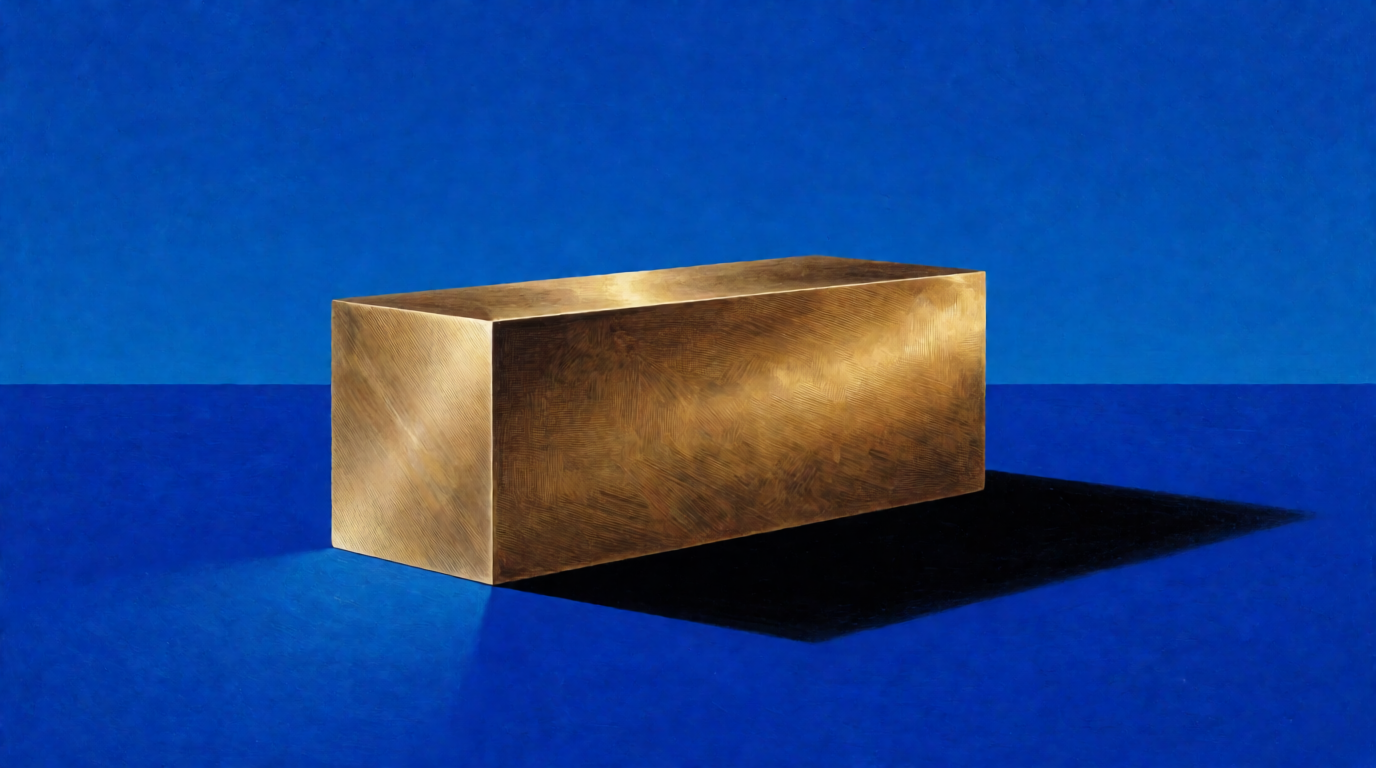
People who search for free fonts usually ask two things: what type of font do I need, and where can I get it without a licence problem? This guide covers the six font types, then five free font sources and their licences. The licence is the real decision. A “free” font on a download site can be free for personal use only, and a logo or a client job is not personal use. Every licence claim links to the vendor’s page. We also answer “What is Gen Z’s favourite font?” with the data that exists.
Free font sources at a glance
| Source | Cost | Licence | Commercial use | Where it stops |
|---|---|---|---|---|
| Google Fonts | Free, no account | Mostly SIL Open Font License (OFL); some Apache 2.0 or Ubuntu Font License | Yes, including logos and print | About 1,900 families; the top fonts are everywhere |
| Adobe Fonts | 5,000+ fonts free; 30,000+ with a Creative Cloud subscription | Adobe Fonts terms | Yes, per Adobe | No self-hosting; full library needs a paid plan |
| Fontshare | Free | ITF Free Font License (FFL) or OFL, per font | Yes | About 100 families; FFL fonts are not open source |
| Font Squirrel | Free | Each font carries its own licence | Yes for desktop use, per Font Squirrel | Web, PDF, and app embedding vary by font |
| The League of Moveable Type | Free | OFL | Yes | About 16 typefaces |
Sources: the Google Fonts FAQ and google/fonts repository, the Adobe Fonts About page, the Fontshare licence page and ITF’s Fontshare launch note, the Font Squirrel FAQ, and The League of Moveable Type. All checked September 2026.
Need lettering for a poster, not a font file?
Krea 2 renders words inside images, so you can test a headline style before you pick a font. It does not make installable fonts.
Try Krea 2 freeHow we chose and checked these sources
Each source had to publish its licence terms in plain view. We read each licence or FAQ page this week. On 28 September 2026 we also read the public family list behind fonts.google.com: 1,946 families, of which 720 are sans serif, 468 display, 358 handwriting, 349 serif, and 51 monospace. Fontshare’s public font list returned 100 families the same day: 64 under the ITF FFL and 36 under the OFL. We did not audit every font, so each recipe below says where to read the licence of the exact font you download.
Each image is a single, raw Krea 2 generation from the prompt beside it: a lettering concept, not a font file.
What are font types? (O que são tipos de fontes?)
A font type groups typefaces by letter shape. Six types cover nearly every download.
Serif
Serif fonts have small strokes, called serifs, at the ends of the main strokes. Playfair Display and Merriweather are examples. Serifs read as editorial or formal, and they suit long printed text and luxury headlines. High-contrast serifs, with thin hairlines next to thick stems, are called Didone serifs.
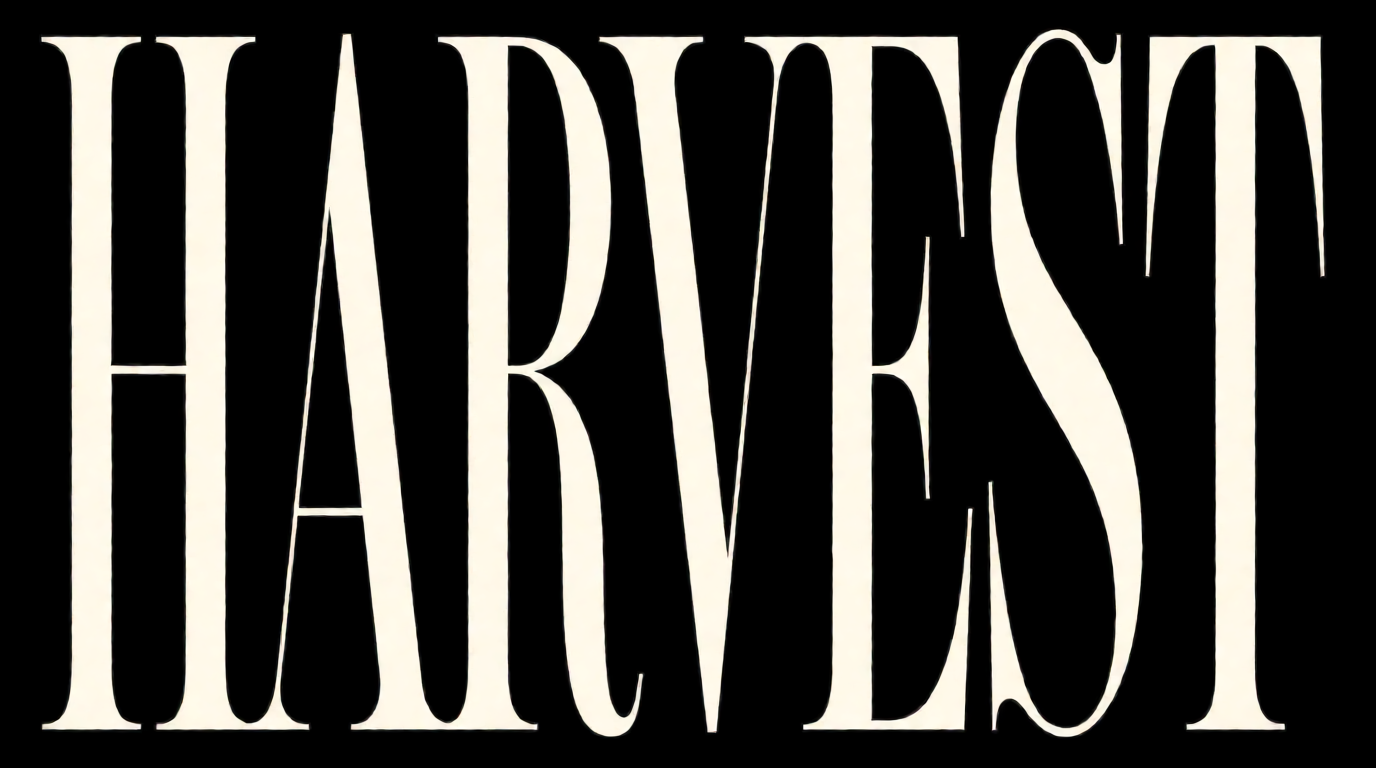
Raw Krea 2 output from the prompt below. The word and the high-contrast serif are right. The model ignored the tomato red field, the shadow, and the hatching, and returned cream on black.
Krea prompt (Krea 2 Turbo, 16:9, 1K):
Poster lettering concept: the single word “HARVEST” in a high-contrast Didone serif with thin hairlines and sharp bracketed serifs, cream letters on a flat saturated tomato red field, hard black drop shadow, fine engraved hatching inside the thick strokes, centered, no other text
Variation tips: name the serif style (Didone, old-style) rather than “elegant”, and keep “no other text” so the model does not add copy.
Sans serif
Sans serif fonts have no serifs. Roboto, Inter, and Open Sans are examples. They read as neutral and stay clear at small screen sizes. Sans serif is the largest category on Google Fonts, and nearly all of its most popular families are sans serif.
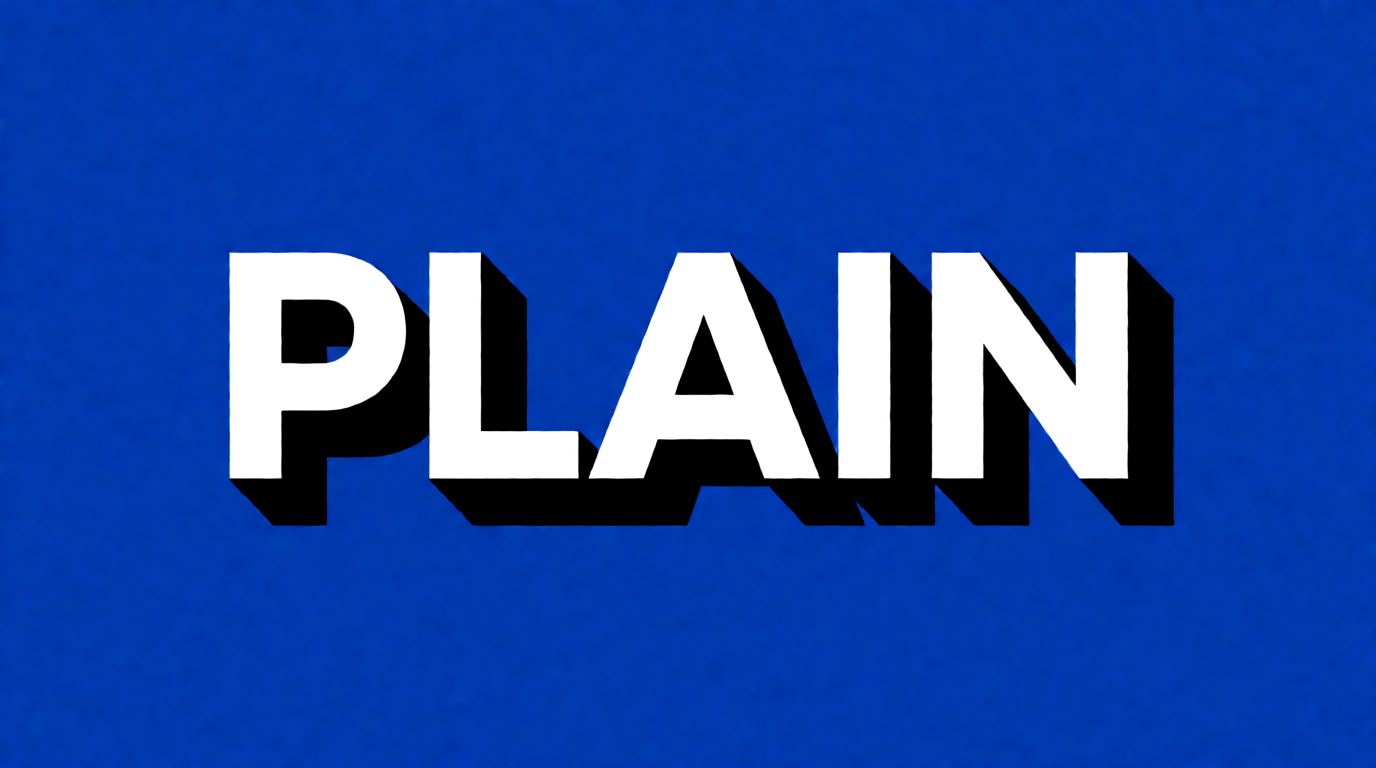
Raw Krea 2 output from the prompt below.
Krea prompt (Krea 2 Turbo, 16:9, 1K):
Poster lettering concept: the single word “PLAIN” in a bold geometric sans serif with perfectly round O-shapes and even stroke weight, white letters on a flat saturated cobalt blue field, hard black drop shadow offset to the lower right, centered, no other text
Variation tips: PLAIN has no O, so the “round O” detail cannot show. Pick a test word that has the letters you care about.
Slab serif
Slab serifs have thick, square, block-like serifs. Roboto Slab is an example. They read as sturdy or vintage, like freight crates and old newspaper headlines, and they hold up at large sizes.
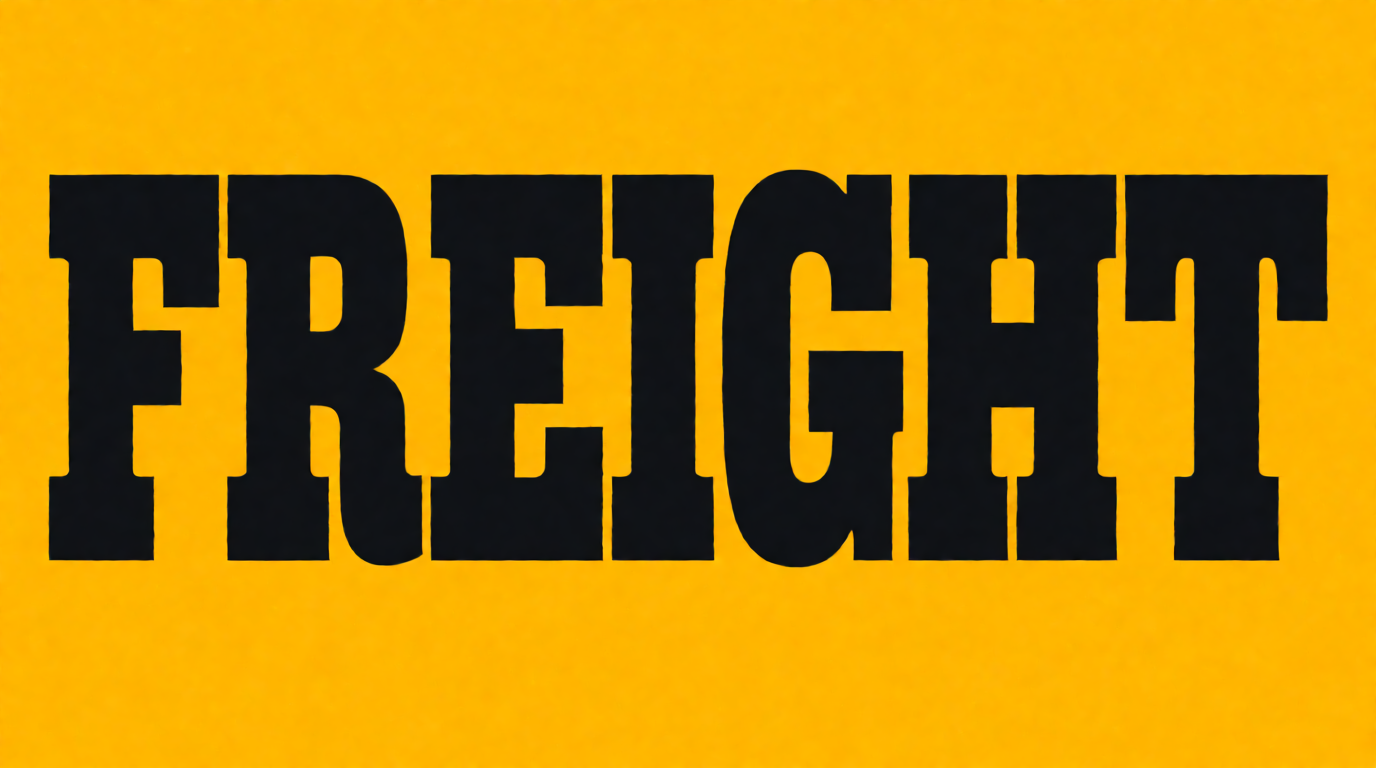
Raw Krea 2 output from the prompt below. The slab serifs and the mustard field are right. The crosshatch shading and the shadow are missing.
Krea prompt (Krea 2 Turbo, 16:9, 1K):
Poster lettering concept: the single word “FREIGHT” in a heavy slab serif with thick square block serifs, black letters stamped onto a flat saturated mustard yellow field, crosshatched engraving shading on the letter sides, hard shadow, centered, no other text
Variation tips: if the output drops a texture, try moving the texture earlier in the prompt.
Script and display
Script fonts copy handwriting, calligraphy, or brush lettering, and the letters often connect. Google Fonts files them under “Handwriting”. Display fonts are made for large sizes: headlines, posters, logos, and packaging, from bubble letters to stencils. Display is the second-largest category on Google Fonts. Neither type suits body text.
Script and display: raw Krea 2 outputs
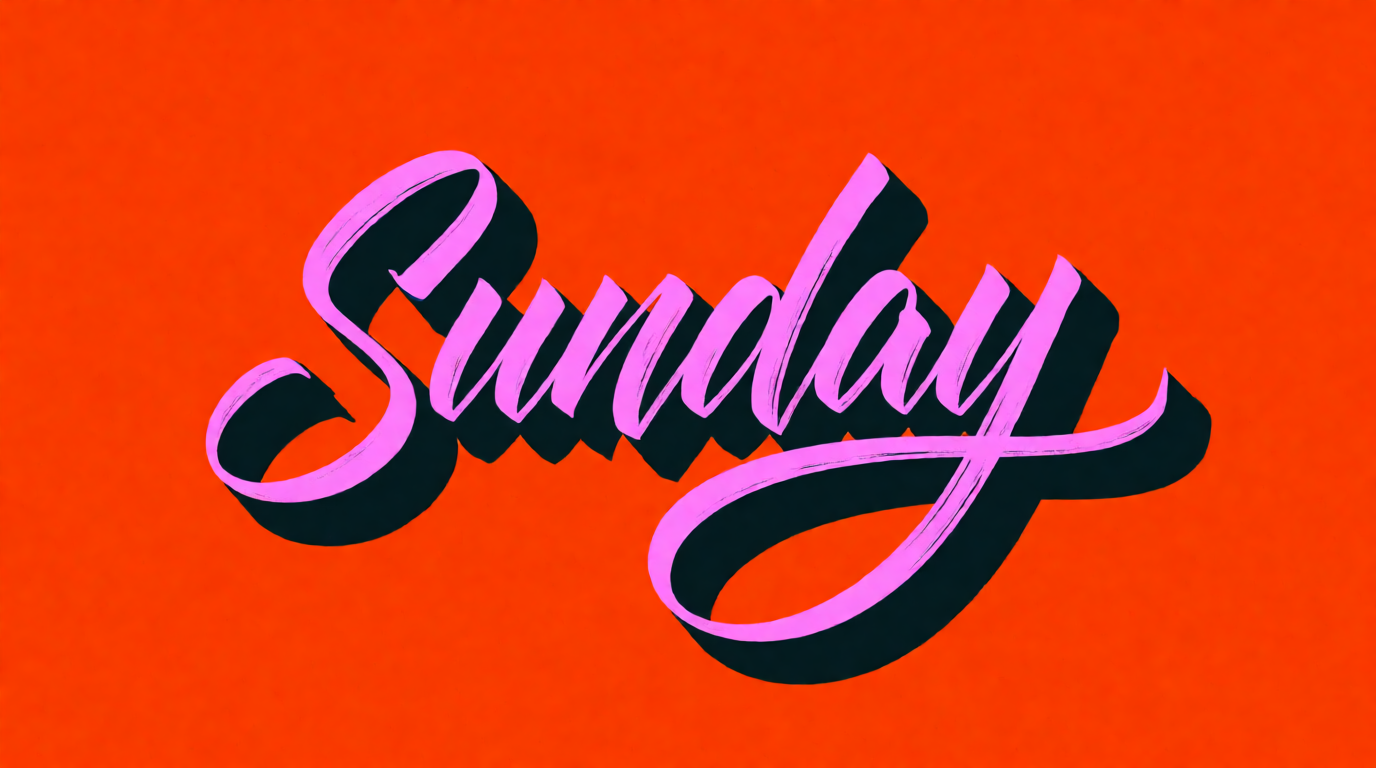
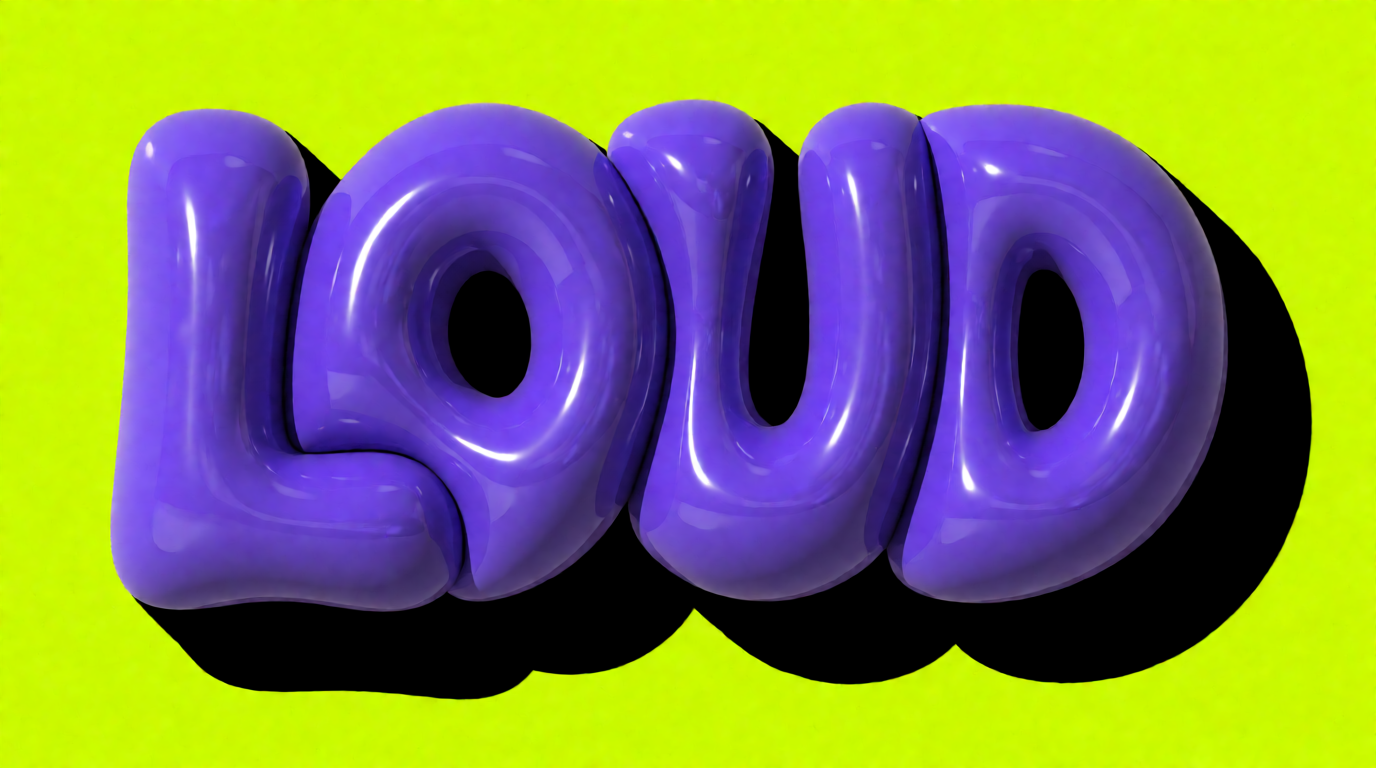
Prompts (Krea 2 Turbo, 16:9, 1K), left then right:
Lettering concept: the single word “Sunday” in a flowing connected brush script with a long swash on the final letter, hot pink ink on a flat saturated tangerine orange field, hard dark shadow offset behind the strokes, centered, no other text
Poster lettering concept: the single word “LOUD” in chunky inflated bubble display letters that overlap each other, glossy violet letters on a flat saturated acid green field, hard black shadow, surreal toy-like volume, centered, no other text
Variation tips: say “brush script” for a painted look or “copperplate script” for a formal pen look. Display prompts respond to a material (“inflated”, “chrome”, “stencil-cut”); keep the word to four or five letters.
Monospace
In a monospace font, every character takes the same width. Roboto Mono is an example. It reads as technical or typewritten, and code editors use it so columns line up.
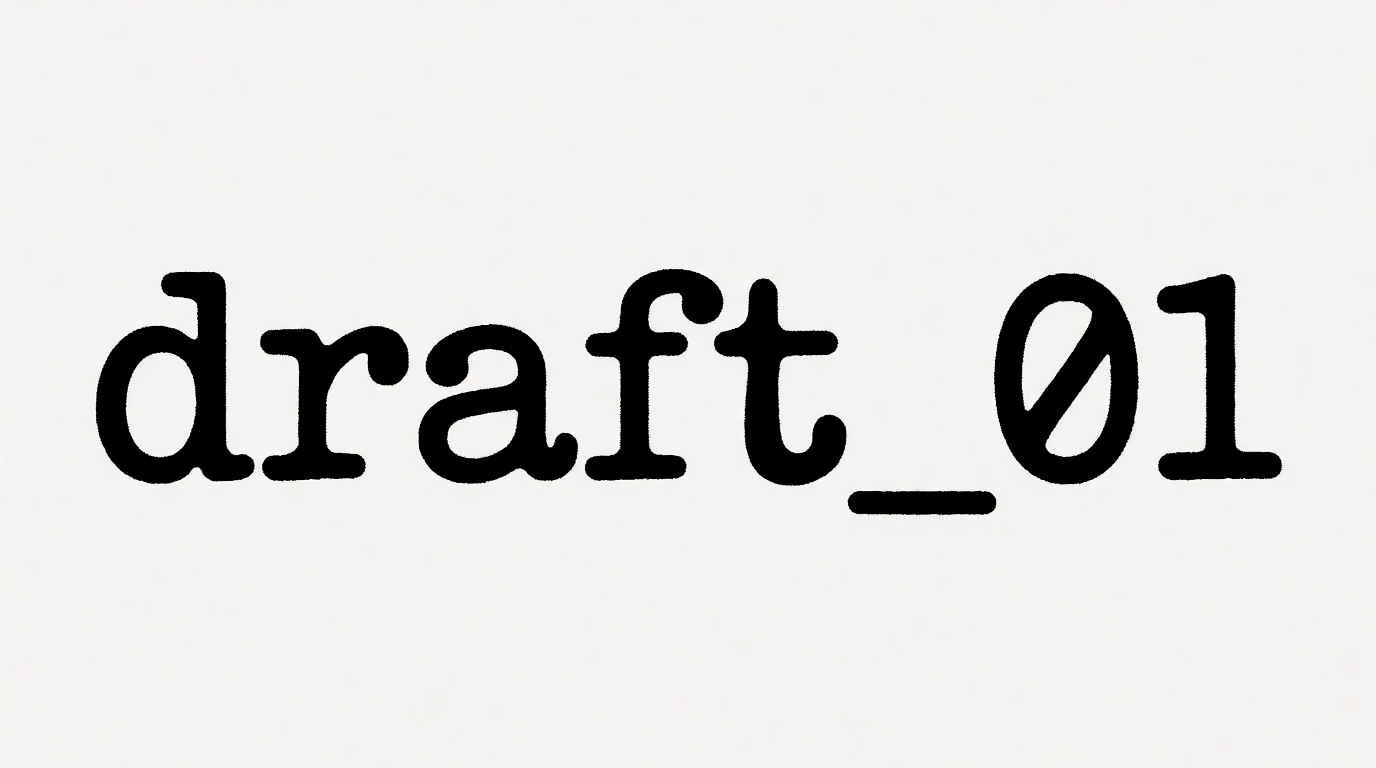
Raw Krea 2 output from the prompt below. The even-width typewriter face is right. The model ignored the teal field and the hatching, and returned black on off-white.
Krea prompt (Krea 2 Turbo, 16:9, 1K):
Lettering concept: the text “draft_01” in a monospaced typewriter font where every character takes the same width, black letters on a flat saturated teal field, hard shadow, fine engraving hatching texture in the background, centered, no other text
Variation tips: a typewriter look can pull the output toward paper colours. If the background colour matters, try putting it first.
Where can I find free fonts online? (¿Dónde puedo encontrar fuentes gratis?)
Font sites have no prompt box, so each source gets a settings recipe instead.
Google Fonts
Google Fonts is the default answer. Per the Google Fonts FAQ, all Google Fonts are open source and free. Most use the SIL Open Font License; some use the Apache or Ubuntu Font License. The FAQ says you can use them commercially, in a product you sell, in a logo, and in print, websites, and apps. The google/fonts repository adds one caution: read each font’s licence, because some OFL fonts declare a Reserved Font Name that limits the name of a modified version.
Settings recipe:
Open fonts.google.com. In Filters, set the classification and the language you need. Sort by Trending for newer faces, or by popularity for safe defaults. Type your own headline in the preview box. Read the licence section on the font page before you download.
Variation tips: check a font’s variable axes; one file can cover every weight.
Where it stops: the most popular families (Roboto, Lato, Open Sans) top its own popularity list, so they will not make a brand look different.
Adobe Fonts
Adobe Fonts is free only in part. Its About page says you can “get started with more than 5,000 fonts for free”, and that a subscription opens “over 30,000 options”. Adobe says everything is licensed for personal and commercial use, including logos. Full terms are in Adobe’s licensing FAQ.
Settings recipe:
Sign in with a free Adobe account at fonts.adobe.com. Filter by classification. Check that a family is in the free tier before you design around it. Add the font; the Creative Cloud desktop app makes it available in your apps.
Where it stops: the About page lists two uses Adobe does not offer: self-hosting web font files, and embedding fonts in a mobile app’s UI. The full 30,000+ library needs a paid Creative Cloud subscription.
Fontshare
Fontshare is a free service from the Indian Type Foundry (ITF), launched in March 2021. ITF’s launch note says the fonts are “100% free for personal and commercial use”, in any media and at any scale. It also says ITF’s own fonts are “not open-source and are still controlled by an ITF EULA”: the ITF Free Font License. Other Fontshare fonts use the SIL OFL.
Settings recipe:
Open fontshare.com and filter by category (Sans, Serif, Slab, Display, Script). On the font page, check which licence it lists: ITF FFL or OFL. Read the FFL before you bundle a font file inside an app or a product.
Variation tips: Satoshi and General Sans (both FFL) are common picks to avoid the Google defaults.
Where it stops: about 100 families. FFL fonts are free to use but not open source.
Font Squirrel
Font Squirrel collects fonts it believes are free for commercial work. Its FAQ is honest about the limit: “As far as we know, yes. Please read the license on each font before you use them to be sure.” It says all its fonts have free desktop licences, so a logo or a T-shirt is fine; embedding varies by font.
Settings recipe:
Browse fontsquirrel.com by classification. Read the four licence icons on each font: commercial desktop use, web embedding, e-books and PDFs, and applications. Dark means allowed; light means not allowed. Open the licence file in the download before you ship.
Where it stops: Font Squirrel says it cannot guarantee a licence, and some downloads link to other sites.
The League of Moveable Type
The League of Moveable Type, established in 2009, calls itself the first open-source type foundry. Its site says: “All the fonts from The League of Moveable Type are free & open source, available to use commercially and subject to the Open Font License.” The list includes League Gothic, League Spartan, Raleway, and Ostrich Sans.
Settings recipe:
Pick a face from the homepage list and download it. Keep the OFL text with the files if you share them. If you modify a font, give it a new name.
Variation tips: League Gothic and League Spartan work as poster headline faces.
Where it stops: about 16 typefaces, so it gives you a headline font, not a full type system.
The licence trap: “free” is not always free for commercial use
Many download sites list personal-use-only fonts. DaFont’s FAQ says its fonts are “either freeware, shareware, demo versions or public domain”, and that “the licence mentioned above the download button is just an indication”. When no licence is shown, “that doesn’t mean it’s free”.
| Licence | Commercial use | Modify and share | Typical source |
|---|---|---|---|
| SIL OFL | Yes: posters, logos, websites | Yes, under the same licence | Google Fonts, The League, some Fontshare |
| Apache 2.0 | Yes | Yes | Some Google Fonts |
| ITF FFL | Yes | No; not open source | Fontshare |
| Adobe Fonts terms | Yes | No self-hosting, no app UI embedding | Adobe Fonts |
| ”Free for personal use” | No, without a separate licence | Usually no | Many download sites |
OFL terms are from openfontlicense.org: you can use OFL fonts “in books, posters, artwork, logos, and on websites”, with no acknowledgement required.
What is Gen Z’s favourite font?
There is no reliable answer. We found no public dataset that ranks a favourite font for Gen Z.
The closest large study is a Monotype survey run by Censuswide, published on 6 October 2025. It covers more than 12,000 social media users aged 16 to 79 in six countries. For Gen Z, 79% agree fonts are important for post creation, 65% see fonts as core to self-expression, and 55% are frustrated by the limited fonts in their social apps. The release does not name a favourite typeface.
Usage data exists, but not by age. The Google Fonts popularity sort, read on 28 September 2026, starts with Roboto, Lato, Open Sans, Google Sans, and Inter. That list shows what websites load, not what any generation prefers. We found no data behind articles that name one “Gen Z font”.
Where Krea fits, and where it does not
Krea does not make fonts. It cannot produce a .ttf or .otf file you can install and type with. For that, use the sources above.
What Krea 2 does is render words inside images. That helps before you pick a font: you can test a headline as a slab poster, a brush script, or bubble letters in one prompt each. In our six lettering tests, Krea 2 spelled every word correctly, and it ignored some colour or texture instructions in three of the six. Use the output as a concept or a graphic, then find the closest real font and set the text yourself.
Per krea.ai/pricing, checked this week, the Free plan costs $0, gives 100 compute units a day, and needs no credit card. It includes Krea 2 images, upscaling up to 2K, and limited LoRA training (50 images). It does not include the other image models, video models, Krea Nodes, or the commercial license. The commercial license starts at Basic: $9/month, or $5/month billed yearly, for 5,000 compute units a month.
Try Krea 2 free for lettering concepts. Sharpen a finished poster with the enhancer, or change one word in the image editor. See also how to design a poster with AI, how to create a logo with AI, and five aesthetic colour palettes.
Which should you pick?
- A safe free font for a website, logo, or product → Google Fonts.
- Something less common, still free → Fontshare; check FFL or OFL.
- You already pay for Creative Cloud → Adobe Fonts, 30,000+ fonts. Without a plan, the free 5,000+ tier.
- A bold headline face with an open licence → The League of Moveable Type.
- A wide search across foundries → Font Squirrel, then read the icons and the licence file.
- A font from a general download site → assume personal use only until the licence file says otherwise.
- A lettering image, not a font file → Krea 2: free for concepts, a paid plan for commercial use.
Frequently asked questions
What are font types? (O que são tipos de fontes?)
Where can I find free fonts online? (¿Dónde puedo encontrar fuentes gratis?)
Where can I download free fonts for commercial use? (¿Dónde puedo bajar fuentes gratis?)
Are fonts on DaFont free for commercial use?
What is Gen Z's favorite font?
Can Krea make a font?
Test your headline before you pick the font
Krea 2 renders lettering concepts in serif, slab, script, or display styles. The Free plan gives 100 compute units a day, no credit card.
Try Krea 2 free