“Free coloring pages” usually means one of two searches: find a page that already exists, or make one that does not. A library site like Crayola solves the first — thousands of pages, ready to print. It cannot solve the second: if the page you want is a specific character, a themed scene nobody has drawn yet, or your own child’s drawing turned into clean outlines, no library has it. This guide compares both paths — a coloring library, a design tool, a dedicated photo-to-coloring-page converter, and Krea’s custom generation — with what each costs, produces, and where it stops.
Free coloring page options at a glance
| # | Option | Best for | Free allowance | Catch |
|---|---|---|---|---|
| 1 | Crayola | An existing page, fast | Unlimited, no signup | Fixed library — no custom scenes |
| 2 | Canva | Editing a template into a worksheet | ~50 Magic Studio credits/month (free) | Templates, not original scenes |
| 3 | ColorifyAI | Turning one photo into a coloring page | 5 free conversions/day, no signup | Paid tiers still exclude commercial use below $29.90/mo |
| 4 | Krea | An original, custom scene or a child’s drawing turned into line art | 100 compute units/day, no card | Output is a finished image, not editable vector line art |
Generate a custom coloring page free
Open Krea 2 and turn any idea, or any photo, into a printable coloring page on today's free compute.
Open Krea 2How we chose and tested
We picked one representative of each real path: a pure library site, a design tool with coloring templates, a dedicated photo-to-coloring-page converter, and Krea’s own generation. Free-tier numbers come from each vendor’s current pricing page, checked this week: Canva, ColorifyAI and its tool page, and Krea. For Krea, we ran real prompts through Krea 2 (krea/krea-2/medium-turbo) and kept every raw output below, including two attempts that were not clean on the first try. Nothing here is retouched.
1. Crayola — the fastest way to an existing page
Crayola’s free coloring pages cover characters, seasons, holidays, animals, and an adult-coloring section, with no signup and no download cap. It also ships a “Custom Page Creator,” but that tool assembles from Crayola’s own template pieces — it does not generate a new scene from an idea.
Search tip: use Crayola’s category pages (Characters, Plants and Animals, Adult Coloring) instead of the site search — the categories surface more of the library than a keyword search does.
Variation tips: the adult-coloring section has denser line work if a plain kids’ page is too simple for the person coloring it.
Where it stops: Crayola only has what Crayola has published. A specific character combination, a themed scene for one birthday party, or “my kid’s own drawing as an outline” are not in the library and never will be — that is what a generator is for.
2. Canva — coloring pages inside a design tool
Canva has a library of free, customizable coloring page templates — add a name, swap an element, drop in a photo — plus its own AI coloring page generator that turns a photo or prompt into line art. Both draw from the free plan’s shared Magic Studio credit pool: about 50 credits a month, covering Magic Media, background removal, and Magic Write together, not 50 coloring pages specifically.
Navigation tip: search “coloring page” in Canva’s own template search, not the general photo library, to land on customizable templates instead of stock photos.
Variation tips: duplicate a template before editing it, so the original survives a customization gone wrong.
Where it stops: the templates are pre-made designs you customize, not scenes generated from scratch, and the AI credits are shared with every other AI feature in the account.
3. ColorifyAI — a dedicated photo-to-coloring-page converter
ColorifyAI is a dedicated tool: upload a photo, get a line-art coloring page back, no signup required. Its tool page states 5 free conversions a day. Beyond that, ColorifyAI’s pricing lists Basic at $9.90/month (250 credits, no commercial use), Plus at $29.90/month (900 credits, commercial use included), and Pro at $69.90/month (2,500 credits).
Recipe: upload a clear, high-contrast photo (a posed portrait or a clean product photo converts better than a busy scene); choose the line-art style if the tool offers a choice.
Variation tips: crop the photo to the subject before uploading — a converter reads the whole frame, so background clutter turns into unwanted extra outlines.
Where it stops: it converts one photo you already have. It does not generate a scene from an idea (“a dragon riding a bicycle”), and commercial use needs at least the $29.90/month Plus tier.
4. Krea — a custom scene, or your own drawing, as a coloring page
Krea’s honest advantage is not that it is free — Krea’s free plan gives 100 compute units a day, no card required — it is that it makes a page that does not exist anywhere else: a specific character in a specific pose, a themed scene invented for one occasion, or a child’s own drawing turned into clean printable outlines. A library site only has what it already published.
The recipe for clean, printable line art
The default prompt is not enough. Asking for “a coloring page of X” often returns something usable, but getting reliably closed, printable outlines — no shading, no gray fill — needs an explicit recipe:
black and white line art coloring page of [your scene], bold uniform black outlines, no shading, no gray fill, no cross-hatching, pure flat white background, all shapes fully closed, simple cartoon style for kids, clean printable line drawing
Variation tips: name the scene specifically (“an astronaut cat planting a flag on a candy planet,” not “a cat in space”) — specific nouns give Krea 2 more to draw; keep the style clause (“bold uniform black outlines… clean printable line drawing”) word-for-word, since that clause is doing the work of keeping the output print-ready.
Two custom scenes, same recipe
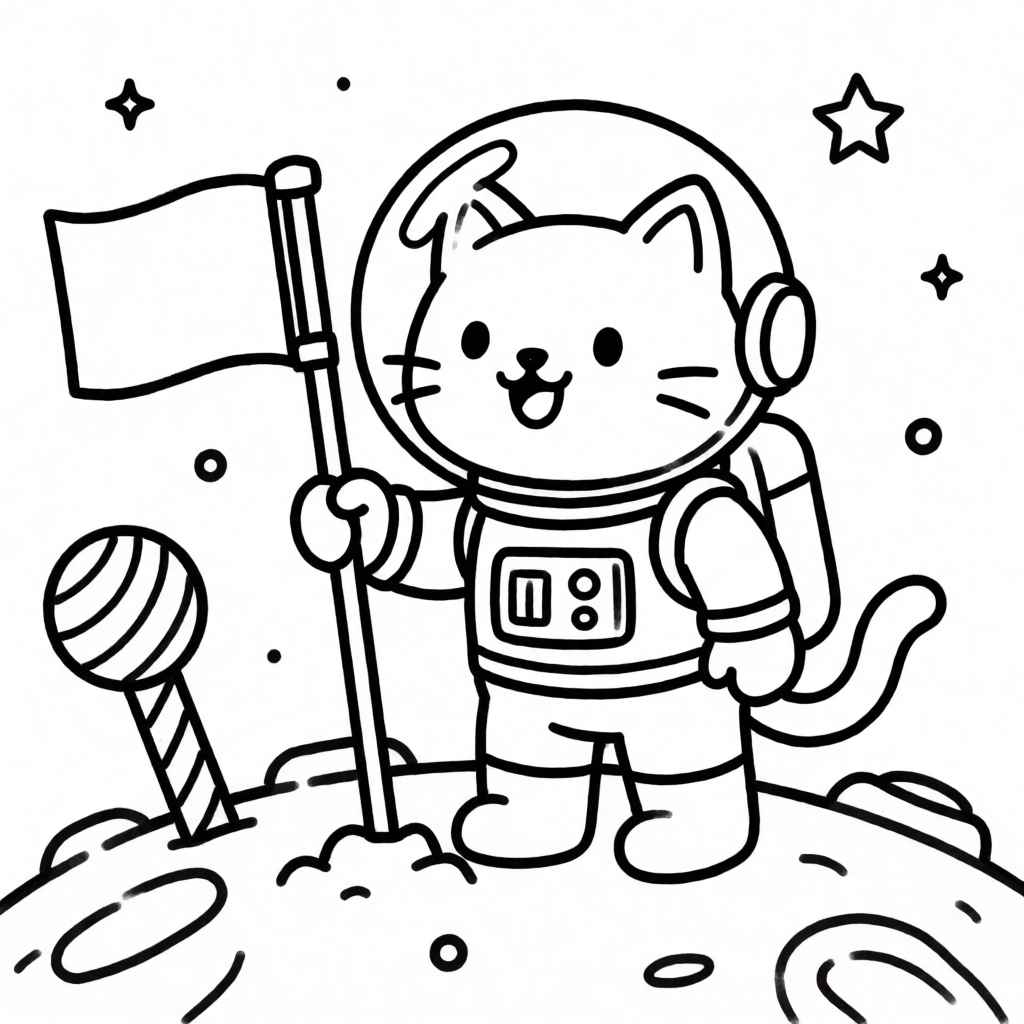
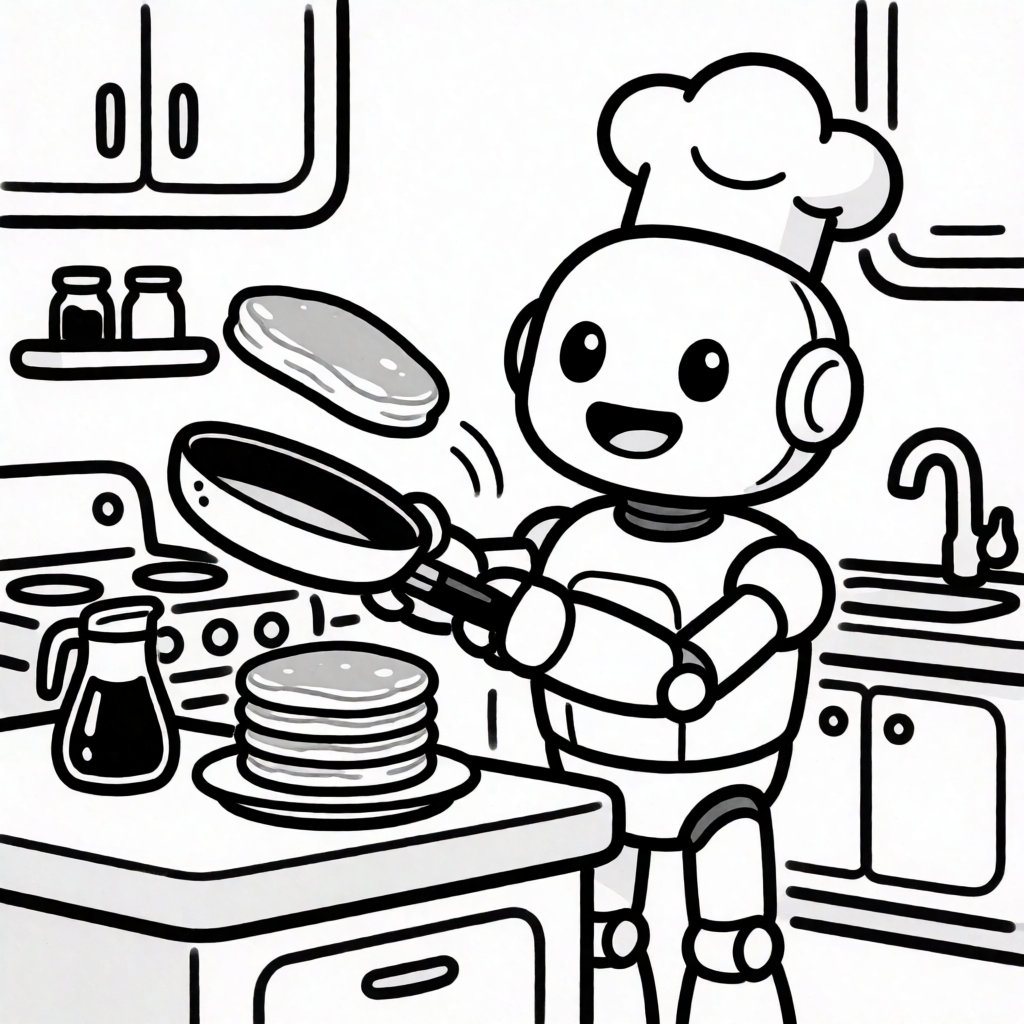
Neither of these scenes exists in any library — an astronaut cat planting a flag on a candy planet, and a robot chef flipping pancakes — because we invented them for this post. That is the actual case for a generator over a library: the page did not need to already exist.
Being honest about the recipe: it is not a guarantee
The same exact prompt template does not produce a clean result every time. Here is the recipe above, run twice for “a friendly dragon riding a bicycle down a park path” with two different seeds:
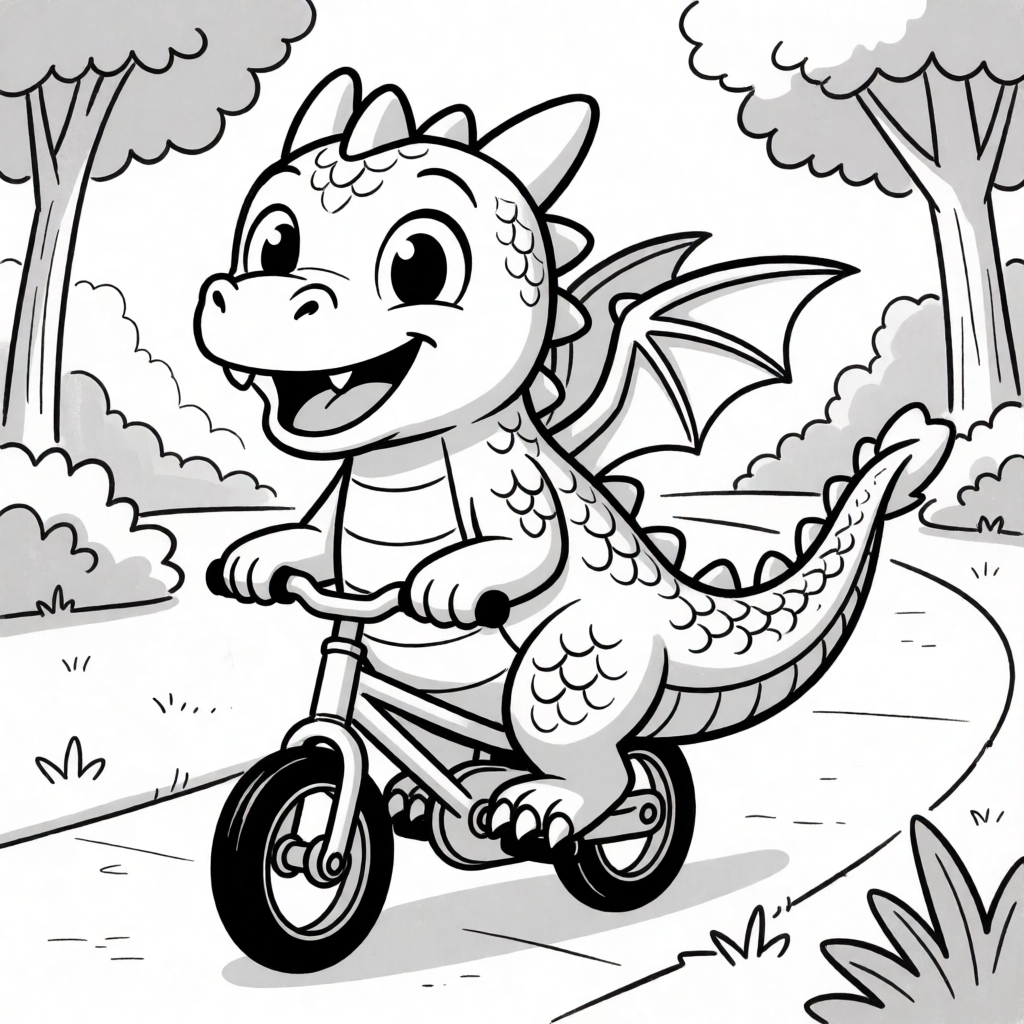
The first attempt still shaded the dragon’s body and the background trees in flat gray, even though the prompt explicitly said “no shading, no gray fill.” That is a real failure mode worth planning for, not a hypothetical one.
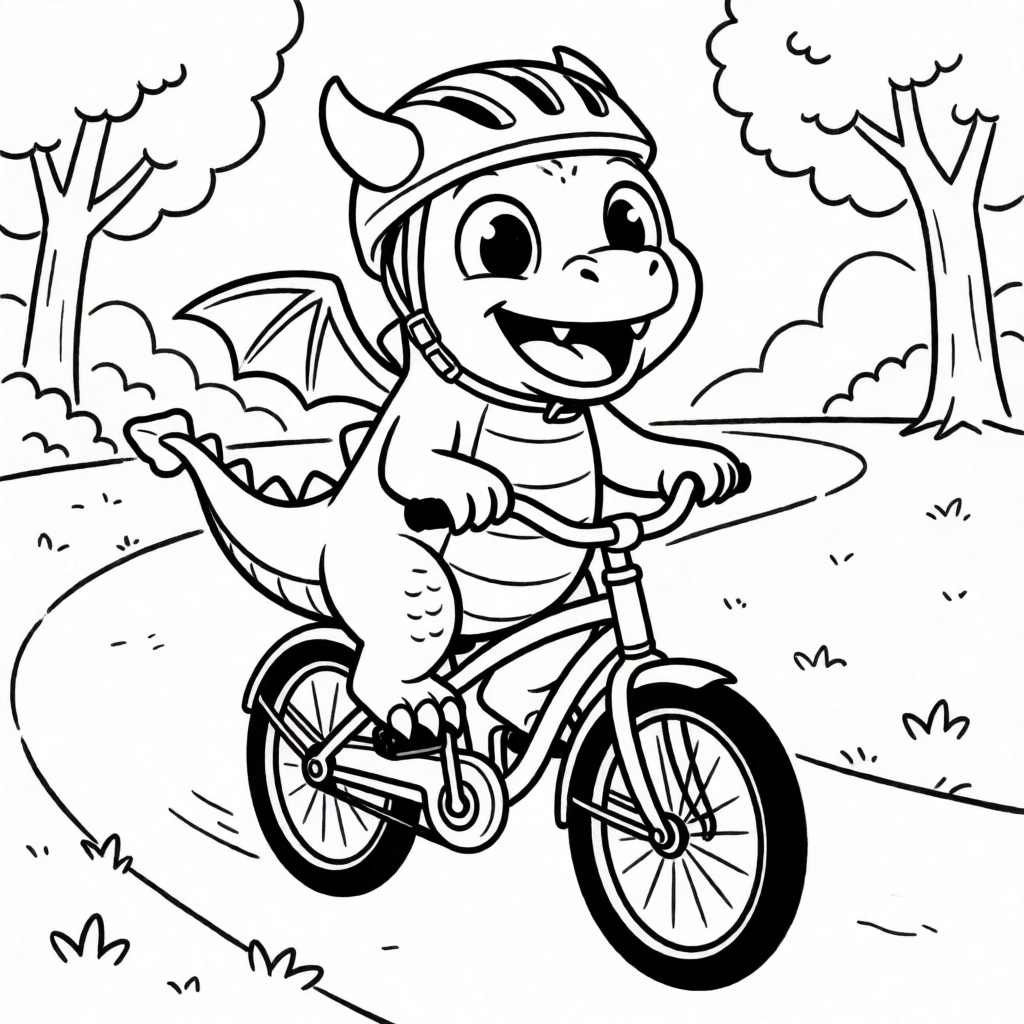
Regenerating with the identical prompt and a new seed produced a fully clean result on the second try. The practical takeaway: treat the recipe as a strong starting point, not a one-shot guarantee, and regenerate once if the first output has gray fill.
Turning a child’s drawing into a coloring page
Krea can also start from an existing image instead of a blank prompt — useful for a child’s own drawing, turned into clean outlines they can color again. Here is the source drawing:
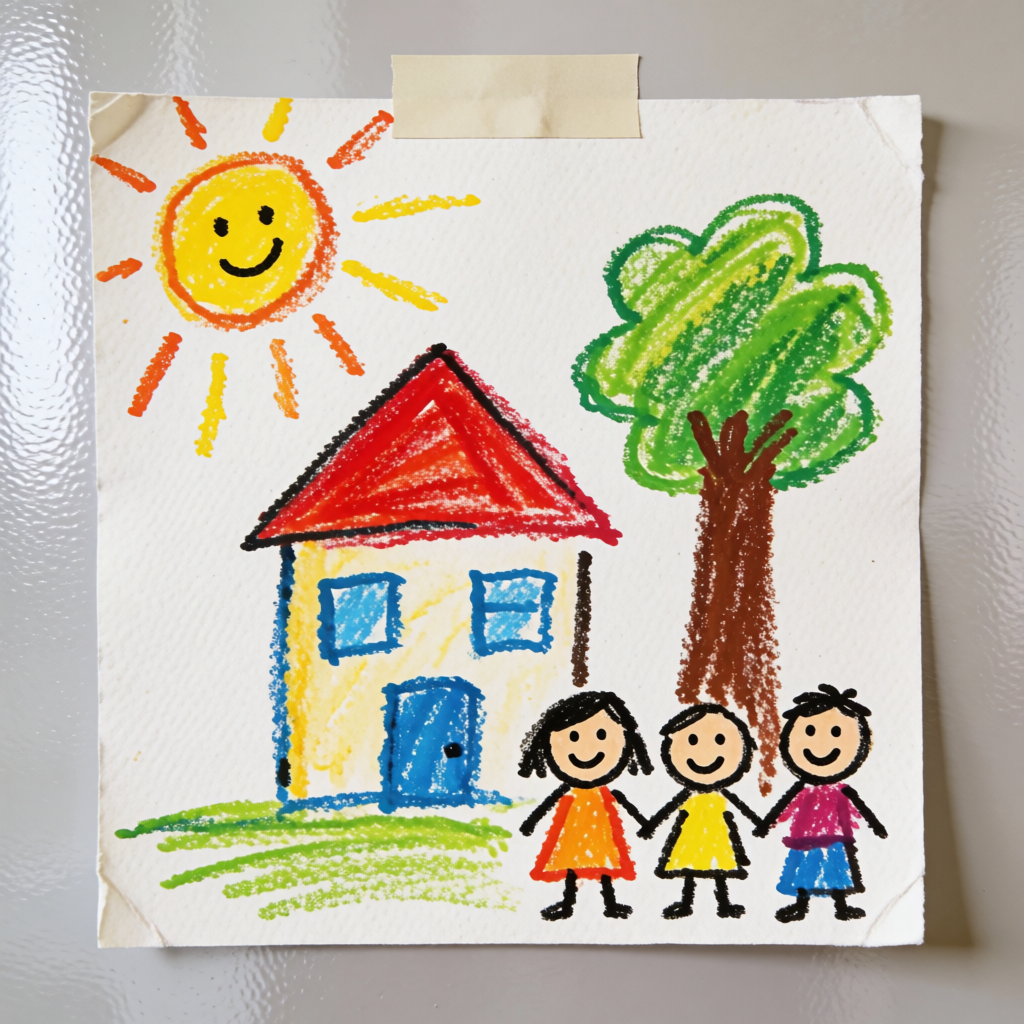
Prompt:
convert this into a black and white line art coloring page, keep the same house, sun, tree, and three children in the same layout and poses, bold uniform black outlines, no shading, no gray fill, no color, no cross-hatching, pure flat white background, all shapes fully closed, clean printable line drawing
The first attempt, at a moderate image-to-image strength of 0.65, barely changed the source at all:
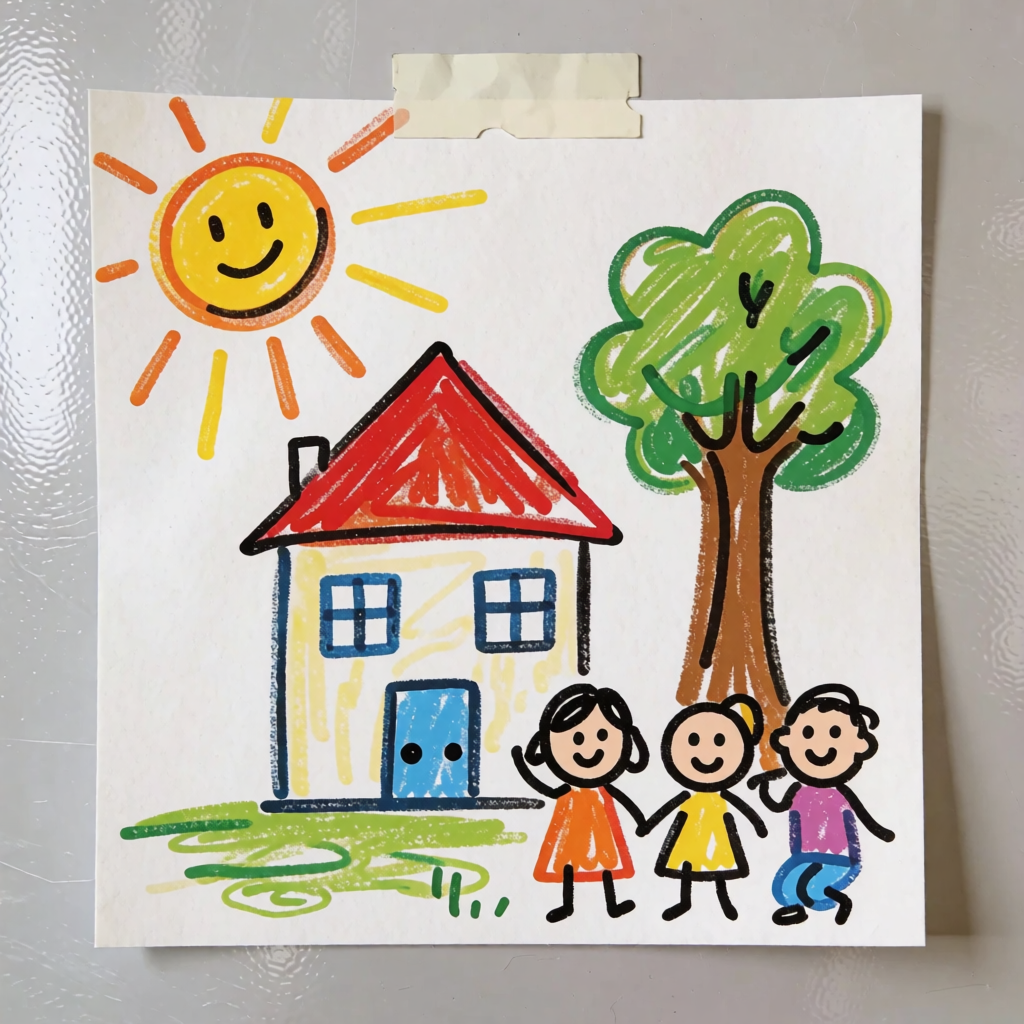
At strength 0.65, Krea kept most of the original crayon color instead of re-rendering it as line art — a low strength value tells the model to preserve the source, which fights a prompt asking it to fully restyle that same image. Raising strength to 0.92 fixed it:
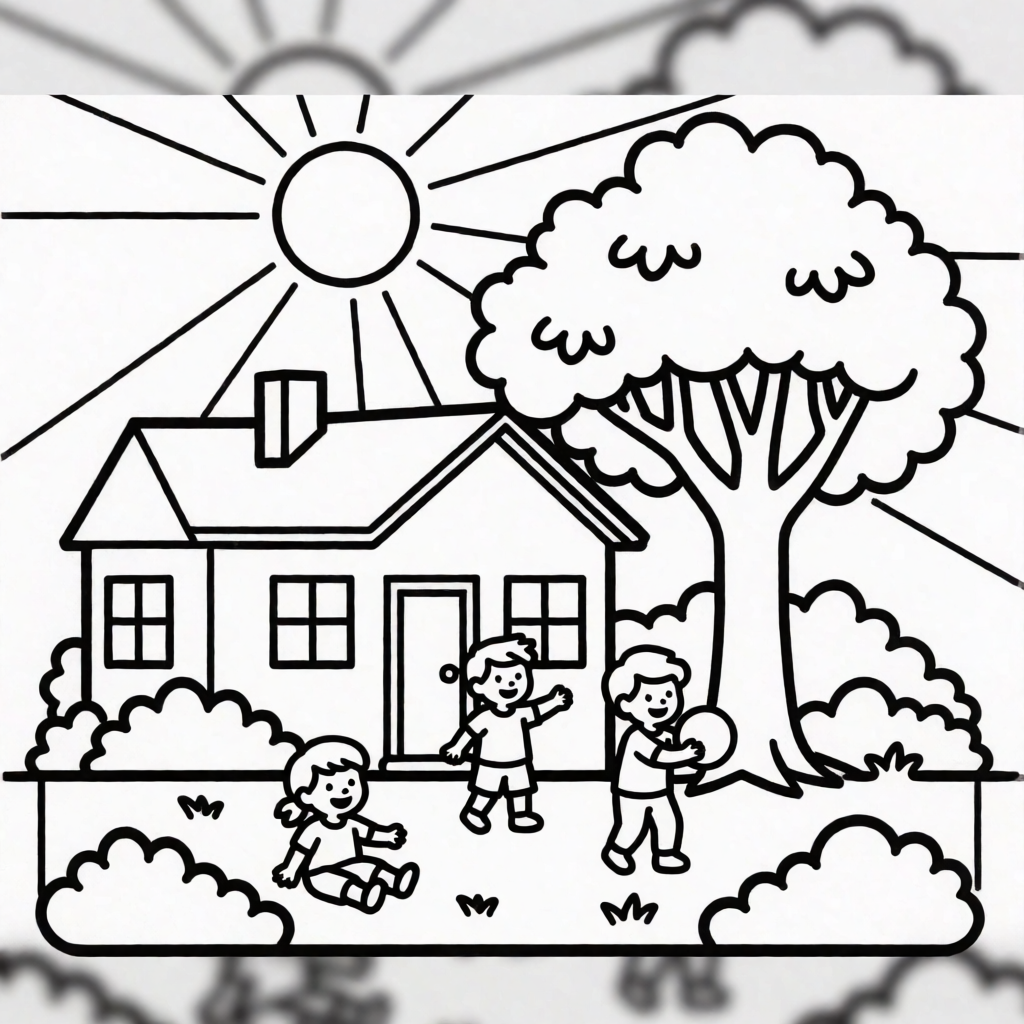
Variation tips: for image-to-image line art, start strength at 0.85-0.95 — low strength preserves the source’s color and shading, which is the opposite of what a line-art conversion needs; keep the layout instruction (“keep the same house, sun, tree…”) so the composition survives even at high strength.
Where Krea stops: the output is a finished raster image, not an editable vector line drawing — there is no “select this line and nudge it” step afterward. And as shown above, the recipe is a strong default, not a guarantee: expect to regenerate once in a while when a shape comes back shaded. Krea’s free plan is images only; video, the full third-party model library, the 8K Enhancer, and the commercial license are on paid plans. For cleaning up a stray line after export, see Krea’s editing tools; for style-consistent page sets, see style references in Krea and 10 best style prompts. For the same character across a full page set, Krea 2’s character sheets keep one character consistent across poses.
Rights and the fine print
| Option | Signup required | Commercial use on free tier | Output editable |
|---|---|---|---|
| Crayola | No | Personal/classroom use per site terms | No — fixed PDF/image |
| Canva | Yes | Yes, within Canva’s terms (pricing) | Yes — template editor |
| ColorifyAI | No | No — needs the $29.90/mo Plus tier | No — flat image |
| Krea | Yes | No — commercial license is on paid plans | No — flat image |
Terms change; check the vendor’s current page before using any output commercially. Canva’s free plan and pricing tiers are covered in more depth in our Canva free-plan guide.
Which option should you pick?
Pick by what you actually need:
- You want any page, right now, at no cost → Crayola — search its categories, print, done.
- You want to add a name or a quote to a template → Canva, watching the shared credit pool.
- You have one specific photo and want it as a coloring page → ColorifyAI, 5 free conversions a day.
- You want a scene that does not exist anywhere yet, or your own child’s drawing turned into clean outlines → Krea, using the recipe above, and regenerating once if the first result comes back shaded.
Frequently asked questions
What is the best free coloring site?
Where can I find free coloring pages?
Can AI make a custom coloring page?
Can I turn my child's drawing into a coloring page?
Is there a free AI coloring page generator with no sign-up?
Can I use AI-generated coloring pages commercially, for a classroom or a shop?
Make your own coloring page free
Generate a custom scene, or turn a photo into line art, with Krea 2 — 100 compute units a day, no credit card.
Try Krea free