The best image to video AI tool in 2026 depends on what you want to animate. For cinematic shots from a still, the strongest models are Kling 4.0, Seedance 2.5, Veo 3.1 and MiniMax H3. You can use each one in its own app, or run several of them side by side in a multi-model tool like Krea. If you want a talking photo, where a portrait speaks a script, HeyGen is built for that job. For a few free clips a day, Google Flow gives everyone 50 credits daily, which is about five Veo 3.1 Lite clips.
This guide compares ten image to video (also called photo to video) AI tools: free allowance, cheapest paid plan, longest clip, and whether you can set both a start and an end frame. We pulled every number from the vendor’s own pages on 2026-10-29 and link the source. Prices and free credits in this category change monthly, so check the links before you buy. Krea is our product. We say where it wins and where it doesn’t.
The best image to video AI tools at a glance
| # | Tool | Best for | Free option | Cheapest paid plan | Longest clip | Start + end frame |
|---|---|---|---|---|---|---|
| 1 | Krea | Running Kling, Seedance, Veo, MiniMax and Wan on the same image | 100 units/day, about two 5 s LTX-2 clips | Basic, $5/month billed yearly ($9 monthly), 5,000 units | 30 s (Kling 4.0, Seedance 2.5, Wan 3.0) | Yes, on most models |
| 2 | Kling | Long, controllable clips from one model family | Daily free credits (amount not published), no commercial use | Standard, $10/month list, 660 credits | 30 s (Kling 4.0) | Yes, up to 10 keyframes |
| 3 | Google Flow (Veo 3.1) | Free daily Veo clips | 50 credits/day for everyone | Google AI Plus, $4.99/month (+200 credits) | 8 s | Yes |
| 4 | Runway | Gen-4.5 plus partner models in one editor | 125 one-time credits | Standard, $12/month billed yearly ($15 monthly), 625 credits | 10 s (Gen-4.5) | Not confirmed for Gen-4.5 |
| 5 | Adobe Firefly | Teams already paying for Creative Cloud | Free daily generations | Firefly Standard, $9.99/month, 2,000 credits | About 5 s (Firefly model) | End frame optional |
| 6 | Luma Dream Machine | Ray 3.2 with HDR output | No standing free plan listed | Plus, $30/month, 10,000 credits | 10 s (Ray 3.2) | Not confirmed |
| 7 | Pika | Effects and Pikaframes, no watermark on free | 0 monthly credits, packs only | Starter, $8/month billed yearly ($10 monthly), 900 credits | Not published | Pikaframes |
| 8 | HeyGen | Talking photos and avatar video | 3 watermarked videos/month, up to 1 min, 720p | Creator, $24/month billed yearly ($29 monthly), 600 credits | 1 min free, 30 min Creator | Not stated |
| 9 | Hailuo (MiniMax) | MiniMax H3 at the source | Free credits for new users | From $9.99/month | 15 s (H3) | Yes (H3) |
| 10 | Vidu | Anime and stylized motion | Q4 at 540p, 4 credits/second | Standard, $10/month, 800 credits | 16 s (paid) | Not confirmed |
Animate one image with five models
Upload a photo once, then try Kling 4.0, Seedance 2.5, Veo 3.1, MiniMax H3 and Wan 3.0 on it in the same workspace.
Try image to video on KreaHow we checked
Every price, credit count and clip length comes from a vendor page we opened on 2026-10-29: Krea pricing, Kling’s image to video page and membership page, Google Flow’s credits help page and model guide, Runway pricing, Adobe Firefly plans, Luma pricing, Pika pricing, HeyGen pricing, Hailuo and Vidu pricing. When a vendor did not publish a number, the table says so instead of guessing. Clip lengths for models we run on Krea come from Krea’s own model settings. This post makes no quality ranking. Motion quality changes with every model release, so the fair test is your own image on two or three of these.
What makes a good image to video AI tool
Four things decide whether a tool works for you:
- Model choice. One image can look great on Kling and fall apart on another model, or the reverse. Tools that run several models let you pick per shot.
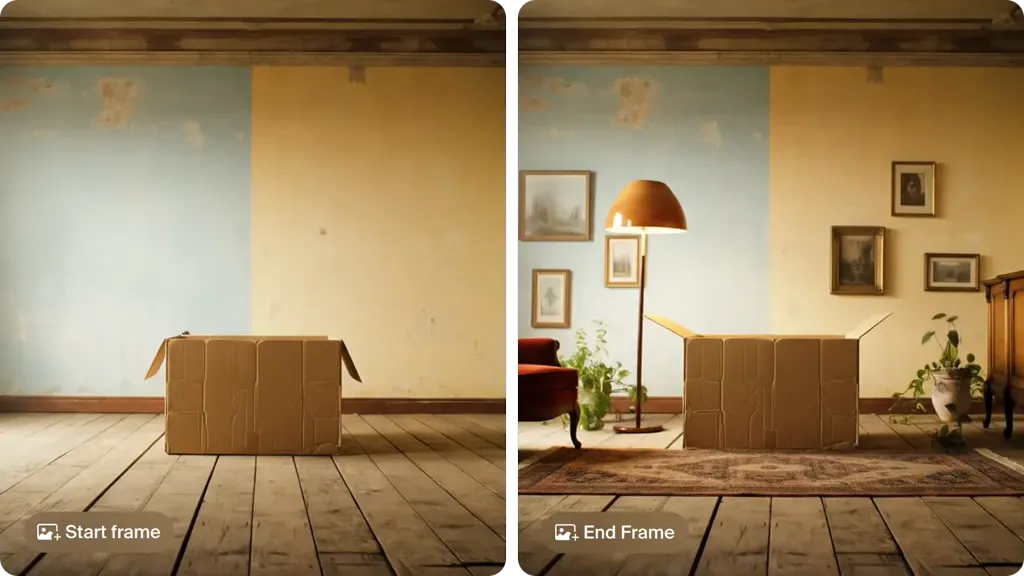
- Frame control. A start frame alone lets the model invent the ending. A start and end frame (sometimes called keyframes or first and last frame) makes it land where you want, which matters for transitions, product turns and loops.
- Clip length and resolution. 5 to 10 seconds is normal. Kling 4.0, Seedance 2.5 and Wan 3.0 now reach 30 seconds. Most generate at 720p or 1080p; 4K usually comes from an upscaler.
- What the free tier really includes. Watermarks, daily credits that expire, and free plans without a commercial license are the norm.
1. Krea: many image to video models in one place
Krea is a multi-model AI image and video platform. For image to video, you upload a photo (or generate one with Krea 3) and choose from more than 20 video models. These are the main ones and their limits on Krea today:
| Model on Krea | Clip length | Start + end frame |
|---|---|---|
| Kling 4.0 | 3 to 30 s, 720p or 1080p | Yes |
| Seedance 2.5 | 4 to 30 s, up to 1080p (Pro and above) | Yes |
| Veo 3.1 | 4, 6 or 8 s | Yes |
| MiniMax H3 and H3 Max | 5 to 15 s | Yes |
| Wan 3.0 | 2 to 30 s | Yes |
| Runway Gen-4.5 | 2 to 10 s | Start only |
| Seedance 2.0, Kling 3.0, Luma Ray 3.2, LTX-2.5, FLUX 3 Video, Grok Imagine, Vidu Q3 | 1 to 20 s depending on model | Varies |
The practical advantage is comparison. You can run the same still through three models, keep the best take, then extend it or upscale it to 4K with the video upscaler. Krea Agent can plan a multi-shot sequence from one brief and pick models for you.
Pricing, from krea.ai/pricing on 2026-10-29: the Free plan gives 100 compute units a day with Krea 3 images and Krea Agent. The pricing page marks video access on Free as limited and says Seedance needs a paid plan. On video, Free can run LTX-2 19B, Hailuo 2.3 Fast and, while a MiniMax promotion lasts, MiniMax H3. Only LTX-2 19B fits the daily allowance: a 5-second 512p clip costs 34 units, so 100 units cover about two clips a day. One Hailuo 2.3 Fast clip (141 units for 6 seconds at 768p) or MiniMax H3 clip (481 units for 5 seconds) costs more than a day’s free units. Basic is $5/month billed yearly ($9 monthly) with 5,000 units, which the page puts at about 15 Seedance 2.0 Fast videos, plus selected video models. Pro is $21/month billed yearly ($35 monthly) with 20,000 units and all video models, including Seedance 2.5. Paid plans include a commercial license.
Where Krea stops: free video is limited to about two short 512p LTX-2 clips a day, and each model keeps its own limits (Veo 3.1 tops out at 8 seconds on Krea, as it does everywhere). Krea has no avatar library or talking-photo presenter tool. Its lip sync tool animates a portrait to an audio track with VEED Fabric or Hedra, but HeyGen goes further for presenter video.
2. Kling: the longest clips with keyframe control
Kling is Kuaishou’s video model family, and Kling 4.0 is its current flagship. Per Kling’s image to video page, “the full Kling 4.0 model supports video generation from 3 to 30 seconds per clip,” output goes “up to 4K,” and you can set “start and end frames or use up to 10 flexible keyframes.” Kling 3.0 is still offered for clips up to 15 seconds.
Pricing: paid plans on the membership page list Standard at $10/month with 660 credits, Pro at $37 with 3,000, Premier at $207 with 18,000, and Ultra+ at $619 with 57,000, before a running first-month discount and a 34% yearly discount. Paid plans include watermark removal, 1080p/4K and commercial use. The free tier gives daily login credits, but Kling does not publish the amount. Its FAQ says “watermark-free downloads may require a paid plan” and that commercial use falls under paid membership terms.
Where Kling stops: one model family only, and the free allowance is unpublished and changes with promotions. Kling 4.0 also runs on Krea at up to 30 seconds and 1080p.
3. Google Flow (Veo 3.1): the best free daily option
Google’s Flow is the most generous free route to a frontier model. Google’s help page says “with or without a subscription, you receive 50 Google Flow credits per day.” A Veo 3.1 Lite generation costs 10 credits for non-Ultra users, so a free day is about five Lite clips. Veo 3.1 Fast costs 20 credits and Veo 3.1 Quality costs 100, so Quality is out of reach on free credits alone. Clips are 4, 6 or 8 seconds, and “Frames to Video: First and last” works on Lite, Fast and Quality.
Pricing: Google AI Plus ($4.99/month) adds 200 Flow credits a month, and AI Pro ($19.99/month) adds 1,000. 1080p upscaling is free for subscribers; 4K upscaling is Ultra only.
Where Flow stops: 8 seconds maximum. Google also says non-subscribers may be blocked from video “during peak hours, roughly 2 PM to 5 PM UTC.” Unused daily credits don’t carry over.
4. Runway: Gen-4.5 plus partner models
Runway builds its own models (Gen-4.5, Gen-4 Turbo, Aleph 2.0) and now also hosts Kling 4.0, Seedance 2.0 and 2.5, and others. Gen-4.5 supports image to video. Runway’s page says “Gen-4.5 uses 12 credits per second,” so a 5-second clip costs 60 credits.
Pricing on 2026-10-29: the Free plan gives 125 one-time credits. Standard is $12/month billed yearly ($15 monthly) with 625 credits, which Runway equates to ”52s of Gen-4.5.” Pro is $28 yearly ($35 monthly) with 2,250 credits, and Max is $76 yearly ($95 monthly) with 9,500 credits that roll over one month. Paid plans have no watermark.
Where Runway stops: the free credits are one-time, and Standard’s 625 credits come to under a minute of Gen-4.5. On Krea, Runway Gen-4.5 takes a start frame and runs 2 to 10 seconds.
5. Adobe Firefly: inside the Adobe workflow
Firefly does image to video with Adobe’s own Firefly Video Model and partner models, including Veo 3.1 Fast, Runway Gen-4.5, Kling 3.0 and Luma. Adobe says output goes “up to 4K,” clips run “approximately five seconds (depending on AI model used),” and you can add an end frame. It also states that Firefly “does not add a watermark to any videos you generate.”
Pricing: the free plan includes “free daily generations across image, video, and audio.” Firefly Standard is $9.99/month for 2,000 generative credits (up to 20 five-second videos), Pro $19.99 for 4,000, and Pro Plus $49.99 for 10,000. Credits don’t roll over.
Where Firefly stops: short clips on the Firefly model, and a partner-model list that trails the newest releases (Kling 3.0, not 4.0, on the page we checked).
6. Luma Dream Machine: Ray 3.2 and HDR
Luma makes the Ray models. Ray 3.2 does text to video and image to video in 5- or 10-second clips from 360p to 1080p, with HDR and EXR export options aimed at post-production. Luma also hosts Seedance 2.0 and 2.5, Kling 4.0 and 3.0, Veo 3.1, MiniMax H3 and FLUX 3.
Pricing: Plus is $30/month for 10,000 credits, Pro $90 for 40,000, Ultra $300 for 150,000. Ray 3.2 at 1080p costs 400 credits per 5 seconds, so Plus covers about 25 such clips. The page lists no standing free plan, only “free trial credits.”
Where Luma stops: no free tier and a high entry price. On Krea, Luma Ray 3.2 runs 5 or 10 seconds with start and end frames.
7. Pika: effects and no watermark on free
Pika is built for playful, effect-driven clips: Pikaffects, Pikaframes (keyframe transitions) and its own Pika 2.5 model. It also offers Seedance 2.5, MiniMax H3, Wan 3.0 and Gemini Omni Flash.
Pricing: the Free plan is “0 credits / month · packs only.” You can buy credit packs, output has no watermark, but the commercial license is “No.” Starter is $8/month billed yearly ($10 monthly) for 900 credits, and Creator $28 yearly ($35 monthly) for 3,150. Seedance 2.5 at 720p for 5 seconds costs 122 credits.
Where Pika stops: no free monthly credits anymore, and Pika does not publish a max clip length on its pricing page.
8. HeyGen: talking photos and avatar video
HeyGen is the specialist for a different kind of image to video: you upload a portrait and it speaks a script with lip sync, in 175+ languages on paid plans. It also offers motion clips from a photo. HeyGen’s tool page says it runs “Veo 3.1 for image to video” and Seedance for B-roll, with “Kling, Runway, and Hailuo for photo avatar motion.” It notes that motion-only clips “run best at 10 to 15 seconds.”
Pricing on 2026-10-29: Free gives “3 videos a month, watermarked,” up to 1 minute each, exported at 720p (HeyGen’s help center says free users get 1 to 3 videos depending on region). Creator is $24/month billed yearly ($29 monthly) with 600 credits, 1080p and no branding. Pro starts at $41 yearly ($49 monthly) with 1,000 credits, 4K export and Seedance 2.5. For the full breakdown, see Is HeyGen free?.
Where HeyGen stops: cinematic image to video goes through partner models, and HeyGen’s pricing page and tool pages disagree on whether that’s Seedance 2.0 or 2.5. If you want a presenter, HeyGen is the pick. If you want a shot, a model-first tool gives you more control.
9. Hailuo (MiniMax): MiniMax H3 at the source
Hailuo is MiniMax’s own app, and its current model is MiniMax H3. New users get free credits, and paid plans start “from $9.99/mo.” The plan table only loads after sign-in, so we could not verify the tiers.
Where Hailuo stops: the plan details are hard to check before you sign up. MiniMax H3 and H3 Max run on Krea at 5 to 15 seconds with start and end frames.
10. Vidu: anime and stylized motion
Vidu, from Shengshu, runs its Q4 and Q3 models and is popular for anime-style motion. The free plan runs Q4 at 540p for 4 credits per second. Standard is $10/month for 800 credits; paid plans support “3-16s video generation,” “Ultra HD up to 4K,” commercial use and watermark-free downloads.
Where Vidu stops: 540p on free. Vidu Q3 also runs on Krea.
How to turn an image into a video with Krea
- Open Krea Video and choose a model. Kling 4.0 or Seedance 2.5 for long cinematic shots, Veo 3.1 for 8-second clips with audio, MiniMax H3 for character motion, Wan 3.0 for cheaper drafts.
- Upload your image as the start frame. Use a photo, a render, or an image you made with Krea 3. Match the aspect ratio to where the video will go (16:9, 9:16 or 1:1).
- Add an end frame (optional). If you need the shot to land on a specific pose or angle, upload a second image as the end frame.
- Describe only the motion. The image already sets the look. Write what moves and how the camera moves (see the prompt below).
- Pick a duration and generate. Start at 5 seconds to test, then go longer once the motion is right.
- Compare and finish. Run the same image through a second model, extend the best take, and upscale it to 4K with the video upscaler.
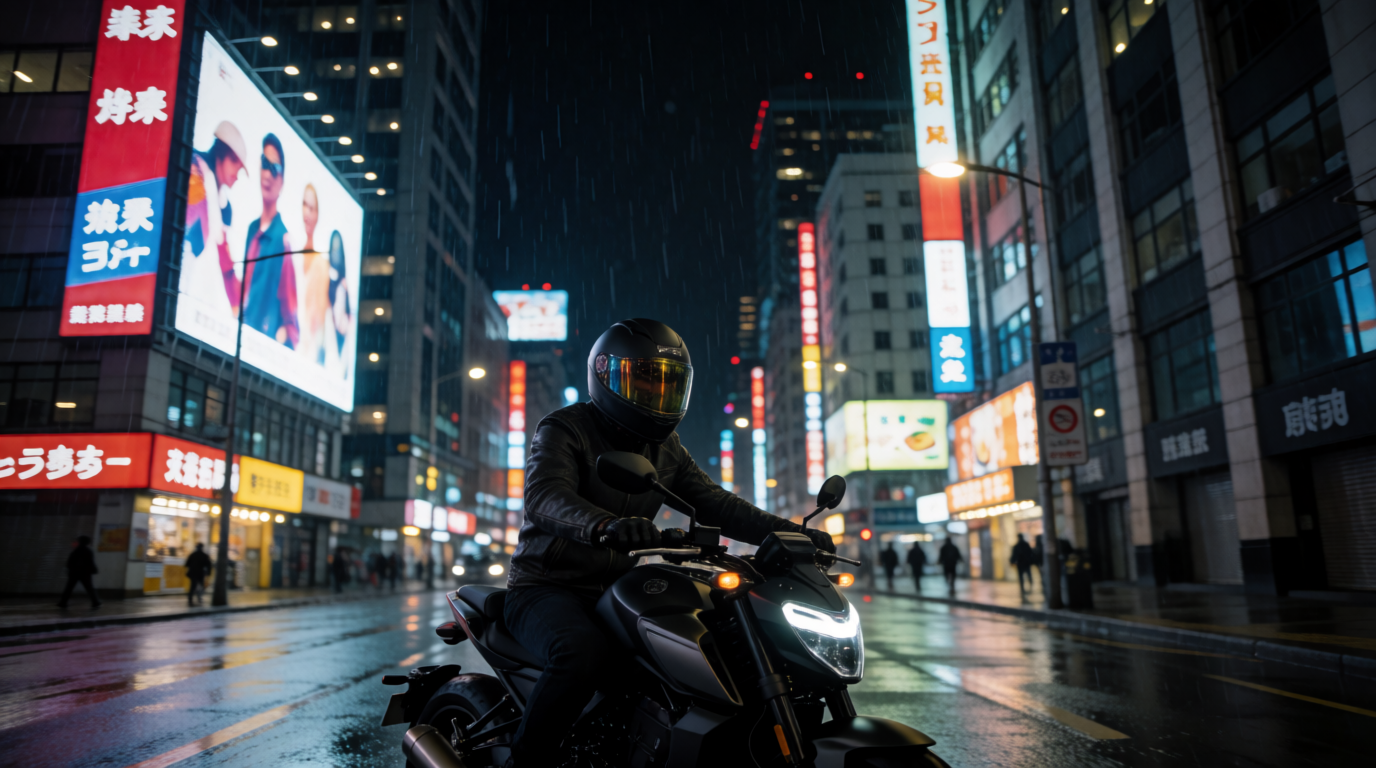
Prompt (image to video, with the start frame above):
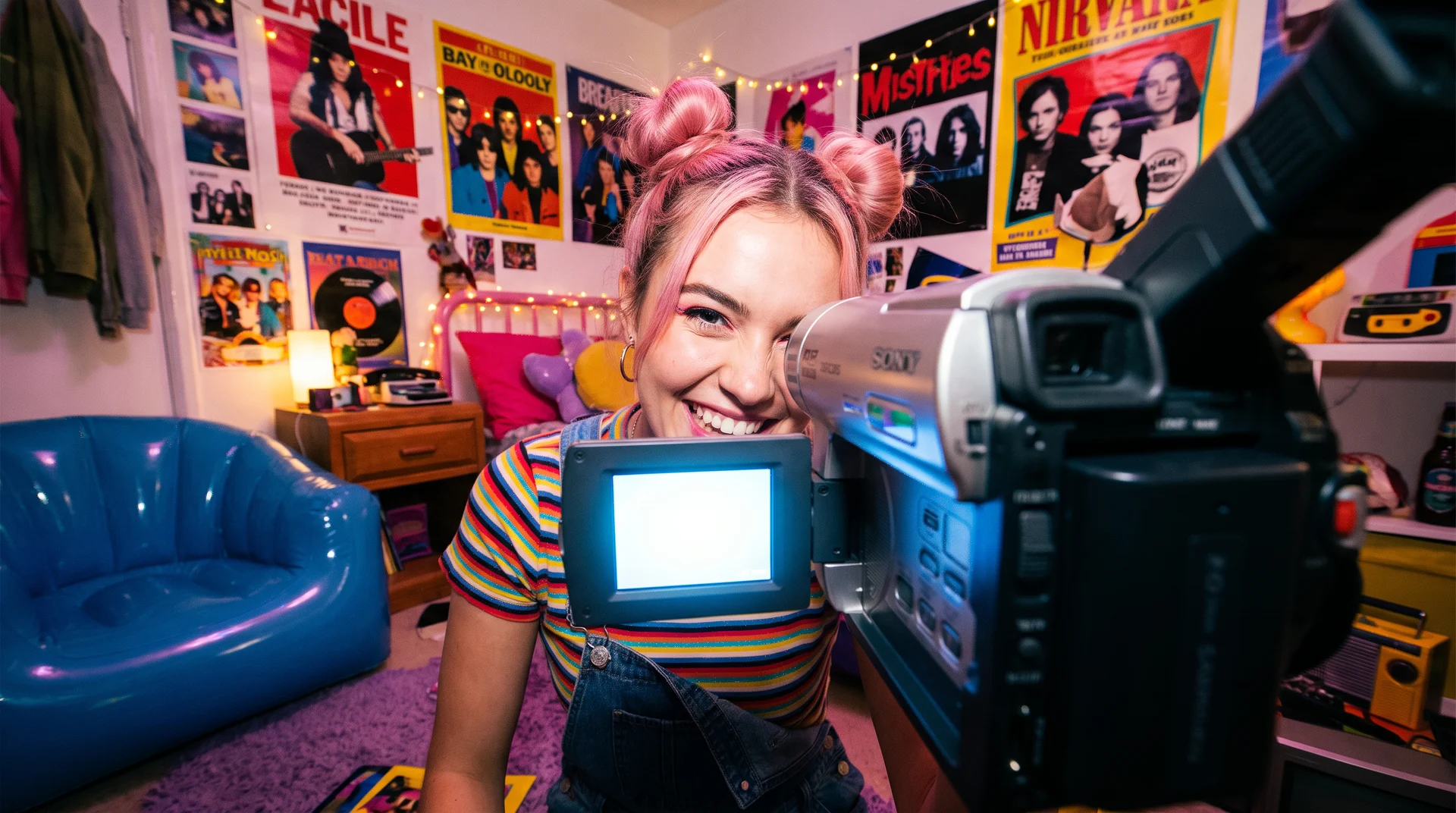
The motorcyclist rides slowly away from the camera down the wet street. Slow tracking shot from behind at handlebar height, neon reflections ripple on the asphalt, light rain falls, the bike’s tail light glows red.
Prompt tips for image to video:
- One subject action, one camera move. “She turns her head toward the window, slow push-in” beats a paragraph of events.
- Don’t re-describe the image. Repeating colors and clothing can make the model drift or re-render them.
- Keep motion small for portraits and products. A head turn, a breath or a quarter-turn of a bottle holds up better than big gestures.
- Use an end frame for loops and product turns. Upload the same image as start and end for a seamless loop.
Which image to video AI should you pick?
- You want the best free daily allowance → Google Flow. 50 credits a day, about five Veo 3.1 Lite clips.
- You want long, controlled clips from one model → Kling 4.0, up to 30 seconds with up to 10 keyframes on Kling’s app.
- You want to try several frontier models on the same image under one plan → Krea. Kling 4.0, Seedance 2.5, Veo 3.1, MiniMax H3 and Wan 3.0 from $5/month billed yearly, with Pro needed for Seedance 2.5.
- You need a talking photo or a presenter → HeyGen.
- You live in Adobe apps → Firefly. Clips are short, but there’s no watermark and Creative Cloud credits apply.
- You make anime or stylized motion → Vidu.
For text to video and a model-by-model view, see the 5 best AI video models on Krea in 2026 and the best free AI video generators in 2026.
FAQ
Frequently asked questions
What is the best image to video AI in 2026?
Is there a free image to video AI?
How do I turn a photo into a video with AI?
Which image to video AI makes the longest clips?
Can I set a start and end frame in image to video AI?
What is the difference between image to video and text to video?
Can I use image to video AI output commercially?
Turn your photo into a video
Upload one image and try Kling 4.0, Seedance 2.5, Veo 3.1 and MiniMax H3 on it side by side.
Start with image to video