Yes, you can make money with Canva, and there are two very different ways to do it. The first is inside Canva: the Canva Creators program pays royalties when people use your templates. The second is outside Canva: you design templates, printables, or print-on-demand products in Canva and sell them on Etsy or your own shop. Both work, but the rules catch people out. The most common mistake is selling a template file that breaks Canva’s license. This guide covers how each route pays, what each one forbids, and where AI art fits.
Ways to earn with Canva at a glance
| Route | Who can do it now | How you get paid | Main rule to know |
|---|---|---|---|
| Canva Creators (templates) | Designers accepted by portfolio application | Monthly share of a royalty pool, based on template usage | Template program is in beta; answers can take a couple of months |
| Canva Creators (elements) | Nobody new right now | Share of the pool, based on Pro element exports | Element sign-ups are paused |
| Sell Canva templates on Etsy | Anyone with a Canva account and an Etsy shop | Etsy sale price minus Etsy fees | Templates with Pro Content must be sold as Canva template links, not files |
| Print-on-demand from Canva designs | Anyone | POD margin per sale | Design must be original; no single Canva element printed as-is |
| E-books and printables | Anyone | Sale price on your platform | Unedited Pro images stay under 480,000 pixels |
| Canva affiliate (Canvassador) | Nobody new right now | Affiliate commission | Program is closed for applications |
Sources: About the Canva Creators program, Canva Creators, Use Canva to design products for sale, Canva’s Content License Agreement, Canvassador and affiliate program, and Etsy Fee Basics.
Selling art, not templates?
Krea generates original artwork for prints, stickers, and shirts. Commercial use needs a paid plan.
Try Krea 2 freeHow we verified this
We read every rule and number here from a Canva, Etsy, or Krea page in September 2026, and each one links to its source. For Krea, we read krea.ai/pricing at the check-and-cross level. Canva does not publish royalty amounts, so this post gives none. Every image is a single raw Krea 2 generation from the exact prompt printed beside it, made to illustrate an idea, not to show a real Canva or Etsy screen.
Do Canva creators get paid?
Yes, through royalties. The Creators help article states it plainly: “All Creators get paid every time someone uses their work in a Canva project.” There are three kinds of Creator:
- Template Creators — mostly graphic designers. They build editable templates for presentations, social posts, videos, t-shirts, flyers, and posters.
- Element Creators — photographers, illustrators, typographers, videographers, and audio producers. They supply single assets: photos, graphics, icons, stickers, clips, and music.
- Specialty Creators — for example, verified teachers who make education resources.
How the money works. Canva pays from a royalty pool, not a fixed rate per download. The pool “grows with Canva’s subscription revenues and is calculated every month.” For templates, your share depends on your template usages, which Canva defines as each time a design is downloaded, printed, or presented. Creators are paid for both Free and Pro template usage. For elements, your share depends on Pro element exports only. Canva calls the pool size “confidential business information,” so nobody outside Canva can tell you what one use is worth.
When and how you are paid. The payout setup article says Canva aims to pay on the 15th of each month, once your balance reaches the payout threshold. That threshold is US$10, or US$25 for wire transfers, measured after withholding tax. Payouts now run through Trolley, to a bank account (Payoneer and Wise receiving accounts work through the bank-transfer option) or to PayPal in USD. You also need a W-8 or W-9 tax form on file before Canva can pay you.
A single raw Krea 2 generation from the prompt below. It illustrates design work that earns money. It is not a Canva asset.
Prompt (Krea 2 Turbo, 16:9, 1K):
A single oversized gold coin balanced on the tip of a paintbrush, flat saturated cobalt blue background, hard black cast shadow, engraving-style cross hatching on the coin and brush, surreal single subject, bold graphic poster look, no text
Variation tips: change the background colour to match your shop’s brand.
How do you become a Canva Creator?
Only one door is open right now. The Template Creator program takes applications through a portfolio form. Canva says the program “is currently in beta, and it may take up to a couple of months to receive an answer.” Element Creator sign-ups are on hold, and the separate Contributors page also says new sign-ups are paused. Education Specialty Creators must be verified teachers with a Canva for Education account.
The Creators page lists what a Template Creator portfolio needs:
- A public link with no login, holding 5 to 10 high-quality design examples.
- A mix of formats, such as social posts, presentations, and documents.
- Solid fundamentals: alignment, balance, spacing, colour, and typography.
- Only work you created yourself.
The AI rule. Canva encourages AI for ideas and speed, but it rejects templates and elements “generated using AI tools to the degree where you could not consider the final content wholly yours.” Submissions with obvious AI-generated content, or that you cannot prove you made, fail review. So AI art from Krea, or any other generator, is not a shortcut into the Creators library.
Settings recipe (portfolio for a Template Creator application):
Pick one niche you know, such as small-cafe marketing. Build 8 designs in Canva from blank pages: 3 Instagram posts, 2 presentation covers, 1 menu, 1 flyer, 1 story. Use one type pairing and one palette across all 8. Export as PNG, place them on a public page with no login, and link that page in the form.
Variation tips: a narrow niche with one consistent system reads stronger than 10 unrelated designs.
A single raw Krea 2 generation from the prompt below. It illustrates a stack of template layouts, not real Canva templates.
Prompt (Krea 2 Turbo, 16:9, 1K):
A tall stack of blank paper planner pages and greeting cards fanned out like a deck of playing cards, flat saturated vermilion red background, hard long shadow, fine engraving hatching on the paper edges, surreal single subject, bold graphic poster look, no text
Variation tips: this output came back cleaner and more photographic than the prompt’s “engraving hatching” asked for. If you want the etched look, push it harder with “black ink etching, visible line work”.
Where the Creators program stops: you cannot set your price, you cannot see the pool size, applications are slow, and two of the three entry routes are closed today.
Can I sell Canva templates on Etsy?
Yes, and Canva uses that exact case as its example. In the products-for-sale guide, a designer named Zahir sells wedding invitation templates on Etsy. Canva’s verdict decides how you deliver the product:
- Templates with Pro Content are allowed only as Canva template links. The buyer opens the link and edits inside Canva.
- Templates with only Free Content and your own photos can be sold as PDFs or as template links.
- You can’t sell a template with Pro Content as a PDF or any other file type, “whether flattened or not.”
Three more rules apply:
- It must be an original design. You can’t resell an existing Canva template as-is. Canva’s test: “Is what I’m selling a unique design that I’ve put creative effort into?”
- It must be a real template. Canva defines a template as a layout the buyer edits to finish. A wedding invitation counts. An e-book does not, even with fill-in sections.
- No stock resale. You can’t use Canva Free or Pro Content to build clipart or stock files for use outside Canva.
The Content License Agreement backs this up: it permits “design templates solely for use on Canva.”
What Etsy charges. Etsy Fee Basics lists a $0.20 USD listing fee per listing, charged whether or not it sells, and a 6.5% transaction fee on the order total. In the United States, payment processing adds 3% + $0.25 USD per order. On a $10 template, that is about $1.40 in fees before any ads.
A single raw Krea 2 generation from the prompt below. It illustrates a small online shop. It is not an Etsy screen.
Prompt (Krea 2 Turbo, 16:9, 1K):
A tiny wooden market stall sitting on top of a giant open cardboard shipping box, flat saturated sunflower yellow background, hard black shadow, engraving-style hatching on the wood grain and cardboard, surreal single subject, bold graphic poster look, no text
Canva prompt (Magic Design, for an Etsy template set):
Wedding invitation suite: invitation, RSVP card, and details card. Soft sage and ivory palette, serif headings, lots of white space, clear placeholder text for names, date, and venue.
Variation tips: treat the Magic Design output as a starting draft only. Rebuild the layout, type, and colour so the final set is your original design, as Canva’s rules require.
What you can and can’t sell with Canva content
| You want to sell | Allowed? | Condition |
|---|---|---|
| Editable template with Pro Content | Yes | Only as a Canva template link |
| Editable template with Free Content and your own photos | Yes | As a PDF or a template link |
| Existing Canva template, lightly edited | No | Counts as resale of Canva’s content |
| T-shirt with a single Canva graphic | No | Standalone use |
| T-shirt with your own layout of type and graphics | Yes | Original design; check the POD service’s copyright terms |
| Clipart or sticker PNG pack from Canva elements | No | Counts as stock resale |
| Printable greeting card (buyer can’t edit) | Yes | Original design |
| E-book with Canva stock photos | Yes | Unedited Pro images stay under 480,000 pixels |
| Image made with Canva’s own AI features | Yes | Not under the Content License Agreement; follow Canva’s AI Product Terms |
All rows are from Canva’s products-for-sale guide.
A single raw Krea 2 generation from the prompt below. It illustrates licensing as the key to selling. It is not a Canva asset.
Prompt (Krea 2 Turbo, 16:9, 1K):
A giant antique brass key standing upright like a monument, its bow shaped like a picture frame, flat saturated emerald green background, hard black shadow, engraving-style line hatching, surreal single subject, bold graphic poster look, no text
Variation tips: an object-as-metaphor works for a policy topic because it needs no screenshot.
Can I earn money from Canva with print-on-demand?
Yes, if the design is yours. The products-for-sale guide allows posters, mugs, t-shirts, and stickers designed with Free and Pro Content, with two limits. First, you can’t print Canva content as-is, and one element with a border still counts as standalone use. Second, some print-on-demand services make you agree that you own the copyright in every upload. You only hold a license to Canva content, so you can’t use it there. Services that only ask you to confirm the right to use the design are fine.
Your own photos are the exception: you own their copyright, so a poster of your photo with a border is fine.
A single raw Krea 2 generation from the prompt below. It is a Krea mockup, not a Canva design or a real product.
Prompt (Krea 2 Turbo, 16:9, 1K):
A plain white t-shirt floating in mid-air with a small orange sun printed on the chest, flat saturated violet background, hard drop shadow below, engraving-style hatching in the fabric folds, surreal single subject, bold graphic poster look, no text
Variation tips: a floating product on a flat colour field makes a clean thumbnail. For the full workflow, see how to design a t-shirt with AI.
Where POD stops: margins are thin after the base product cost, and the copyright clause of each POD service decides whether Canva content is usable at all.
Where Krea fits if you sell art
Krea is not a template tool. It has no editable layouts, no template links, and no royalty marketplace.
Krea fits when the product is the artwork itself: a print, a sticker sheet, a shirt graphic, or a colouring page. You generate originals with Krea 2 or the image generator, fix details in the AI image editor, and upscale for print with the enhancer. Etsy allows this. Its What Can I Sell page puts “seller-prompted AI creations” under “Designed by a seller,” and it says they “must disclose the use of AI.”
Check the plan before you sell. On krea.ai/pricing, the Free plan gives 100 compute units a day on Krea 2 images, with no credit card. The Free column shows a cross on the commercial license. The commercial license starts on Basic, at $9/month ($5/month billed yearly), with 5,000 compute units a month and the full image and video model library. Free also caps upscaling at 2K, which may be small for a large poster.
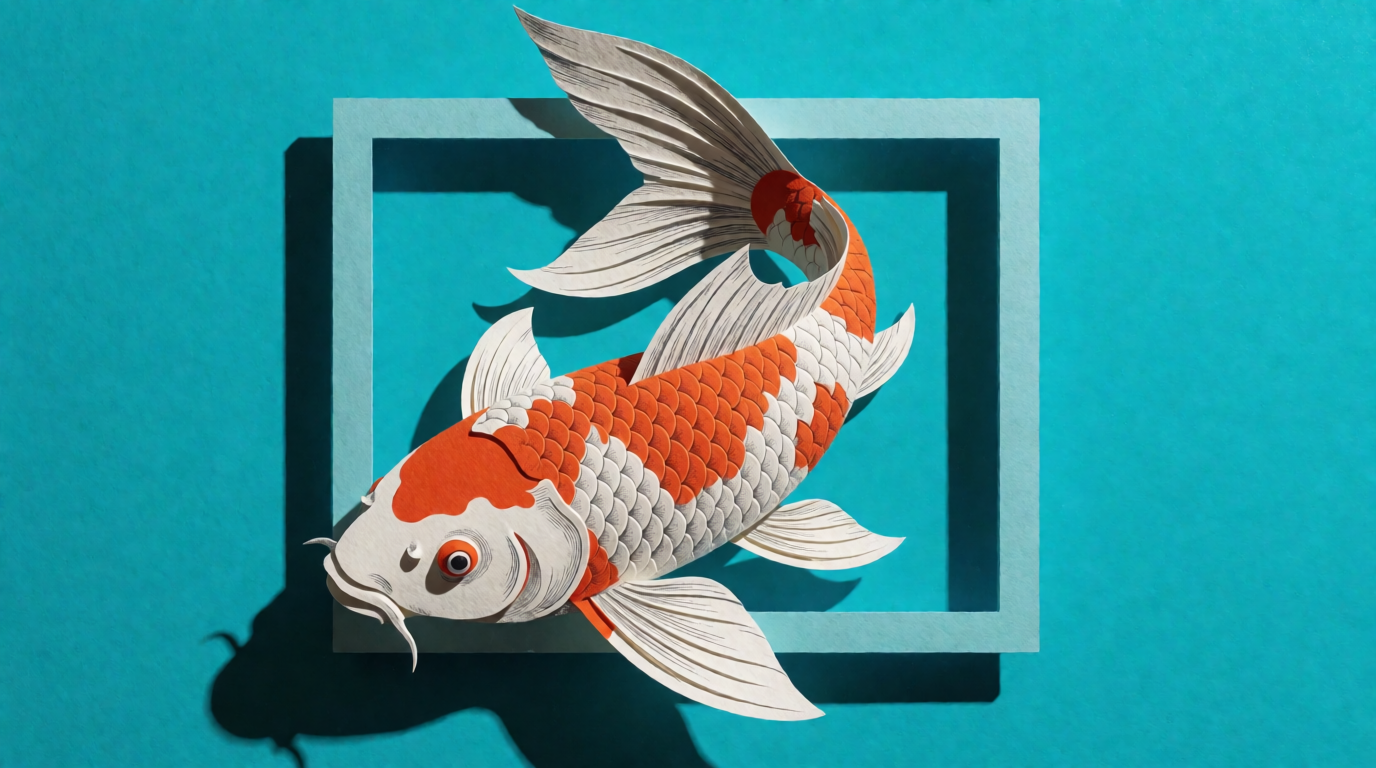
A single raw Krea 2 generation from the prompt below, the kind of original art print a seller might list. It is not a Canva asset.
Prompt (Krea 2 Turbo, 16:9, 1K):
A paper-cut koi fish swimming out of an empty picture frame, flat saturated turquoise background, hard offset shadow, engraving-style hatching on the scales, surreal single subject, bold graphic poster look, no text
Variation tips: for a print series, keep the style words fixed and swap only the subject: a crane, a fox, a moth.
Try Krea 2 free. For colouring-page products, see free colouring page generators. For wall art, see how to design a poster with AI.
Where Krea stops: no template editing or template links, no commercial license on Free, and Canva Creators will reject art that is mostly AI-generated.
Which route should you pick?
Pick by what you already have:
- A strong design portfolio and patience → apply as a Canva Template Creator. Expect a wait of up to a couple of months and a monthly royalty you can’t forecast.
- A niche and a shop → sell editable Canva templates on Etsy. Use template links if you use any Pro Content, and budget about 14% of a $10 sale for Etsy fees.
- Original type-and-graphic designs → print-on-demand. First confirm the service does not require you to own the copyright.
- You sell the art itself, not a layout → generate originals in Krea on a paid plan, disclose AI use on Etsy, and add your own type or layout in Canva if you want.
- You mainly want to know what Canva costs first → see is Canva free. Canva Pro is US$144/year for one person on Canva’s pricing page. For other design tools, see Canva alternatives.
Frequently asked questions
Apakah kreator Canva dibayar? (Do Canva creators get paid?)
Can I sell Canva templates on Etsy?
Can I earn money from Canva?
How much does Canva pay per template use?
Can I sell AI-generated art made in Canva or Krea?
What fees does Etsy charge on a Canva template sale?
Make the art you sell
Krea 2 is free at 100 compute units a day for trying ideas. Basic adds the commercial license at $9/month ($5/month billed yearly).
Try Krea free