Yes, there is an AI for product photos — there are dozens, and that is the problem. The real question for an e-commerce team is not “can AI put my product on a marble slab” (it can), but which tool survives contact with a real catalog: fifty SKUs, a brand style guide, a product-detail page that needs 2000px images, and a label that must read exactly right in every shot.
This guide answers that with a working pipeline — generate the scene, edit the wrong details, upscale for the PDP — plus the dedicated product-photo tools worth knowing (Photoroom, Flair.ai, Claid), five copy-paste scene prompts with their raw outputs, and an honest section on when you should still book a photographer.
AI product photography tools at a glance
| Tool | Best for | Entry price | Free route | Catch |
|---|---|---|---|---|
| Krea | Full pipeline: generate, edit, upscale in one place | Free plan (Krea 2 images); pipeline on paid tiers | 100 compute units/day | General tool — no SKU/catalog management |
| Photoroom | Batch background swaps at marketplace scale | Pro ~$7.50/mo billed yearly | Free app tier + 1,000 watermarked API sandbox calls/mo | Free exports capped and watermarked; scene generation is template-driven |
| Flair.ai | Branded scene templates and custom-trained product models | Pro $8/mo | 5 generated images/mo, 1 video | Free tier has no commercial license |
| Claid | API-first pipelines and marketplace image compliance | ~$15/mo (Essential) | ~50 trial credits on signup | Built for developers; overkill for a handful of shots |
Prices checked August 2026 on the vendors’ pages; credit systems change often, so verify before committing a catalog to any of them.
Turn one product photo into a set
Attach a reference in Krea 2 and generate the whole scene around your product.
Try Krea 2How we chose and tested
We approached this as an e-commerce team would: take one product reference image, produce a lifestyle scene, fix the details the model got wrong, and export something big enough for a product-detail page. Tools that only do one of those steps are listed for what they do best. Every example image in this post is a raw, single Krea 2 generation from the prompt shown next to it — no retouching, no cherry-picking, so you can judge the floor, not a lucky ceiling.
The pipeline: generate, edit, upscale
The teams getting consistent results in 2026 do not treat AI product photography as one magic prompt. They run three deliberate steps.
Step 1 — Generate scenes from a product reference
Start from a clean photo of your actual product — a phone shot on a plain background works. In Krea 2, attach it as a reference image and describe the scene around it; in the image generator you can also pick third-party models if a specific look demands one. The reference keeps the product’s shape, colors, and general identity while the model builds the set, the lighting, and the surface it sits on.
Two habits separate usable batches from slot-machine prompting:
- Describe the photograph, not the product. The reference image carries the product; your words should carry lens, light, surface, and mood (“soft diffused daylight from the left, shallow depth of field”).
- Fix the scene, vary one thing. Keep the prompt constant and swap only the surface or backdrop between generations. That is how you get a PDP set that looks like one shoot instead of five different stock photos.
Step 2 — Edit the wrong details
No model gets everything right on generation one. Label text drifts, a cap changes shape, a reflection lands where your brand guide says it should not. Regenerating from scratch throws away the 90% that worked; editing keeps it. In Krea’s editor you select the offending region — the label, the shadow, the prop — and describe the fix, and the rest of the frame stays put.
This step is where AI product photography quietly became viable for real stores. In 2023 a wrong label meant the image was trash. In 2026 it is a 30-second fix.
Step 3 — Upscale for the PDP
Generation resolution is fine for a social post and marginal for a product page, where customers zoom. Run finals through the Enhancer to reach print- and zoom-safe resolution while sharpening real texture — fabric weave, glass edges, embossed logos — rather than smearing detail. For a comparison of upscaling options and when each wins, see our guide to the best AI image upscalers.
The whole loop runs on one Krea subscription; the free tier (100 compute units per day) covers the generation step on Krea 2 plus basic 2K upscaling, and the editor, the 8K Enhancer, and the commercial license come with paid plans. Where Krea stops: it is a general creative tool, not a catalog manager. There is no SKU database, no marketplace-spec export presets, and no bulk “swap this background across 500 images” button — that is exactly the gap the dedicated tools below fill. Try the pipeline on Krea.
Photoroom — batch product images at marketplace scale
Photoroom built its business on one job: take a seller’s product photo, cut the background, and put the product on a clean or AI-generated backdrop — then do it a thousand more times. The free app tier is enough to evaluate it, with capped, watermarked exports; the Pro plan (about $7.50/month billed yearly) removes watermarks and unlocks batch editing, with plans metered by monthly exports and AI credits. Developers get 1,000 watermarked sandbox API calls per month plus 10 free production background-removal calls to test an integration.
Settings recipe (no prompt box needed): upload your product shot → Background Remover → AI Backgrounds → pick or describe a scene → batch-apply the winning scene to the rest of the SKU folder → export at your marketplace’s spec. For a closer look at cutout quality on hard edges, see our comparison of the best AI background removers.
Variation tip: lock one approved scene as a template before batch-applying; per-image scene roulette is how catalogs end up looking inconsistent.
Where it stops: Photoroom composites your original photo onto a generated backdrop, so it inherits your source photo’s angle and lighting — it will not invent a new camera angle or a water splash. Complex scene generation and fine regional editing are thinner than in a full generation tool.
Flair.ai — branded templates and custom product models
Flair.ai is a design-canvas take on product photography: drag your product into a scene template, arrange props and lighting presets, and generate. Its standout feature is custom models — train one on your product so it renders consistently across many scenes. The free tier is a demo (5 generated images a month, 1 video, no commercial license); Pro is $8/month, and the commercial license arrives with Pro+ at $26/month for 80 generated images, with Scale at $38/month adding API early access.
Settings recipe: upload 5-10 shots of your product → train a custom model → place it in a template scene → generate 4 variants → upscale the winner.
Variation tip: spend your small monthly quota on one scene concept at a time; the credit math punishes exploratory spraying.
Where it stops: the generated-image quotas are tight at every tier compared with general tools, and — read this twice if you sell things — free-tier images carry no commercial license, so nothing from the trial can legally ship on your store.
Claid — the API-first option for pipelines
Claid targets teams that treat product imagery as infrastructure: marketplaces, aggregators, and stores with thousands of SKUs flowing through an automated pipeline. Its API handles enhancement, background generation, and marketplace-compliance transforms (sizing, padding, format) in one pass. Subscriptions run on credits — roughly $15/month for the Essential tier and $49/month for Pro per its published plans, with a ~50-credit free trial on signup and self-serve API pricing sold in credit packs above that.
Settings recipe (API): POST your image with an operations object — background removal + generated scene + resize to marketplace spec — and receive the finished asset; batch endpoints handle folders.
Variation tip: prototype operations one at a time in the web app before chaining them in the API; failed multi-operation calls still burn credits.
Where it stops: Claid is a developer product. If your team’s “pipeline” is one person with a folder of photos, the web tools above get you there with far less setup.
Five copy-paste product-scene prompts
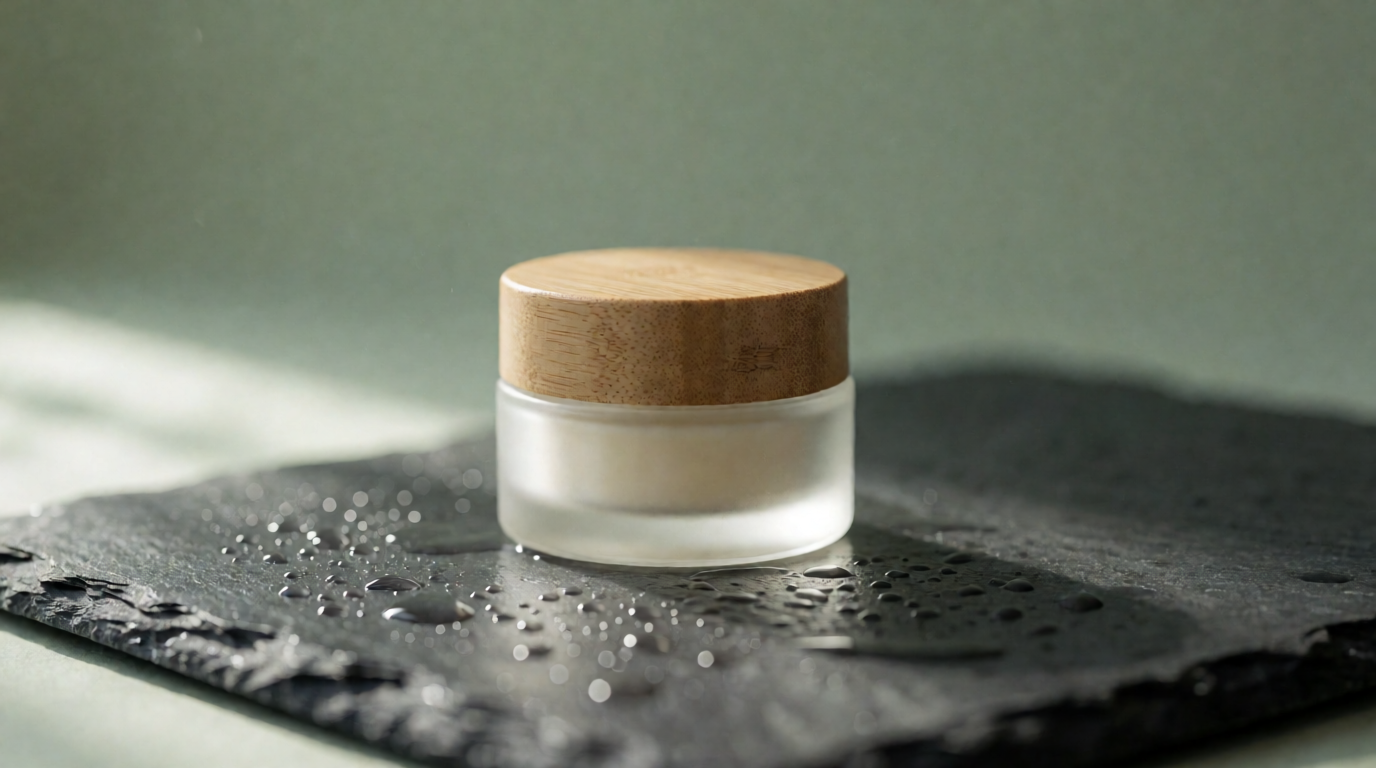
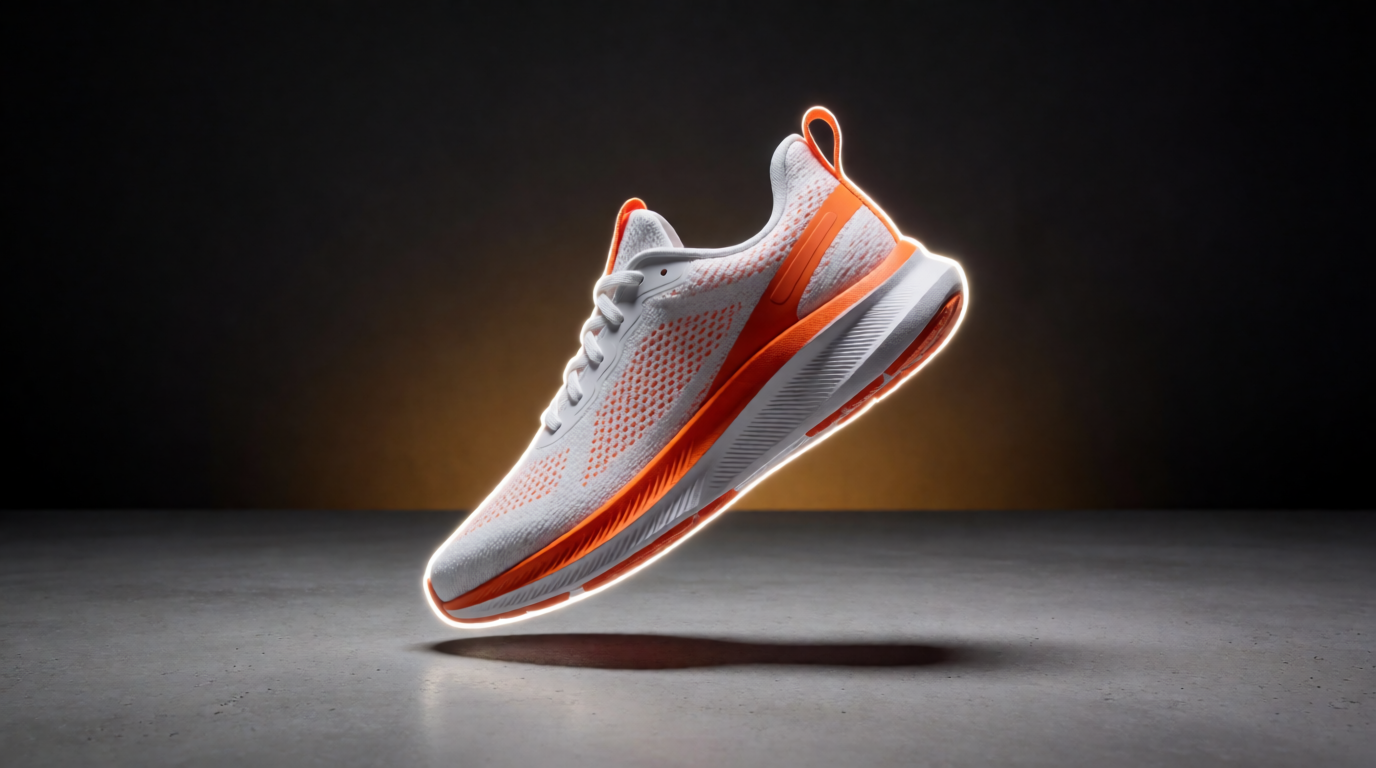
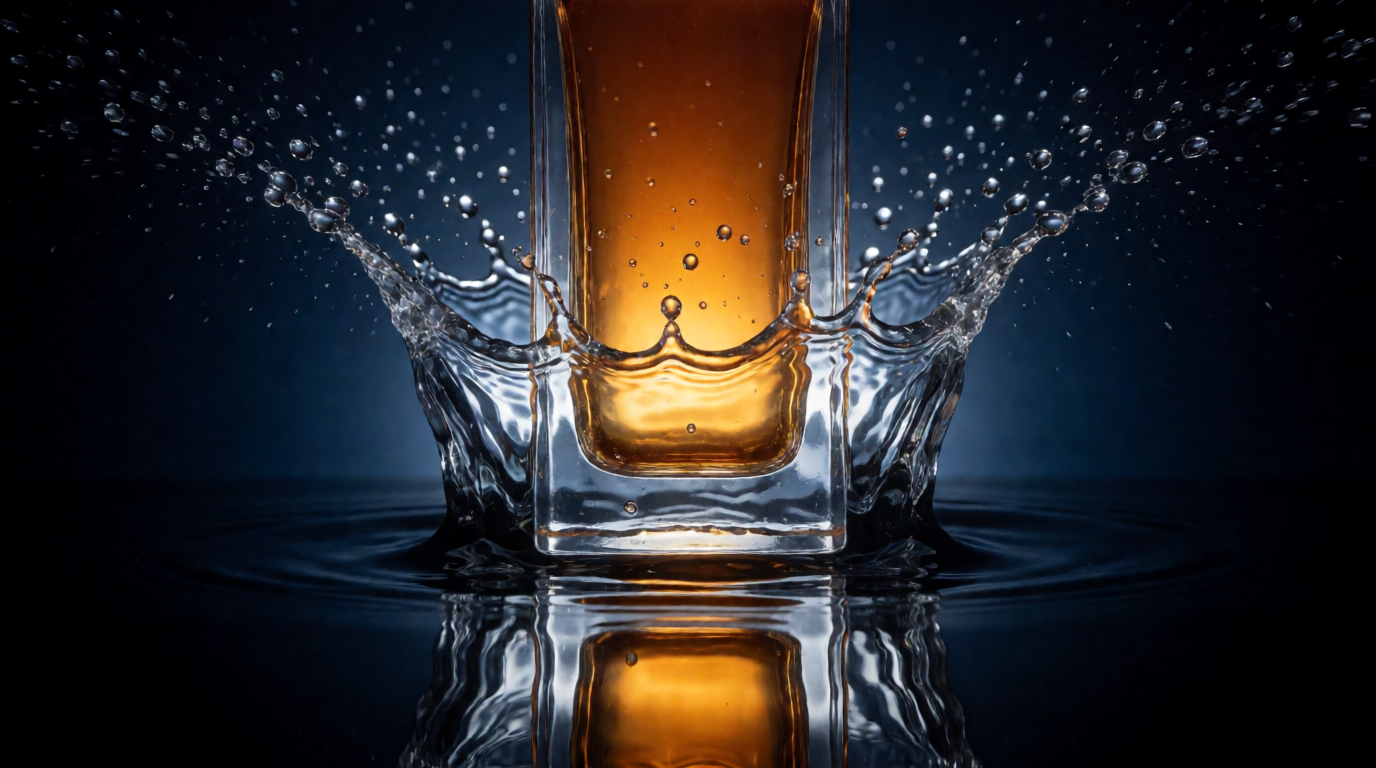
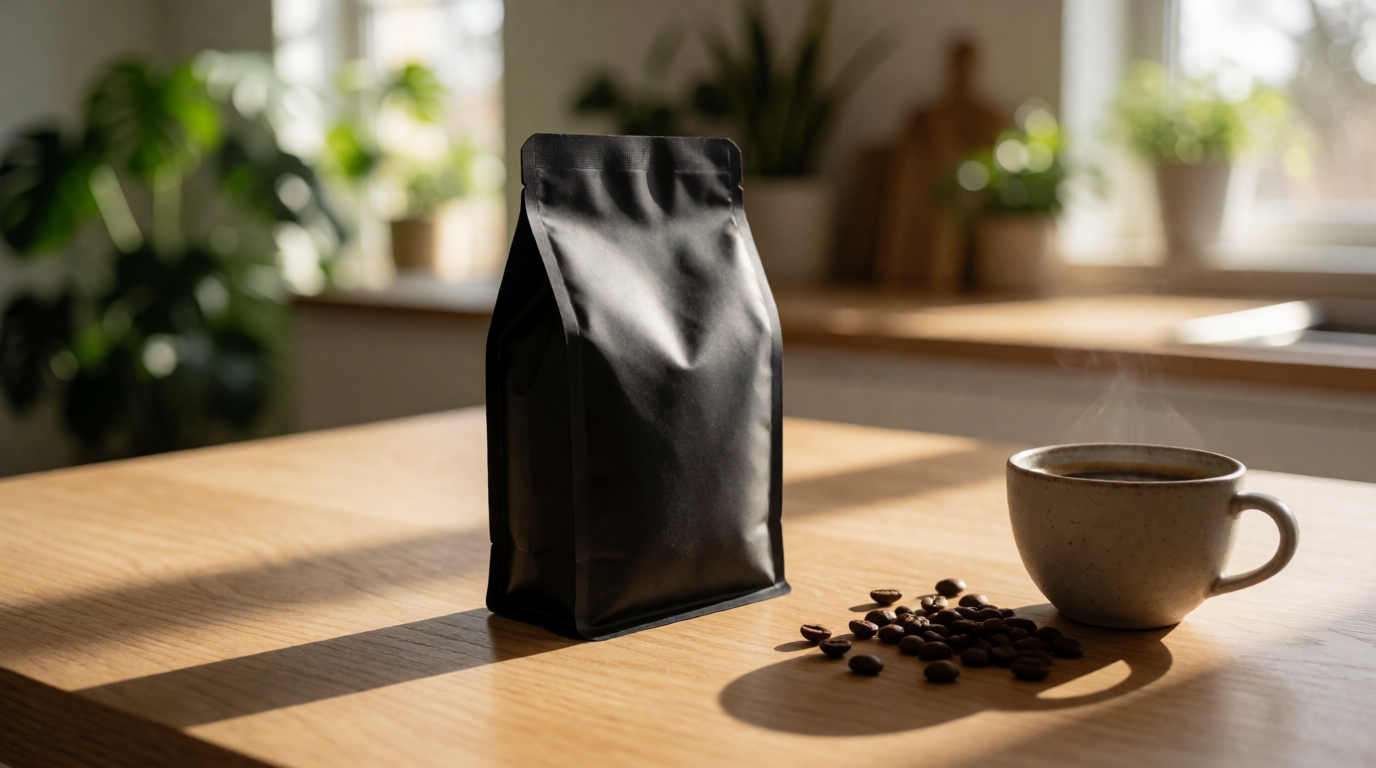
Each image below is the raw Krea 2 (medium turbo) output of the exact prompt above it — single generation, no editing, no upscaling, generated from text only. Swap in your product via a reference image and keep the scene language.
1. Cosmetics jar on wet stone
Product photograph of a frosted glass cosmetics jar with a bamboo lid on a wet slate stone slab, soft diffused daylight from the left, fine water droplets on the stone, muted sage-green background, shallow depth of field, high-end skincare campaign look
2. Floating sneaker
Dynamic product shot of a white and orange running sneaker floating mid-air at a slight angle, suspended above a matte concrete floor, dramatic rim lighting, soft shadow directly below, dark studio background with a warm spotlight gradient, sharp focus on the mesh texture
3. Perfume in a water splash
Luxury perfume bottle frozen mid-splash in clear water, crown of water droplets suspended around the glass, amber liquid inside the bottle glowing under a single hard backlight, deep navy background, high-speed commercial photography style, crisp reflections
4. Coffee bag on a kitchen counter
Lifestyle product photograph of a matte black coffee bag standing on a light oak kitchen counter, morning sunlight through a window casting long soft shadows, a ceramic cup of coffee and scattered roasted beans beside it, blurred plants in the background, warm editorial feel
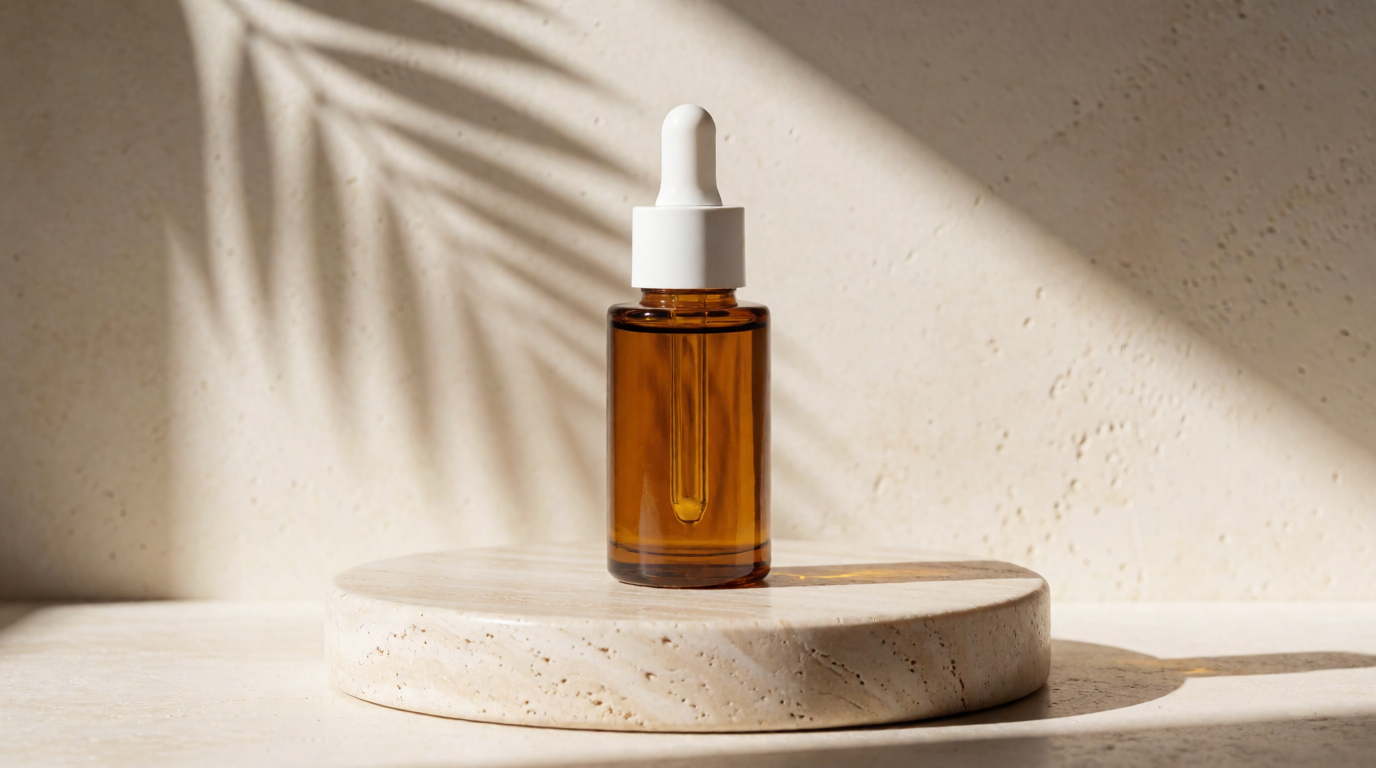
5. Serum bottle with hard shadow play
Minimal product photograph of an amber glass serum bottle with a white dropper cap on a round travertine pedestal, strong directional sunlight creating a hard diagonal shadow of a palm leaf across a cream wall, warm tones, editorial skincare advertisement style
For more scene language in this vein, our prompt libraries for lifestyle product shots, product mockups and packaging renders, and t-shirt graphic design go deeper.
When you still need a photographer
Honest answer to “can AI replace product photography”: for a large share of e-commerce imagery — lifestyle scenes, seasonal backdrops, ad variants — it already has. But three categories still belong to a camera in 2026:
- Regulated and claim-sensitive categories. Supplements, cosmetics with efficacy claims, food labeling, medical devices: if regulators or marketplaces can challenge whether the image faithfully represents the physical product, shoot the real thing. An AI render of a nutrition label is a compliance incident waiting to happen.
- Exact-material fidelity. Woven textiles, brushed metals, gemstones, leather grain — surfaces customers zoom into before paying real money. Generation gets close; “close” is what drives returns when the delivered texture differs from the picture.
- Hero campaigns. The one image that defines a launch, with talent, art direction, and rights negotiated around it. AI belongs in that process as the previsualization layer — boards, angles, lighting tests — not as the final asset.
The efficient split most teams land on: photograph the product once, properly, then let the pipeline above multiply that one truthful capture into every scene the catalog needs.
Pipeline coverage compared
| Capability | Krea | Photoroom | Flair.ai | Claid |
|---|---|---|---|---|
| Generate new scenes from a reference | Yes | Backdrops behind your photo | Yes, template-driven | Yes, via API |
| Regional editing (fix a detail) | Yes (/edit) | Basic retouch | Limited | No (re-process) |
| Upscaling for PDP zoom | Yes (Enhancer) | Resolution tiers by plan | Upscales on paid tiers | Yes, enhancement API |
| Batch across many SKUs | Manual | Yes — core strength | Limited | Yes — via API |
| Custom model of your product | Style references | No | Yes — core strength | Enterprise |
| Commercial use on free tier | Yes | Watermarked exports | No | Trial credits |
Which should you pick?
- You want one tool for the whole generate → edit → upscale loop → Krea; start free and prove the pipeline on ten SKUs.
- You have hundreds of existing product photos that need clean, consistent backgrounds → Photoroom.
- You need the same product rendered consistently across many branded scenes → Flair.ai with a custom model — on a paid tier, for the license.
- Product imagery is a step in your backend, not a person’s job → Claid’s API.
- The image is legal evidence of what the buyer receives → a photographer, with AI handling the lifestyle set around it.
Frequently asked questions
Is there an AI for product photos?
How do I make AI product photography?
Can AI replace product photography?
What is the best free AI product photo generator?
How much does AI product photography cost in 2026?
Are AI product photos safe to use on marketplaces?
Build your product-photo pipeline on Krea
Generate scenes with Krea 2 from a product reference, fix details in the editor, and upscale for your product page — start free, upgrade for the full pipeline and commercial use.
Try Krea free