Designing a business card or an invitation card splits into two different jobs, and most searches for “best card maker” mix them up. Job one: you need a physical card printed and mailed to you — a stack of business cards for a trade show, or wedding invitations for 80 guests. Job two: you need a card design fast, maybe only for a digital share, and printing is someone else’s problem. VistaPrint and Canva solve job one. Adobe Express and Looka solve job two, each with a different starting point. Krea solves neither directly — it generates original card artwork from a text prompt, which you then place in one of the other four. This guide compares all five by price, free tier, and what each one is actually built to do.
The best business card and invitation card makers at a glance
| # | Tool | Best for | Price model (Sep 2026) | Free route |
|---|---|---|---|---|
| 1 | VistaPrint | The default: templates plus print-and-ship | Pay-per-order; 50 business cards from $10 | Free design tool, no subscription |
| 2 | Canva | Free templates with in-house print-and-ship | Free forever; Pro $18/mo or $144/yr | Full free tier, no credit card |
| 3 | Adobe Express | Fastest free, watermark-free download | Free; Premium $9.99/mo | Free plan, no printing built in |
| 4 | Looka | Logo first, matching card in a brand kit | Free to design; Brand Kit $96/yr | Design free, pay to download |
| 5 | Krea | Original card and invitation artwork from a prompt | Free plan; paid from $9/mo | 100 compute units/day |
Generate original card artwork from a prompt
Skip the template search — describe the background or texture you want and Krea 2 generates it in seconds.
Try Krea 2How we chose and tested
Prices and plan details below come from each vendor’s own pricing and product pages as of September 2026: VistaPrint business cards, Canva pricing and Canva business cards, Adobe Express pricing, and Looka pricing. Krea’s own pricing covers the fifth. Every card and invitation image in this post is a raw, single Krea 2 generation from the exact prompt printed beside it — no retouching, no text added afterward, no cherry-picking. Krea has no business-card or invitation-card templates and no print fulfillment, so its examples are backgrounds and textures, not finished laid-out cards; VistaPrint, Canva, Adobe Express, and Looka are template-and-layout tools, so their sections describe the click path instead of showing a generated image.
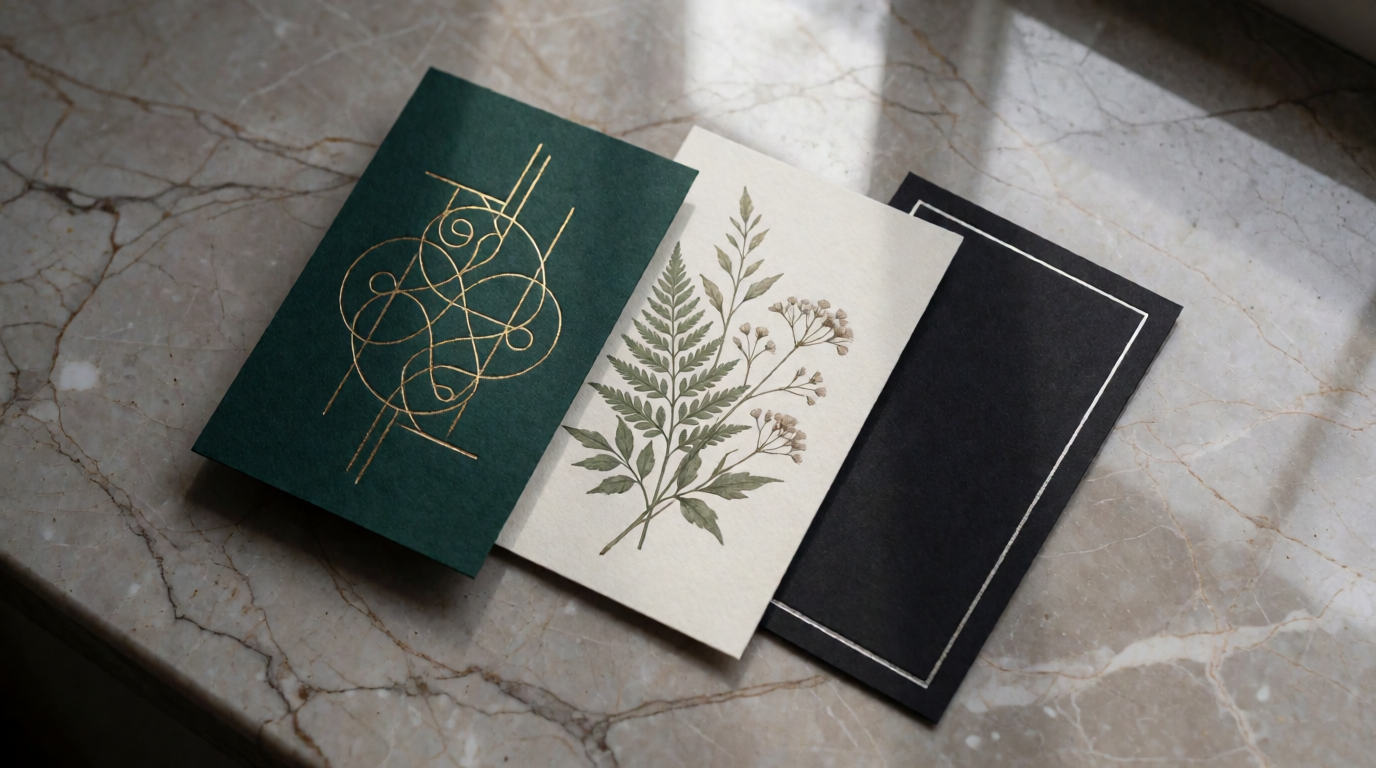
To see what a card background looks like straight out of the model, here’s the flat-lay concept for this post — three different card styles, no fixed text baked in so any of them could carry a different name and title:
flat lay of three custom-designed business cards on a warm gray marble surface, one deep emerald card with gold foil linework, one cream card with a pressed botanical illustration, one matte black card with a thin silver border, soft natural window light, shallow depth of field, minimal styling, no readable text
What actually makes a business card or invitation work
- One glance, one message. A business card needs a name, a role, and a way to reach you — legible at arm’s length. An invitation needs the who, what, when, and where, in that order of visual weight.
- Paper stock reads before the design does. A flimsy card undercuts a good design faster than a plain one on heavy stock. If you’re printing, budget for the upgrade.
- Template vs. generated art. If a template already matches the mood you want, editing one is faster than generating art from scratch. If you want something a template library doesn’t have, generating the background first and dropping a template’s text layer over it is the faster path.
- Digital-only vs. print. A card that only needs to exist as an email signature or a shared PDF doesn’t need bleed margins or a print vendor at all — that cuts Adobe Express and Looka’s brand kit into contention alongside VistaPrint and Canva.
1. VistaPrint — the default, and what “an alternative to VistaPrint” usually means
VistaPrint is the card printer most people already know: thousands of templates, an upload-your-own-design option, and a 3D preview before you order. Paper options run from matte and glossy to soft-touch, linen, and kraft, with shape options beyond the standard rectangle (rounded corner, square, circle, leaf) and finishes like foil accent and raised foil. Standard business cards start at $10 for 50 cards. VistaPrint’s design tool itself is free to use — there’s no subscription — you pay per print order. Invitations live in a separate stationery line (wedding invitations, event invitations, thank-you cards) built on the same VistaCreate-powered editor, with a “Print online” step that hands off to checkout.
Settings recipe:
Pick “Business Cards” or “Invitations” → choose a template near your final size → swap the placeholder text and photo → preview in 3D → select paper stock, finish, and quantity → checkout and ship.
Variation tip: use the 3D preview before ordering — it’s the fastest way to catch a foil or embossing choice that looks different on-screen than it will in hand.
Where it stops: VistaPrint’s template library skews traditional compared to Canva’s, and there’s no free digital-only export path — the tool is built around a print order, so a card you only need as a PDF or an email signature is a worse fit here than in Adobe Express, the same free-PDF gap that shows up in free resume builders.
2. Canva — free templates with in-house print-and-ship
Canva covers the same print-and-ship job as VistaPrint with a larger free template library. The Free plan is genuinely free forever, no credit card required, and already includes free printable business card templates you can customize and order with standard shipping. Canva Pro is $18/month or $144/year and adds the premium template library, background remover, brand kit, and one-click resize across formats; Canva Business (formerly Teams) is $25/user/month or $250/user/year for shared brand controls. Canva’s own print service starts at $14.50 for 50 business cards, with economy shipping taking up to 14 business days.
Settings recipe:
Search “business card” or “invitation” → pick a template near your final size → replace the placeholder photo and text → use Brand Kit to lock your colors and logo if you have Pro → click Print → choose paper and quantity → checkout.
Variation tip: Canva’s Resize feature turns a finished business card design into a matching digital contact card or social graphic without starting over.
Where it stops: the free plan’s template and stock library is noticeably smaller than Pro’s, and like VistaPrint, ordering a physical print run adds cost and shipping time on top of any subscription — a purely digital card is faster to finish in Adobe Express.
3. Adobe Express — the fastest free, watermark-free download
Adobe Express skips printing entirely and focuses on a fast, clean, watermark-free download. The Free plan includes 100,000+ templates, 1M+ Adobe Stock photos and design elements, 4,000+ fonts, 5GB of storage, and 10-day version history — enough to design and export a full-resolution business card or invitation PDF with no subscription. Premium is $9.99/month with no annual commitment required, and adds 250 generative credits per month, the full premium template library, 200M+ Adobe Stock assets, 30,000+ Adobe Fonts, 100GB of storage, and scheduling to three social accounts per network.
Settings recipe:
Open the business card or invitation maker → search or filter by template style → swap photo and text placeholders → export as PDF for a print shop, or PNG/JPG for digital sharing.
Variation tip: Premium’s generative credits can restyle a stock template background inside the same editor, useful when a template is close but the color palette isn’t quite right.
Where it stops: Adobe Express does not print or ship cards itself — you export a file and take it to a print shop or a service like VistaPrint or Canva, so it’s a design-only step, not a full ordering path. Free-plan generative tools are also limited relative to Premium.
4. Looka — logo first, then a matching card in the brand kit
Looka starts from a different question than the other four: it’s a logo and brand-identity generator, not a card template site first. You describe your company name and style preferences, and Looka’s AI generates a set of custom logo options you can preview on a business card, T-shirt, or storefront in real time. Designing, editing, and previewing logos is free — you only pay to download. The Basic Logo Package is $20 for one PNG file; Premium is $65 for multiple file types and full ownership. The Brand Kit subscription is $96/year and adds 300+ branded templates — business cards, letterheads, email signatures, and invoices built around your new logo; Brand Kit Web is $129/year and adds an AI-generated website on top.
Settings recipe:
Enter your company name and pick style, color, and symbol preferences → choose a generated logo and refine its layout, font, and colors → preview it on a business card mockup → purchase a logo package or the Brand Kit to unlock the matching card template and download.
Variation tip: favorite several logo directions before you commit — the free preview step lets you compare how each one actually reads at business-card size before you pay.
Where it stops: Looka has no dedicated invitation-card template category — the Brand Kit’s templates are built around a business identity (cards, letterheads, invoices), not events — and nothing downloads or exports without a purchase, unlike the fully free tiers on Canva and Adobe Express.
5. Krea — custom card and invitation artwork, not a layout tool
Krea 2 generates original artwork — a background, a texture, an illustrated border — from a text prompt, which is a different job than any tool above. It has no business-card or invitation-card templates, no text-box layout, and no print fulfillment. What it’s good for is the piece none of the template libraries have yet: a genuinely custom background you then drop into VistaPrint, Canva, Adobe Express, or a print-on-demand service as the card’s artwork layer.
custom business card background texture, deep emerald green marbled paper with delicate gold vein detailing, minimal negative space in the center, soft top-down studio lighting, tactile print-ready texture, no text

Variation tip: name the material (“marbled paper,” “brushed metal,” “linen texture”) and one accent color, and keep “minimal negative space in the center” fixed — that’s what leaves room for a text layer added later.
A second card texture, aimed at a different vertical:
custom business card background texture, matte black card stock with a fine brushed-gold geometric line pattern in one corner, high contrast, minimalist, blank negative space for a logo and text, print-ready

And the same approach applied to an invitation card background:
elegant wedding invitation card background, dusty rose watercolor wash with a delicate pressed botanical illustration in the corner, soft cream paper texture, empty center for text, romantic minimal style

Krea’s free plan covers only Krea 2 image generation: 100 compute units per day, basic upscaling to 2K, and limited LoRA training. It does not include the full model library, video models, 3D or lipsync generation, Nodes, or a commercial license — all of those sit behind a paid plan. Basic is $9/month for 5,000 compute units and adds the commercial license you need before selling or publicly distributing a printed card; Pro is $35/month for 20,000 units. Once you have a background you like, the Enhancer upscales it to print resolution, and Edit can adjust colors or extend the canvas before you place it in a layout tool — the same finishing pass that works for branded AI QR code art.
Where it stops: Krea does not lay out a card. There’s no name, title, or address text box, no bleed-margin template, no paper-stock picker, and no print-and-ship checkout — for the actual card object, one of the first four tools still has to finish the job. Krea also renders small body text unreliably, so every prompt above asks for a blank center rather than baked-in copy.
Try card background generation on Krea — the free plan is enough to test a few prompt directions before you commit to a paid tier.
Business card vs. invitation card: what changes
| Aspect | Business card | Invitation card |
|---|---|---|
| Core information | Name, title, contact method | Who, what, date, time, location, RSVP |
| Typical run size | 50–500, reordered often | One batch per event, rarely reordered |
| Paper/finish stakes | Matches an ongoing brand | Matches a one-time occasion or theme |
| Best free starting point | Adobe Express (no watermark) or Canva | VistaPrint or Canva template libraries |
| Where Krea fits | Custom background behind your logo | Custom illustrated border or watercolor wash |
A birthday or party invitation leans on a completely different visual language than a wedding invitation, and the same generate-then-lay-out approach carries over between them:
Invitation and card background examples


The birthday invitation’s prompt:
playful birthday invitation card background, pastel confetti and balloon illustration border around an empty cream center, warm birthday party color palette, flat modern illustration style, blank space for text
The tech-startup card’s prompt:
modern minimalist business card background texture, soft gradient from deep navy to teal, thin geometric line accents in one corner, clean tech startup aesthetic, blank negative space for logo and text
Variation tip: for either style, describe the occasion or industry in one phrase (“birthday,” “product launch,” “law firm”) and let the color palette follow from it — naming a mood (“playful,” “formal,” “minimalist”) does more work than listing individual design elements.
For color-palette ideas before you write a prompt, our aesthetic color palette guide breaks down five combinations that read well at card scale, and our moodboard guide covers collecting reference images first if you’re designing for a brand that already has a visual identity.
Which card maker should you use? Pick by job
- You want the default, print-and-ship path with the widest paper and finish options: VistaPrint — 50 cards from $10, no subscription.
- You want the largest free template library plus in-house printing: Canva — free forever, print from $14.50 for 50 cards.
- You need one clean, watermark-free card fast, no printing involved: Adobe Express — full-resolution PDF/PNG on the free plan.
- You’re starting a brand from scratch and need a logo before a card: Looka — design the logo free, unlock matching card templates in the $96/year Brand Kit.
- The look you want doesn’t exist as a template yet: Krea — generate the background or illustration, then finish the layout in one of the four tools above.
Most of the search behind “what’s better than VistaPrint” or “Canva vs. VistaPrint” comes down to this: both print well, Canva’s free template library is larger, and VistaPrint’s paper and finish catalog runs deeper. Neither one generates original artwork — that’s the gap Krea fills before the design ever reaches a template. Our Canva alternatives roundup and free AI image generators guide cover the wider landscape if none of these five is the right fit, and our poster design comparison walks through the same generate-then-lay-out split for a different print format.
Frequently asked questions
What is the alternative to VistaPrint?
Is Canva or VistaPrint better?
How do I design my own visiting card?
How can I create an invitation card?
Which is the best business card maker?
What is the best website for creating cards?
Generate the card art, then lay out the text
Start with a prompt in Krea 2, refine it in Edit, and upscale for print in the Enhancer.
Start designing