Yes, you can use Photoshop for free, but not the full desktop app for long. Adobe gives you three free routes in September 2026: the free Photoshop mobile app, a 7-day trial of the full app, and the Adobe Express free plan in a browser. There is no permanent free plan for desktop Photoshop, and Photoshop on the web sits inside paid plans. So the real decision is this: do you need Photoshop itself, or a free photo editor that does the job? This guide explains what Adobe makes and which Adobe apps are free. It answers “is Creative Cloud discontinued” with dates. Then it compares five free photo editors for beginners.
Free Photoshop options and alternatives at a glance
| Tool | Free route | Card needed? | Cheapest paid step | Best for |
|---|---|---|---|---|
| Photoshop (desktop) | 7-day trial only | Yes | Photoshop, US$22.99/mo (annual, billed monthly) | Full pro editing, if you will pay after |
| Photoshop mobile app | Free app, premium features paid | No | Photoshop Mobile & Web, US$7.99/mo in the App Store | Quick object removal and cutouts on a phone |
| Adobe Express | Free plan, US$0 | No | Premium, US$9.99/mo | Templates, social posts, simple photo fixes |
| Photopea | Free in the browser, with ads | No | Premium account (price not listed on a current page) | Opening and editing PSD files for free |
| GIMP | Free and open source | No | None, it is always free | Desktop editing with no subscription |
| Canva | Free plan, US$0 | No | Pro, US$144/year for one person | Beginners who want templates first |
| Krea Edit | Free plan, 100 compute units/day | No | Basic, US$9/mo (US$5/mo billed yearly) | Describing an edit in plain words |
Prices are from the Photoshop plans page, the Adobe Express pricing page, canva.com/pricing, and krea.ai/pricing. Each section below links its own sources.
Want to describe the edit instead?
Krea Edit removes objects, changes backgrounds, and expands images from a plain-English instruction, in the browser.
Open Krea EditHow we checked this
We loaded every vendor page linked in this post in September 2026, including Adobe’s Photoshop app page, the Creative Cloud plans page, gimp.org, and photopea.com. When a vendor page does not state a number, we say so and do not guess. Every image here is a single, raw Krea 2 generation from the exact prompt printed beside it. No image was made in Photoshop, Photopea, GIMP, Canva, or Adobe Express, and the captions say so.
What is Adobe, and what does it do?
Adobe is a US software company that makes software to create and edit images, video, designs, and documents. John Warnock and Charles Geschke started it in 1982 to bring printing and publishing into the digital age, per Adobe’s own history page. Today Adobe sorts its products into three groups:
- Creative Cloud: photo, design, illustration, and video apps such as Photoshop, Illustrator, Premiere Pro, and Lightroom.
- Document Cloud: Acrobat and Acrobat Reader, for PDFs.
- Experience Cloud: marketing and analytics software for businesses.
Most people who ask “what is Adobe used for” mean Photoshop, Adobe’s image editor for retouching, removing objects, and combining images.
A single, raw Krea 2 generation from the prompt below. It shows the idea of a finished edit next to a draft. It was not made in Photoshop.
Illustration prompt (Krea 2 Medium Turbo, 16:9, 1K):
A lone red armchair standing in a desert, half of the chair rendered as a finished photograph and half as a pencil sketch, solid tangerine orange sky, hard long shadow, engraving-style hatching, surreal single subject, no text
Variation tips: a split subject reads as “editing” with no screen in the frame.
Which Adobe apps are free?
| Adobe app | What it does | Free route (Sept 2026) |
|---|---|---|
| Photoshop (desktop) | Pro photo editing and compositing | 7-day trial, card required |
| Photoshop mobile | Phone photo editing | Free app; premium features need a plan |
| Photoshop on the web | Photoshop in a browser | Included in paid Photoshop plans, not free |
| Adobe Express | Templates, social posts, quick edits | Free plan, US$0 |
| Adobe Firefly | Generative AI for images, video, audio | Free daily generations on selected models |
| Acrobat Reader | View, comment on, fill, and sign PDFs | Free, no subscription |
| Illustrator, Premiere Pro, Lightroom | Vector design, video, photo organizing | Paid plans |
Sources: Photoshop app page, Adobe Express pricing, Firefly plans, and Acrobat Reader. For detail, read what Adobe Express is and what its free plan includes and is Adobe Firefly free.
Can you use Photoshop for free?
Yes, in three limited ways.
1. The free Photoshop mobile app. Adobe calls Photoshop on mobile “a free, standalone app with premium features” that you unlock with a subscription. Per the App Store listing, the free version can remove backgrounds and objects, crop, adjust, and make collages. An Android version exists too. The App Store lists Photoshop Mobile & Web at US$7.99 a month or US$69.99 a year.
2. The 7-day free trial. The trial page gives you the full desktop app, plus Photoshop on the web, for 7 days. You must enter billing details to start. Billing starts after day 7, with a full refund if you cancel within 14 days.
3. Adobe Express, as Adobe’s free online editor. Adobe’s trial page sends people who want “a quick, easy, and free online photo editor” to Adobe Express, which needs no card.
After the trial, the Photoshop plans page lists Photoshop at US$22.99 a month on the annual plan billed monthly (US$263.88 a year prepaid). The Photography plan, with Photoshop and Lightroom, costs US$19.99 a month. Firefly Pro, also US$19.99 a month, includes Photoshop on the web and mobile plus 4,000 generative credits.
Settings recipe (Photoshop mobile, free tools):
Open the photo in the Photoshop app. Pick the remove tool and brush over the object. Let the app fill the area. Check the edges at full zoom. Export as JPG for sharing, or PNG if you removed the background.
Variation tips: brush a little past the object’s edge. A tight mask often leaves a faint outline.
Where it stops: the free app is phone-only, with premium features behind a plan. After the 7-day trial, there is no free route to desktop Photoshop.
Is Adobe Creative Cloud discontinued?
No. Creative Cloud continues. Adobe renamed its plans in 2025.
Per Adobe’s Creative Cloud Pro announcement, the Creative Cloud All Apps plan became Creative Cloud Pro. The change started on 17 June 2025 in North America and on 1 August 2025 in other regions. Adobe also added Creative Cloud Standard: desktop apps and 100GB of storage, with limited generative AI and limited web and mobile apps.
The Creative Cloud plans page lists these US prices in September 2026:
| Plan | Price (annual, billed monthly) | What it includes |
|---|---|---|
| Creative Cloud Pro | US$69.99/mo (US$34.99/mo for the first 3 months) | 20+ apps, including Photoshop, Illustrator, and Premiere, plus Firefly |
| Creative Cloud Standard | US$54.99/mo | Top desktop apps, limited generative AI |
Adobe did end some features. For example, Adobe discontinued Creative Cloud Synced files for personal accounts, with the final date extended to 3 February 2025, per its end-of-life notice. That was one feature, not the subscription.
The best free photo editors for beginners
A beginner needs a free editor with no card and a clear way to fix a photo. These five meet that bar in different ways.
Adobe Express: Adobe’s free editor
Adobe Express is free at US$0, with no card. The free plan includes 100,000+ static and video templates, 5GB of storage, and free daily generative AI generations. Premium costs US$9.99 a month and adds 250 generative credits a month, all premium templates, and 100GB of storage. Express runs in a browser and on phones.
A single, raw Krea 2 generation from the prompt below. It shows the idea of a stack of templates. It was not made in Adobe Express or Canva.
Illustration prompt (Krea 2 Medium Turbo, 16:9, 1K):
A tall stack of blank colorful poster frames balanced like a tower, one frame tilting off the top, solid sunflower yellow background, hard black shadows, engraving hatching, surreal single subject, no text
Adobe Express generative prompt (free daily generations):
A clean studio background for a product photo, soft pale blue gradient, gentle shadow on the floor, no objects, no text
Variation tips: ask for the background only, then place your real product photo on top.
Where it stops: Express is a template tool first, without Photoshop’s layer and mask depth. Adobe does not publish the free daily generation count.
Photopea: free Photoshop-style editing in a browser
Photopea is the closest free match to Photoshop’s layout. It runs in a browser with no install and no account. It opens and saves PSD files, and also opens JPG, PNG, WEBP, SVG, PDF, HEIC, and RAW files. It is a fast free way to open a PSD without Photoshop.
Photopea shows ads. Its ad page says ads cover between 5% and 15% of the screen. Its help pages describe a paid Premium account that removes ads and raises AI feature limits. No current Photopea page states the price, so we leave it out.
A single, raw Krea 2 generation from the prompt below. It shows the idea of an editor that lives in the browser. It was not made in Photopea.
Illustration prompt (Krea 2 Medium Turbo, 16:9, 1K):
An open laptop with a small green hill and a single tree growing out of its screen, solid lime green background, hard black shadows, woodcut hatching texture, surreal single subject, bold saturated colors, no text
Settings recipe (Photopea, remove an object):
File → Open, pick the photo. Select the spot healing brush. Set the brush size a little larger than the object. Paint over the object in one stroke. File → Export as → JPG, quality 90.
Variation tips: most Photoshop tutorials work in Photopea. Search for the Photoshop tool name.
Where it stops: ads take part of the screen on the free version. Large files are slower in a browser than in a desktop app.
GIMP: free desktop editing with no subscription
GIMP is free, open-source image editing software. It runs on Linux, macOS, and Windows, under the GPLv3 license. The current stable version is 3.2.6, released on 10 September 2026, per the GIMP downloads page. There is no paid tier, no trial, and no account.
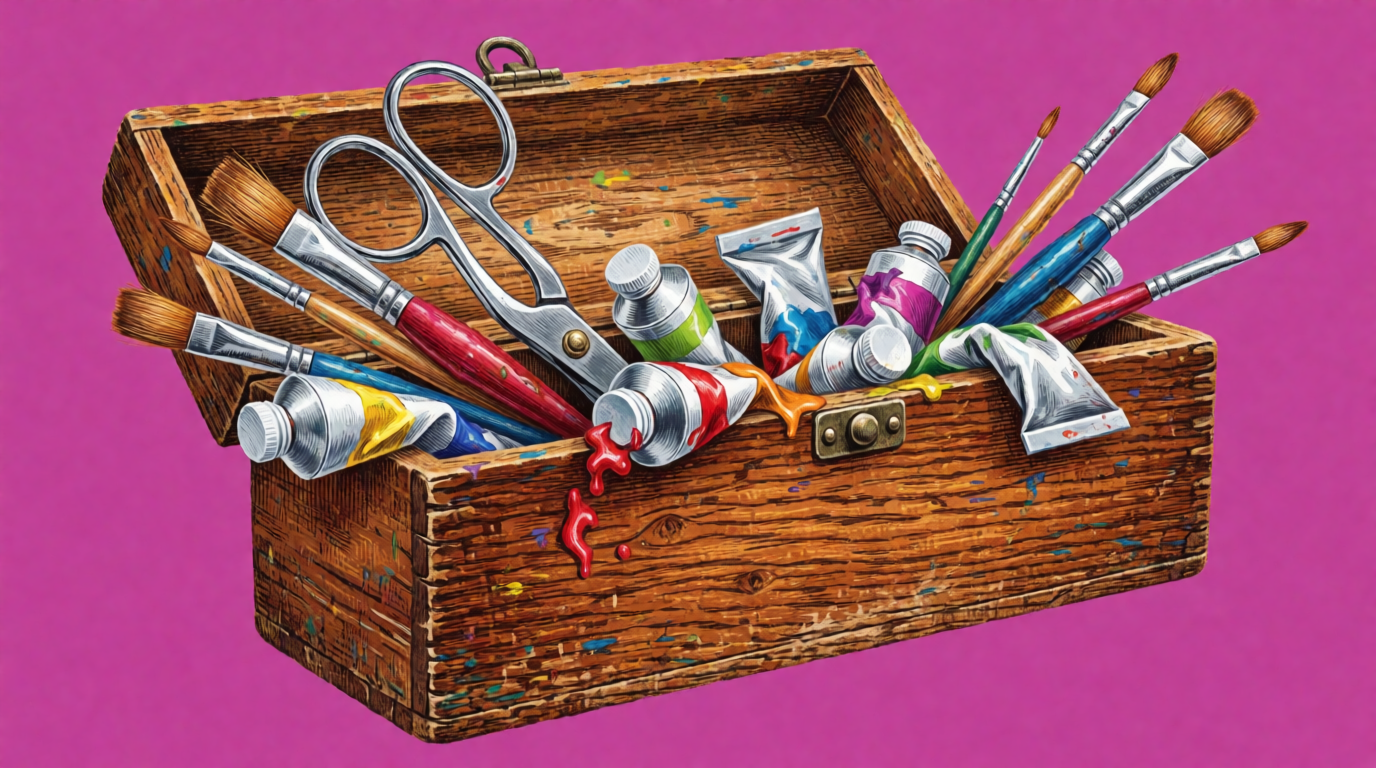
A single, raw Krea 2 generation from the prompt below. It shows the idea of a full desktop toolkit. It was not made in GIMP.
Illustration prompt (Krea 2 Medium Turbo, 16:9, 1K):
A wooden artist toolbox floating in mid-air, overflowing with brushes, scissors, and paint tubes, solid magenta background, hard black shadow beneath, fine engraving hatching, surreal single subject, bold saturated colors, no text
Settings recipe (GIMP, remove an object):
Open the photo. Duplicate the layer so the original stays safe. Select the heal tool. Ctrl-click a clean area to set the source. Paint over the object. File → Export As → JPG.
Variation tips: hide the duplicate layer to compare with the original.
Where it stops: GIMP has the steepest learning curve on this list. Its menus differ from Photoshop’s, so Photoshop tutorials do not map one-to-one. It does not ship a built-in generative AI fill.
Canva: templates first, editing second
Canva Free costs US$0. It includes 1.6M+ templates, 4.7M+ photos, videos, graphics, and audio, and 1 Brand Kit with 3 colors. The free plan includes up to 20 uses of Standard or Premium AI tools a month. Canva Pro costs US$144 a year for one person, with 10x more AI.
Canva AI image prompt (free AI allowance):
A flat lay of a coffee cup, a notebook, and a pen on a light oak desk, top-down view, soft morning light, no text
Variation tips: Canva’s 20 free AI uses are shared across all its AI tools. Write one detailed prompt instead of five short ones.
Where it stops: Canva is a design tool, not a photo editor, so pixel-level fixes are basic. Canva’s comparison table marks the photo background remover as a paid feature. For the full plan detail, read is Canva free.
Krea Edit: describe the edit in plain words
Krea Edit is a browser editor where you describe a change in plain English: remove an object, change a background, expand the frame, or apply a style. The Enhancer sharpens and upscales photos in the same app.
Per krea.ai/pricing, checked this week, the Free plan costs US$0, needs no card, and gives 100 compute units a day. It includes Krea 2, real-time models, and basic upscaling up to 2K. It does not include the full image model library, video models, 3D and lipsync models, Krea Nodes, or the commercial license. Basic costs US$9 a month (US$5 billed yearly) for 5,000 compute units, all image models, and the commercial license.

A single, raw Krea 2 generation from the prompt below: a starting photo for an edit, not an edited result.
Generation prompt (Krea 2 Medium Turbo, 16:9, 1K):
Portrait photo of a woman in a yellow raincoat standing on a city street at dusk, soft neon reflections on wet pavement, 50mm lens, shallow depth of field, cinematic color grade, no text
Krea Edit instruction (for a photo like the one above):
Remove the car and the traffic lights in the background. Keep the woman, her raincoat, and the neon reflections the same. Match the rain and the dusk light.
Variation tips: name what must stay the same, not only what must change.
Where it stops: Krea Edit is not a layer-based editor. You cannot paint pixel by pixel or keep a PSD layer stack. The free plan runs Krea 2 only, so edit models from the full library need a paid plan. Client work needs a paid plan for the commercial license. 100 compute units a day suits light use, not batches of hundreds of photos.
Try Krea Edit free, with no card. To compare more AI photo editors, read how to edit and stylize a photo with AI. To sharpen old or small photos, read the best AI photo enhancers.
Free photo editors compared for beginners
| Editor | Runs on | Main strength | Price to go further | Learning curve |
|---|---|---|---|---|
| Photoshop mobile | iPhone, Android | Object removal and cutouts on a phone | US$7.99/mo (Mobile & Web) | Low |
| Adobe Express | Browser, phone | 100,000+ templates, free daily AI generations | US$9.99/mo | Low |
| Photopea | Browser | Opens and saves PSD files | Premium account (price not listed) | Medium |
| GIMP | Windows, macOS, Linux | Full desktop editor, no subscription | None | High |
| Canva | Browser, phone, desktop | 1.6M+ templates, 20 AI uses a month | US$144/year | Low |
| Krea Edit | Browser | Edits from a plain-English instruction | US$9/mo (US$5/mo billed yearly) | Low |
The learning-curve column is our editorial judgment, not a vendor claim or a test result.
Which should you pick?
Pick by the job you need to do:
- You need real Photoshop for one project → start the 7-day trial, and cancel before billing if you will not pay US$22.99 a month.
- You edit on your phone → the free Photoshop mobile app covers object removal, cutouts, and crops.
- Someone sent you a PSD file → open it in Photopea, in the browser, for free.
- You want free desktop software forever → GIMP. Plan time to learn it.
- You make social posts, not photo fixes → Adobe Express or Canva, both free with no card.
- You would rather describe the edit than learn tools → Krea Edit, 100 compute units a day free. Budget US$9 a month if you need the commercial license.
Frequently asked questions
Can we Photoshop for free?
Which free photo editor is best for beginners?
Is Adobe Creative Cloud discontinued?
What is Adobe and what does it do?
Quels sont les logiciels Adobe ?
Was genau macht Adobe?
Edit a photo by describing it
Krea's free plan gives 100 compute units a day, no card. Basic is $9/month ($5/month billed yearly) for all image models and the commercial license.
Try Krea Edit free