Most people who ask about getimg.ai want four short answers: is it free, does it make realistic images, is it safe, and how do you use it. In September 2026 the answers are: no longer free, it hosts the same top models most platforms host, its company is public but its legal pages are dated, and the workflow is one prompt box with an Auto mode. This review checks each answer against getimg.ai’s own pages, then compares it with Krea, Leonardo.Ai, and Ideogram on free tier, price, model access, editing, video, and commercial rights.
getimg.ai at a glance
| Question | Answer (verified 14 September 2026) | Source |
|---|---|---|
| What is it? | A web platform for AI image, video, and audio generation plus a prompt-based image editor and a pay-as-you-go API | getimg.ai |
| Is it free? | No free plan is listed. The cheapest plan is Entry at $10/month (3,000 credits). Image-to-video is marked “Paid plans only” | Pricing, Image to Video |
| Which models? | Seedream 5.0 Pro and Lite, Nano Banana 2, FLUX 3, Qwen Image, Z-Image Turbo, GPT Image 2.5, Grok Imagine; video from Veo 3.1, Kling, Seedance, Wan, Sora, MiniMax | Text to Image, FAQ |
| Commercial use? | Yes on every paid plan, under the CreativeML Open RAIL-M license | Pricing FAQ |
| Who runs it? | Webrockets Sp. z o. o., Warsaw, Poland. Founded 2022. “Made in EU” | Privacy policy, About |
| API? | Separate pay-as-you-go product, not included in subscriptions. Images from $0.015, video from $0.022 per second | Developers |
Want a free plan that still exists?
Krea's Free plan gives 100 compute units a day on Krea 2 images, no credit card.
Try Krea 2 freeHow we checked
Every price, quota, and company fact below comes from the vendor’s own pages, read on 14 September 2026: getimg.ai’s pricing, about, privacy policy, terms, and use restrictions; Leonardo.Ai’s pricing page and help center; Ideogram’s pricing page; and Krea’s pricing page. Leonardo’s live pricing page blocks automated readers, so its numbers come from the Internet Archive’s copy dated 25 August 2026. We did not run a realism test on getimg.ai and do not invent one. Every AI image in this post is a single, raw Krea 2 Turbo generation from the exact prompt printed beside it. None were made with getimg.ai.
What is getimg.ai used for?
getimg.ai launched in 2022 as a Stable Diffusion front end. Today it sells “one platform, every model”: a subscription that bundles third-party models behind one prompt box. Its about page claims “10M+ users” and “29+ leading AI models”. Its navigation lists:
- Create Image — text-to-image and image-to-image. The text-to-image page says Auto mode runs prompts “through strong, up to date models like FLUX.2 and Seedream 5.0 Lite”.
- Image Editor — prompt-based inpainting, object removal, background change, and restyling with “no manual selection tools” (image editor page).
- Create Video — text-to-video and image-to-video with Kling, Veo, Seedance, Wan, Sora, and MiniMax; the image-to-video page says “Paid plans only”.
- Utilities — image upscaling (4K on Entry, 16K on Plus and Ultra), video upscaling, a resizer, a background remover, and music, speech, and sound-effect generation.
- Teams and API — shared workspaces on Core and above, and a separate developer API with 17 image and 16 video models.
The pitch is convenience: one bill, one interface. The trade-off is that none of these models are exclusive to getimg.ai.
Is getimg.ai free to use?
Not in September 2026. The pricing page lists four paid plans and no free plan, and the image-to-video tool is labeled “Paid plans only” with “No free preview”. Older reviews describe a free tier with a monthly credit allowance; it is not on the site today. There is no free trial — the pricing FAQ covers cancellation, prorated upgrades, and payment methods, and never mentions one. The API is paid too: the developer FAQ answers “Is this image and video generation API free?” with “No — the API is a paid, pay-as-you-go product.”
If a free plan decides it, getimg.ai is out. Krea, Leonardo.Ai, and Ideogram still have one; the comparison table below shows what each includes.
getimg.ai pricing in 2026
| Plan | Monthly | Yearly (per month) | Credits | Model access | Upscale | Parallel jobs |
|---|---|---|---|---|---|---|
| Entry | $10 | $8 ($96/yr) | 3,000/mo | 11 image models, 9 video models | 4K | 2 |
| Core | $30/seat | $25/seat | 15,000/mo | All image and video models | 8K | 4 |
| Plus | $65/seat | $55/seat | 35,000/mo | All image and video models | 16K | 8 |
| Ultra | $175/seat | $150/seat | 100,000/mo | All image and video models | 16K | 10 |
All figures from getimg.ai/pricing, excluding tax. Every paid plan carries a “Commercial Rights” check; Entry’s “Personal use” tag means no team collaboration, not a license limit. By the page’s own estimate, Entry’s 3,000 credits buy about 60 Auto-mode images at 1K, 30 at 2K, or 20 at 4K per month, plus about 5 videos; Core stretches to about 300 images at 1K or 25 videos. Credits do not roll over. Top-ups exist only on Plus and Ultra, and only below 10% of the monthly balance. Payment is by card, PayPal, Apple Pay, or Google Pay.
Can getimg.ai generate realistic images?
It hosts the models that currently produce the most realistic output on any platform: its FAQ names “Seedream 5.0 Pro, GPT Image 2, Nano Banana 2, and FLUX 2”, and its model pages add Qwen Image, Z-Image Turbo, and Grok Imagine. The image editor page calls FLUX.2 [max] “an incredibly photorealistic model”. The realism ceiling is the model’s ceiling, and it is high.
Two published caveats. The Entry plan exposes 11 image models, not all of them. And Auto mode picks the model for you — getimg.ai’s copy names FLUX.2 and Seedream 5.0 Lite, “Lite” not “Pro” — so pick the top realism model manually when it matters. We have not run our own getimg.ai realism test, so we give no verdict on its outputs. The walkthrough below prints a realism prompt and shows what it returns on Krea 2 Turbo as a reference point.
Is getimg.ai safe and secure?
The legal pages answer this one. Here is what they say and what they leave out.
Company. The privacy policy names the operator: “Webrockets Sp. z o. o., Okopowa 47a/40, 01-059 Warsaw, Poland”. The about page says the company was founded in 2022 and is “proudly based in the EU”. A named entity with a street address in the EU is a good sign; many AI tools publish neither.
Data handling. The policy references the GDPR and the CCPA and grants a “Right to Erasure”. It collects name, email, company name, IP addresses, browser and OS details, and page interactions. Login data is kept “as long as your product account is active”; signup IP addresses are kept “forever because they are used to mitigate spammy signups”. The policy states no retention period for prompts or generated images, and does not say whether uploads or outputs train models. If either matters, ask support before you upload client material.
Content rules. The use restrictions ban sexual close-ups, child abuse material, violence planning, and IP use “beyond the bounds of fair use”. Deepfakes get the strongest language: content “intended to mislead, deceive, or impersonate others, including but not limited to deepfakes … will result in a permanent ban and possible legal action.” Training a model on a real person requires that person’s permission. Reports are investigated within one business day.
What is stale. The privacy policy was last updated “September 23, 2022” and the terms of service “November 11, 2022” — before the video, audio, API, and team features existed. The terms say “We claim no intellectual property rights over the material you provide”; ownership of generated images appears only in the pricing FAQ, via the CreativeML Open RAIL-M license, a permissive license with use-based restrictions rather than a full assignment of rights.
Verdict: a real EU company, GDPR and CCPA language, strict deepfake rules, mainstream payment processors. The gaps are retention periods for your prompts and images, and legal documents last updated in 2022.
How do I use getimg.ai to create images?
The workflow is short, and every step matches getimg.ai’s published tool descriptions. There is no free tier, so step one is a paid plan.
Settings recipe (Create Image):
- Subscribe, then open the Create Image tool.
- Leave Auto mode on for a first prompt, or pick a model — Seedream 5.0 Pro or FLUX.2 for photographic realism, Nano Banana 2 or GPT Image 2.5 for prompts that need layout reasoning.
- Set 16:9 and start at 1K; it costs the fewest credits (about 50 per Auto-mode image on Entry, by the page’s count).
- Paste the prompt below. Generate two or three variants before you change a word.
- To fix one region, send the result to the Image Editor and type the change in plain language, such as “remove the person walking in the background” — the editor page uses that kind of instruction.
- Image-to-video needs a paid plan and costs far more credits per output than images.
Prompt (realism test):
Candid photograph of a woman in her thirties laughing at an outdoor cafe table in Lisbon, late afternoon sun, shallow depth of field, 50mm lens, natural skin texture, slight film grain, no text.
Variation tips: swap the city and the time of day but keep the lens and “natural skin texture” — those two phrases do most of the work against the plastic-skin look. Add “no text” whenever a scene contains signage.
The image below is that exact prompt run once on Krea 2 Turbo, not on getimg.ai — a fixed reference for what this style of realism prompt returns from a current model.

Where getimg.ai stops: no free plan and no trial, so you pay before you see a single output. The Entry plan exposes 11 of the image models and about 60 images a month at 1K. The API is a separate bill. And the legal documents have not caught up with the product.
getimg.ai alternatives compared
| getimg.ai | Krea | Leonardo.Ai | Ideogram | |
|---|---|---|---|---|
| Free tier | None | 100 compute units/day, Krea 2 images, no card | 150 fast tokens/day, public creations | Weekly slow credits for eligible accounts, public creations |
| Cheapest paid | Entry $10/mo (3,000 credits) | Basic $9/mo (5,000 units; $5 promo shown today) | Essential $12/mo (8,500 tokens) | Plus $20/mo or $15/mo yearly (1,000 priority credits) |
| Model access | 11 models on Entry, all on Core+ | Krea 2 on Free; full library on paid | Own Lucid and Phoenix models plus third-party (Veo 3.1, Kling, Sora 2, Nano Banana) | Ideogram’s own models only |
| Editing | Prompt-based editor, inpainting | Krea Edit, inpainting, style transfer | Image Editor, Realtime Canvas (limited on Free) | Editing with AI, Magic Fill (priority credits only) |
| Video | Paid plans only | Paid plans; selected models on Basic, all on Pro | Included, Free plan too | None |
| Commercial license | All paid plans (CreativeML Open RAIL-M) | Paid plans | Free: non-exclusive license, Leonardo holds rights. Paid: you own outputs | All plans, including Free |
Sources: getimg.ai pricing, Krea pricing, Leonardo.Ai pricing (archived copy, 25 August 2026), Ideogram pricing.
Krea — the free plan that is still free, plus the full library on paid
Krea is the closest match for someone who liked getimg.ai’s “every model in one place” pitch but wants a free tier. The Free plan, per Krea’s pricing page, is $0 for 100 compute units a day, no credit card. It includes Krea 2 image generation, Krea Agent, the real-time models, limited LoRA training on up to 50 images, and basic upscaling to 2K. It does not include the full image-model library, video models, 3D and lipsync, Krea Nodes, App Builder, relaxed generations, or a commercial license. Free runs one image job at a time and no video jobs.
Paid plans add the rest. Basic is listed at $9/month for 5,000 units — a $5 promotional price shows on the page today — and unlocks every image model, selected video models, and the commercial license. Pro is $35/month for 20,000 units and opens all video models. The Enhancer, Krea’s AI upscaler, upscales, Krea Edit handles prompt-based edits, and Krea Video runs the video models. For the free plan against other free generators, see the best free AI image generators in 2026.
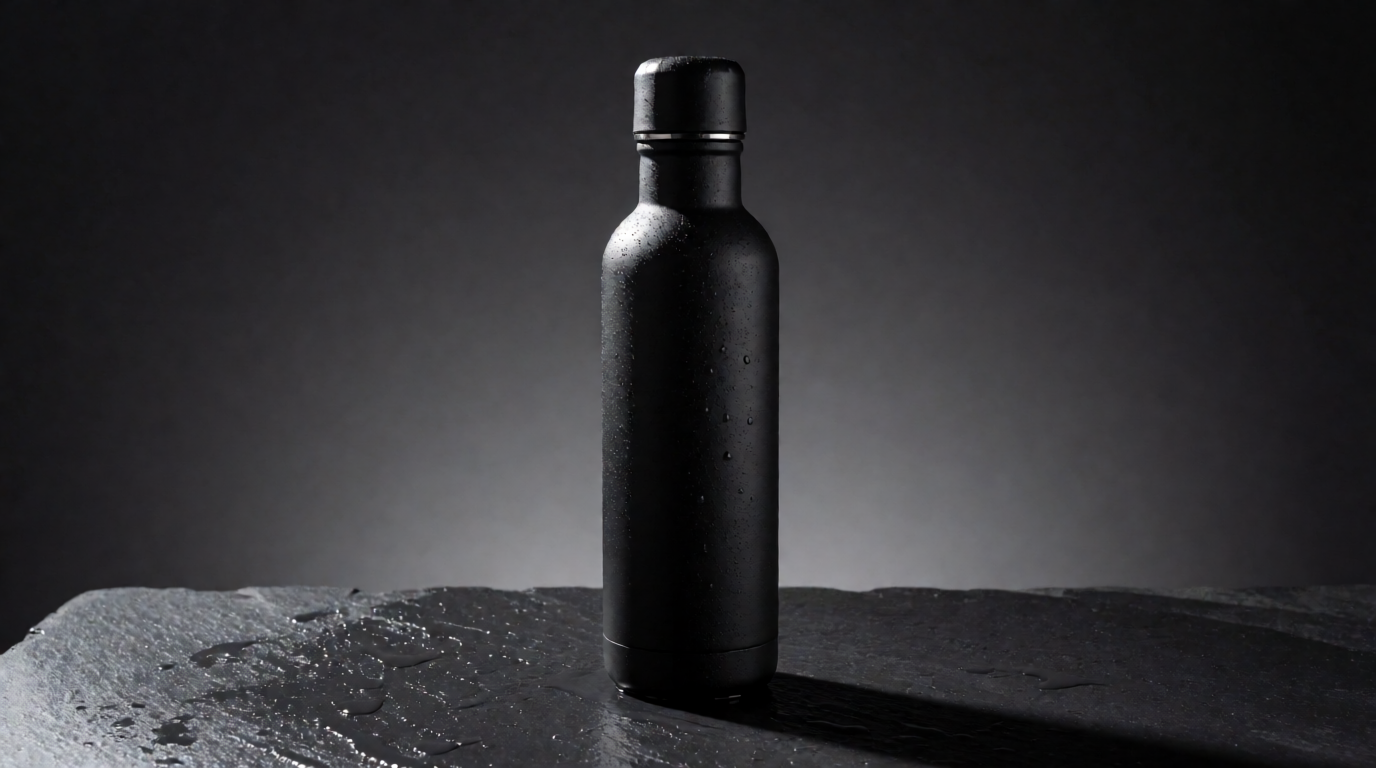
Prompt (product shot):
Product photograph of a matte black insulated water bottle standing on wet slate, single hard key light from the upper left, fine water droplets on the surface, dark grey gradient background, commercial e-commerce style, no text.
Variation tips: name one light source and its direction; two lights produce muddy reflections on matte products. Change “wet slate” to “white acrylic” for a marketplace-style listing shot.
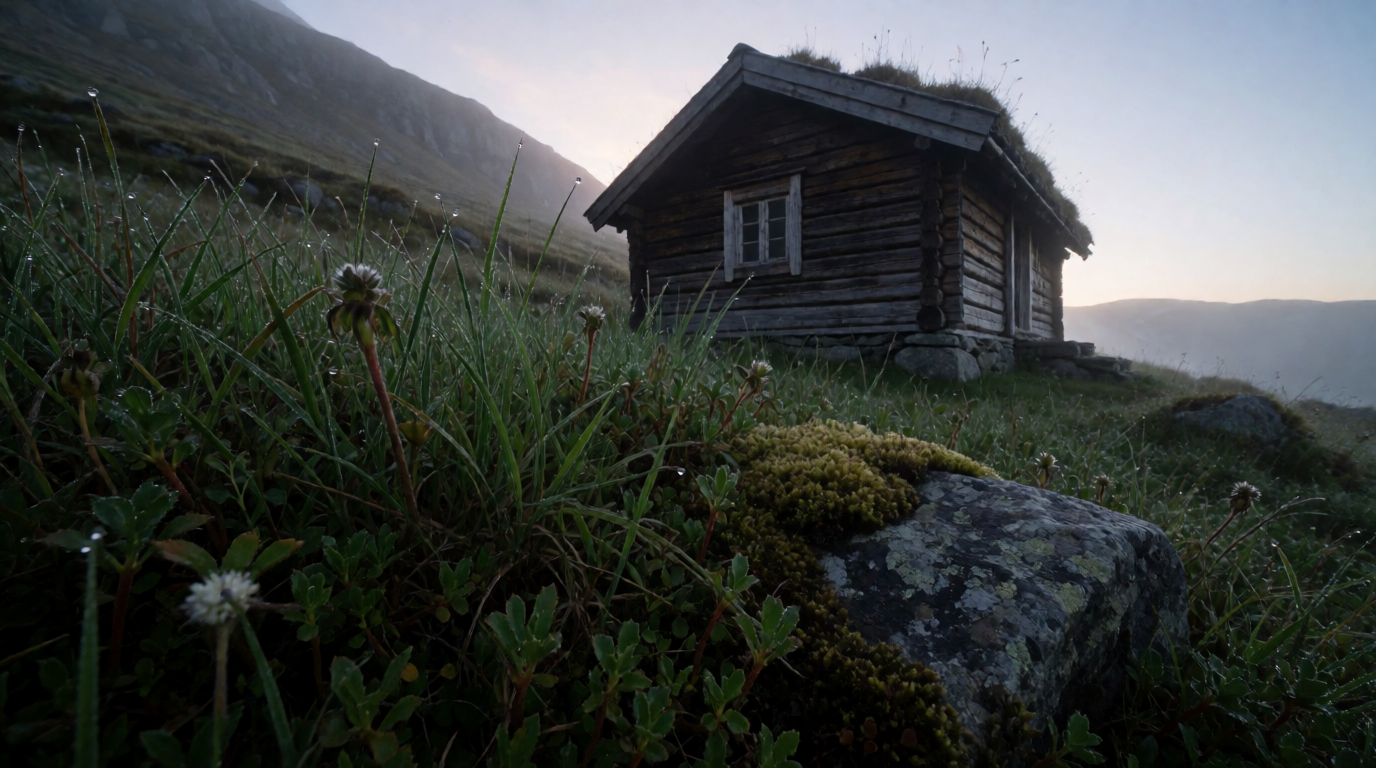
Prompt (landscape):
Wide architectural photograph of a small timber cabin on a foggy Norwegian hillside at dawn, warm light in one window, cool blue mist, wet grass in the foreground, high detail, 24mm lens, no text.
Variation tips: the warm-window-against-cool-mist contrast is the whole image; keep it and change the building type. Ask for “24mm” or “35mm” to control how much foreground you get.
Where Krea stops: the Free plan is Krea 2 only. Video, the full model library, and the commercial license sit on paid plans, and Free runs one job at a time. A $0 commercial license on day one exists only at Ideogram, in its slow queue.
Leonardo.Ai — the biggest free daily allowance, with a public-gallery catch
Leonardo.Ai gives free users 150 fast tokens a day, and its pricing table marks video generation as included on Free. The catch is the “Creations access” row: Free is “Public”. Leonardo’s commercial usage article spells it out: other users can view, copy, and remix your images, Leonardo holds the rights, and you get a non-exclusive, royalty-free license for commercial use. Paid plans switch on private generation and full ownership: Essential at $12/month for 8,500 tokens, Premium at $30/month for 25,000, Ultimate at $60/month for 60,000, before tax. Premium and Ultimate add unlimited relaxed generation on Leonardo’s own Lucid and Phoenix models once tokens run out; third-party models such as Veo 3.1, Kling, Sora 2, Seedream 4.5, and Nano Banana always consume tokens.
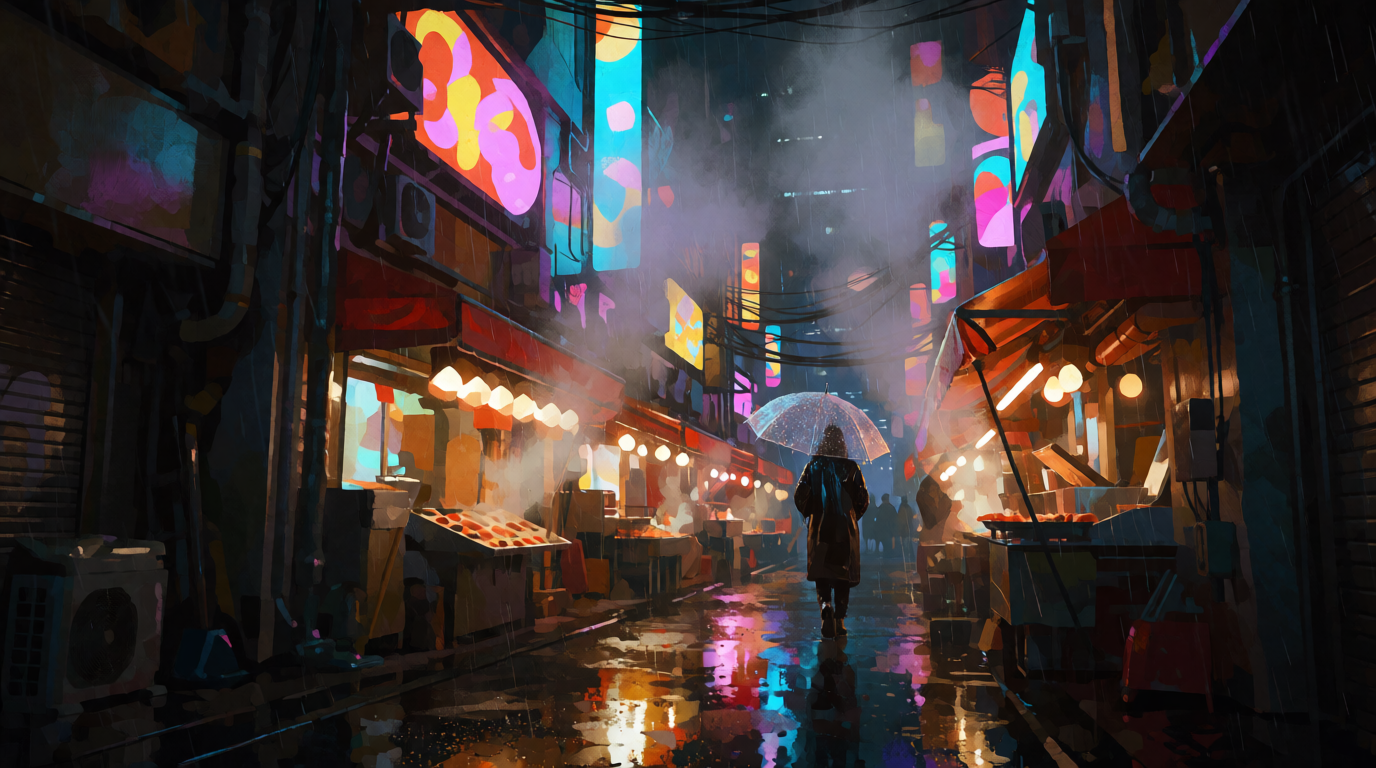
Prompt (concept art):
Cinematic concept art of a rain-soaked night market in a futuristic Tokyo alley, glowing neon shapes reflected in puddles, a lone figure with a transparent umbrella, volumetric fog, painterly detail, no legible text.
Variation tips: “no legible text” stops the model from inventing signage you cannot use. Swap “painterly” for “photographic” to move the same scene from concept art to a film still.
Where Leonardo stops: everything you make on Free is public and remixable, and 150 tokens a day disappears fast once video is involved. Third-party models never enter relaxed mode.
Ideogram — free commercial use, but slow-queue only and no video
Ideogram’s pricing page lists a $0 Free plan with “slow credits” issued “weekly for eligible accounts” — sign-ins through Google, Apple, or Microsoft — and says the amount “may vary”. Free generations are public. The unusual part is the license: the FAQ states “we do not claim ownership of your generated images, and you’re free to use them for any purpose, including commercial use”, with no paid-plan condition. Plus is $20/month or $15/month yearly for 1,000 priority credits and private generation; Pro is $60/month or $42/month yearly for 3,500; Team is $30 per user or $20 yearly. Editing with AI and Image Reference require priority credits, so editing is effectively paid. There is no video and no free trial.
Prompt (illustration):
Flat vector-style illustration of a cozy reading nook: a green armchair, stacked books, a tall window with rain outside, a small floor lamp, limited palette of forest green, mustard, and cream, clean shapes, no text.
Variation tips: name exactly three palette colors; flat illustration falls apart with more. Ideogram is strong at rendered text, so if you do want a caption, spell it out in quotes in the prompt.
Where Ideogram stops: the free allowance is undefined and slow-queue only, editing needs paid credits, and there is no video at all.
The Leonardo and Ideogram prompts above, run on Krea 2 Turbo
Both are single, raw Krea 2 Turbo outputs of the concept-art and illustration prompts printed above. They were generated with Krea, not with Leonardo.Ai, Ideogram, or getimg.ai; they show the prompts work, not how those tools render them.

Which one should you pick?
Pick by the constraint you actually have:
- You want to test before paying → not getimg.ai. Krea (100 units/day, private), Leonardo (150 tokens/day, public), and Ideogram (weekly slow credits, public) all have a real free lane.
- You want one subscription across many third-party models → getimg.ai Core at $30/month or Krea Basic at $9/month both open the full library; Krea’s Free plan lets you try the interface first.
- You need video on a free tier → Leonardo, the only one of the four that lists video on Free, at the cost of public outputs.
- You need a commercial license for $0 → Ideogram’s Free plan, slow queue and public gallery included.
- You need an API → getimg.ai’s is a separate pay-as-you-go bill from $0.015 per image; compare it with Krea’s API first.
For the wider field, the 5 best Midjourney alternatives in 2026, 8 best creative AI image generators, and our DeepAI review cover tools this review does not. If the real job is editing an existing photo, including a portrait restyle, start with how to edit and stylize a photo with AI or our FaceApp alternatives comparison.
Frequently asked questions
Is getimg.ai free to use?
Can getimg.ai generate realistic images?
Is getimg.ai safe and secure?
How do I use getimg.ai to create images?
What is getimg.ai used for?
What are the best getimg.ai alternatives?
Generate first, pay later
Krea's Free plan gives you 100 compute units a day on Krea 2 images, no credit card required. Upgrade only when you need video or the full library.
Try Krea free