Every “top AI tools” list ranks tools against each other, as if a video model competes with a meeting notetaker. It doesn’t. The real question is what you are trying to make — a document, an image, a video, a codebase, a decision. So this list is organized by job: seven jobs, ten tools, one clear winner and one alternative per job, and a copy-paste starter prompt for each so you can test the claim in five minutes.
Every price and free-tier number below was checked against the vendor’s published plans in August 2026. Those numbers move constantly — treat anything older than a few months as expired.
The top 10 AI tools at a glance
| # | Tool | The job | Free route |
|---|---|---|---|
| 1 | ChatGPT | Writing, chat, general assistant | Unlimited free text chats |
| 2 | Claude | Long documents, careful writing | Usage pool, resets every 5 hours |
| 3 | Krea | Images and video, one pipeline | 100 compute units/day (Krea 2 images) |
| 4 | Midjourney | Stylized, art-directed images | None — from $10/mo |
| 5 | Google Veo | Cinematic video with audio | Small monthly allowance via Google apps |
| 6 | Cursor | Writing code in an AI-first editor | Hobby plan, limited agent requests |
| 7 | GitHub Copilot | Code completion in your IDE | 2,000 completions + 50 chats/mo |
| 8 | Fathom | Meeting recording and notes | Unlimited recordings and transcripts |
| 9 | Perplexity | Cited search and research | Unlimited quick searches |
| 10 | Zapier | Connecting apps, automation | 100 tasks/mo, two-step Zaps |
Make images and video in one place
Test the visual jobs on this list with 100 free compute units a day — no card needed.
Start with KreaHow we chose and tested
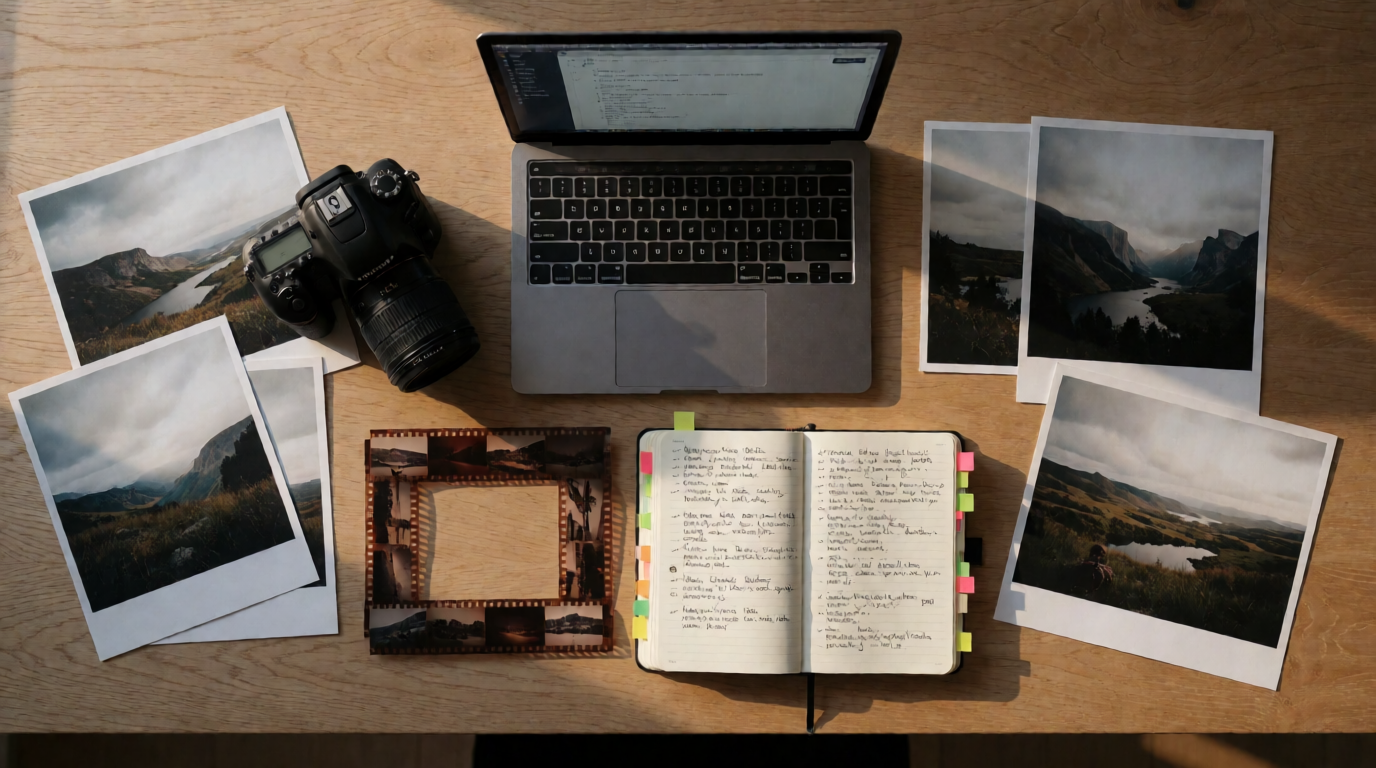
Three filters. First, the tool has to be the best at one concrete job, not “good at AI” in general. Second, it has to have a real on-ramp: a free tier or a cheap entry plan we could verify on the vendor’s own pricing page this month. Third, we ran a starter task through each one — the same prompts you’ll find in the blockquotes below. The images in this post are Krea 2 generations (raw output, one attempt, no retouching); the one beside the Krea prompt is the output of that exact prompt.
Writing and chat: ChatGPT, with Claude as the heavyweight alternative
Winner: ChatGPT. It is the default for a reason: in August 2026 OpenAI removed the message caps on free text chats, so the free tier now handles unlimited everyday writing — emails, summaries, plans, rewrites — on the current default GPT-5-series model. Limits remain on image generation, file uploads, and the deeper reasoning modes, and paid plans (from $20/mo) get the stronger models — or you can connect Krea’s models to ChatGPT for image and video generation past the built-in cap.
Rewrite the text below for a busy executive. Keep every fact. Cut it to half the length. Lead with the decision I need from them, then three supporting points as bullets. Flag anything that sounds like hedging. [paste your draft]
Variation tips: name the audience and the length in every writing prompt; “make it better” produces mush, “cut to 150 words for a skeptical CFO” produces edits.
Alternative: Claude. Anthropic’s assistant is the pick when the writing is long and the details matter — contracts, reports, technical docs — and it holds a long document in context without losing the thread. The free plan meters usage through a pool that resets every five hours (roughly 15–40 messages per window, depending on complexity); Pro is $20/mo. Google’s Gemini is the third option here, strongest if you live in Google Docs and Gmail.

Images: Krea, with Midjourney for a signature look
Winner: Krea. Most image tools stop at generation. Krea covers the pipeline: Krea 2 for direction-driven generation with style references and trainable styles, a model library with third-party frontier models, editing, real-time generation, and an Enhancer for upscaling to print size (compared against the field in our upscaler guide). The free plan is 100 compute units per day on Krea 2, no credit card, with basic 2K upscaling included; paid plans unlock the full library, video, the 8K Enhancer, and commercial use — so a first image can become a finished, enhanced asset without a second subscription.
Prompt (the image below is this prompt’s raw output):
Studio product photograph of a matte ceramic espresso cup on a travertine stone block, warm directional morning light, soft shadow falling to the left, minimal beige backdrop, high-end coffee brand advertisement, 85mm lens look

Variation tips: swap the surface and backdrop nouns (“travertine stone block”, “beige backdrop”) to rebrand the shot; add a style reference image when a client needs the same look fifty times.
Where Krea stops: the daily free compute is shared across image, video, and enhancement, so heavy use of one drains the others — video especially. And for a heavily art-directed illustration style with a large style community around it, Midjourney still has the edge. Try Krea free, and see the free image generator comparison for the full free-tier landscape, or our getimg.ai review for how a paid multi-model bundle compares, or our Reve alternatives guide if you’re moving on from a sunsetting tool, or our DeepAI review if you’re weighing one of the oldest free generators against current tools.
Alternative: Midjourney. The strongest opinionated aesthetic in the business and a huge style vocabulary. There is no free tier — plans start at $10/mo (Basic) — and there is no real editing or upscaling pipeline around it. Our Krea 2 vs Midjourney comparison covers the trade in detail.
cinematic product photograph of a ceramic espresso cup on stone, warm morning light, editorial minimalism —ar 16:9 —stylize 200
Video: Krea’s model library, with Google Veo as the single-model pick
Winner: Krea’s video suite. AI video in 2026 is a multi-model game: Veo 3.1 leads on cinematic quality with native audio, Kling 3.0 on motion control, Seedance 2.5 on multi-shot sequences. Rather than subscribing to each vendor, Krea’s video generator puts the frontier models in one library under one allowance, so you can match the model to the shot — and jump models when one fails a brief.
A slow dolly-in on a ceramic espresso cup on a stone counter, steam rising, warm morning window light, shallow depth of field, no camera shake, 5 seconds, ambient kitchen sound.
Variation tips: write video prompts as one continuous shot (subject, camera move, light, duration); ask for cuts and you get soup. Generate a still in Krea 2 first and animate it image-to-video for art direction you can approve before spending video compute.
Where it stops: video is the most expensive thing you can generate, and Krea’s free daily compute stretches to only a few short clips — real video work needs a paid plan. The free video generator comparison maps who gives away what.
Alternative: Google Veo. If you want exactly one video model, Veo 3.1 is the one to want: strong physics, native synchronized audio. Google meters it in small free allowances inside its own apps (roughly ten generations a month through Google Vids, plus limited clips in the Gemini app), with real capacity behind the AI Pro and Ultra plans. OpenAI’s Sora remains the social-first option inside ChatGPT’s paid tiers, but its access rules have shifted repeatedly this year — check current terms before planning work around it.

Code: Cursor, with GitHub Copilot as the low-friction alternative
Winner: Cursor. An AI-first fork of VS Code where the agent reads your whole repo, edits across files, and runs its changes. The free Hobby plan includes limited agent requests and tab completions — enough to feel the difference, not enough to work in daily. Pro is $20/mo, and heavy agent use burns through it; the $60 and $200 tiers exist because people hit that wall.
Read the failing test in [file], find the root cause in the codebase, and propose the smallest fix that makes it pass without changing the test. Explain the cause in two sentences before you edit anything.
Variation tips: give the agent a definition of done (“test passes”, “lint clean”) rather than a description of code; small scoped asks beat “refactor this module”.
Alternative: GitHub Copilot. Lives inside the editor you already use. The free tier is a real allowance — 2,000 completions and 50 chat requests per month — and Pro is $10/mo, half of Cursor’s entry price. The trade: Copilot is strongest as an autocomplete-and-chat layer; Cursor’s repo-wide agent goes further on multi-file work.

Meetings and notes: Fathom, with Granola for people who take their own notes
Winner: Fathom. It records, transcribes, and summarizes calls, and its free plan is the most generous in the category: unlimited recordings and transcripts with no storage cap, with the advanced AI summary formats metered on the free tier. Team plans start at $19/user/mo.
Settings recipe (Fathom is not prompt-driven): connect your calendar, set recording to “ask me each time” so external calls stay consensual, and pick one summary template (decisions + action items) instead of cycling templates per meeting.
Alternative: Granola. No bot joins the call — it transcribes from your machine’s audio and merges the transcript into notes you type yourself, which keeps you actively listening. The free Basic plan has a rolling 30-day history and no integrations; paid starts at $14/user/mo.
Search and research: Perplexity
Winner: Perplexity. It answers questions with citations you can check, which is the entire point when the answer will go in front of someone else. The free plan includes unlimited quick searches and a small daily ration of Pro Searches (about three a day at last check); Pro is $20/mo and adds deep research capacity and model choice.
Compare the current entry-level pricing of Midjourney, Krea, and Canva Pro. Cite each vendor’s own pricing page, note the date on each source, and flag any number you can only find on third-party sites.
Variation tips: ask for the sources you want (“cite the vendor’s own page”) — the answers are only as good as what it cites. For research inside your Google workspace, Gemini’s Deep Research is the natural alternative.
Automation: Zapier, with n8n when the workflows get real
Winner: Zapier. Still the fastest way to make two apps talk — 8,000+ integrations and an AI builder that drafts the workflow from a sentence. The free plan is a demo, not a production tool: 100 tasks per month and two-step Zaps only (down from 750 tasks in 2024). Paid starts at $19.99/mo, and costs scale with every task that runs.
Starter recipe: “When a row is added to my Google Sheet [leads], send a Slack DM to me with the name, company, and source fields.” Two steps, one Zap, and you’ll know in ten minutes whether the free tier covers your volume.
Alternative: n8n. Node-based, self-hostable, and priced per workflow execution rather than per step — which makes multi-step automations dramatically cheaper. Cloud starts at $20/mo for 2,500 executions; self-hosting the community edition is free apart from the server. The trade is a steeper learning curve than Zapier’s.

What the free tiers actually cost
| Tool | Free tier | First paid step |
|---|---|---|
| ChatGPT | Unlimited text chats; images and uploads capped | $20/mo (Plus) |
| Claude | Usage pool per 5 hours | $20/mo (Pro) |
| Krea | 100 compute units/day | $10/mo (Basic) |
| Midjourney | None | $10/mo (Basic) |
| Google Veo | Small monthly allowance in Google apps | $19.99/mo (Google AI Pro) |
| Cursor | Limited agent requests | $20/mo (Pro) |
| GitHub Copilot | 2,000 completions + 50 chats/mo | $10/mo (Pro) |
| Fathom | Unlimited recordings and transcripts | $19/user/mo |
| Perplexity | Unlimited quick, ~3 Pro searches/day | $20/mo (Pro) |
| Zapier | 100 tasks/mo, 2-step Zaps | $19.99/mo |
Verified against vendor pricing pages, August 2026. These numbers change without notice — several free tiers on this list shrank in the last year.
Which AI tools should you actually pick?
Nobody needs ten tools. Pick by what you make:
- You mostly write → ChatGPT free, and add Claude when documents get long and consequential.
- You make visual things → Krea covers images and video in one plan; add Midjourney only if its signature style sells your work.
- You ship software → Cursor if you’ll pay $20, Copilot free if you won’t.
- Your day is meetings → Fathom, and stop taking notes by hand.
- You answer questions for a living → Perplexity, and make it cite vendors, not blogs.
- You do the same task twice a week → automate it in Zapier; move to n8n when the workflow grows past three steps.
A realistic full stack is three tools: one assistant, one visual tool, one for your specialty. Start with the free tiers above — every claim in this post is testable in an afternoon at $0.
Frequently asked questions
What are the top 10 AI tools?
What are the 5 main AI tools?
What are major AI tools?
What are the top 25 AI tools?
Which of the top AI tools are free to use?
Do I need more than one AI tool?
Cover two of the seven jobs with one tool
Krea handles images and video in one plan — Krea 2, a frontier model library, editing, and upscaling — with 100 free compute units a day, no credit card.
Try Krea free