Generate
Edit
Customize
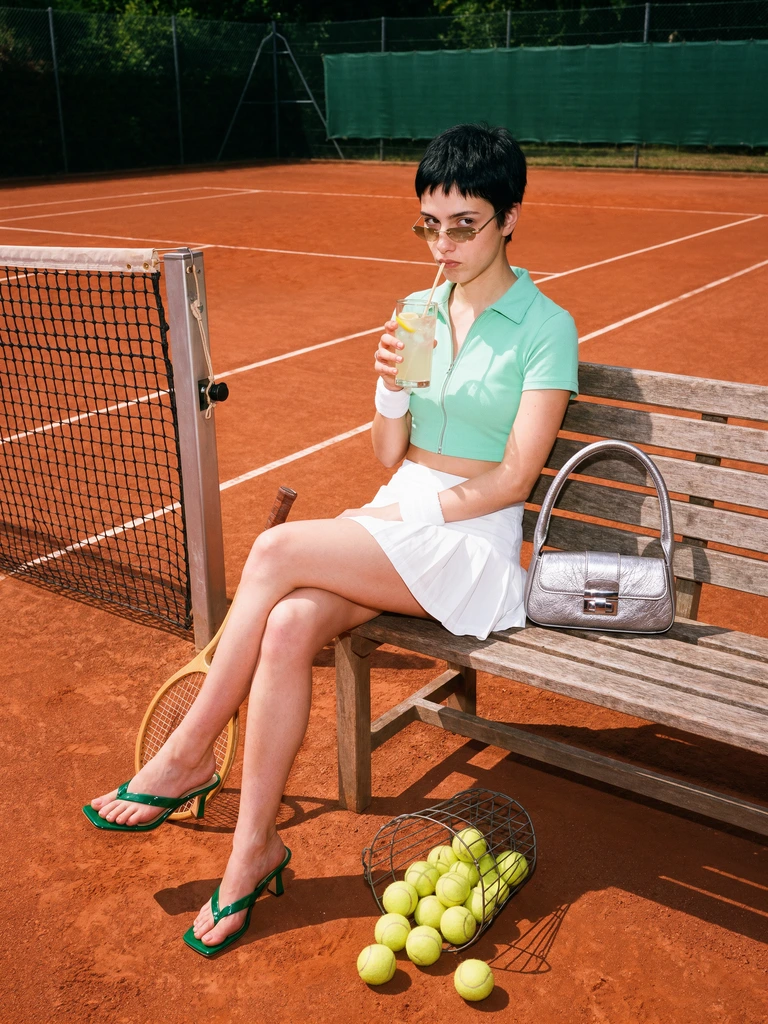
Y2K tennis-court fashion editorial
Generate
Edit
Customize
FLUX 3 Max
by Black Forest Labs
Fal’s post-trained FLUX 3 variant improves prompt adherence and visual quality with lower latency. Generate up to 20 seconds at 720p or 1080p with synchronized audio, optionally guided by start and end images.
What FLUX 3 Max Can Do
FLUX 3 Max Prompt-to-Video Workflow
FLUX 3 with stronger prompt adherence. Generate cinematic clips from text prompts and iterate quickly on motion and style.
Try FLUX 3 MaxReference-Guided Video Generation
Guide shots with reference frames, start images, or other supported references to keep outputs aligned with your direction.
Try FLUX 3 MaxFast Iteration for Production Teams
Test multiple motion directions quickly for storyboards, ads, social clips, and prototype video concepts.
Try FLUX 3 MaxBuilt for Professional Video Creation
Balanced Quality and Motion
Fal’s post-trained FLUX 3 variant improves prompt adherence and visual quality with lower latency. Generate up to 20 seconds at 720p or 1080p with synchronized audio, optionally guided by start and end images.
Try FLUX 3 MaxReliable Prompt Control
Use detailed prompts to steer scene composition, camera intent, and motion behavior across iterations.
Try FLUX 3 MaxReference-Aware Direction
Blend prompt guidance with supported references to keep character, style, and scene direction consistent.
Try FLUX 3 MaxProduction-Ready Video Outputs
Create clips for marketing, storytelling, social content, and rapid prototyping with commercial-ready quality.
Try FLUX 3 MaxWhy creators choose Krea for FLUX 3 Max
Trusted by over 30 million creators worldwide.
Real reviews on TrustpilotThe platform that just works
So many AI tools out there but I always come back to Krea. It's really the one AI platform that 'just works'.

FYN
Verified review
Best interfaces in the industry
Krea's interfaces are still the best in the industry. Everything looks and feels so clean and easy to use! Imo the easiest to use gen AI website.

Lynn
Verified review
Fast, simple, always up to date
Ultra fast generations. Extremely simple to use. All the latest AI models.

Daniel
Verified review
The only AI subscription I need
KREA is the only AI subscription I have right now besides ChatGPT.

Sophia M.
Verified review
New models the same day
I'm a Krea Max user. It's crazy how fast they add models. I see a new AI model on twitter and the same day krea already offers it.

Wirot Ch.
Verified review
The most powerful creative suite
Still the most powerful AI creative suite out there.

Gravion
Verified review
Plans & Pricing
Free
Get free daily credits to try basic features.
Basic
Access our most popular features
Pro
Advanced features and discounts on compute units
Max
Full access with higher discounts on compute units
For Teams and Enterprises
Workplace management, collaboration, and enterprise customizations
Business
Secure and collaborative workspace for growing teams
Enterprise
Enterprise-grade security with dedicated support and admin features
Frequently Asked Questions
FLUX 3 Max is an AI video generation model available on Krea. FLUX 3 with stronger prompt adherence.
Open the Video Tool, choose FLUX 3 Max from the model selector, enter your prompt, and generate. You can also add references when the model supports them.
Yes. On Krea paid plans, generated videos include commercial licensing for campaigns, products, and client deliverables.
Yes. These workflows on Krea are designed for quick iteration so teams can test directions, prompts, and stylistic variations rapidly.
Detailed prompts usually work best with FLUX 3 Max. Describe the subject, style, composition, lighting, camera angle, mood, and any important constraints so the model has clear creative direction.
FLUX 3 Max is primarily used from text prompts on Krea. You can still iterate quickly by refining your prompt, changing settings, and comparing outputs with other Krea models.
Yes. Krea lets you switch between models in the same creative workflow, so you can test FLUX 3 Max against other video models and choose the output that best fits your project.
FLUX 3 Max is useful for designers, marketers, creative teams, and independent creators who need polished AI-generated videos for concepts, campaigns, client work, and production experiments.
From the Blog
Latest news, tutorials, and updates from the Krea team

Introducing Krea 3
Krea 3 is our new image editing model. Edits take under 8 seconds at native 2K, and products and characters stay consistent from one image to the next.

Best Free Alternatives to DALL-E in 2026
DALL-E 3 is retired and ChatGPT's free image limit is roughly 2-3 a day. Five free and freemium alternatives, with current pricing and honest limits.
Is LetsEnhance Safe? What It Does, How to Cancel, and Better Alternatives in 2026
LetsEnhance is a legitimate AI upscaler, 4.1 on Trustpilot, 10 free credits, $9-45/month paid. How to cancel it, and how it compares to Photoshop and Krea.
FLUX 3 Max by Black Forest Labs
Fal’s post-trained FLUX 3 variant improves prompt adherence and visual quality with lower latency. Generate up to 20 seconds at 720p or 1080p with synchronized audio, optionally guided by start and end images.
Try FLUX 3 MaxMore from Black Forest Labs
Explore other Black Forest Labs models available on Krea
-
Flux 2 Klein
ImageFast lightweight Flux 2 model with reference image support
-
Flux.1 Dev
ImageFast model. Best for LoRAs.
-
Flux 2 Pro
ImageMedium quality model by Black Forest.
-
Flux 2 Flex
ImageMedium quality model for rendering text.
-
Flux 3 Image
ImagePrecise composition and multi-reference editing by Black Forest Labs.
-
Flux 2 Max
ImageFrontier model by Black Forest Labs.
-
Flux 1.1 Pro
ImageAdvanced yet efficent model from BFL.
-
Flux 1.1 Pro Ultra
ImageBFL's highest quality text to image model.
-
Flux 3 Video
VideoUp to 20s with synchronized sound.
-
Flux Video Edit
VideoEdit any clip with a text prompt.
-
FLUX 3
ImageBlack Forest Labs' FLUX 3 image model — high-fidelity generation and editing with accurate multilingual text, now entering early access.
-
Flux 2
ImageFLUX.2 dev with enhanced realism and native editing capabilities
-
Flux Kontext Dev
ImageFrontier model designed for image editing, optimized for Krea
-
Flux Kontext Pro
ImageFrontier model designed for image editing
Explore Other Models
Discover more AI models for images and videos on Krea
Or try every model side by side in Krea's free AI video generator and AI image generator.