












Step 1
Open Krea Video
Open the Krea Video tool with FLUX 3 Video selected.
Create
Edit & enhance

Krea 3
Our most advanced image model. Photoreal, editorial, on-brand.
Try Krea 320+ AI tools for images, video, 3D and audio in one app.
Open KreaCreate
Edit & enhance
Create with FLUX 3 Video on Krea. Black Forest Labs’ multimodal model generates up to 20 seconds of video and synchronized audio in one pass from text, images, video, or keyframes.
How It Works
From first prompt to production-ready video in four steps.
Step 1
Open the Krea Video tool with FLUX 3 Video selected.
2Step 2
Optionally upload a start image or keyframes to fix composition, character, and style.
Describe the subject, composition, lighting, and mood — the more specific, the better the result.
Step 3
Describe the subject, camera movement, lighting, pacing, and the sound you want in the clip.
Step 4
Generate, compare motion and audio against other video models, then upscale the best take.
Video with native sound generated in a single pass
Sound generated with the picture, synchronized to on-screen action
Available now in the Krea Video tool
Text-to-video, image-to-video, video-to-video, and keyframe transitions
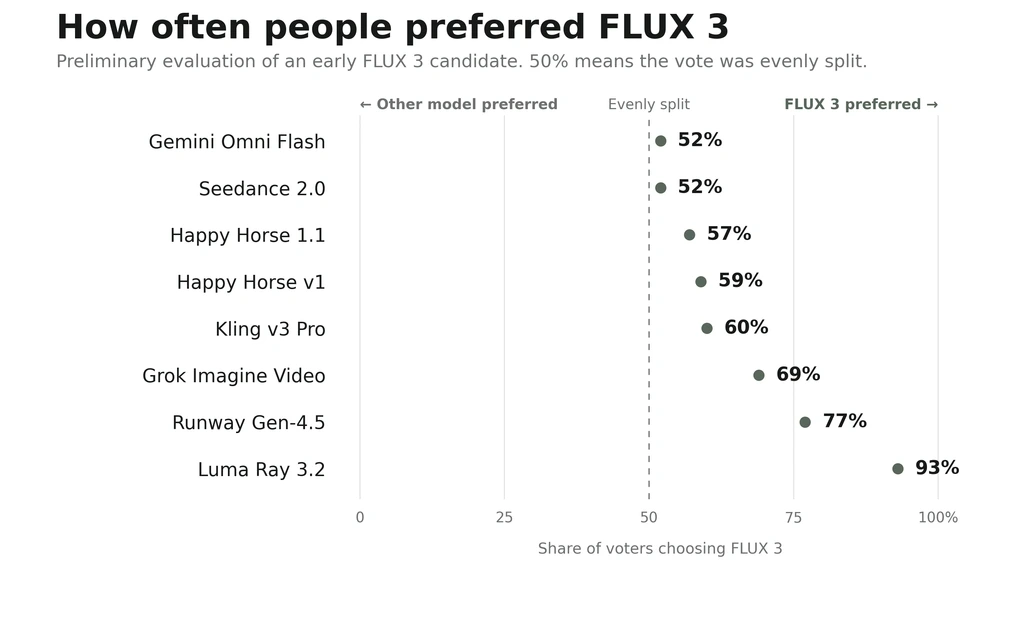
Chosen over Runway Gen-4.5 (77%) and Luma Ray 3.2 (93%) in early evaluations
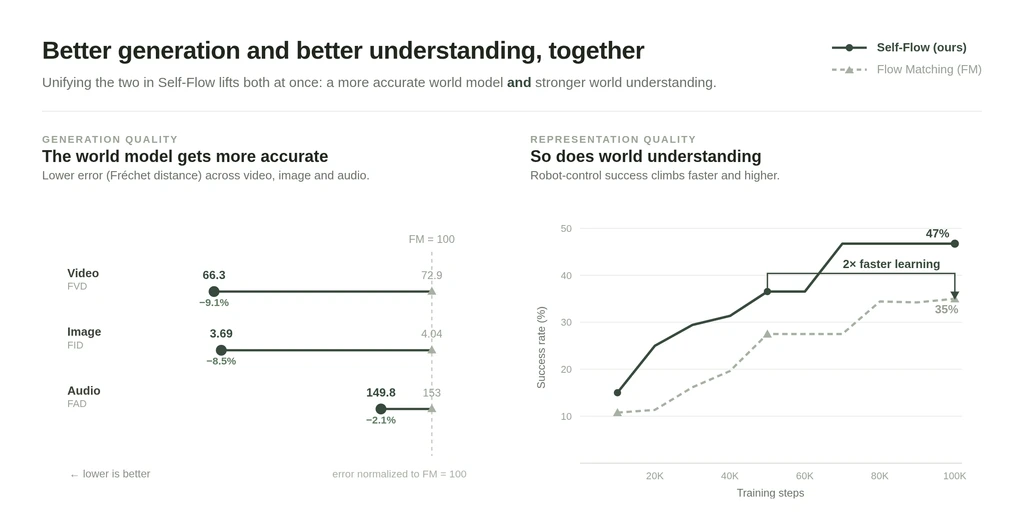
Generation and world understanding trained together in one model
FLUX 3 Video generates picture and audio together rather than scoring a silent clip afterwards, so footsteps, impacts, and ambience line up with what is on screen. Clips run up to 20 seconds without stitching.
Generate Video with SoundDescribe the shot — subject, camera move, lighting, and the sound you want under it — and FLUX 3 Video builds the sequence. Useful for ads, trailers, and concept films where motion has to obey physics.
Generate Video from TextStart from a still and let FLUX 3 Video carry it into motion, or set keyframes and have the model fill the transition between them. Video-to-video restyles footage you already have.
Animate a Start FrameFLUX 3 shares one architecture across image, video, and audio, so a FLUX 3 still and a FLUX 3 clip come from the same world model. Generate the frame first, then extend it into motion.
Explore the FLUX 3 Image GeneratorTrusted by over 30 million creators worldwide.
Real reviews on TrustpilotSo many AI tools out there but I always come back to Krea. It's really the one AI platform that 'just works'.

FYN
Verified review
Krea's interfaces are still the best in the industry. Everything looks and feels so clean and easy to use! Imo the easiest to use gen AI website.

Lynn
Verified review
Ultra fast generations. Extremely simple to use. All the latest AI models.

Daniel
Verified review
KREA is the only AI subscription I have right now besides ChatGPT.

Sophia M.
Verified review
I'm a Krea Max user. It's crazy how fast they add models. I see a new AI model on twitter and the same day krea already offers it.

Wirot Ch.
Verified review
Still the most powerful AI creative suite out there.

Gravion
Verified review
Free
Get free daily credits to try basic features.
Basic
Access our most popular features
Pro
Advanced features and discounts on compute units
Max
Full access with higher discounts on compute units
For Teams and Enterprises
Workplace management, collaboration, and enterprise customizations
Business
Secure and collaborative workspace for growing teams
Enterprise
Enterprise-grade security with dedicated support and admin features
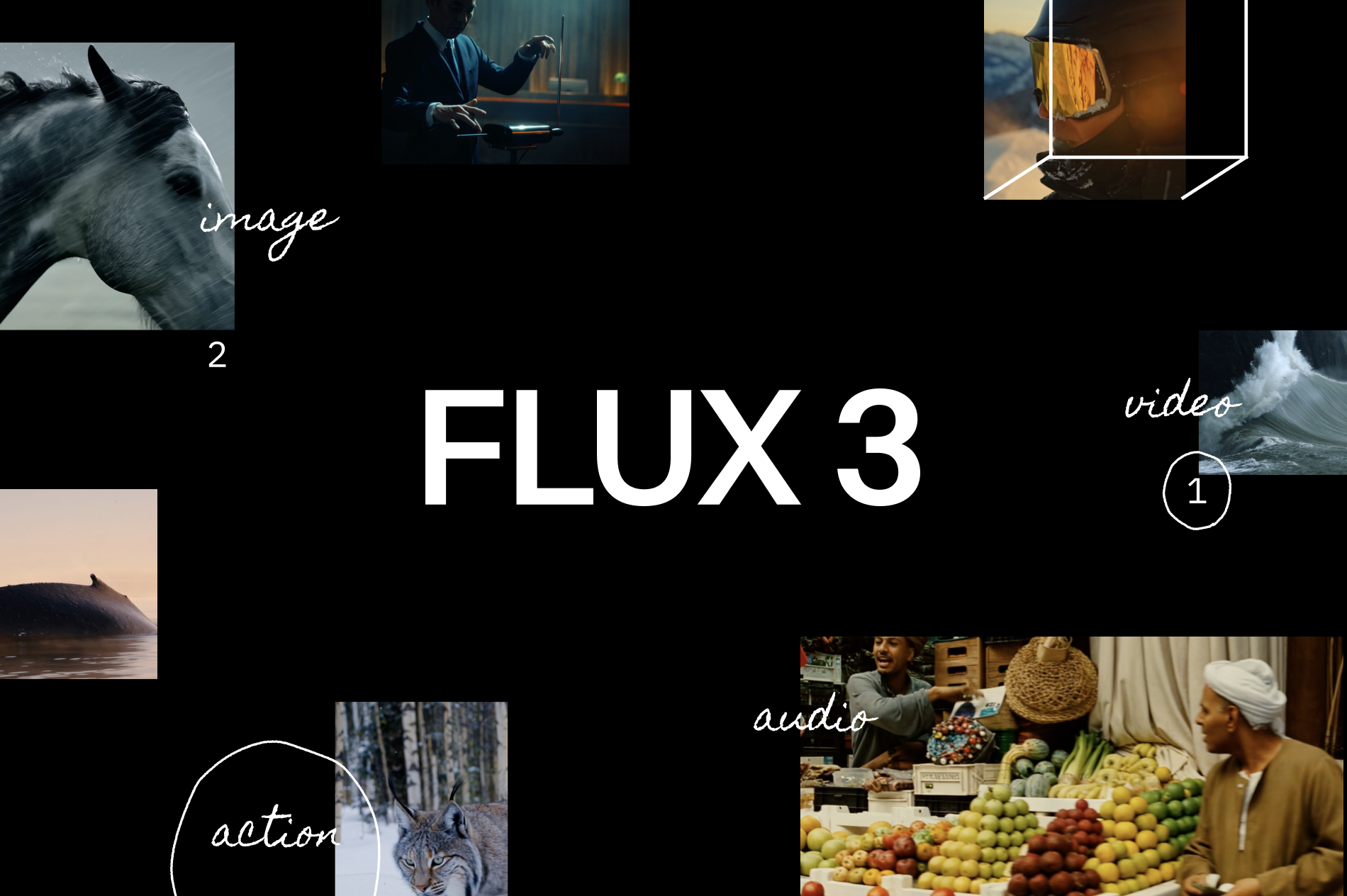
FLUX 3 Video is the video-and-audio capability of FLUX 3, Black Forest Labs’ first multimodal foundation model. Rather than generating a silent clip and adding sound later, it produces picture and synchronized audio together in a single pass, up to 20 seconds long.
Yes. FLUX 3 Video is live in the Krea Video tool with text-to-video, image-to-video, video continuation, start and end frames, 720p, 1080p, 2K, and 4K output, and native synchronized audio.
Black Forest Labs states FLUX 3 Video generates up to 20 seconds of video with native audio in a single pass — no stitching and no separate sound pass.
Yes. Audio is generated with the picture by the same model, so sound is synchronized to on-screen action — impacts, footsteps, and ambience land with the motion rather than being matched afterwards.
Text-to-video, image-to-video, video-to-video, and keyframe-to-video. You can start from a prompt, animate a still, restyle existing footage, or set keyframes and let the model fill the transition.
In preliminary head-to-head tests shared by Black Forest Labs, reviewers preferred FLUX 3 over Luma Ray 3.2 in 93% of comparisons, Runway Gen-4.5 in 77%, Grok Imagine Video in 69%, Kling v3 Pro in 60%, and Seedance 2.0 and Gemini Omni Flash in 52% each. These are early results and expected to change through the early access phase.
Self-Flow is Black Forest Labs’ training approach for FLUX 3. It aligns multimodal generation and understanding inside the same model, so scaling compute and data improves both what FLUX 3 generates and how well it understands the world it is generating.
Yes. Image synthesis and editing run on the same architecture and are covered on the FLUX 3 image generator page. Image early access is slated to follow video and audio.
Black Forest Labs announced FLUX 3 on July 23, 2026 and opened an early access phase. FLUX 3 Video launched on Krea on August 4, 2026; FLUX 3 Image access is planned to follow.
Yes. On Krea paid plans, generated videos include commercial licensing for campaigns, products, client work, and other production projects.
Latest news, tutorials, and updates from the Krea team
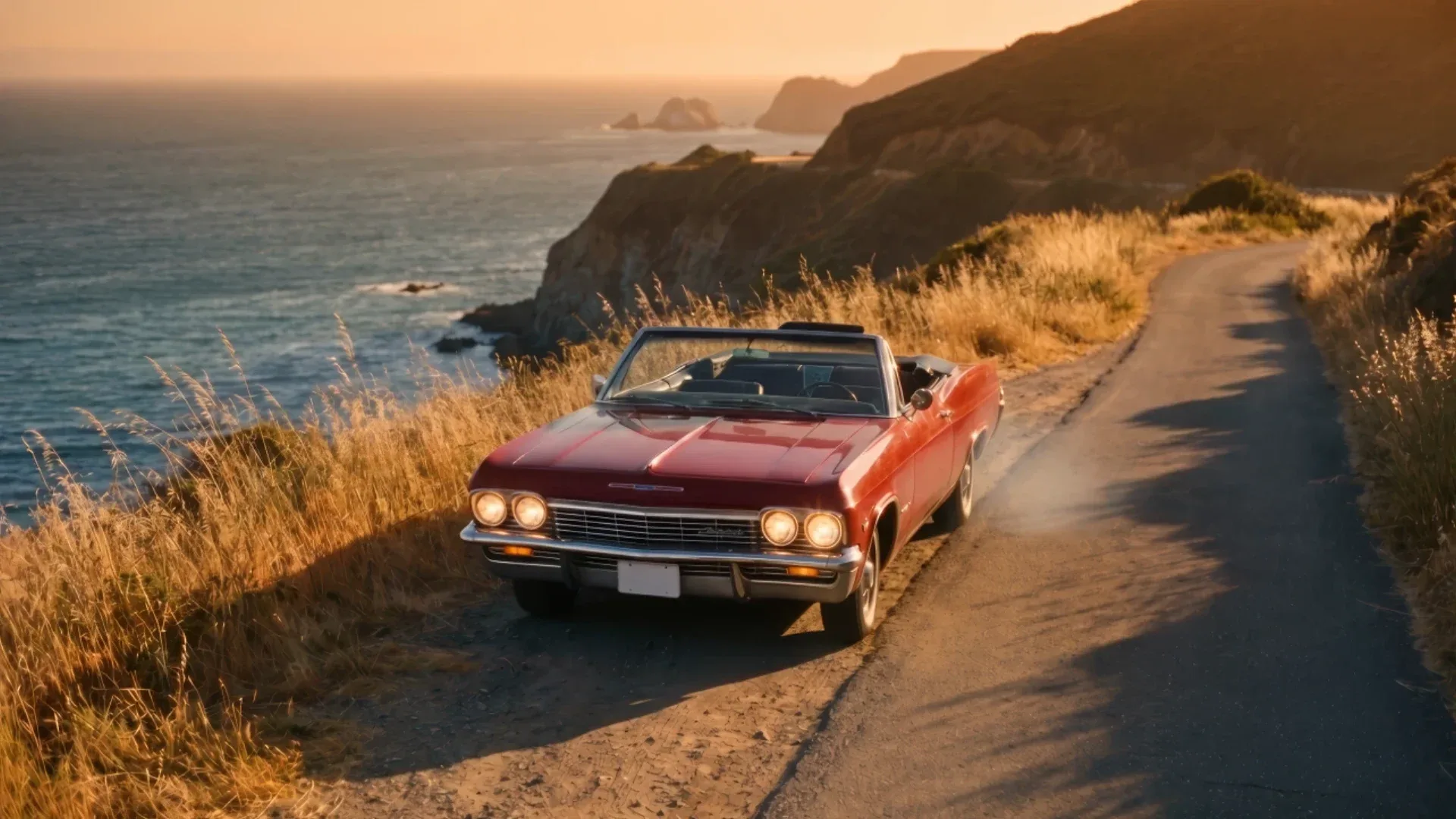
Is Seedance 2.5 open source? Can you download it, run it locally, or load it in ComfyUI? What's actually available, and the legit ways to use it.

How to use Seedance 2.5 on Krea, step by step: pick an input mode, set duration and resolution, draft cheaply, generate, extend, upscale and download.
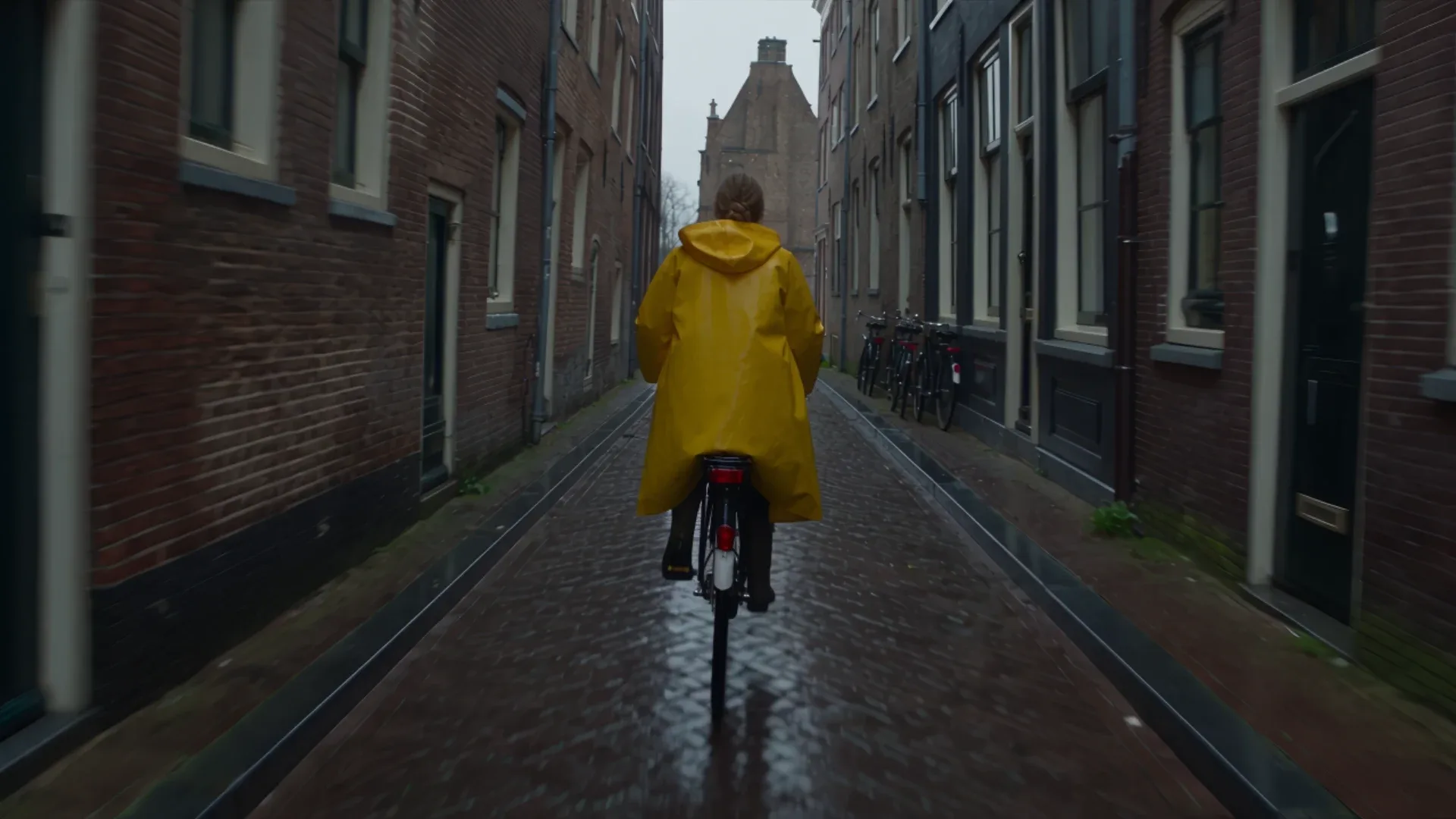
Is Seedance 2.5 free? Not on Krea's Free or Basic plans. Here's what Pro unlocks, why 'unlimited' doesn't exist, and the cheapest way to run it.
FLUX 3 Video is the video-and-audio side of FLUX 3, Black Forest Labs’ first multimodal foundation model. One architecture generates picture and synchronized sound together — up to 20 seconds in a single pass — from text, a start image, an existing clip, or keyframes. FLUX 3 Video is live on Krea now.
Try FLUX 3 Video on KreaExplore other Black Forest Labs models available on Krea
Flux 2 Klein
ImageFast lightweight Flux 2 model with reference image support
Flux.1 Dev
ImageFast model. Best for LoRAs.
Flux 2 Pro
ImageMedium quality model by Black Forest.
Flux 2 Flex
ImageMedium quality model for rendering text.
Flux 3 Image
ImagePrecise composition and multi-reference editing by Black Forest Labs.
Flux 2 Max
ImageFrontier model by Black Forest Labs.
Flux 1.1 Pro
ImageAdvanced yet efficent model from BFL.
Flux 1.1 Pro Ultra
ImageBFL's highest quality text to image model.
FLUX 3 Max
VideoFLUX 3 with stronger prompt adherence.
Flux Video Edit
VideoEdit any clip with a text prompt.
FLUX 3
ImageBlack Forest Labs' FLUX 3 image model — high-fidelity generation and editing with accurate multilingual text, now entering early access.
Flux 2
ImageFLUX.2 dev with enhanced realism and native editing capabilities
Flux Kontext Dev
ImageFrontier model designed for image editing, optimized for Krea
Flux Kontext Pro
ImageFrontier model designed for image editing
Discover more AI models for images and videos on Krea
Or try every model side by side in Krea's free AI video generator and AI image generator.
FLUX 3 Video is part of FLUX 3, announced by Black Forest Labs as a multimodal foundation model for image, video, audio, and action. Read the full announcement, capabilities, and early evaluations on the provider’s blog.
Read the FLUX 3 announcementPage last updated