










Step 1
Open Krea Image
Pick Seedream 5.5 from the model selector in the Krea Image tool.
Create
Edit & enhance

Krea 3
Our most advanced image model. Photoreal, editorial, on-brand.
Try Krea 320+ AI tools for images, video, 3D and audio in one app.
Open KreaCreate
Edit & enhance
Seedream 5.5 is the newest image model from ByteDance Seed. It keeps unedited regions intact across long editing sessions, outputs transparent and semi-transparent PNGs, and renders more natural light, materials, skin, and small text than Seedream 5.0 Pro.

How It Works
From first prompt to production-ready image in four steps.
Step 1
Pick Seedream 5.5 from the model selector in the Krea Image tool.
2Step 2
Upload up to 10 reference images for products, characters, or style.
Describe the subject, composition, lighting, and mood — the more specific, the better the result.
Step 3
Describe the subject, light, and any text you want in the image. Turn on a transparent background for cutouts.
Step 4
Keep editing the result. Seedream 5.5 leaves everything you did not ask to change.

Unedited regions are preserved at the pixel level, round after round
Transparent and semi-transparent PNG output
Reference images per generation

Cleaner type on menus, labels, and packaging
Maximum output scale, with 1.5K for faster runs
Preset aspect ratios, plus custom ratios
Background modes: auto, transparent, opaque
Runs in Krea Image and in the Edit tool

Seedream 5.5 changes only what you ask for. Unedited regions are preserved at the pixel level, so a product shot, a portrait, or a layout keeps its detail after many rounds of edits instead of drifting a little more each time.
Open Krea Image
Set the background to transparent and Seedream 5.5 returns a PNG with an alpha channel, including semi-transparent edges like glass, smoke, and hair. Drop stickers, product cutouts, and logos straight into a layout.
Open Krea Image
Light, materials, and skin texture look more like a photograph than in Seedream 5.0 Pro. In ByteDance’s preliminary testing, raters preferred Seedream 5.5 for image-to-image realism.
Open Krea ImageTrusted by over 30 million creators worldwide.
Real reviews on TrustpilotSo many AI tools out there but I always come back to Krea. It's really the one AI platform that 'just works'.

FYN
Verified review
Krea's interfaces are still the best in the industry. Everything looks and feels so clean and easy to use! Imo the easiest to use gen AI website.

Lynn
Verified review
Ultra fast generations. Extremely simple to use. All the latest AI models.

Daniel
Verified review
KREA is the only AI subscription I have right now besides ChatGPT.

Sophia M.
Verified review
I'm a Krea Max user. It's crazy how fast they add models. I see a new AI model on twitter and the same day krea already offers it.

Wirot Ch.
Verified review
Still the most powerful AI creative suite out there.

Gravion
Verified review
Free
Get free daily credits to try basic features.
100 units / day
Basic
Access our most popular features
5,000 units / month
Pro
Advanced features and discounts on compute units
20,000 units / month
Max
Full access with higher discounts on compute units
60,000 units / month
For Teams and Enterprises
Workplace management, collaboration, and enterprise customizations
Business
Secure and collaborative workspace for growing teams
80,000 units / month

Enterprise
Enterprise-grade security with dedicated support and admin features
Seedream 5.5 is ByteDance Seed's newest image generation and editing model, announced on November 9, 2026. It focuses on stable multi-round editing, native transparent output, and more realistic light, materials, skin, and small text.
Yes. Pick Seedream 5.5 in the Krea Image tool. It also runs in the Edit tool, where you can keep editing the same image.
Edits are more stable: unedited regions keep their pixels across many rounds, with less detail loss each time. It adds native transparent and semi-transparent PNG output. Light, materials, skin texture, and small text also look more natural. ByteDance says a Pro version of Seedream 5.5 will follow, without a date yet.
Yes. Set the background to transparent and Seedream 5.5 returns a PNG with an alpha channel, including semi-transparent areas such as glass or smoke. Choose opaque for a regular image, or leave it on auto.
Seedream 5.5 offers 1.5K and 2K scales on Krea, in 4:3, 3:2, 16:9, 2.35:1, 1:1, 4:5, 2:3, and 9:16, plus custom ratios.
Up to 10 reference images per generation, to keep products, characters, and style consistent.
Yes. On Krea paid plans, generated images include commercial licensing for campaigns, products, client work, and other production projects.
Latest news, tutorials, and updates from the Krea team
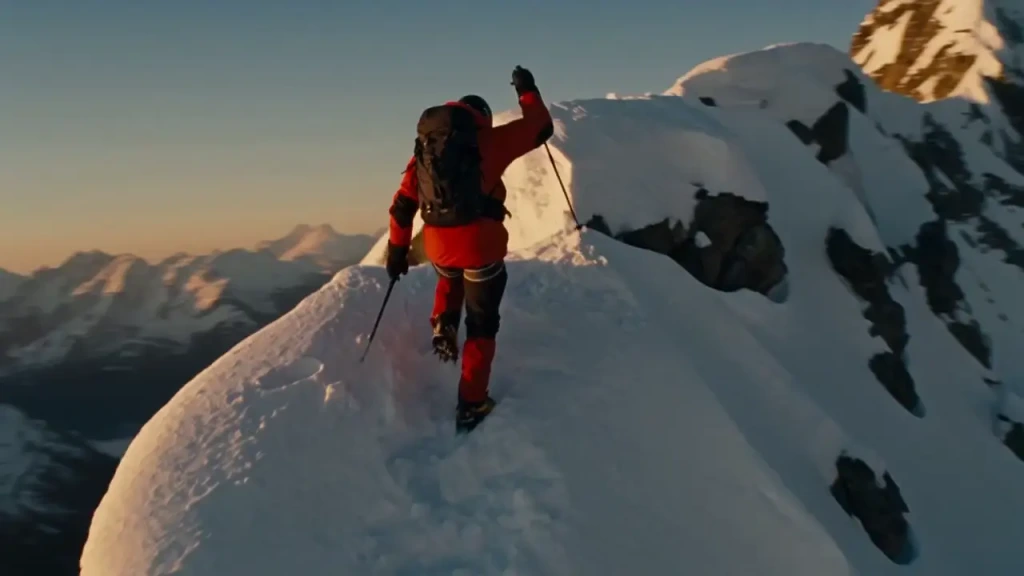
The best cinematic AI video generators of 2026 compared: Seedance 2.5, Veo 3.1, Kling 4, Runway, Luma, and Higgsfield on camera control, clip length, audio, and Seedance 2.5 price.

How a single phone photo became Zoo York, a one-minute AI short made with Krea Agent, GPT Image 2.5, and Seedance 2.5, with every prompt used.

Technical report for Krea 3 (K3), our frontier image-to-image model for fast, cost-efficient editing: architecture, training, data, reinforcement learning, preference optimization, and inference.
Seedream 5.5 is the newest image model from ByteDance Seed. It keeps unedited regions intact across long editing sessions, outputs transparent and semi-transparent PNGs, and renders more natural light, materials, skin, and small text than Seedream 5.0 Pro.
Try Seedream 5.5 on KreaExplore other ByteDance models available on Krea
Seedream 5 Lite
ImageMedium quality model with reasoning and web search.
Seedream 5 Pro
ImageHighest quality model with precise editing control.
Seedream 4.5
ImageMedium quality model for photorealism.
Seedance 2.0
VideoFlagship video model with native audio, references, and frame animation.
Seedance 2.0 Fast
VideoFaster Seedance 2 with native audio, references, and frame animation.
Seedance 2.0 Mini
VideoCost-efficient Seedance 2 model for scalable video production.
Seedance 2.5
VideoMost advanced Seedance with 30s clips, native audio, and up to 50 references.
Seedream 4
ImageNew high quality model for photorealism and text rendering
Discover more AI models for images and videos on Krea
Or try every model side by side in Krea's free AI video generator and AI image generator.
Seedream 5.5 was developed by the ByteDance Seed team, which announced it on November 9, 2026. Check the provider for the original model details.
Visit ByteDance SeedPage last updated